Konfigurera Shopify-integration
Med Shopify-integration kan du se kundorder, hantera betalningar, trigga automation med m.m. Processen har två steg:
- Skapa Custom App i Shopify
- Koppla Shopify till kontot
Skapa Custom App
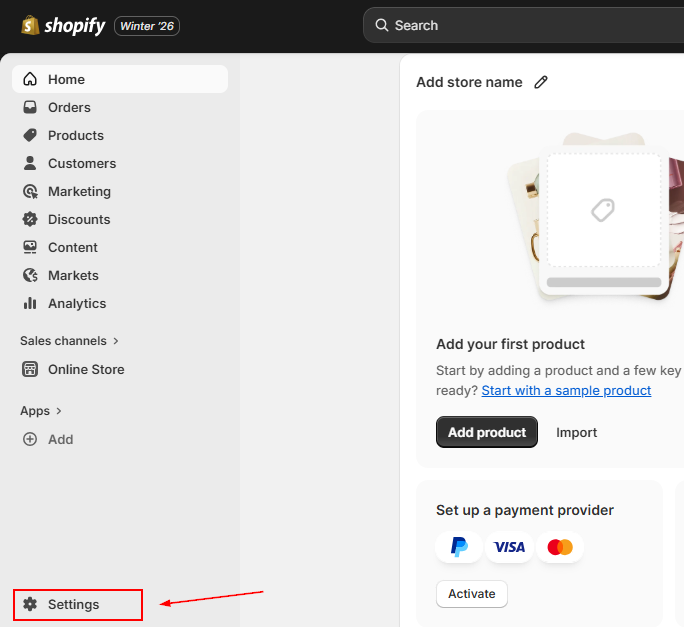
Välj Apps i Shopify
Logga in i Shopify och klicka “Settings”.
Develop Apps
Klicka “Develop apps”.
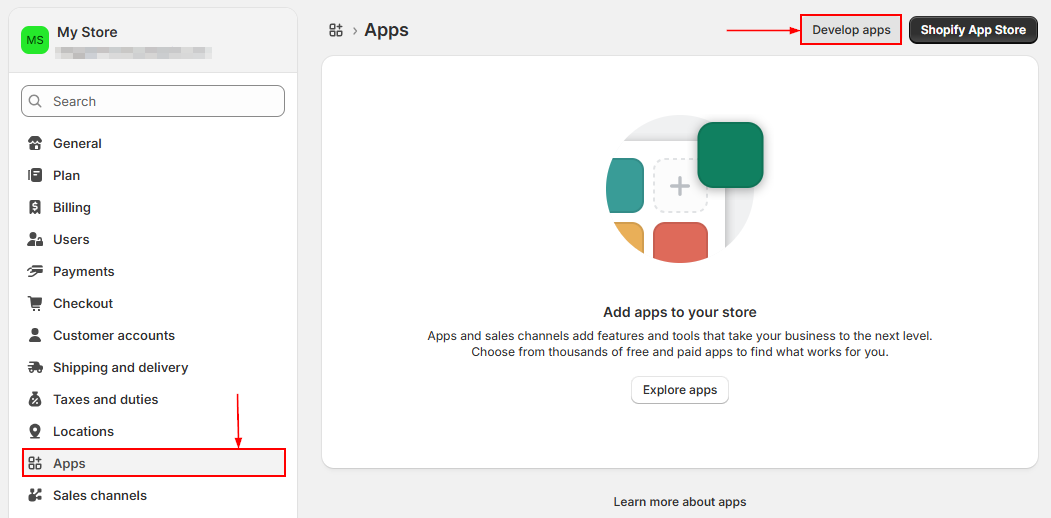
Aktivera custom app development vid behov, klicka Create an app, namnge appen, välj e-post under App Developer och Create app.
Konfigurera Admin API:
- read_orders under Orders
- read_products under Products
- Save
Klicka Install app och bekräfta.
Kopiera Admin API access token från API credentials.
Koppla Shopify till CRM
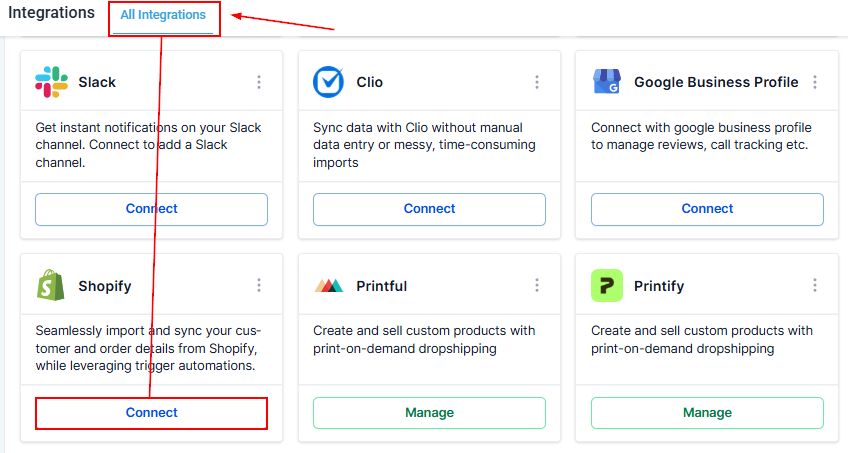
Gå till Settings > Integration och klicka Connect.
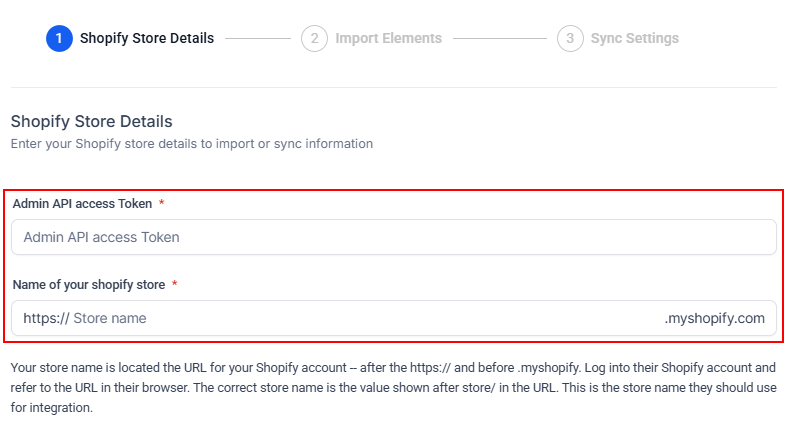
Konfigurera butik
Klistra in Admin API access token, ange Name of your Shopify store och klicka Next.
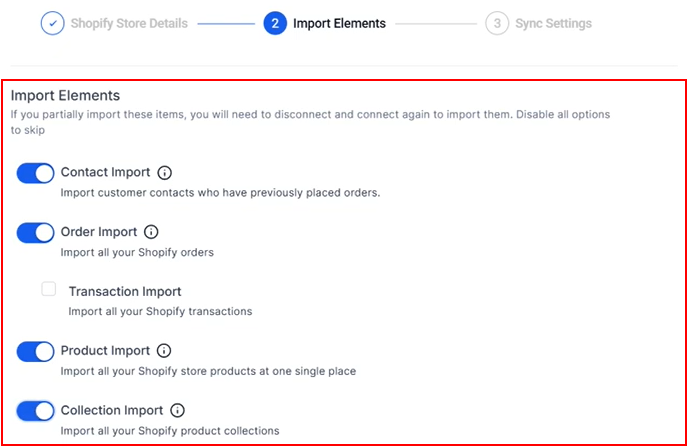
Importera element
Slå på funktioner du vill importera.
Sync Settings
Välj synk av orders, contacts, products eller collections och triggers för automation.
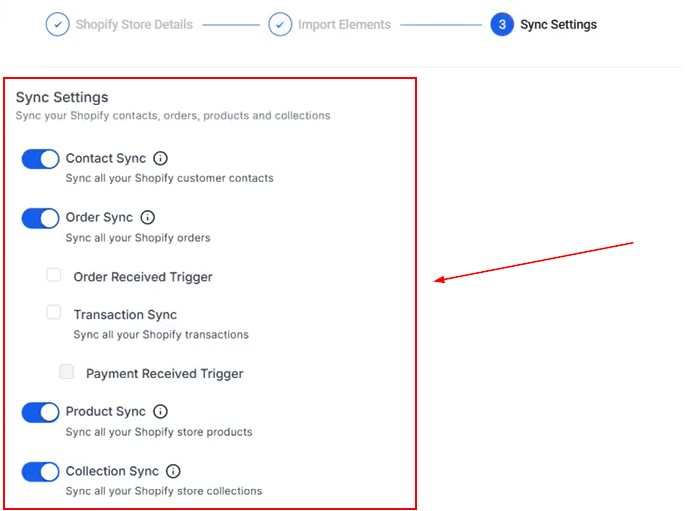
Klicka Save. Använd Shopify workflow triggers för e-post, SMS med mera.
Inte kund hos Funnelbud ännu?
Prova vårt allt-i-ett CRM för sälj och marknadsföring — gratis i 7 dagar, ingen bindningstid.