Hur du bifogar filer till en kontaktpost
I den här artikeln lär du dig hur du skapar ett custom field och integrerar det i Contact Details för att möjliggöra filbilagor i en kontaktpost. Börja med att gå till kategorin Settings, välj avsnittet Custom Fields och klicka på knappen “+Add Field” för att påbörja skapandet av ditt custom field.

File Upload
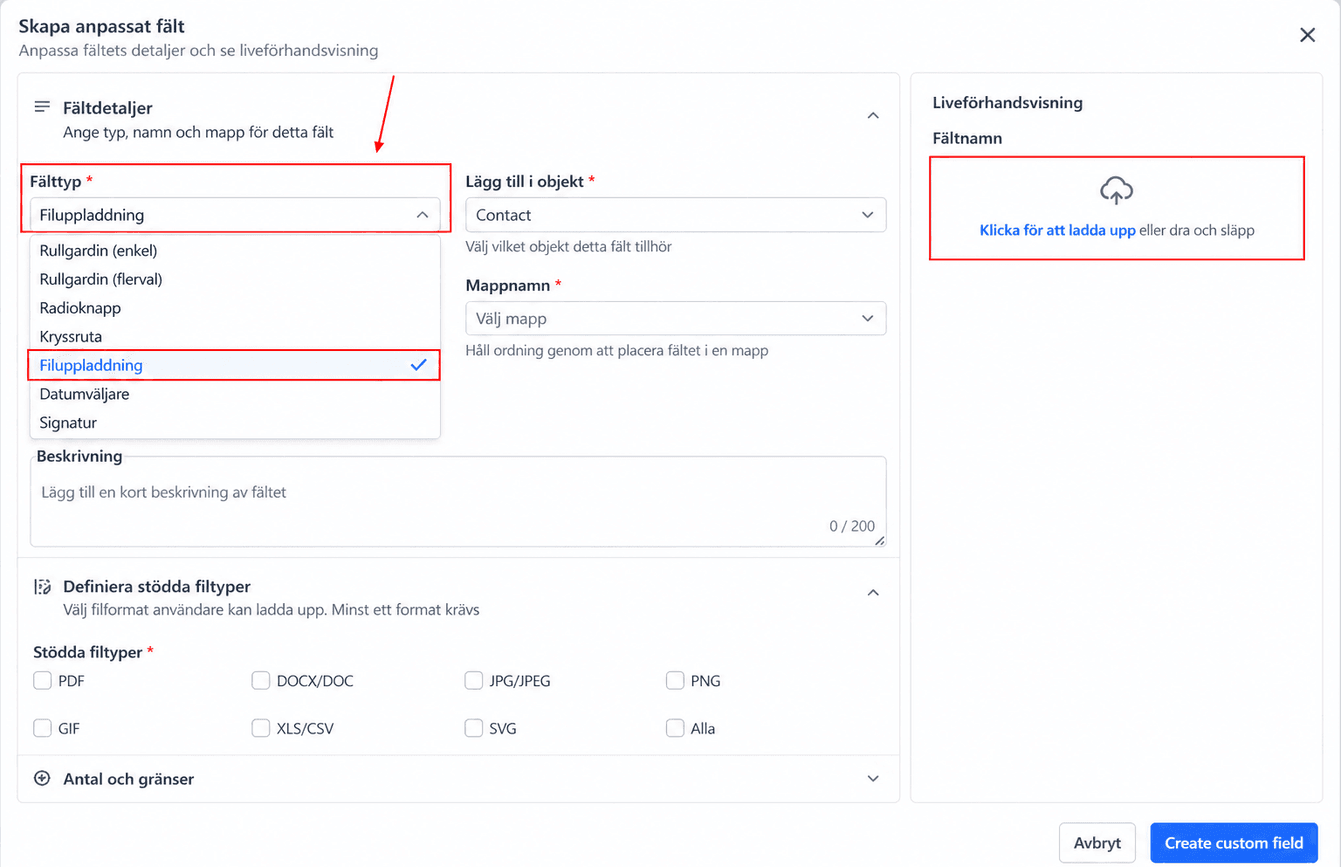
Ett popup-fönster visas. Klicka på File Upload och ladda sedan upp din fil med hjälp av Preview-sektionen uppe till höger i popupen om du vill.
File Name and Folder
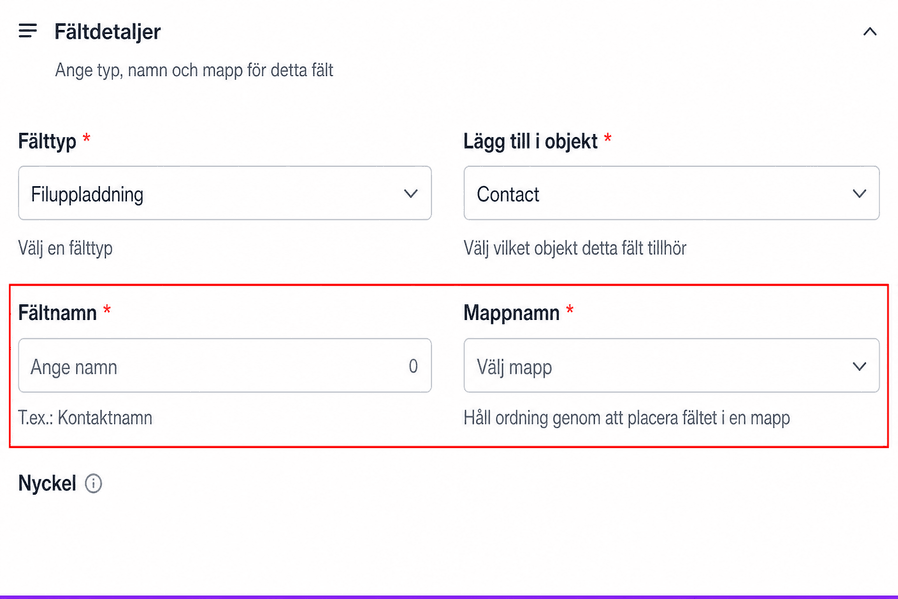
Ge ditt nya fält ett namn så att det är lätt att identifiera, och välj den grupp där du vill att custom fieldet ska ligga.
Select Object
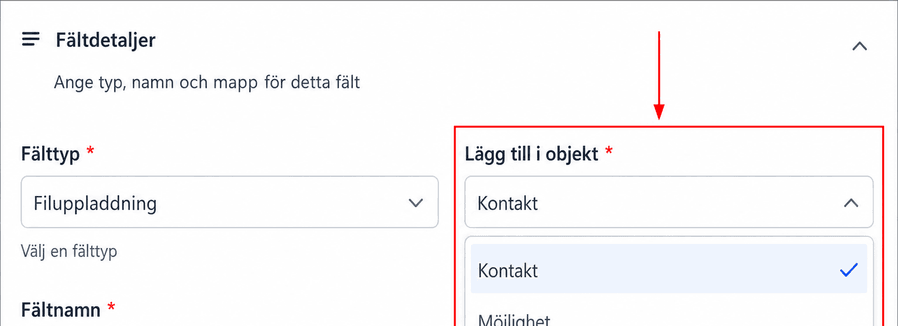
Välj därefter den sektion i systemet där du vill att custom fieldet ska tillämpas: i Contact, Opportunity details eller ett Custom Object. Eftersom vi vill visa filen/filerna i en kontaktpost väljer vi Contact Object här.
File Type
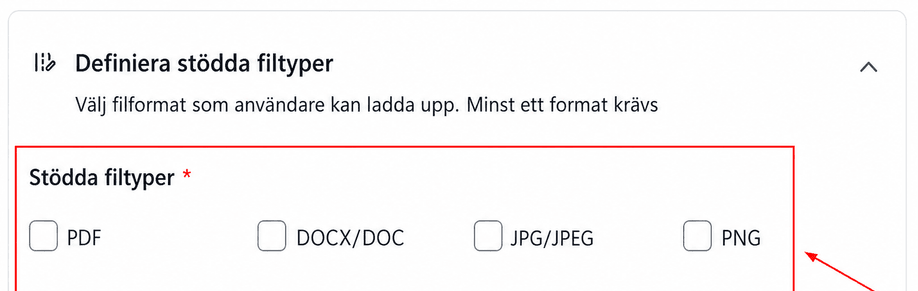
Ange vilka filtyper som kan bifogas till det här custom fieldet. Alternativt väljer du “All” för att tillåta alla filtyper.
Allow Multiple Files
Om du behöver bifoga flera filer till ett och samma custom field, aktivera växeln och ställ in maximalt antal filer som kan bifogas.
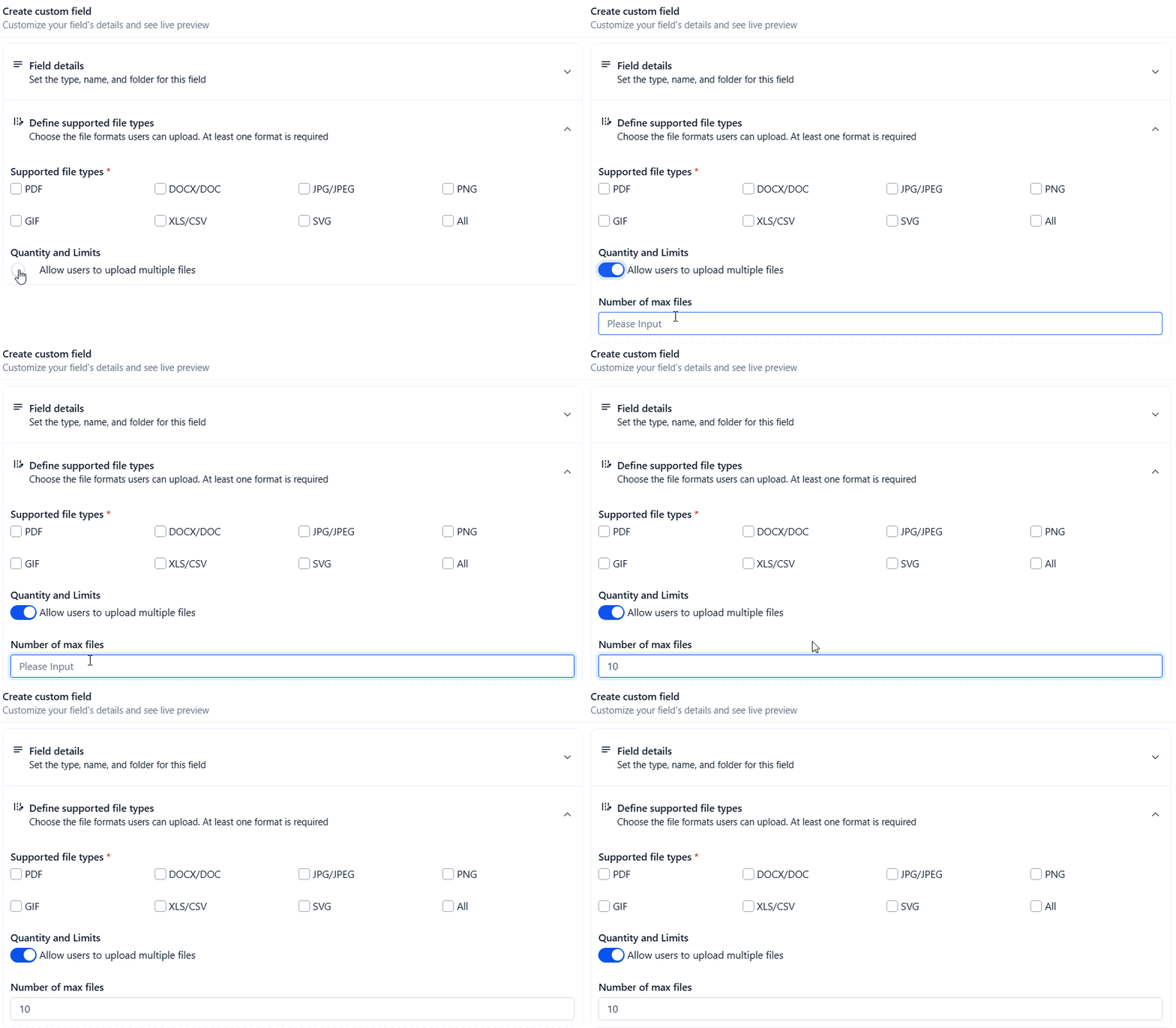
Konfigurera eventuella övriga preferenser och klicka sedan på Save.
Så använder du ditt custom field
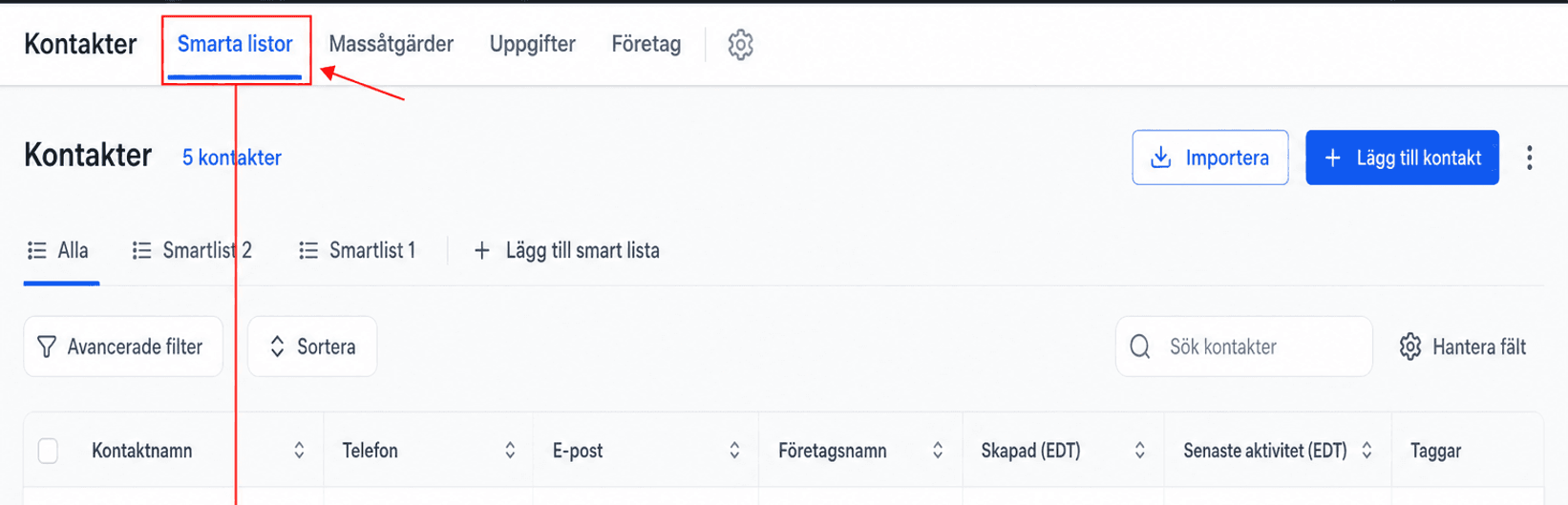
För att se ditt custom field i praktiken, gå till avsnittet Contacts i vänstermenyn och öppna en individuell kontaktpost.
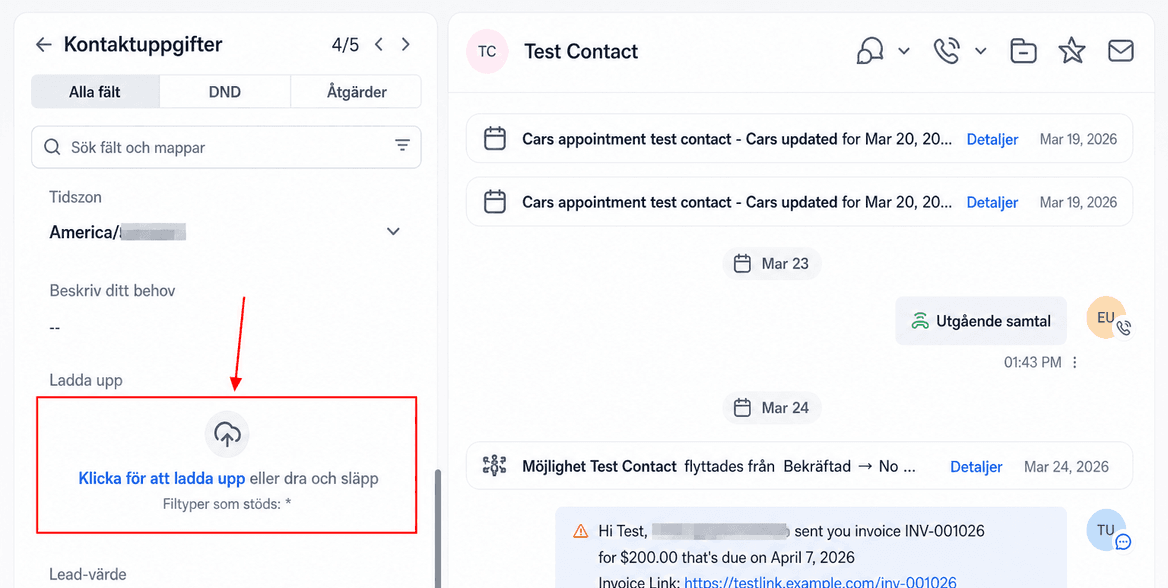
I kontaktposten hittar du den grupp där du lagt till custom fieldet, och scrollar sedan ner för att hitta det nya alternativet att lägga till filer. För att ladda upp en fil klickar du på knappen Upload a File, väljer önskad fil i din lokala filbläddrare och klickar på Save när filen har laddats upp.
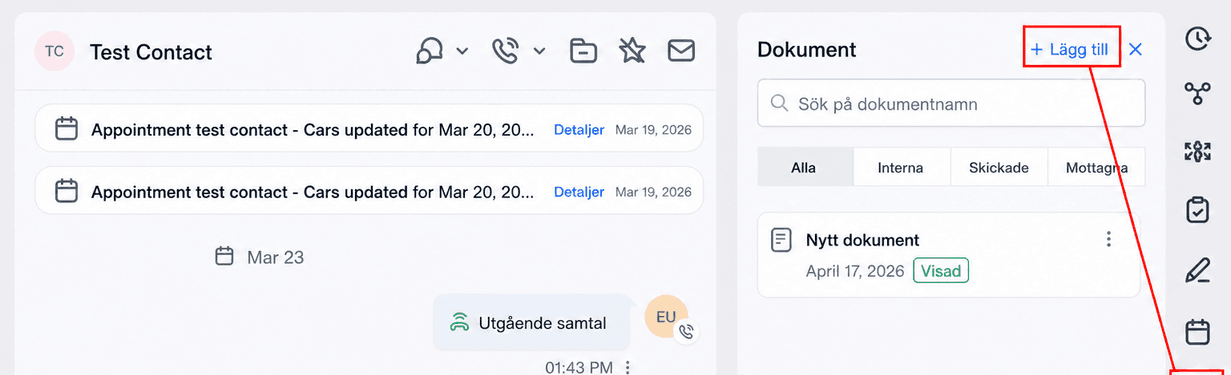
Så använder du fliken Contact Documents
Dokument kan också laddas upp direkt till en kontakts profil via fliken Documents. Gå då till avsnittet Documents och klicka på knappen “Add” för att ladda upp upp till 10 filer samtidigt. För mer detaljerad information om den här funktionen, se artikeln Document Management i det här avsnittet.
Den här processen gör det möjligt för dig att effektivt organisera och hantera ytterligare information i dina kontakt- eller opportunity-poster, så att din data både är komplett och tillgänglig.
Inte kund hos Funnelbud ännu?
Prova vårt allt-i-ett CRM för sälj och marknadsföring — gratis i 7 dagar, ingen bindningstid.