Så automatiserar du din bokningshantering
Innan du dyker in i bokningshantering är det viktigt att förstå vad opportunities och pipelines är i CRM:et. Opportunities representerar potentiella intäkter eller konverteringar från leads, medan pipelines hjälper dig att organisera dessa opportunities i olika stages i din sälj- eller serviceprocess.
Skapa en Appointment Pipeline
Gå till fliken Pipelines under Opportunities-sektionen och skapa en ny pipeline. Där hanterar du olika stages i interaktionen med dina leads.
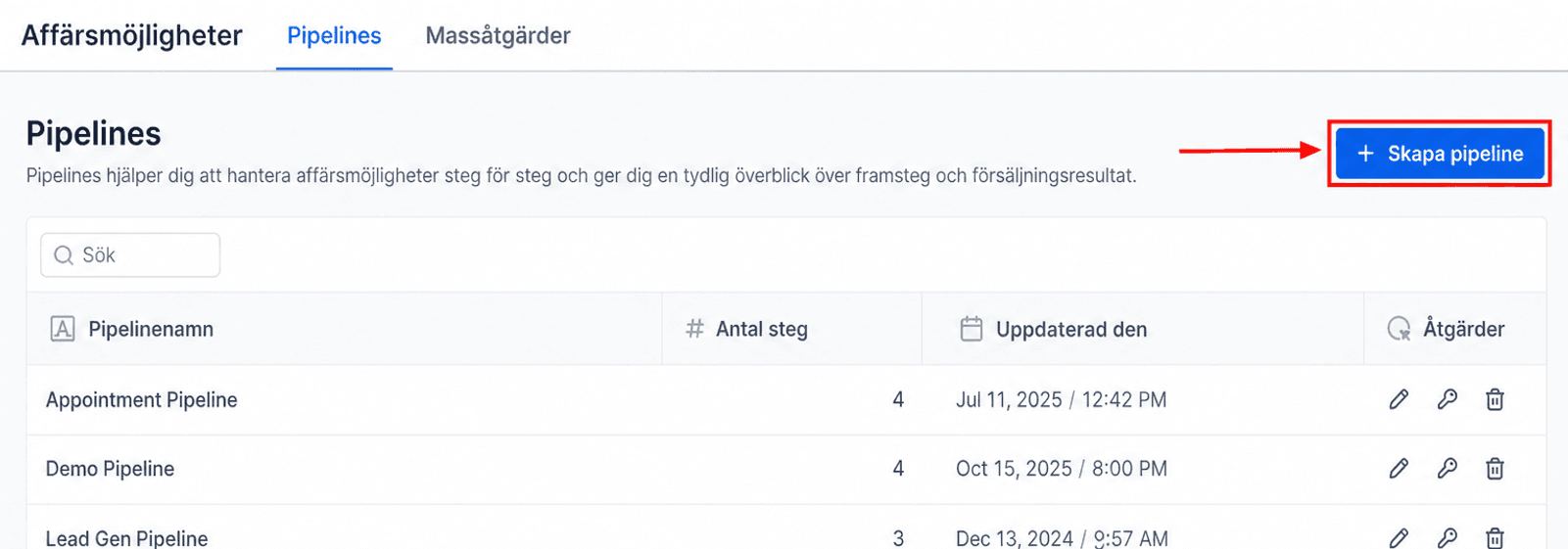
I popup-fönstret namnger du den nya pipelinen något relevant, till exempel “Appointment Pipeline,” och kontrollerar att du har tillräckligt många stages. Om inte, klicka på “Add Stage.”
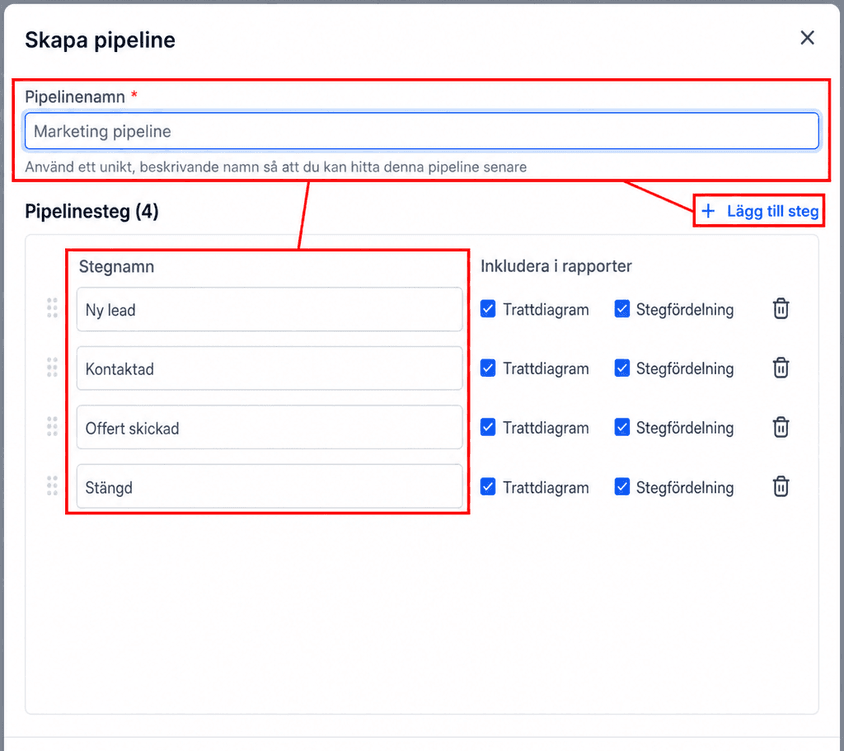
Definiera stages
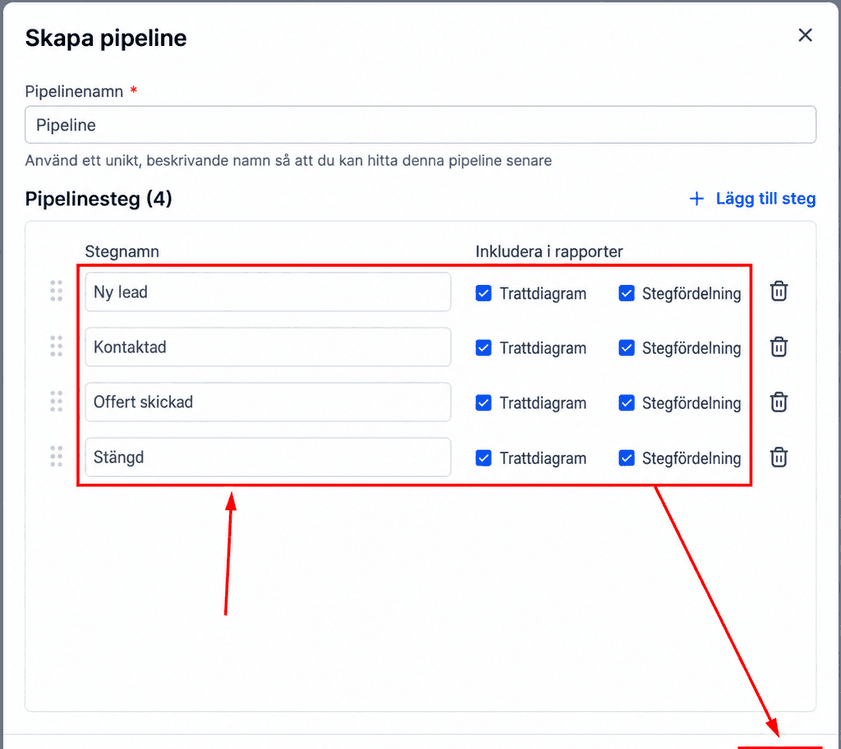
Inkludera stages som “Confirmed”, “Rescheduled”, “Canceled” och “No Show” för att följa varje boknings status. Dessutom kan du göra varje pipeline-stage synlig på Funnel- och/eller Pie-diagrammen genom att aktivera respektive toggle. Kom ihåg att klicka på Create för att spara den nyskapade pipelinen.
Hantera bekräftade bokningar med automatisering
Gå till fliken Workflows under Automation-sektionen, klicka på + Create Workflow och välj sedan + Start from Scratch.
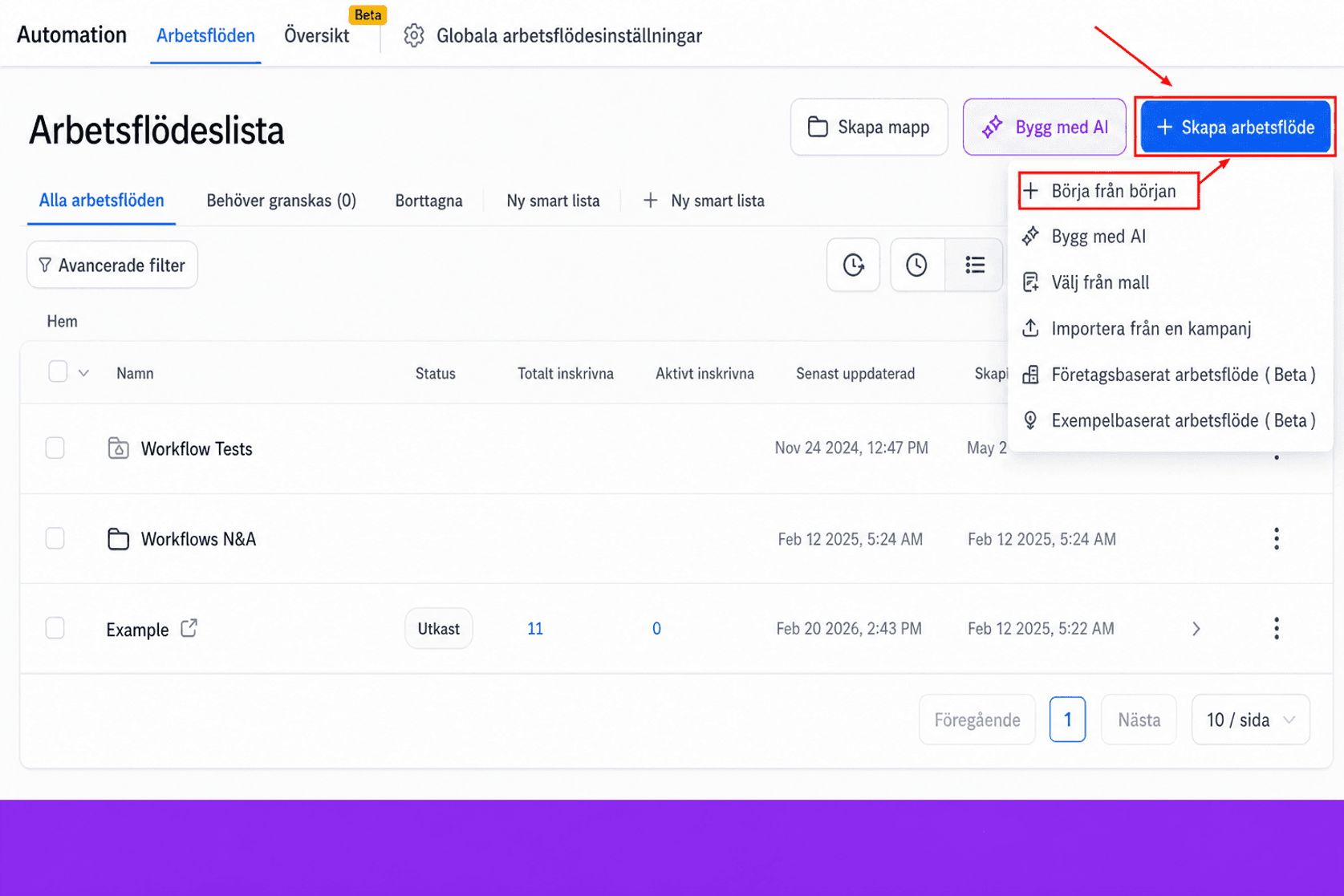
Du kan namnge arbetsflödet “Appointment Confirmed” för enkel identifiering.
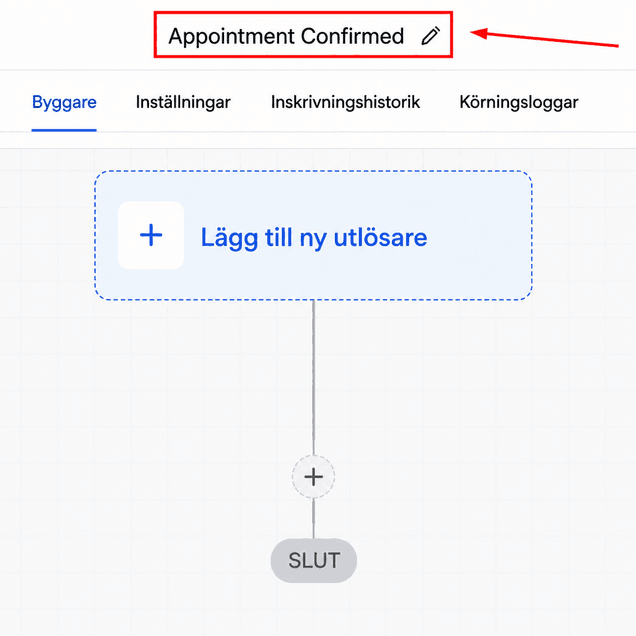
Välj en trigger
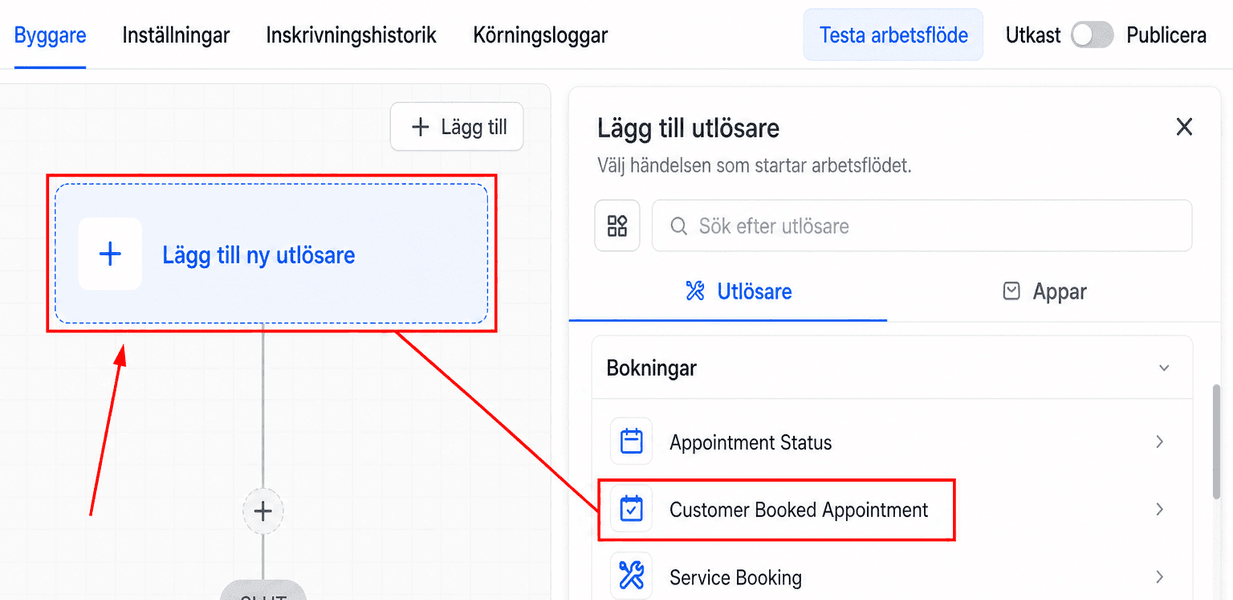
Välj sedan “Customer Booked Appointment” som Workflow Trigger i den relevanta kalendergruppen.
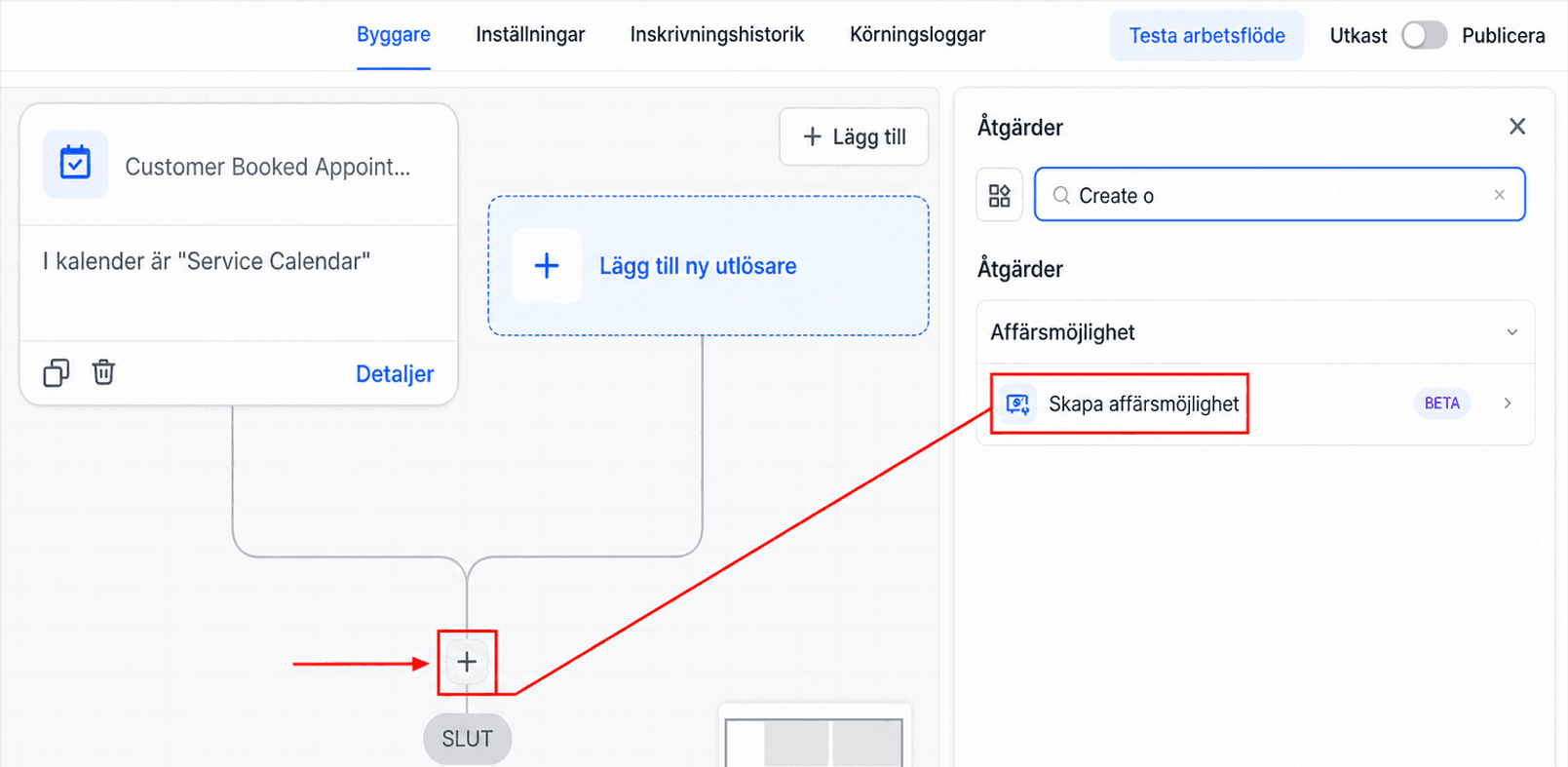
Action
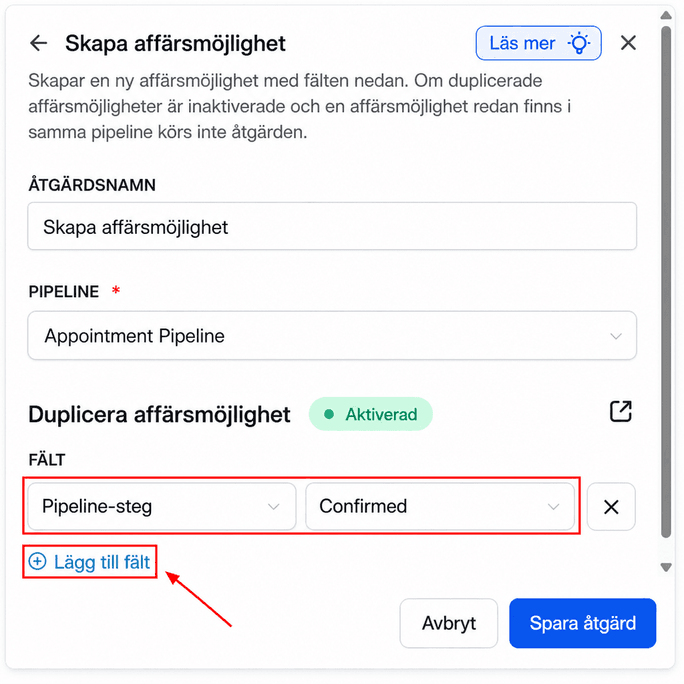
Välj åtgärden Create Opportunity.
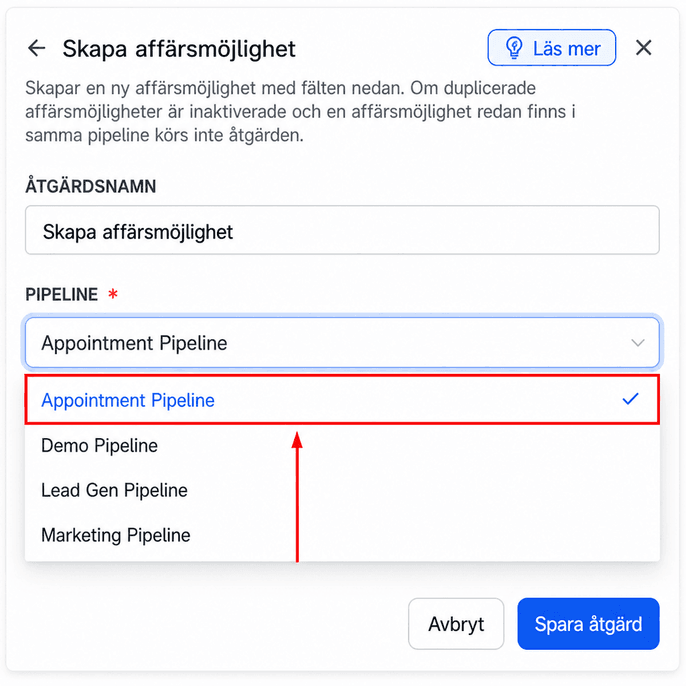
Välj alternativet “Appointment pipeline”.
Klicka på “Add field” och sätt Pipeline Stage till Confirmed.
Hantera avbokningar och no-shows
Eftersom CRM:et inte automatiskt kan upptäcka no-shows krävs en kombination av automatisering och manuell åtgärd.
För avbokningar
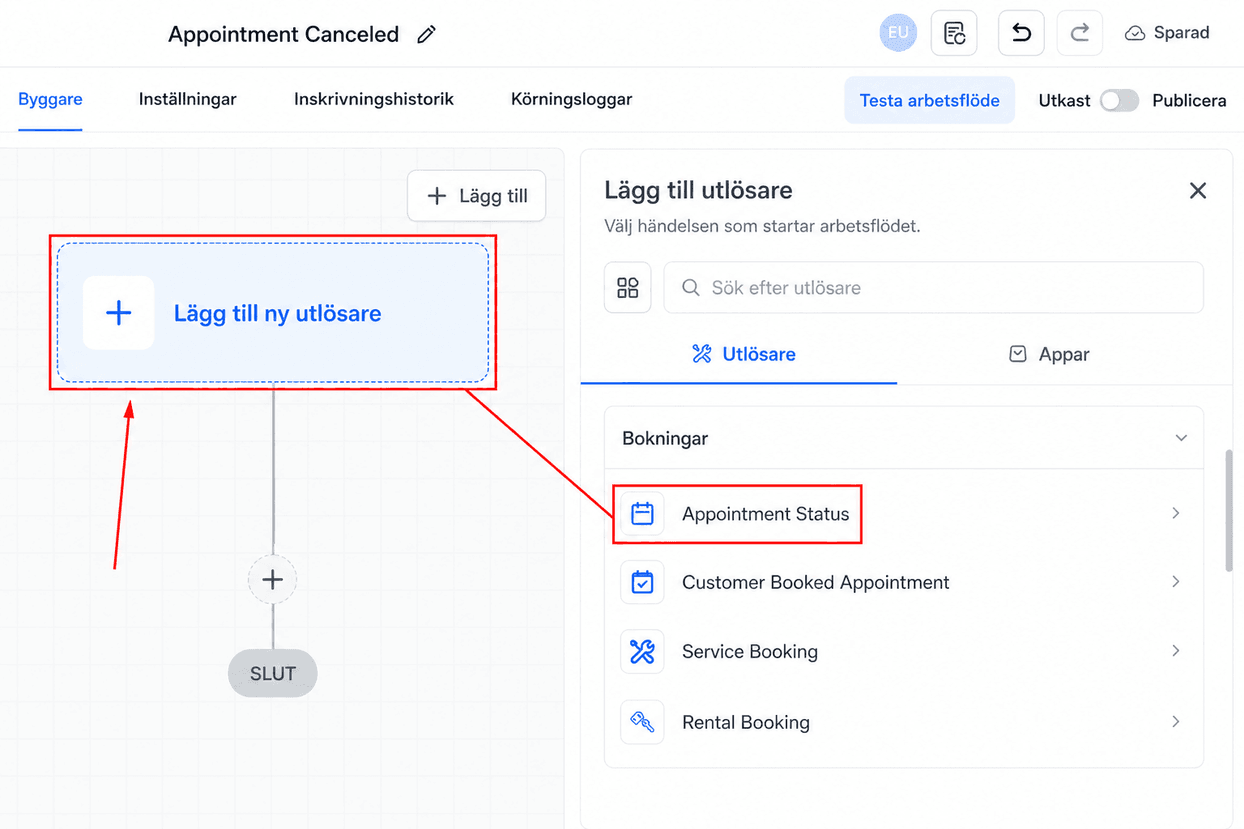
Skapa ett nytt arbetsflöde som vi namnger “Appointment Canceled”. Lägg till Appointment Status Trigger så att den aktiveras när en bokningsstatus ändras till canceled.
Trigger
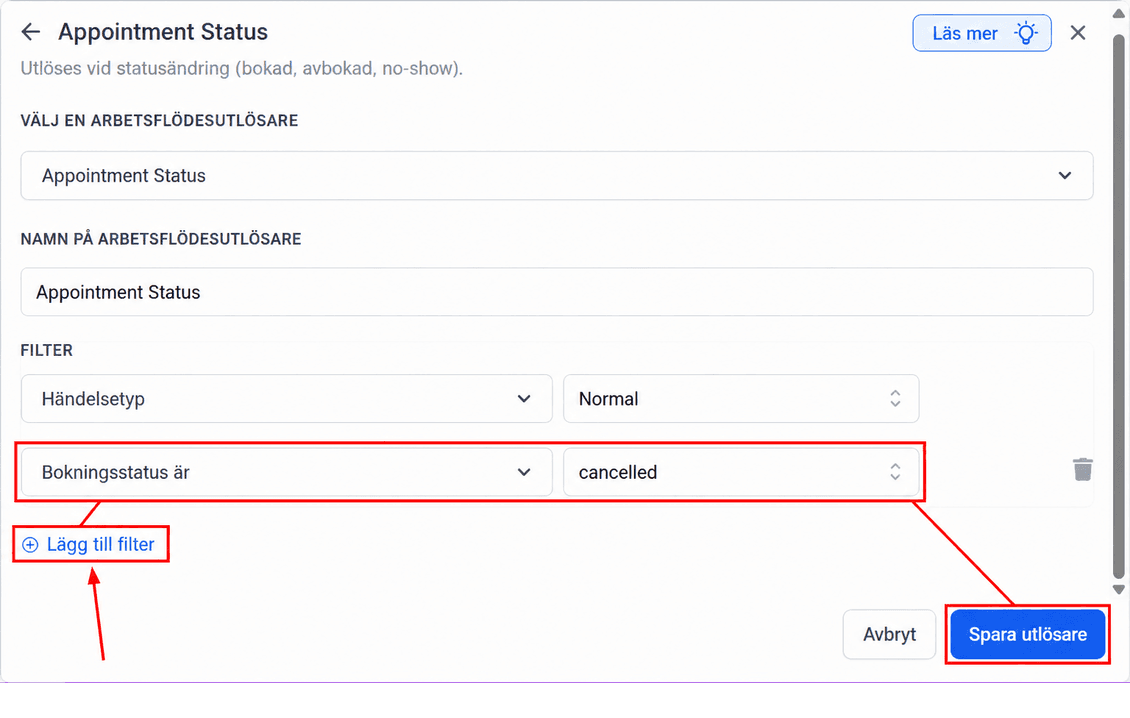
I filtret lägger du till filtret “Appointment status is” och sätter det till “Cancelled.” Kom ihåg att spara triggern.
Action
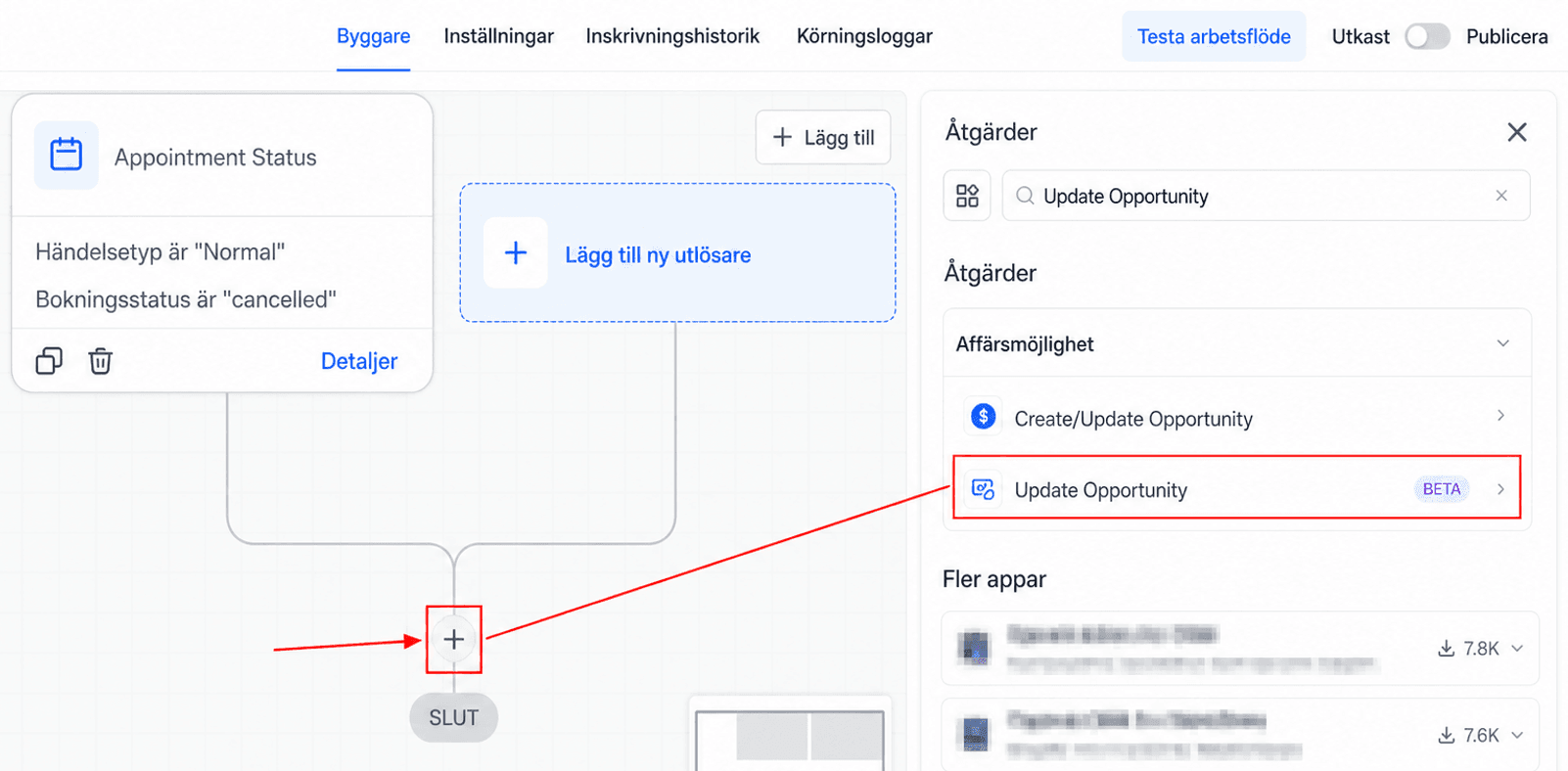
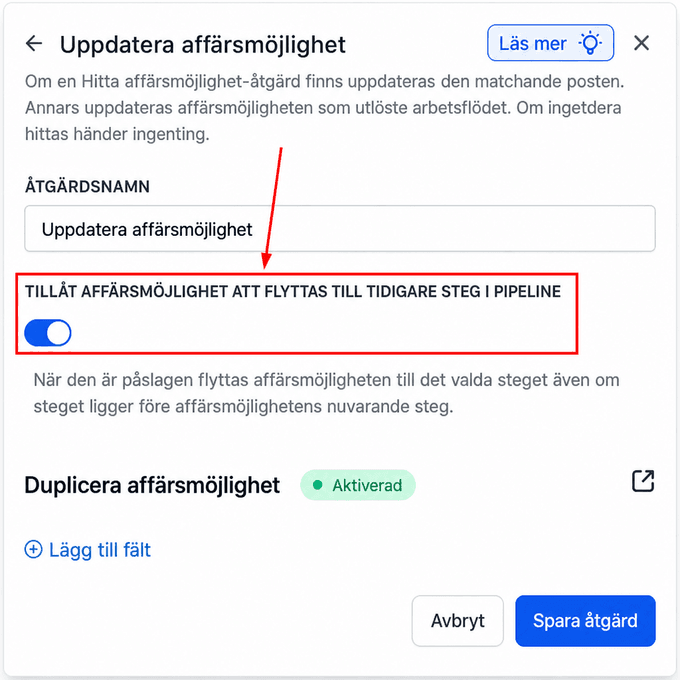
Sök efter och välj åtgärden “Update Opportunity”.
Aktivera “Allow opportunity to move to any previous stage in pipeline” för att signalera till systemet när en opportunity behöver flyttas till en stage den tidigare har varit i.
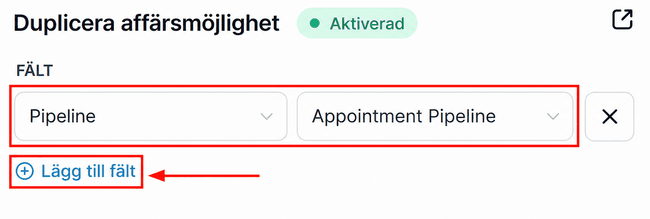
För det här arbetsflödet lägger du till fältet Pipeline och sätter det till “Appointment Pipeline.”
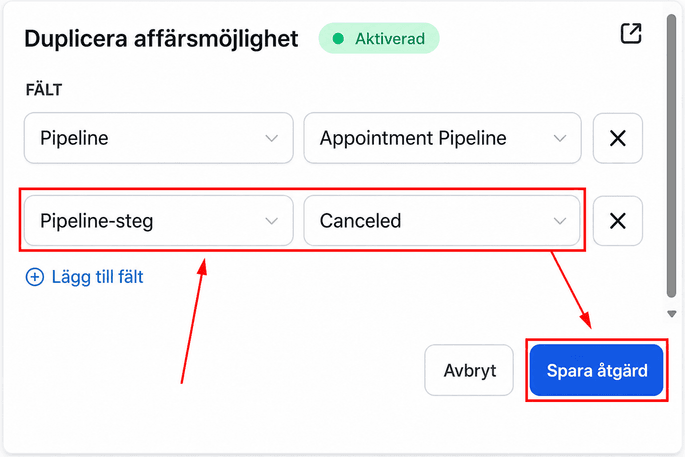
Lägg till fältet “Pipeline” Stage och sätt det till “Canceled,” spara sedan åtgärden.
För no-shows
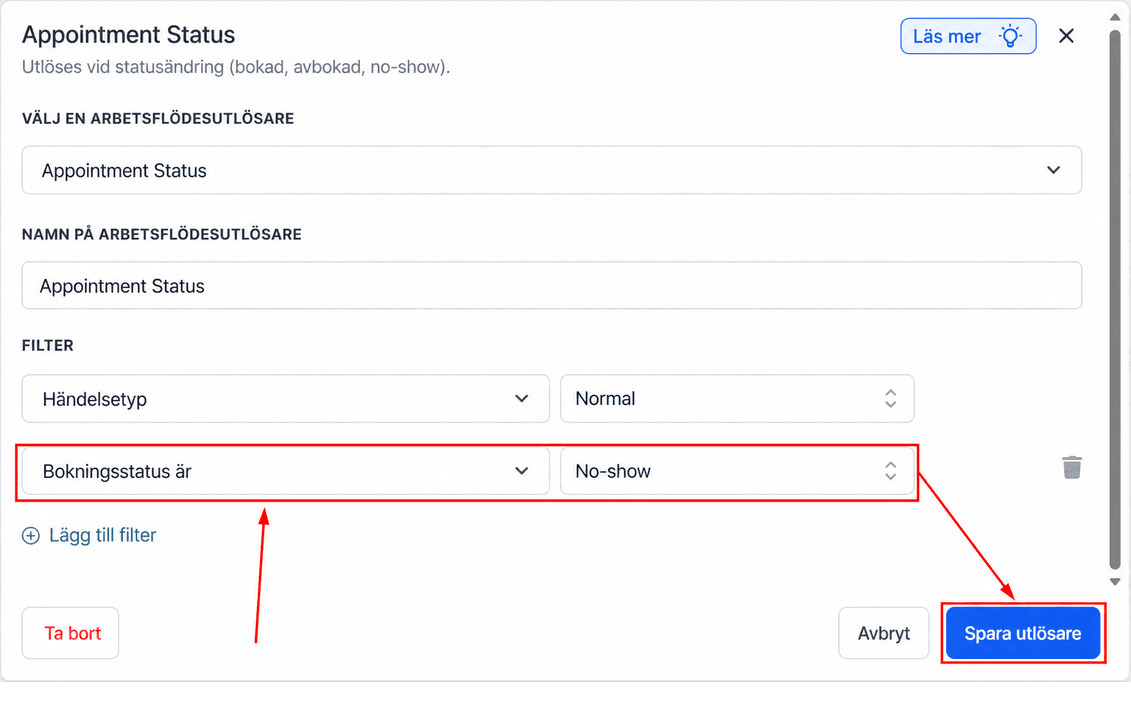
I ett nytt arbetsflöde använder du Appointment Status Trigger, sätter filtret till “Appointment status is No-show,” och sparar sedan triggern.
Action
Sök efter och välj åtgärden “Update Opportunity”.
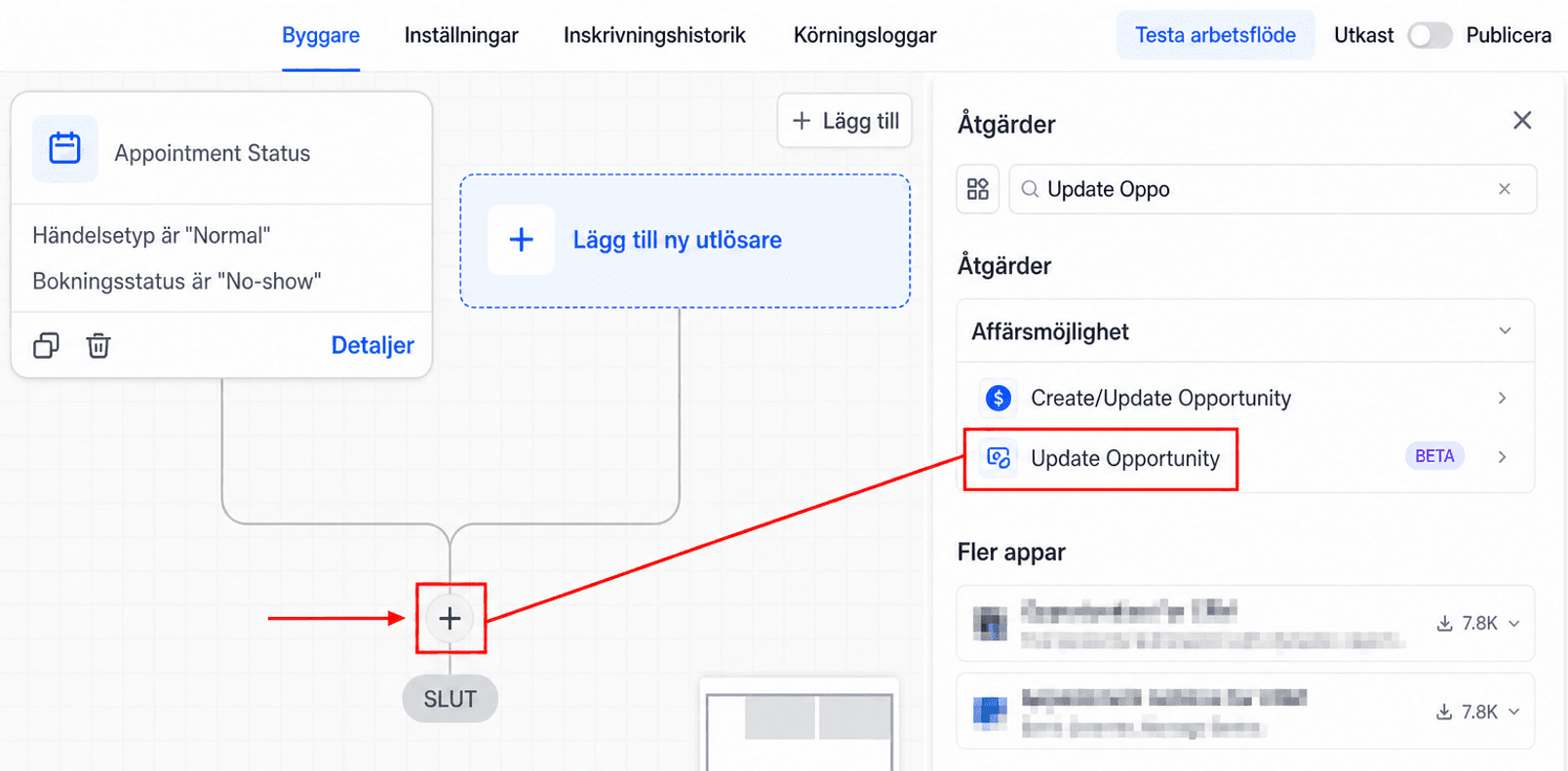
Aktivera “Allow opportunity to move to any previous stage in pipeline” för att signalera till systemet när en opportunity behöver flyttas till en stage den tidigare har varit i.
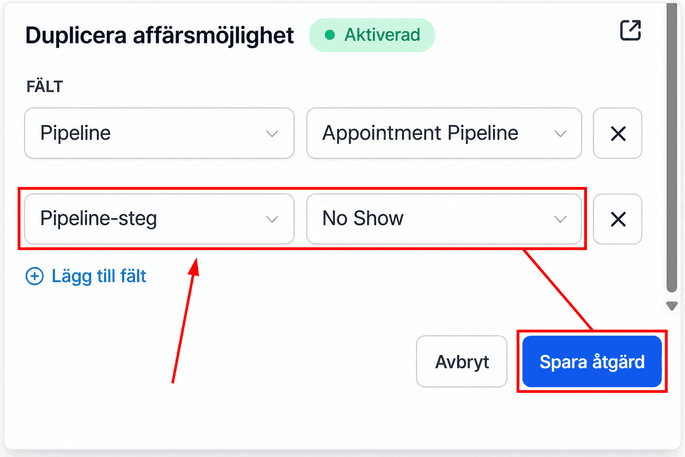
För det här arbetsflödet lägger du till fältet Pipeline och sätter det till “Appointment Pipeline.”
Lägg till fältet “Pipeline” Stage och sätt det till “No Show,” spara sedan åtgärden.
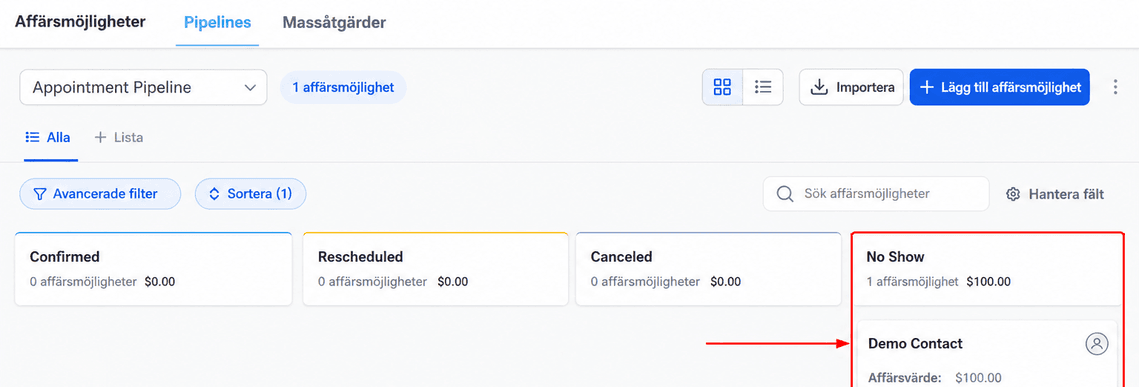
📌OBS: Under opportunities-sektionen kan du också manuellt flytta varje kund genom pipelinen efter behov.
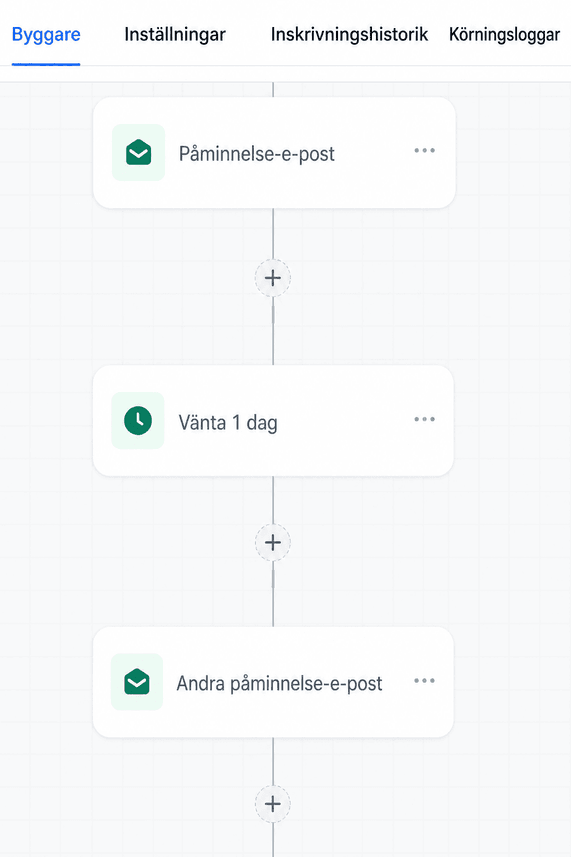
Lägg till meddelandepåminnelser
Se till att lägga till fler steg i arbetsflödet, till exempel SMS- eller e-postpåminnelser. Det ger dig ett försprång i uppföljningen med upptagna kunder, och påminnelserna kan få dem att boka om.
Användningsfall
Låt oss gå igenom ett scenario där ett lead bokar en tid och vi hanterar utfallet:
- Lead bokar en tid: Det utlöser arbetsflödet “Appointment Confirmed”, som automatiskt placerar leadet i stage “Confirmed”.
- Avbokning eller no-show: Om leadet avbokar (via en länk i ett e-postmeddelande) eller inte dyker upp uppdaterar du opportunityn till respektive stage. För no-shows innebär det att du manuellt ändrar bokningsstatusen.
Effektiv bokningshantering börjar med en tydlig pipeline och smart automatisering. Använd arbetsflöden för att hantera bekräftelser och avbokningar, och uppdatera no-shows manuellt för att hålla allt organiserat. Processen hjälper dig att hålla dig på spåret och bygga starkare kundrelationer.
Felsökningstips och vanliga frågor
F: Vad gör jag om en bokning inte automatiskt flyttas till stage Confirmed?
- S: Kontrollera din automationstrigger och se till att den är korrekt inställd på åtgärden att boka en tid.
F: Hur markerar jag manuellt en bokning som no-show?
- S: Gå till leadets bokningsuppgifter och ändra statusen till “No Show”.
Inte kund hos Funnelbud ännu?
Prova vårt allt-i-ett CRM för sälj och marknadsföring — gratis i 7 dagar, ingen bindningstid.