Åtgärden Send Internal Notification
För att meddela en tilldelad användare i ett aktivt Workflow kan du använda åtgärden Send Internal Notification. Börja med att klicka på plusknappen (+) i Workflow-åtgärdsmenyn och välj sedan Send Internal Notification. Funktionen låter dig skicka interna notiser till teammedlemmar när specifika händelser, till exempel inlämning av ett nytt lead-formulär, triggas.
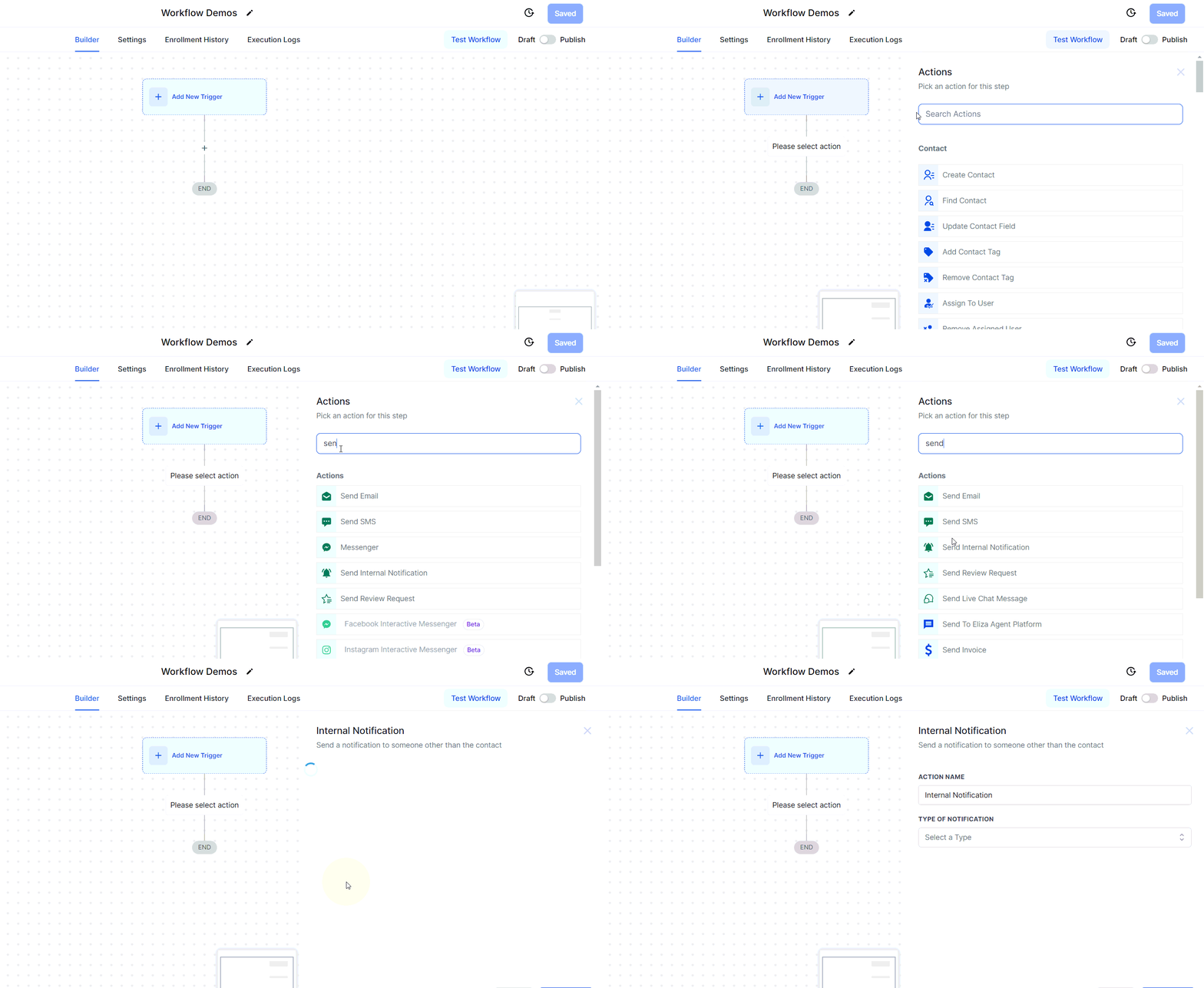
Notification Type
Fyra typer av notiser kan skickas till andra personer än Contact: Email, Notification, SMS och WhatsApp. Välj din föredragna notismetod i rullgardinsmenyn för att fortsätta.
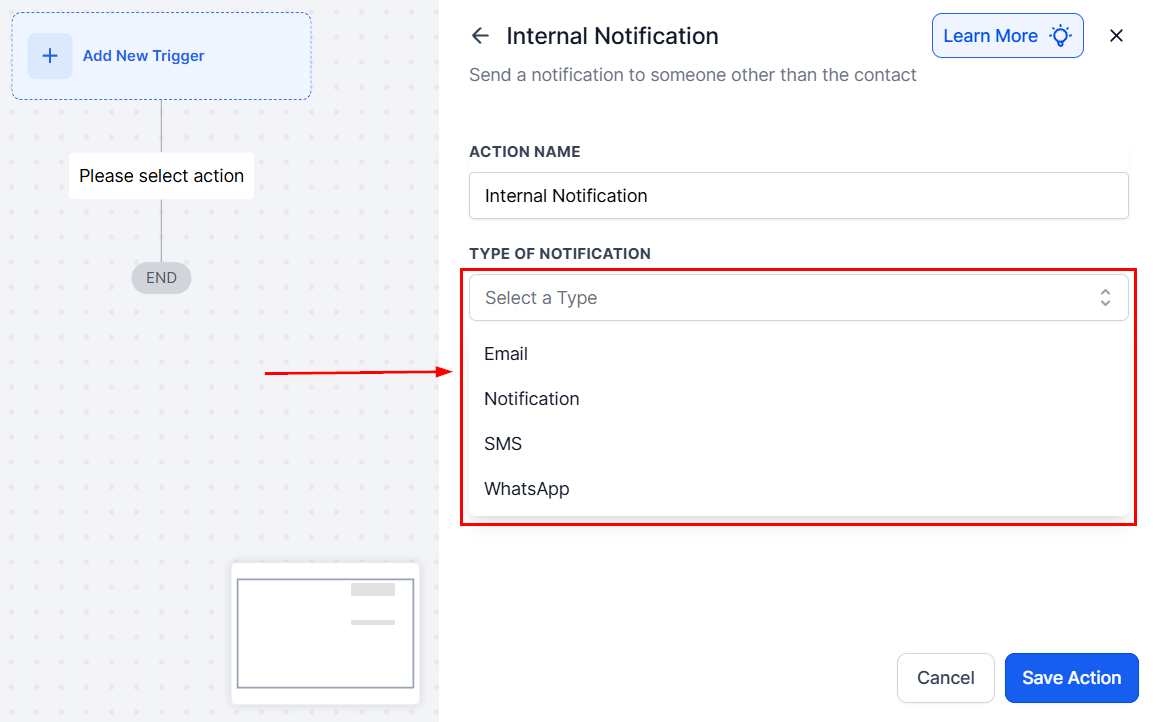
From Name
I fältet From Name anger du avsändarens namn, eller klickar på taggikonen för att infoga en Custom Value.
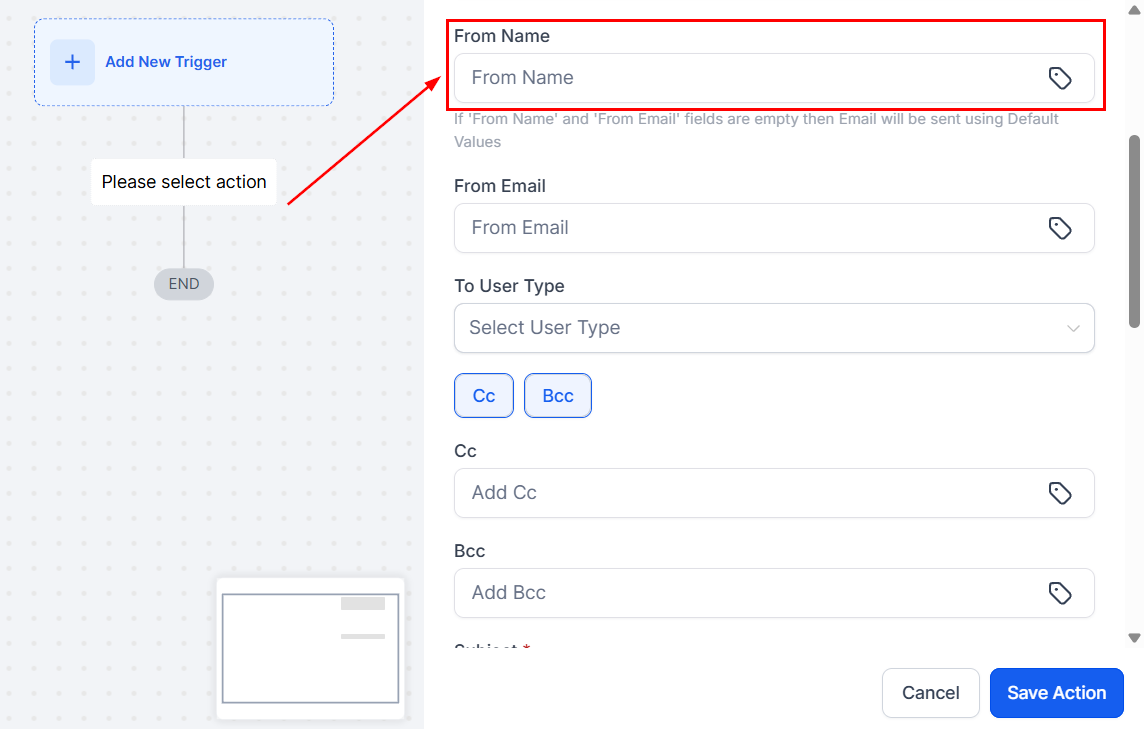
From Email
I fältet From Email anger du avsändarens e-postadress, med möjlighet att använda Custom Values vid behov.
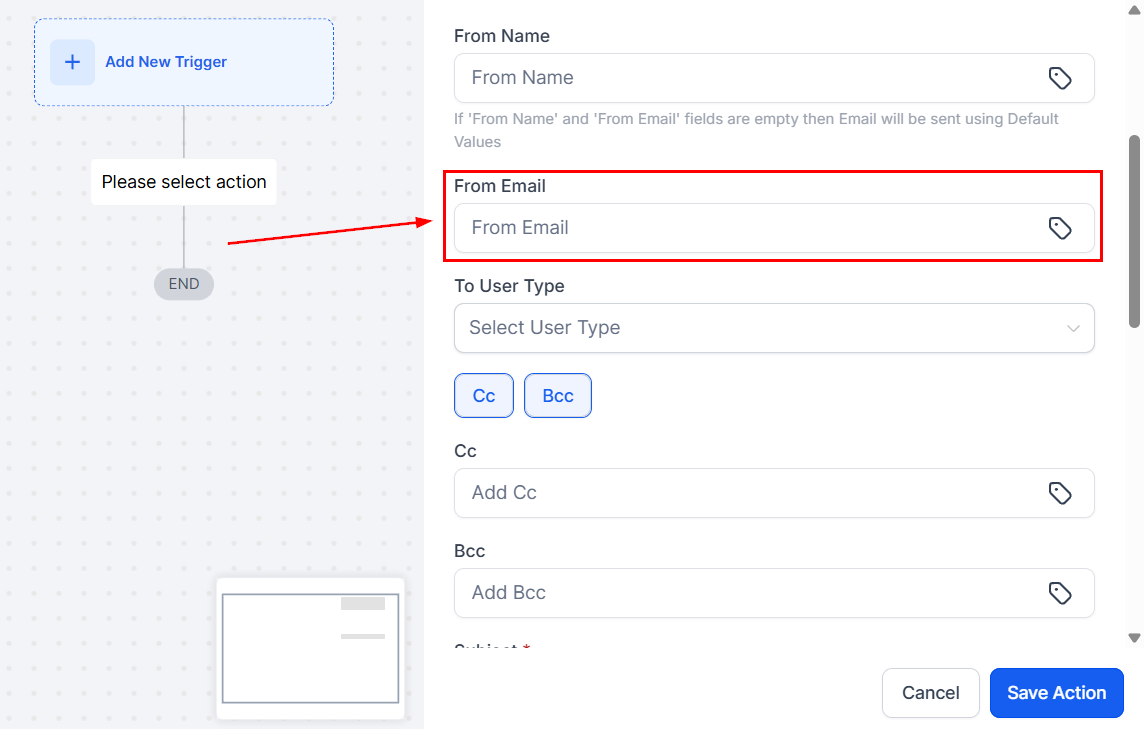
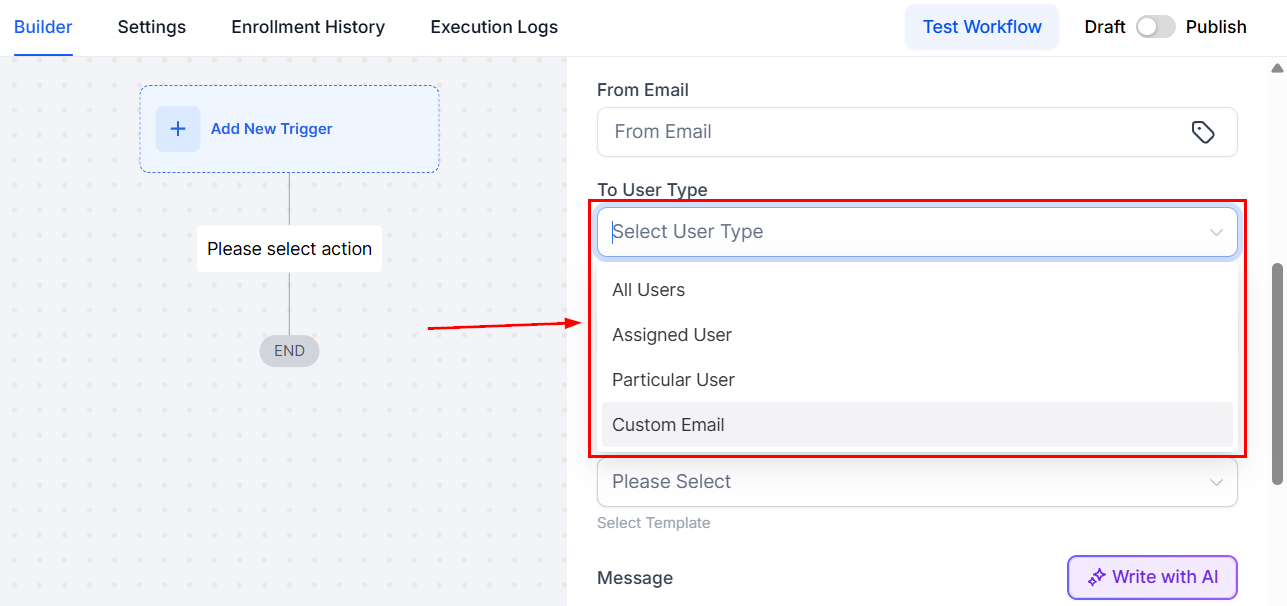
To User Type
Under To User Type väljer du vem som ska ta emot e-postnotisen. Du kan skicka den till all users, the assigned user, en custom e-postadress eller a particular user. Om Contacten inte har tilldelats någon användare kan du manuellt ange en specifik användare.
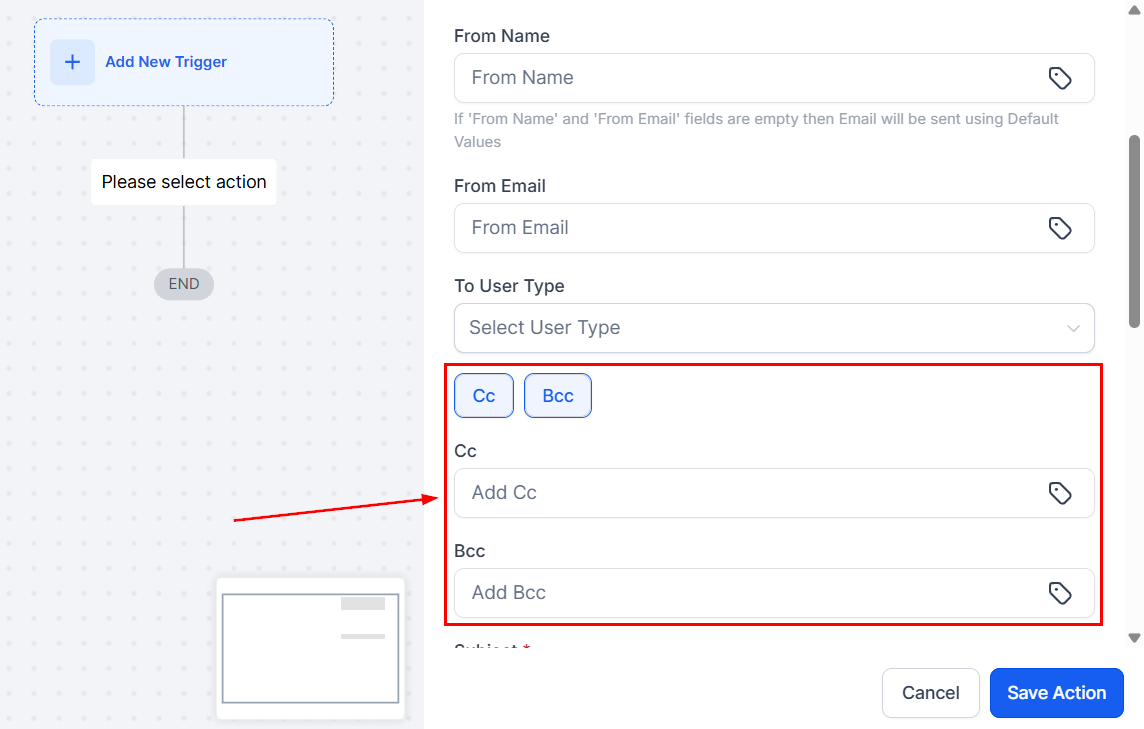
CC and BCC
För att lägga till CC- och BCC-mottagare i interna e-postnotiser väljer du lämpligt alternativ och anger deras e-post, vilket gör den interna kommunikationen snabbare.
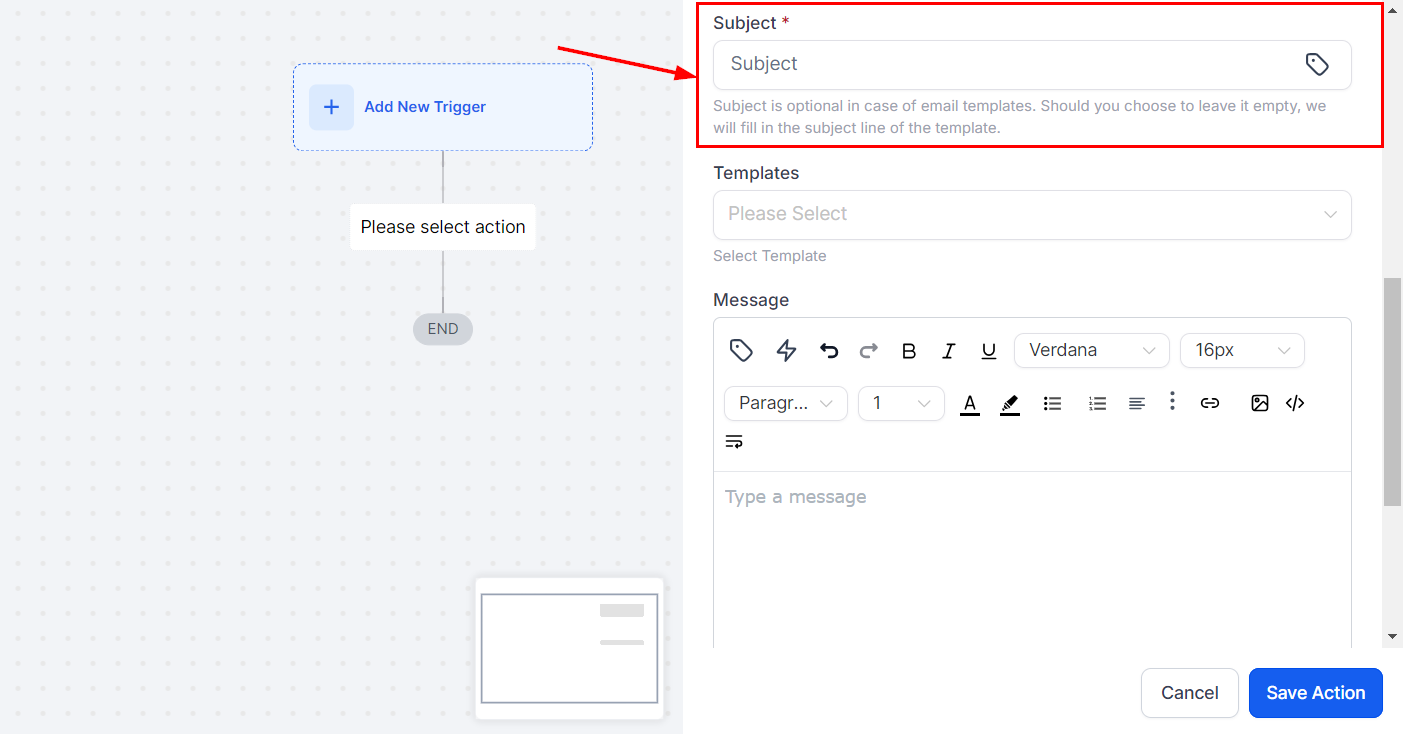
Subject
I fältet Subject anger du e-postens ämnesrad.
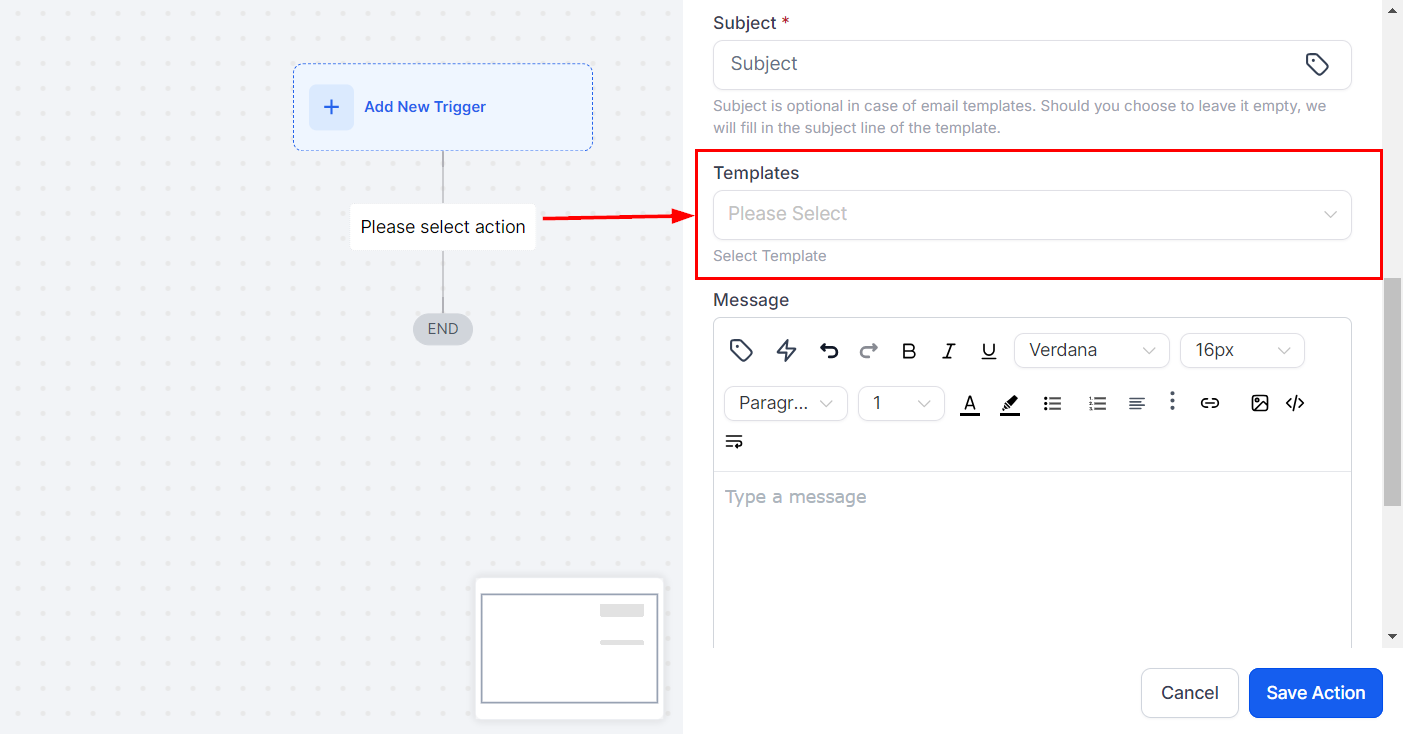
Templates
Välj en mall från sektionen Template, eller om du hellre vill skriva ett eget meddelande väljer du “None”, vilket aktiverar fältet Message Body.
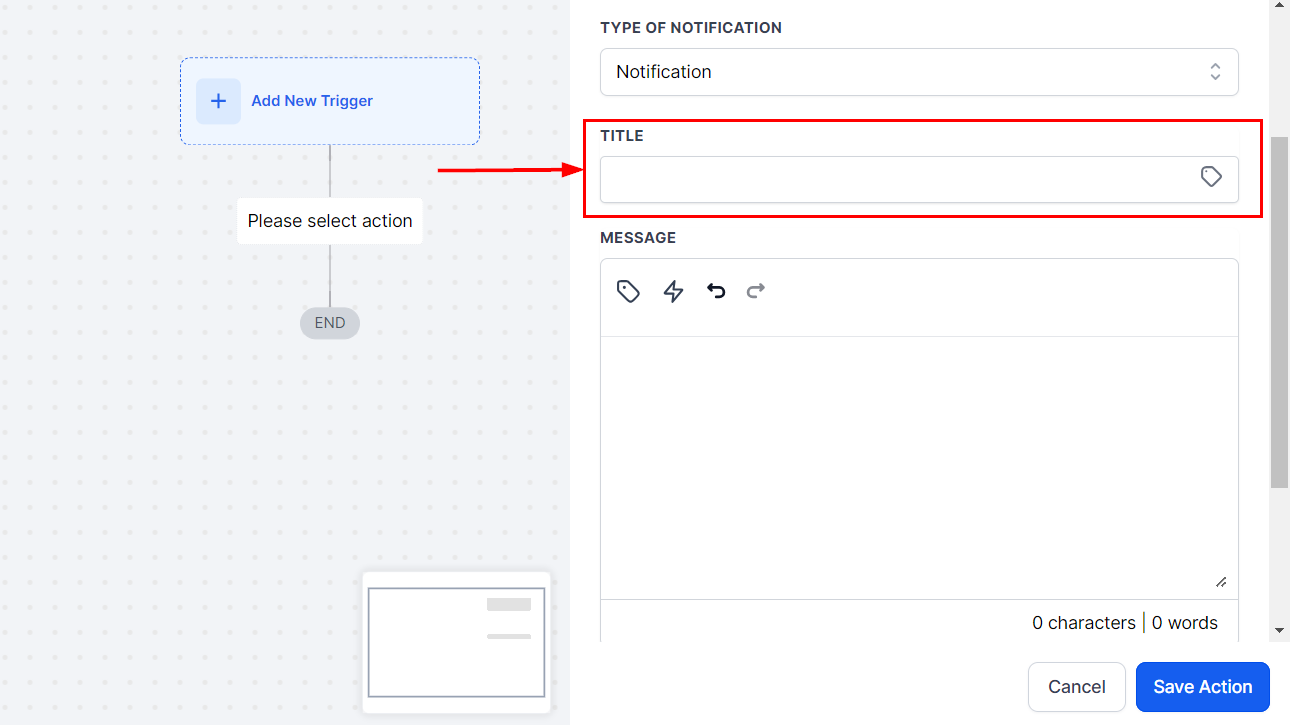
Message
I det här avsnittet kan du skriva ditt meddelande och inkludera Custom Values eller Trigger Links.
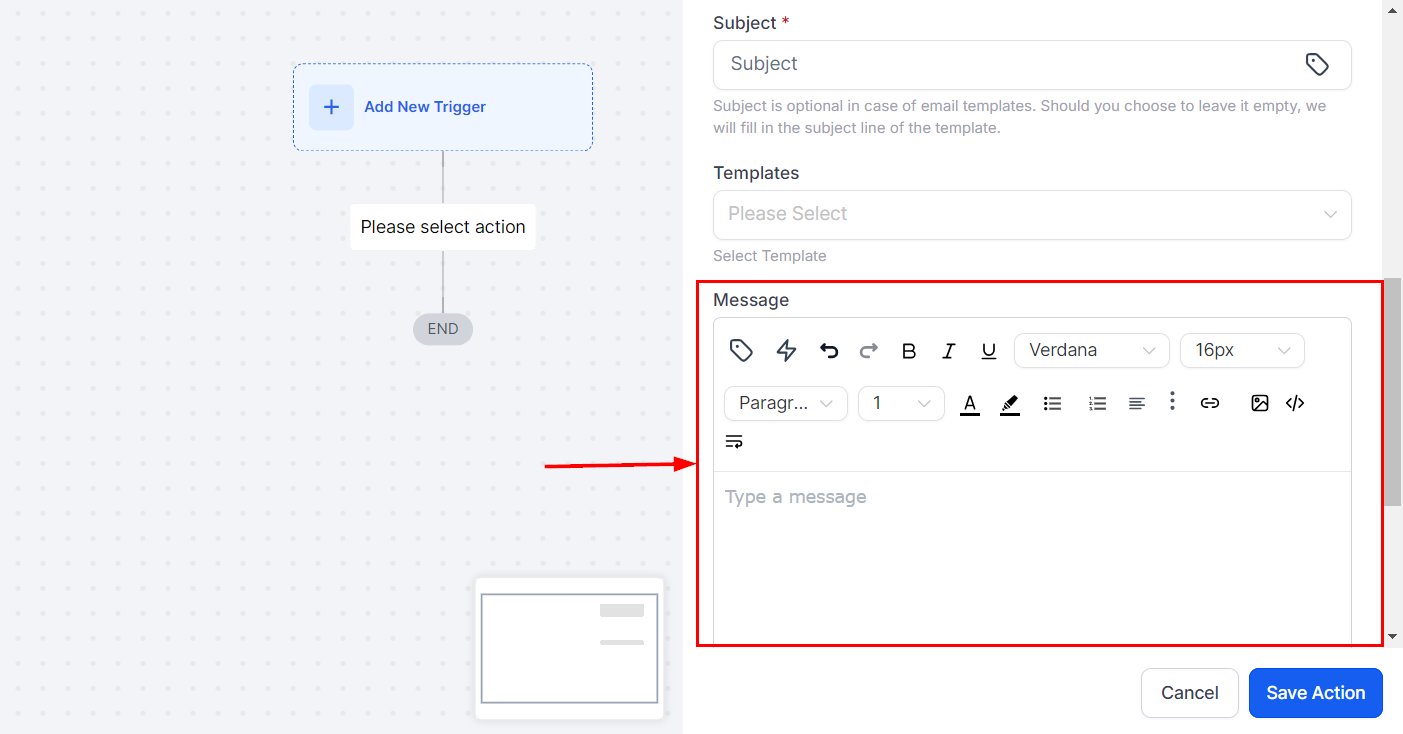
Add Attachment
För att lägga till bilagor klickar du på bilageikonen och väljer önskad fil från din enhet.
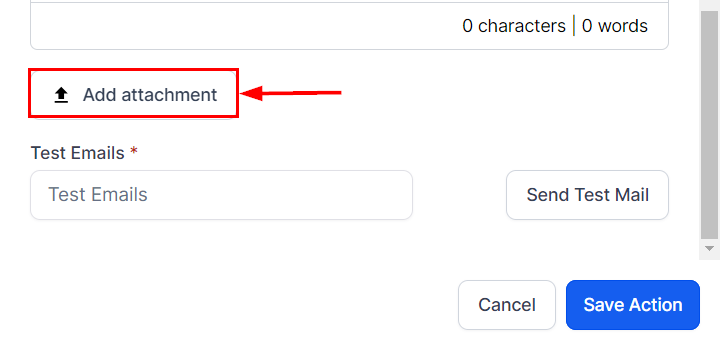
Test Email
För att förhandsgranska e-posten använder du funktionen Test Emails genom att ange en giltig e-postadress och klicka på Send Test Mail.
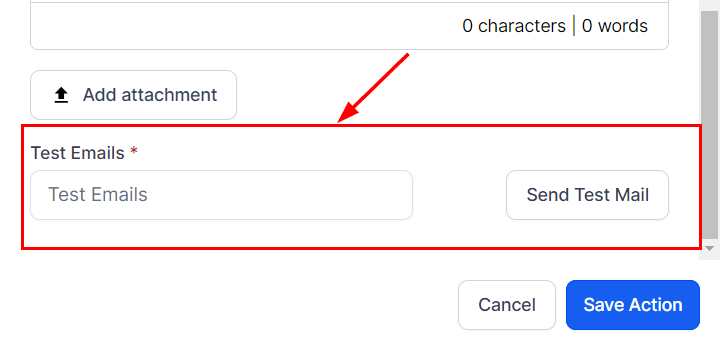
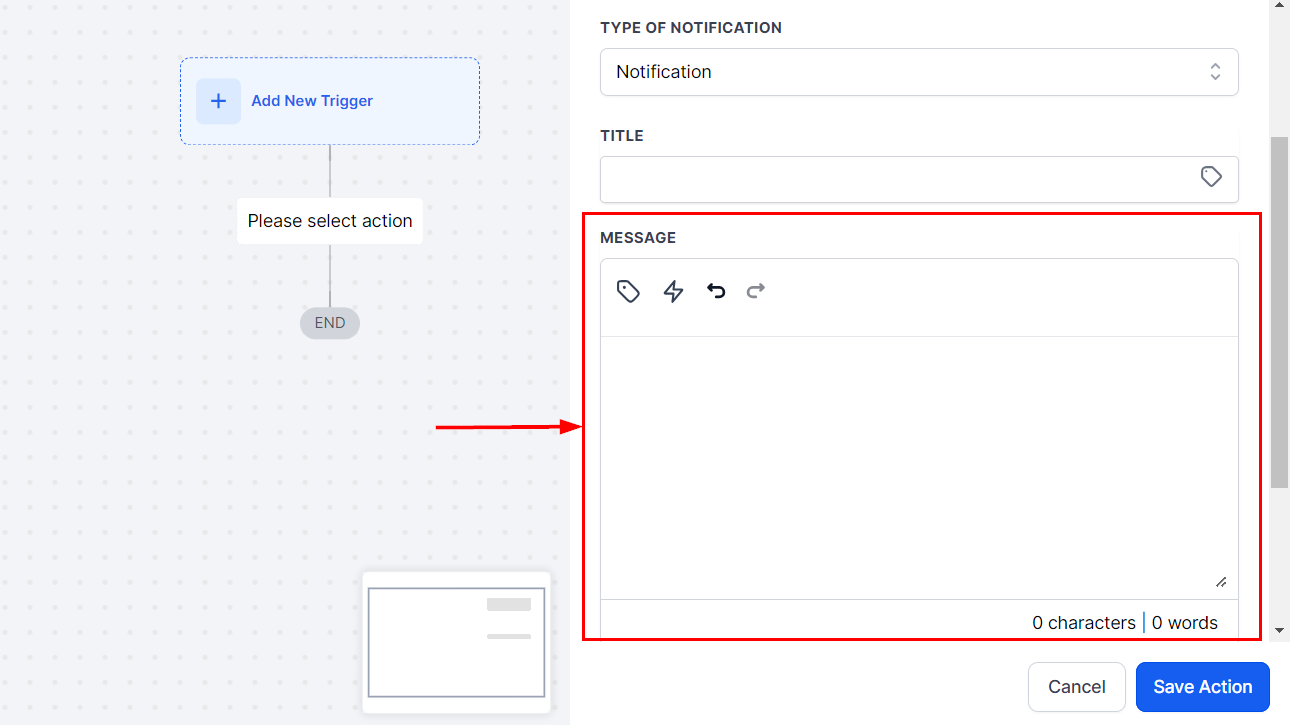
Notification
Title
Ange notisens titel i fältet Title. Du kan också infoga Custom Values genom att klicka på taggikonen.
Message
I fältet Message Body anger du innehållet i notismeddelandet, med möjlighet att lägga till Custom Values och Trigger Links.
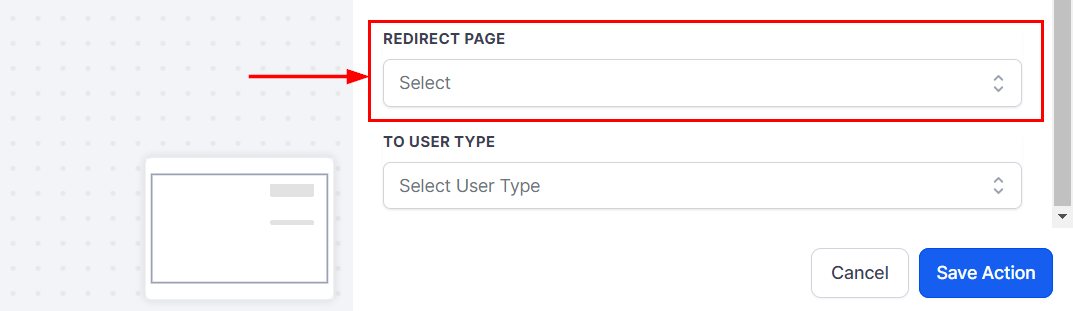
Redirect Page
Välj den sida som notisen ska omdirigera användaren till.
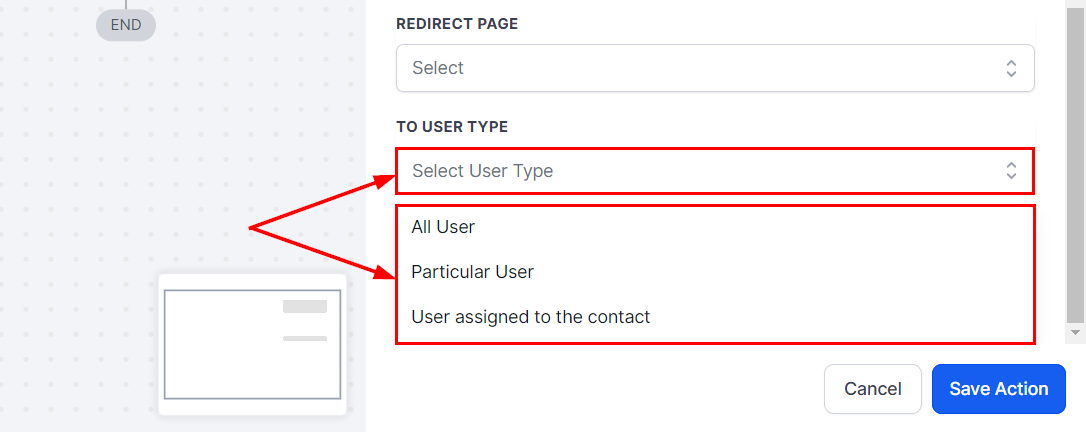
To User Type
Välj vem som ska ta emot notisen. Du kan skicka den till all users, the assigned user eller a particular user.
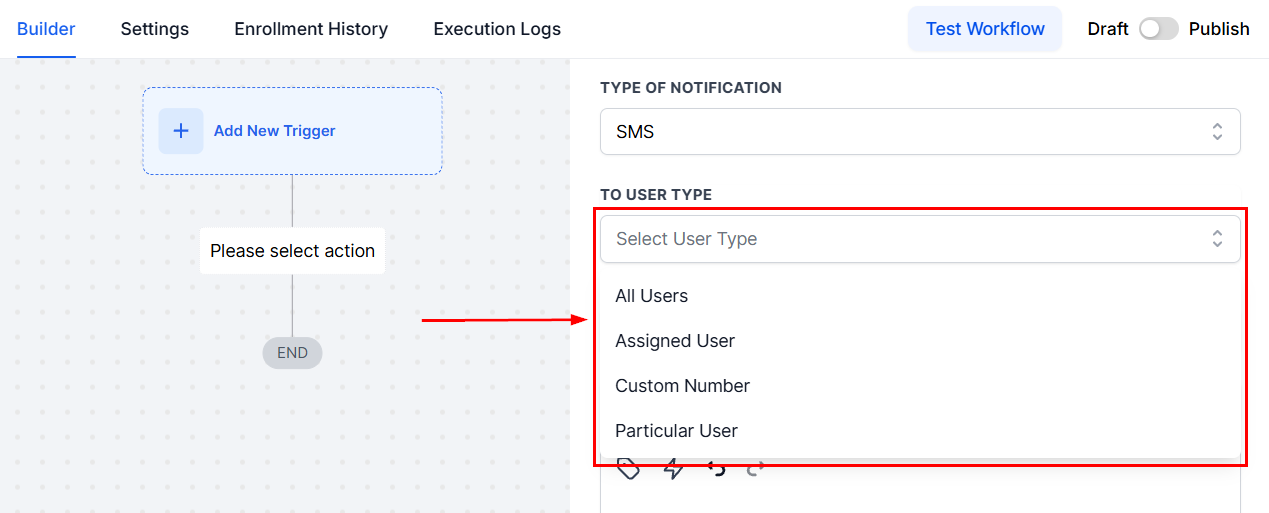
SMS Notifications
To User Type
Välj mottagare i fältet To User Type.
Template
Välj en mall från sektionen Template, eller om du hellre vill skriva ett eget meddelande väljer du “None”, vilket aktiverar fältet Message Body.
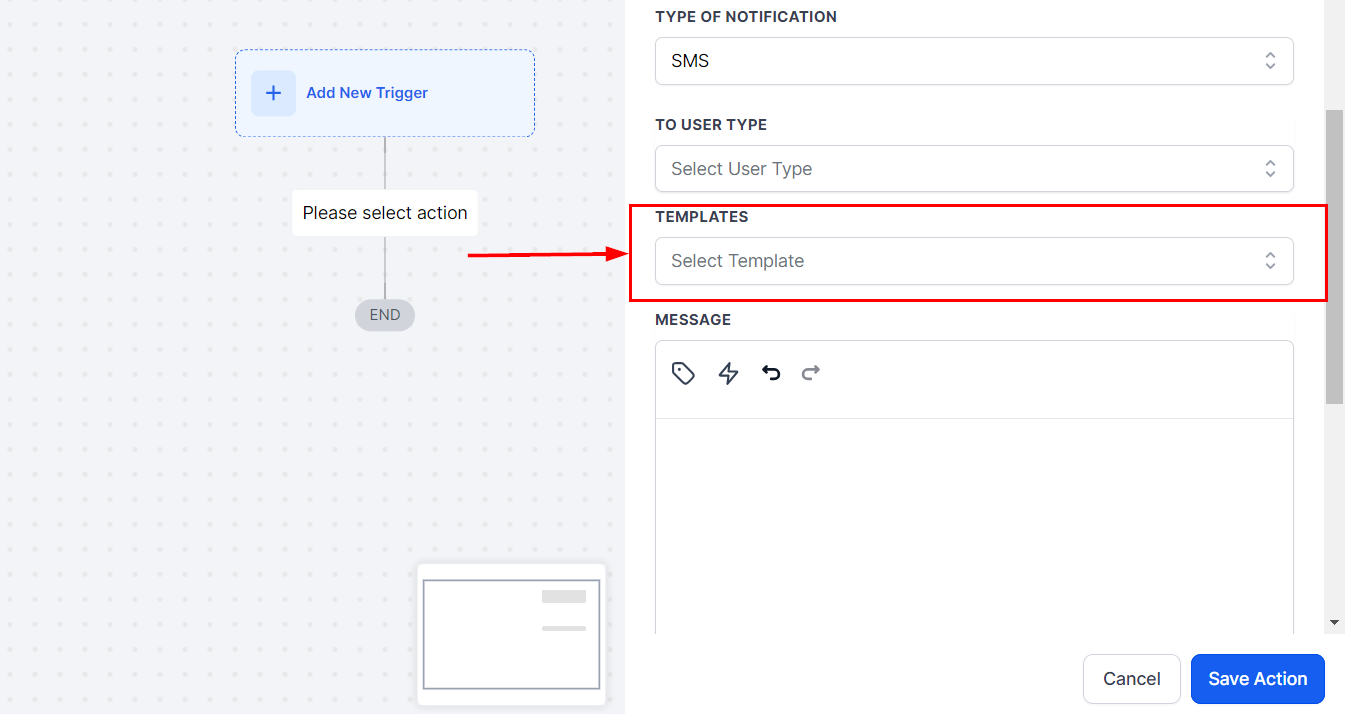
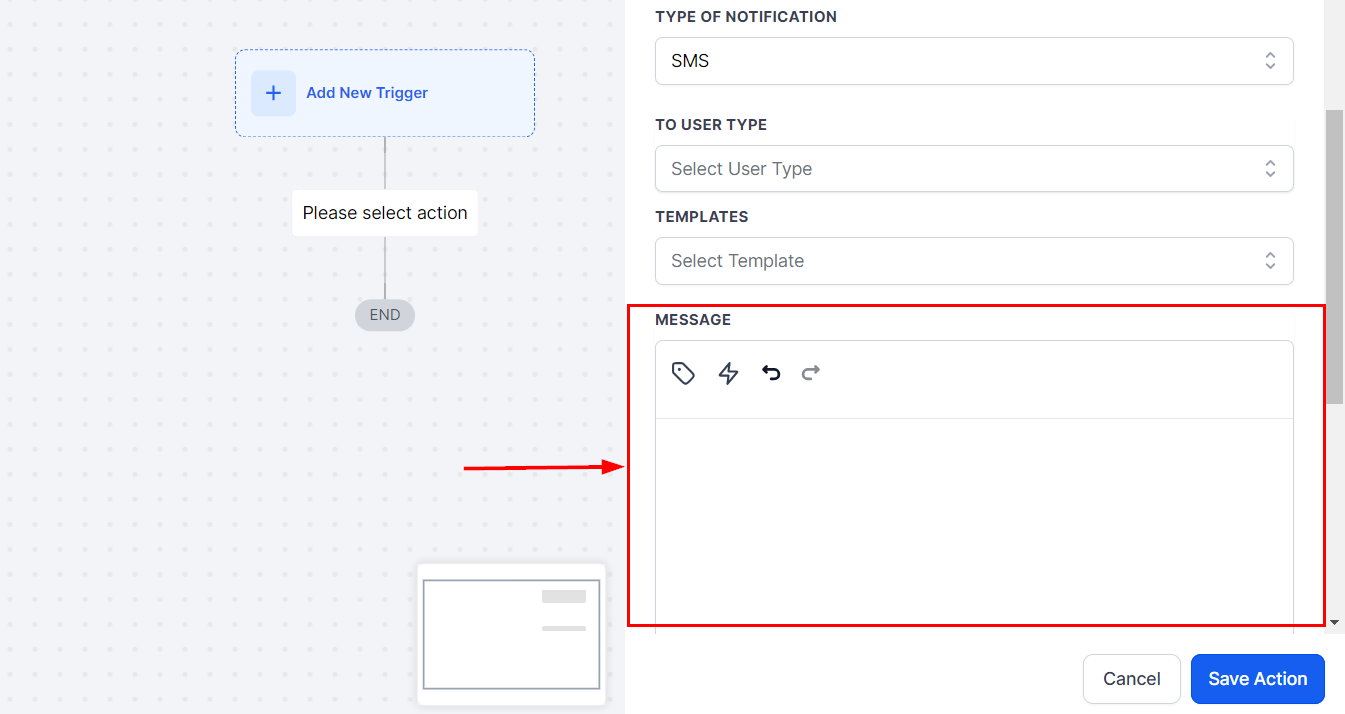
Message
I det här avsnittet kan du skriva ditt meddelande och inkludera Custom Values eller Trigger Links.
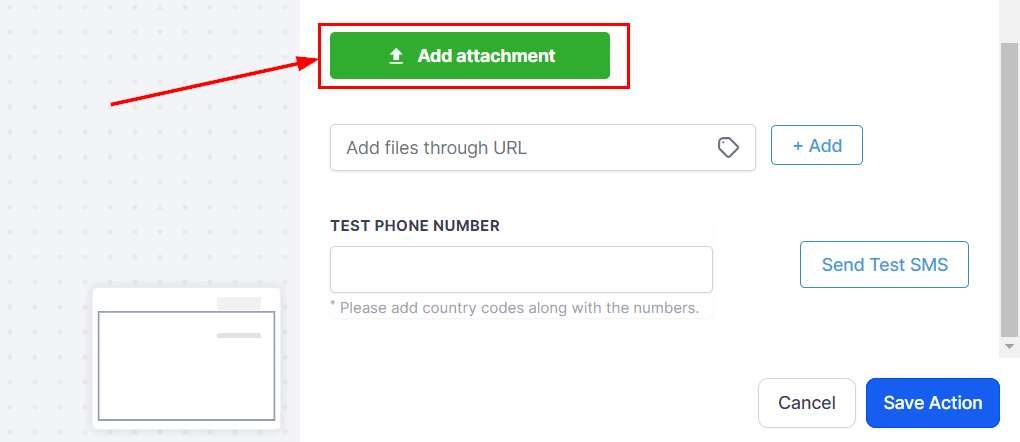
Add Attachment
Om det behövs bifogar du filer genom att klicka på bilageikonen.
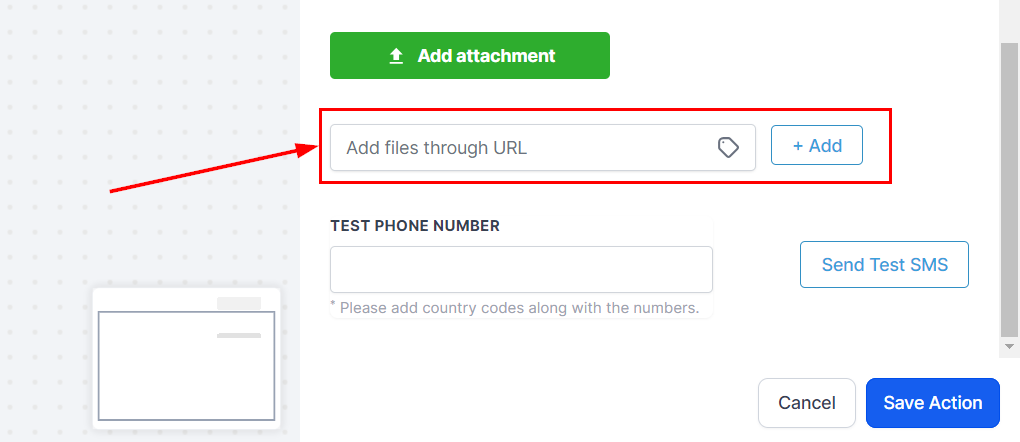
Du kan dessutom lägga till filer via en URL genom att ange länken och klicka på +Add.
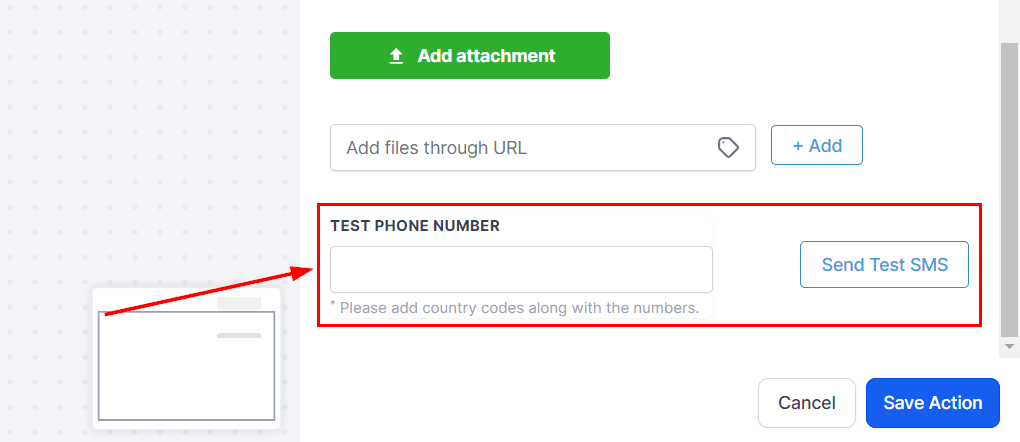
Test Phone Number
För att testa SMS:et anger du ett demo-telefonnummer och klickar på Send Test SMS. Du kan använda ditt eget telefonnummer för testning.
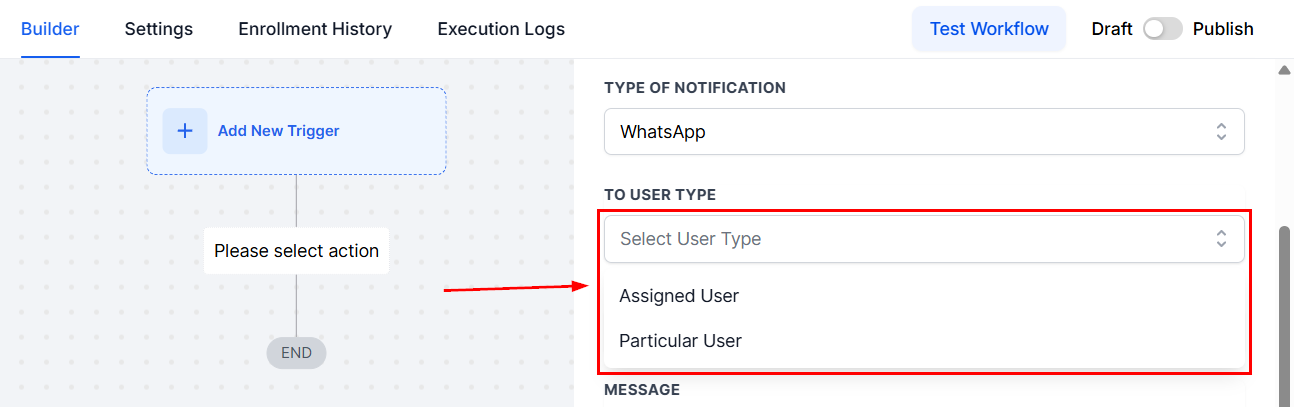
To User Type
Välj mottagare i fältet To User Type.
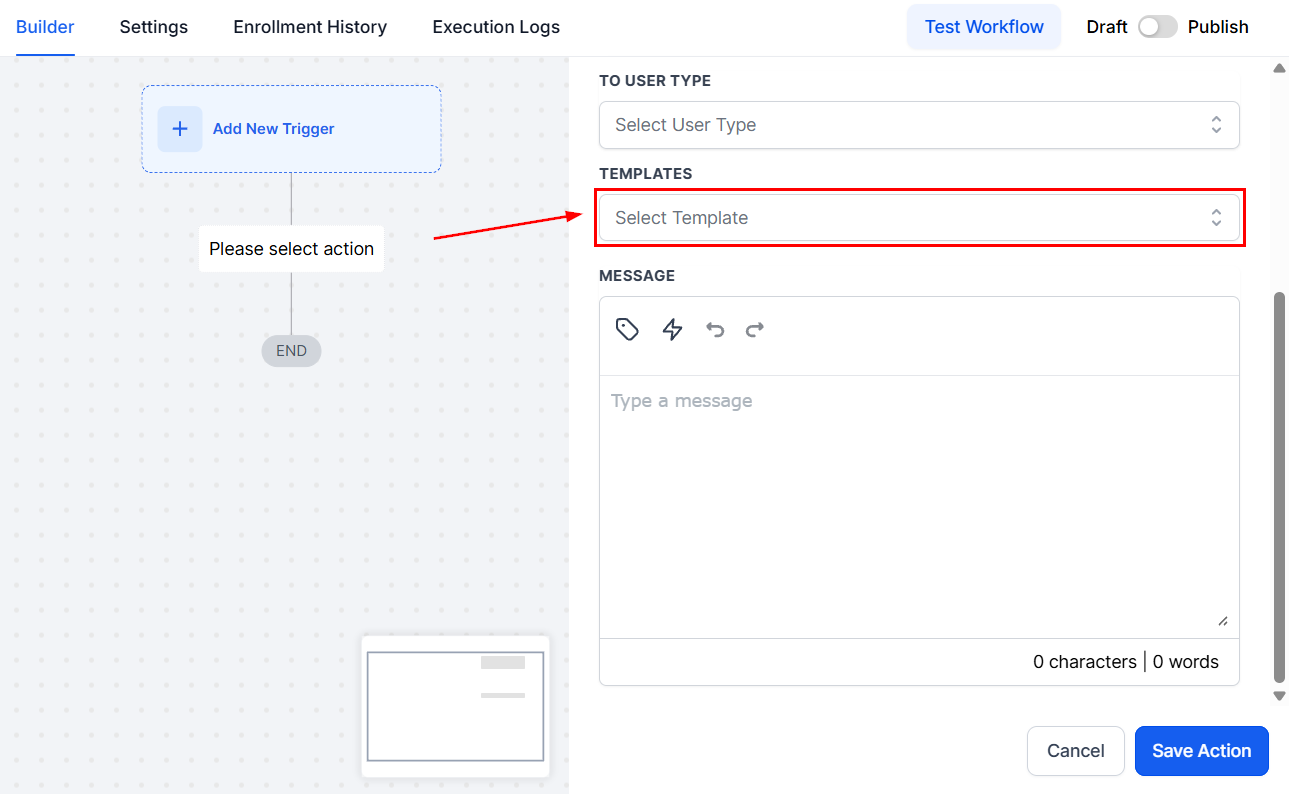
Template
Välj en mall från sektionen Template, eller om du hellre vill skriva ett eget meddelande väljer du “None”, vilket aktiverar fältet Message Body.
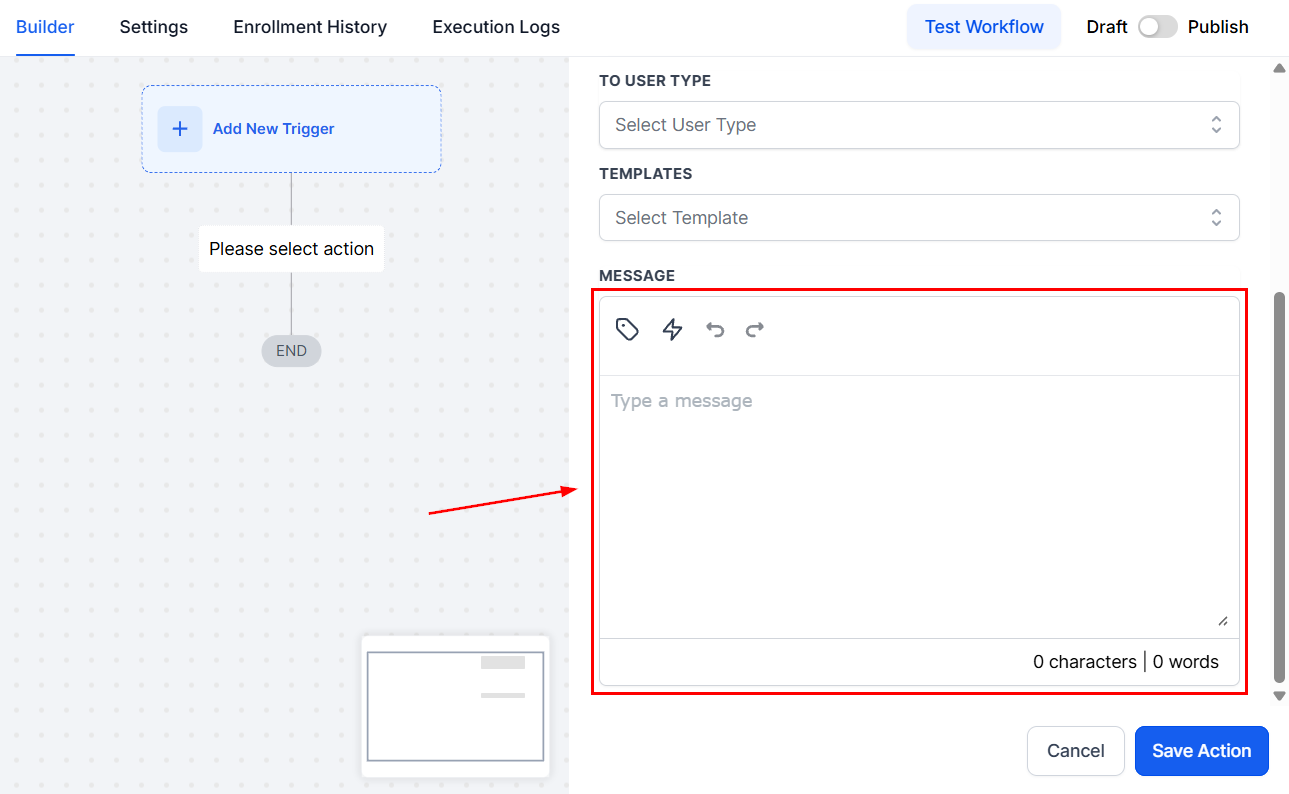
Message
I det här avsnittet kan du skriva ditt meddelande och inkludera Custom Values eller Trigger Links.
Statistics
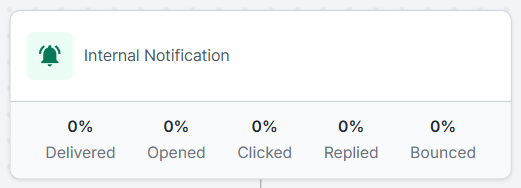
För att se hur framgångsrik din interna notissändning har varit öppnar du “Stats View” genom att klicka på cirkeldiagramikonen.
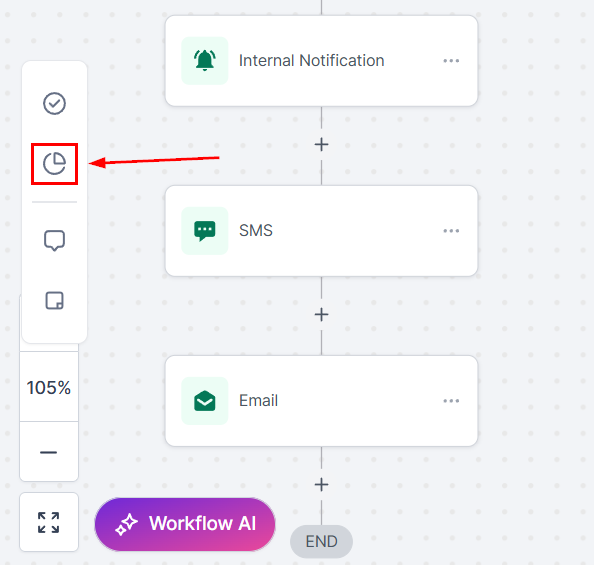
Det ger dig en översikt över statistiken från de senaste 30 dagarna.
När du har konfigurerat åtgärden enligt dina preferenser klickar du på knappen “Save Action” för att lägga till den i ditt Workflow. Funktionen säkerställer att dina Workflows förblir organiserade och responsiva. Utforska de andra artiklarna i det här avsnittet för att upptäcka mer om tillgängliga Workflow-åtgärder.
Praktiska exempel och användningsfall
- Update Notifications: Håll ditt team informerat genom att skicka uppdateringar till tilldelade användare.
Felsökningstips
Emails Not Sending
- Se till att du har angett e-postadresser korrekt och separerat dem med kommatecken. Kontrollera också att triggervillkoret är uppfyllt.
Workflow Not Triggering
- Verifiera att den initiala triggern är korrekt uppsatt och relevant för den åtgärd du vill utföra.
Vanliga frågor
Kan jag använda det här Workflowet för att mejla externa Contacts?
- Ja. Genom att använda alternativet custom emails kan du ange vilka e-postadresser som helst, inklusive sådana som tillhör externa Contacts.
Hur många mottagare kan jag mejla samtidigt?
- Även om CRM:et tillåter mejl till flera mottagare är det viktigt att följa bästa praxis och begränsningar för att undvika att markeras som spam.
Kan jag personalisera de mejl som skickas via Workflowet?
- Ja. Du kan använda mallar och dynamiska fält för att personalisera mejl för varje mottagare.
Inte kund hos Funnelbud ännu?
Prova vårt allt-i-ett CRM för sälj och marknadsföring — gratis i 7 dagar, ingen bindningstid.