RSS Header & RSS Items Elements
I Email Builder underlättar RSS Elements-funktionen att skicka e-post automatiskt med dynamiskt tillagt innehåll när ett nytt Real Simple Syndication-objekt publiceras. Funktionen effektiviserar delning av uppdaterad information med prenumeranter utan manuell intervention.
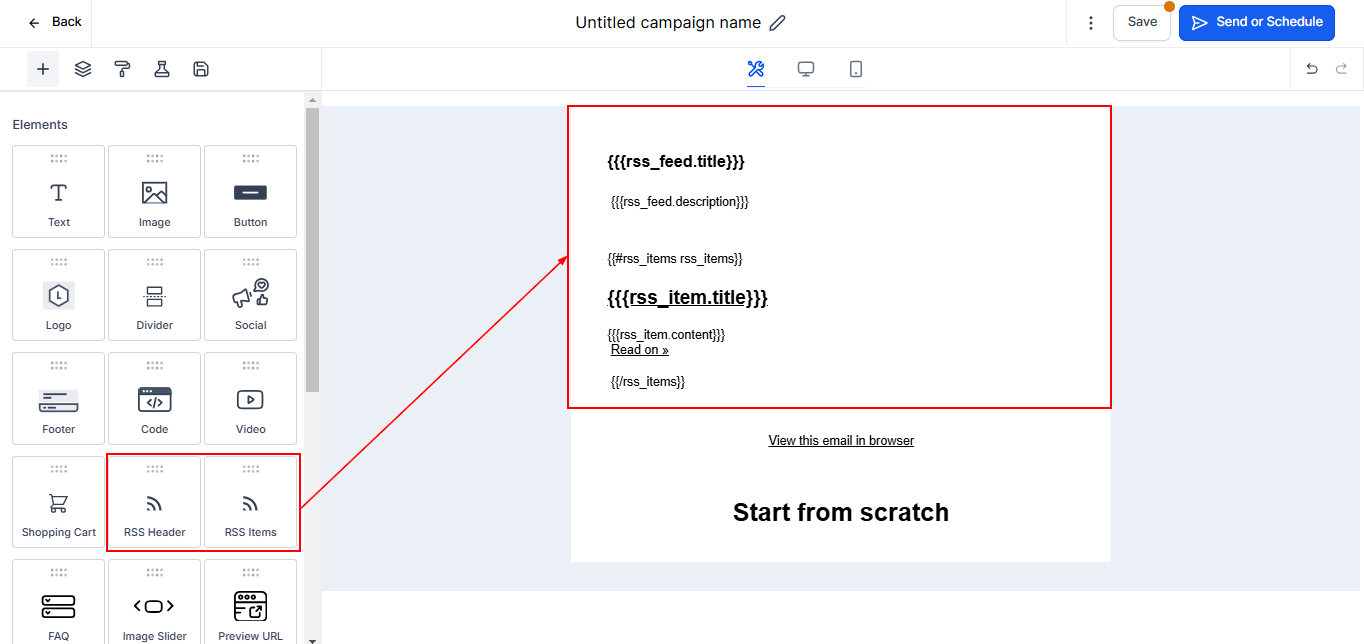
RSS Header Block
RSS Header Element fyller dynamiskt taggar från ditt RSS Feed. Det stöder följande RSS channel tags, och du kan använda respektive Custom Values för att fylla e-postmeddelandet med motsvarande taggvärde:
RSS Tags | Custom Value |
<title> | {{rss_feed.title}} |
<description> | {{rss_feed.description}} |
<link> | {{rss_feed.url}} |
<lastBuildDate> | {{rss_feed.date}} |
Basic Vs Custom in RSS Header
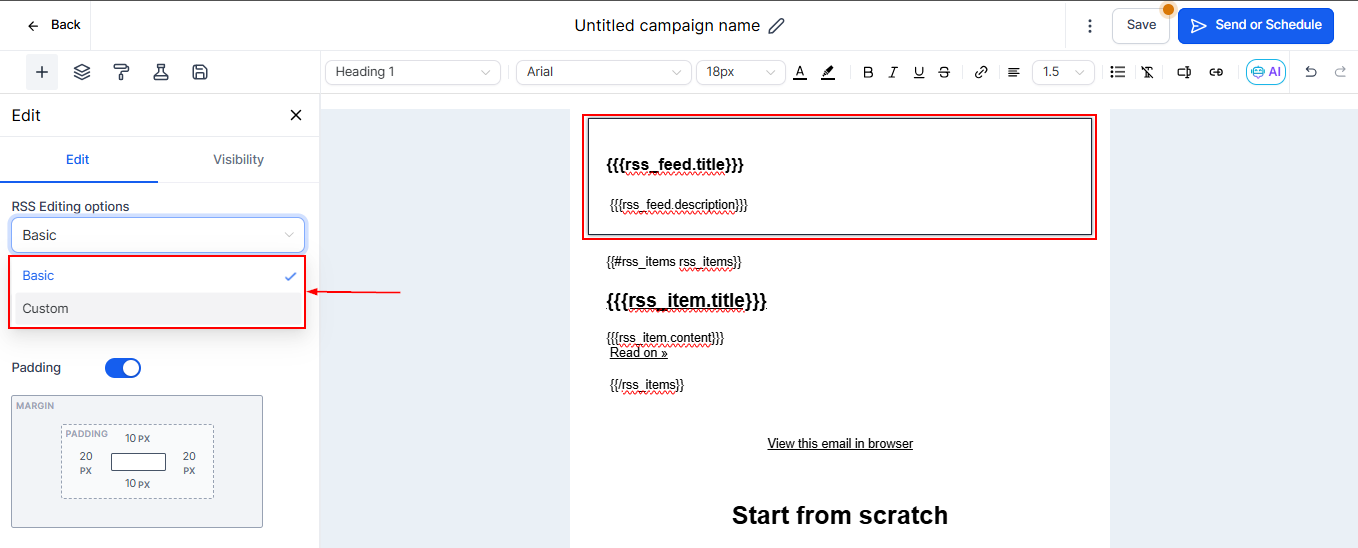
När du använder RSS Header-blocket erbjuder RSS Editing Options-rullgardinsmenyn två alternativ: Basic och Custom.
- Basic: Lägger till följande icke-redigerbar text i Text Editor.
- Custom: Lägger till följande redigerbar text i Text Editor.
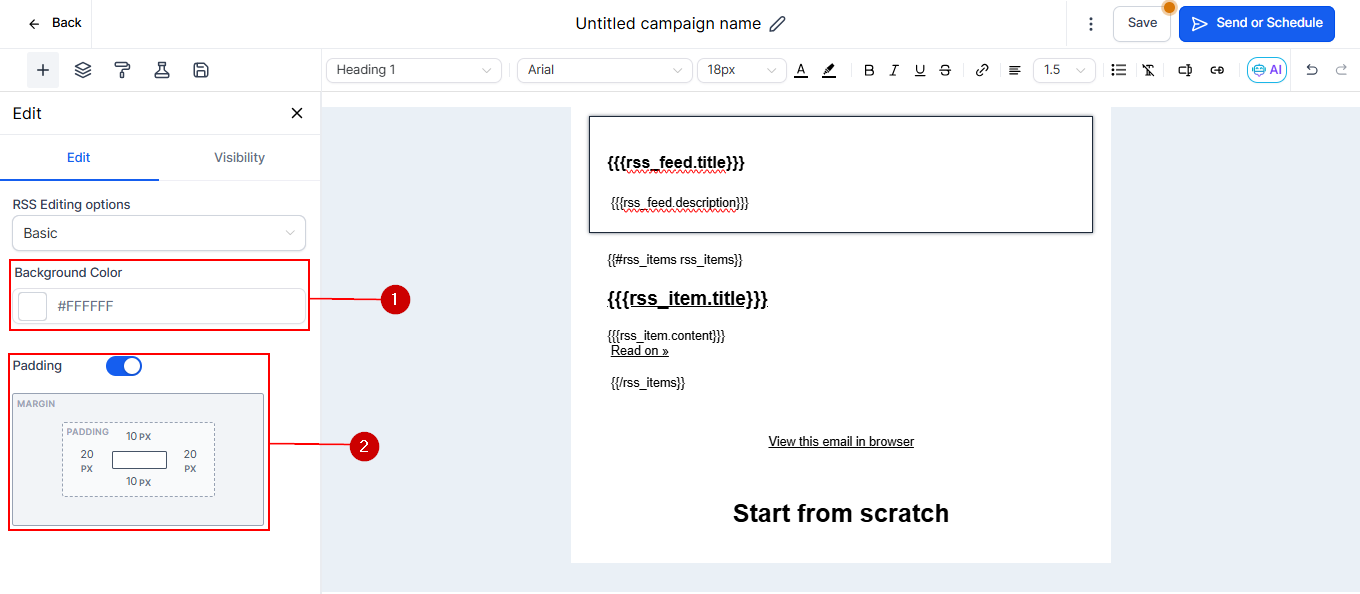
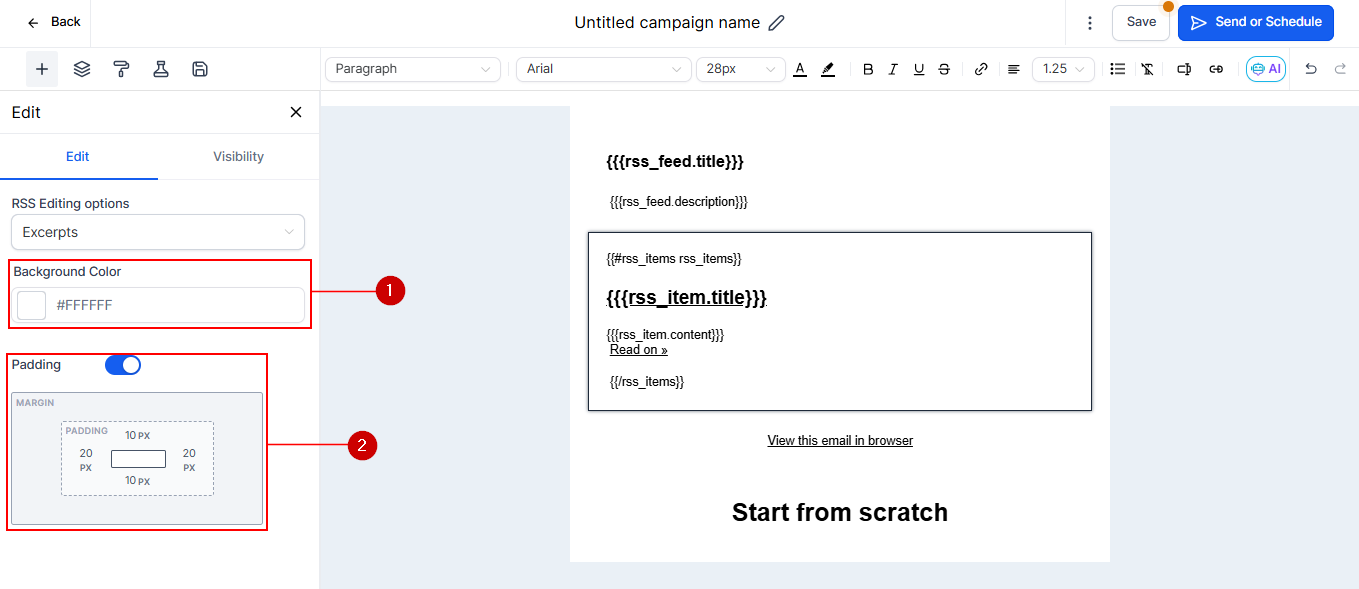
Använd dessa alternativ för att justera padding och lägga till bakgrundsfärg på RSS-texterna.
RSS Items Block
RSS Items-blocket accepterar olika Custom Values som dynamiskt infogar motsvarande RSS Tags:
RSS Tags | Custom Values | Description |
<title/> | {{rss_item.title}} | The title of the RSS item, usually a blog post.title |
<description/> | {{rss_item.content}} | A summary of the RSS item in HTML format, which includes information inside the <description> tag. If there is no <description> tag in your feed, it will display the information in the <content:encoded> tag |
<link/> | {{rss_item.url}} | The text link to the RSS item online, which can be displayed as text or used in a hyperlink.content:encoded |
<content:encoded/> | {{rss_item.content_full} | The full content of the information inside the <content:encoded> tag for an RSS item, in HTML format. If there is no <content:encoded> tag, it will display the information in the <description> tag. |
pubDate | {{rss_item.date}} | The date the RSS item was published, in format `MMM DD, YYYY hh:mm A`. We will provide support for custom formatting in the future. |
<dc:creator> | {{rss_item.author}} | The author of the RSS itemmedia:content |
<media:content> | {{rss_item.imageUrl }} | This will provide the src URL of image as text in order to render it as image, use {{rss_img}} {{rss_img alt="alt_text" src=rss_item.imageUrl height="200" width="200"}} |
<item> | {{#rss_items rss_items}} | This tag doesn't display anything. It's used to open the customized formatting for individual RSS items. |
</item> | {{/rss_items}} | This tag doesn't display anything. It's used to close the customized formatting for individual RSS items. |
Basic Vs Custom in RSS Items
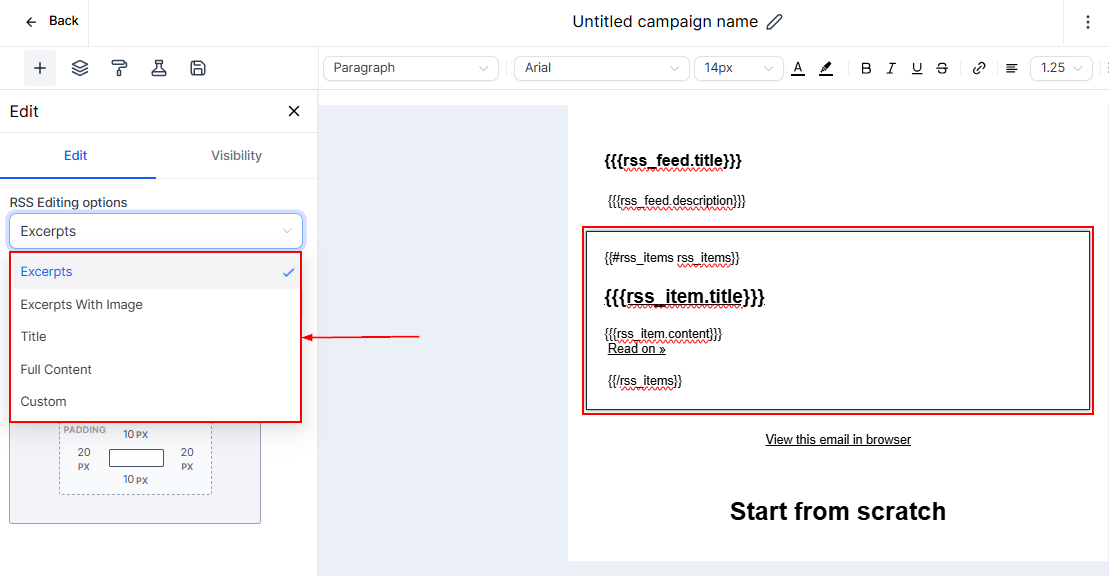
När du använder RSS Items-blocket ser du dessa alternativ i RSS Editing Options-rullgardinsmenyn:
- Excerpts
- Excerpts with image
- Title
- Full content
- Custom
Justera padding och lägg till bakgrundsfärg på RSS-texten med dessa alternativ.
Visibility Tab
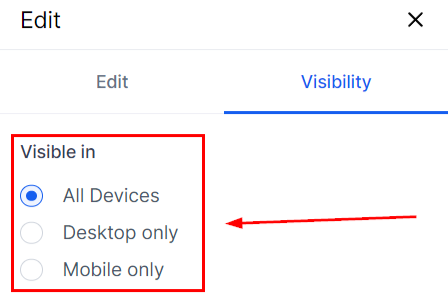
Detta låter dig styra var och under vilka villkor RSS-elementet ska vara synligt.
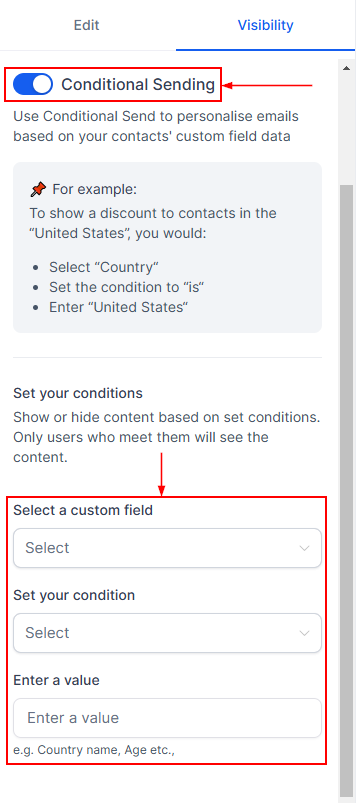
Genom att aktivera Conditional Sending kan du ställa in parametrar som kontakter måste uppfylla för att se RSS-elementen.
RSS Elements låter dig vara mer dynamisk i din e-poststrategi. De kopplar bloggelement direkt till dina e-postkampanjer och hjälper dig hålla kontakter engagerade med centraliserad interaktion med alla webbelement.
Inte kund hos Funnelbud ännu?
Prova vårt allt-i-ett CRM för sälj och marknadsföring — gratis i 7 dagar, ingen bindningstid.