Custom Values
Custom Values är värdefulla i din CRM och gör repetitiva uppgifter enklare att hantera samt personaliserar e-post, SMS, funnels, webbplatser med mera! Det finns elva (11) kategorier av custom values i CRM, inklusive contact, user, appointment, calendar, campaign, message, account, right now, attribution, invoice och payment link.
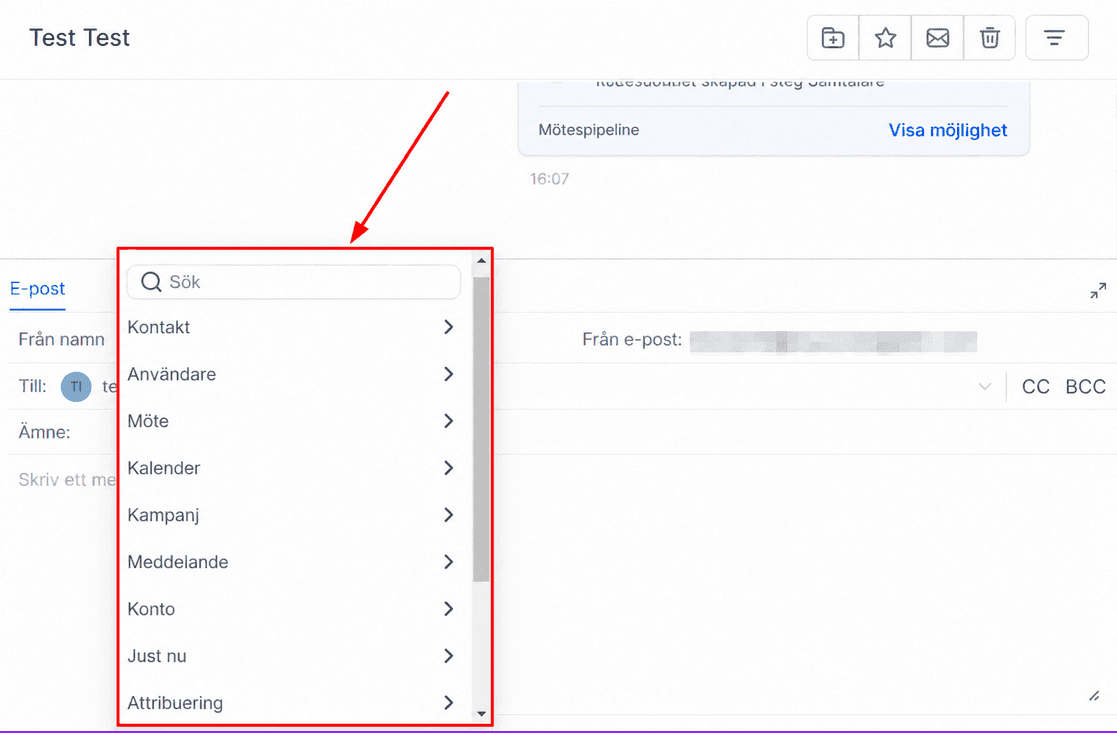
Contact
Med custom values under kategorin contact kan du infoga kontaktrelaterade detaljer i meddelanden, till exempel namn, adress, telefonnummer, födelsedag, källa och webbplats. Personlig information skapar engagerande kommunikation.
Contact - Full name - {{contact.name}}
Contact - First name - {{contact.first_name}}
Contact - Last name - {{contact.last_name}}
Contact - Email - {{contact.email}}
Contact - Phone number - {{contact.phone}}
Contact - Phone number Raw - {{contact.phone_raw}}
Contact - Phone (Recommended for trigger links & UTM): Tel - {{contact.phone_raw}}
Contact - Company name - {{contact.company_name}}
Contact - Full Address - {{contact.full_address}}
Contact - Address 1 - {{contact.address1}}
Contact - City - {{contact.city}}
Contact - State - {{contact.state}}
Contact - Country - {{contact.country}}
Contact - Postal Code - {{contact.postal_code}}
Contact - Date of Birth - {{contact.date_of_birth}}
Contact - Source - {{contact.source}}
Contact - Website - {{contact.website}}
Contact - ID - {{contact.id}}
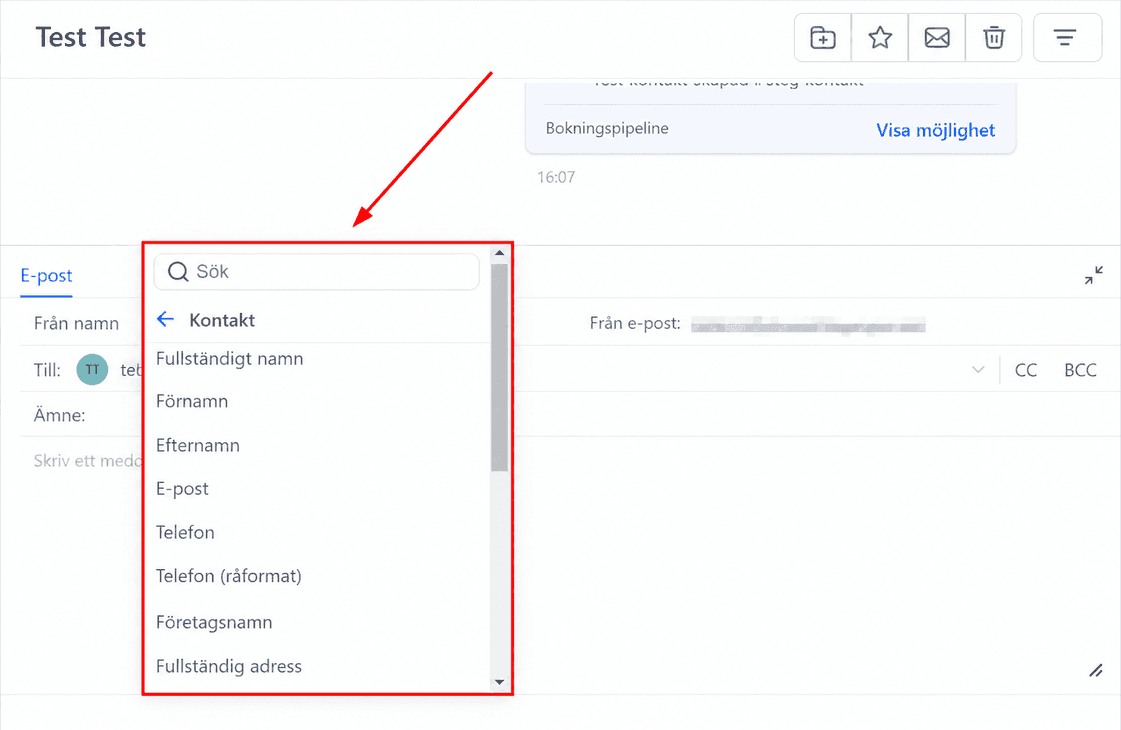
User
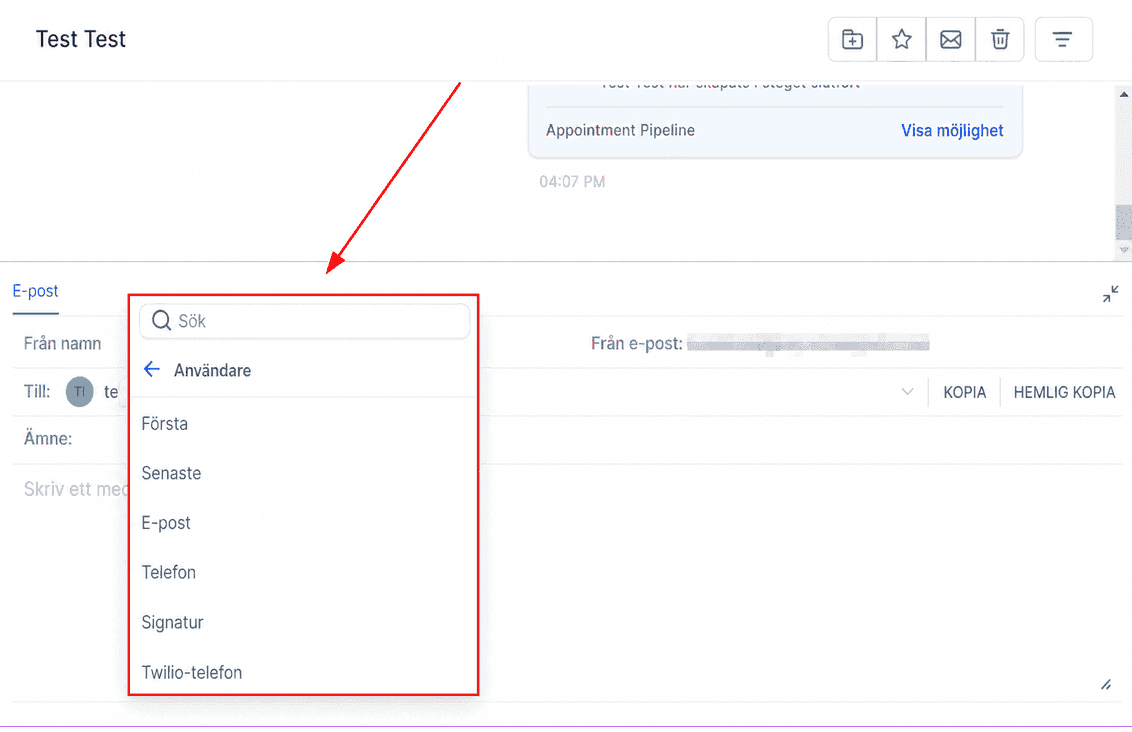
Kategorin user fokuserar på teammedlemsspecifika detaljer som namn, e-post, telefon, signatur och kalenderlänk.
User - Full Name - {{user.name}}
User - First Name - {{user.first_name}}
User - First Name (lowercase) - {{user.first_name_lower_case}}
User - Last Name - {{user.last_name}}
User - Last Name (lowercase) - {{user.last_name_lower_case}}
User - Email - {{user.email}}
User - Phone - {{user.phone}}
User - Signature - {{user.email_signature}}
User - Calendar Link - {{user.calendar_link}}
User - Twilio Phone - {{user.twilio_phone_number}}
User - Twilio Phone raw format - {{user.twilio_phone_number_raw}}
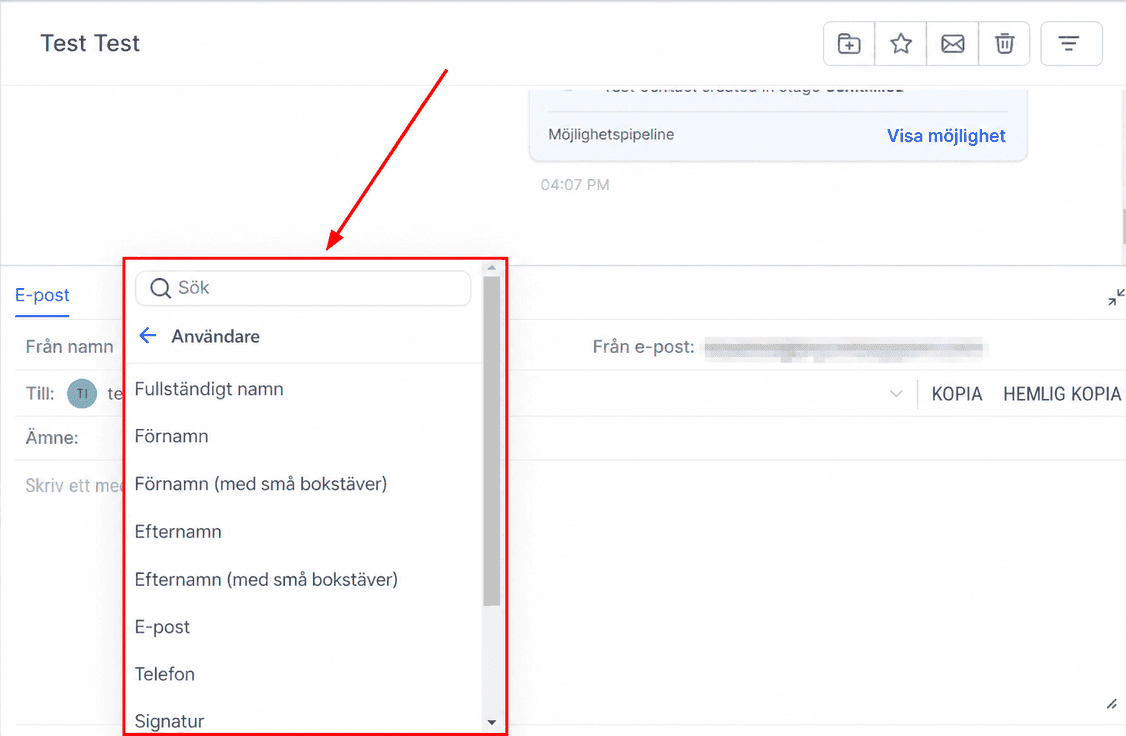
Appointment
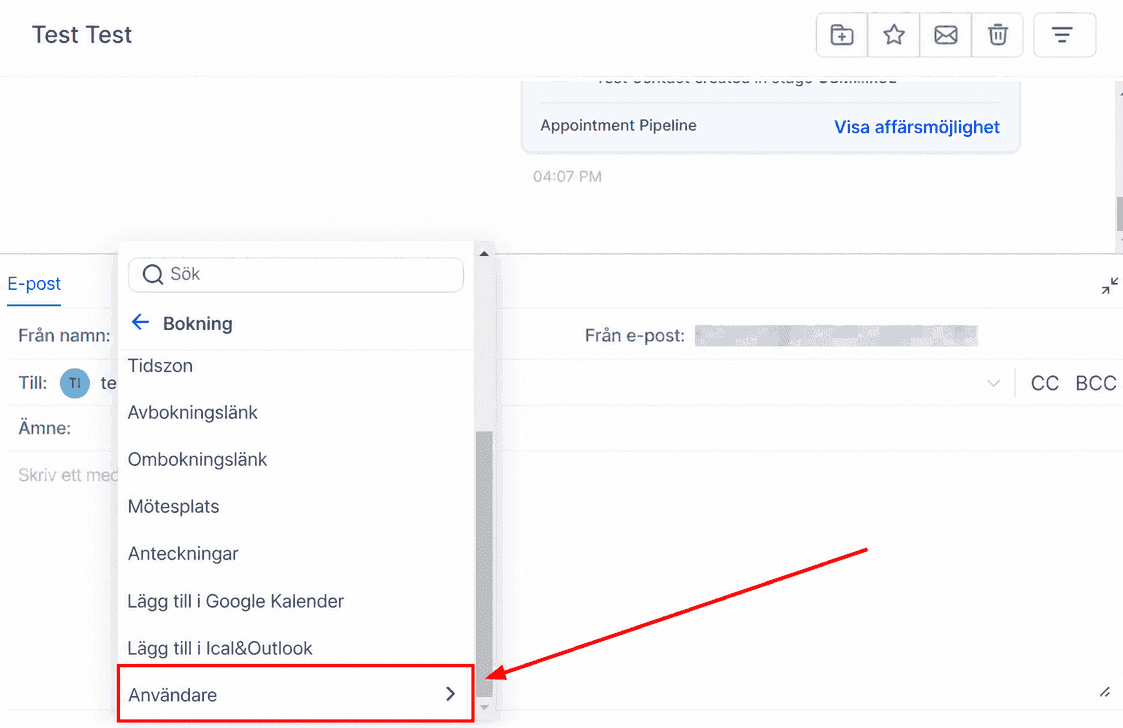
The appointment category offers custom values that pertain specifically to appointments, allowing you to include relevant details such as the scheduled date, start time, cancellation and reschedule links, as well as an option to add the event directly to the recipient’s calendar.
Det ger kunderna all nödvändig bokningsinformation för en smidig upplevelse.
Appointment - Start Date Time - {{appointment.start_time}}
Appointment - Start Date - {{appointment.only_start_date}}
Appointment - Start Time - {{appointment.only_start_time}}
Appointment - End Date Time - {{appointment.end_time}}
Appointment - End Date - {{appointment.only_end_date}}
Appointment - End Time - {{appointment.only_end_time}}
Appointment - Timezone - {{appointment.timezone}}
Appointment - Cancellation Link - {{appointment.cancellation_link}}
Appointment - Reschedule Link - {{appointment.reschedule_link}}
Appointment - Meeting Location - {{appointment.meeting_location}}
Appointment - Notes - {{appointment.notes}}
Appointment - Add to Google Calendar - {{appointment.add_to_google_calendar}}
Appointment - Add to Ical&Outlook - {{appointment.add_to_ical_outlook}}
Appointment Assigned User
Custom values under assigned user hämtar information om teammedlemmen tilldelad en kontakt, inklusive namn, e-post, telefon och signatur.
Appointment - User Full Name - {{appointment.user.name}}
Appointment - User First Name - {{appointment.user.first_name}}
Appointment - User Last Name - {{appointment.user.last_name}}
Appointment - User Email - {{appointment.user.email}}
Appointment - User Phone - {{appointment.user.phone}}
Appointment - User Phone Raw -{{appointment.user.phone_raw}}
Appointment - User Signature - {{appointment.user.email_signature}}
Appointment - User Twilio Phone - {{appointment.user.twilio_phone_number}}
Calendar
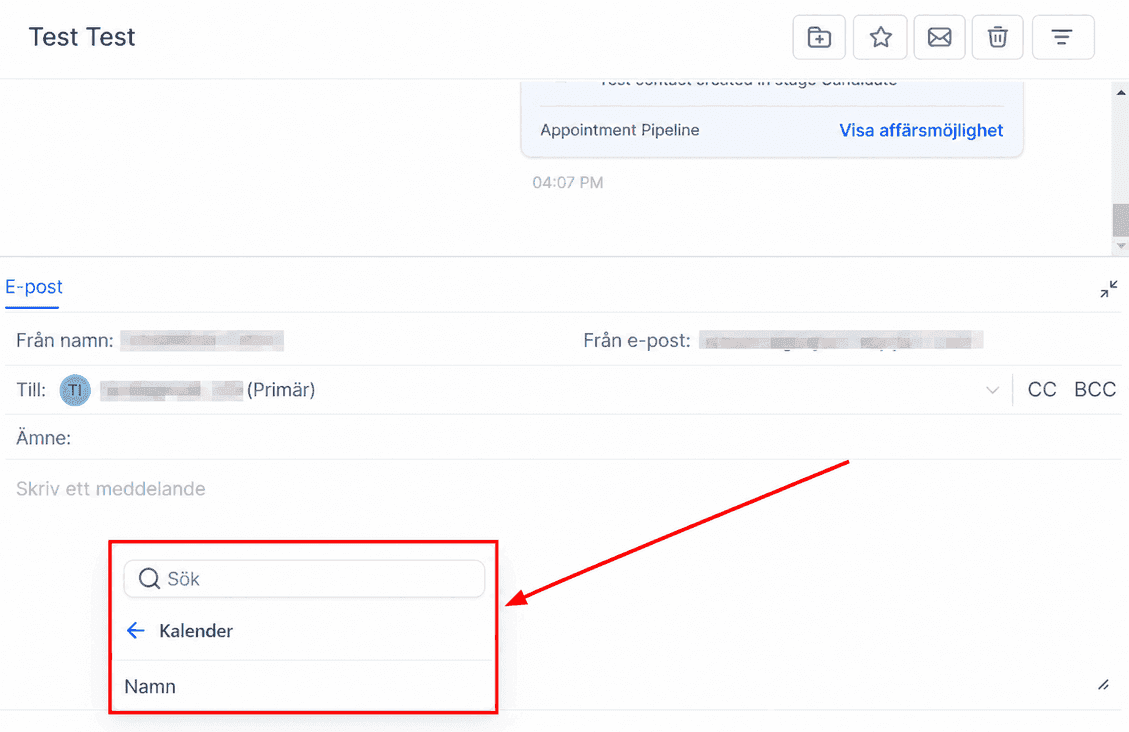
The Calendar category provides the capability to incorporate the name of a specific calendar into various communication mediums, such as emails, SMS messages, and funnel/website pages.
Det håller kunder och team uppdaterade om schemaläggning.
Calendar - Name - {{calendar.name}}
Campaign
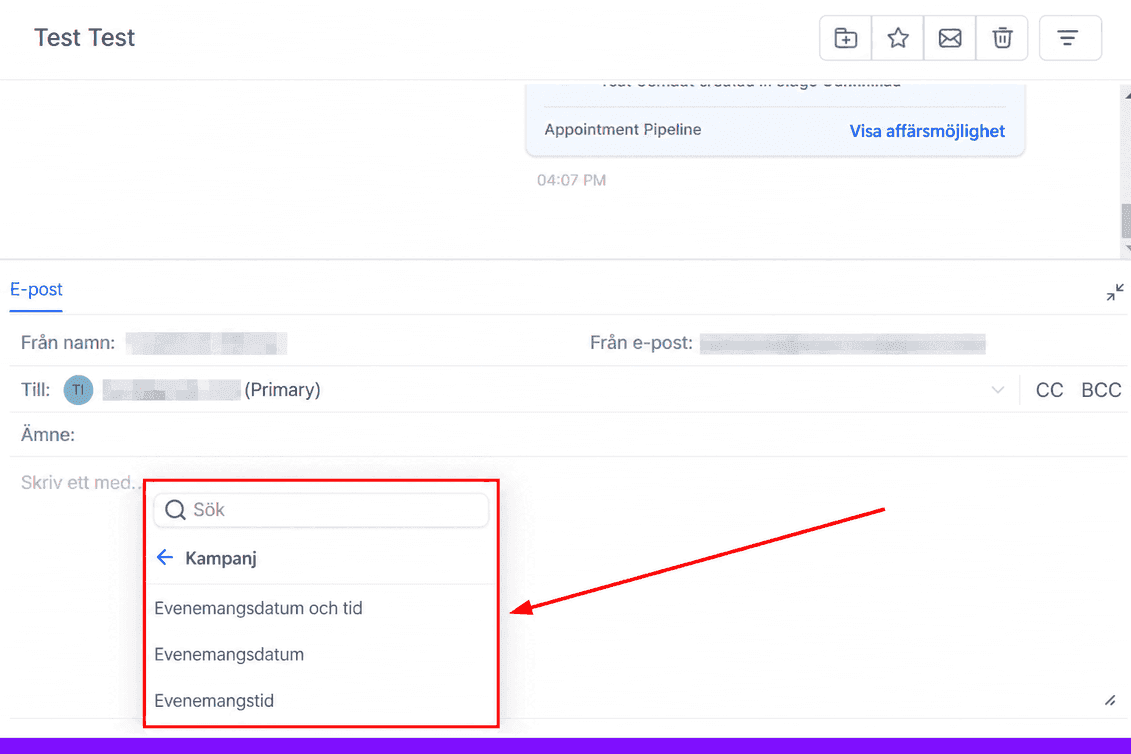
Campaign-kategorin låter dig använda kampanjdata för personaliserad och optimerad marknadsföring.
Campaign - Event Date & Time - {{campaign.event_date_time}}
Campaign - Event Date - {{campaign.event_date}}
Campaign - Event Time - {{campaign.event_time}}
Message
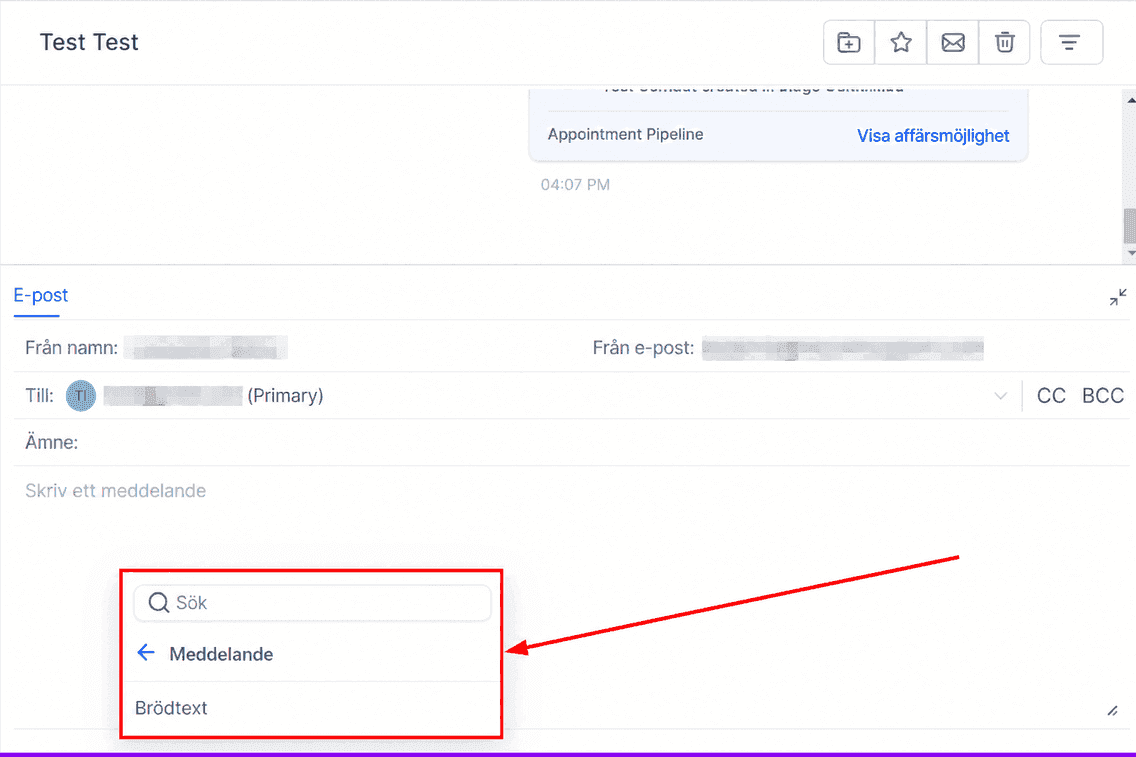
The message category offers the ability to include the content of a message directly into emails and SMS communications, making it incredibly convenient for efficient customer follow-ups. By utilizing this feature, you can ensure that your clients receive all the necessary information on time, ultimately enhancing the quality of your customer interactions and fostering strong, lasting relationships.
Message - Body - {{message.body}}
Account
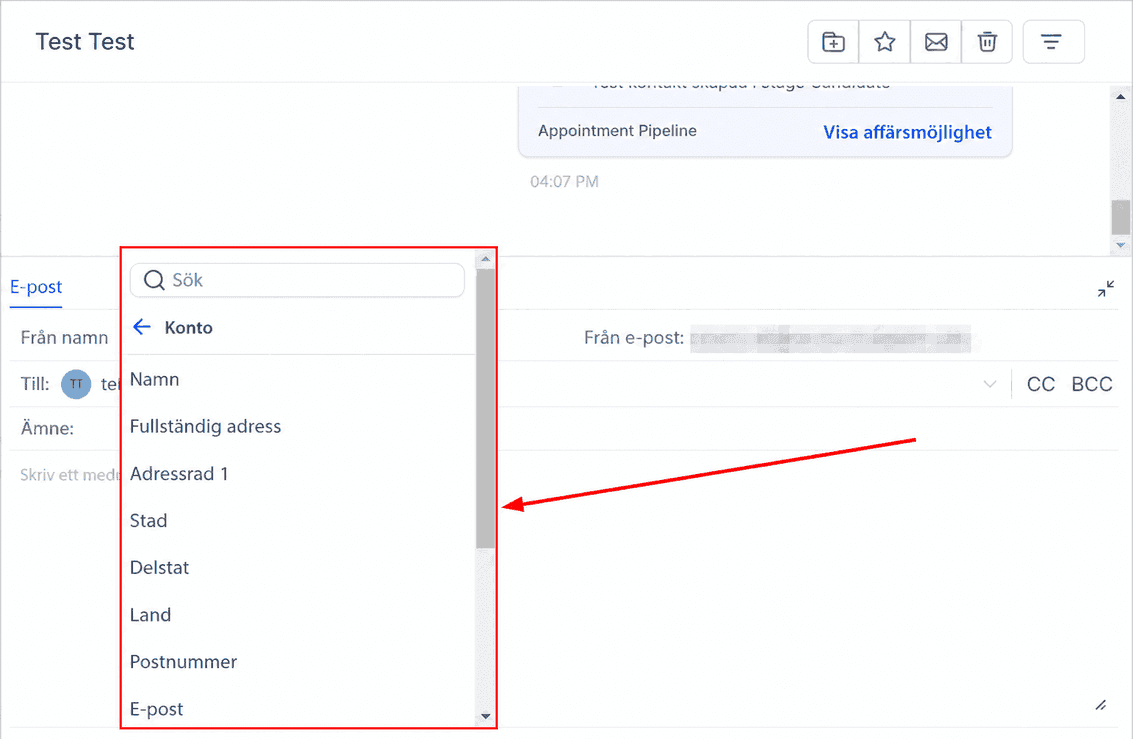
Account-kategorin centraliserar kontoinformation för arbetsflöden och kommunikation.
Account - Name - {{location.name}}
Account - Full Address - {{location.full_address}}
Account - Address Line 1 - {{location.address}}
Account - City - {{location.city}}
Account - State - {{location.state}}
Account - Country - {{location.country}}
Account - Postal Code - {{location.postal_code}}
Account - Email - {{location.email}}
Account - Phone - {{location.phone}}
Account - Website - {{location.website}}
Account - Logo URL - {{location.logo_url}}
Account - ID - {{location.id}}
Owner
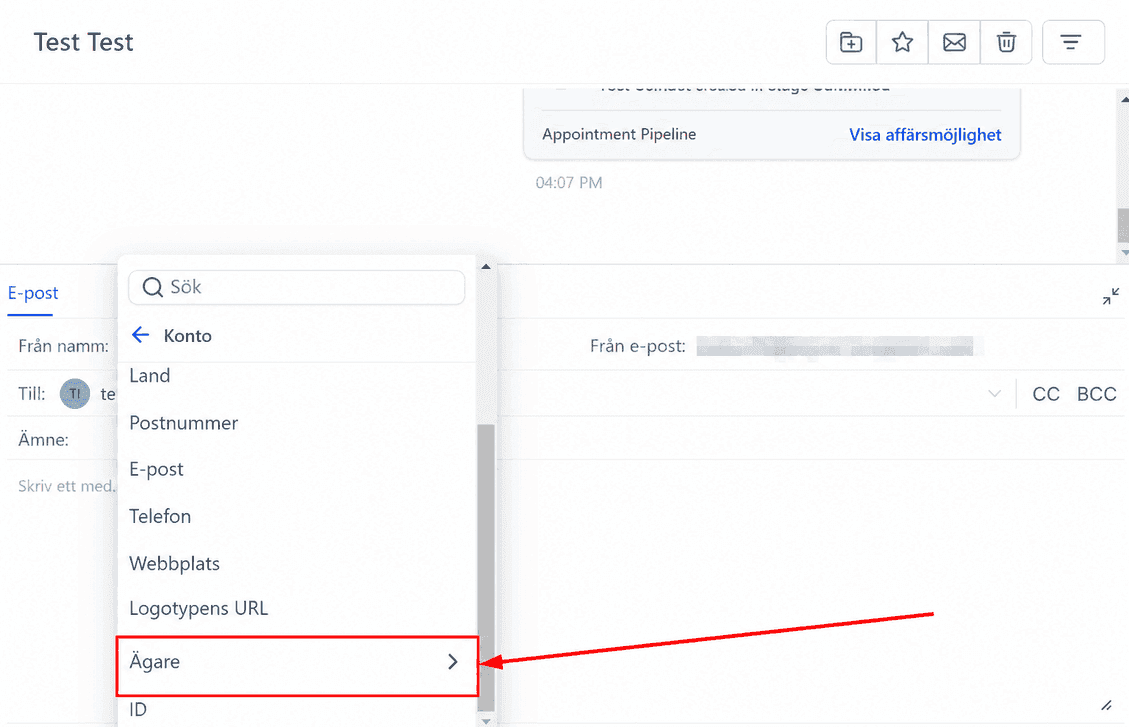
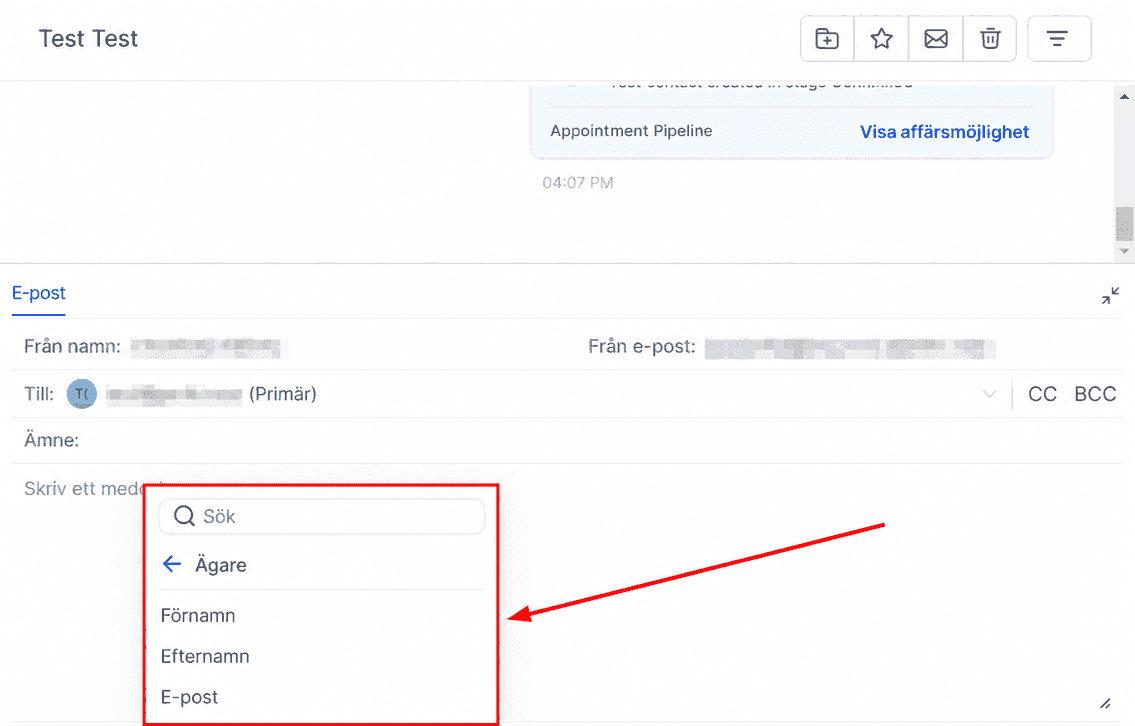
Owner-kategorin låter dig infoga ägardetaljer som namn och e-post.
Account - Owner First Name - {{location_owner.first_name}}
Account - Owner Last Name: {{location_owner.last_name}}
Account - Owner Email - {{location_owner.email}}
Right Now
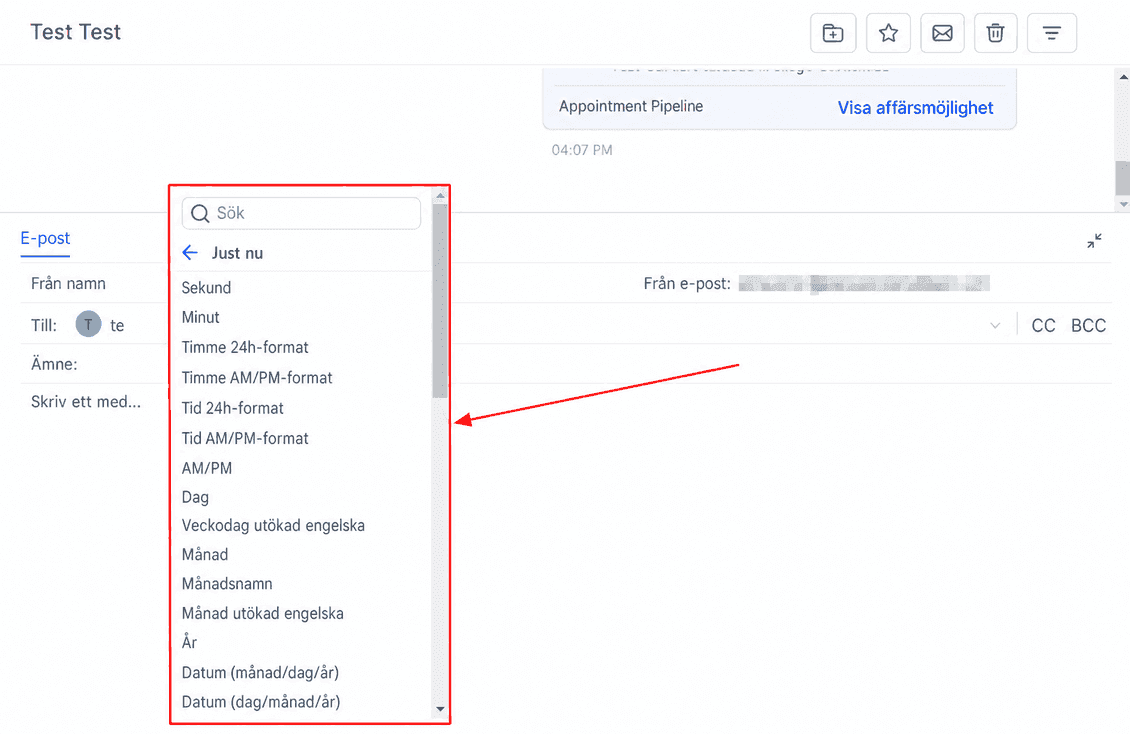
The right now category is great for entering dates and times into funnel and website pages to ensure dates are always up-to-date. Some of the fields you can include are second, minute, time AM/PM, month, year, and today’s date.
Right Now - Second - {{right_now.second}}
Right Now - Minute - {{right_now.minute}}
Right Now - Hour 24h Format - {{right_now.hour}}
Right Now - Hour AM/PM Format - {{right_now.hour_ampm}}
Right Now - Time 24h Format - {{right_now.time}}
Right Now - Time AM/PM Format - {{right_now.time_ampm}}
Right Now - AM/PM - {{right_now.ampm}}
Right Now - Day - {{right_now.day}}
Right Now - Day of the week Extended English - {{right_now.day_of_week}}
Right Now - Month - {{right_now.month}}
Right Now - Name of Month - {{right_now.month_name}}
Right Now - Month Extended English - {{right_now.month_english}}
Right Now - Year - {{right_now.year}}
Right Now - Date (month/day/year) - {{right_now.middle_endian_date}}
Right Now - Date (day/month/year) - {{right_now.little_endian_date}}
Attribution
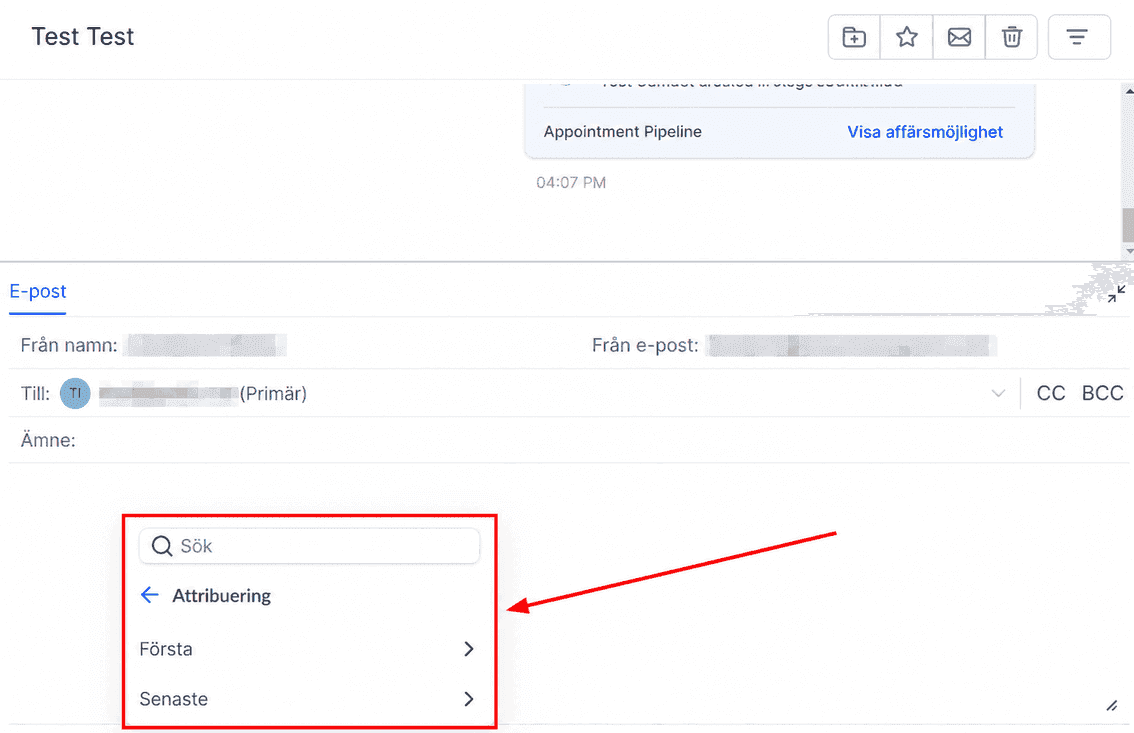
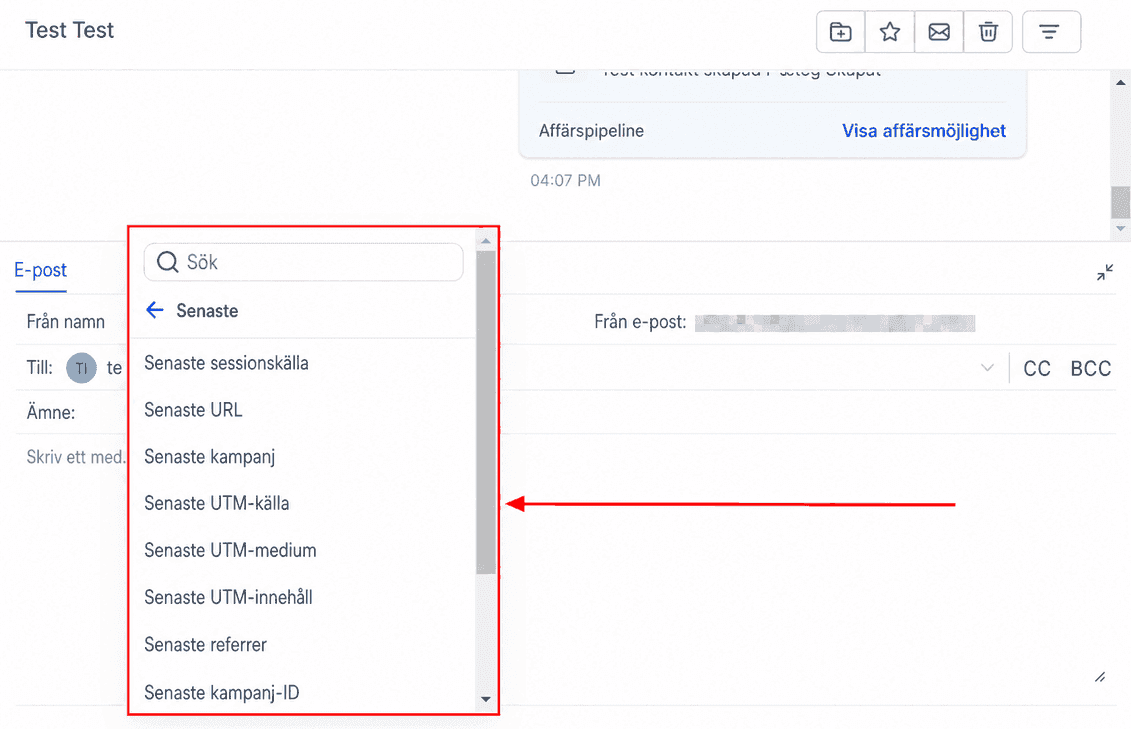
The attribution category is great for tracking where customers come from, and these fields include items like session source, URL, campaign, UTM source, referrer, and contact ID. This category is broken down into first and last, so you can track the first source that customers come from as well as the last.
First
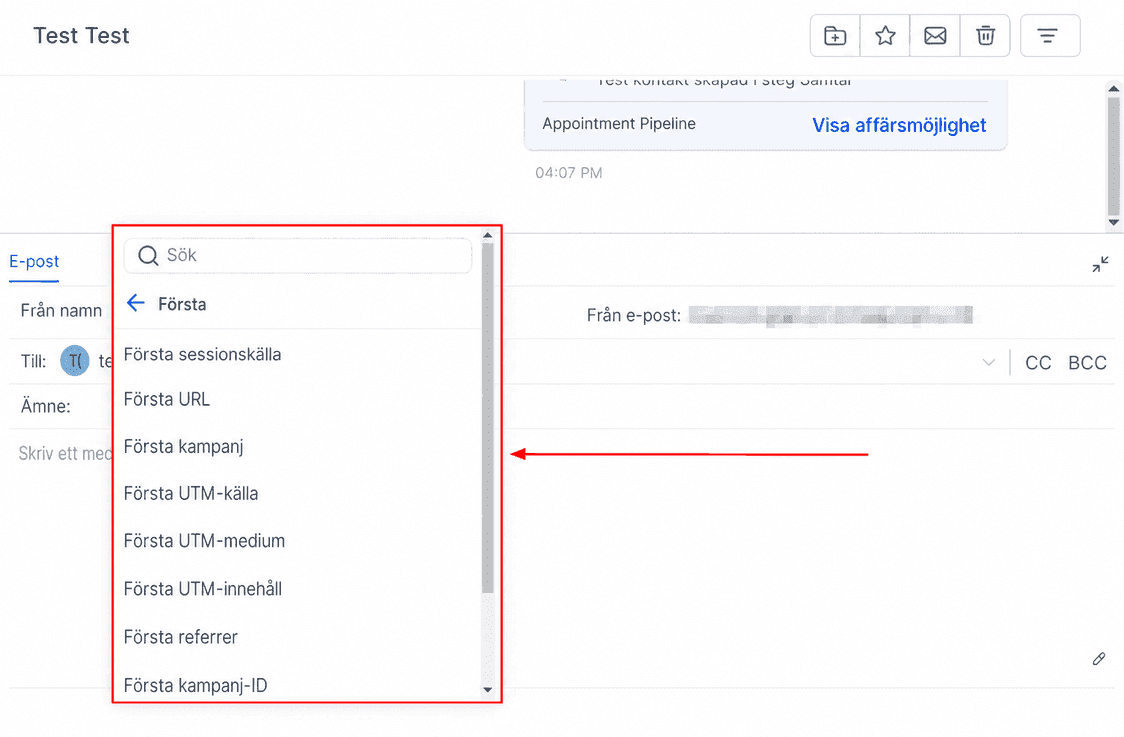
Attribution - First Session Source - {{contact.attributionSource.sessionSource}}
Attribution - First URL - {{contact.attributionSource.url}}
Attribution - First Campaign - {{contact.attributionSource.campaign}}
Attribution - First UM Source - {{contact.attributionSource.utmSource}}
Attribution - First UM Medium - {{contact.attributionSource.utmMedium}}
Attribution - First UTM Content - {{contact.attributionSource.utmContent}}
Attribution - First Referrer - {{contact.attributionSource.referrer}}
Attribution - First Campaign ID - {{contact.attributionSource.campaignId}}
Attribution - First FB Clickld - {{contact.attributionSource.fbclid}}
Attribution - First Google Clickld - {{contact.attributionSource.gclid}}
Latest
Attribution - Last Session Source -{{contact.lastAttributionSource.sessionSource}}
Attribution - Last URL - {{contact.lastAttributionSource.url}}
Attribution - Last Campaign - {{contact.lastAttributionSource.campaign}}
Attribution - Last UM Source - {{contact.lastAttributionSource.utmSource}}
Attribution - Last UM Medium - {{contact.lastAttributionSource.utmMedium}}
Attribution - Last UTM Content - {{contact.lastAttributionSource.utmContent}}
Attribution - Last Referrer - {{contact.lastAttributionSource.referrer}}
Attribution - Last Campaign ID - {{contact.lastAttributionSource.campaignId}}
Attribution - Last FB Clickld - {{contact.lastAttributionSource.fbclid}}
Attribution - Last Google Clickld - {{contact.lastAttributionSource.gclid}}
Invoice
Invoice-kategorin i FunnelBud låter dig integrera fakturadetaljer som nummer, förfallodatum och belopp i kommunikationen.
Invoice - Name - {{ invoice.name }}
Invoice - Number - {{ invoice.number }}
Invoice - Issue Date - {{ invoice.issue_date }}
Invoice - Due Date - {{ invoice.due_date }}
Invoice - Sub Total - {{ invoice.sub_total }}
Invoice - Discount Amount - {{ invoice.discount_amount }}
Invoice - Tax Amount - {{ invoice.tax_amount }}
Invoice - Total Amount - {{ invoice.total_amount }}
Invoice - Title - {{ invoice.title }}
Invoice - URL - {{ invoice.url }}
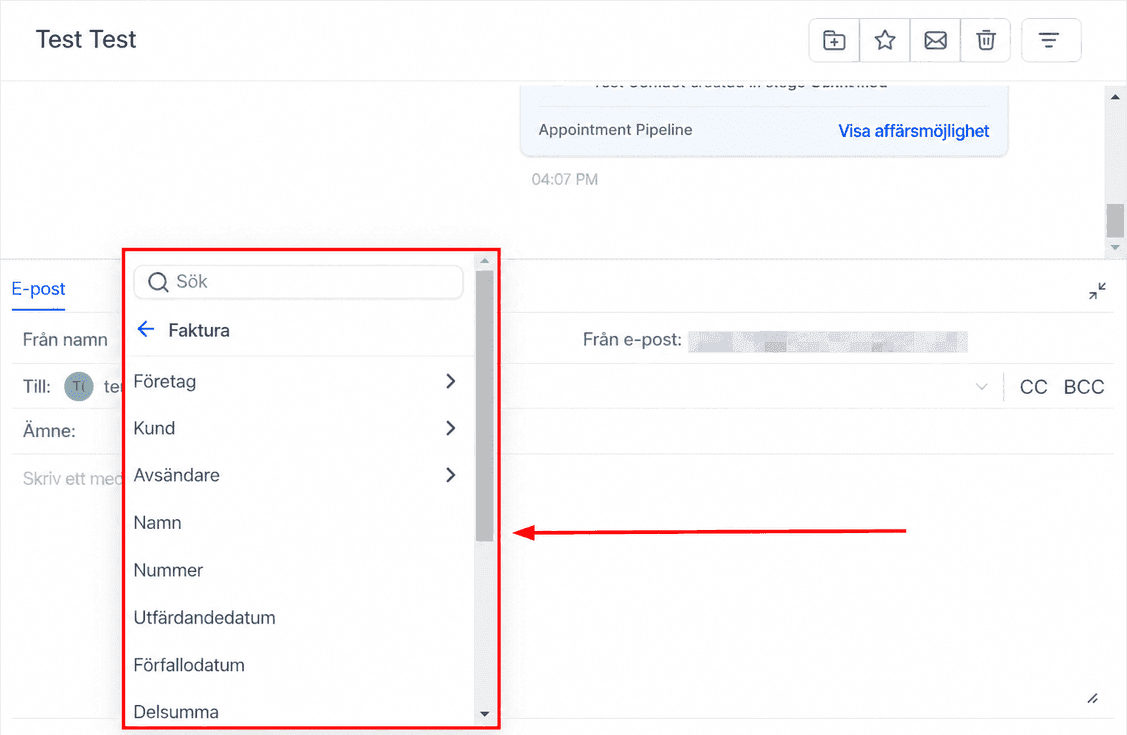
Company
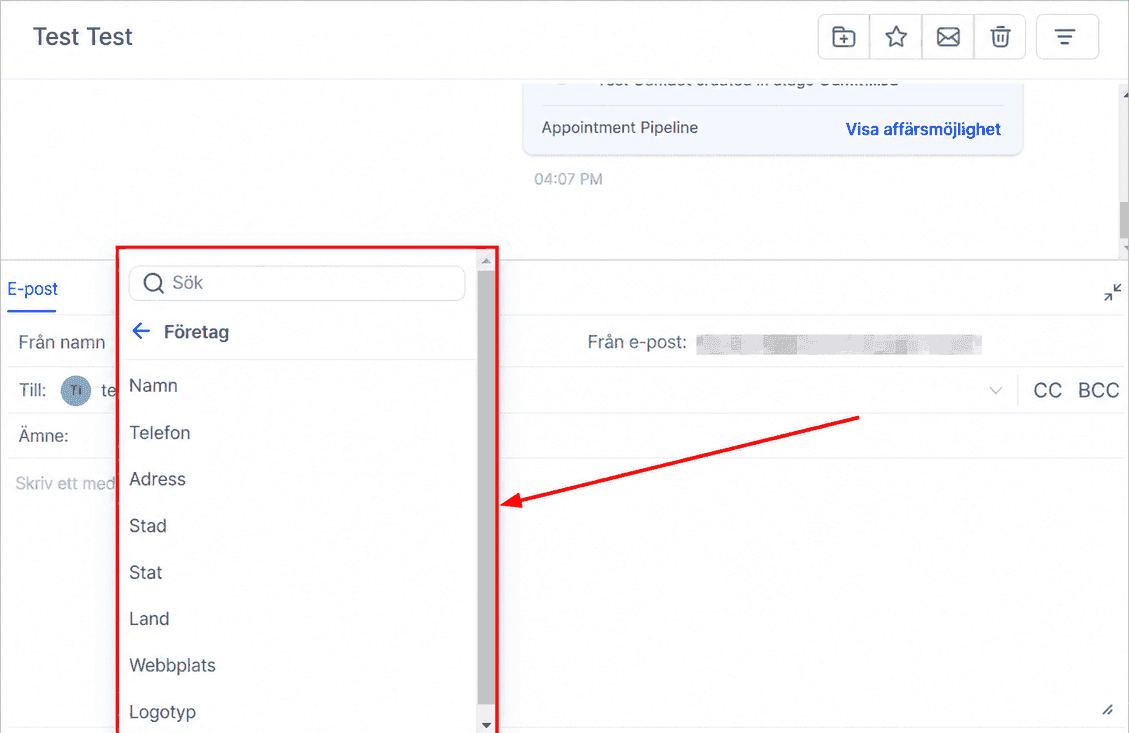
Invoice - Company Name - {{ invoice.company.name }}
Invoice - Company Phone - {{ invoice.company.phone }}
Invoice - Company Address - {{ invoice.company.address }}
Invoice - Company City - {{ invoice.company.city }}
Invoice - Company State - {{ invoice.company.state }}
Invoice - Company Country - {{ invoice.company.country }}
Invoice - Company Website - {{ invoice.company.website }}
Invoice - Company Logo - {{ invoice.company.logo }}
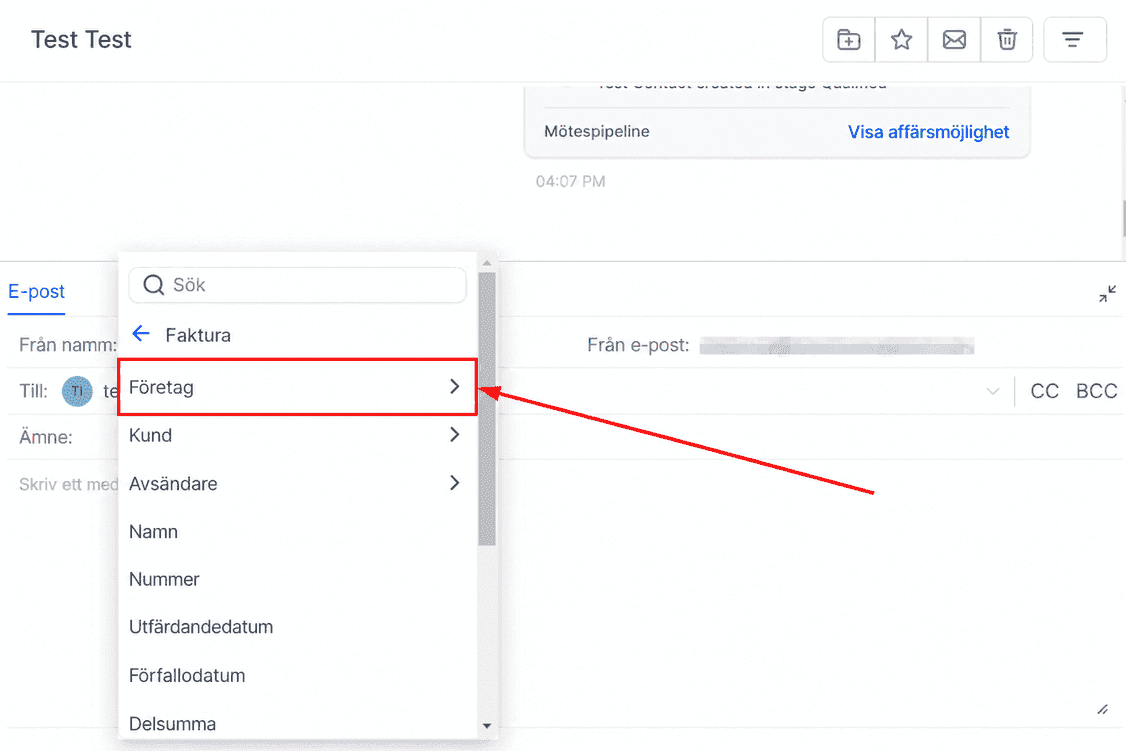
Customer
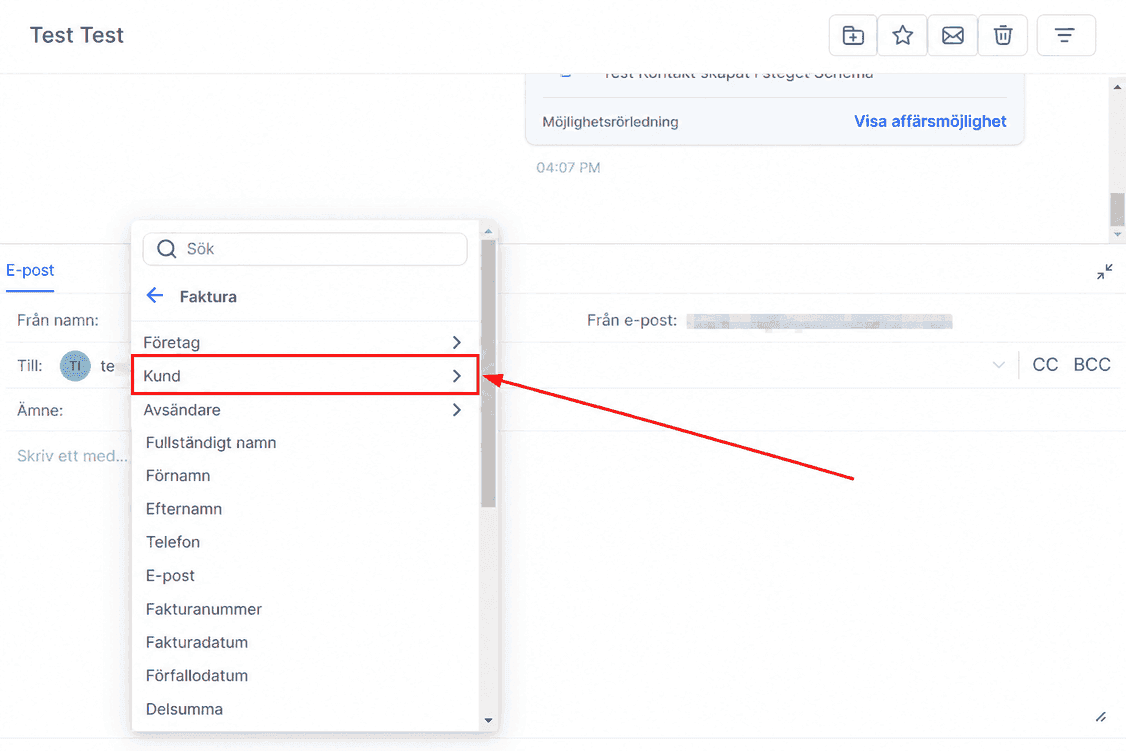
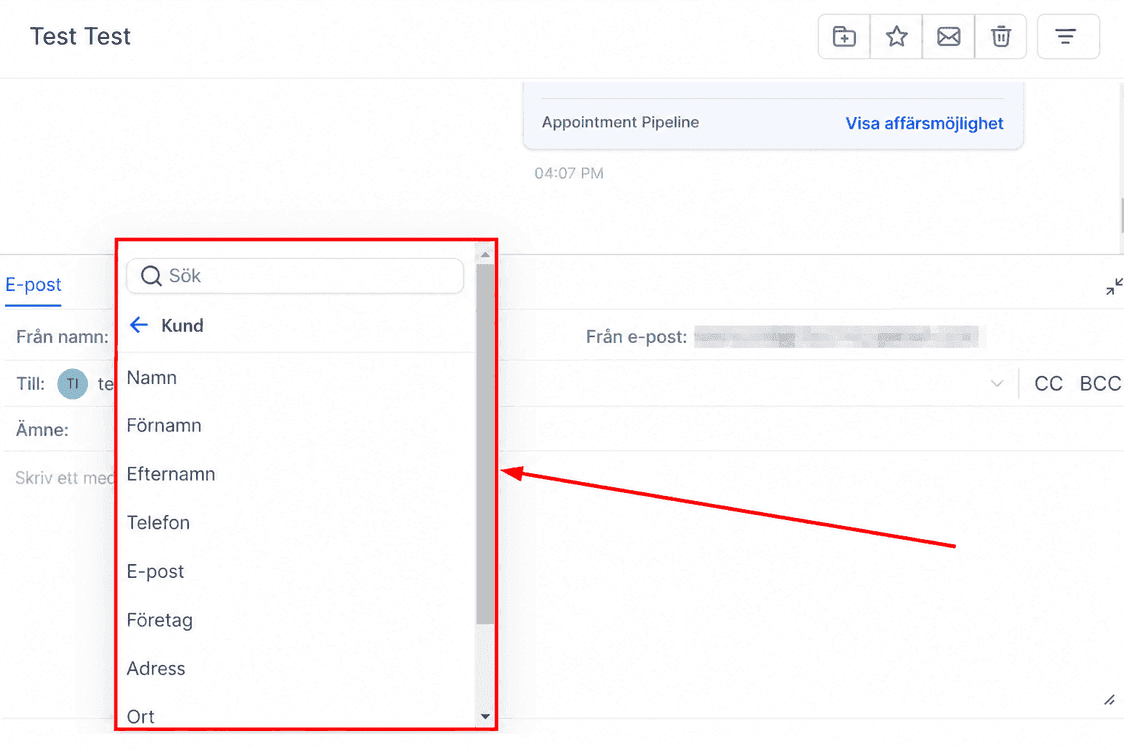
Invoice - Customer Full Name - {{ invoice.customer.name }}
Invoice - Customer First Name - {{ invoice.customer.first_name }}
Invoice - Customer Last Name - {{ invoice.customer.last_name }}
Invoice - Customer Phone - {{ invoice.customer.phone }}
Invoice - Customer Email - {{ invoice.customer.email }}
Invoice - Customer Company - {{ invoice.customer.company }}
Invoice - Customer Address - {{ invoice.customer.address }}
Invoice - Customer City - {{ invoice.customer.city }}
Invoice - Customer State - {{ invoice.customer.state }}
Invoice - Customer Postal Code - {{ invoice.customer.postal_code }}
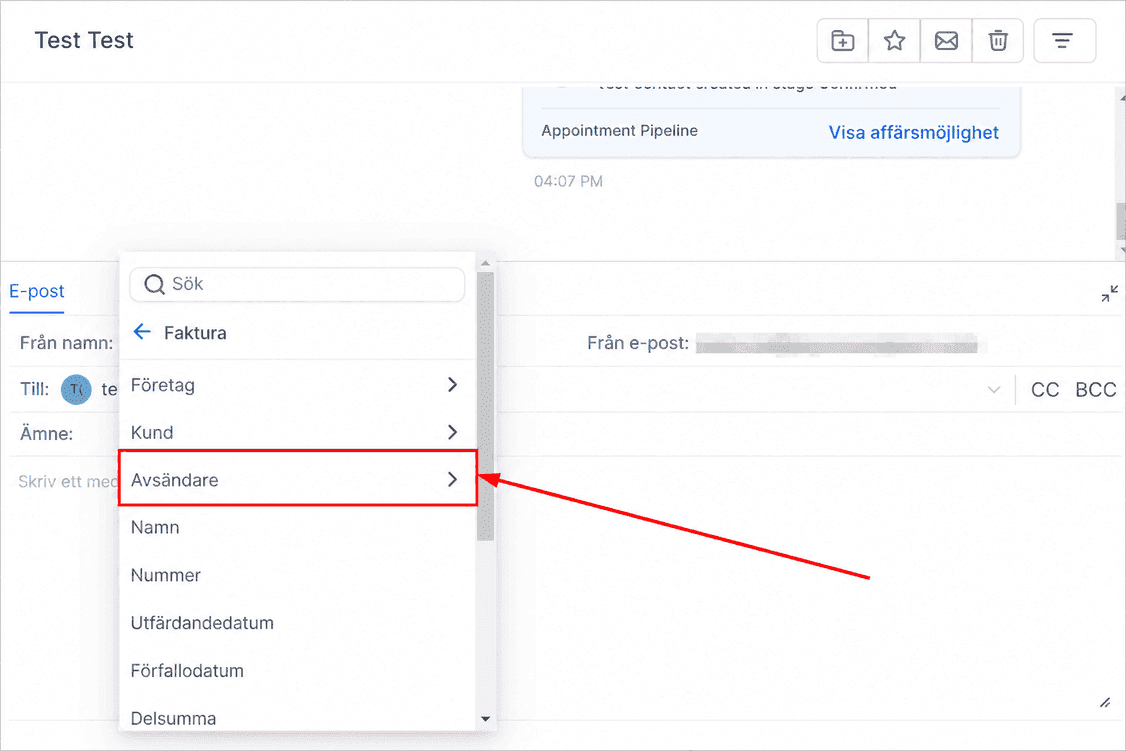
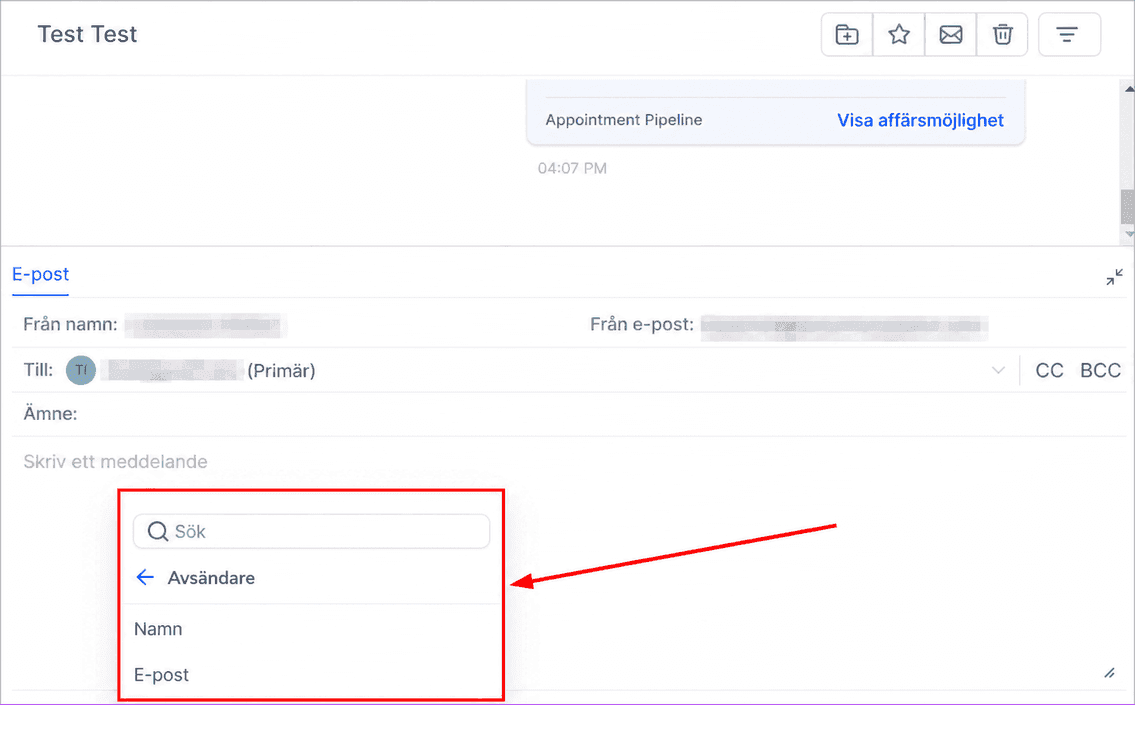
Sender
Invoice - Sender Name - {{ invoice.sender.name }}
Invoice - Sender Email - {{ invoice.customer.email }}
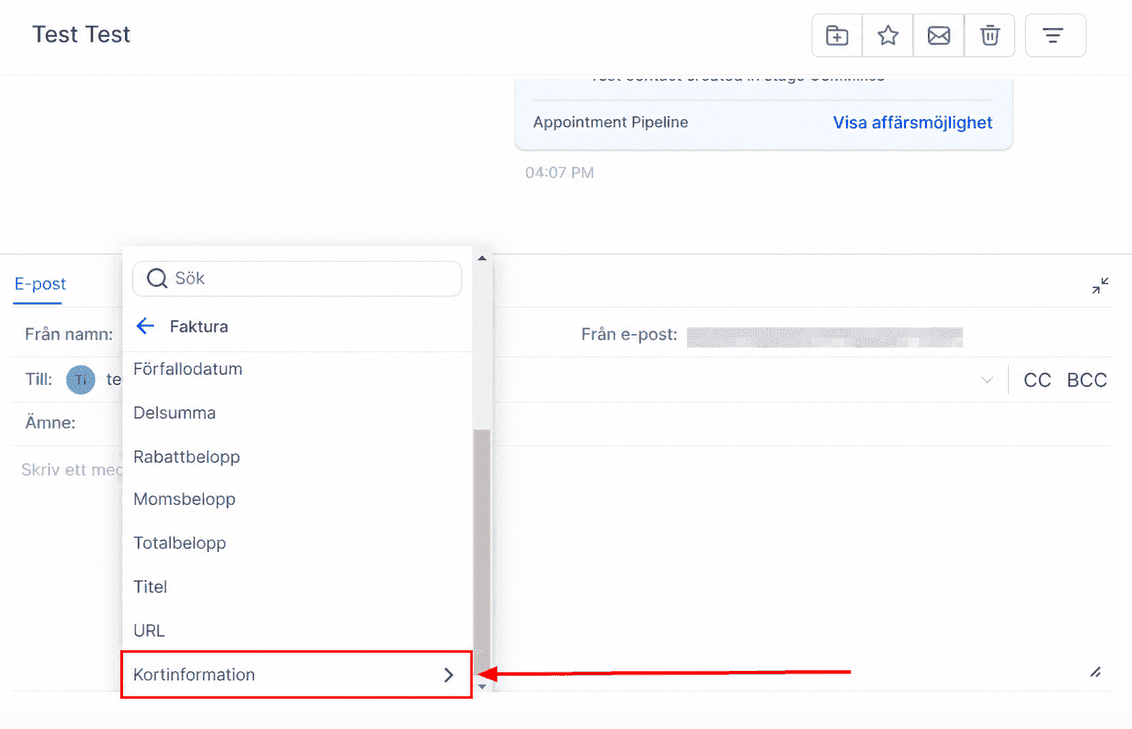
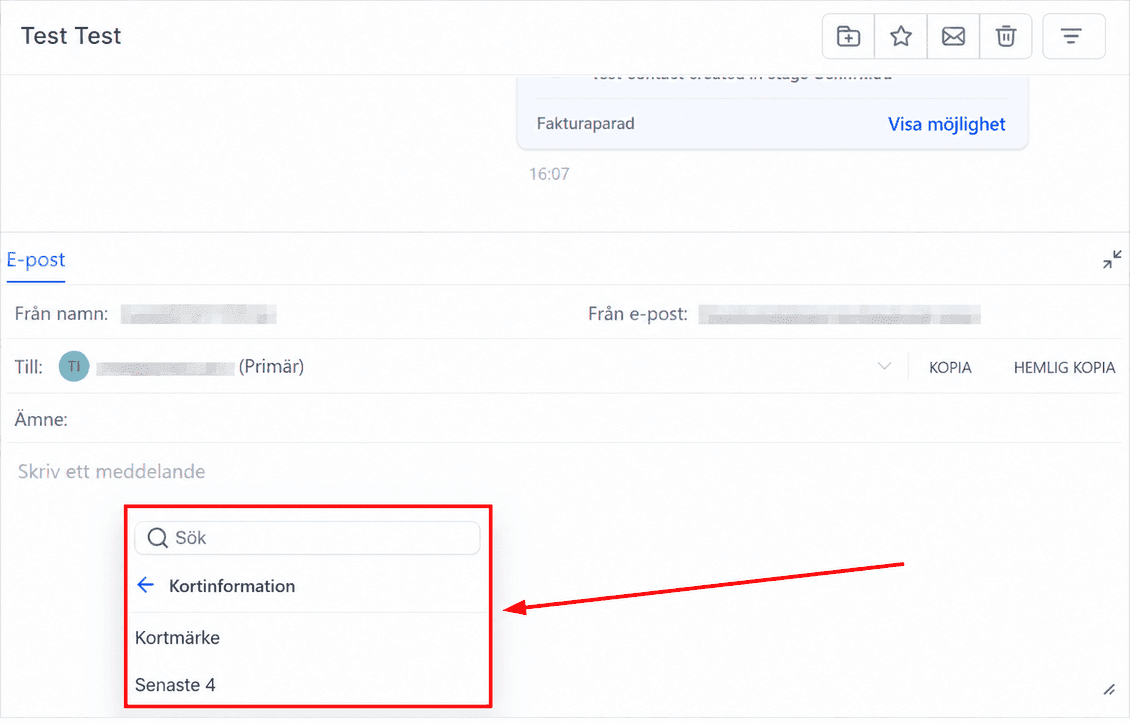
Card Information
Invoice - Card Brand - {{ invoice.card.brand }}
Invoice - Card Last 4 Digits - {{ invoice.card.last4 }}
Payment Link
Payment Link-kategorin låter dig bädda in betalningslänkar i e-post och SMS.
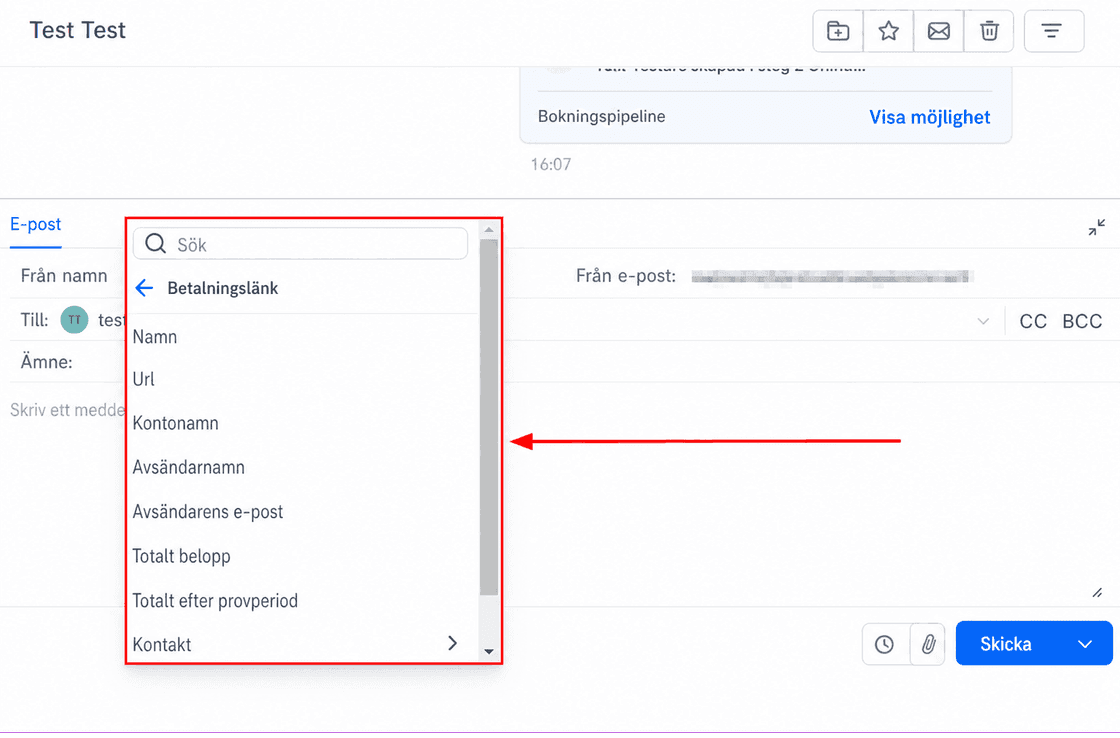
Payment Link - Name - {{ paymentLink.link_name }}
Payment Link - URL - {{ paymentLink.url }}
Payment Link - Account Name - {{paymentLink.account_name}}
Payment Link - Sender Name - {{ paymentLink.sender_name }}
Payment Link - Sender Email - {{ paymentLink.sender_email }}
Payment Link - Total Amount - {{ paymentLink.total_amount }}
Payment Link - Total After Trial - {{ paymentLink.total_after_trial }}
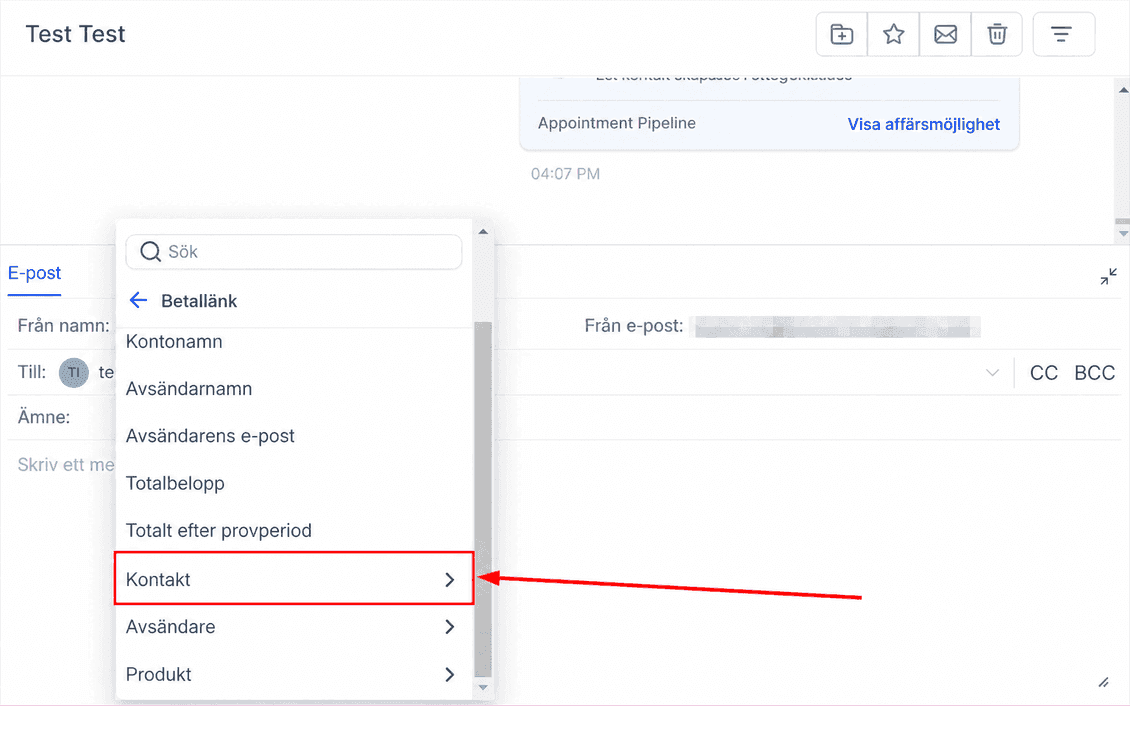
Contact
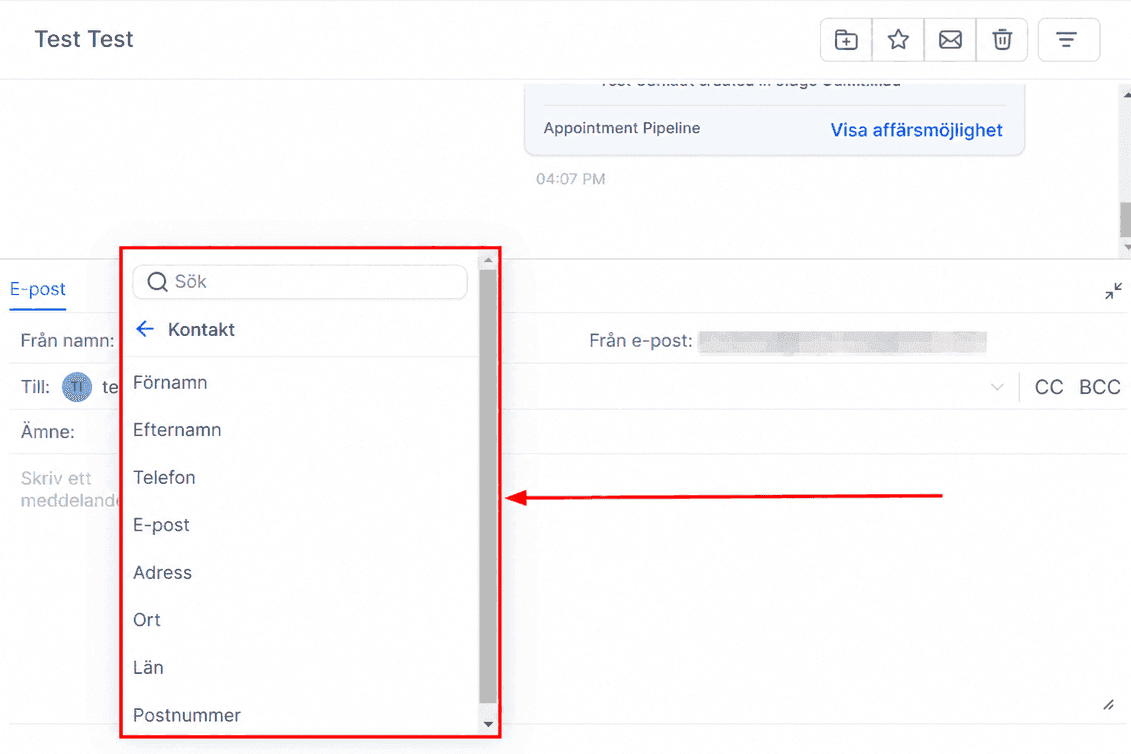
Payment Link - Contact First Name - {{ paymentLink.contact.first_name }}
Payment Link - Contact Last Name - {{ paymentLink.contact.last_name }}
Payment Link - Contact Phone - {{ paymentLink.contact.phone }}
Payment Link - Contact Email - {{ paymentLink.contact.email }}
Payment Link - Contact Address - {{ paymentLink.contact.address }}
Payment Link - Contact City - {{ paymentLink.contact.city }}
Payment Link - Contact State - {{ paymentLink.contact.state }}
Payment Link - Contact Postal Code - {{ paymentLink.contact.postal_code }}
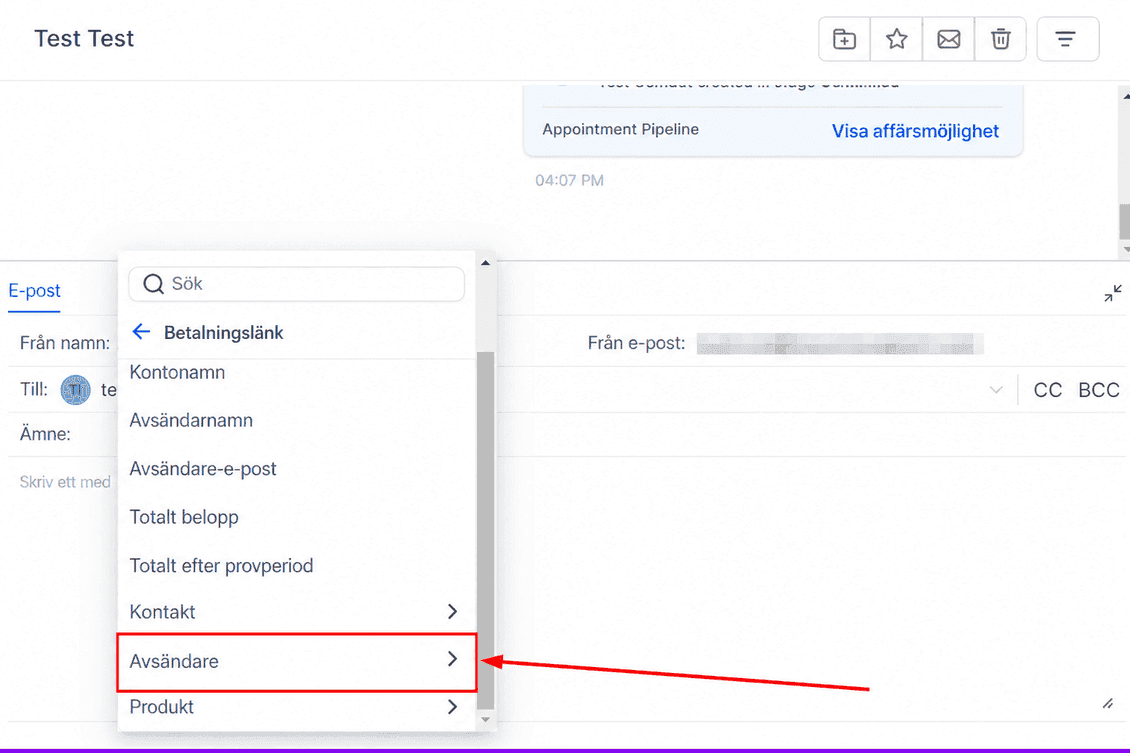
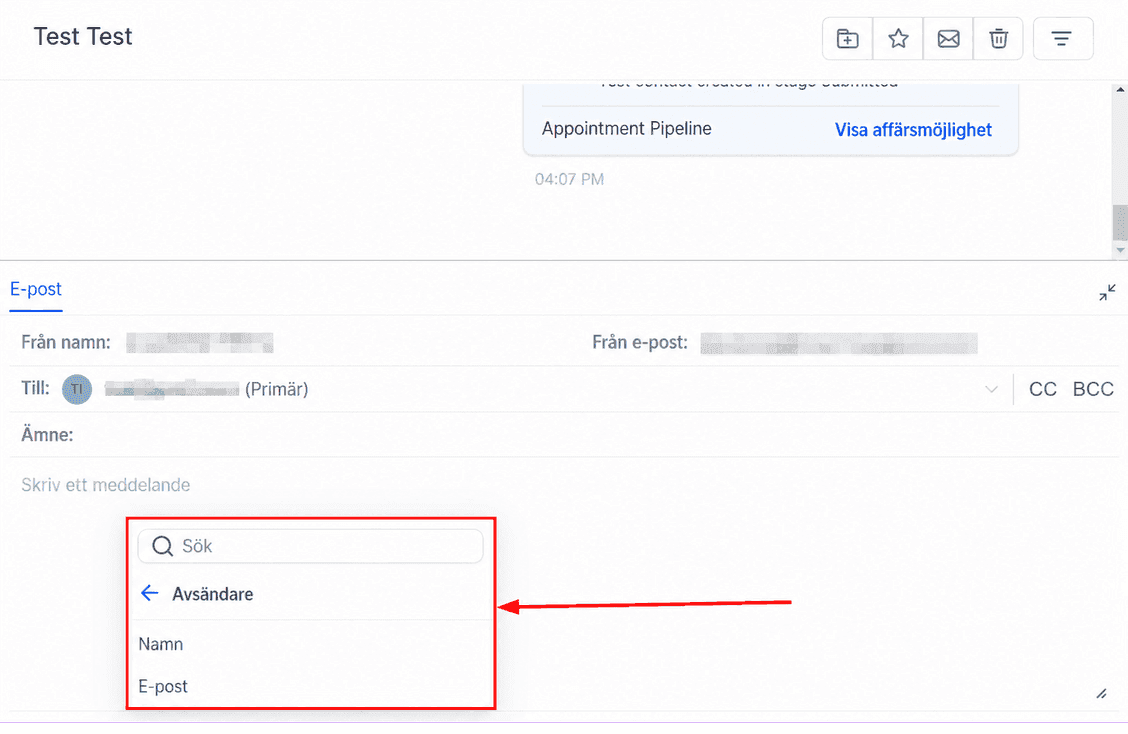
Sender
Payment Link - Sender Name - {{ paymentLink.sender.name }}
Payment Link - Sender Email - {{ paymentLink.sender.email }}
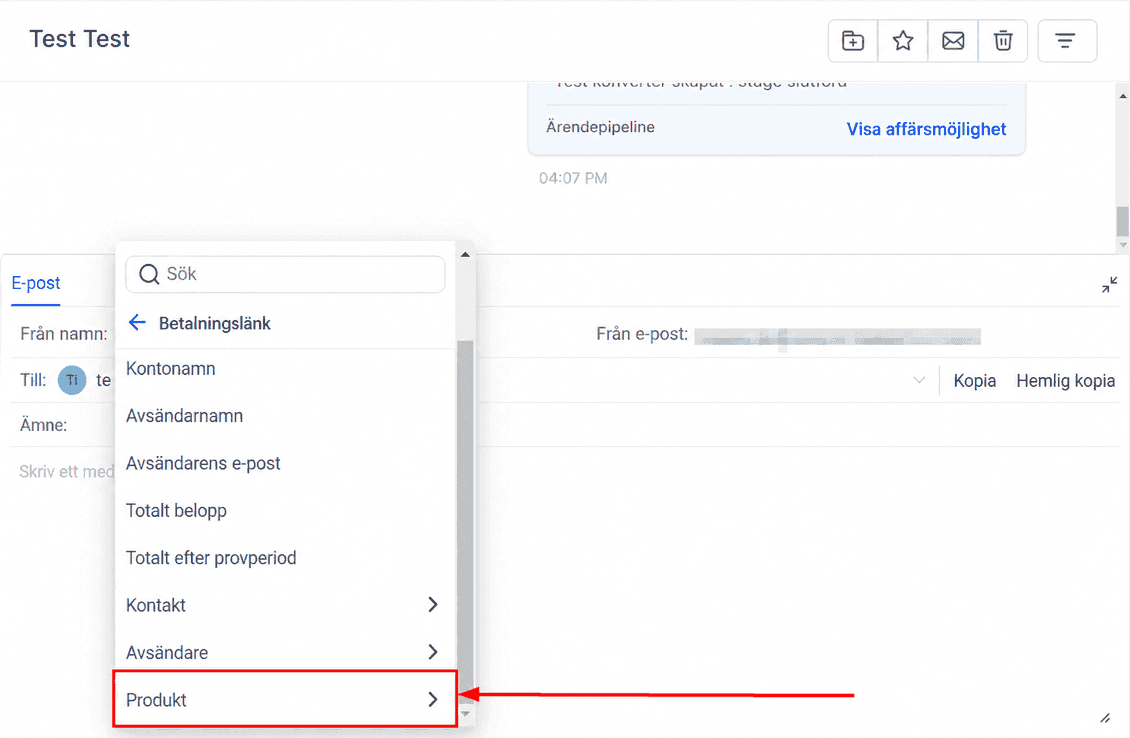
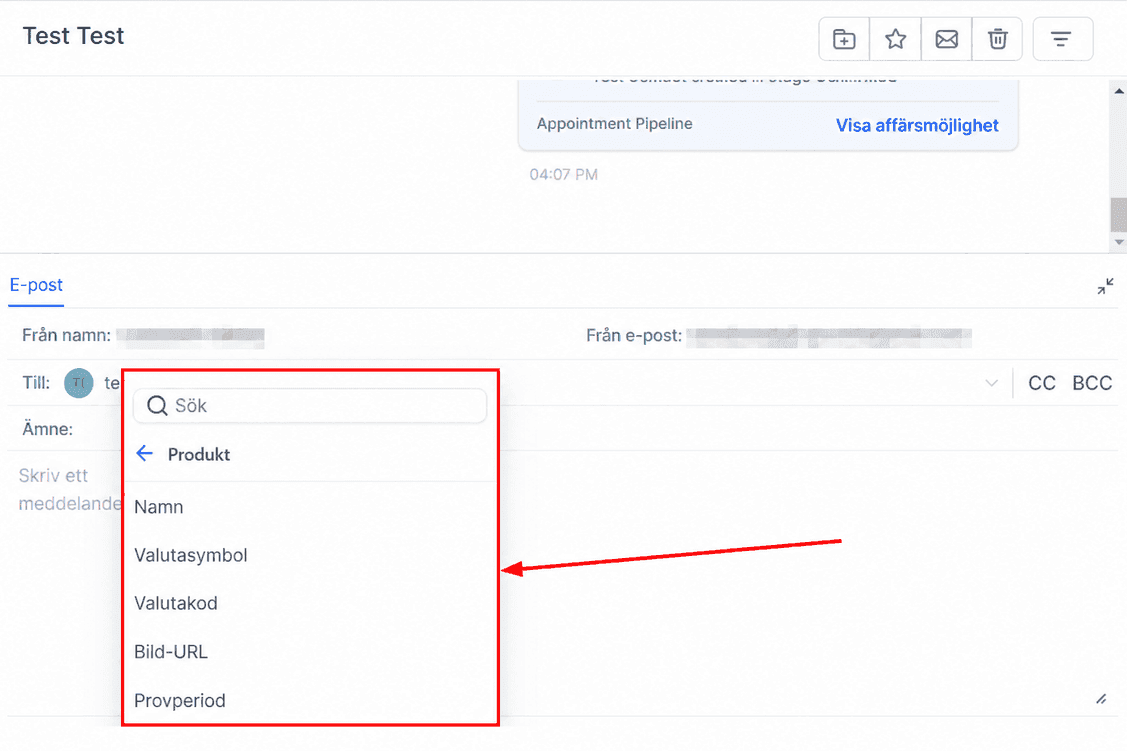
Product
Payment Link - Product Name - {{paymentLink.product.name}}
Payment Link - Product Currency Symbol - {{ paymentLink.product.currency_symbol }}
Payment Link - Product Currency Code - {{ paymentLink.product.currency_code }}
Payment Link - Product Image URL - {{ paymentLink.product.imageUrl }}
Payment Link - Product Trial Period - {{ paymentLink.product.trial_period }}
Inte kund hos Funnelbud ännu?
Prova vårt allt-i-ett CRM för sälj och marknadsföring — gratis i 7 dagar, ingen bindningstid.