Utilizing the App Marketplace
The App Marketplace within the CRM is your go-to destination for finding and installing plugins. It hosts a wide array of apps, both free and paid, designed to enhance your CRM’s functionality in various ways. From marketing automation to customer feedback tools, the marketplace offers solutions for virtually every aspect of your business operations.
How to Access the App Marketplace
To get started, ensure that you’re in the agency view of your CRM. This view provides access to the App Marketplace. Alternatively, if you’re looking to install plugins for a specific sub-account, you can switch to that account.
Within the agency view, locate and click on the App Marketplace option. This will take you to the area where you can browse available apps.
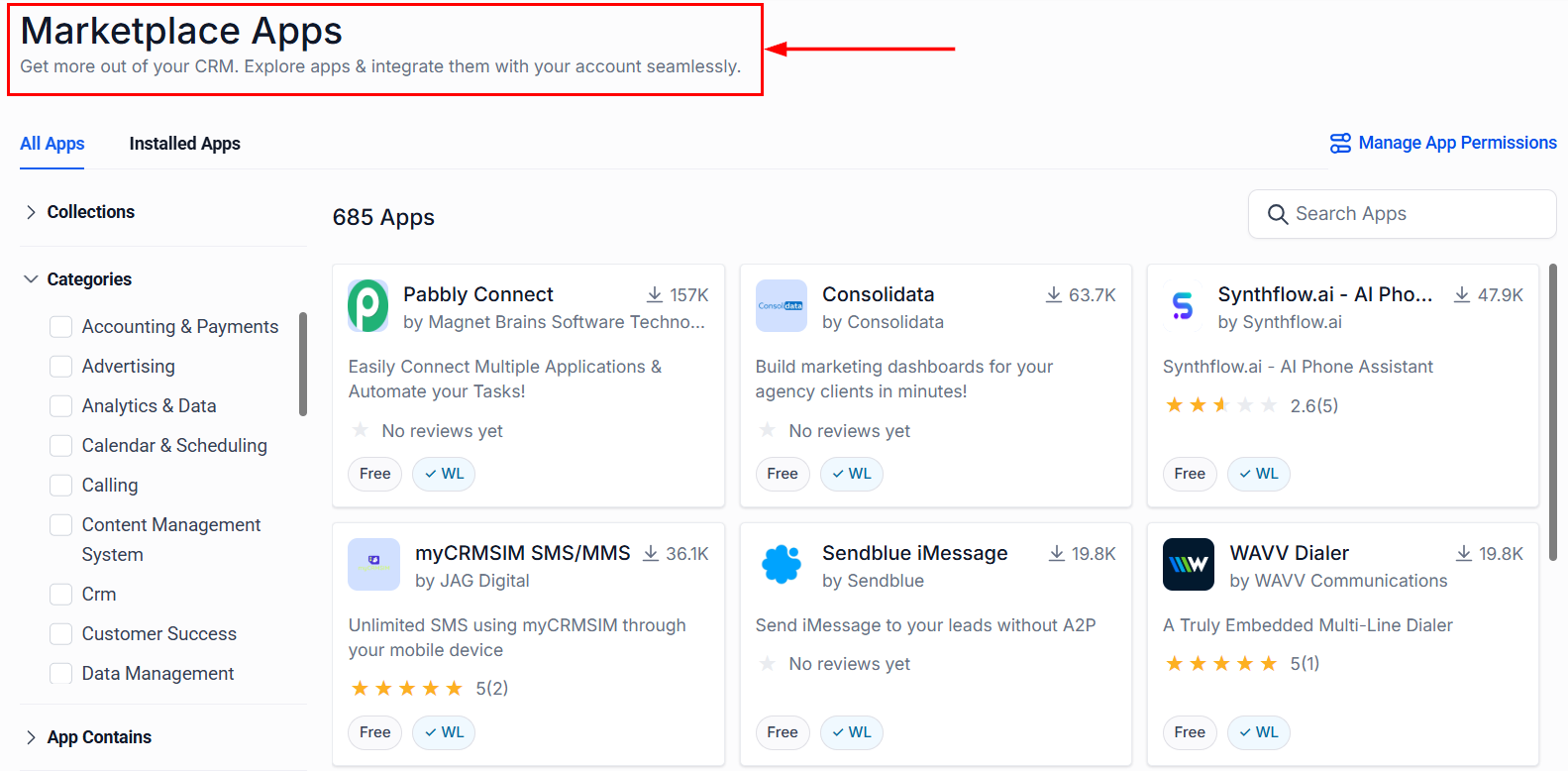
Installing Plugins
Once you’re in the App Marketplace, you’ll notice a variety of apps categorized for easy navigation. Here’s how you can install a plugin;
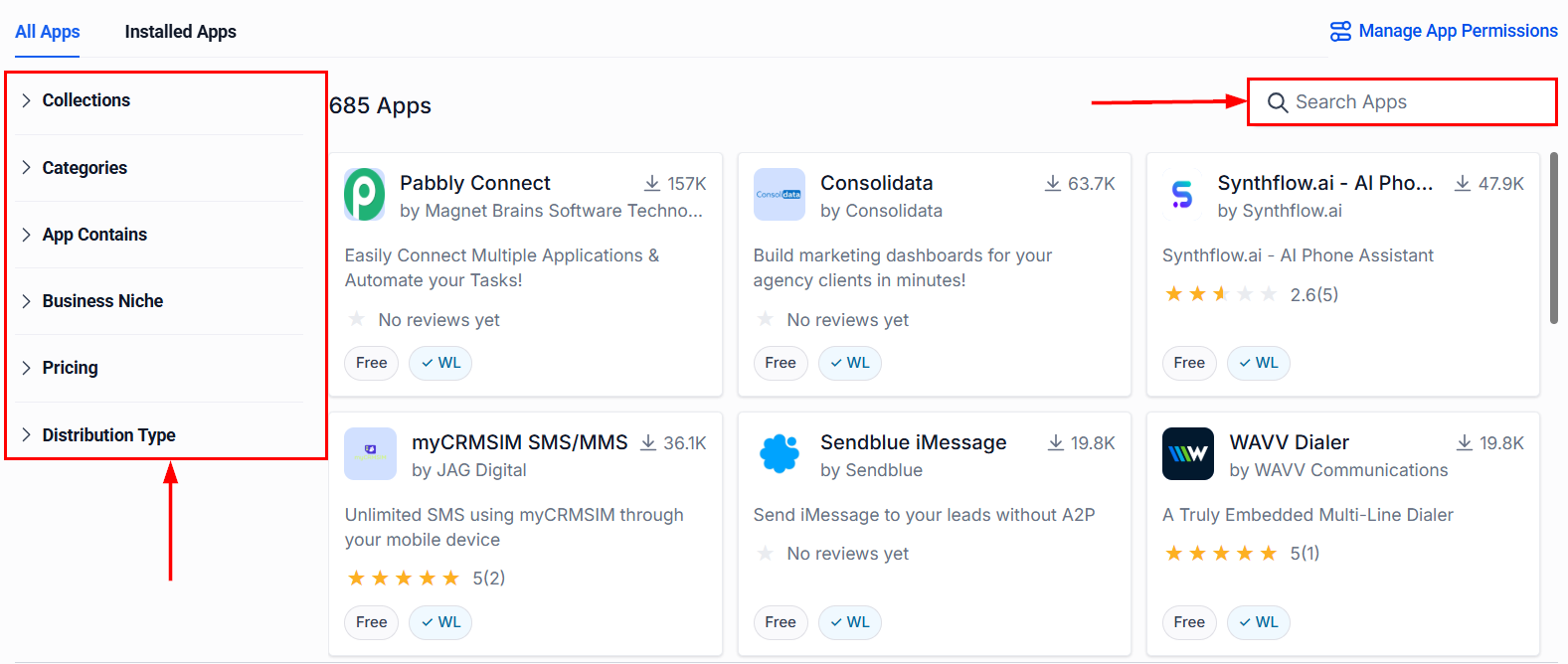
Use the filters on the left side or the search function to find an app that suits your needs. You can view both free and paid options.
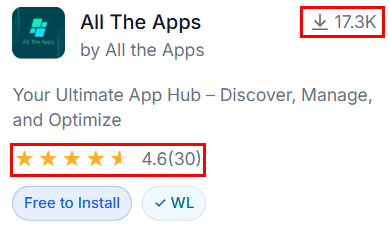
Each app card features an install count and rating, providing you with insights into the app’s popularity.
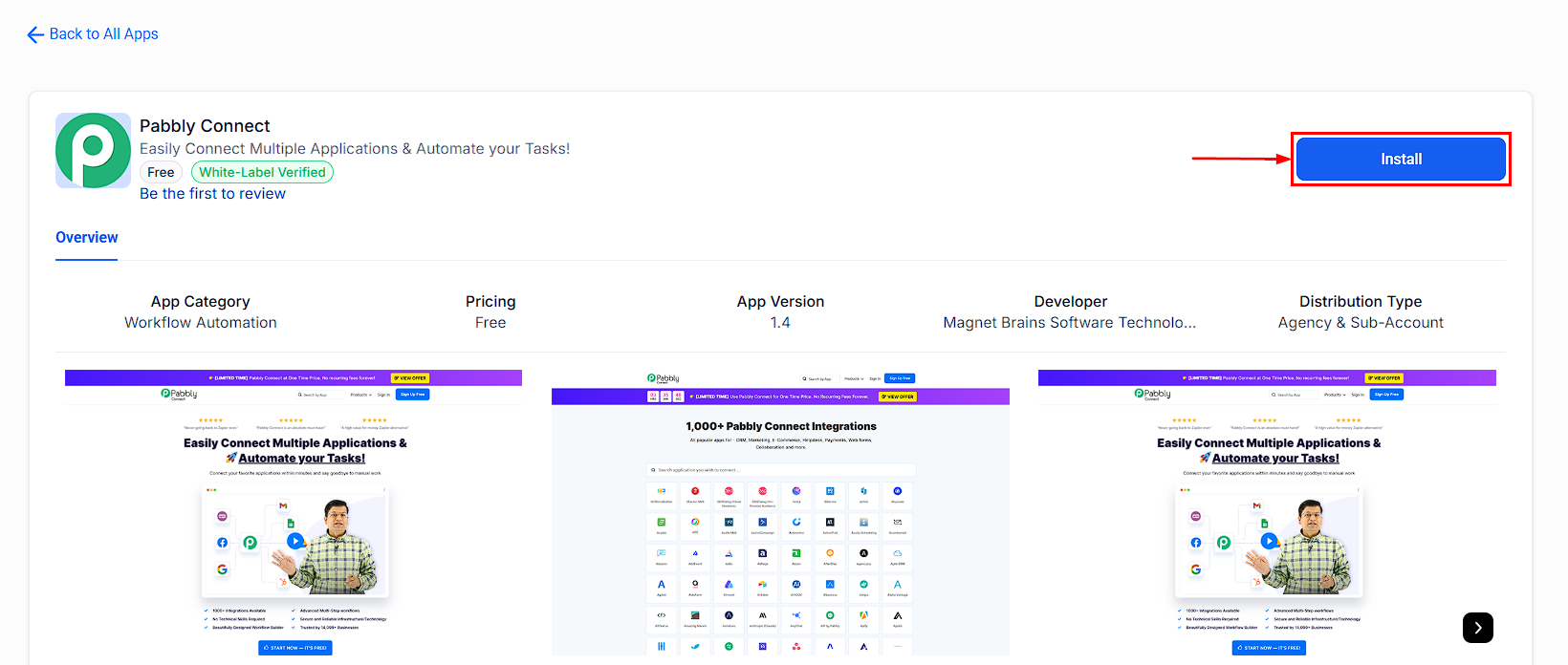
Before installing, click on an app to read more about what it does and how it can benefit your business. This step is crucial to ensure the app aligns with your objectives.
To install an app, click on the “Install” button. You may be prompted to allow permissions or to complete additional steps depending on the app’s requirements. Some apps may redirect you to external services (e.g., Zapier) for integration.
Browsing the MarketPlace
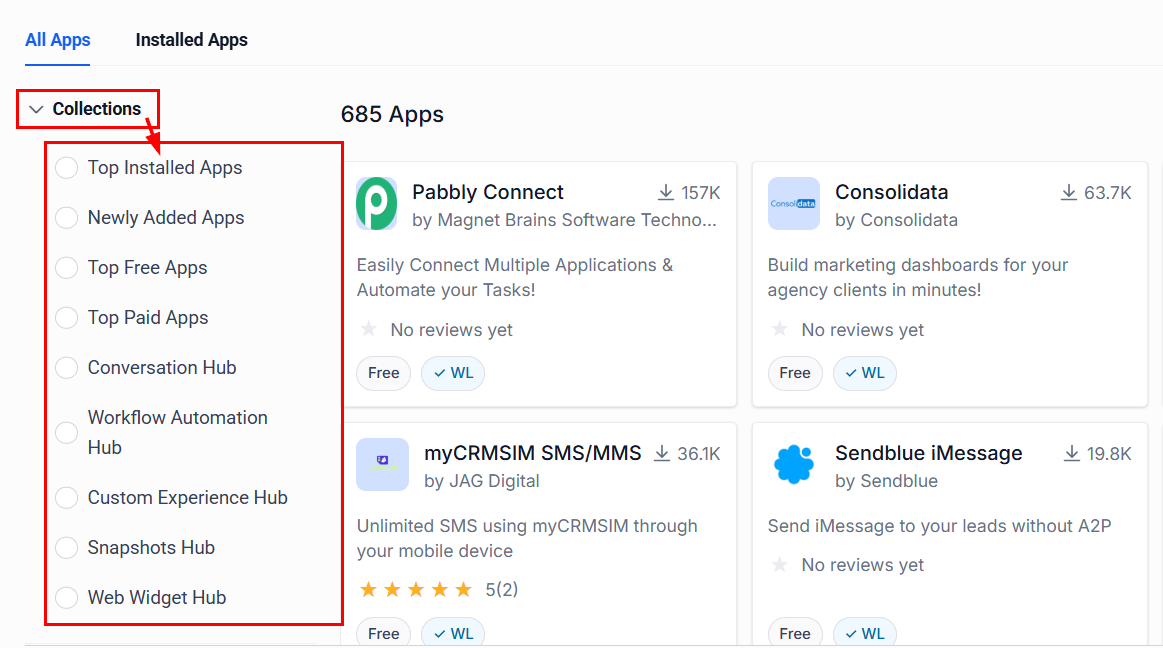
When searching for an app, you can enhance your results by filtering them in various ways, one of which is through Collections. These curated lists help you discover the best apps across:
- Top Installed Apps
- Newly Added Apps
- Top Free Apps
- Top Paid Apps
- Conversation Hub - Installed apps supporting custom conversation providers.
- Workflow Automation Hub - Installed apps featuring custom workflow actions and triggers.
- Custom Experience Hub - Installed apps with custom JS/CSS scripts.
- Snapshots Hub
- Web Widget Hub
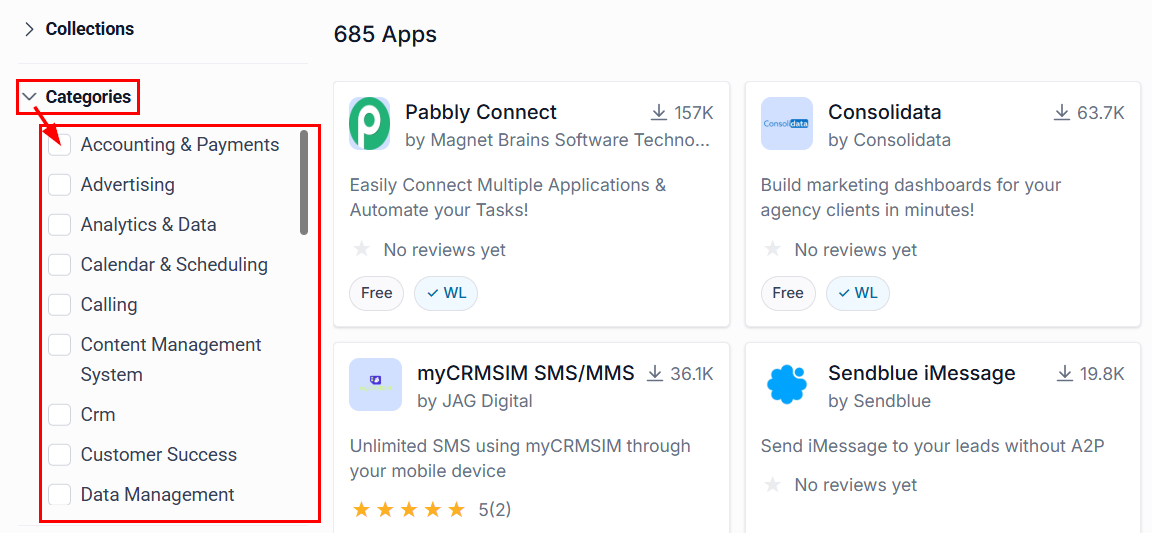
With Categories, you can filter for apps that help you with particular tasks, such as Advertising or Customer Success.
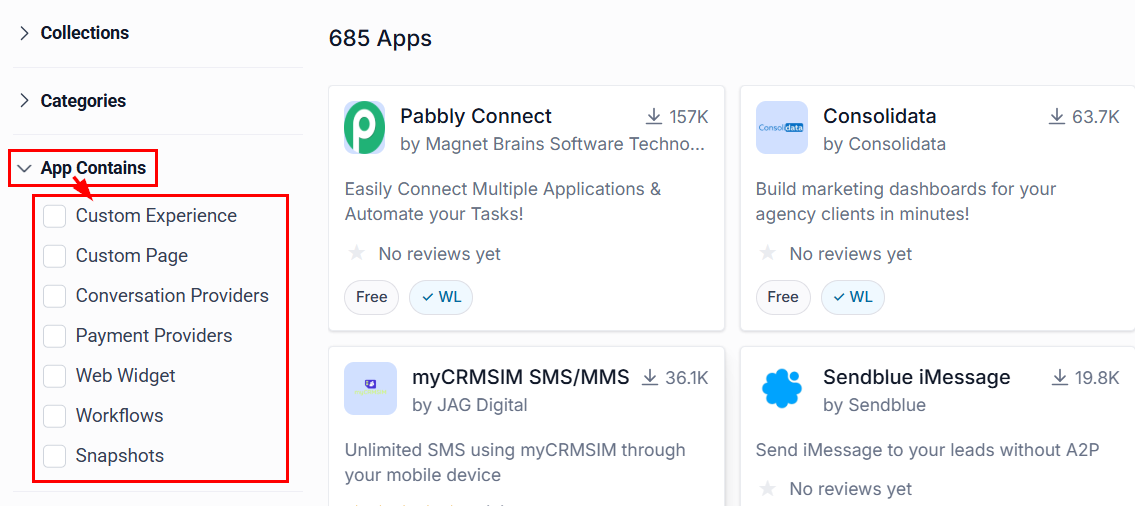
Narrow your search to locate apps that include assets such as workflows and snapshots using the App Contains filter.
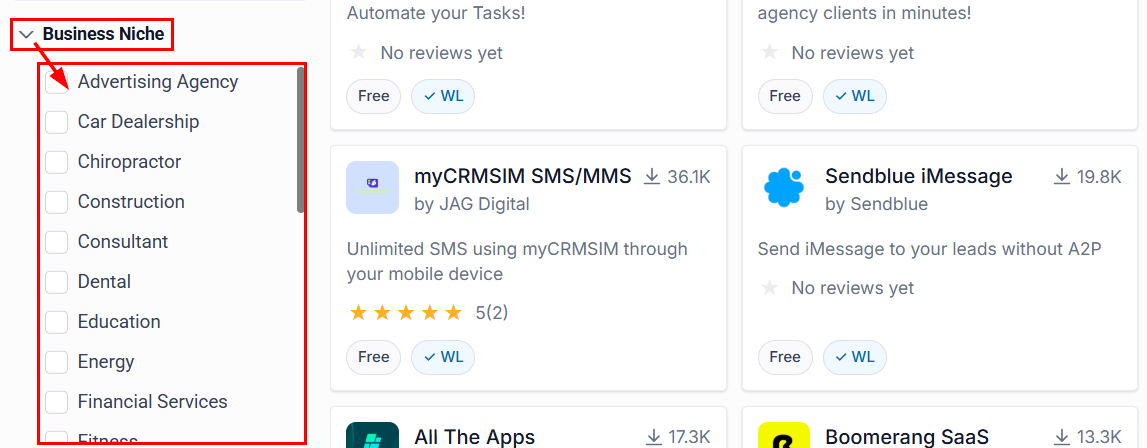
You can filter apps based on up to three business niches, making it easier to find tools tailored to your industry or specific use case.
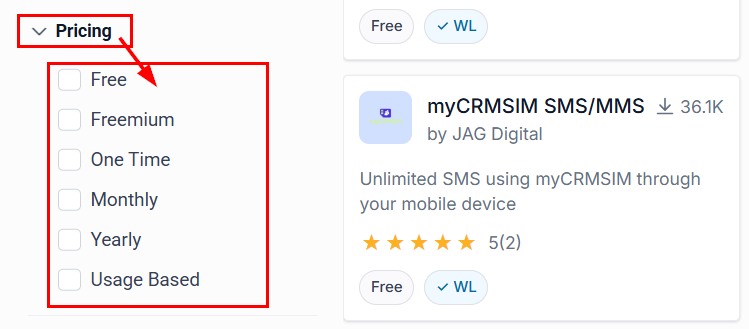
The pricing filter quickly separates Free, Freemium, One-Time, Monthly, Yearly, and Usage-Based Apps.
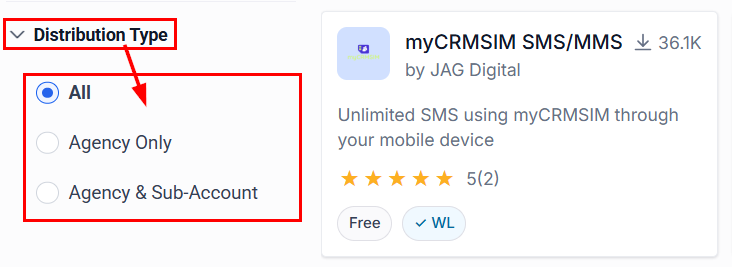
The Distribution Type allows you to distinguish between apps that are Agency Only or available at the Agency and Sub-account levels.
This is a powerful resource for expanding your CRM’s capabilities. Whether you’re looking to automate workflows, improve customer engagement, or integrate third-party tools, the marketplace offers solutions to meet your needs. By leveraging filters like business niche and categories, you can quickly find apps tailored to your industry and objectives.
Practical Examples and Use Cases
The App Marketplace supports a variety of use cases to help you streamline your business operations:
- Workflow Automation: Install apps to automate repetitive tasks, saving time and improving efficiency.
- Customer Engagement: Use apps to collect feedback, manage interactions, and enhance customer relationships.
- Data Integration: Connect third-party tools to centralize data and streamline workflows.
Troubleshooting Tips
- Installation Issues: If you encounter problems during installation, ensure that you have the necessary permissions and that your account is in the correct view (agency or sub-account).
- Choosing the Right App: If unsure about which app to install, consider your business’s immediate needs and potential growth areas. It’s also helpful to read reviews and ratings within the marketplace.