Posting Instagram Stories
Instagram Stories are short content meant to quickly update and captivate viewers to redirect them to your profile. Posting them enhances brand visibility and promotes follower engagement. However, since they only last 24 hours stories are a numbers game. With the social media planner, you can organize and schedule yours, helping you keep relevant with your followers.
Getting Started
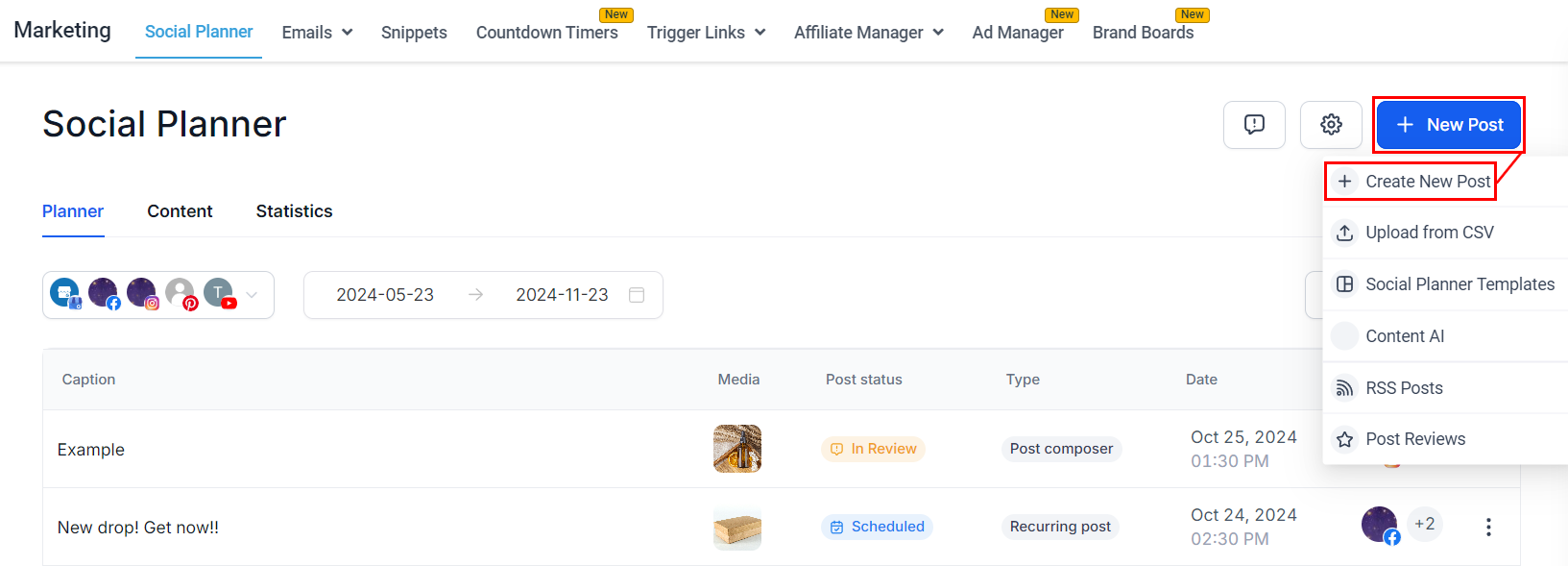
Start by clicking “New Post” in the top right corner. Select “Create New Post.” Alternatively. Additionally, there’s a “Create New Post” link at the bottom of your posts list.
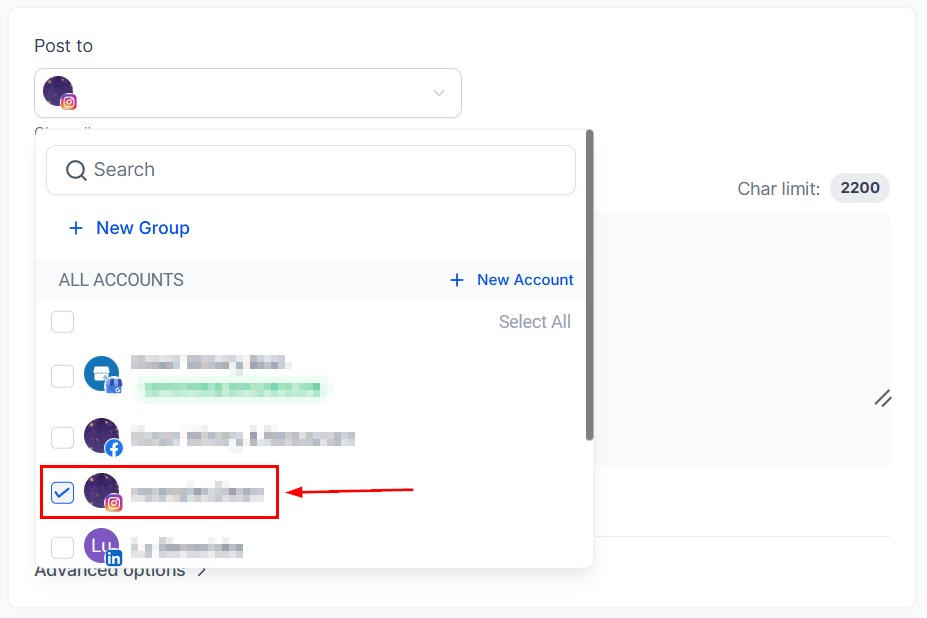
Select Instagram as the social media platform on which you want to post.
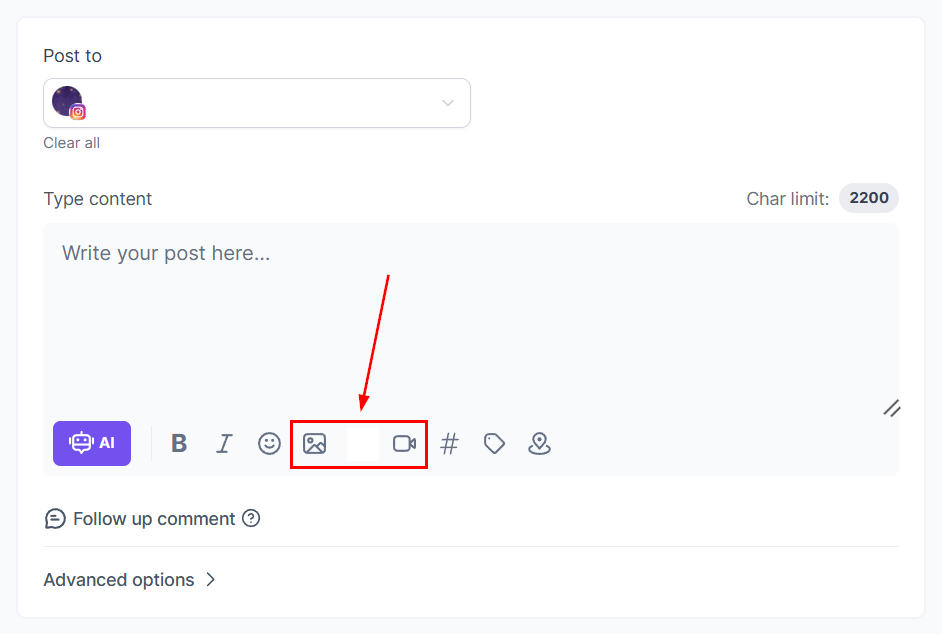
Select your desired image or video for the Story. The maximum image file size is 8 MB, and the maximum video length is 60 seconds. Adding text or captions is not supported for Stories.
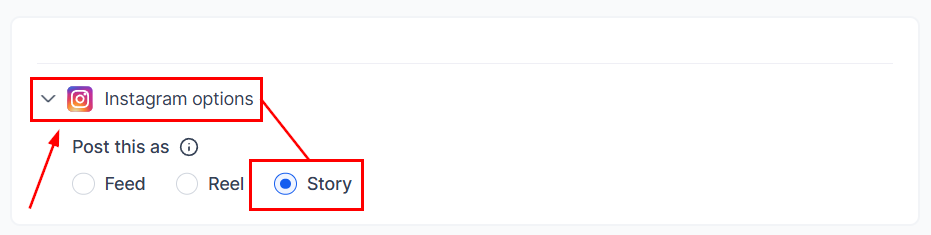
Scroll down to Instagram options, open the drop-down menu, then select Story as the post type.
If you’d prefer to post the content manually so you can use Instagram’s native features (such as stickers, trending music, and links), toggle the Publish via Push Notification option.
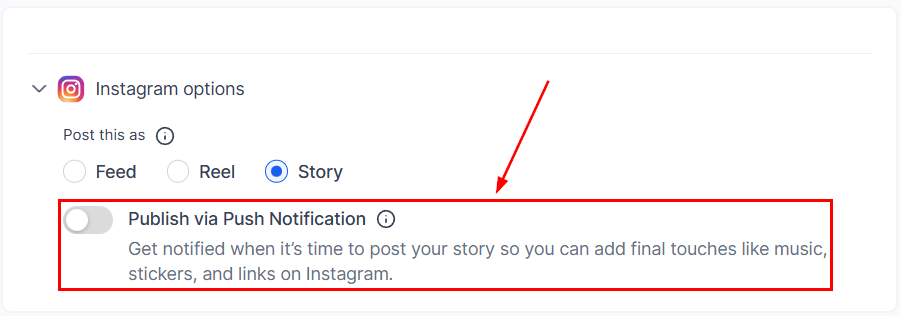
Now, you can add any relevant notes for the Publisher and continue as normal.
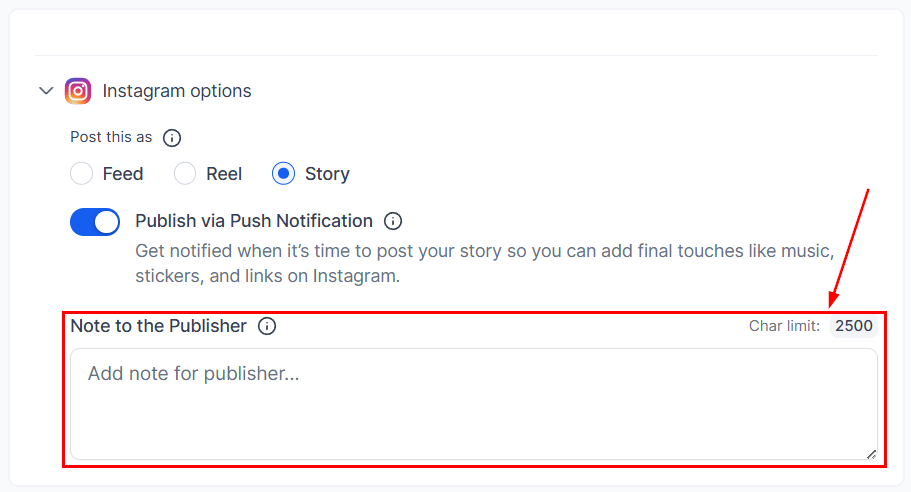
📌Note: The publisher will receive an Instagram notification so they can do any last-minute touch-ups and then publish the post.
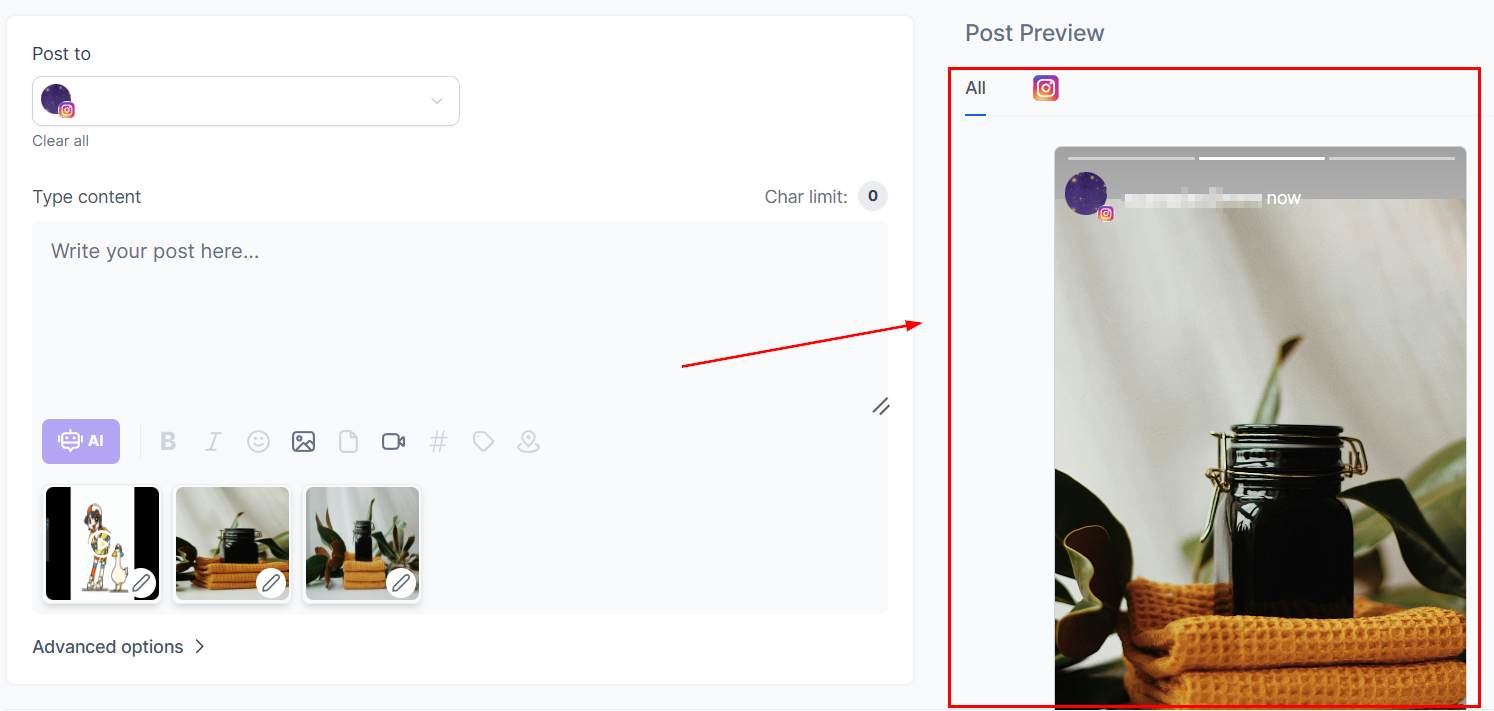
You can preview all your content here before you post it.
Once you are happy with your stories, click on the Post button, which will give you the options for the next step with the post. These will be:
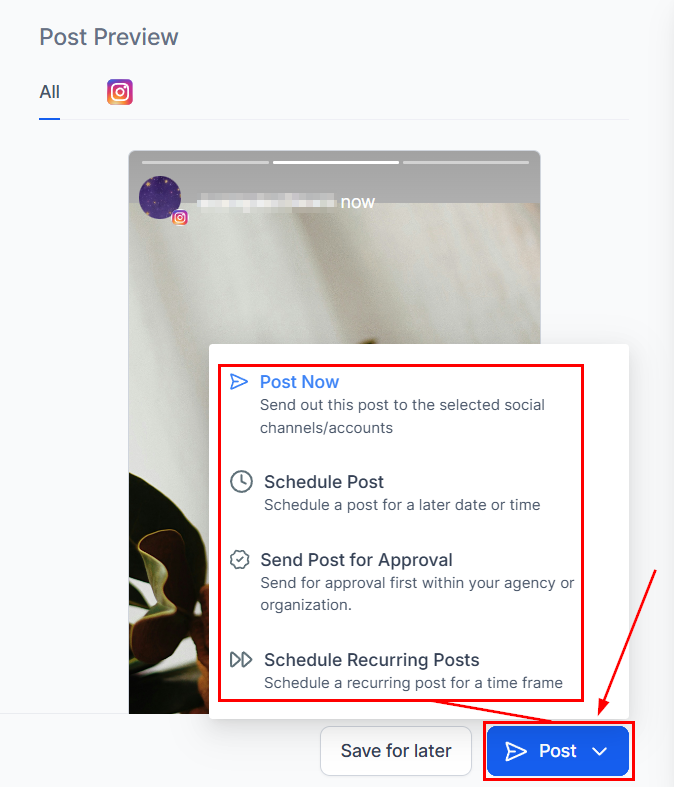
After selecting the next step, you’re done! Your Instagram Story is ready to go. That’s all there is to it. Now you can get your posting schedule organized and consistent, helping you to grow your audience and reach new heights.
Not a Funnelbud customer yet?
Try our all-in-one CRM for sales and marketing — free for 7 days, no commitment.