How to Use Email AI
Crafting polished, on-brand email templates can be time-consuming, especially when balancing design, messaging, and consistency across your marketing efforts. Email AI streamlines this process by helping you generate market-ready content in minutes, offering an efficient and intuitive experience for teams of all sizes. Whether you need a full template, quick revisions, or instant creative inspiration, Email AI makes it easy to produce high-quality results with confidence.
Key Capabilities
- AI-Powered Email Creation: Generate complete, ready-to-send email templates—including subject lines and preview text—simply by entering a prompt. Email AI interprets your request and produces structured, polished content tailored to your needs.
- Intelligent Image Generation: Enhance your emails with AI-generated visuals designed to match your message and style. From product showcases to event graphics, your images are created within the builder for a seamless workflow.
- Custom Layout Options: Select or upload preferred layouts, so Email AI can build templates that align with your structure, branding, and communication style.
- Brand Consistency Built In: Email AI automatically references your Brand Board, ensuring fonts, colors, and themes remain aligned across every email you generate.
How It Works
Navigate to the Email tab in the Marketing section and select templates.
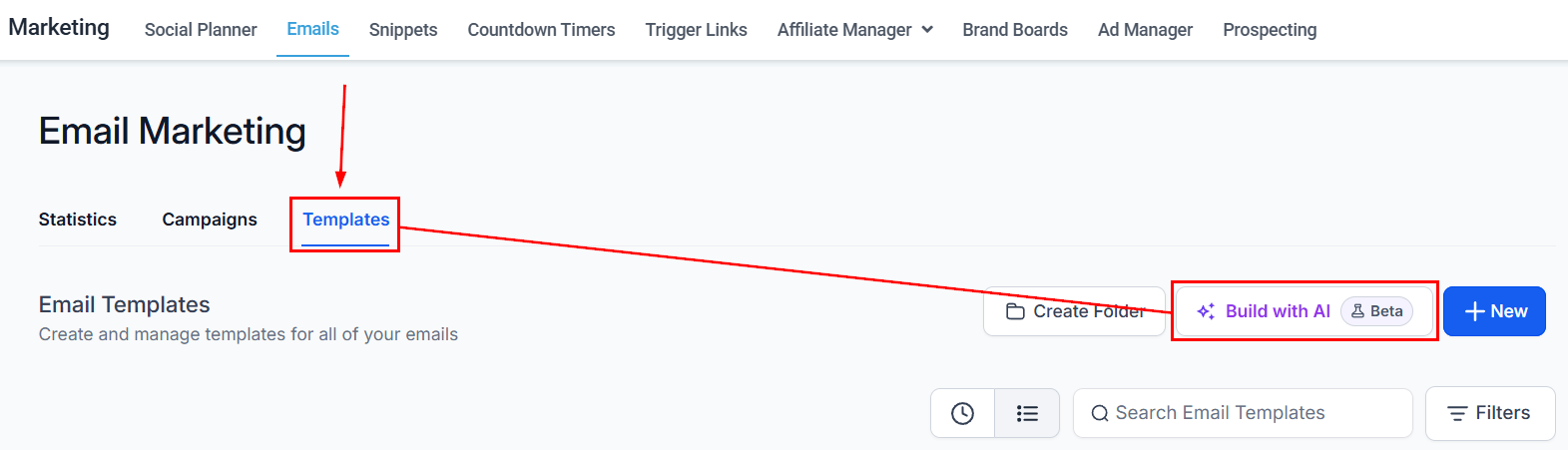
Select Create with AI or open any builder and choose Email AI.
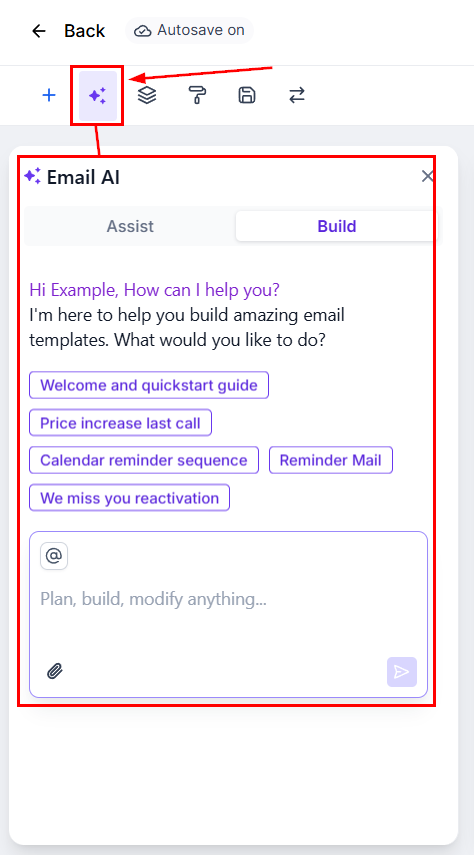
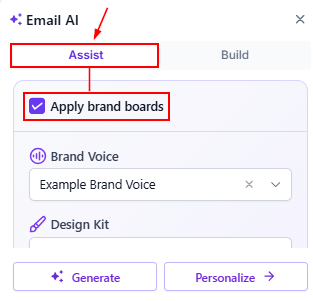
Assist
Enable the option to automatically apply brand boards to adjust prompts and layouts to stay on-brand by default.
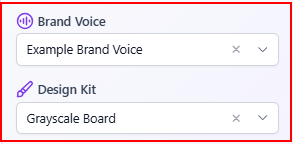
Once enabled, choose the voice and design kit that should be used.
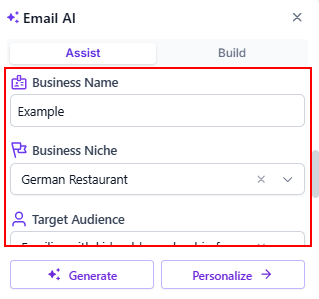
Complete the remaining fields, including the business name, niche, email objective, and target audience, then select the appropriate offer type from the menu.
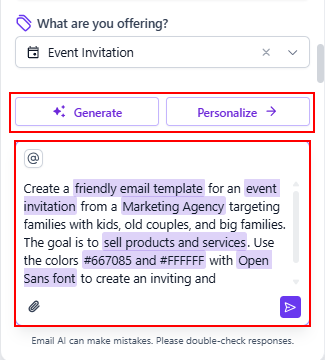
Review and refine the generated prompt as needed, then choose whether to further personalize the email or proceed with generating the content.
Build
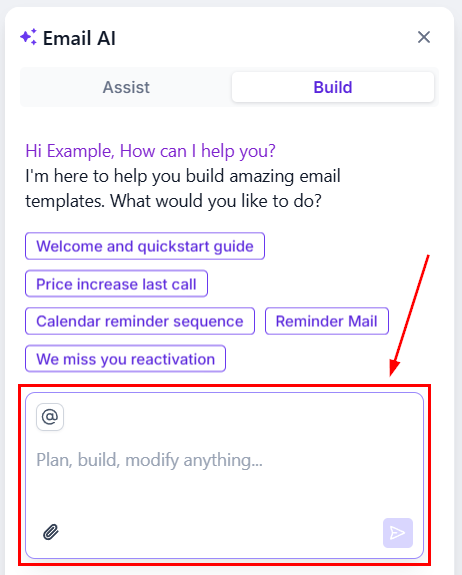
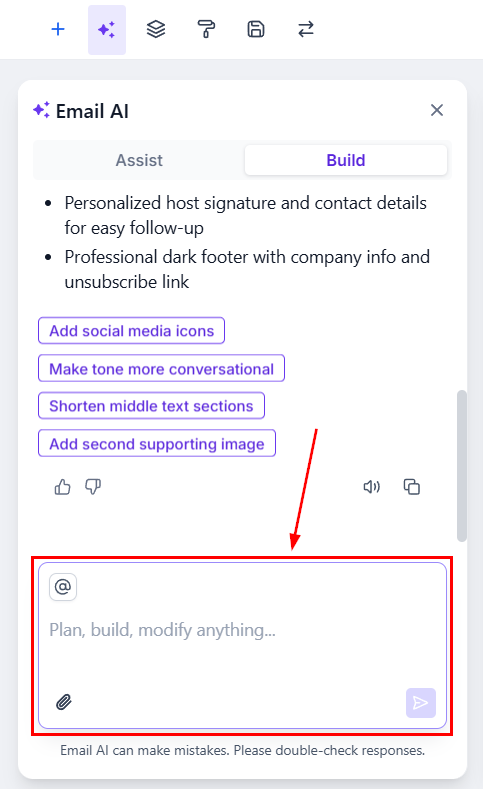
In the Build section, you can enter your command directly or click a prompt to generate the template.
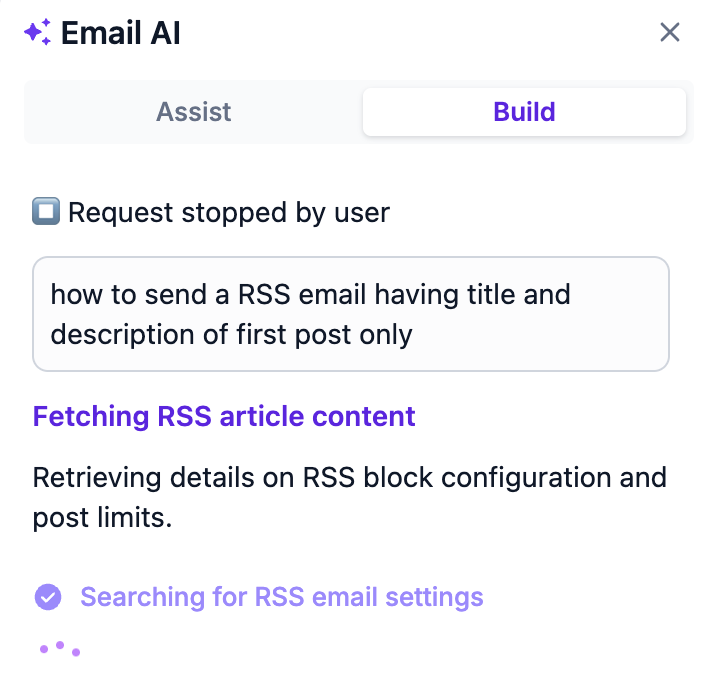
You can also leverage the AI for any email-related questions, as it will automatically reference relevant knowledge base articles when generating responses.
Review your generated content, refine as needed, and preview the final version.
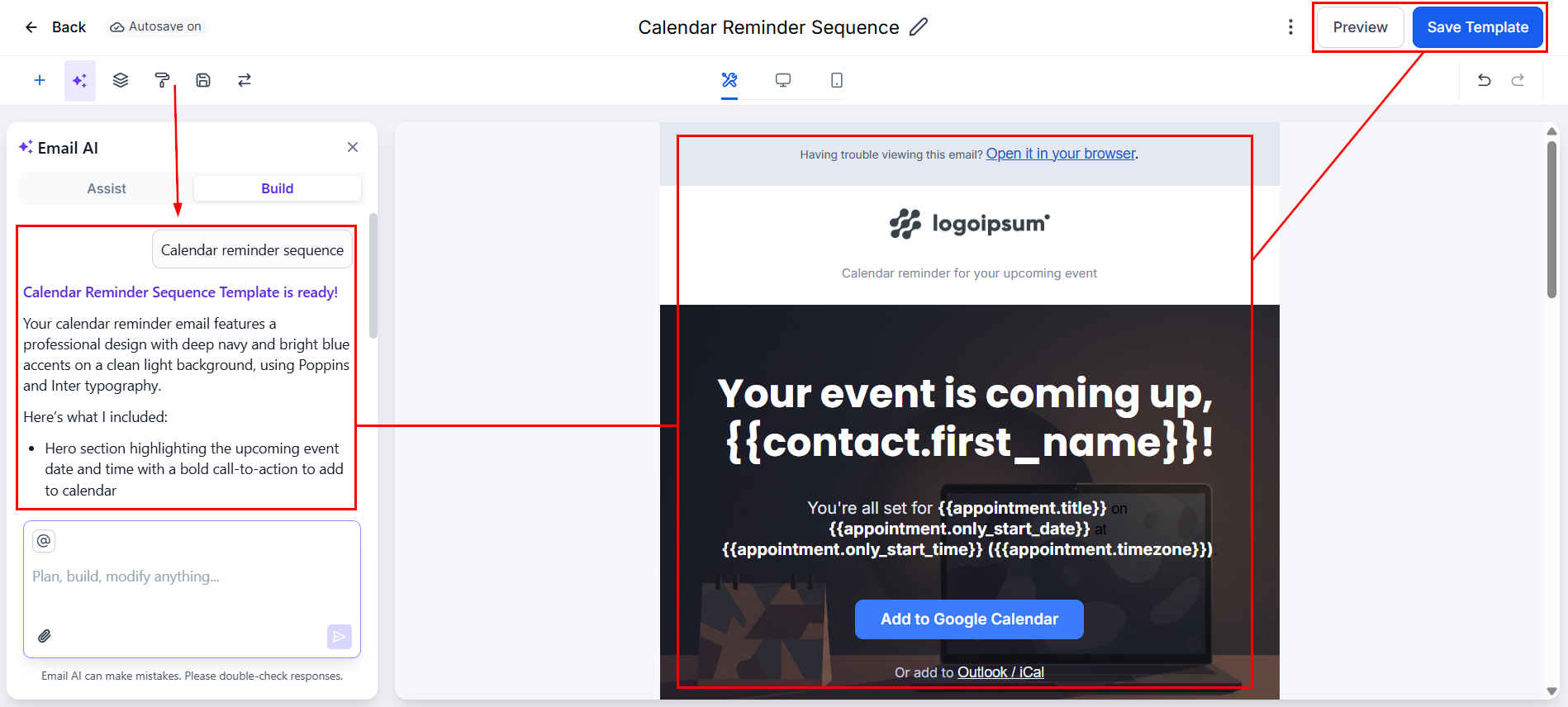
Share feedback directly inside the builder to help improve your workflow experience.
By combining intelligent content generation, built-in branding and knowledge-base support, and flexible layout options, Email AI empowers teams to work more efficiently while maintaining high-quality communication.
Not a Funnelbud customer yet?
Try our all-in-one CRM for sales and marketing — free for 7 days, no commitment.