How to Set Up Twilio Rebilling
Having an integrated phone number is one of the main appeals of the CRM. It helps your customers establish a strong brand image and easily manage communications. Let’s go over how to add this feature to your SaaS offering.
Prerequisites
Before diving into the setup process, ensure you meet the following requirements:
- Subscription to the 497 Pro Plan: This feature is exclusive to users on this plan.
- Stripe Account: A Stripe account is necessary, and it must be connected to your agency dashboard.
- Client Readiness: At least one client should be ready to input their credit card information into their sub-account or already be in your Stripe account for Twilio Rebilling activation.
Activation Steps
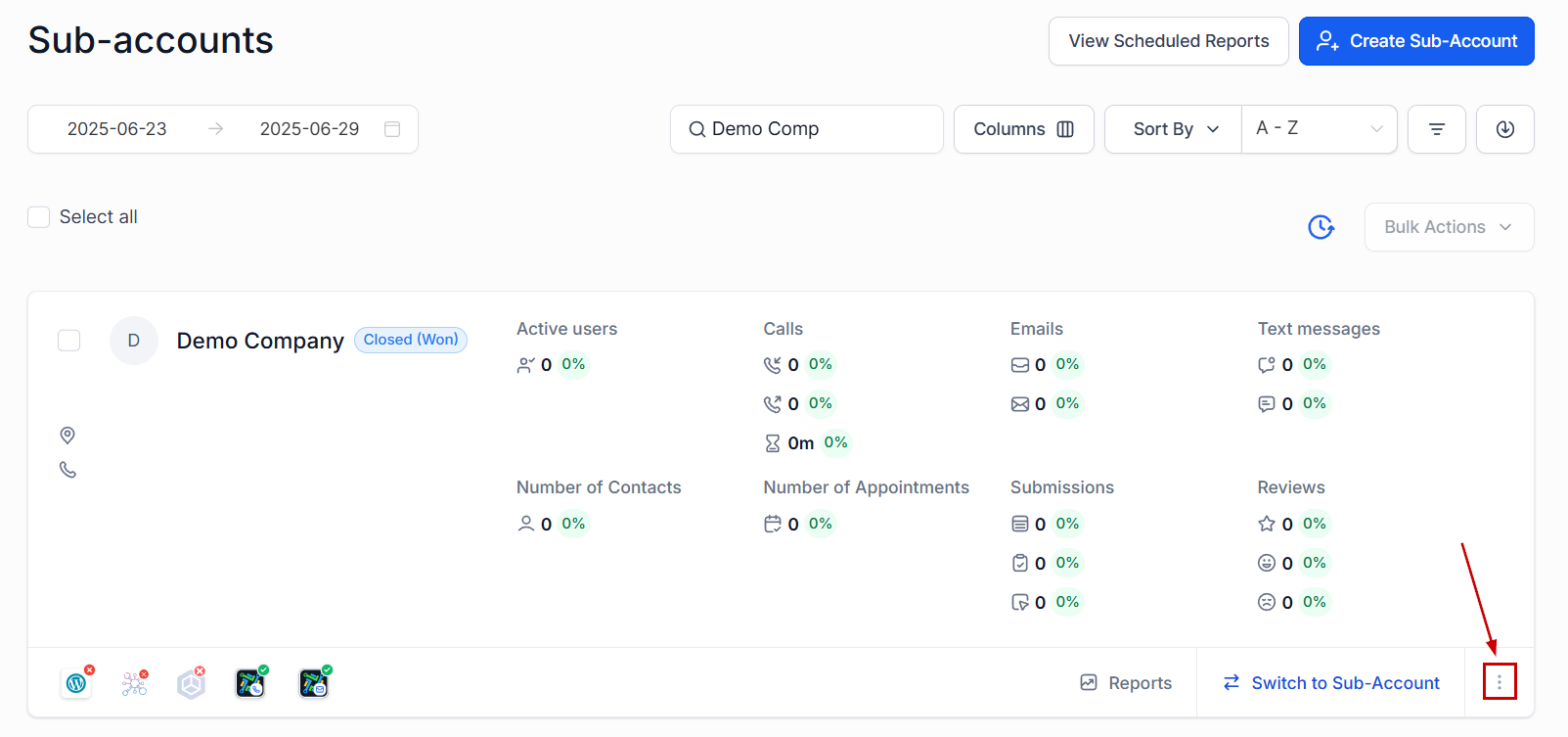
Navigate to the ‘Sub-Accounts’ tab within the agency view, scroll to the sub-account you wish to activate, and click the three-dot icon.
Select ‘Switch to SaaS.’
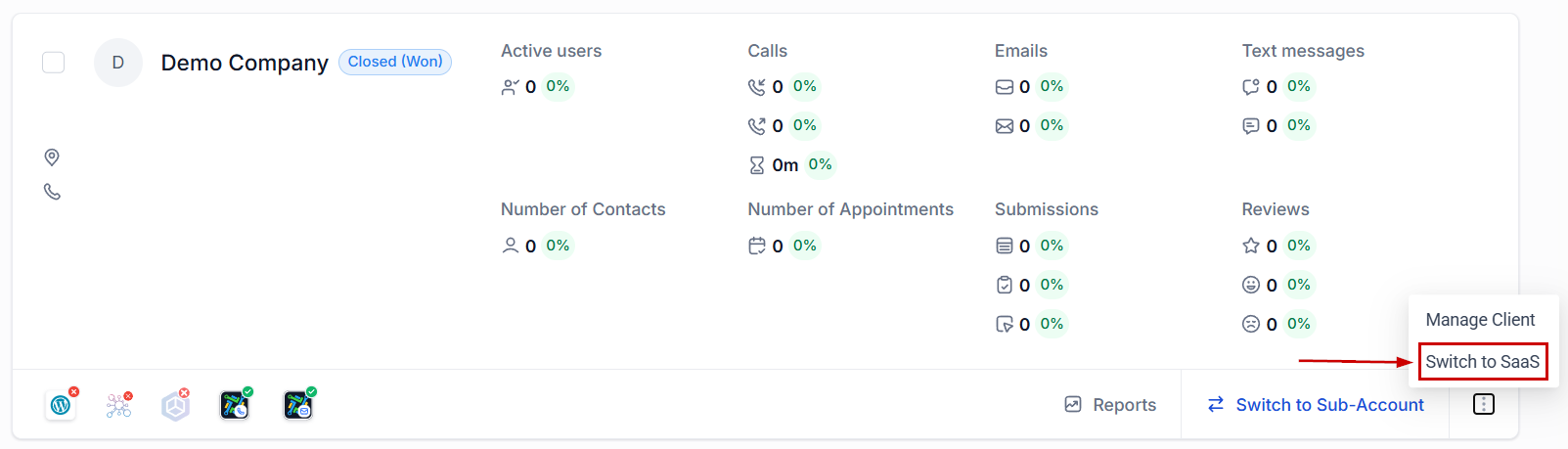
📌 Note: The sub-account must have at least one location admin as a user to enable SaaS mode.
You will be presented with options to get a credit card for the sub-account:
- Share Link: Copy and send a link to your customer directing them to the Customer Billing tab in their sub-account.
- Request via Email or SMS: Utilize pre-programmed messages to request card details through email or SMS.
- Activate from Stripe: If the customer is already in your Stripe account, you can activate them directly.
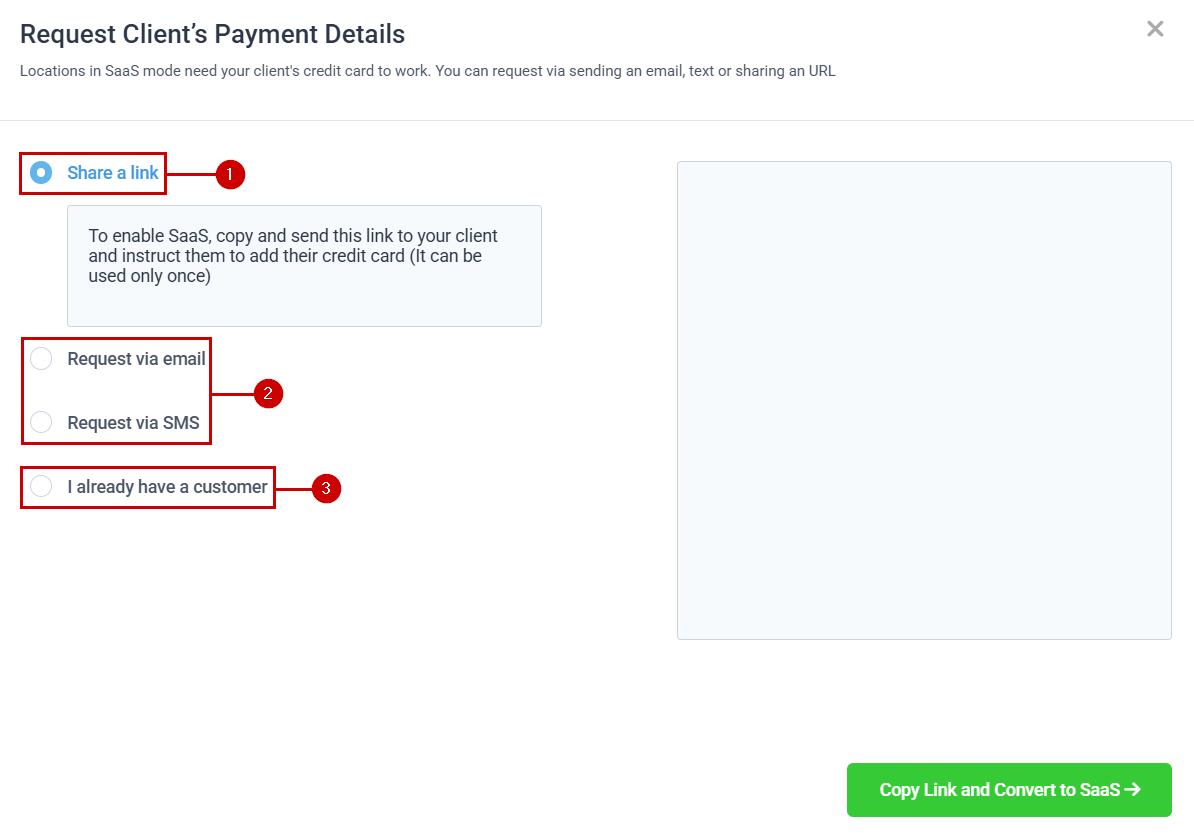
Once a card is added or a customer is connected from Stripe, they can view their card details, payment history, and set their credit configuration in the Company Billing tab. An initial charge of $11 is automatically made to provide an initial balance.
Enabling Twilio Resell Settings
After activating SaaS mode, navigate to the Rebilling tab of the subaccount’s settings.
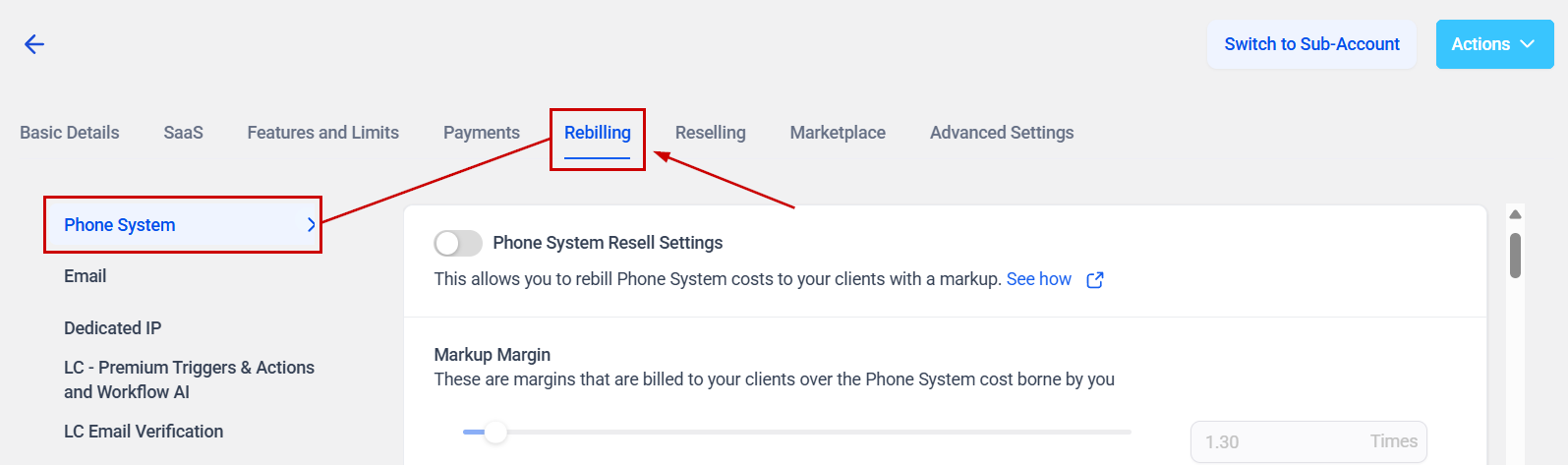
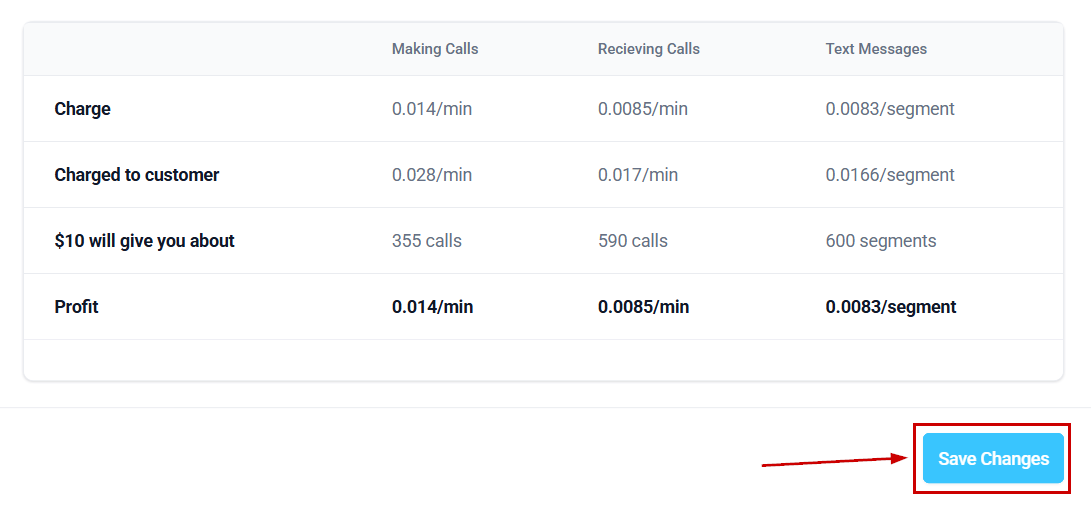
Toggle the Phone System Resell Settings to the “ON” position, then adjust the profit level slider to set your desired margin on Twilio charges. By setting a 100% markup, for instance, you double the Twilio charge to your client, effectively making a profit on each SMS message or call made through Twilio.
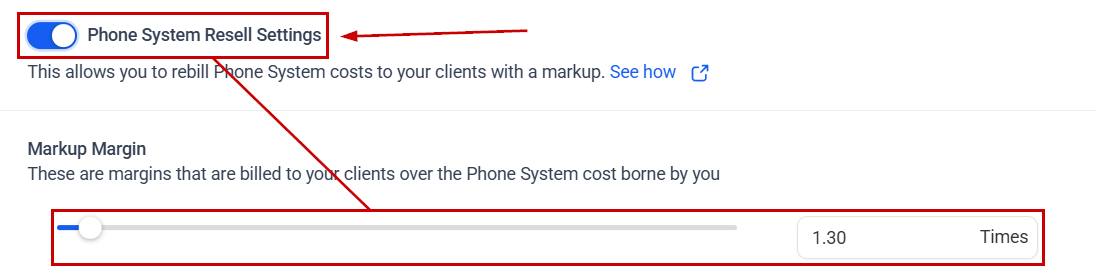
Review the charges and profits in the summary table below, then click Save to apply your changes.
📌 Note: Twilio charges may take up to 24 hours to settle, and rates may vary outside of the US.
The system automatically recharges the client’s card when their balance drops below a predefined threshold, ensuring uninterrupted service and consistent revenue for your agency. This supports the creation of a phone setup that is efficient, easy to manage, and financially sustainable.
Frequently Asked Questions
Q: What if I don’t see the option to switch to SaaS mode?
- A: Ensure the sub-account has at least one location admin. If not, add one and try again.
Q: How do I adjust the profit margin?
- A: Use the profit level slider in the Twilio Resell Settings to adjust your margin according to your business needs.
Q: What happens if Twilio charges don’t settle immediately?
- A: Sometimes, Twilio charges can take up to 24 hours to settle. Monitor your account and contact support if discrepancies arise.