How to Sell Snapshots on App Marketplace
The App Marketplace empowers agency admins to monetize their CRM configurations by converting them into scalable products. This feature allows you to sell your Snapshots to other agencies, offering flexible pricing models such as one-time, monthly, or yearly subscriptions. Additionally, the App Marketplace provides IP Protection, safeguarding your Snapshot assets from unauthorized reselling.
How to Sell Snapshots in the App Marketplace
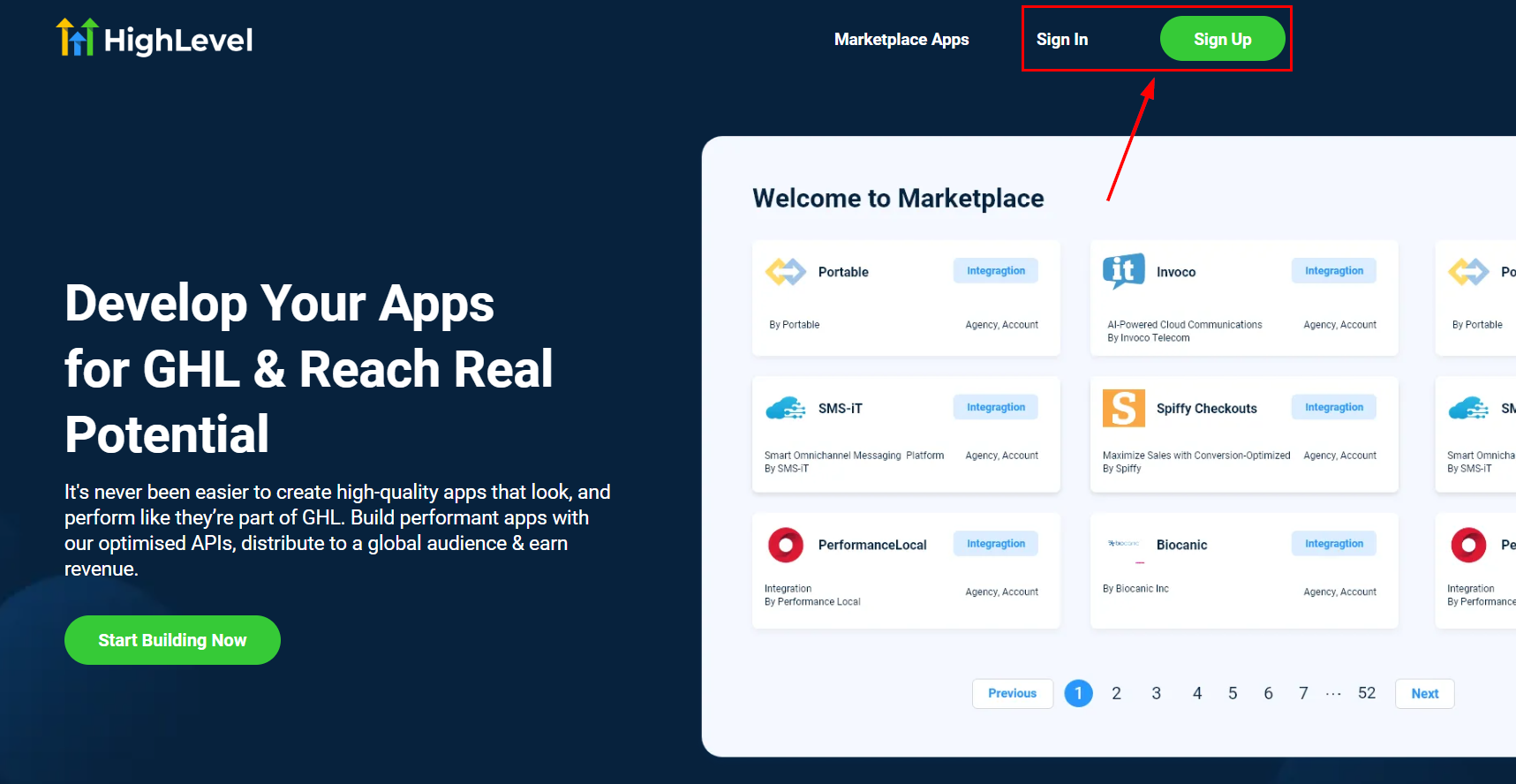
Sign Up for the Developer Portal
Visit https://marketplace.gohighlevel.com, complete the registration form, and verify your email to gain access to the Developer Portal.
Create Your App
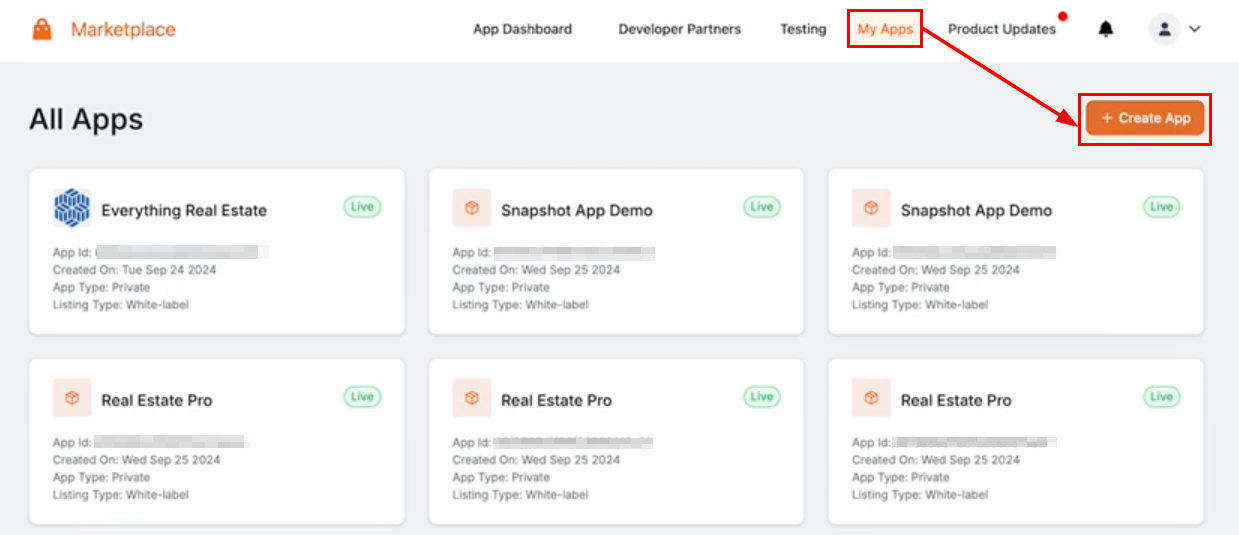
Log in to the Developer Portal and navigate to My Apps. Click the Create App button on the upper right-hand corner.
Configure the following:
- Name: Choose a clear, descriptive name.
- App Type: Set to Public.
- Distribution Type: Select between Agency or Sub-Account to charge agencies directly, or charge sub-accounts each time the Snapshot is deployed.
- Listing Type: Choose Standard or White-Label (recommended for broader appeal).
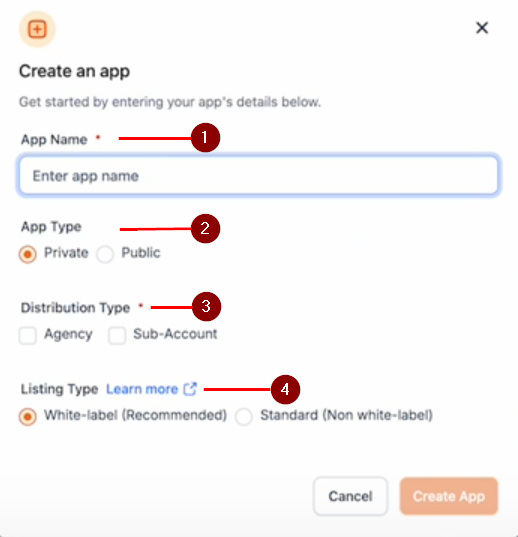
Select the Create App button to proceed to the next step.
Provide App Details
Add a logo, tagline, and description.
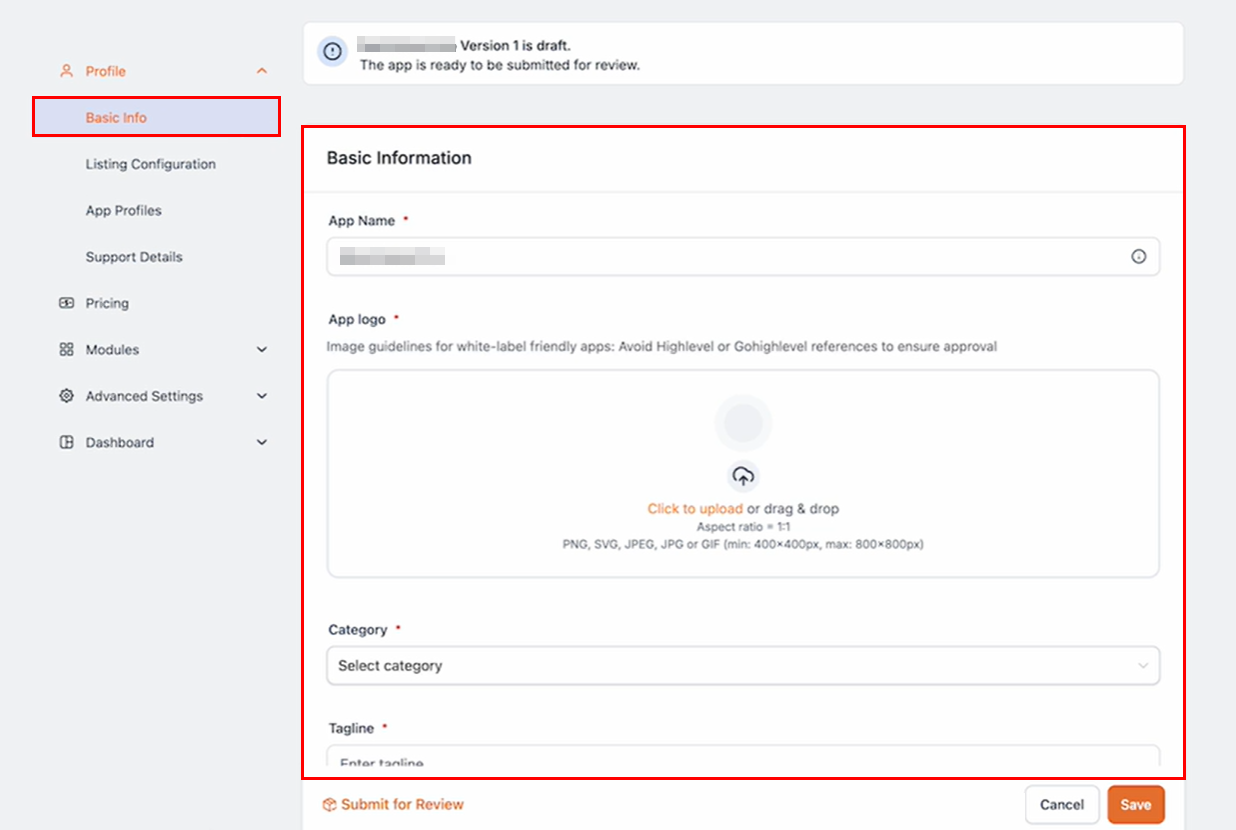
Scroll to include your company name and website to build trust.
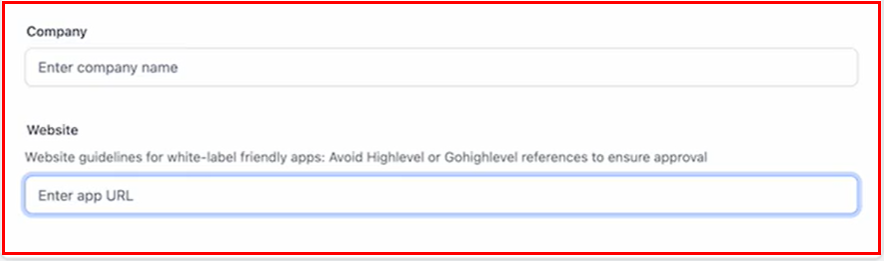
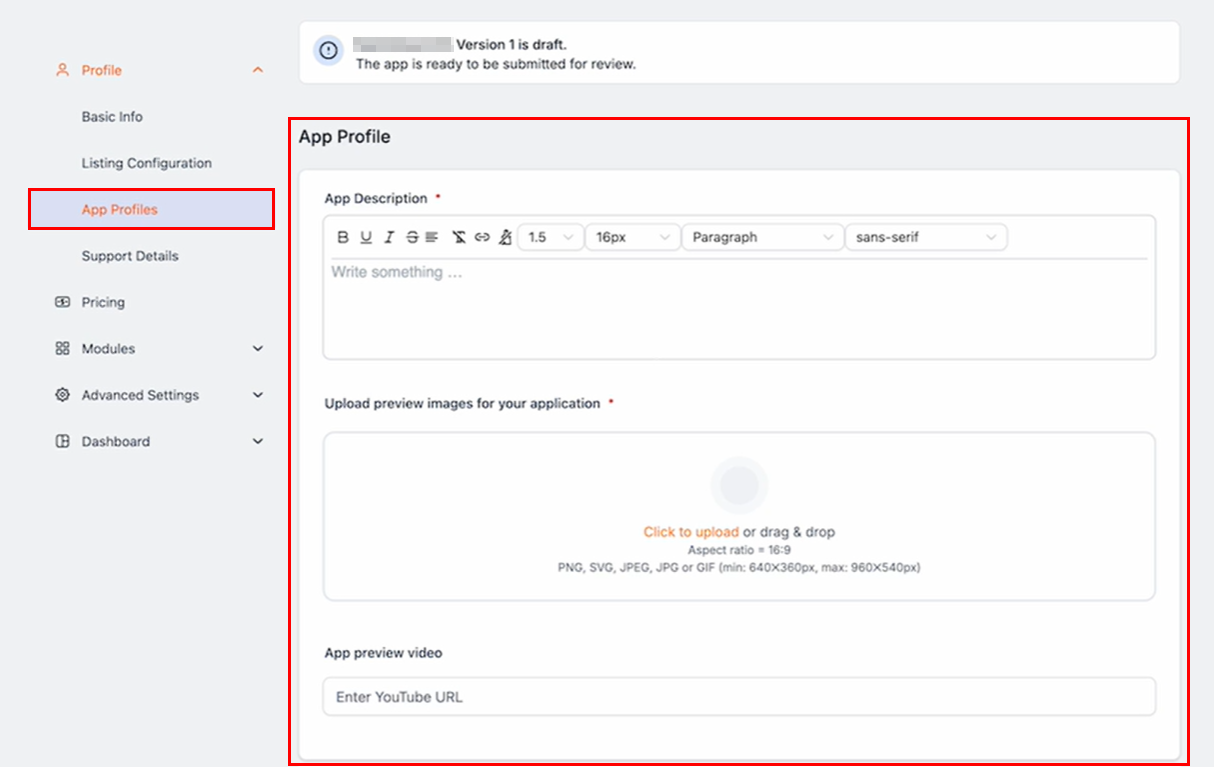
In the App Profiles tab, you can enter a description of your app in the provided field that encapsulates the function and purpose of your snapshot and its benefits. Next, Upload preview images or a demo video to enhance your app’s value proposition.
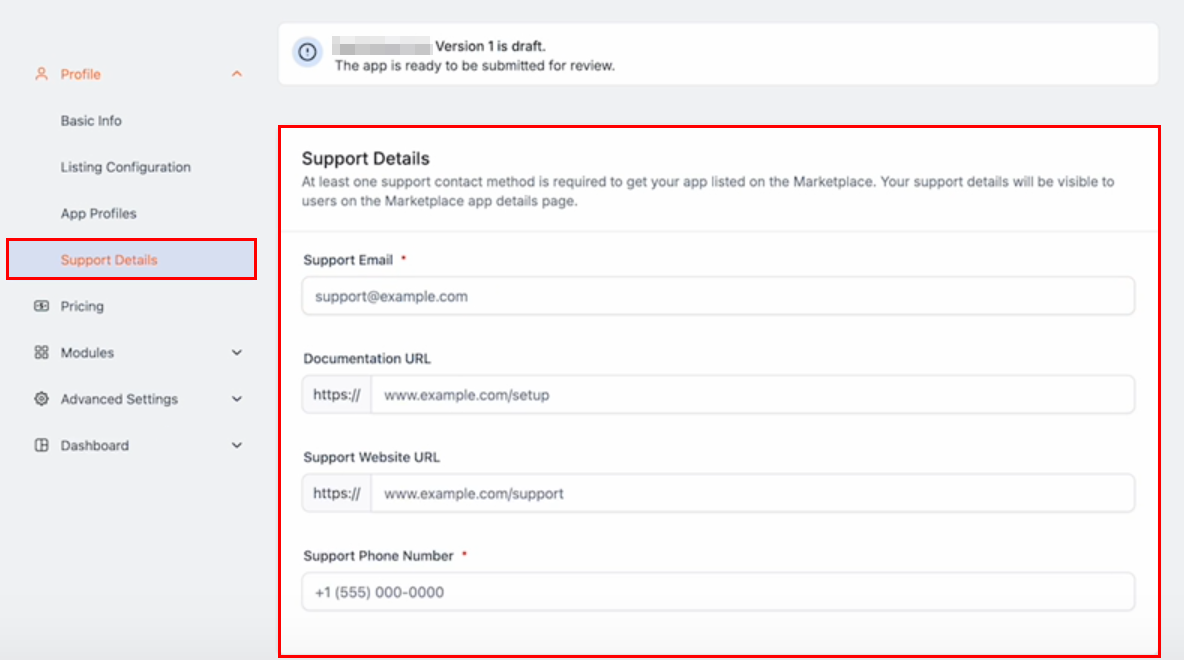
Provide an email address and phone number in the Support Details section to assist buyers who encounter any issues. Optionally, include a URL for setup instructions or additional support.
Configure Pricing
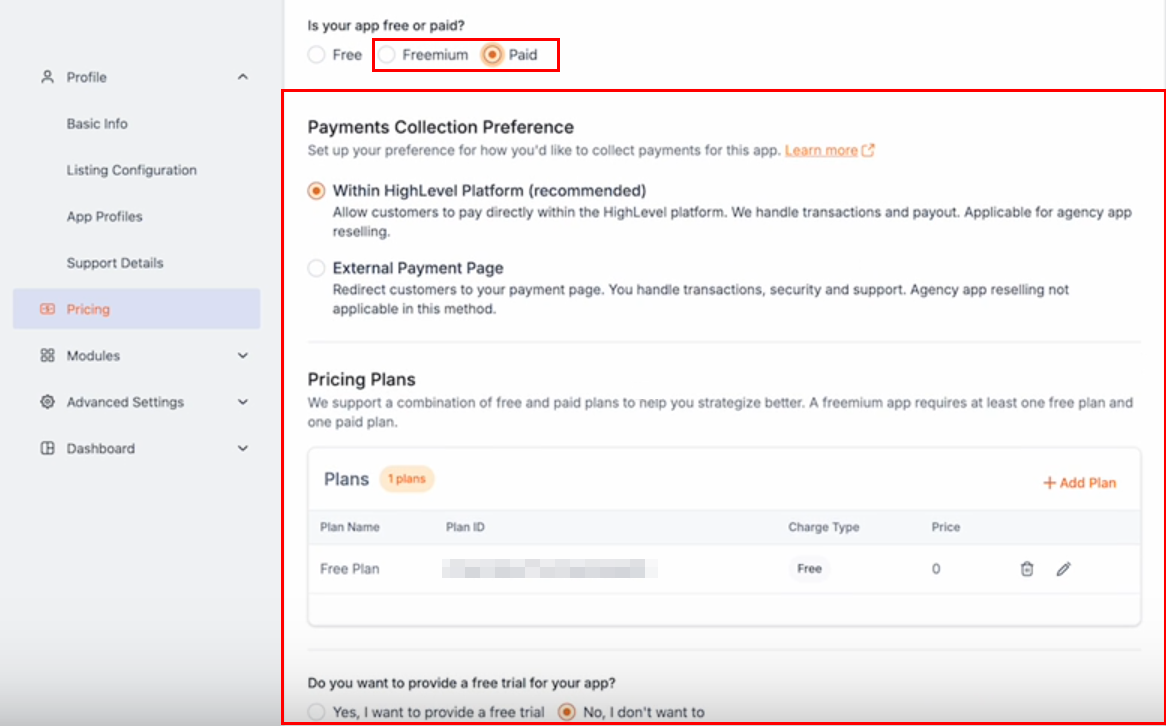
Decide if your app will be Free, Freemium, or Paid:
- Free: No cost to buyers.
- Freemium: Free with premium features available for an additional fee.
- Paid: Charge a one-time fee or offer a subscription (monthly or yearly).
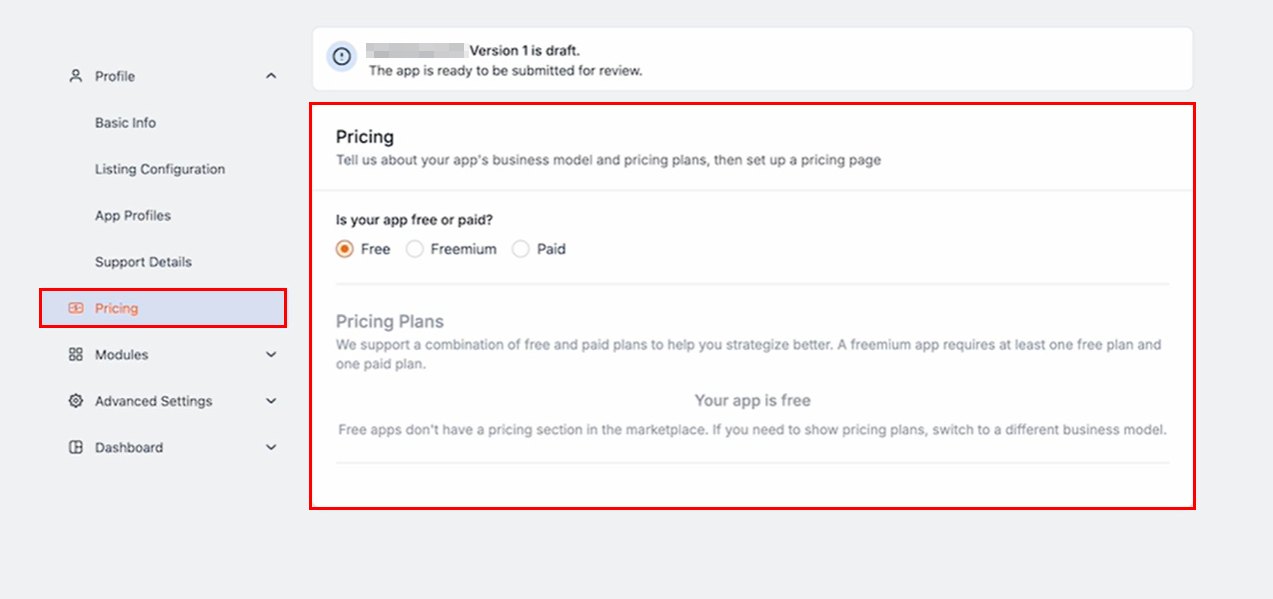
For Freemium or Paid plans, define the pricing plan, including the name and features.
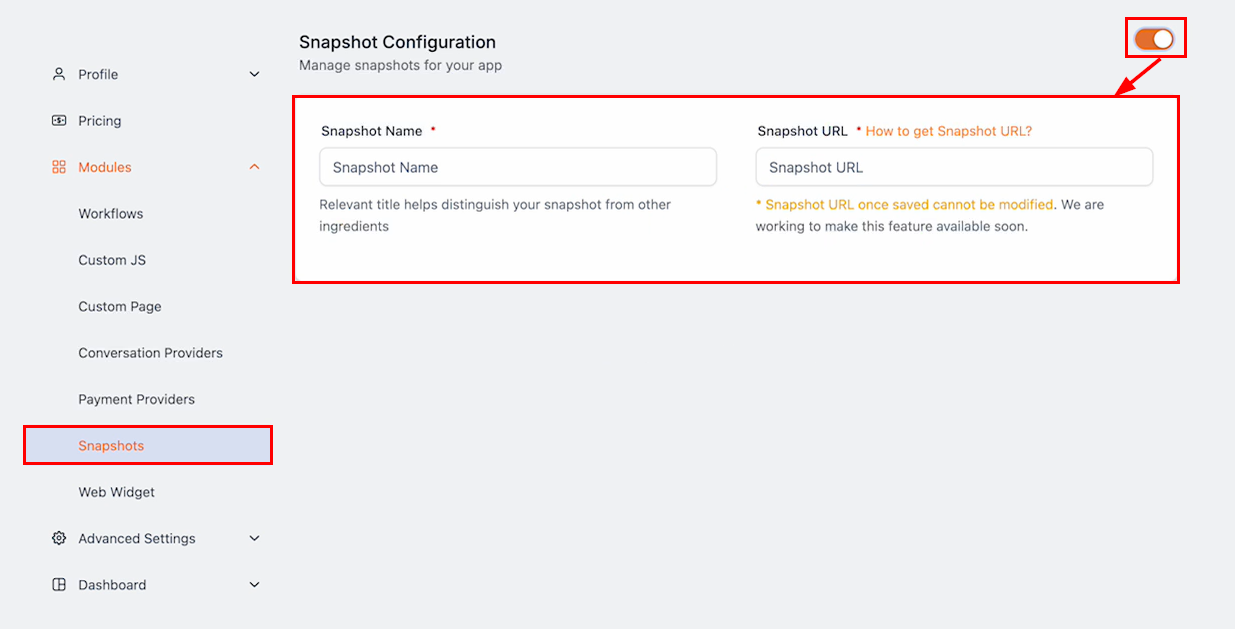
Add Your Snapshot
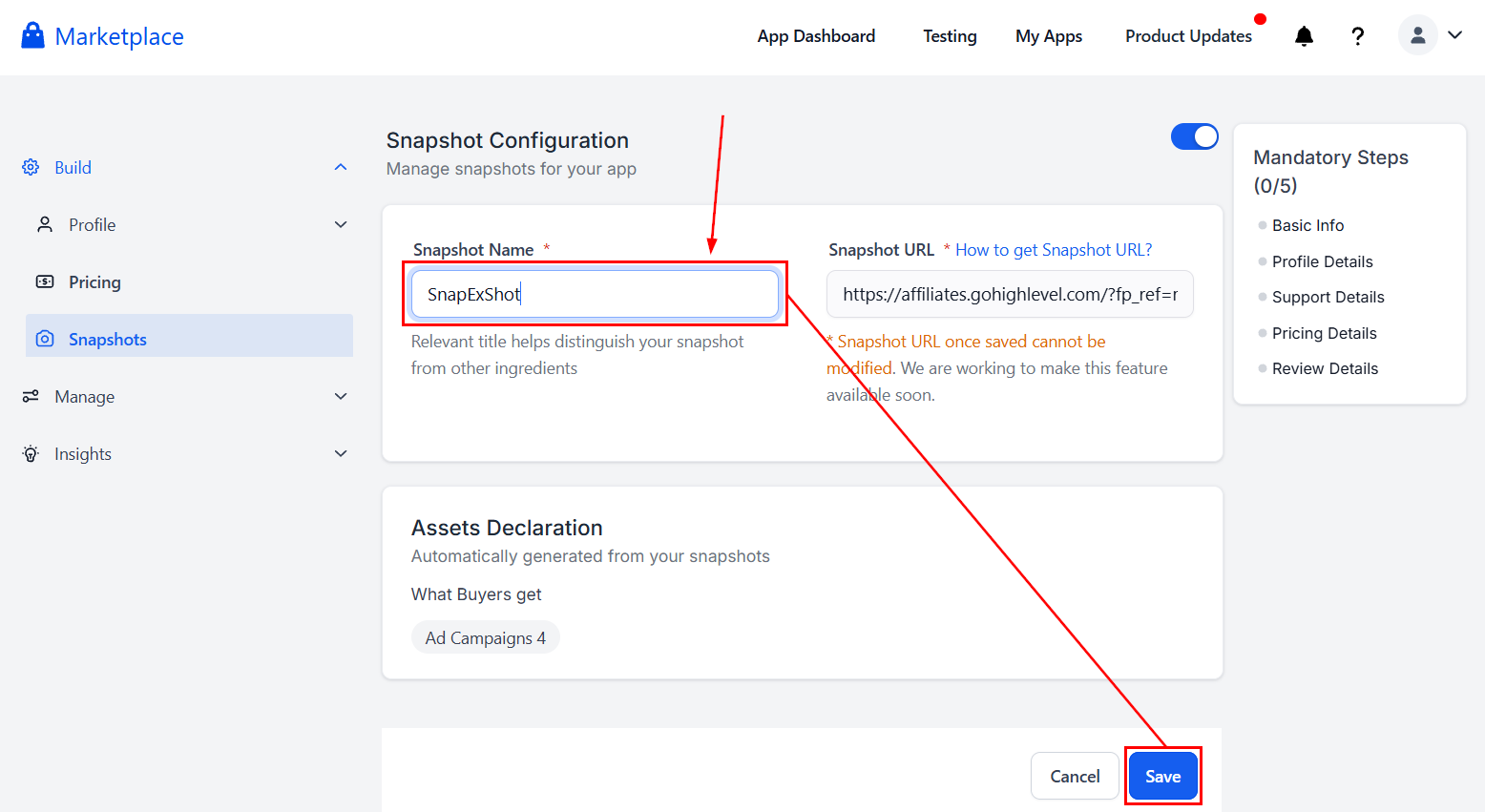
Enable Snapshot configuration in the Snapshots section, then enter the Snapshot Name in the provided field.
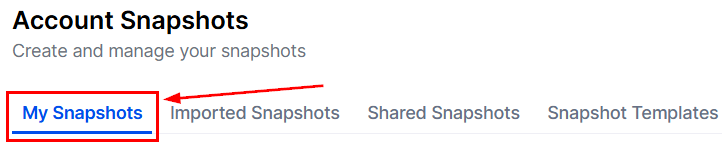
To obtain the Snapshot URL, head to the My Snapshots tab inside the Account Snapshots section of your agency account.
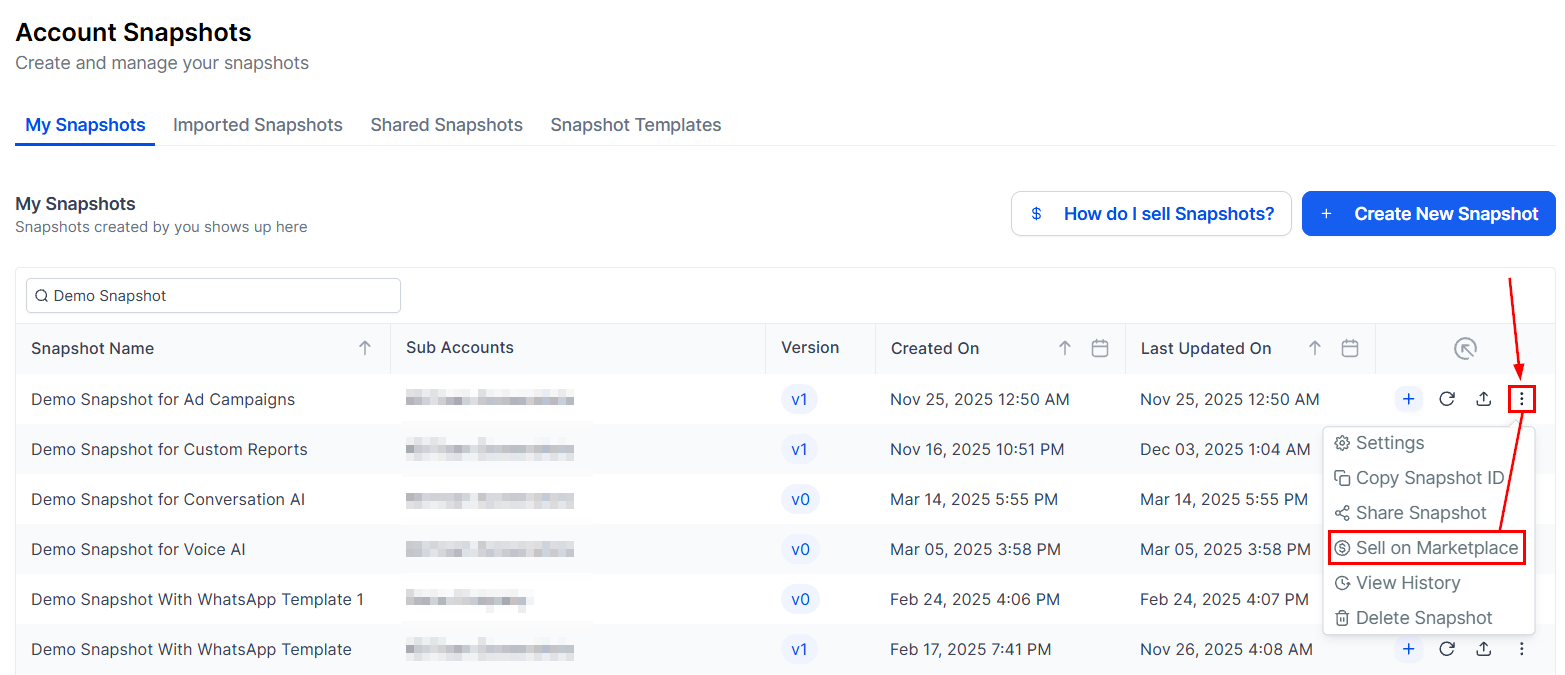
Within the actions dropdown of the Snapshot you want to sell, click the Sell on Marketplace button.
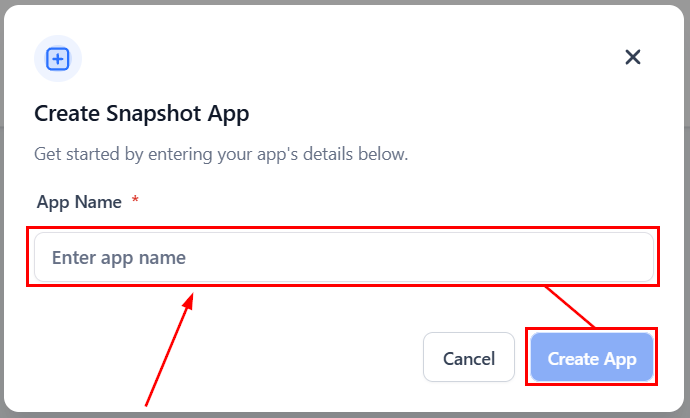
Enter your app’s name, then click Create App.
Enter your Snapshot’s name, then click Save.
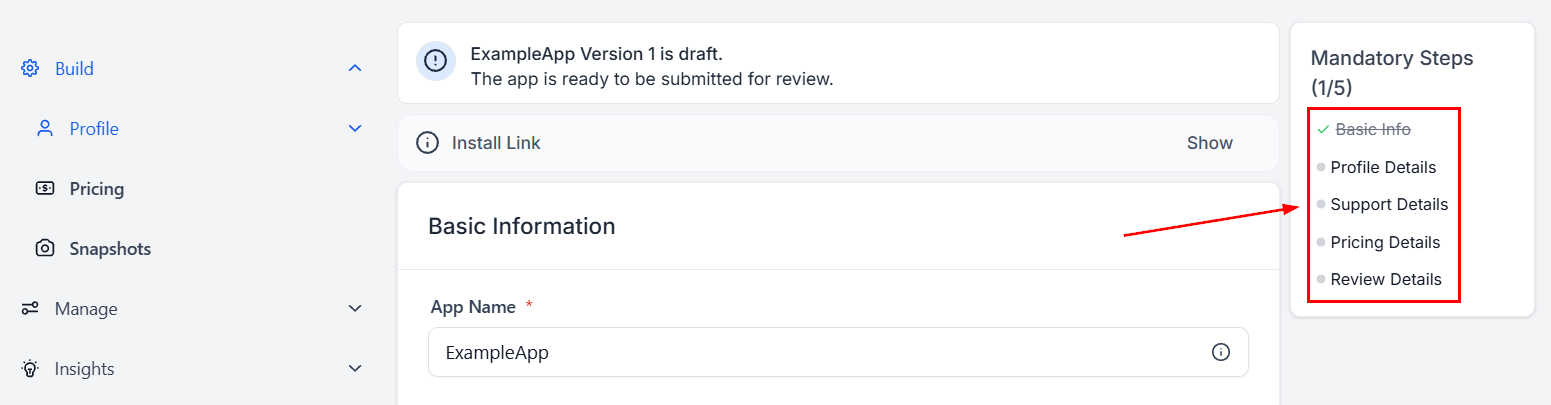
Fill out the required details, then submit your app for review.
Selling Snapshots on the App Marketplace is a great opportunity to unlock new revenue streams, expand your influence, and showcase your unique configurations to a larger audience. By leveraging the available tools and protections, you can confidently turn your expertise into a profitable venture. Get started today and watch your digital assets generate value beyond traditional client projects.
Frequently Asked Questions
Q: Can I list multiple Snapshots in one app?
- Currently, only one Snapshot can be included per app. Ensure it aligns with your app’s value proposition.
Q: What is the difference between White-Label and Standard listing types?
- White-Label: Removes branding, enhancing appeal to a wider range of customers.
- Standard: Retains visible branding, which may limit reach.
Q: What if my app submission is rejected?
- If your app is not approved, you’ll receive feedback outlining the necessary changes. Make the updates and resubmit.
Q: Can I update my app after it’s published?
- No, updates to the Snapshot link are not currently supported after publishing. An app update feature is expected in Q1 2025.
Q: Is there a limit to the number of apps I can create?
- No, there are no restrictions on the number of apps you can create and sell in the App Marketplace.
Q: How do buyers use my Snapshot after purchasing?
- Buyers can push the Snapshot directly to their locations via their dashboard.
Q: Can I set different pricing models for various Snapshots?
- Pricing models are configured per app. To offer different pricing for individual Snapshots, you will need to create separate apps.