Content AI in Social Planner
Content AI is a writing assistant driven by artificial intelligence, which aids in generating content more efficiently, effortlessly, and with superior quality. It can assist in creating content that aligns with specific tones and keywords, while also producing multiple variations.
To create a new Social Media post using Content AI, click on the blue New Post button in the Social Planner and select Content AI.
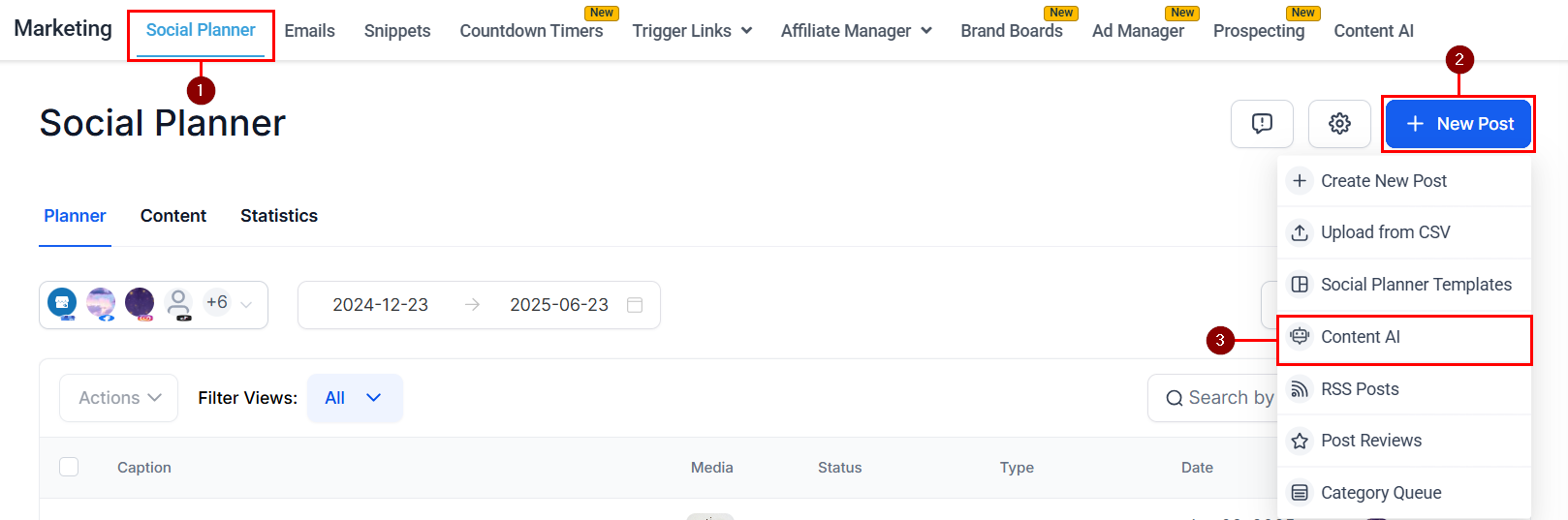
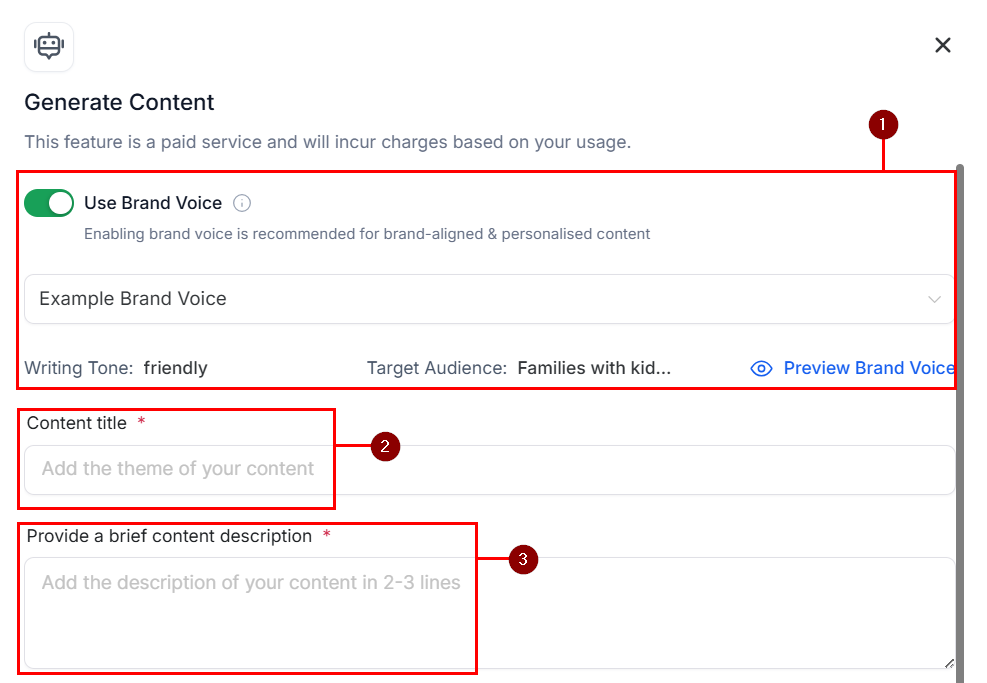
You will see a pop-up appear where you can input your AI generation prompts.
- Use Brand Voice: Enable the Brand Voice feature to apply settings from a configured Brand Voice to the content you want to create.
- Content Title: Enter the name of the topic or category of content, such as “Content Marketing.”
- Provide a Brief Description: Type in a brief post description here. For example, “short-form videos are changing the marketing trend in social media marketing strategies.”
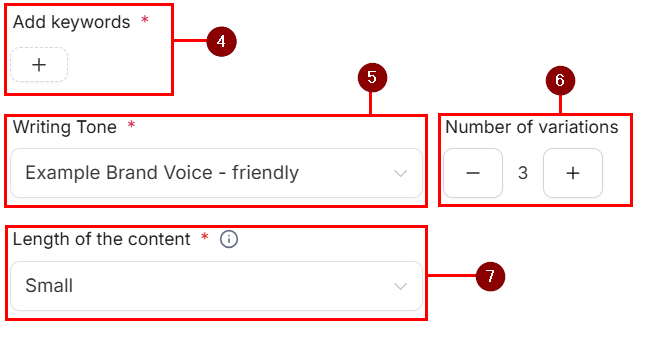
4. Add Keywords: Enter the keywords such as “short-form videos, marketing, strategy, content generation.” Be sure to press “Enter” after typing each keyword.
5. Writing Tone: Choose the writing tone from options like Funny, Excited, Casual, etc. If you selected a Brand Voice, the configured tone will be displayed here.
- Number of Variations: Choose the Number of variations you’d like created from 1 to 5.
7. Length of the Content: Set the length of content which will be generated based on the prompts description.
Generate Content
Once done, click the Generate button. This will provide the content variations generated from the title, description, keywords, and writing tone you provided.
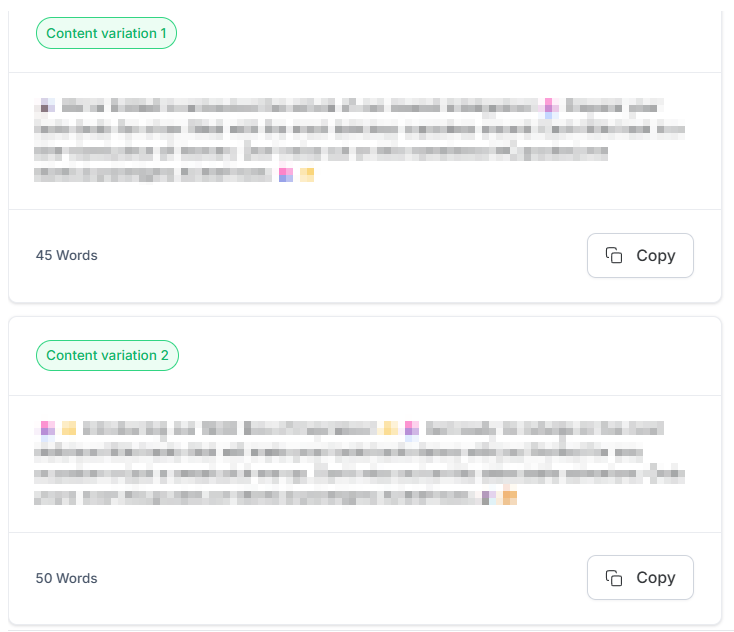
To edit the prompt click the “Generate new content” button, it will return you to the content generation page.
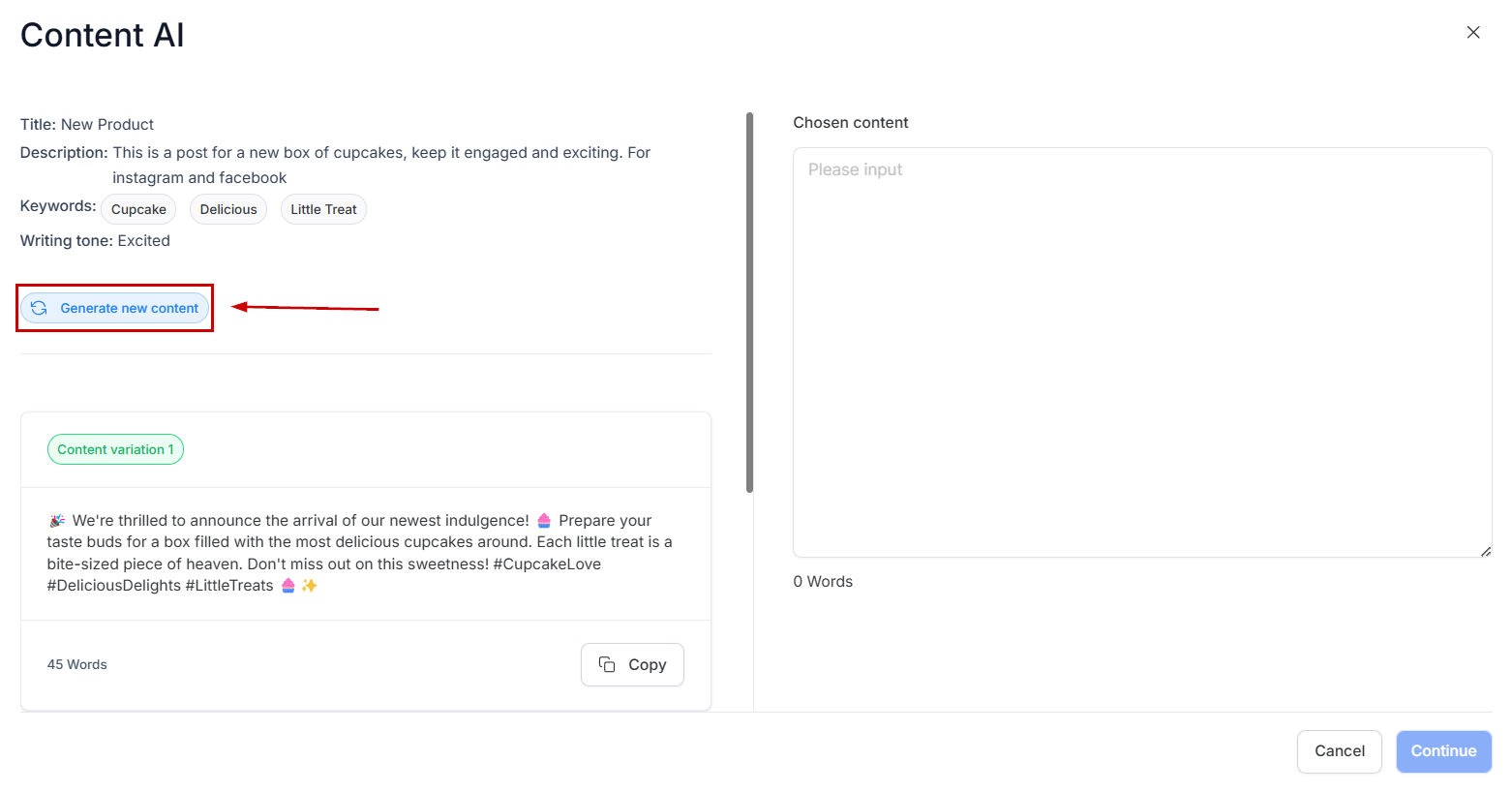
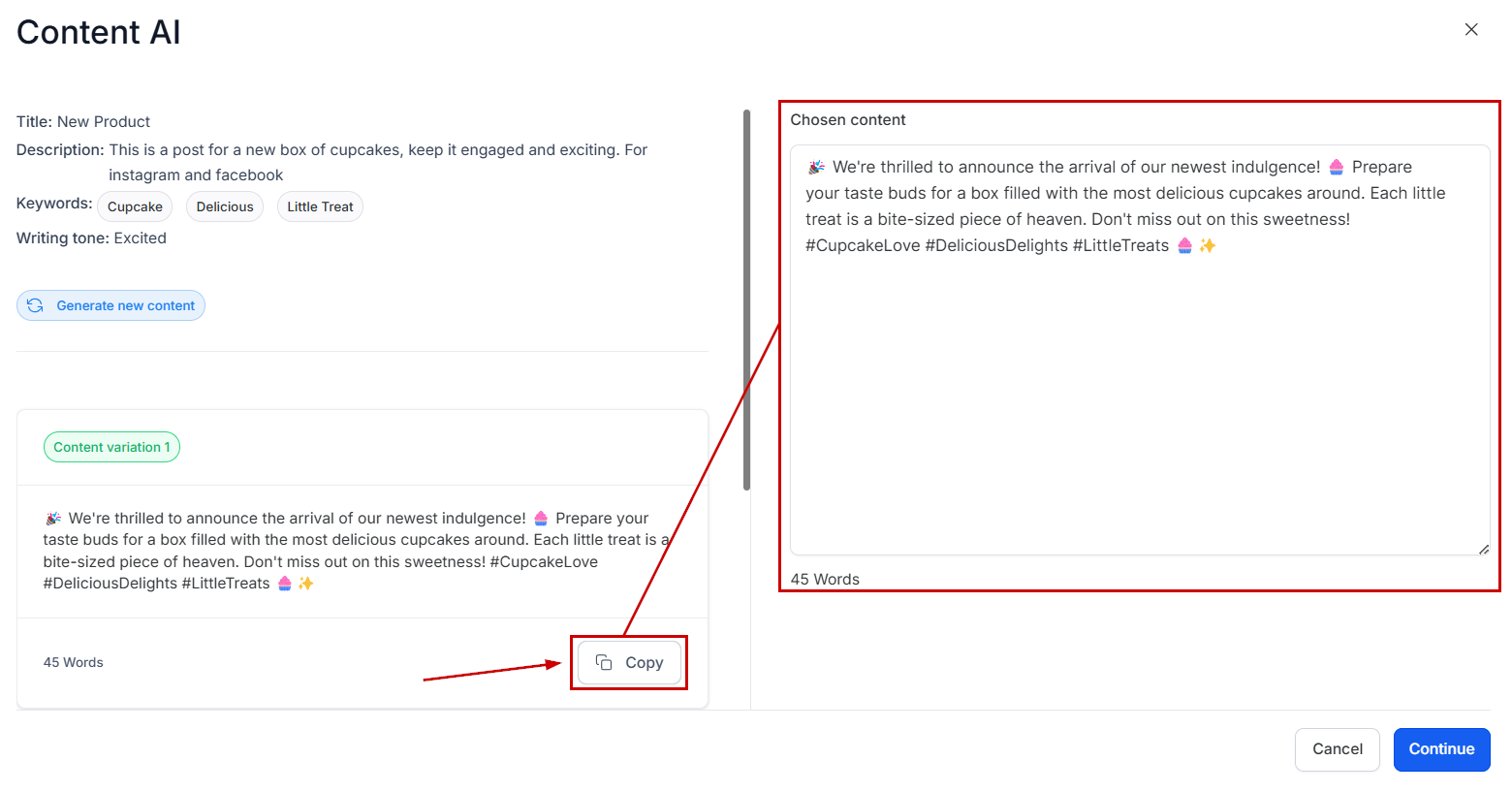
Click the “Copy” button under the content variation you like. Once clicked, you will see the selection appear in the Text box on the right corner of the page for preview and editing.
Create Content AI Post
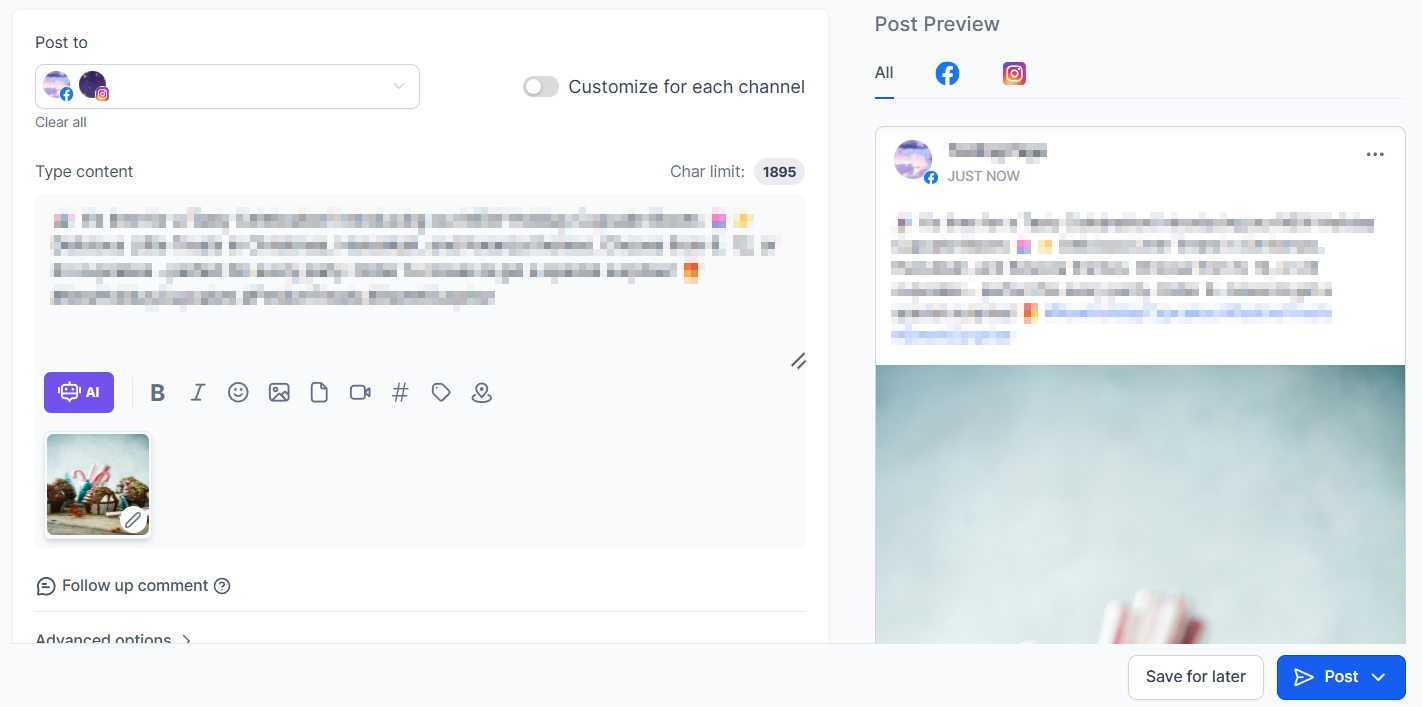
Click the Continue button to direct you to the Post Builder. Here you can choose the social media channel on which you want to post the content, edit your post, and either post immediately or schedule for later.
Whether you’re aiming to spark engagement, maintain a consistent brand voice, or explore multiple content variations, Content AI equips you with the tools to create and publish confidently. Start using Content AI today to enhance your workflow and elevate your content strategy across all your social platforms.
Not a Funnelbud customer yet?
Try our all-in-one CRM for sales and marketing — free for 7 days, no commitment.