Affiliate Enrolled In Campaign Trigger
The Affiliate Enrolled In Campaign trigger is designed to capture essential data points related to an affiliate’s enrollment in a campaign. This trigger gathers the following information:
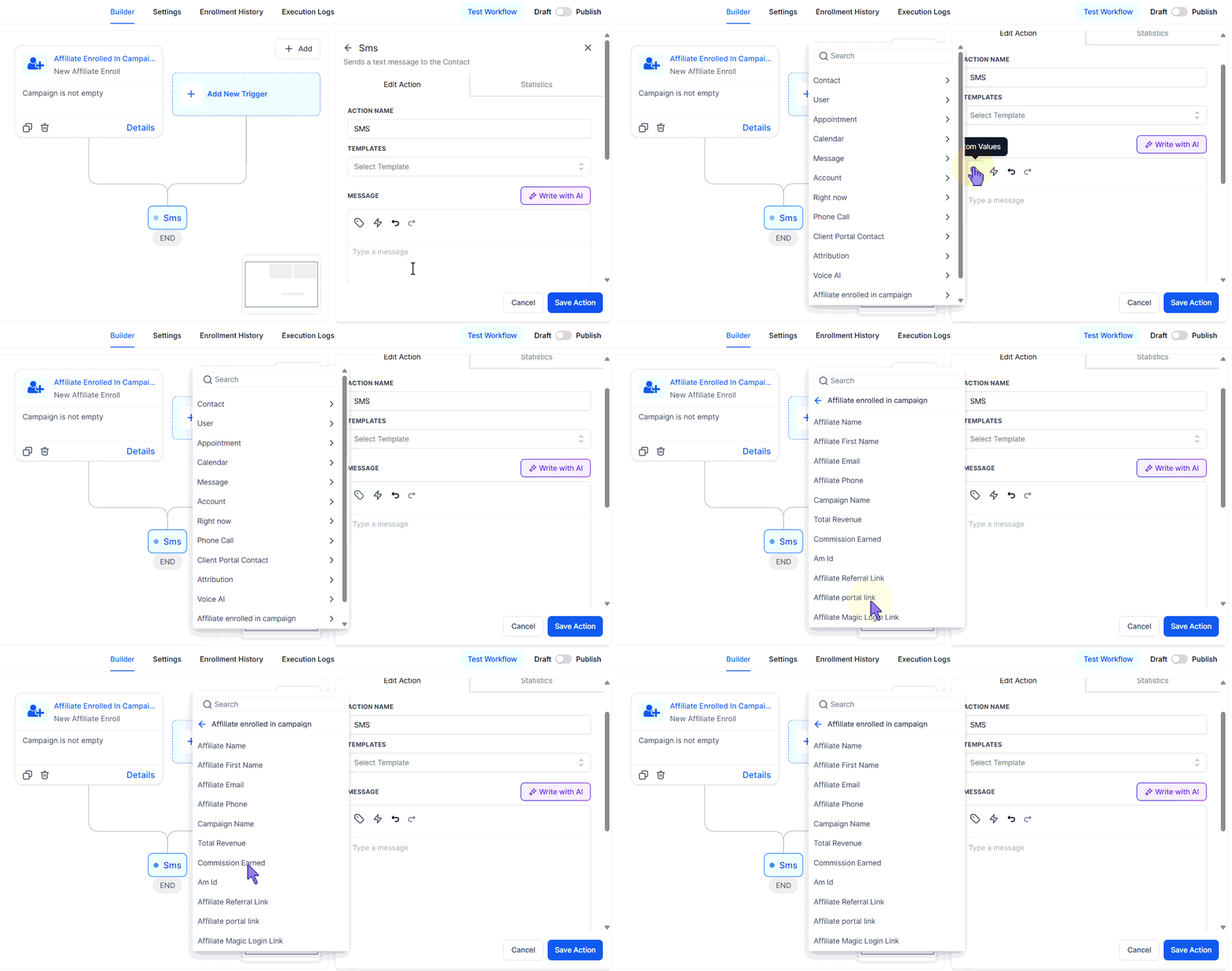
- Affiliate Name
- Affiliate Email
- Affiliate Phone Number
- Campaigns in which the affiliate is included
- Total Revenue Generated
- Commission Earned
- Affiliate Referral Link
- Affiliate Portal Link
- Magic Login Link (direct access to the affiliate portal)
How Does the Affiliate Enrolled In Campaign Trigger Work in a Workflow?
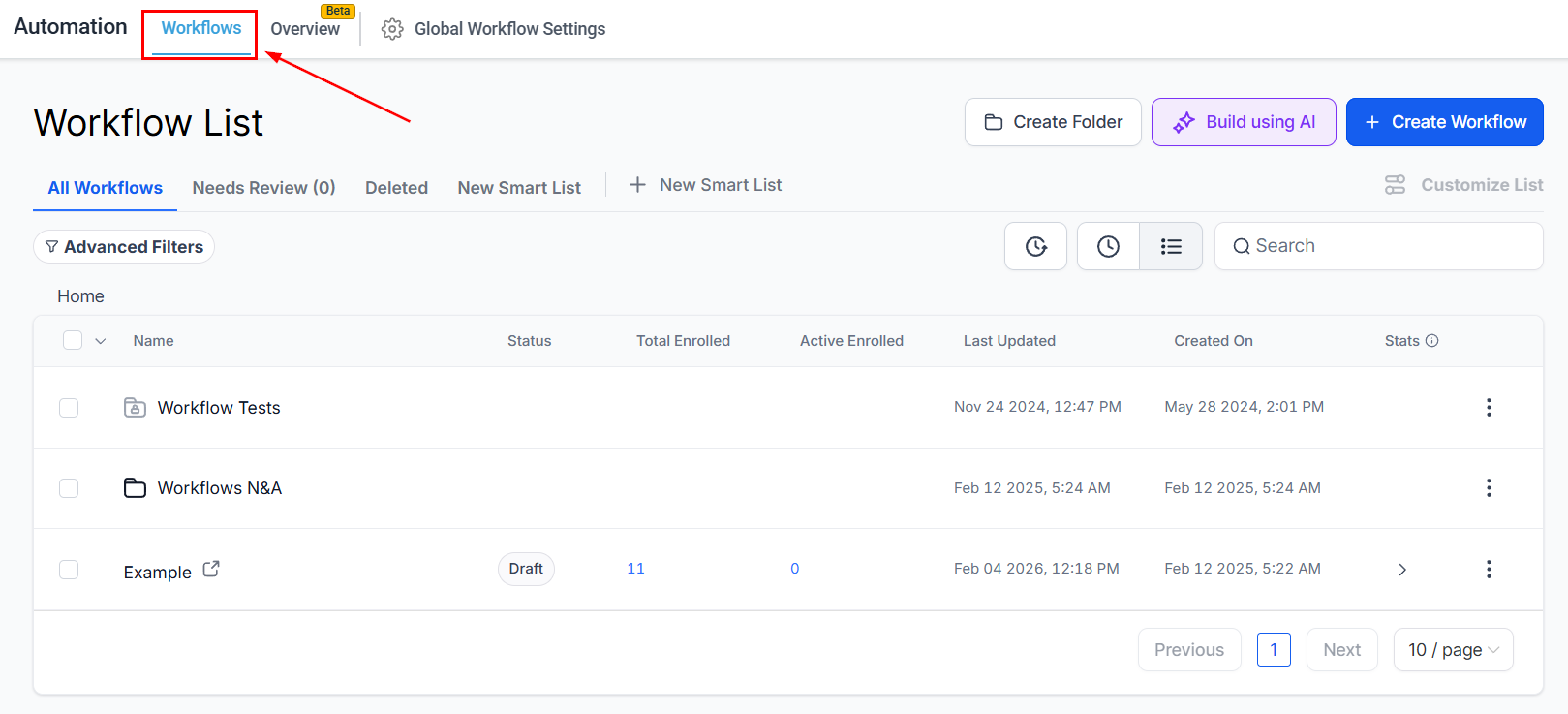
Navigate to Automation > Workflows from your account Dashboard.
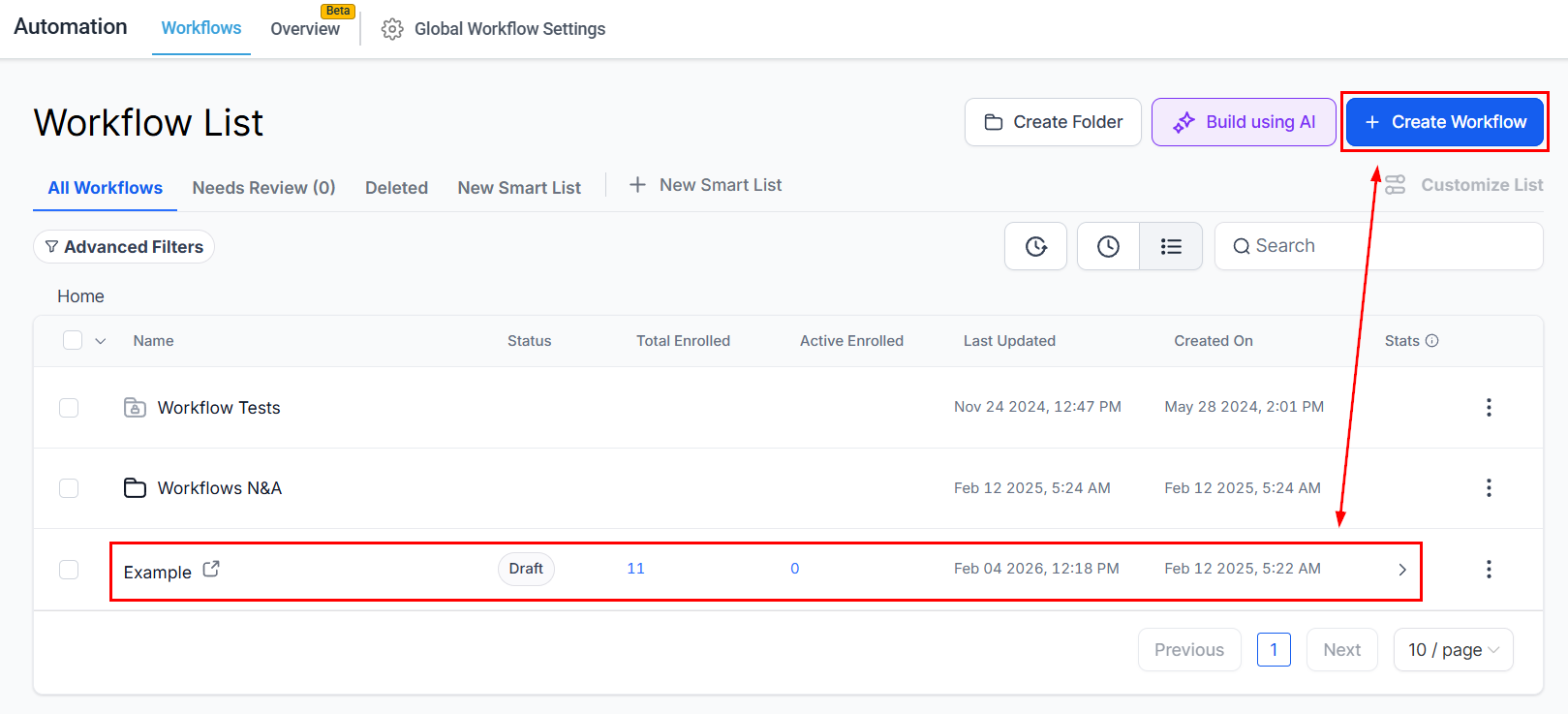
Create a new workflow from scratch or select an existing workflow from the list.
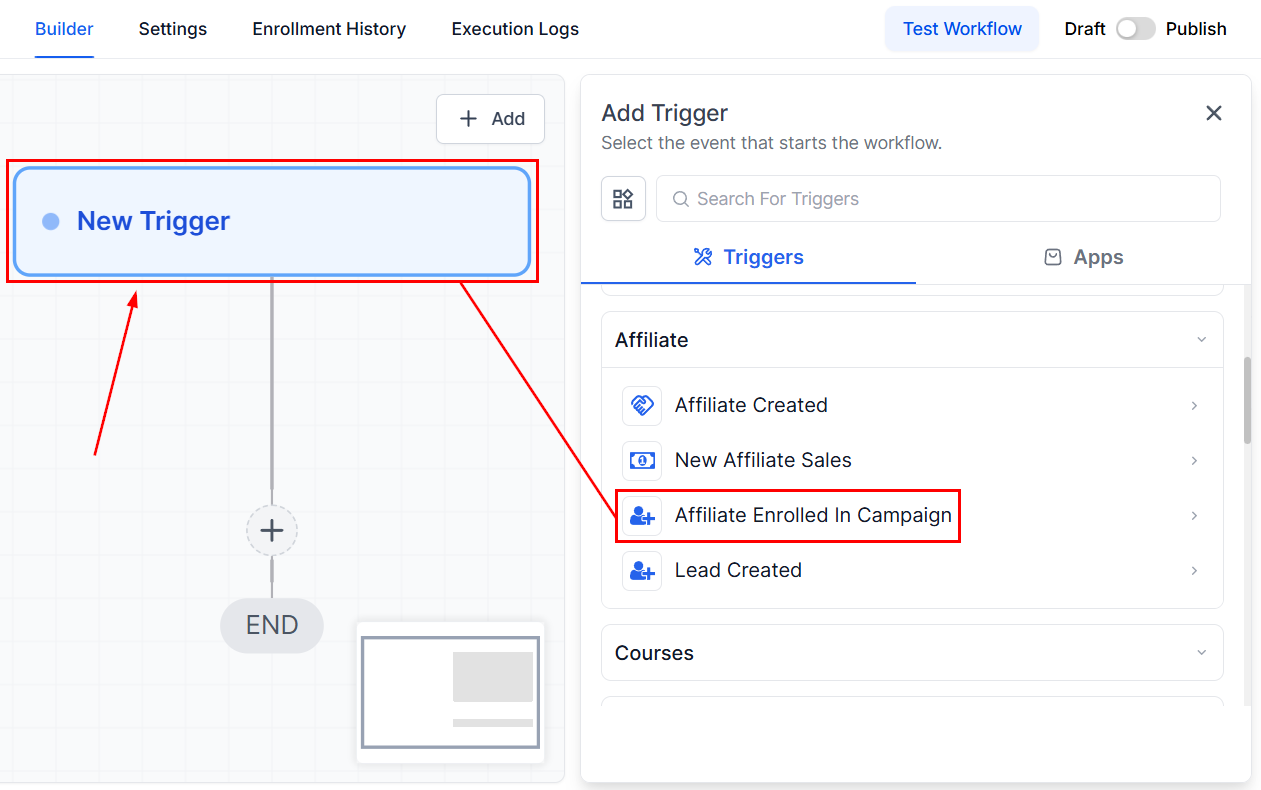
Add the Affiliate Enrolled In Campaign trigger.
Rename the trigger as needed within the Workflow Trigger Name field.
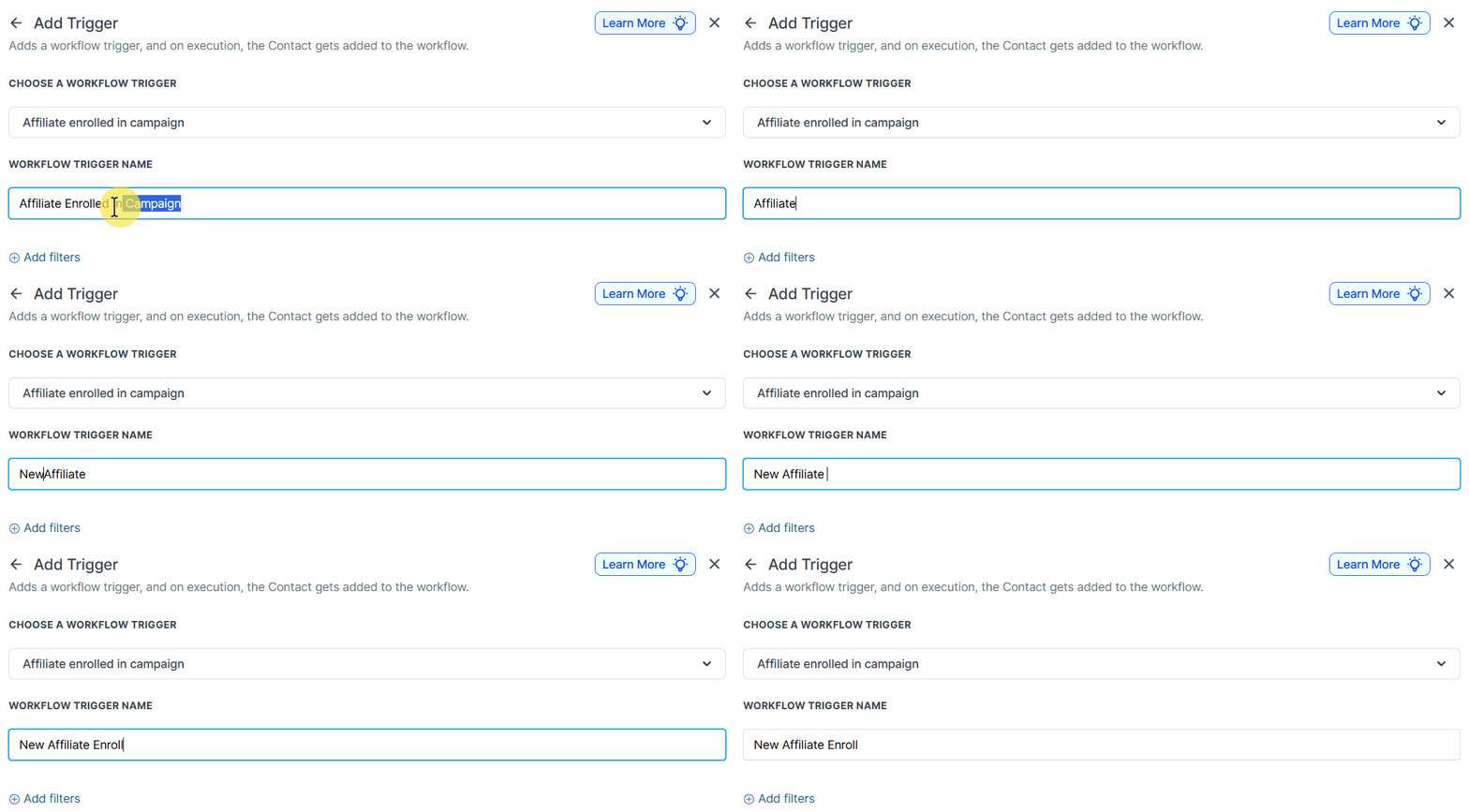
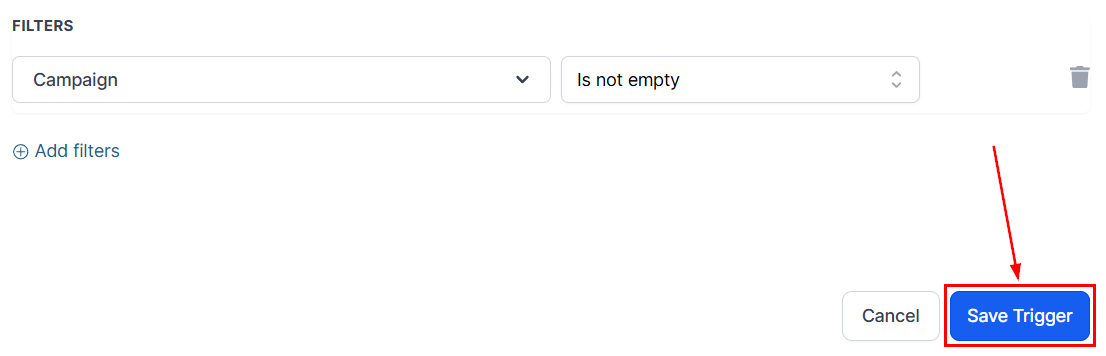
Apply filters to target specific affiliate campaigns, if desired.
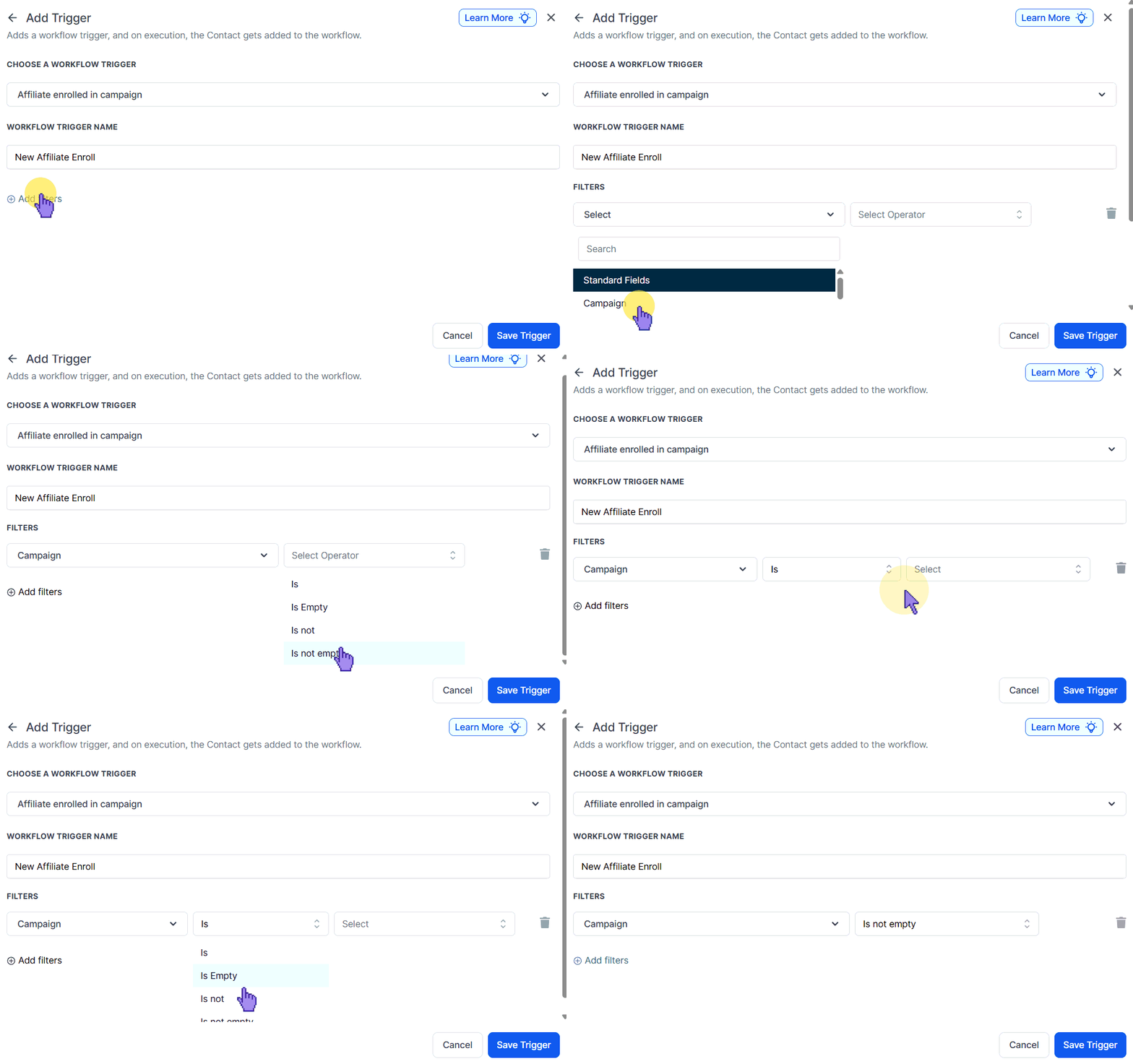
Save the trigger and begin adding actions to your workflow!
Incorporate actions such as “Send Email” or “Send SMS” to integrate the custom values from the Affiliate Enrolled In Campaign trigger into your communications.
Practical Examples and Use Cases
- Sending Email/SMS to the Affiliate: Enhances the affiliate experience by recognizing their participation, which boosts morale and encourages ongoing engagement. This acknowledgment fosters loyalty and can lead to improved performance.
- Adding Affiliate Tags for Segmentation: Enables personalized communication by segmenting affiliates, thereby increasing the effectiveness of marketing campaigns.
Utilizing the Affiliate Enrolled In Campaign trigger enhances your ability to capture and act on critical affiliate data, optimizing your communications. By integrating actions and segmentation strategies, you can effectively engage and manage your affiliates for improved performance and campaign success.
Not a Funnelbud customer yet?
Try our all-in-one CRM for sales and marketing — free for 7 days, no commitment.