How to Set Up Auto Delete for Call Recordings
The auto-deletion feature allows you to remove older call recordings automatically, helping you maintain efficient use of storage while keeping recent recordings available for reference.
Key Features
- Cost Management: Automatically deleting older recordings helps you control storage expenses effectively.
- Admin Control: This feature is exclusively accessible to account administrators, ensuring secure and centralized management.
- Transcripts Remain Intact: Call transcripts are preserved and unaffected by the deletion of recordings, ensuring access to important conversations even after recordings are removed.
How to Enable Auto-Deletion
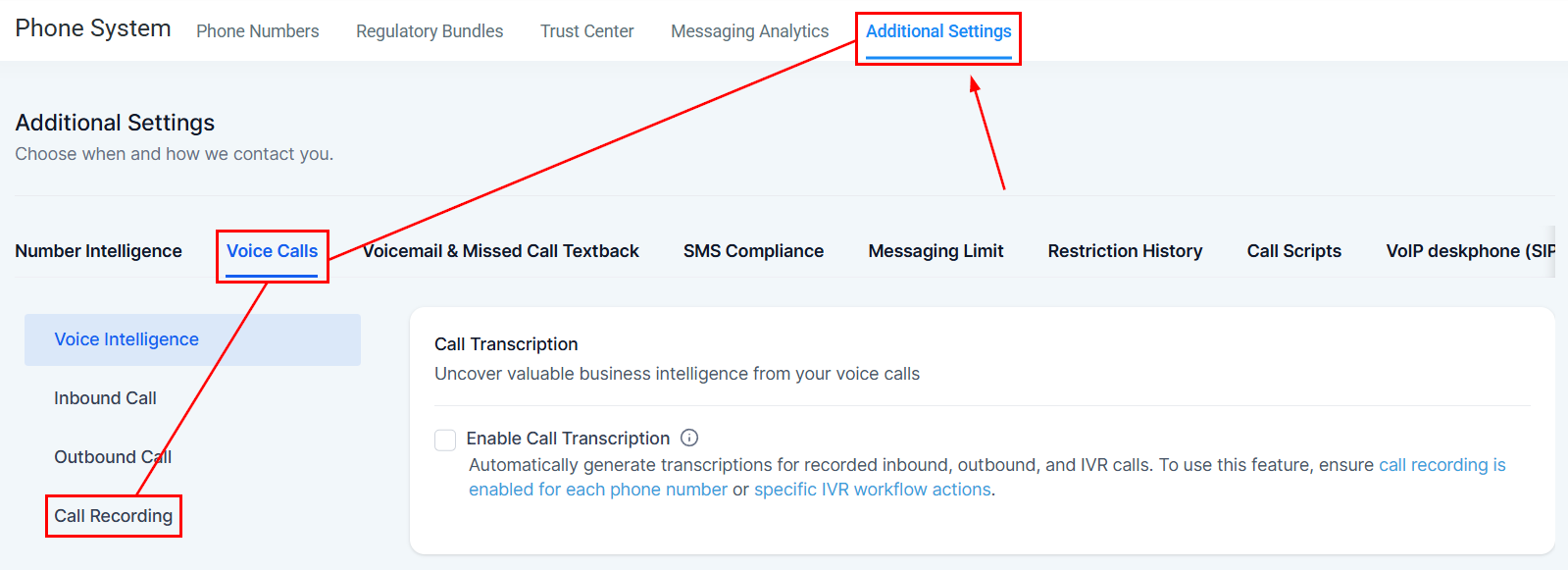
Access Advanced Phone Settings:
Go to your account Settings and locate the Phone Numbers section. Within this section, click on Additional Settings, then select Voice Calls > Call Recording.
Enable Auto-Deletion
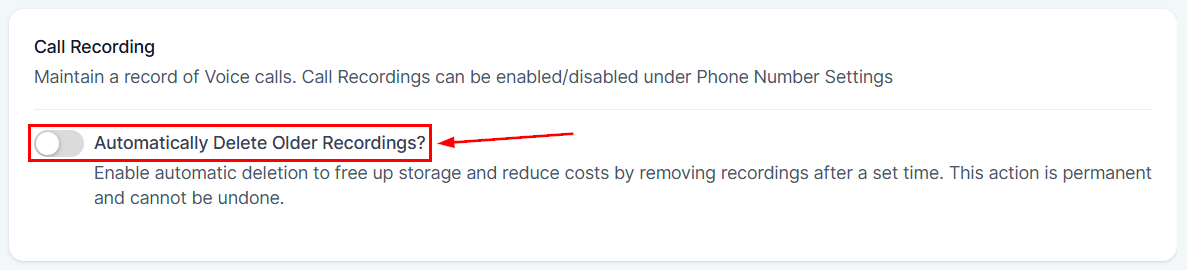
Toggle the option to enable automatic deletion of call recordings.
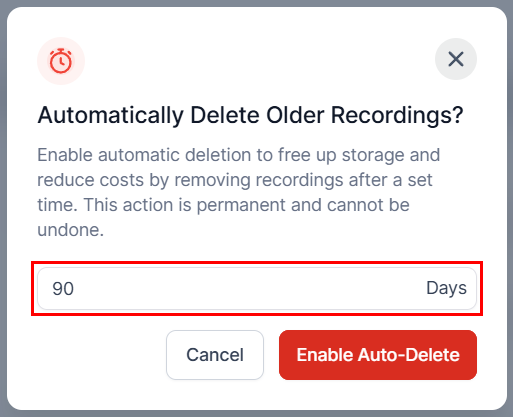
Set Retention Period
By default, the retention period is set to 90 days. However, you can modify this setting to align with your business needs.
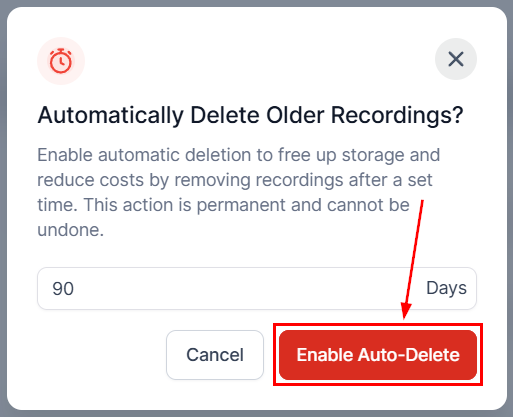
Confirm the action by clicking the Enable Auto-Delete button. Please note that once call recordings are deleted, they cannot be recovered.
Whether you prioritize cost control or ease of access to recent calls, this feature offers a flexible solution tailored to your business needs.
Not a Funnelbud customer yet?
Try our all-in-one CRM for sales and marketing — free for 7 days, no commitment.