How to Download Estimates on the Mobile App
Downloading estimates from your mobile app is a straightforward process that allows you to easily access and store your estimates. Follow these steps to download your estimate to your device’s file app.
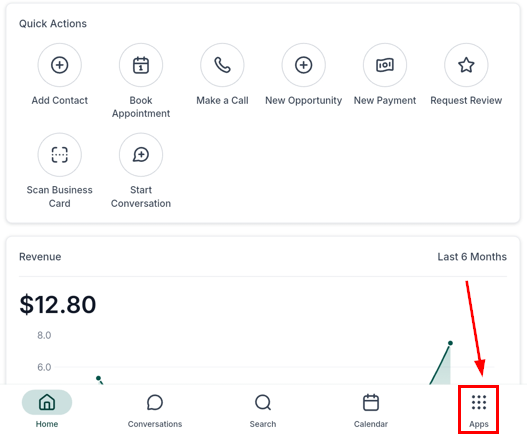
First, open the mobile app and log in with your account credentials. From the main dashboard, access the apps section.
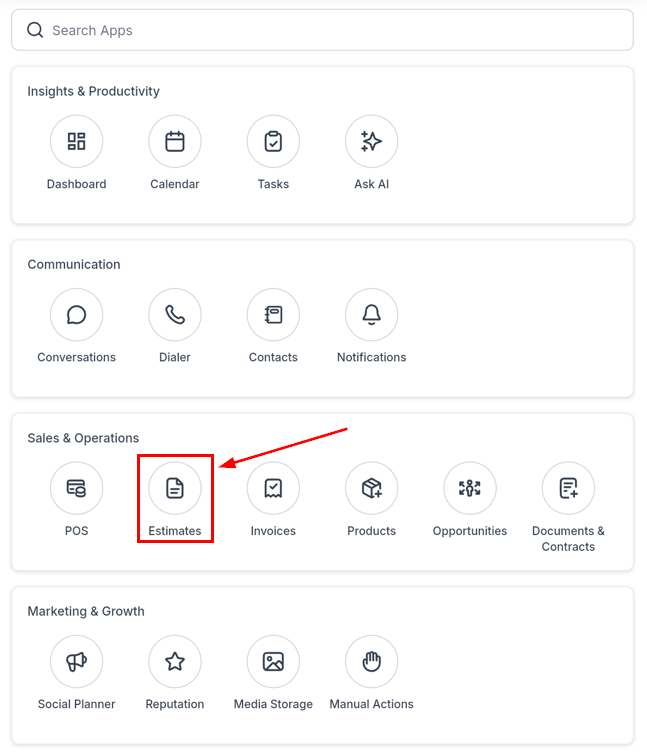
Next, select the Estimates section.
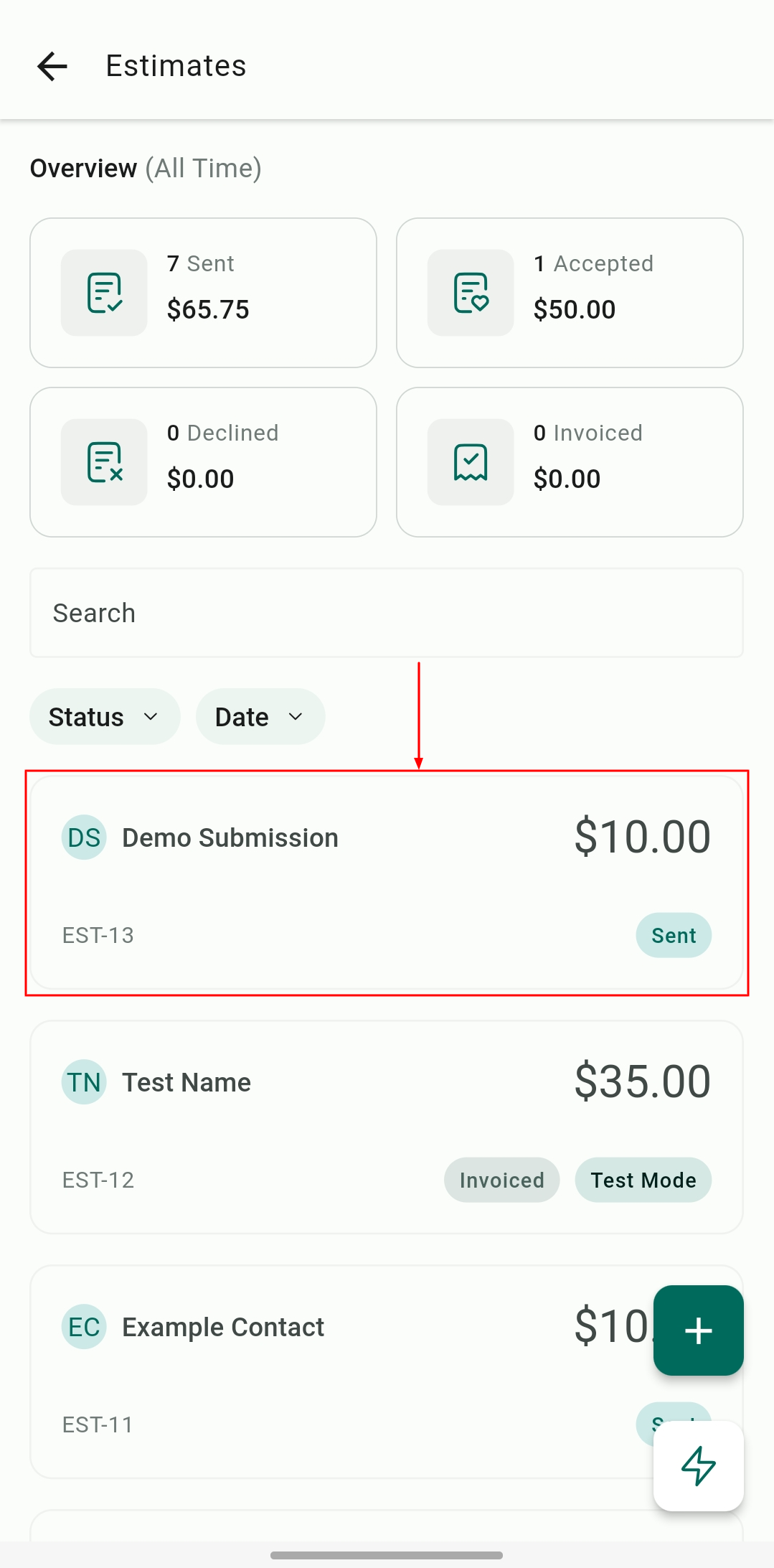
Locate the estimate you want to download by navigating to its tile. Long-press the tile of the estimate you wish to download.
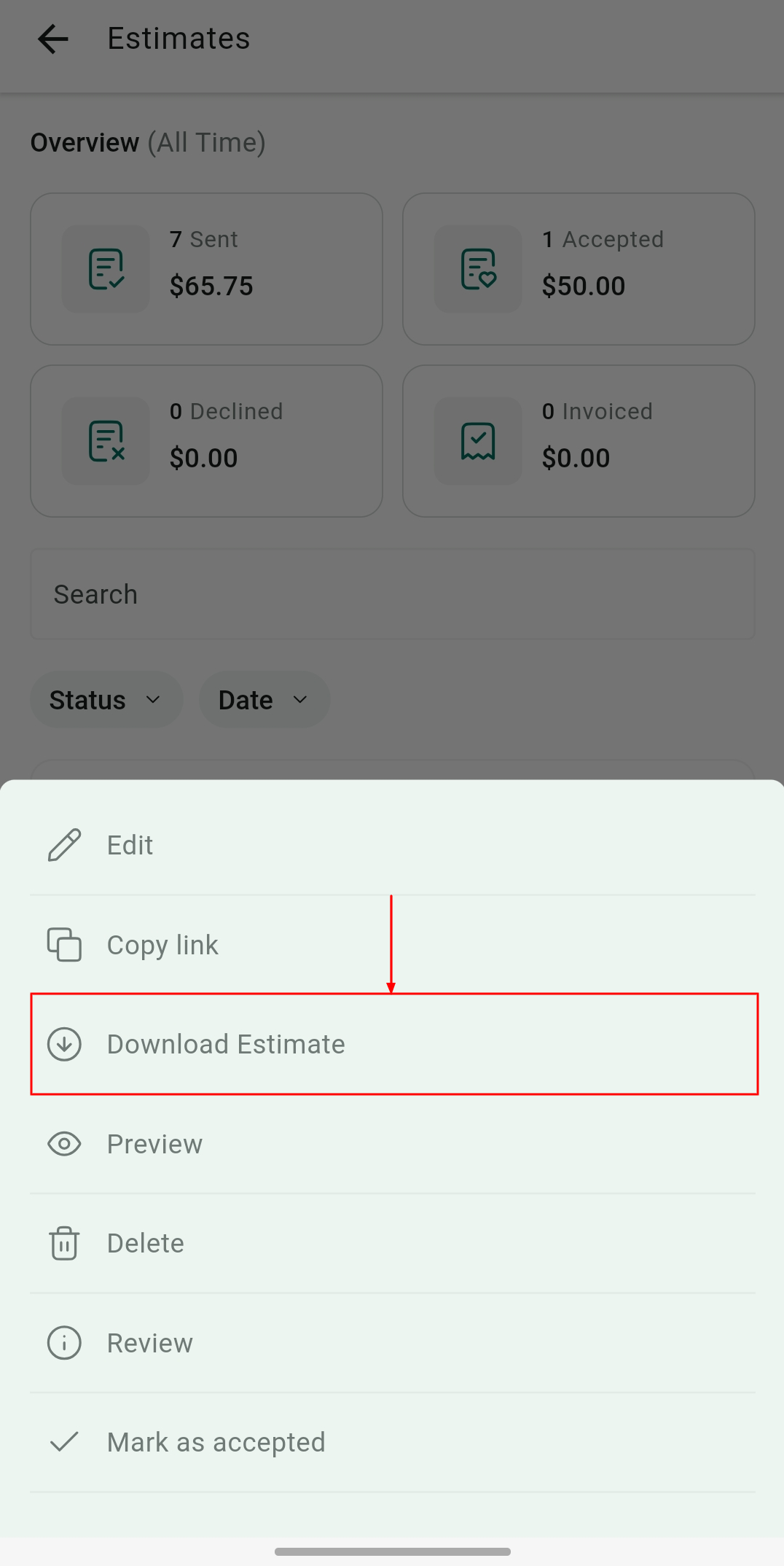
Once the menu appears, select Download Estimate to continue.
Your estimate will now be saved to your device’s file app, ready for you to access anytime.
Now that you’ve downloaded your estimate, it’s easy to keep it organized and accessible on your mobile device. This quick process ensures that you always have important documents at your fingertips whenever you need them.
Not a Funnelbud customer yet?
Try our all-in-one CRM for sales and marketing — free for 7 days, no commitment.