How to Train Your Conversation AI Bot
Bot training is the process of teaching your AI bot to provide accurate, context-specific responses to customer queries. Utilizing tools like the Web Crawler and Custom Bot Responses, you can build a robust knowledge base to support seamless customer interactions. Whether addressing general or specific inquiries, a well-trained bot ensures customers receive timely and accurate answers.
Key Benefits of Training Your Bot
- Improved Accuracy: By accessing relevant data sources, your bot can deliver precise responses tailored to customer questions.
- Enhanced Efficiency: Automated responses reduce manual intervention, saving time for both your team and customers.
- Consistency: Ensure customers receive consistent, high-quality information across all interactions.
- Scalability: Support a growing customer base without increasing resource requirements.
Getting Started
Before you can train your AI bot, you must ensure you have captured the relevant information in a knowledge base. If you have not yet set one up, go ahead and do so in the AI Agents > Knowledge Base section of your account.
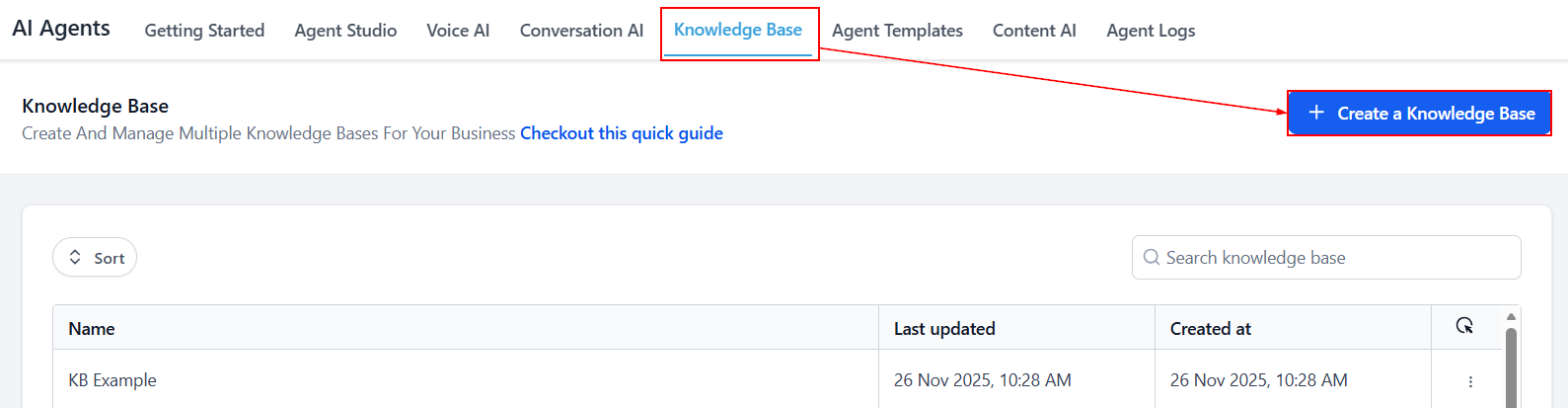
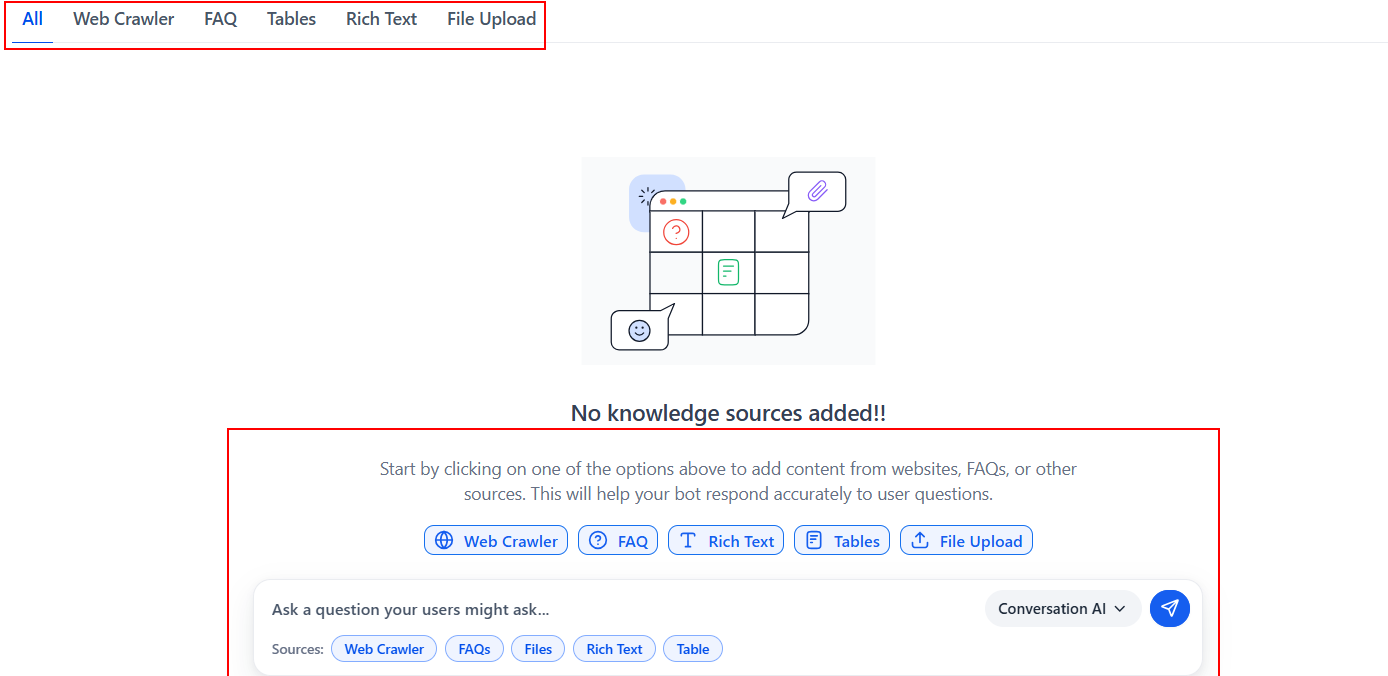
This step requires you to add content from websites, FAQs or other sources.
- Web Crawler: Uses publicly available content from URLs, site paths, full domains, and documents to train your bot, with flexible control over coverage to keep responses accurate, relevant, and up to date
- Custom Bot Responses (FAQs): Allows you to define and update answers for common questions—both manually and from live interactions—to ensure consistent, accurate, and reliable response.
- Tables: Uses CSV files to provide structured data that the AI can query using natural language, enabling accurate answers based on rows and columns
- Rich Text: Enables you to create and format content directly in the editor, with structured sections that improve how the AI retrieves and uses information.
- File Upload: Supports uploading documents (e.g., PDF, DOCX, PPT, TXT), which are automatically processed into searchable content for accurate responses
Once you have included all the relevant details, save the knowledge base and test your bot!
For further guidance on setting up a knowledge base, visit the “How to Create a Knowledge Base” article in this section.
Training Your Conversation AI Bot
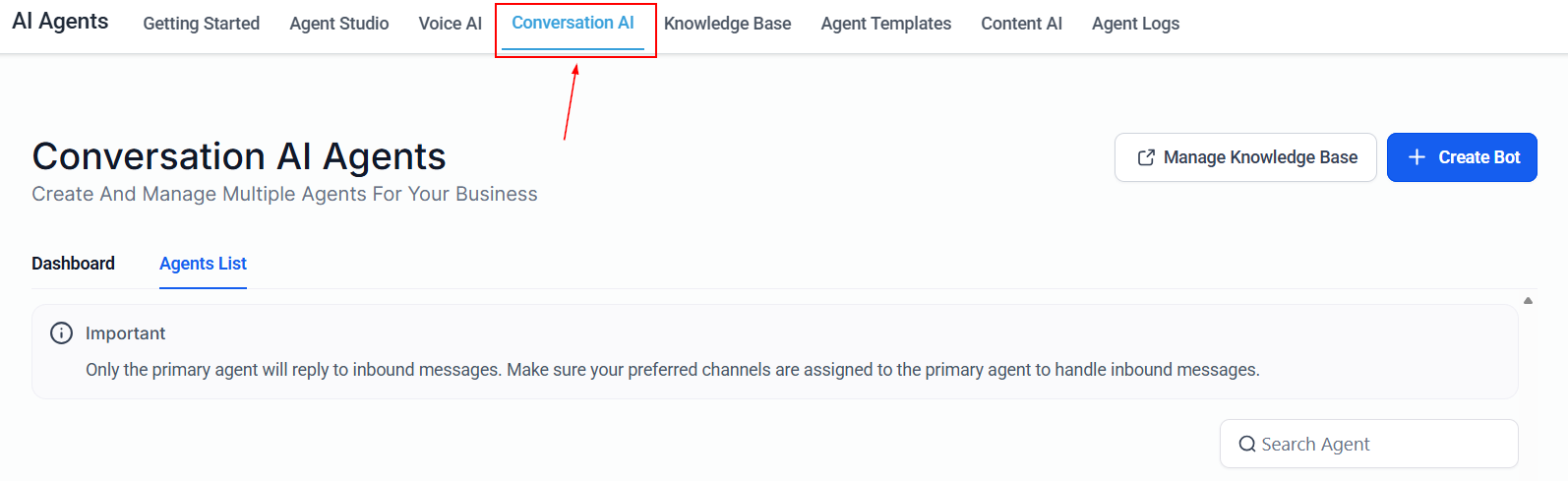
Now that you have set up your knowledge base, navigate to the Conversation AI tab to begin training your bot.
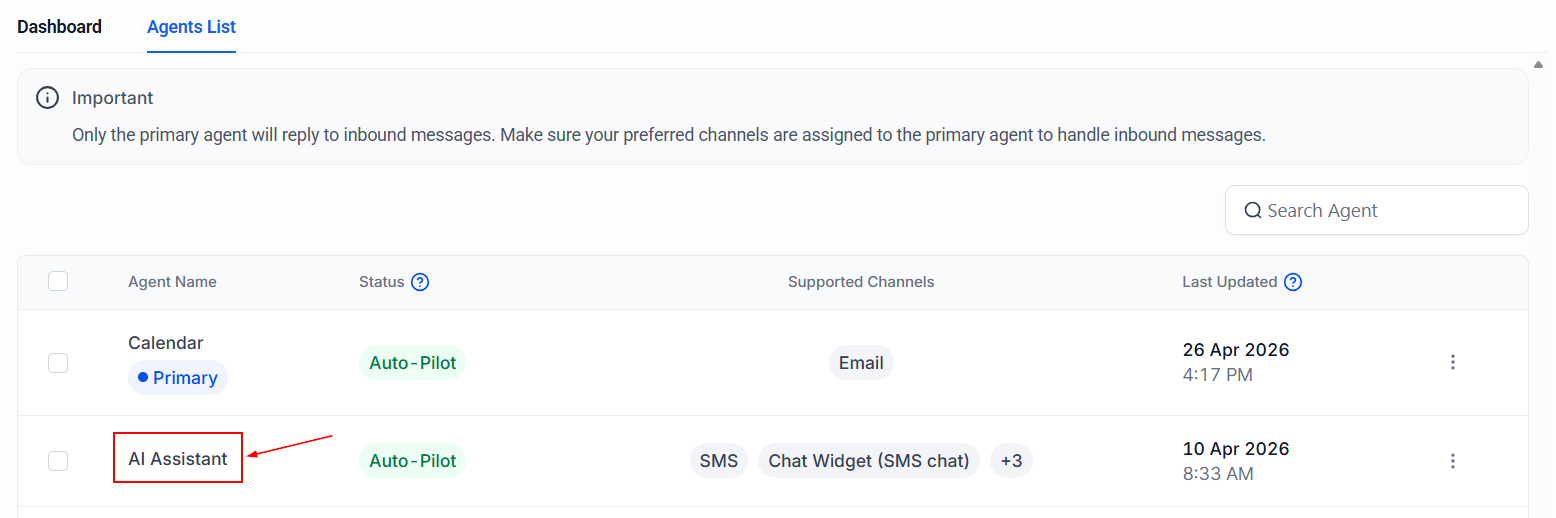
Click on the name of any configured bot.
📌Note: The training material applies to all bots, meaning the AI bot from which the training is initiated does not impact the outcome.
Switch to the Bot Training tab to train your AI bot, ensuring it delivers accurate and relevant responses.
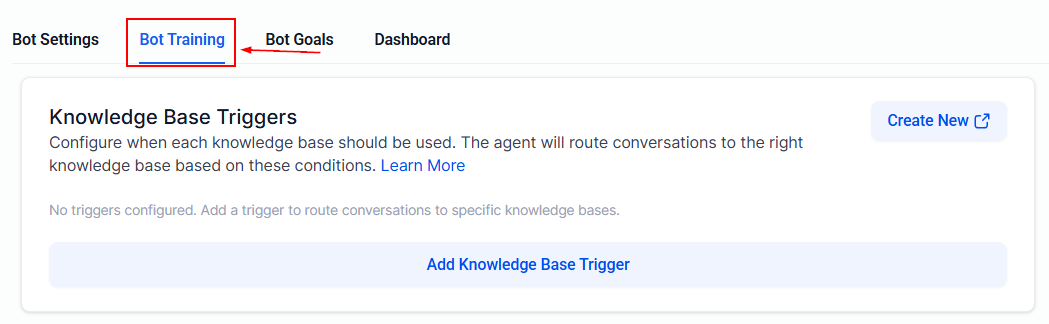
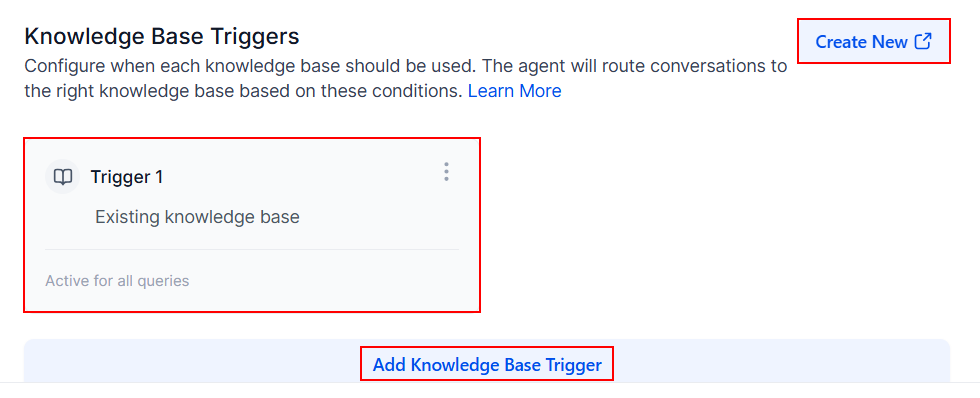
You can add up to 4 knowledge base triggers, with each trigger supporting up to 7 Knowledge Bases, to define when certain information should be pulled in. Modify an existing trigger by clicking the three dots associated with it or create a new one from scratch.
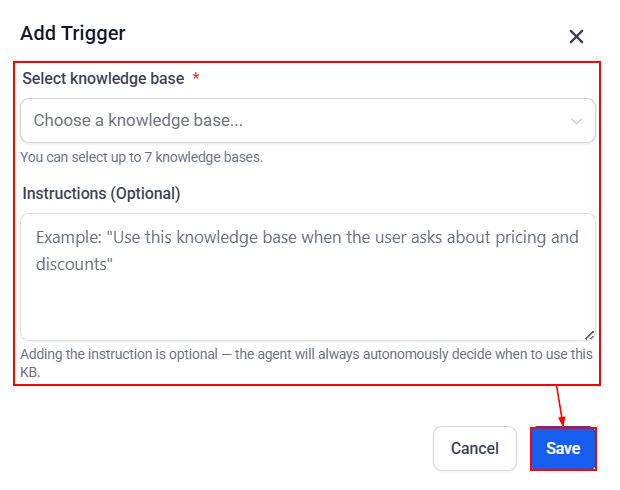
Creating the trigger involves choosing the knowledge base(s) from the list and stating the instructions for the bot the follow.
When a condition is met, the AI prioritizes the relevant Knowledge Base, while still retaining the ability to use it independently when needed. This helps improve response accuracy and ensures important information is not missed.
Test Your Bot
Once your triggers are set up, you can test the bot by interacting with it to see how it responds to customers. You can send messages directly and review its replies, and if a response isn’t satisfactory, use the thumbs down option to adjust how it responds going forward.
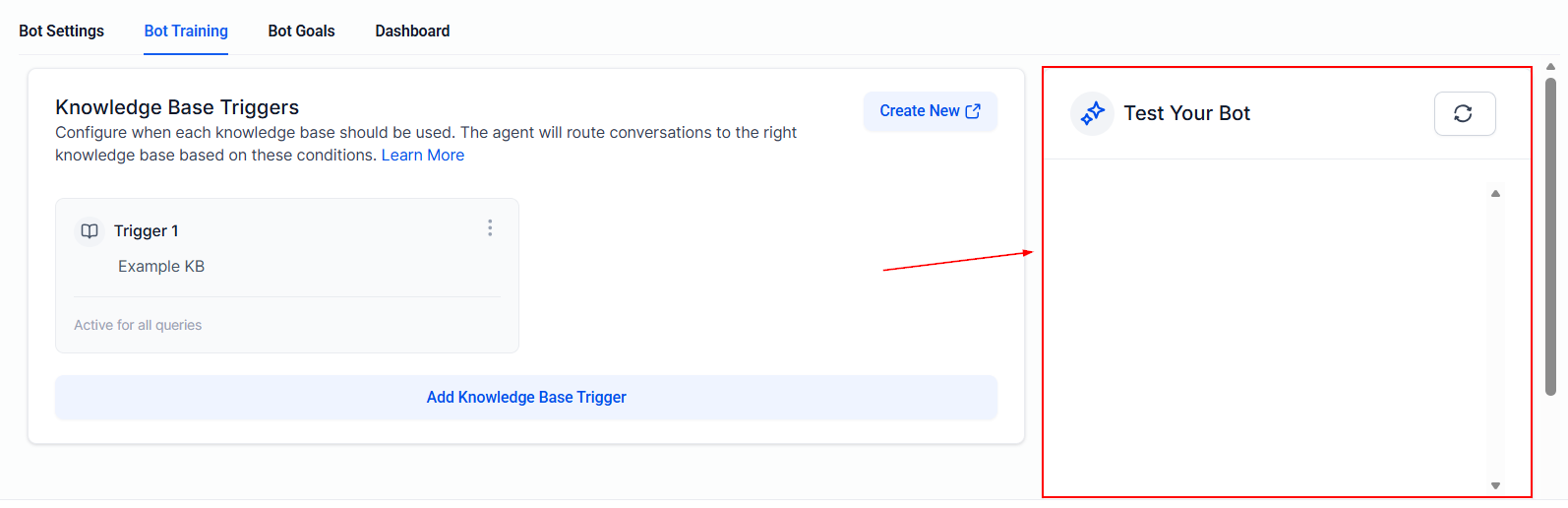
By leveraging the bot training tool, you can craft precise answers to common customer queries, improving your bot’s ability to handle customer interactions efficiently and consistently.
Frequently Asked Questions
Q: How often should I update my bot’s training data?
- Updating your bot’s training data quarterly or following major service updates ensures it remains accurate and relevant.
Q: Can I use multiple URLs for training the bot?
- Yes, combining various types of URLs (Exact, Path-specific, and Domain-level) can help create a more comprehensive knowledge base. Simply redo the steps listed in the Web Crawler section to train the bot using multiple URLs.
Q: How can I ensure my bot’s responses are accurate?
- Use the feedback system, regularly test your bot by simulating customer queries, and frequently update your FAQs.
Q: What happens if my bot cannot answer a question?
- The bot may request clarification or escalate the query to a human agent based on its configuration.
Q: What types of information work best for Custom Bot Responses?
- Provide precise, critical information like pricing, policies, and instructions to effectively address common customer inquiries.
Not a Funnelbud customer yet?
Try our all-in-one CRM for sales and marketing — free for 7 days, no commitment.