Buy Now Button
Implementing the “Buy Now” button on your e-commerce store offers a streamlined, user-friendly option for customers who want a quick and straightforward purchasing experience. By following the setup instructions and leveraging the customization options, you can enhance your store’s functionality and potentially boost your sales.
Benefits of the “Buy Now” Button
- Enhanced User Experience: The “Buy Now” button simplifies the purchasing process by allowing customers to bypass the cart. This direct approach reduces friction for users who are ready to complete their purchase, offering a more efficient shopping experience.
- Increased Conversion Rates: By minimizing the number of steps required to make a purchase, the “Buy Now” button can help reduce cart abandonment rates and increase overall conversion rates. Customers who are in a hurry or looking to buy just one item will find this feature particularly appealing.
- Streamlined Checkout Process: For products that are frequently purchased individually, the “Buy Now” button ensures that customers can complete their purchase swiftly. This can be especially beneficial for items in high demand or limited stock.
- Customizable Appearance: The ability to customize the button’s appearance allows you to align it with your store’s branding. Tailoring the button to match your site’s design can enhance its visibility and appeal.
Setting Up the “Buy Now” Button
To activate the “Buy Now” button on your product detail page, follow these steps:
Access the Settings
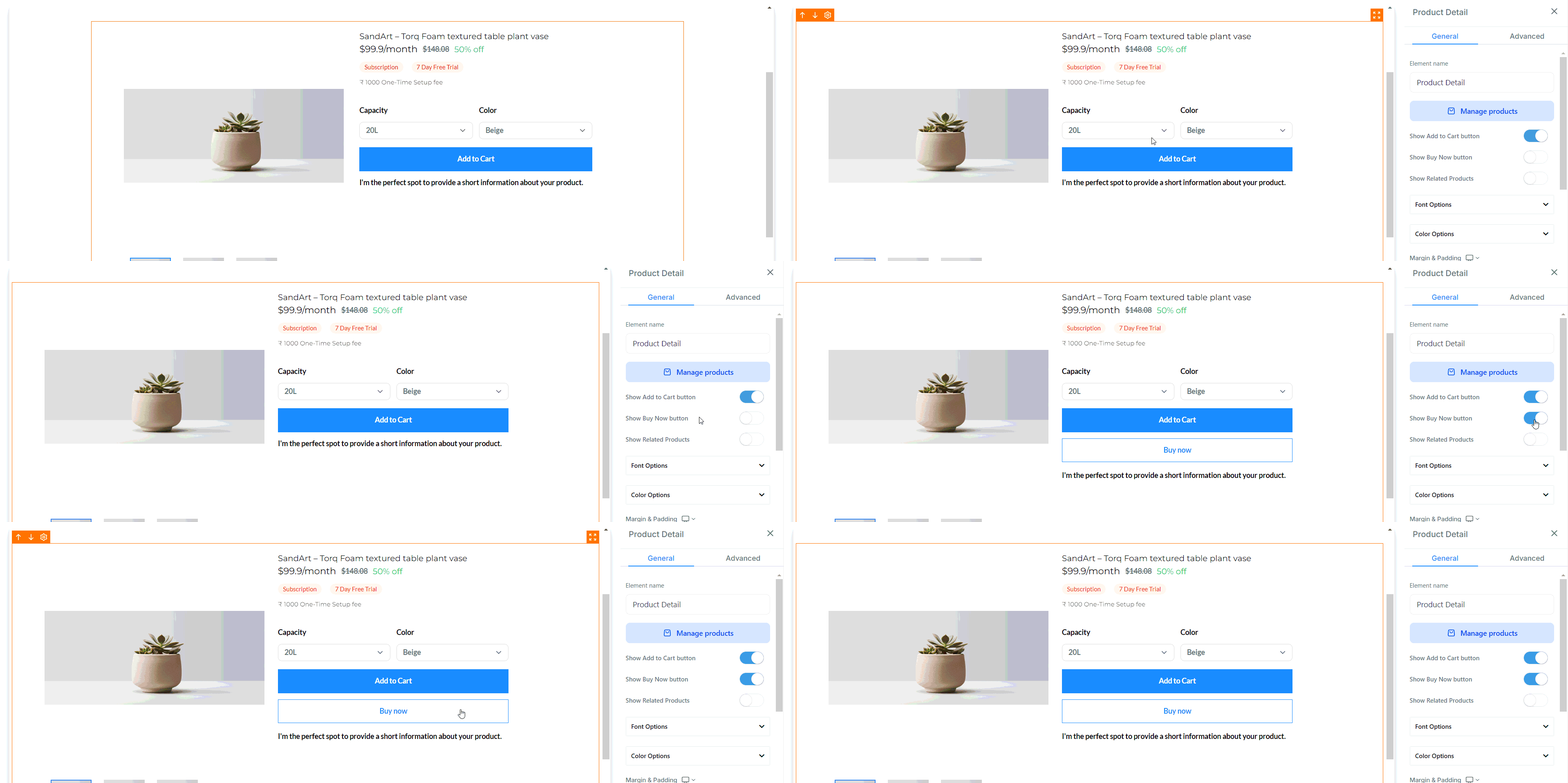
Navigate to your store’s product detail page and select the Product Detail element to access its settings.
Toggle the Feature
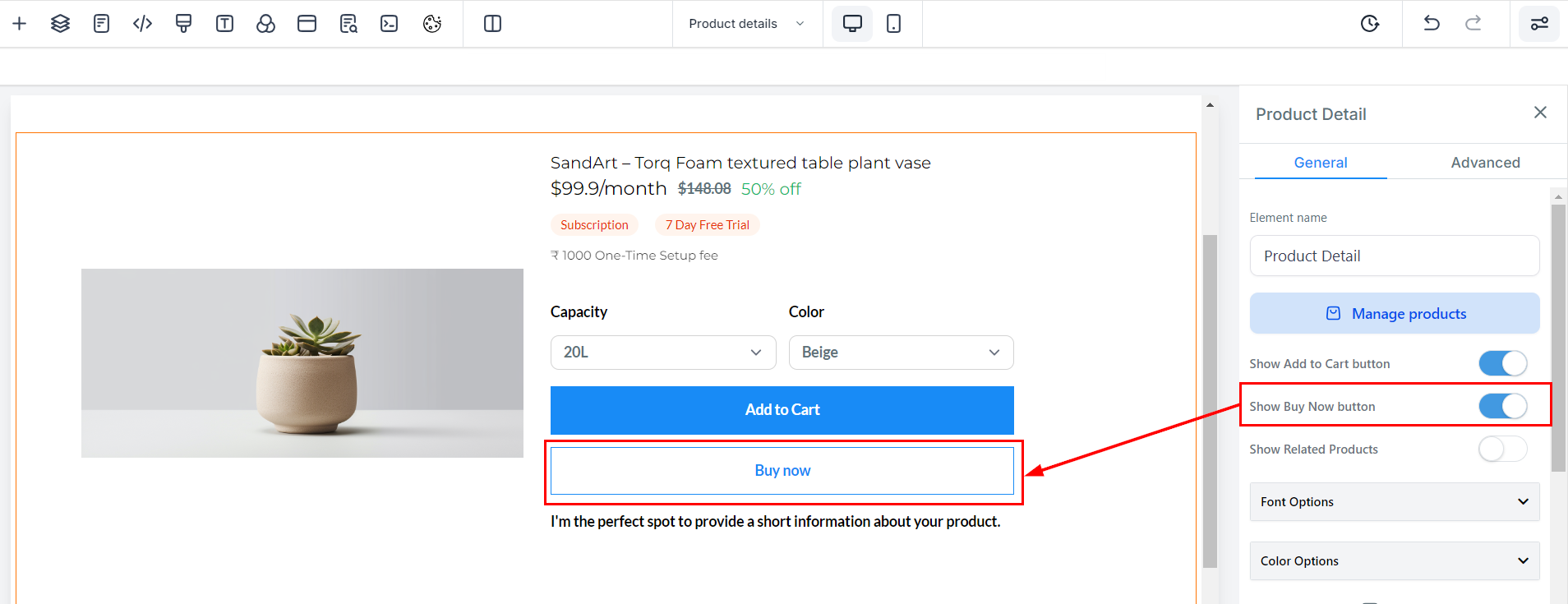
The “Buy Now” button option is turned off by default. To enable it, simply toggle the switch as shown in the provided image.
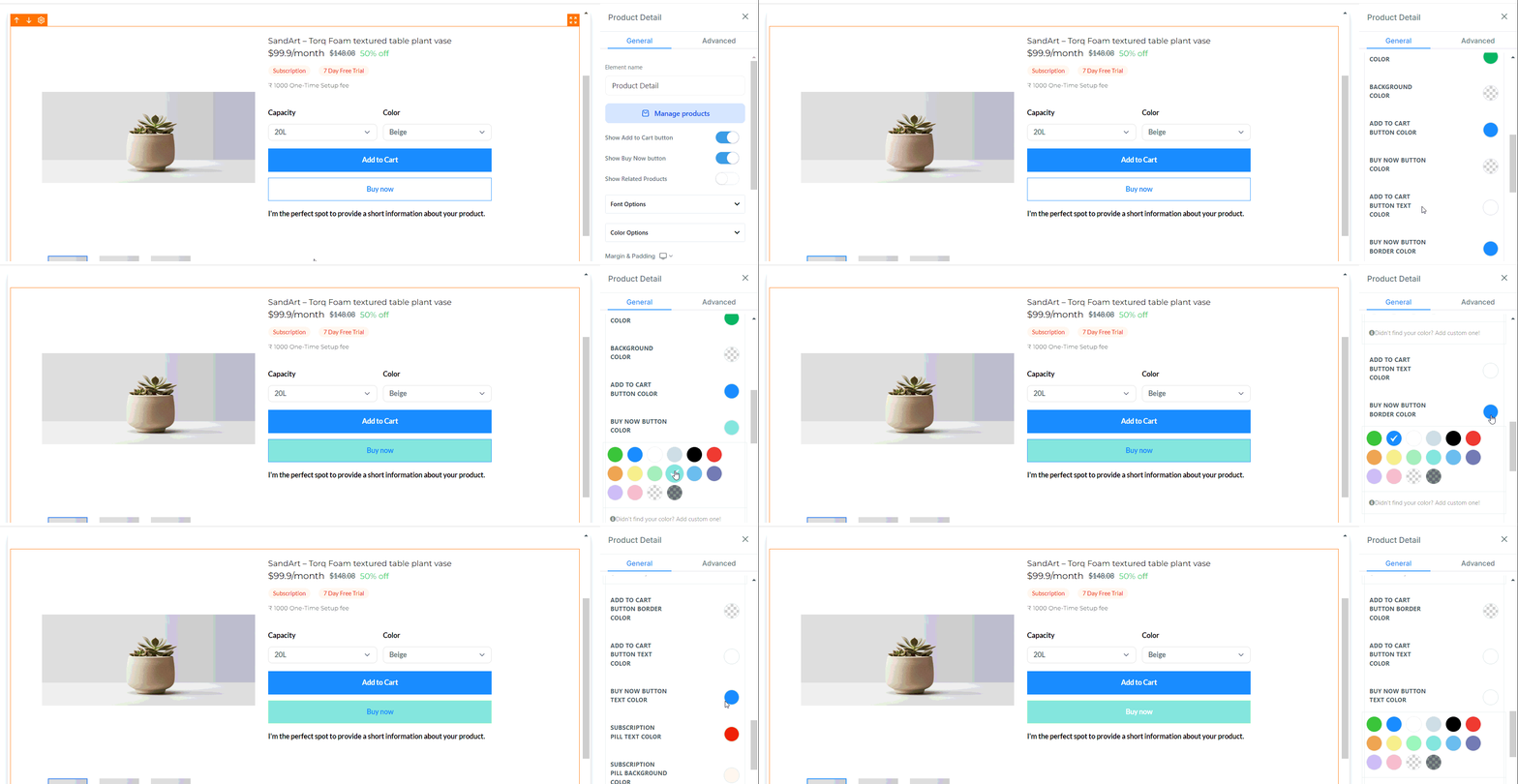
Customize the Button: The default appearance of the “Buy Now” button includes a border with a transparent background. You have the flexibility to customize the following aspects:
- Border Color: Adjust the color of the button’s border.
- Text Color: Change the color of the text displayed on the button.
- Button Color: Modify the background color of the button.
- Button Texts: Customize the text for both the “Add to Cart” and “Buy Now” buttons.
Functionality of the “Buy Now” Button
Once activated, the “Buy Now” button will provide a direct path to the checkout page. Here’s how it works:
- Direct Checkout: Clicking the “Buy Now” button will immediately redirect the user to the checkout page with the selected item set to a quantity of one. The item will also be added to the cart.
- Abandoned Cart Notifications: If a customer abandons their cart, the abandoned cart notification will only include the product added via the “Buy Now” button.
- Post-Purchase Behavior: Any additional items present in the cart will remain unaffected by the purchase made through the “Buy Now” button.
By integrating the “Buy Now” button, you are not only improving your customers’ shopping experience but also positioning your store for greater efficiency and success in the competitive e-commerce landscape.
Not a Funnelbud customer yet?
Try our all-in-one CRM for sales and marketing — free for 7 days, no commitment.