Remove Owner from Opportunity Action
The “Remove Owner from Opportunity” action removes the designated owner from an existing opportunity. Depending on your system settings, this action may also remove the associated contact’s owner if contact and opportunity ownership are synchronized. This functionality ensures that opportunities are no longer tied to a specific user for management, potentially reassigning responsibilities or updating the opportunity’s status.
How It Works
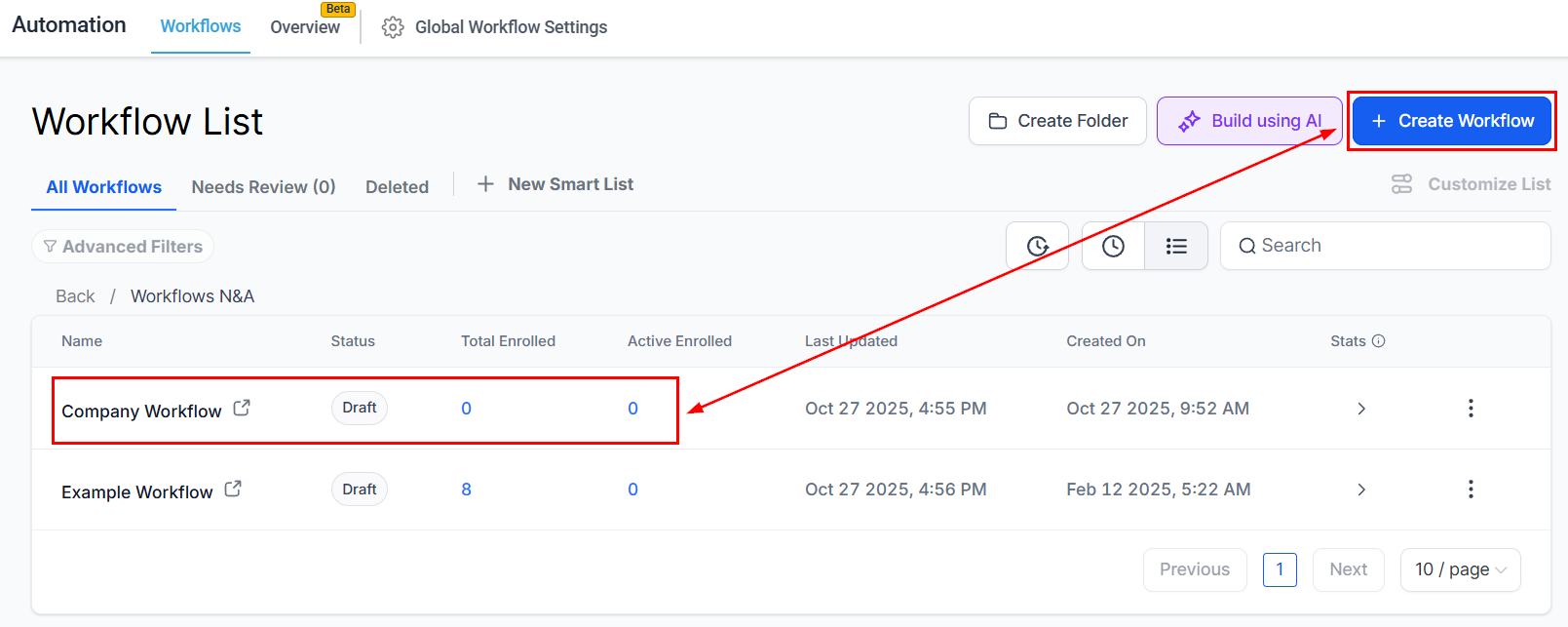
Navigate to Automation > Workflows, create a new workflow from scratch or open an existing opportunity-based workflow.
Add the relevant opportunity triggers or the “Find Opportunity” action.
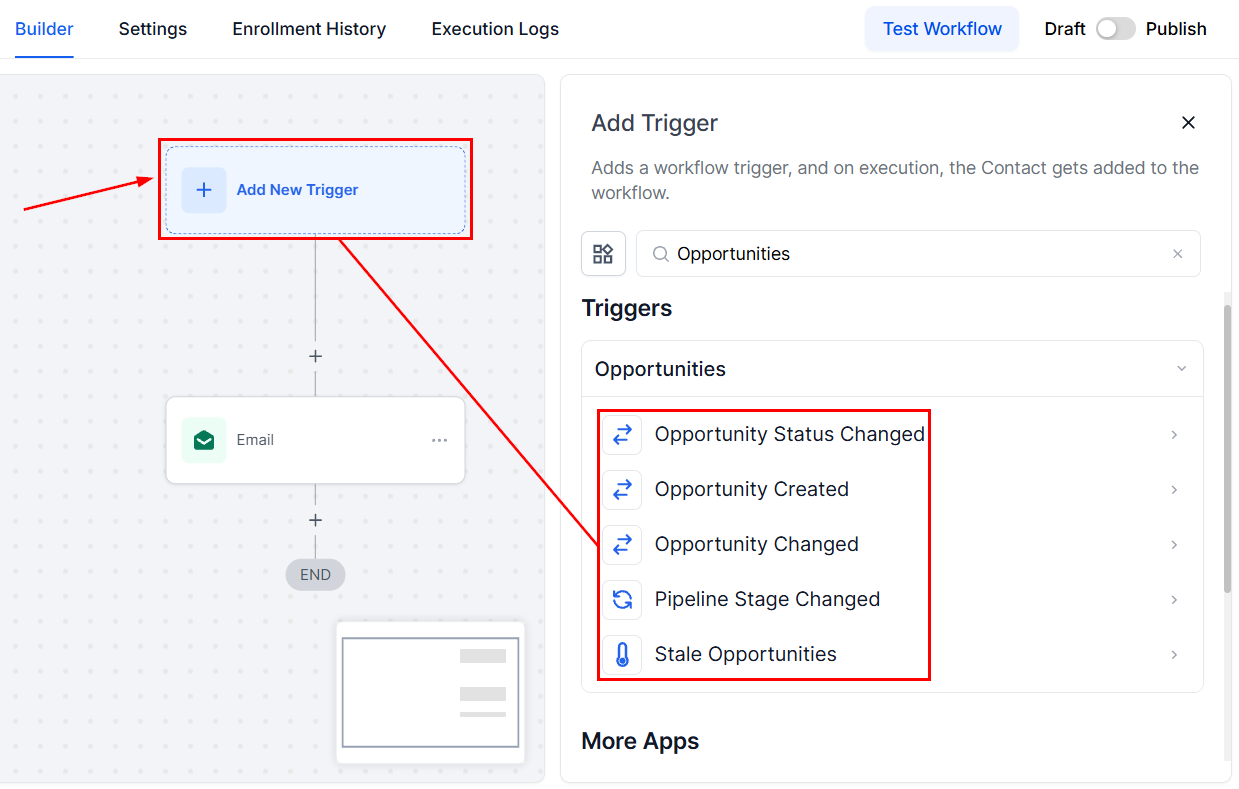
📌 Note: This action requires an opportunity to be in context - either triggered directly by an opportunity workflow trigger or through a prior “Find Opportunity” step. If no opportunity is found, the action will not be executed.
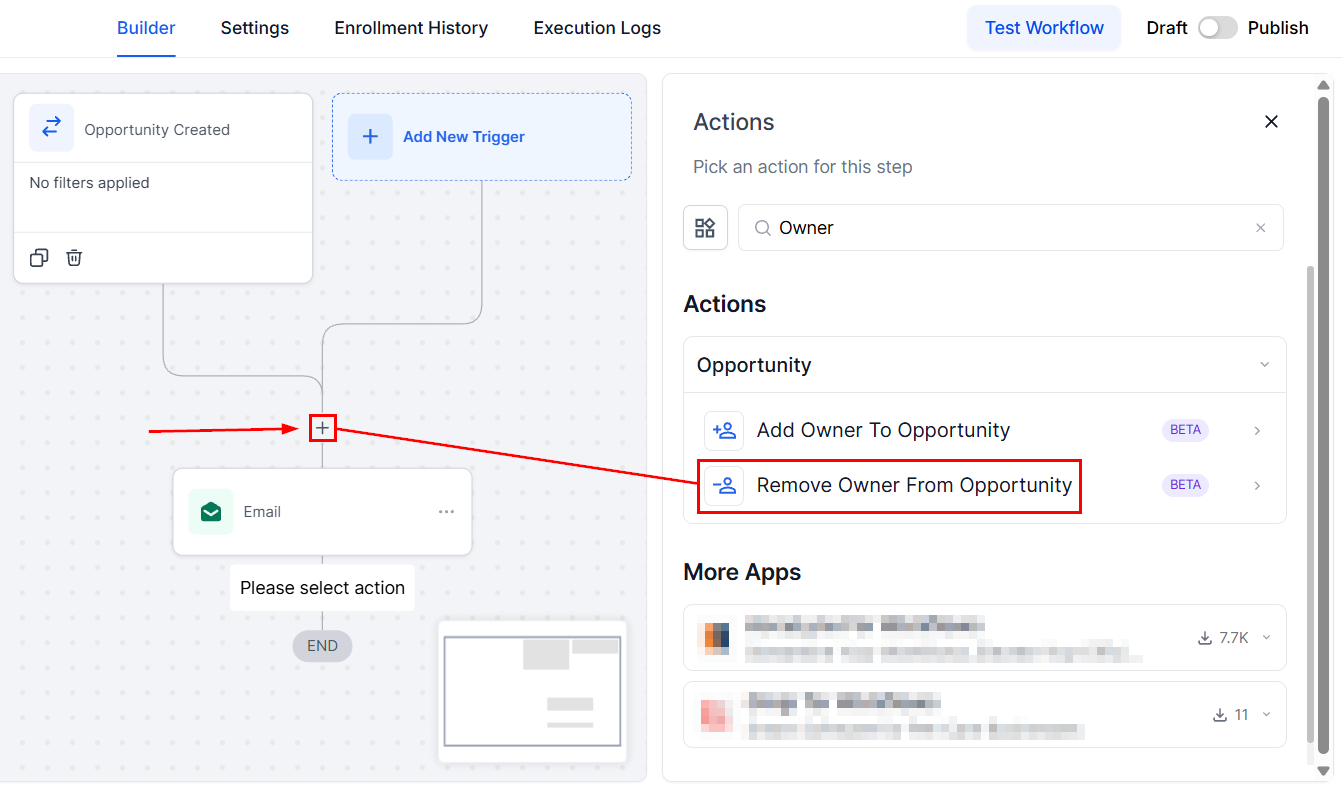
Next, add the Remove Owner from Opportunity action.
Action Name
Use this field to update the action name to accurately reflect its intended purpose.
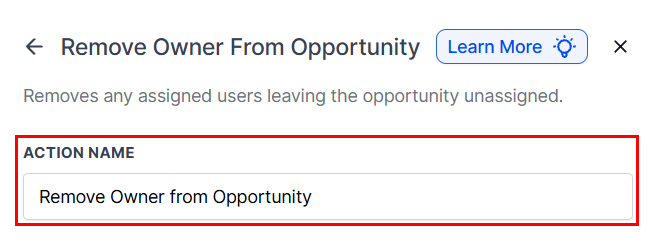
Since this action removes the owner, there is no need to select a user from the dropdown. The purpose is to unassign the current owner, not to reassign to another user.
Finally, save the action and activate the workflow to automate the process as needed.
Sync Settings
If contact and opportunity owners are synchronized (as configured in the Opportunity Settings), removing the opportunity owner will also remove the contact’s owner. If synchronization is not enabled, only the opportunity owner will be modified.
Edge Cases
- No Opportunity in Context: If the workflow is not triggered by an opportunity and there is no preceding “Find Opportunity” step, this action will be bypassed.
- Multiple Opportunities: In cases where the “Find Opportunity” step identifies multiple potential matches, only one opportunity (either the earliest or latest, depending on your selection) will be updated, while the remaining opportunities will remain unchanged.
- Already Unassigned: If the opportunity already has no assigned owner, this action will have no effect, as there is no owner to remove.
- If the opportunity trigger and find opportunity action are present, the result from the “Find Opportunity” step will take precedence.
Practical Example
Scenario: A workflow identifies opportunities that are being transitioned out of a sales stage and should no longer be managed by the current owner.
Trigger: Opportunity reaches a specific sales stage indicating it’s ready to be unassigned.
Action: Find Opportunity
- Filters: Opportunity Stage is “Transitioned”
Action: Remove Owner from Opportunity
- Action Name: “Remove Owner from Opportunity in the ‘Transitioned’ Stage”
With this configuration, all opportunities that meet the “Transitioned” stage criteria will have their owner removed, allowing for reassignment or reassessment by the team. If the system is set to synchronize contact and opportunity ownership, the contact’s owner will also be removed.
Not a Funnelbud customer yet?
Try our all-in-one CRM for sales and marketing — free for 7 days, no commitment.