Coupon Code Applied Trigger
For businesses aiming to personalize customer interactions and improve operational efficiency, real-time automation is key. The Coupon Code Applied workflow trigger enables you to respond instantly when a coupon code is used at checkout, without waiting for the transaction to be completed. Whether you’re sending personalized emails, tagging contacts, or notifying your team, this trigger provides the control and flexibility needed to act in the moment.
Why Use the Coupon Code Applied Trigger?
- Personalized, Timely Messaging: Engage customers while they’re still active with targeted emails, reminders, or upsell offers.
- Intelligent Filtering: Use advanced filters to target workflows based on coupon code, coupon type, product, order value, and more.
- Internal Visibility: Notify your team or apply contact tags when specific codes are used to track marketing performance or enforce internal processes.
- Recover Lost Sales: Follow up with users who applied a code but abandoned their cart before checkout was completed.
How to Configure the Coupon Code Applied Trigger
Setting up this trigger is quick and intuitive inside the Workflow Builder:
Add the Trigger to Your Workflow
Go to Automation > Workflows, and either create a new workflow or edit an existing one.
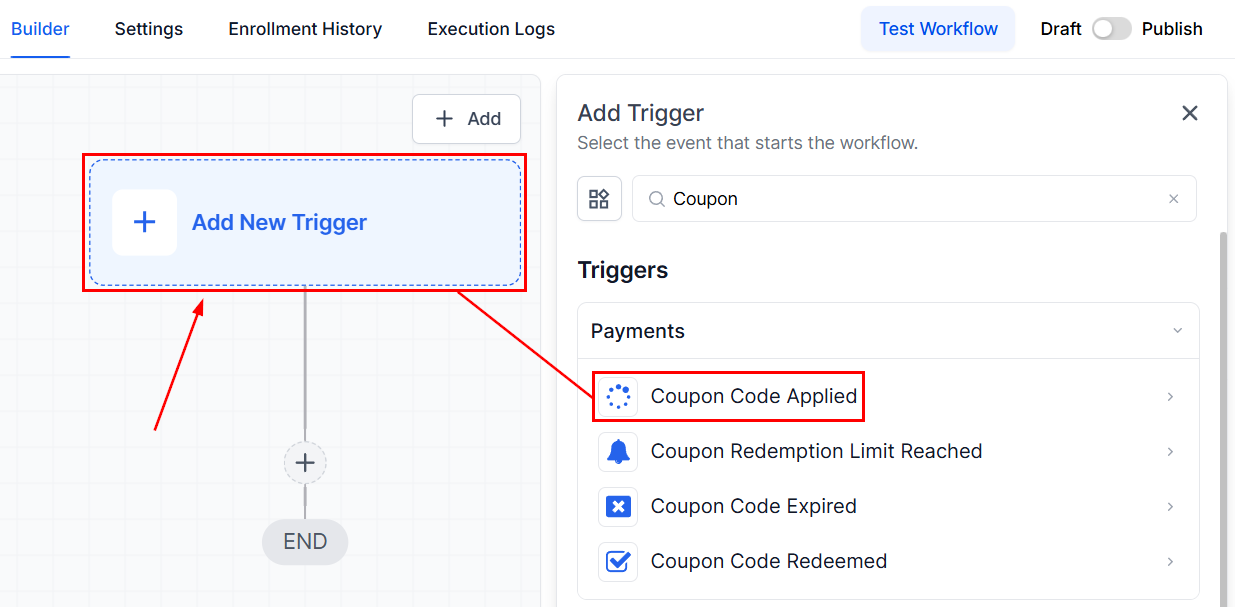
Click + Add New Trigger once you are in the builder and select “Coupon Code Applied” from the available options.
Name Your Trigger
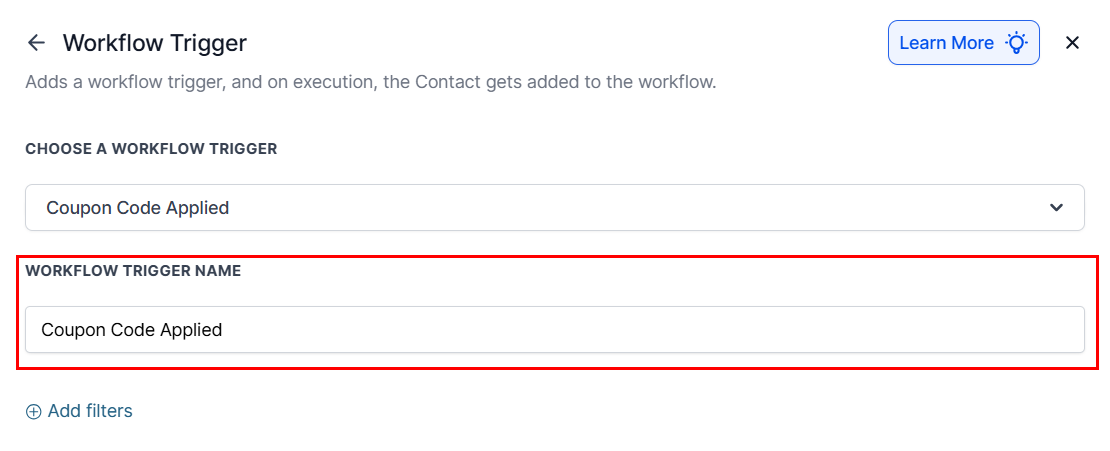
Provide a clear name for other users to easily understand the event that activates the workflow.
Apply Filters to Target Specific Scenarios
Refine your workflow by applying filters.
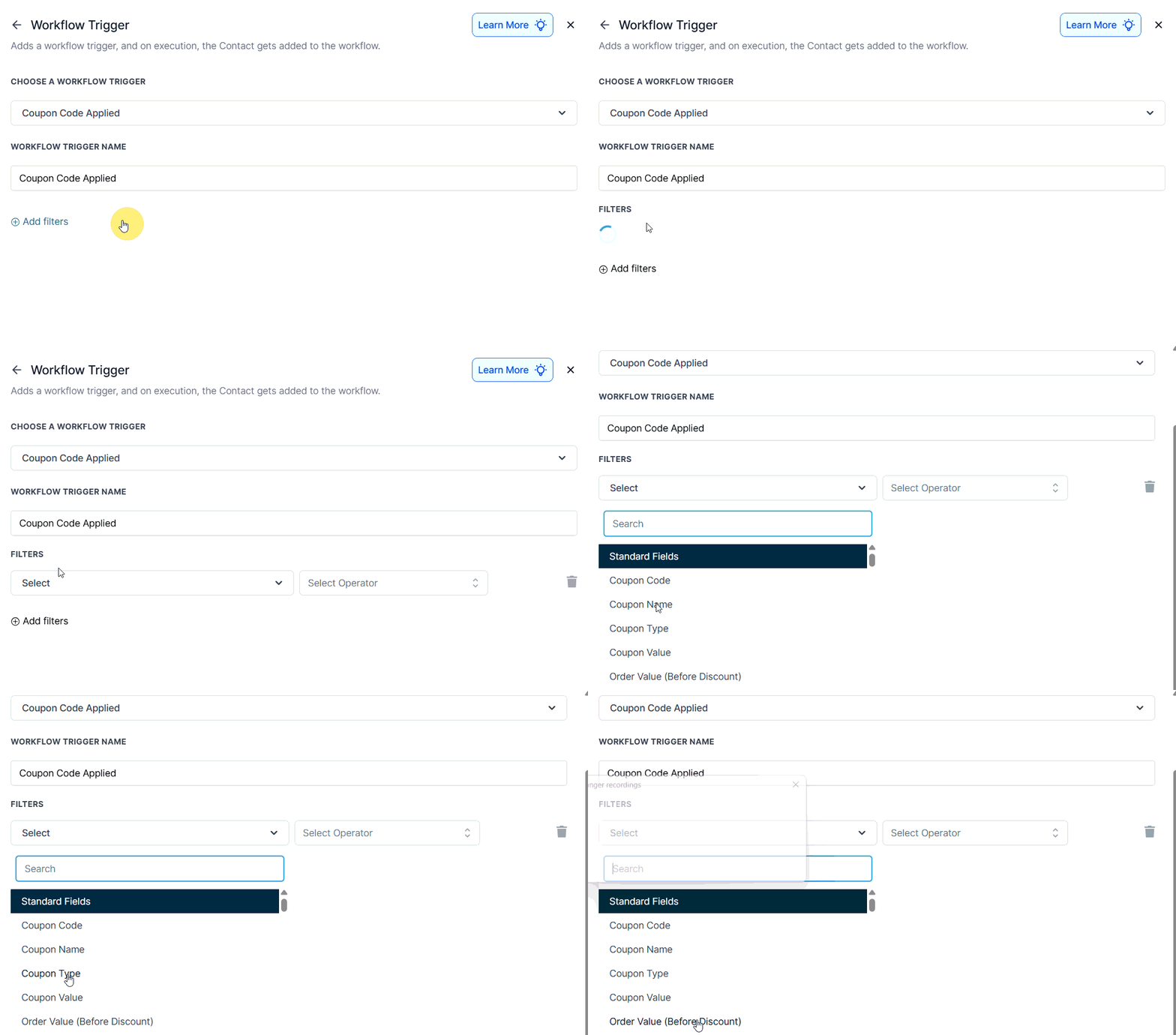
Each filter supports multiple operator types to help tailor your automation to very specific use cases:
Filter | Operators | Input Type |
|---|---|---|
Coupon Code | Is / Is Not / Contains / Does Not Contain | Multi-select dropdown |
Coupon Type | Is / Is Not | Dropdown (Percentage, Fixed) |
Coupon Name | Is / Is Not / Contains / Does Not Contain | Multi-select dropdown |
Order Value (Before Discount) | Greater Than / Less Than / Is / Is Not | Numeric input |
Coupon Value | Greater Than / Less Than / Is / Is Not | Numeric input |
Product(s) in Order | Contains / Does Not Contain | Checkbox (multi-select) |
Product Collection | Contains / Does Not Contain | Checkbox (multi-select) |
Source | Is / Is Not | Single-select dropdown |
Product Type | Is / Is Not | One-time vs Subscription |
Save and Build Your Workflow
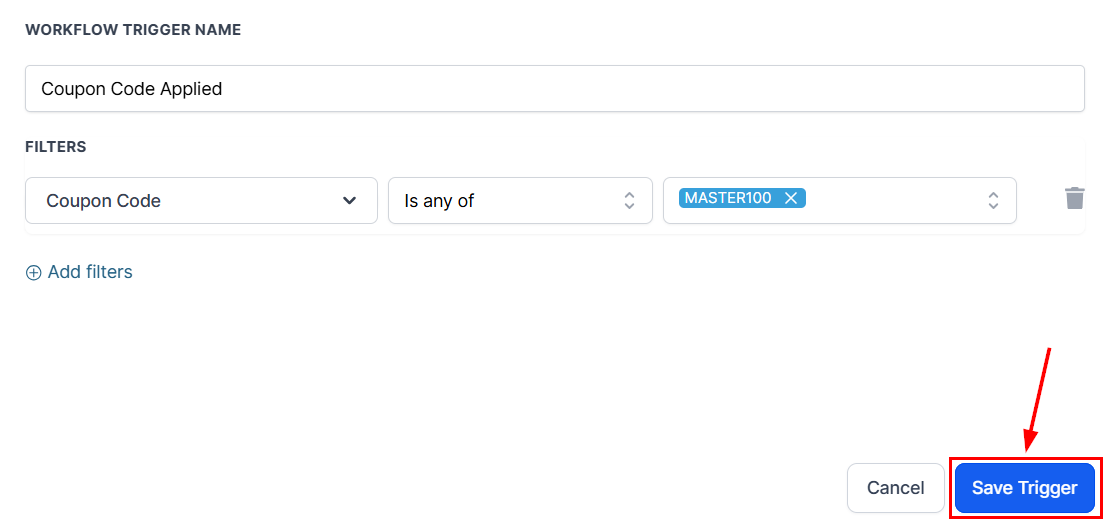
After configuring your trigger and filters, click Save Trigger. Then, begin building your actions and test your workflow using the Test Workflow option before publishing.
Recommended Workflow Actions
Make the most of your automation by layering in relevant actions that align with your business goals:
- Send Email – Send a thank-you, promo follow-up, or upsell offer.
- Assign to User – Route the contact to a sales or support rep for faster follow-up.
- Add Tag – Segment contacts based on coupon usage.
- Internal Notification – Notify your team when key discount codes are used.
- Create/Update Opportunity – Push contacts into your sales pipeline for further nurturing.
The Coupon Code Applied workflow trigger offers a powerful way to monitor coupon usage and automate timely, relevant actions—whether it’s re-engaging customers, assigning leads, or improving internal visibility. By acting in real-time, your team can close sales gaps, reward loyalty, and ensure that every interaction with a discount code is a strategic one.
Frequently Asked Questions
Q: Will the trigger work if the customer doesn’t complete the checkout?
- Yes. This trigger activates as soon as a coupon is applied, regardless of whether the order is completed.
Q: Can I track which products the coupon was applied to?
- Yes. Use the Product(s) in Order, and Product Collection filters to target specific items.
Q: What happens if I don’t add any filters?
- The workflow will trigger for any coupon applied at checkout. It’s best practice to use filters to narrow this down for more strategic targeting.
Q: Can I trigger based on order value before and after discounts?
- Yes. Use Order Value (Before Discount) or Order Value (After Discount) filters with comparison operators.
Q: Are scheduled orders supported?
- No. This trigger only fires when a coupon is actively applied during the checkout process.
Not a Funnelbud customer yet?
Try our all-in-one CRM for sales and marketing — free for 7 days, no commitment.