How to Use Community Tagging Feature
The tagging feature allows users to mention specific members in posts and comments, fostering stronger engagement and helping to maintain organized conversations. This enhances interaction by directly involving relevant participants in discussions.
Tagging in Posts
- Initiating a Tag: When creating a post, simply type the ”@” symbol followed by the first few characters of the member’s name.
- Selecting a Member: As you start typing, a list of relevant members will appear, based on the characters you’ve entered. You can then navigate to the desired name and click on it, or use the arrow keys to highlight it. When you hover over a name, it will be highlighted in blue.
- Inserting the Tag: Once you’ve chosen a member’s name, it will appear in your post content as a highlighted tag.
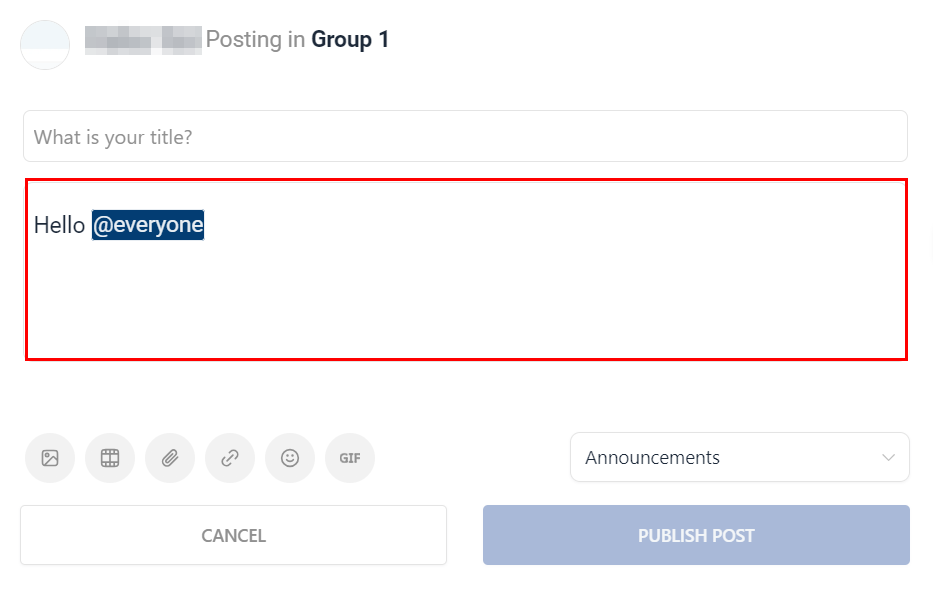
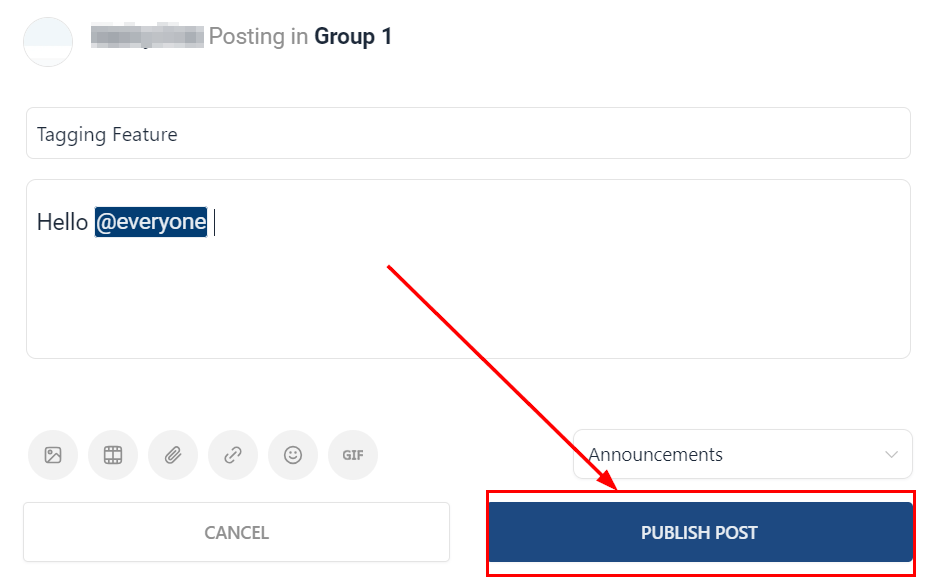
- Publishing: After composing your post, click on the publish button. The members you’ve tagged will receive a notification, informing them that they’ve been mentioned in the post.
Tagging in Comments
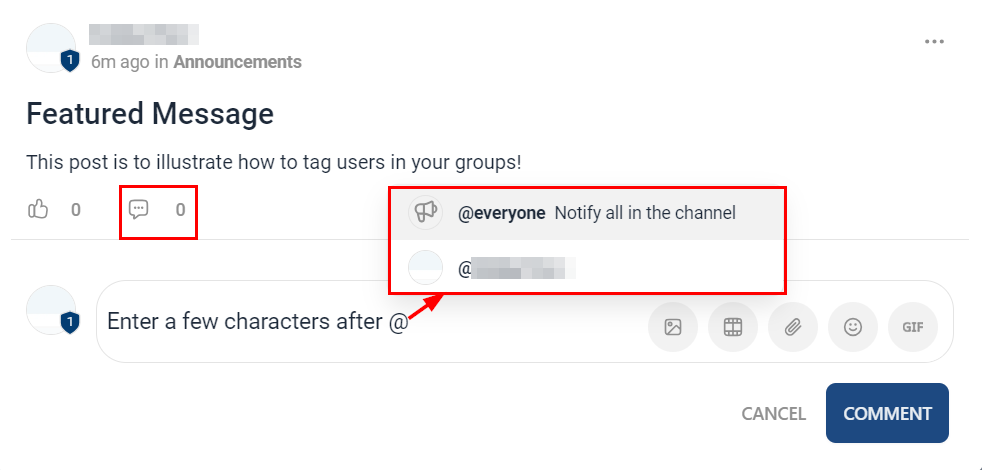
- Starting a Tag: When writing a comment, you can initiate the tagging process by typing the ”@” symbol followed by part of the member’s name.
- Selecting a Member: A dropdown will appear, displaying relevant members based on your input. Hovering over a member’s name will highlight it in blue. You can then click to select the member you want.
- Inserting the Tag: The chosen member’s name will be incorporated into your comment as a highlighted tag.
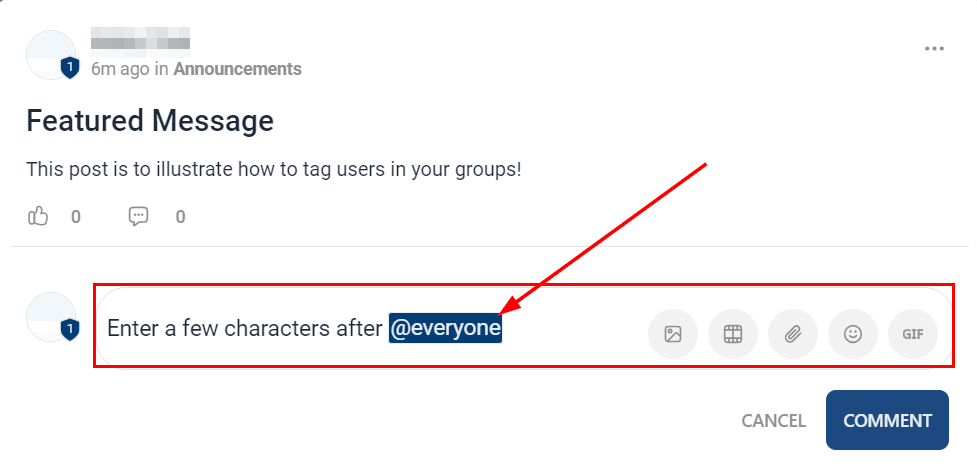
- Publishing: Once you’re satisfied with your comment, proceed to publish it. The members you’ve tagged will receive notifications of their mentions.
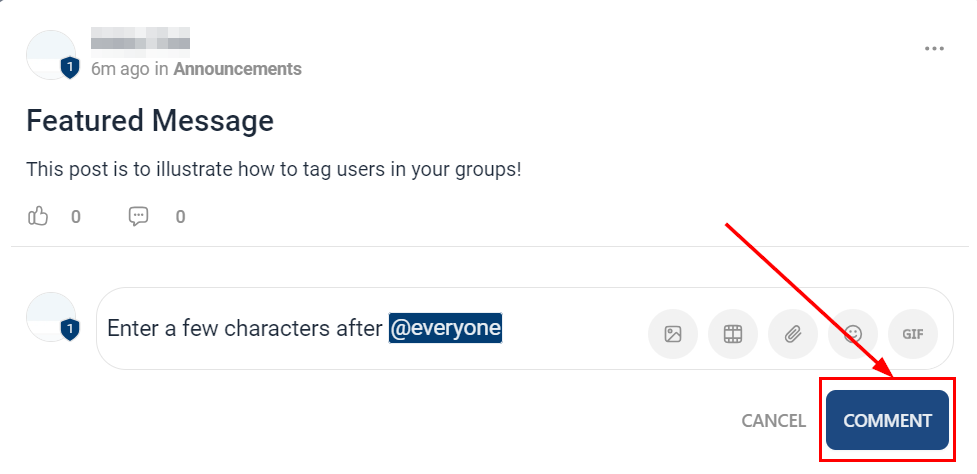
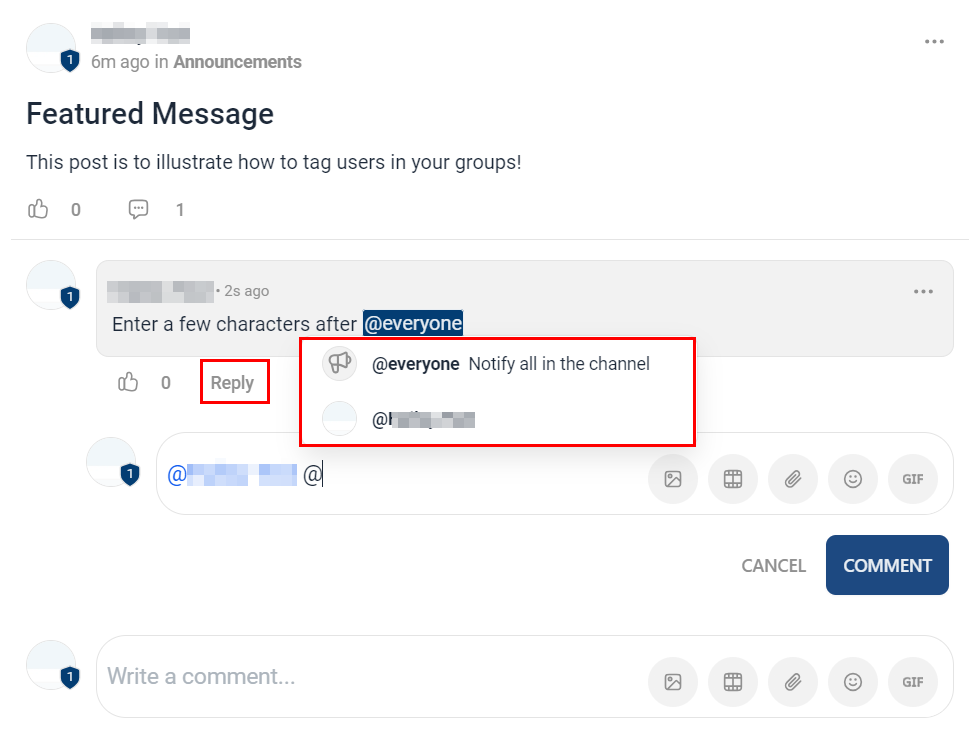
Tagging in Comment Replies
- The tagging feature is not limited to new comments; you can also tag members in responses to existing comments.
Email Notifications for Tags
If someone tags you in a post or comment, our system will send you an email notification to keep you informed. Within this notification, you will find a direct link to the post or comment where you’ve been tagged, making it easy to join the conversation.
Tagging Multiple Members in a Single Comment
It’s important to note that you can tag multiple members in a single comment, allowing you to involve several community members in a discussion.
By following these steps, you can effectively utilize the community tagging feature to engage with your fellow community members and enhance the organization of conversations on our platform.
Frequently Asked Questions
Q: What is the tagging feature in Communities?
- The tagging feature allows users to mention specific members in posts and comments, enhancing engagement and organization of conversations.
Q: How will I know if someone has tagged me?
- When you are tagged in a post or comment, you will receive an email notification. This email will also include a direct link to the content where you’ve been mentioned.
Q: Can I tag multiple members in a single comment or post?
- Absolutely! You can tag as many members as you like in a single comment or post, making it easier to involve multiple community members in a discussion.
Q: How is the tagging feature beneficial for my community engagement?
- Tagging enables more direct and personalized interactions within the community. By tagging members, you can ensure they see relevant content, contribute to discussions, and stay engaged with the community.
Q: Will the tagged member’s name appear differently in the content?
- Yes, after selecting a member’s name, it will be displayed in the content highlighted as a tag, making it distinguishable from the rest of the text.
Not a Funnelbud customer yet?
Try our all-in-one CRM for sales and marketing — free for 7 days, no commitment.