Courses Dashboard
The Courses Dashboard serves as the default home page for course creators, with dynamic and timely insights. It delivers enrollment, revenue, and engagement data in near real time, features a fully responsive layout for any device, and offers quick access to deeper analytics with a single click. This guide walks you through each section of the dashboard so you can confidently interpret key metrics and optimize your course offerings.
📌Note: Dashboard data updates every six hours.
How to Access the Courses Dashboard
To access the Courses Dashboard, navigate to the Memberships section of your account and select the Dashboard option within the Courses menu. Upon opening the dashboard, you will either see sample data or your actual course data, depending on whether courses have already been added to your account.
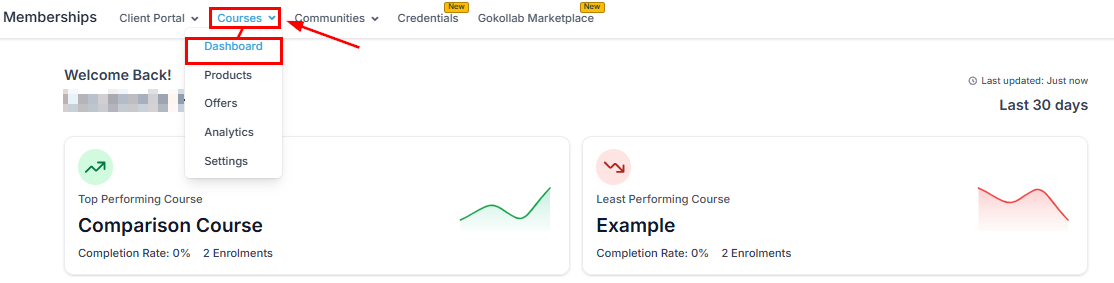
Top & Least Performing Courses
These cards identify which courses show the strongest engagement and which may require refinements.
- Top Performing Course: Highlights the course with the highest engagement in the past 30 days.
- Least Performing Course: Shows the course with the lowest completion or engagement rate.
-
- Completion Rate: Percentage of enrolled learners who completed the course
- Enrollments: Total number of learners who enrolled
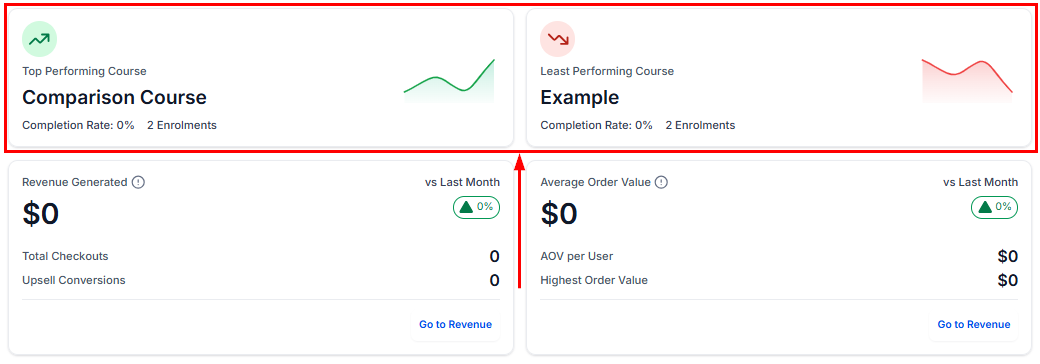
Clicking a course name opens the Course Details Page, where you can examine engagement patterns, content performance, and overall learner activity more deeply.
Revenue Generated
This section provides a clear breakdown of total course earnings over the past 30 days.
- Revenue Generated ($): Total revenue earned
- vs Last Month: Month-over-month percentage change
- Total Checkouts: Number of completed purchases
- Upsell Conversions: Successful upsells through course offers
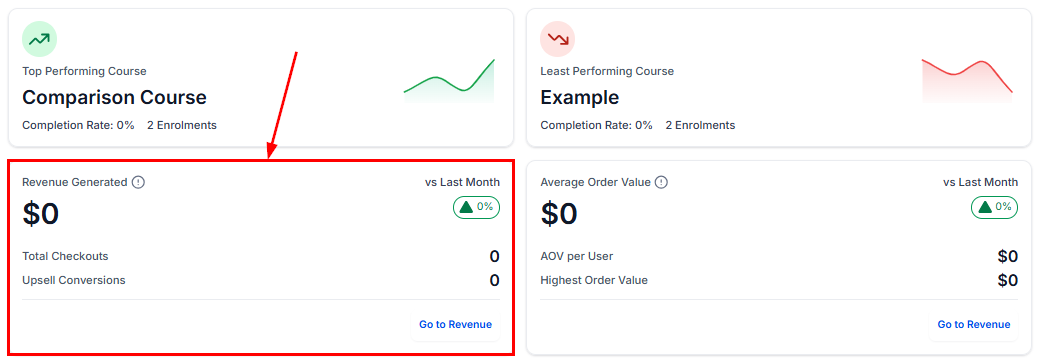
Use the Go to Revenue shortcut to explore transaction-level insights and learner purchase history.
Average Order Value (AOV)
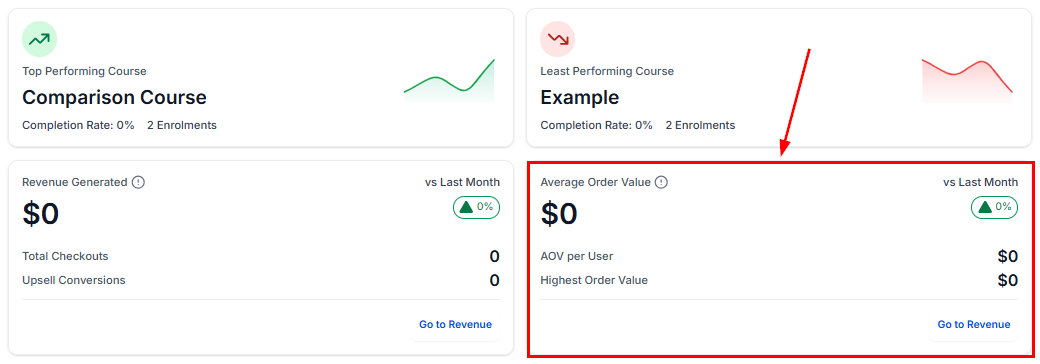
This card reveals how much revenue you earn per learner.
- AOV per User: Total revenue divided by total learners
- Highest Order Value: Largest single purchase in the past 30 days
- vs Last Month: Trend indicator compared to the previous period
Course Progress Funnel
This visual funnel illustrates how learners advance through the course lifecycle.
- Signed Up: Learners who registered
- Started: Learners who began viewing lessons or modules
- Completed: Learners who finished the course
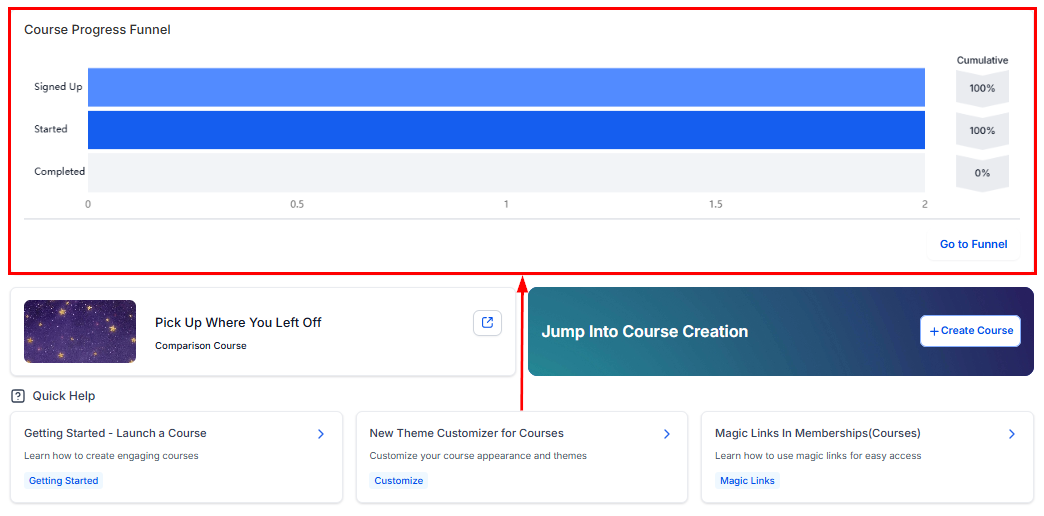
The Cumulative % on the right side shows the proportion of learners who reached each stage.
Select Go to Funnel to access detailed journey analytics and exportable reports.
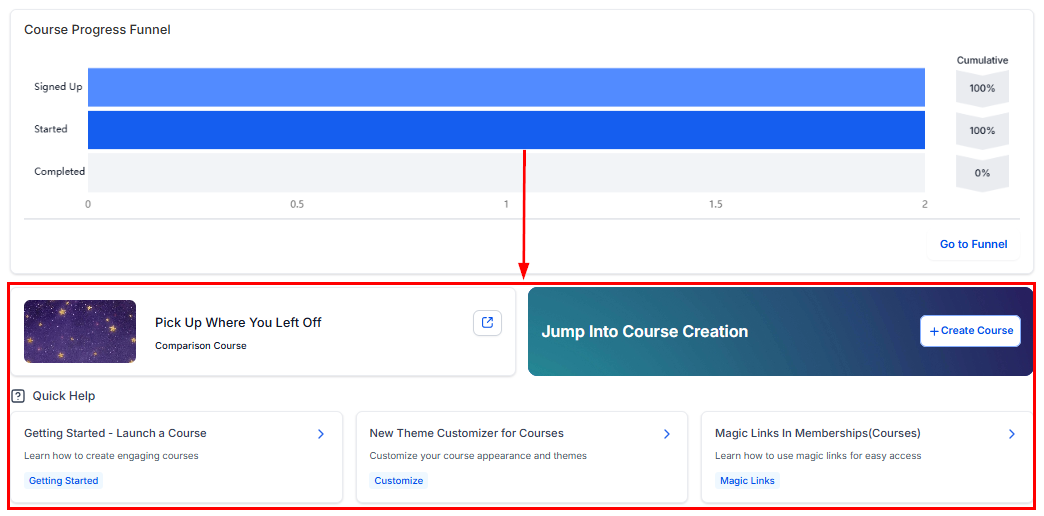
Other Dashboard Actions
After reviewing your metrics, you can use the tiles at the bottom of the dashboard to quickly return to the last course you were editing, create a new course, or explore additional articles related to the Courses feature.
Tips for Maximizing the Dashboard
- Review top vs. least-performing courses to decide where to focus improvements
- Track revenue and AOV trends regularly to measure the impact of pricing or promotional changes
- Monitor the Course Progress Funnel to identify and address learner drop-off points
The Courses Dashboard equips you with the insights needed to understand learner behavior, evaluate performance, and refine your course strategy with confidence. By reviewing these metrics regularly and leveraging the built-in navigation tools, you can make data-driven decisions that enhance both course quality and business outcomes.
Frequently Asked Questions
Q: Do I need to migrate anything to use the new dashboard?
- No. All course data is already integrated and will appear automatically.
Q: Why am I not seeing revenue data?
- Revenue metrics appear after at least one paid checkout is processed.
Not a Funnelbud customer yet?
Try our all-in-one CRM for sales and marketing — free for 7 days, no commitment.