Importing Courses from Kajabi
Our CRM includes a user-friendly migration feature that allows you to seamlessly import courses from Kajabi, preserving the integrity and accessibility of your content. This comprehensive guide will lead you through each step of the migration process, providing detailed instructions, practical examples, and troubleshooting tips to ensure a smooth transition.
📌NOTE: Only published lessons will be imported, while assignments, quizzes, and assessments are excluded from the import process. For optimal results, use the “Encore Site” theme for the Library section and the “Premier Product” theme for the Product section.
Initiating the Import
Start by heading to the Product section of the Courses tab inside the Membership Area.
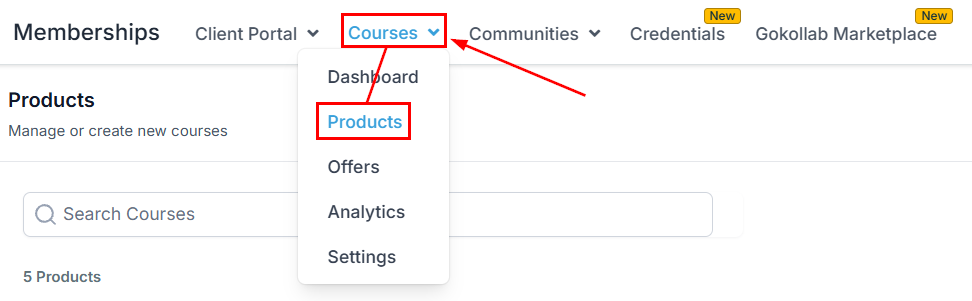
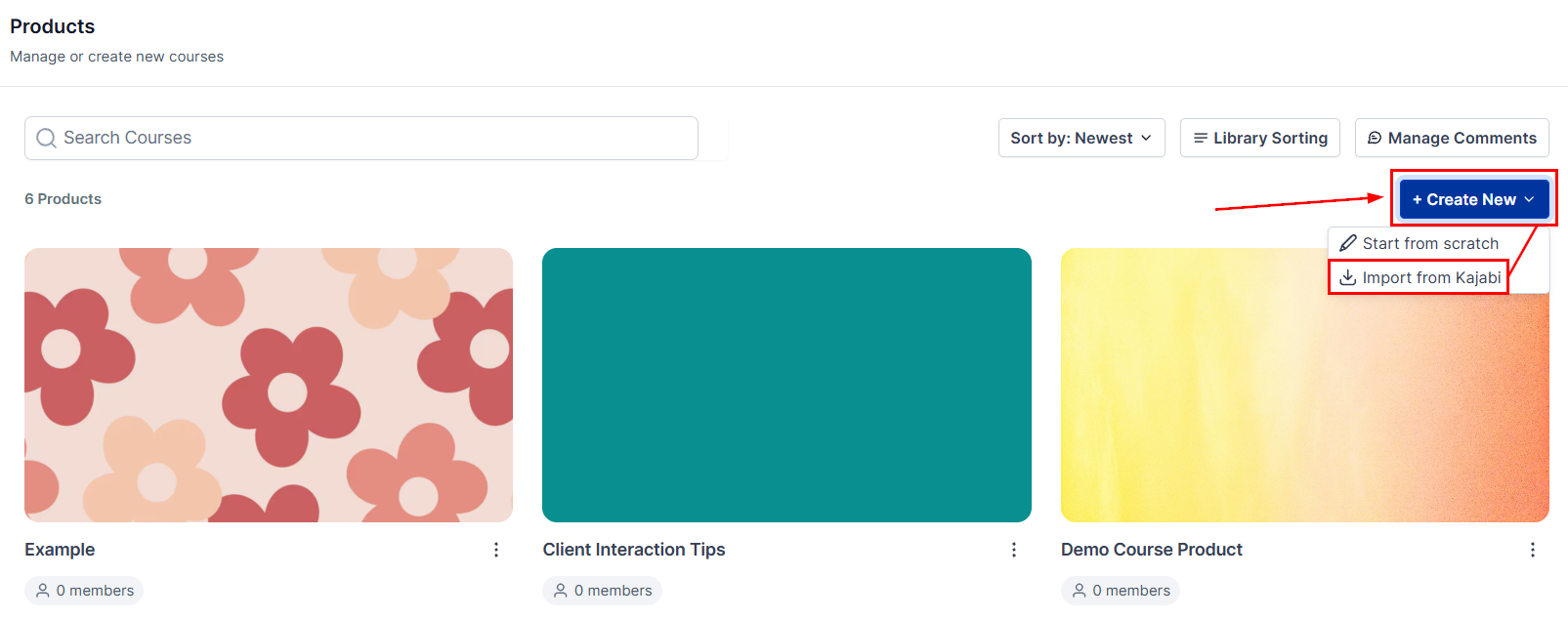
Click Create Product, and choose the Import from Kajabi option.
Enter Required Information
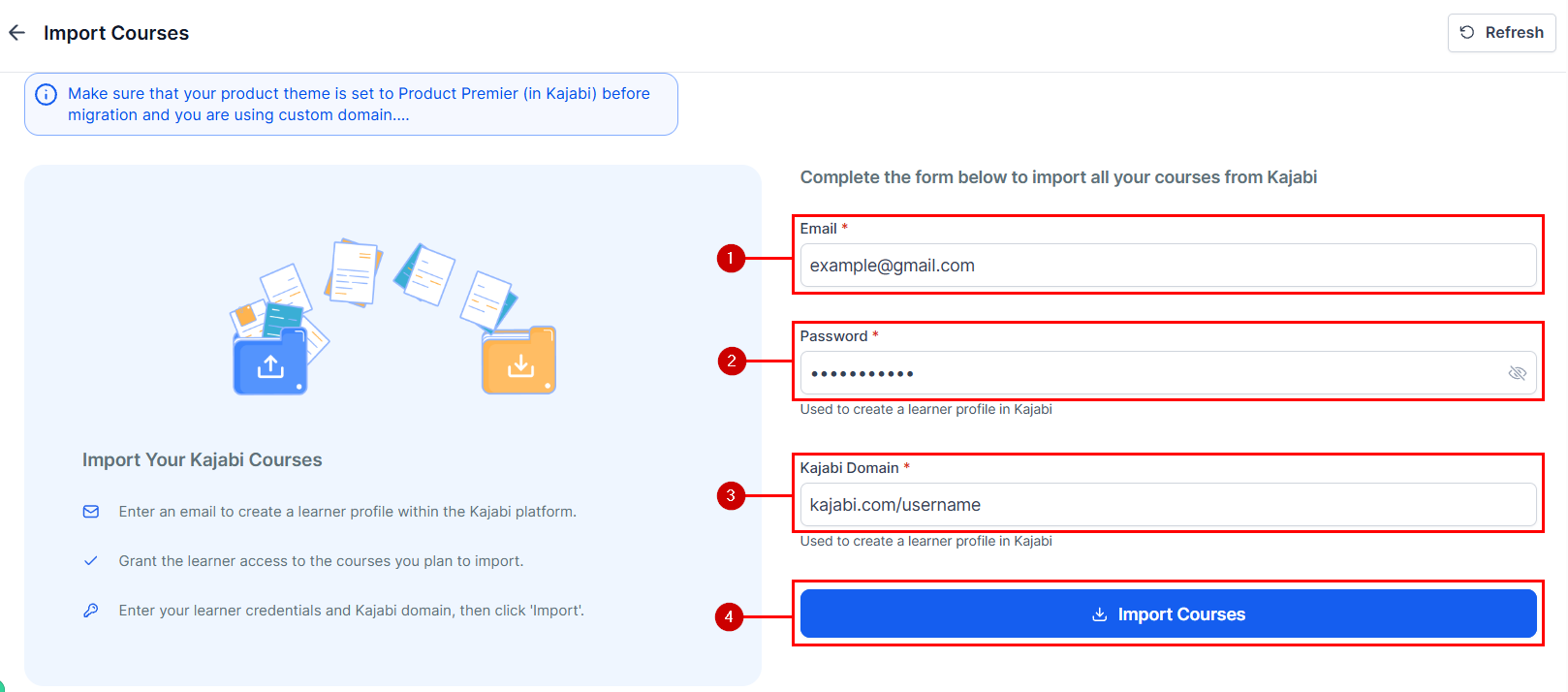
Provide the email (1), password (2), and domain (3) associated with your Kajabi courses, then click Import Courses (4) to start the process.
Whether you are transitioning your entire educational platform or selectively migrating courses, the CRM ensures that your content remains intact and easily accessible with the option to import your course from Kajabi.
Frequently Asked Questions
Q: What Causes a “Course Import Failed” Error?
- A: The “course import failed” error can occur due to several factors. Below are the most common reasons for import failure:
Incorrect Theme Selection: Ensure that the theme selected during the import process is appropriate for the course content.
Credential Verification: Double-check the credentials provided, including the username and password, to ensure they are accurate.
Domain Compatibility: Confirm that the provided domain is correct and compatible with the “/login” path. For example, “domainName/login” should successfully direct you to the login page.
Cancellation Clarification: If the import process is canceled by the user, it will be marked as canceled. Any subsequent import attempts will need to start from the beginning.
Q: What Causes an Authentication Error?
- A: Authentication errors typically occur when the domain or credentials provided are incorrect. To resolve this issue, carefully review and verify the credentials before initiating the import process to ensure they are accurate.
Not a Funnelbud customer yet?
Try our all-in-one CRM for sales and marketing — free for 7 days, no commitment.