Contact Engagement Score Trigger
The Contact Engagement score gives a numerical value to the level of activity of a contact. If they are interested in your business and respond to your campaigns, the number rises; if they are not as active, the number lowers. With the Contact Engagement Score Trigger, you can easily separate your contacts based on that number and market to the group that needs it the most.
This trigger in the contact section will start your workflow when a contact’s engagement score changes.
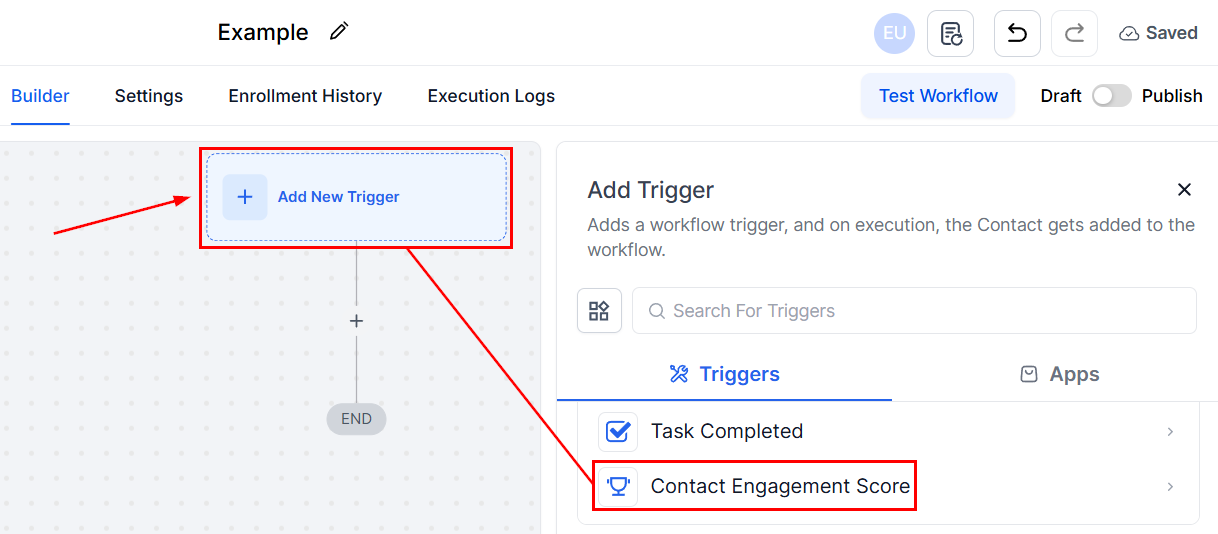
By setting a filter, you can make it trigger on specific values. The parameters you can set are:
- Equal to a score: Adds all contacts whose score gets or drops to that number.
- Not equal to a score: Adds all contacts whose score passes or drops from that number.
- Greater than a score: Adds all contacts who score higher than the specified number.
- Greater than or equal to a score: Contacts with the specified number and up get added.
- Less than a score: Adds all contacts who score lower than the specified number.
- Less than or equal to a score: Contacts with the specified number and below get added.
- Is empty
- Is not empty
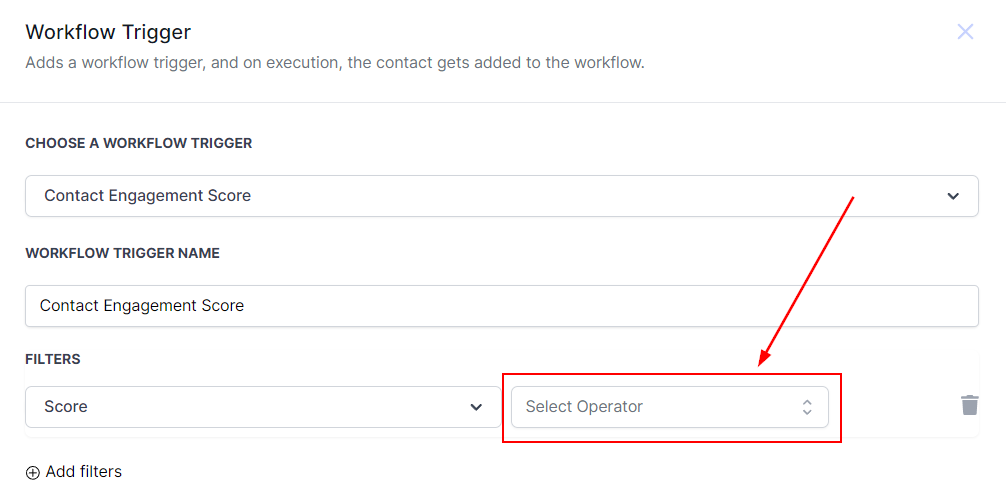
Let’s focus on options 1 through 6, since they allow you to set the base number. Please note that the lowest available number is 0.
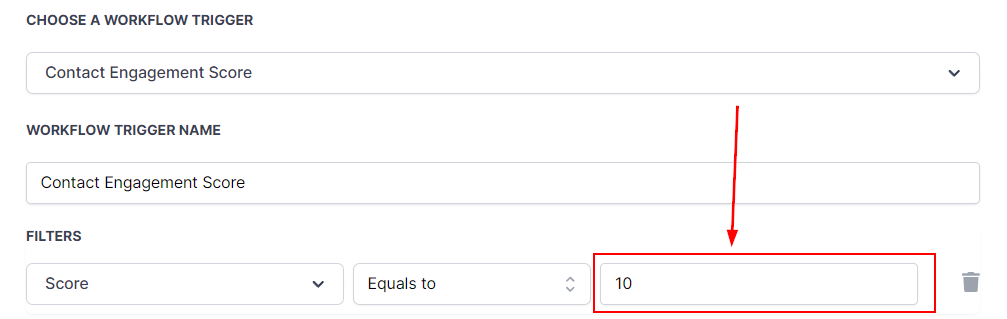
With that set, you can start building your workflow and efficiently reward customers who are engaging with your business, nurture those who might be losing interest, and clean up your lists. We hope that this guide helps you achieve whatever that goal might be!
Not a Funnelbud customer yet?
Try our all-in-one CRM for sales and marketing — free for 7 days, no commitment.