Find Object Record / Company Action
The Find Object Record action allows workflows to search your account for a specific custom object record using values passed from an Inbound Webhook trigger. By mapping fields from the webhook payload to corresponding object fields, this action dynamically locates the matching record so you can perform the necessary actions on it.
📌Note: This action is also available in Company-based workflows as Find Company, enabling users to locate company records using webhook data.
If the workflow begins with the same object as its trigger (e.g., “Car created” or “Company created”), this action is skipped automatically to prevent unnecessary lookups.
How It Works
Navigate to the desired company or object-based workflow in your account. From there, add an Inbound Webhook trigger as the action reads its payload (body and headers) to map incoming values.
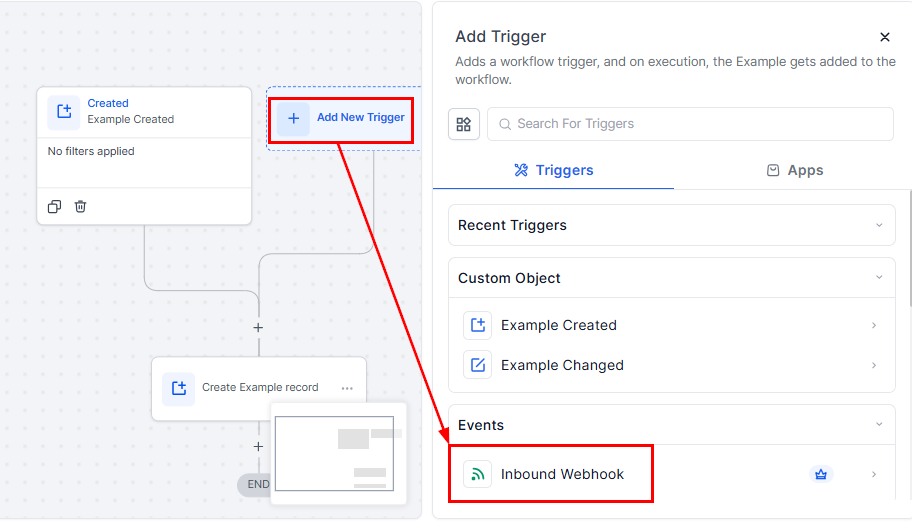
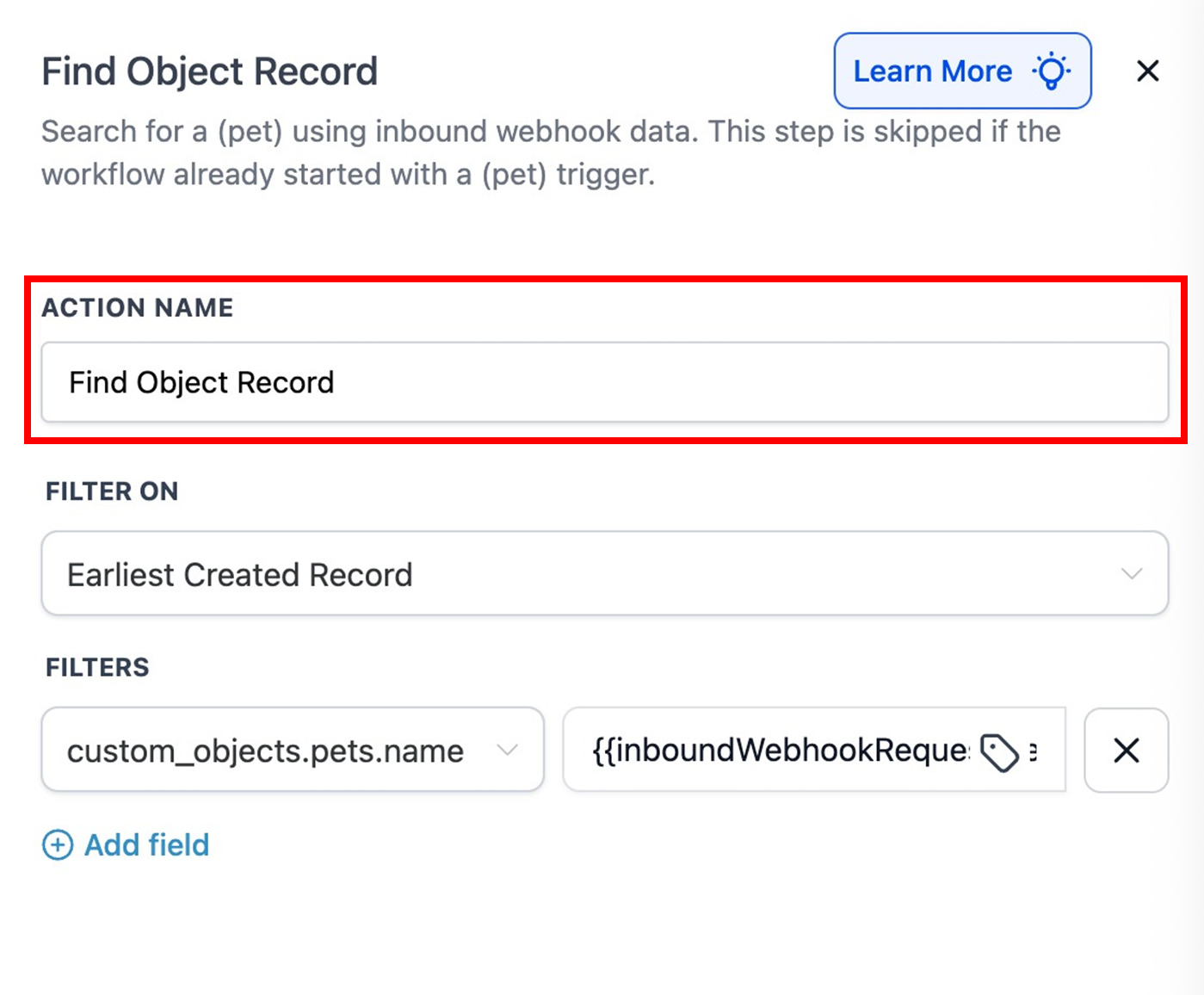
Next, add the Find Object Record or Find Company action and update the name as desired.
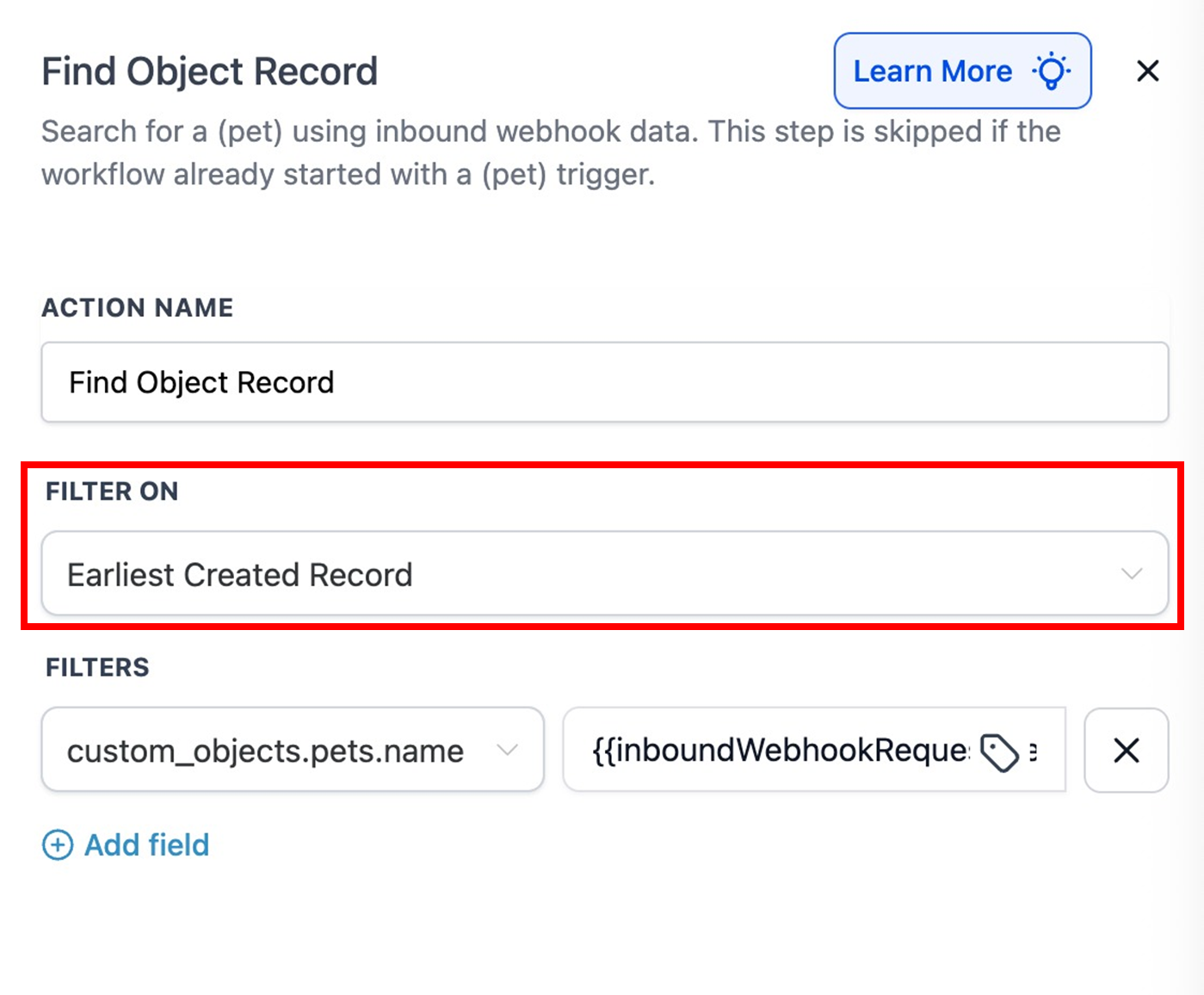
Filter On
Choose one of the following rules to resolve duplicates: Earliest Created Record or Latest Created Record.
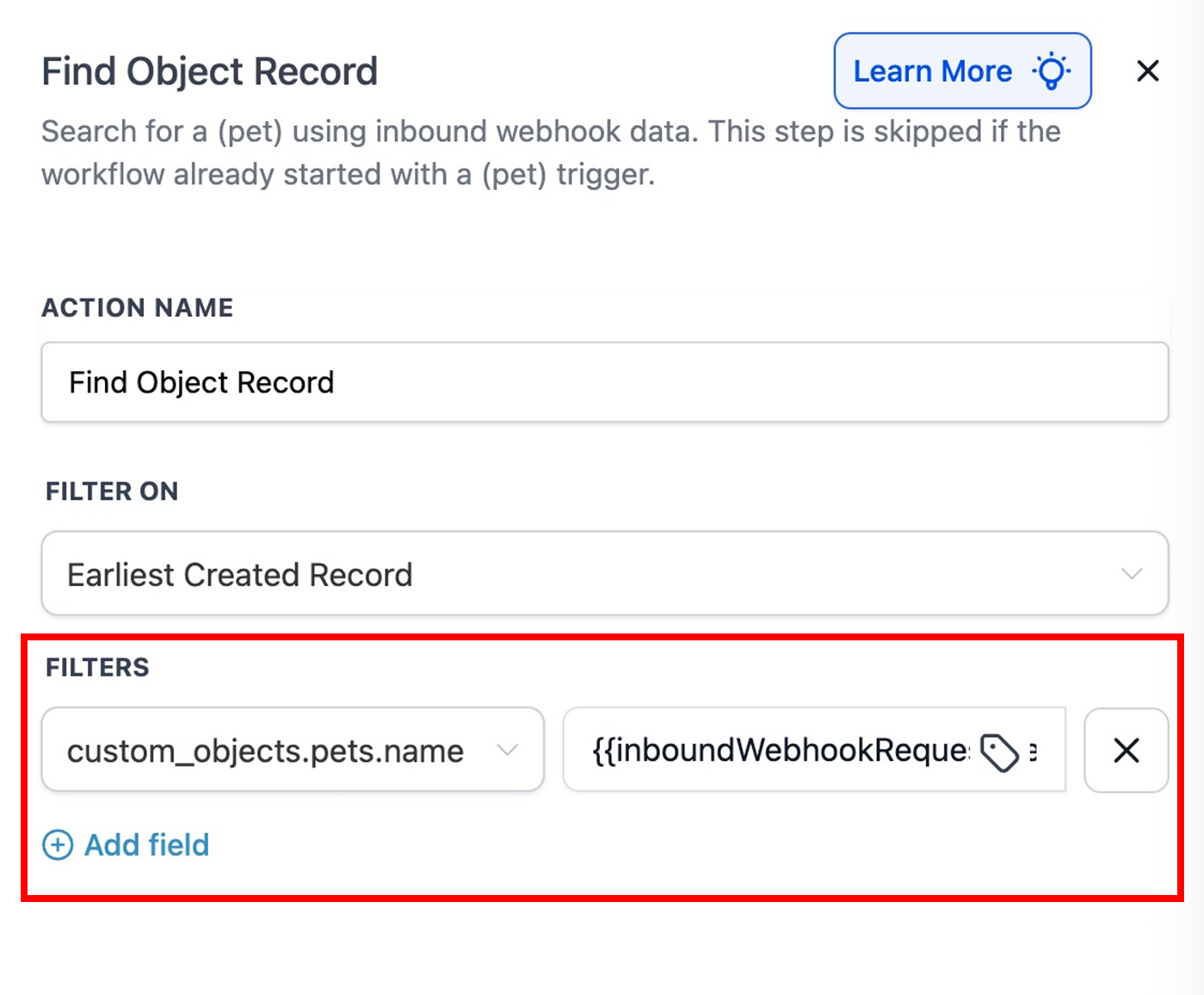
Filters
Add one or more filters to define how records are matched.
🌟Tips:
- Prefer unique identifiers (Record ID, External ID, Domain) for accurate matching.
- Add extra filters (status, location, or type) to reduce ambiguity.
The Find Object Record action bridges incoming webhook data with CRM automation, ensuring your workflows respond intelligently to real-time events. By dynamically locating or creating records based on webhook payloads, it enhances data integrity, minimizes duplication, and supports cleaner, more efficient workflow automation.
Best Practices
- Ensure webhook payloads contain clean, structured values (string, number, boolean).
- Normalize data (e.g., casing, whitespace) in the source system for consistent matching.
- Always test the action with sample payloads in a staging environment before deployment.
Examples
Example 1: Find a Pet by Name (Webhook → Lookup)
Goal: Locate a Pet record using the incoming petname value.
Setup
- Filter On: Earliest Created Record
- Filters: Pet Name =
{{inboundWebhookRequest.body.petname}} - Flow: Webhook triggers with
{ "petname": "snowy" }. Action finds the Pet where Pet Name = “snowy”. - Record Found: Update Pet status and notify the owner.
- Record Not Found: Create a new Pet record named “snowy” and tag it for review.
Example 2: Find a Subscription by External Reference
Goal: Identify a Subscription record using the webhook’s subscription_ref value.
Setup
- Filter On: Latest Created Record
- Filters: External Reference =
{{inboundWebhookRequest.body.subscription_ref}}.Status = Active (optional safety filter) - Flow: Webhook arrives with
subscription_ref. Action finds the latest active Subscription with that reference. - Record Found: Update plan fields and enqueue renewal emails.
- Record Not Found: Create a placeholder Subscription and alert Finance.
Example 3: Find a Company by Domain
Goal: Use a lead-generation webhook to match a Company by its domain.
Setup
- Filter On: Latest Created Record
- Filters: Domain =
{{inboundWebhookRequest.body.companyDomain}} - Flow: Webhook triggers with
{ "companyDomain": "acme.com" }. Action finds the Company record where Domain = “acme.com”. - Record Found: Enroll the Company in the Onboarding workflow.
- Record Not Found: Create a new Company record with domain “acme.com”.
Not a Funnelbud customer yet?
Try our all-in-one CRM for sales and marketing — free for 7 days, no commitment.