Gather Input On Call Action
The Gather Input On Call (IVR) action collects input from callers using DTMF (Dual Tone Multi-Frequency) keypresses. Based on these responses, the system can trigger different branches within the workflow, allowing for tailored experiences such as directing calls to specific departments or triggering automated responses. For example, callers may be asked to “Press 1 to speak to support” or “Press 2 to leave a message.” By capturing these inputs, businesses can direct calls more efficiently and enhance the caller experience.
How It Works
Navigate to a workflow with the Start IVR Trigger added, then click the “+” icon to select the Gather Input On Call action from the actions list.
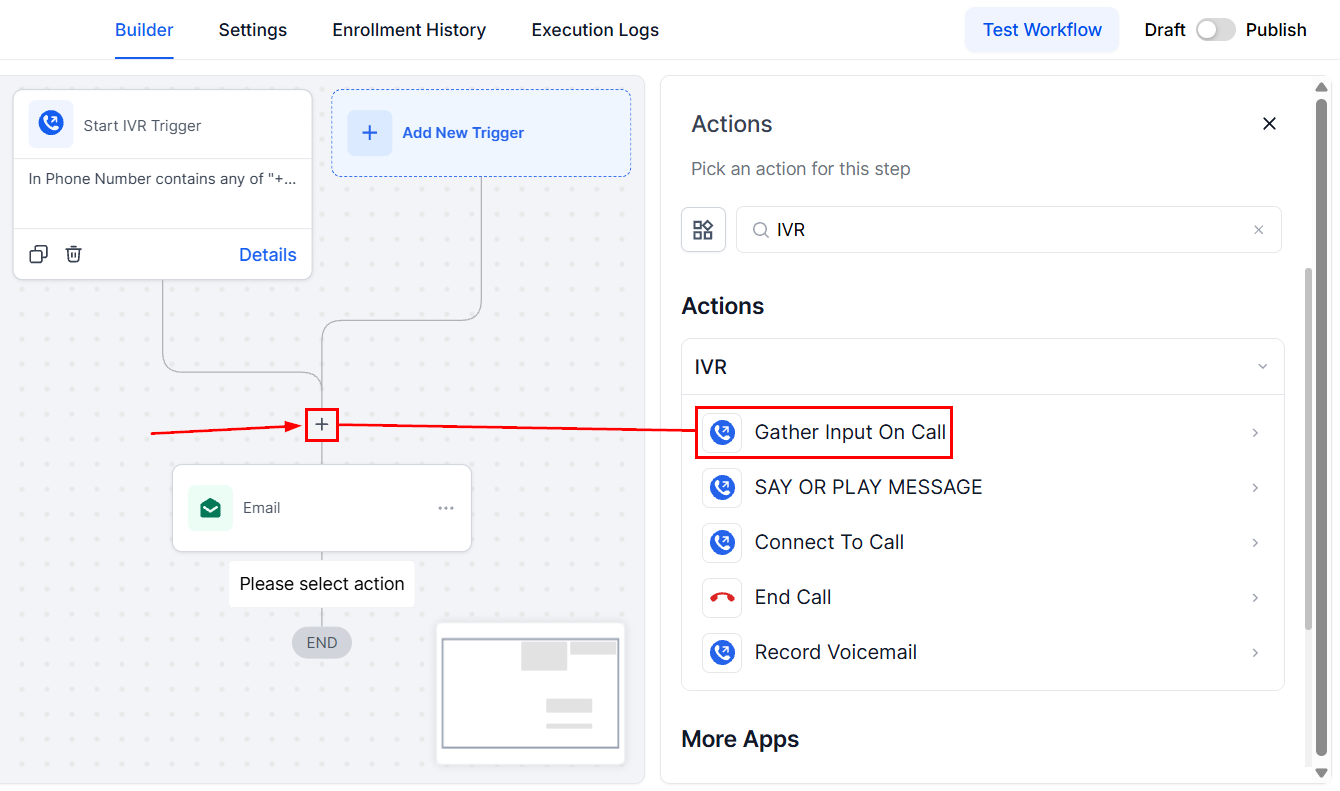
Action Name
Enter a descriptive name for the IVR action.
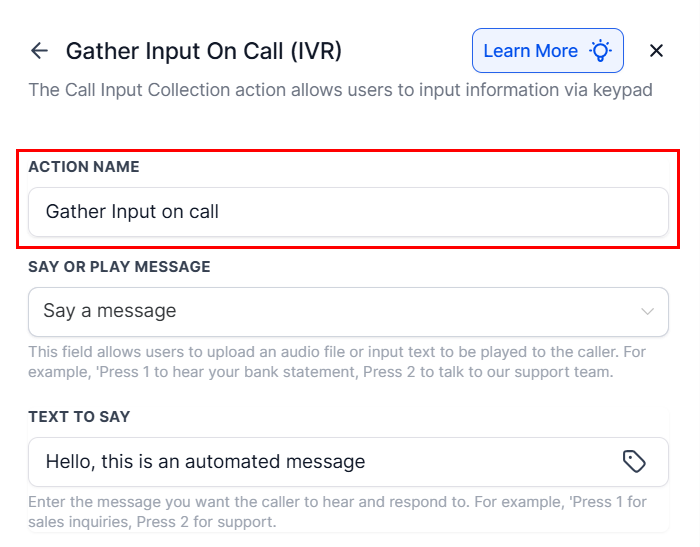
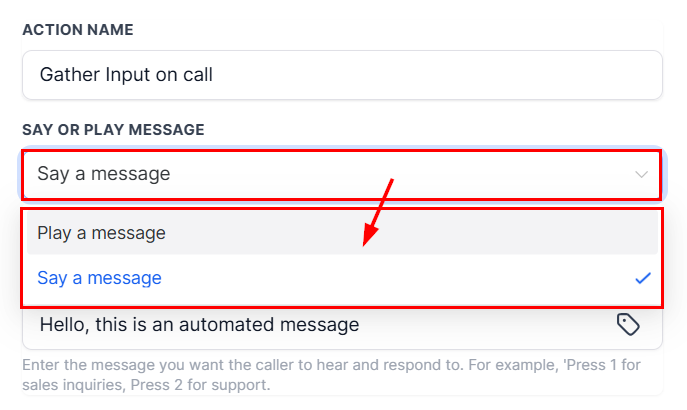
Say or Play Message
Choose between text-to-speech or an uploaded audio file.
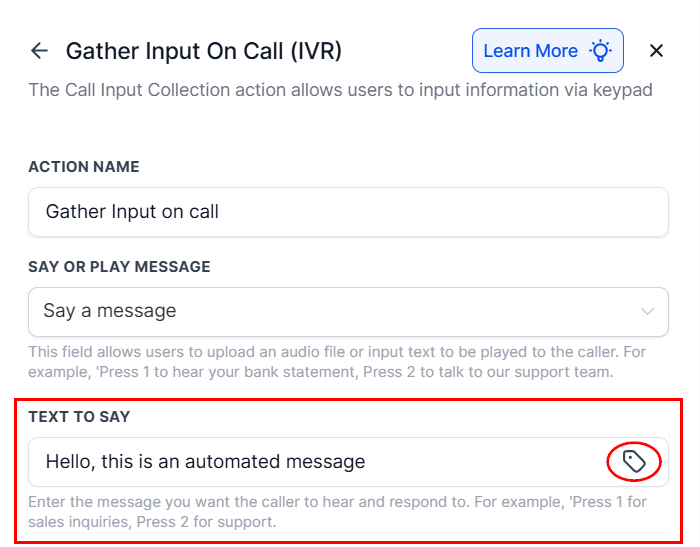
Text to Say
If text-to-speech is selected, input the message you want the caller to hear. Enhance the interaction by using custom values from the tag icon.
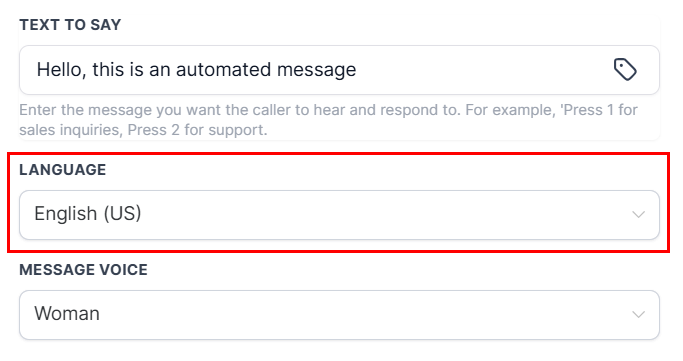
Language
Select the language for the text-to-speech message.
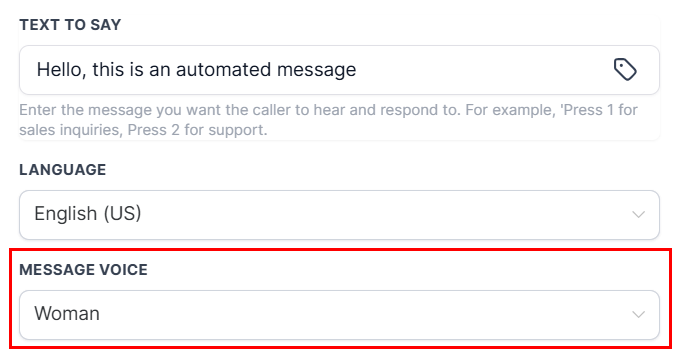
Message Voice
Choose between a male or female voice for the message.
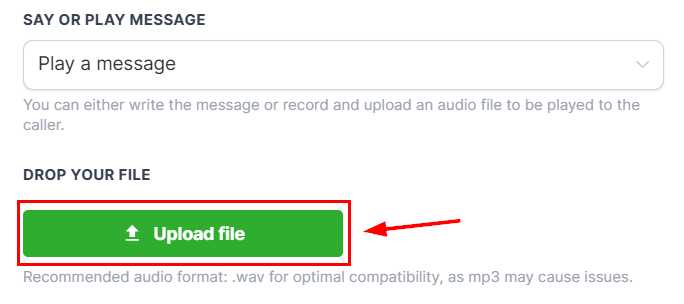
Upload
If the “Play a Message” option was chosen, use the “Upload File” button to insert the audio to be played.
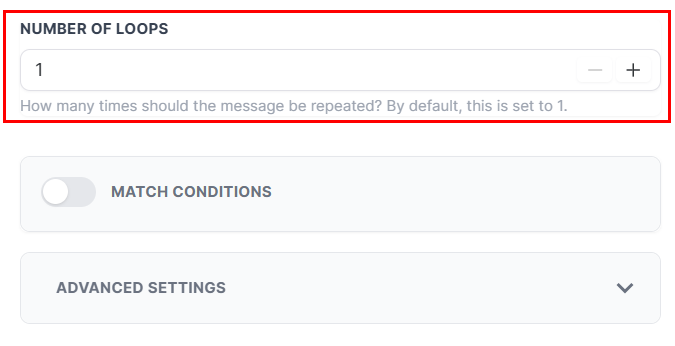
Number of Loops
Define how many times the message should repeat if no input is received.
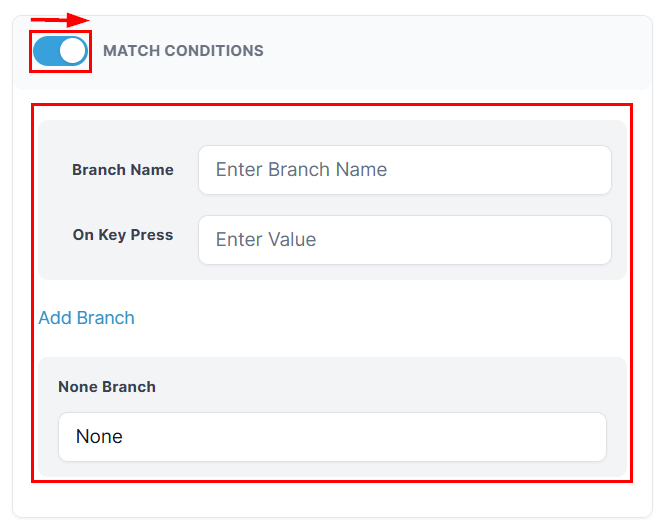
Match Conditions
Enable this feature to define conditional branches based on keypress values (e.g., 1 = Support).
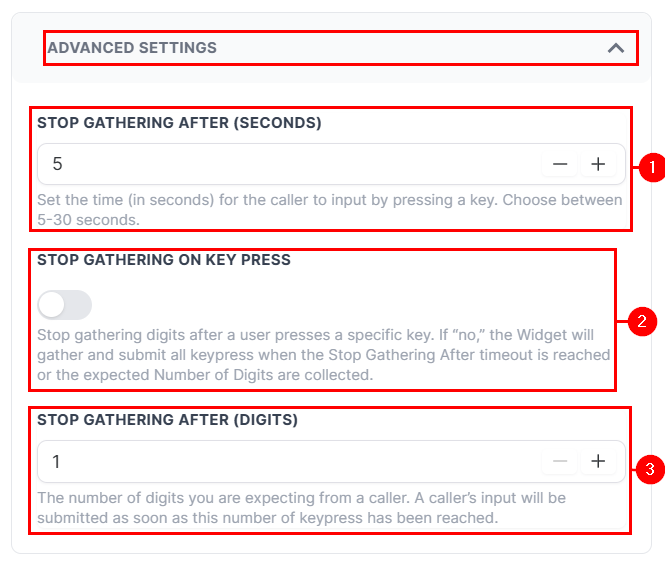
Advanced Settings
Expand the Advanced Settings to set a timeout (in seconds) to end input gathering if no response is received (1), activate the switch to stop gathering as soon as a key is pressed (2), or define the number of digits to collect before stopping input (3).
Save
After verifying your selections, click the Save Action button to load the action to your builder.
The Gather Input On Call action is a critical component for building intuitive, self-service IVR experiences. It allows businesses to automate call handling, reduce wait times, and route callers efficiently based on their input. By leveraging this feature, you can streamline operations while delivering a responsive and professional caller experience.
Example Scenario
An institution wants to guide callers to the appropriate department via IVR.
- Message: “Press 1 to hear the date and time of your appointment, Press 2 to connect with an agent, or Press 3 to exit.”
- Outcomes:
-
- Pressing 1: Routes the caller to a flow that plays their appointment details using the Say/Play (IVR) action.
- Pressing 2: Connects the caller directly to a customer support agent using the Connect Call (IVR)
action. - Pressing 3: Ends the call after a thank-you message.
Not a Funnelbud customer yet?
Try our all-in-one CRM for sales and marketing — free for 7 days, no commitment.