How to Cancel Yext Listings
The Automated Cancellations for the Listings feature is designed to provide users with greater control, efficiency, and ease in managing their listings. By streamlining the cancellation process, we aim to ensure that managing listings is as effortless as possible.
📌Note: Listing Add-on Cancellation is only applicable for those who have submitted the form 30 days before initiating the cancellation request
Follow these steps to utilize the Automated Cancellations feature:
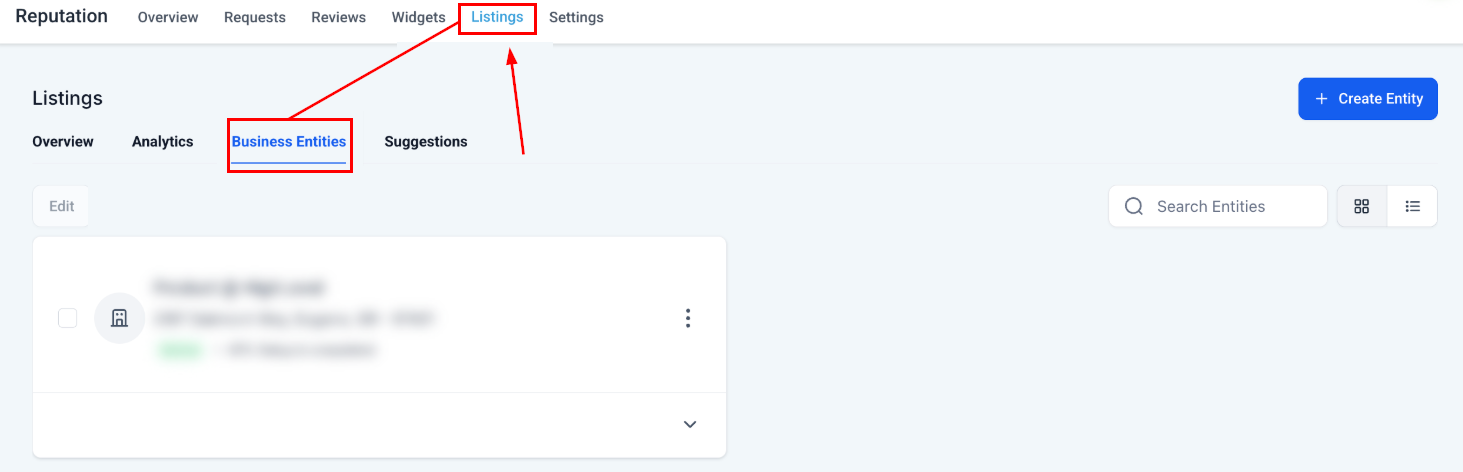
Head to the Listings tab inside the Reputation section. On the secondary navigation ribbon, select Business Entities.
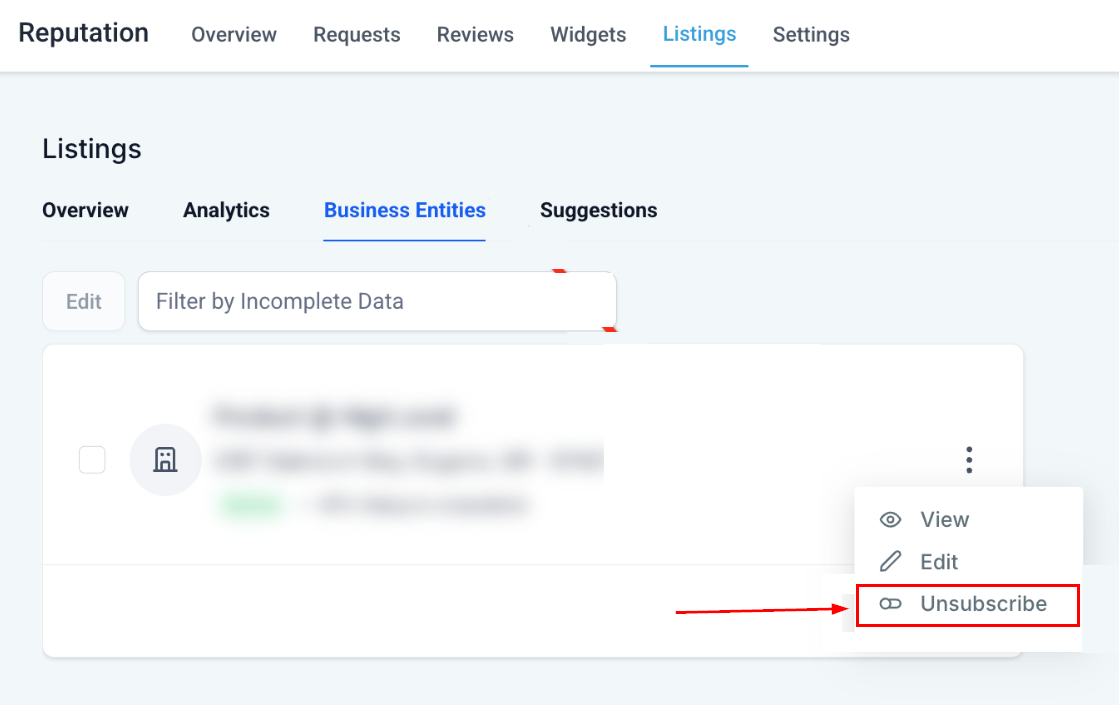
Click the 3 dots icon next to the business and from the dropdown, select Unsubscribe.
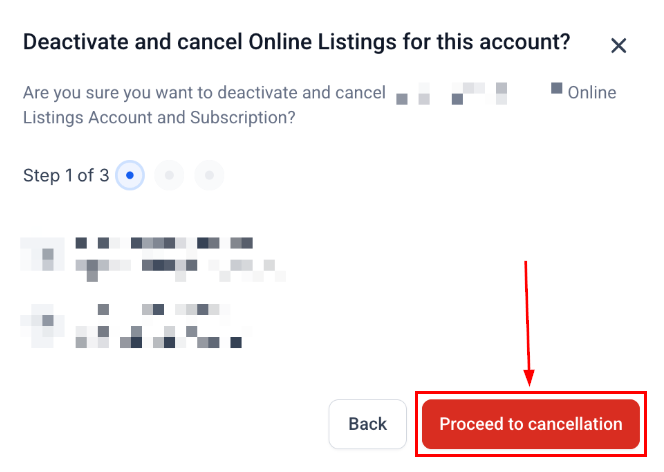
Proceed to cancel.
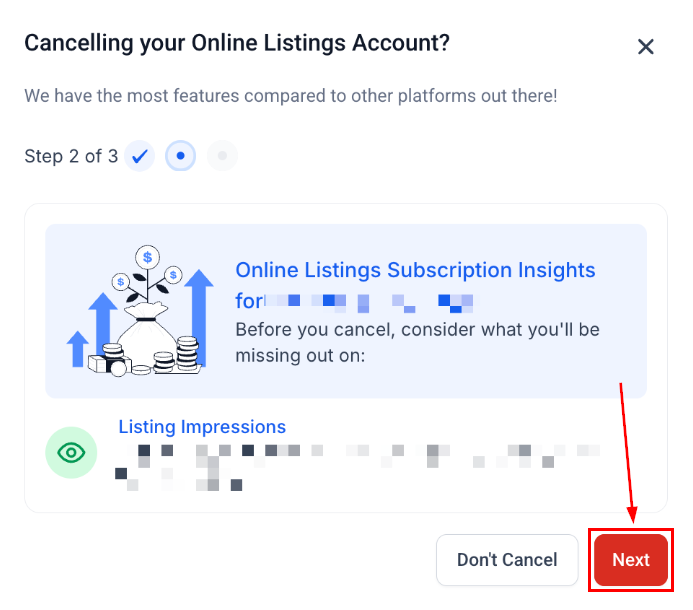
Confirm your decision to cancel by clicking Next.
And provide a reason for the cancellation.
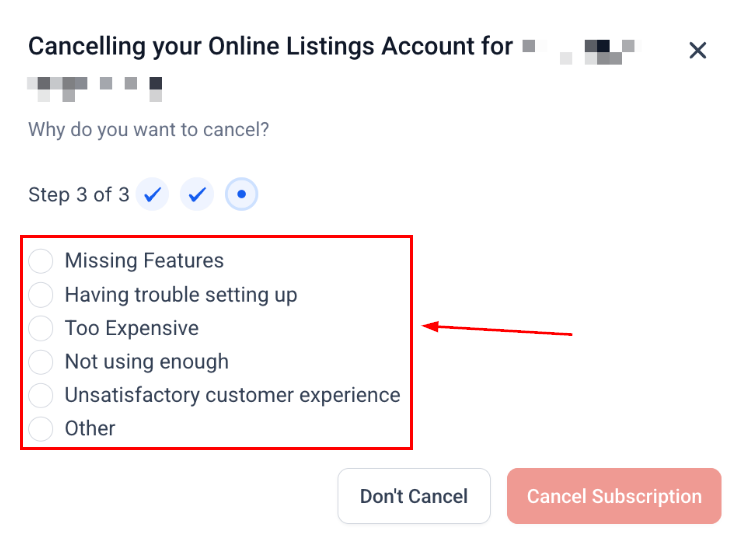
The system will seamlessly process the cancellation, updating your listings accordingly.
Frequently Asked Questions
Q: What should I do if the cancellation fails?
- If your cancellation attempt fails, an error message will be displayed. In such instances, please submit a cancellation request to our support team for assistance.
Q: Can I reactivate Listings after cancellation?
- Yes, you can reactivate Listings at any time by following the setup process within your sub-account.
Q: Will my business information be removed from directories after cancellation?
- No, the information will remain, but will no longer be actively managed or updated through your CRM.
Q: Is there a cancellation fee or penalty?
- No. You can cancel Listings at any time with no additional fees. Billing stops immediately upon cancellation.
t team for assistance.
Not a Funnelbud customer yet?
Try our all-in-one CRM for sales and marketing — free for 7 days, no commitment.