How to Utilize the 'What's New' Button for Calendar Updates
The ‘What’s New’ button in Calendars is a valuable resource for keeping your platform at the forefront of innovation. By regularly reviewing and adopting new functionalities, you ensure that your system remains optimized for growth and tailored to your business needs, allowing you to leverage the latest advancements.
Benefits of the ‘What’s New’ Button
The introduction of the ‘What’s New’ button in Calendars brings several key benefits to users:
- Effortless Discovery: With this feature, staying informed about the latest updates is seamless. It ensures that you’re always in the loop, without the need to manually search for new features.
- Quick Access: Beyond discovering new features, the ‘What’s New’ button allows immediate activation or further exploration through available Help Docs. This ensures you can quickly integrate these updates into your workflow.
- Tailored User Experience: Recognizing that not every feature fits every business, this button also offers the option to opt out of specific updates, allowing for a more customized CRM experience.
Using the ‘What’s New’ Button
To make the most out of this feature, follow these simple steps:
Navigate to Calendars
Select the Calendars tab from the left navigation menu. You will find the “What’s New: Calendar Updates” option in the top right corner.
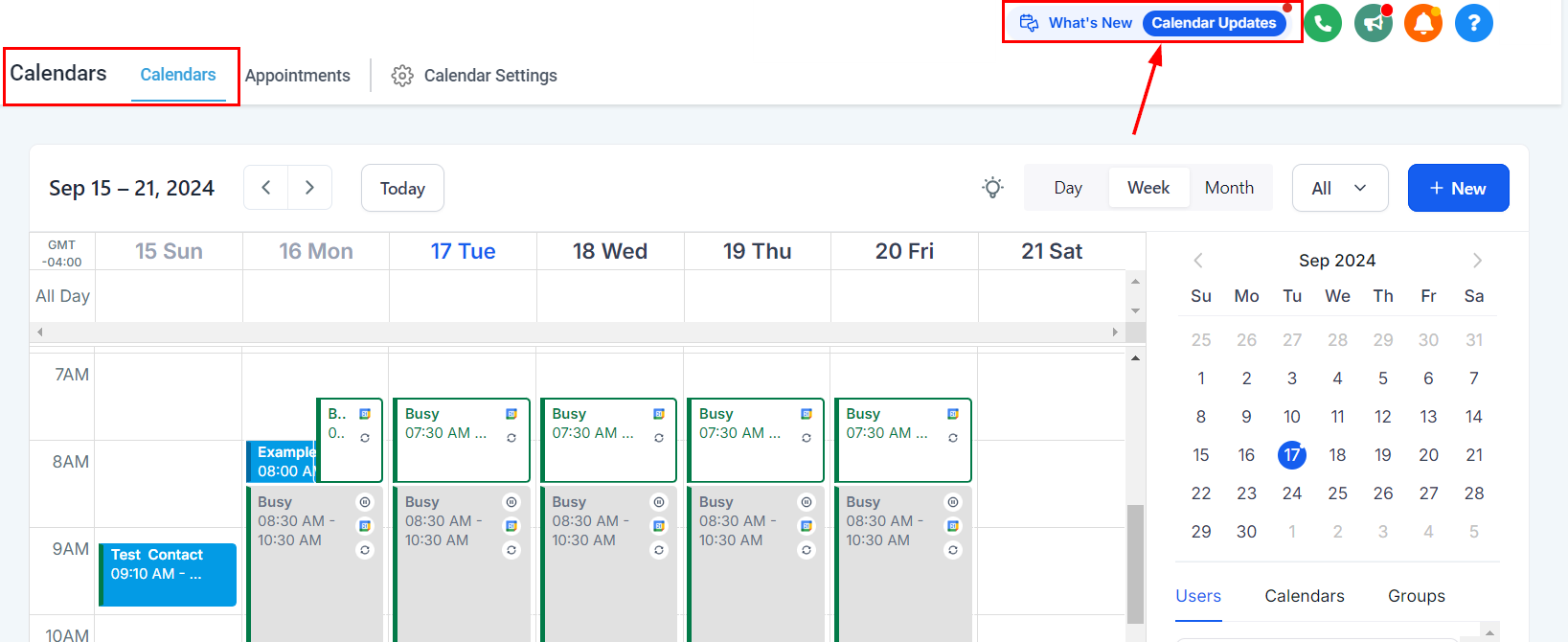
Click on “Calendar Updates” to view all the recent enhancements related to calendars. This section is your hub for all things new and improved.
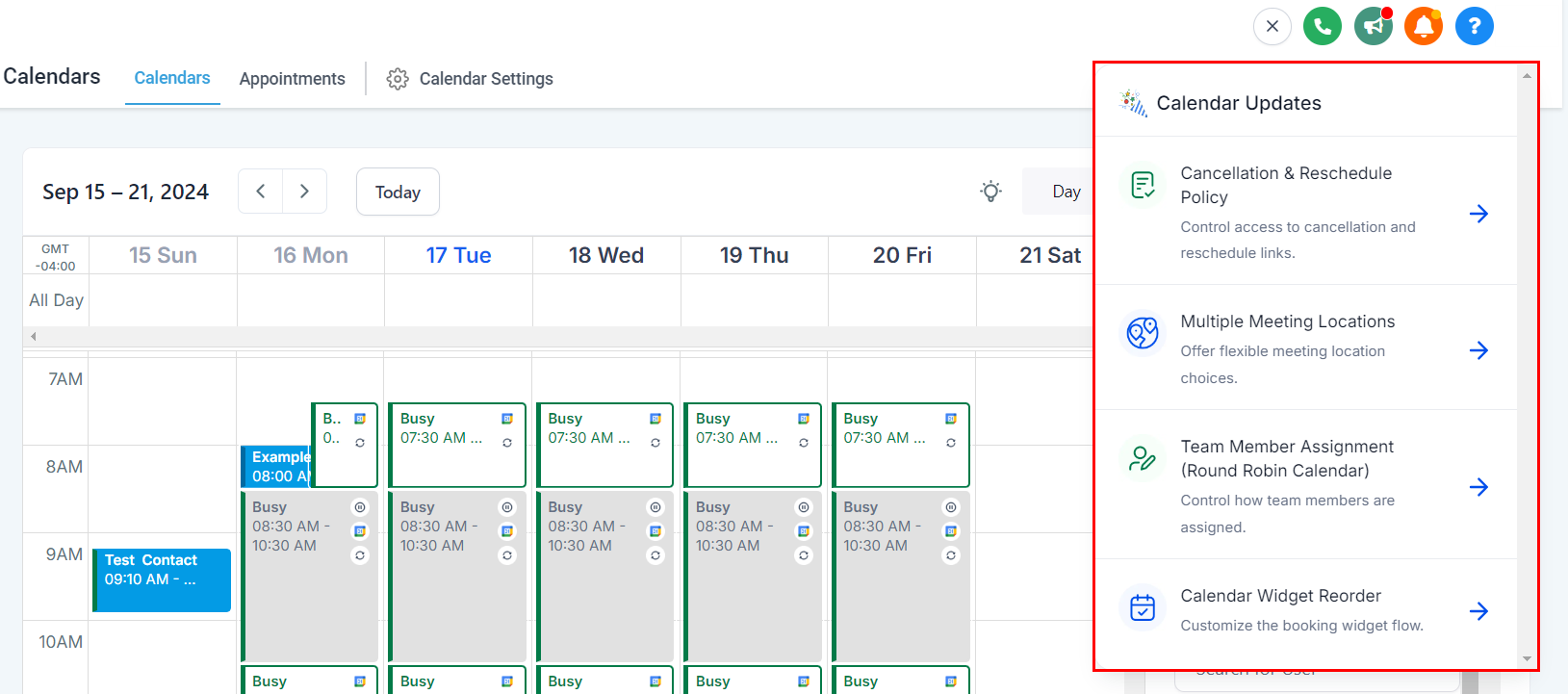
Activate Features
When you come across an update of interest, simply click on it and select the “Get Started” button. This will either activate the feature or guide you to relevant Help Docs for more detailed information.
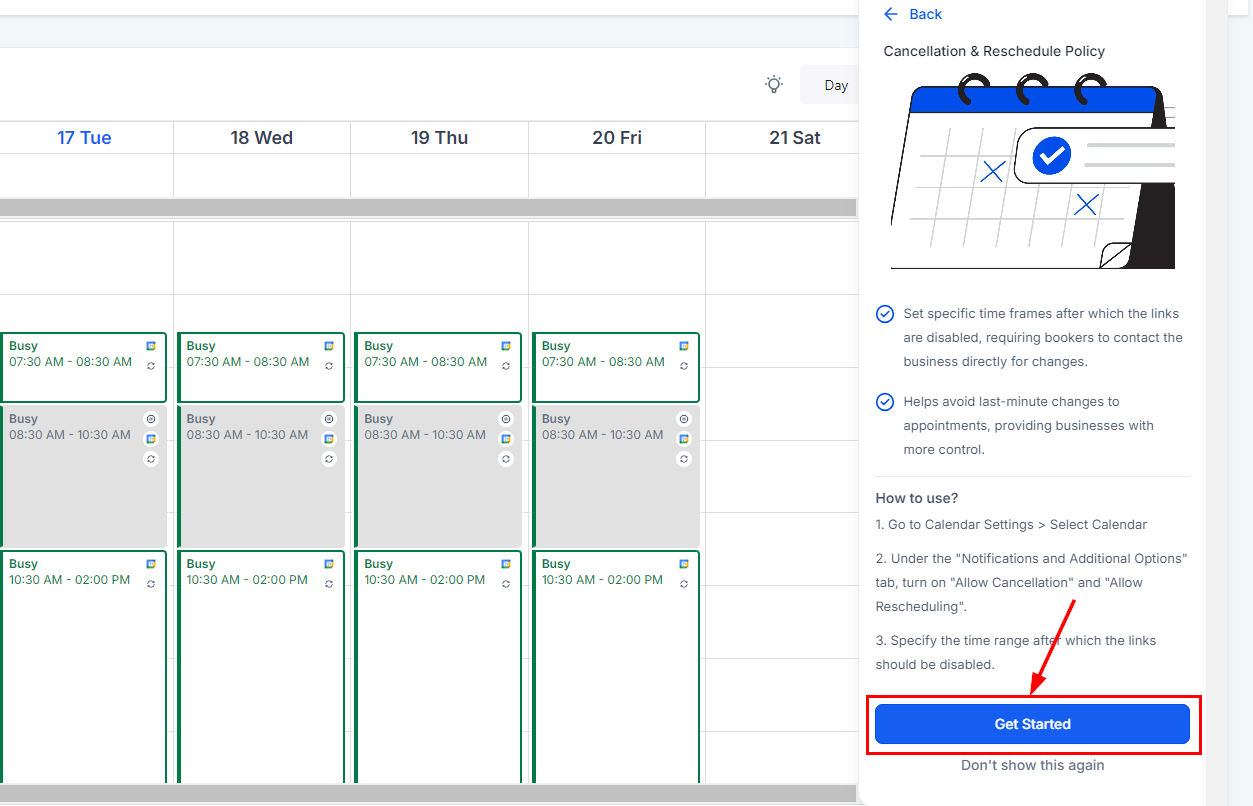
Customize Your Experience
If you would prefer not to view the update in the future, click “Don’t Show This Again.” This option enables you to customize your platform experience according to your preferences.
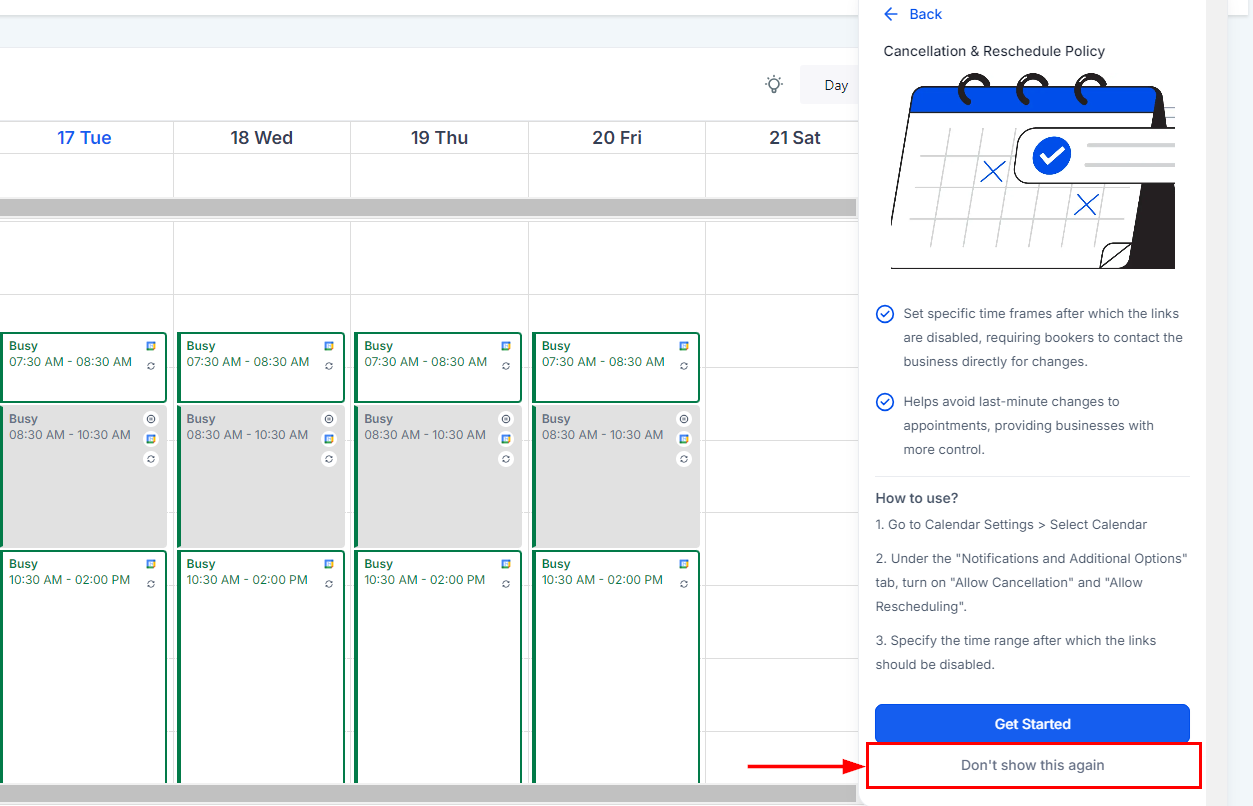
Take advantage of this tool to keep your operations aligned with the latest advancements.
Not a Funnelbud customer yet?
Try our all-in-one CRM for sales and marketing — free for 7 days, no commitment.