How to Create a Free Product
Offering a free product is a great way to attract leads, provide value, and build trust with your audience. Whether it’s a downloadable guide or a complimentary service, the platform makes it easy to set up and automate the delivery of free products.
Setting Up Your Product
Start by accessing the Payments Tab in your account. Select Products, then click the Create Product button.
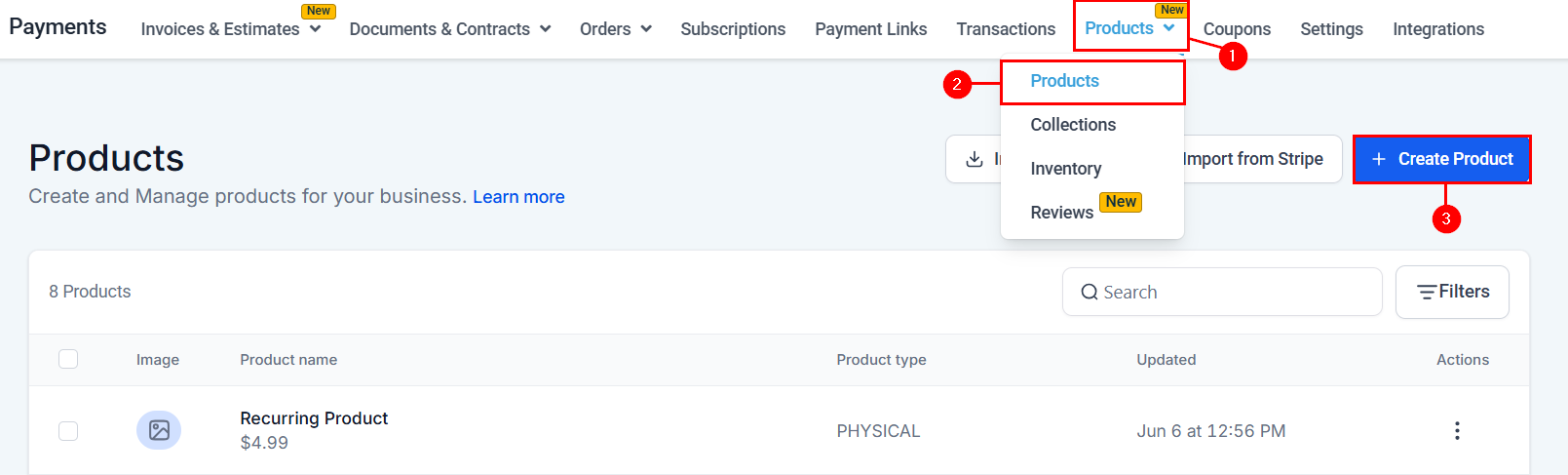
Enter the following product details:
- Name: Choose a descriptive name (e.g., “Free Ebook Download”).
- Description: Briefly describe what the product is.
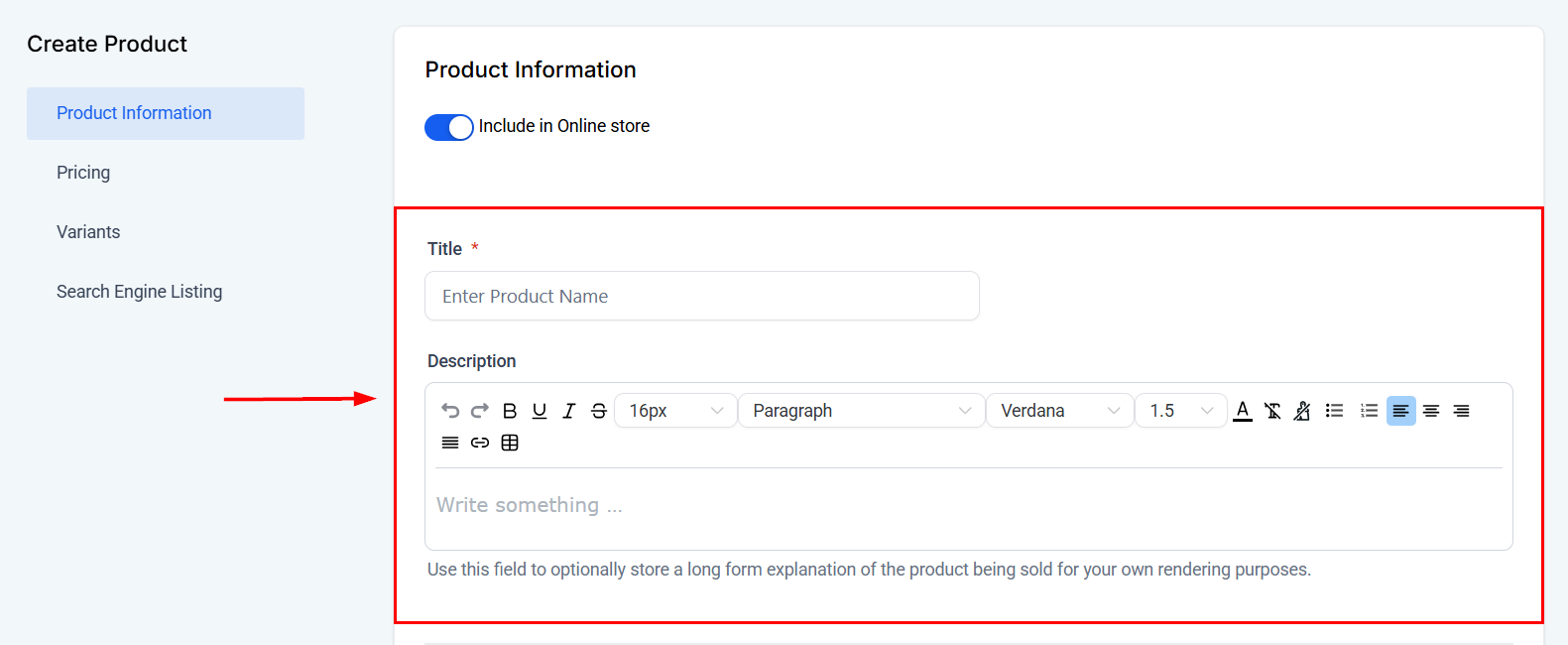
Add other product information, such as a statement descriptor, then upload a product image for branding purposes, if applicable.
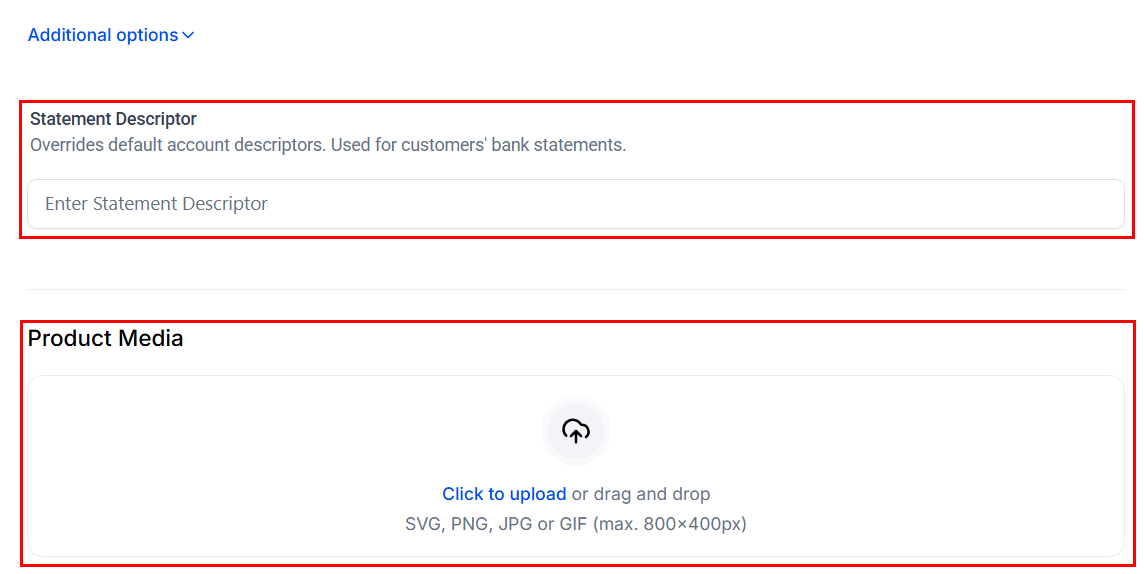
In the Pricing tab, set the price to $0.00 and choose the currency to be displayed on the order form.
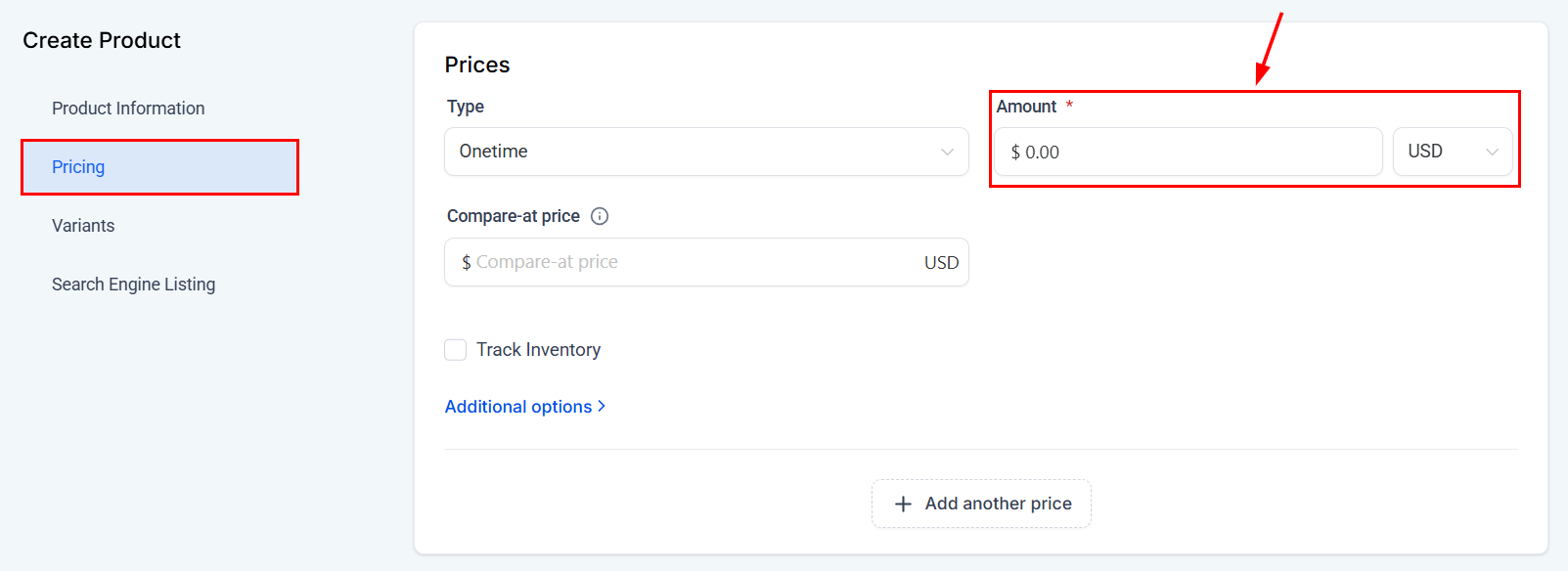
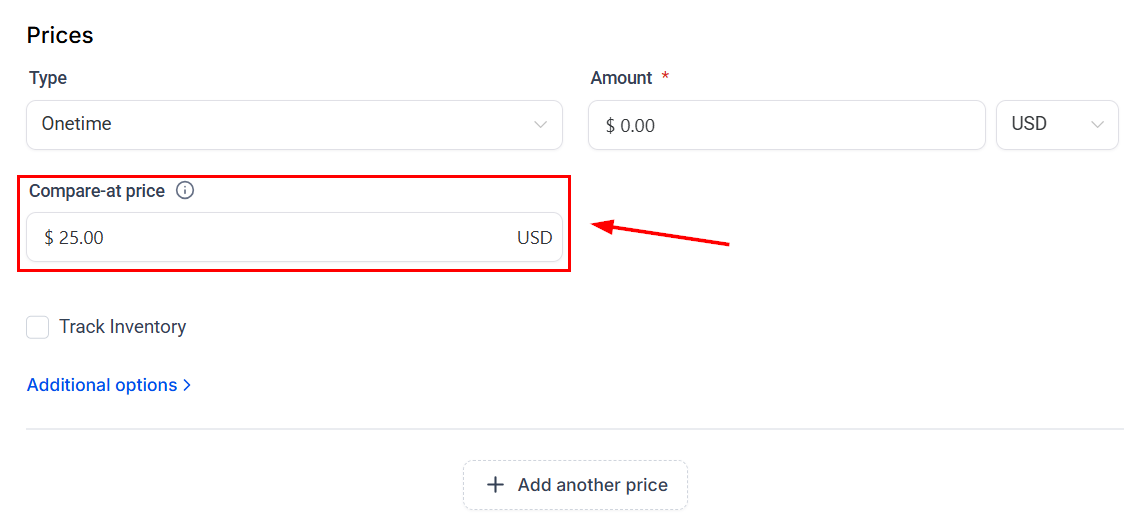
Enter a value greater than the product price to display a markdown. This value will appear with a strikethrough (e.g., $25.00) to indicate the original price before the discount.
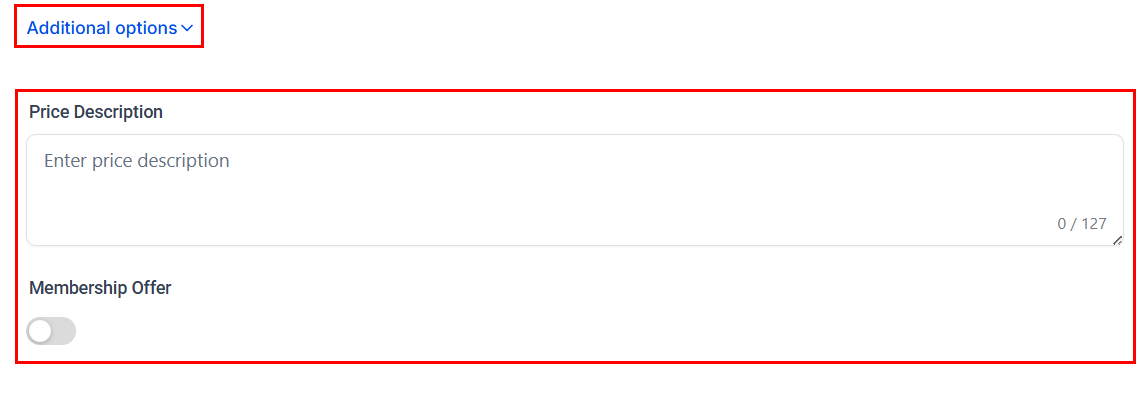
Expand the Additional Options to add a price description or link the product to a membership offer.
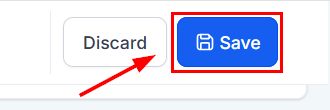
Configure each setting as per your requirements, then save the product.
Build a Checkout Page in a Funnel
Now that you have created your product, open or create a funnel where you’d like to offer the free product.
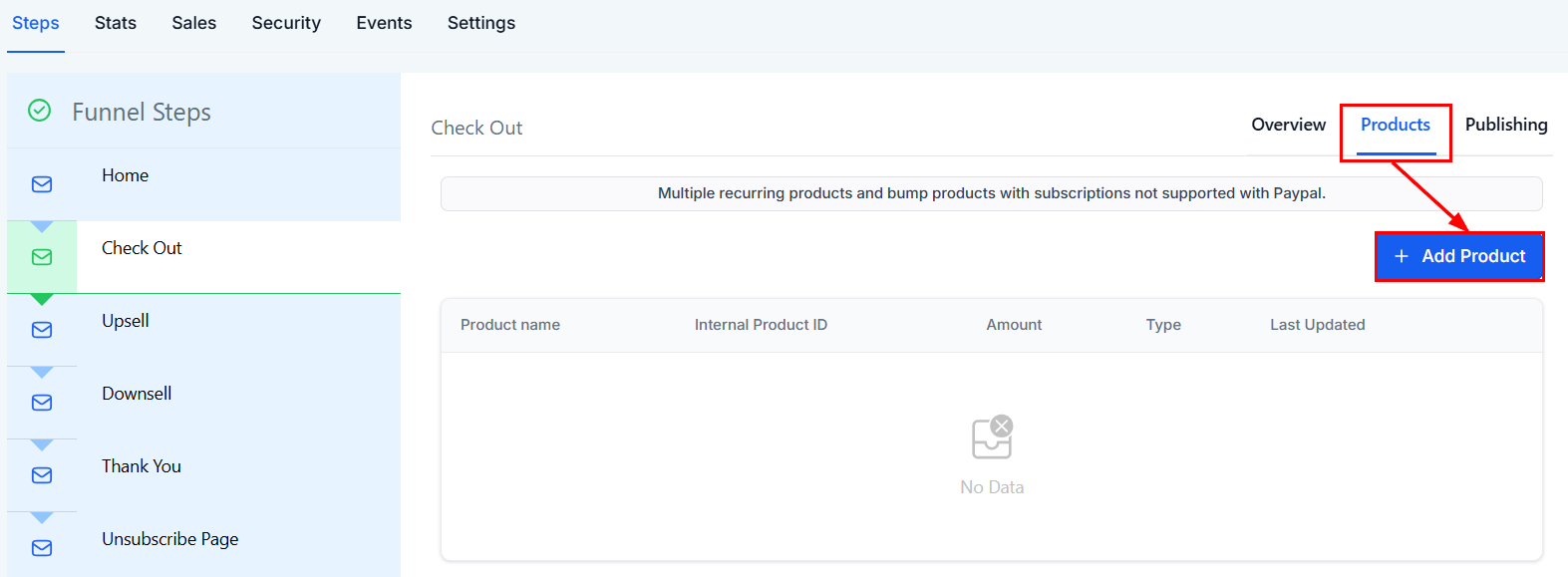
In the Products tab of the checkout step, add the free product you just created. Customize the page with headlines, images, or testimonials to increase conversions.
Next, choose whether to disable the credit card field in the funnel settings.
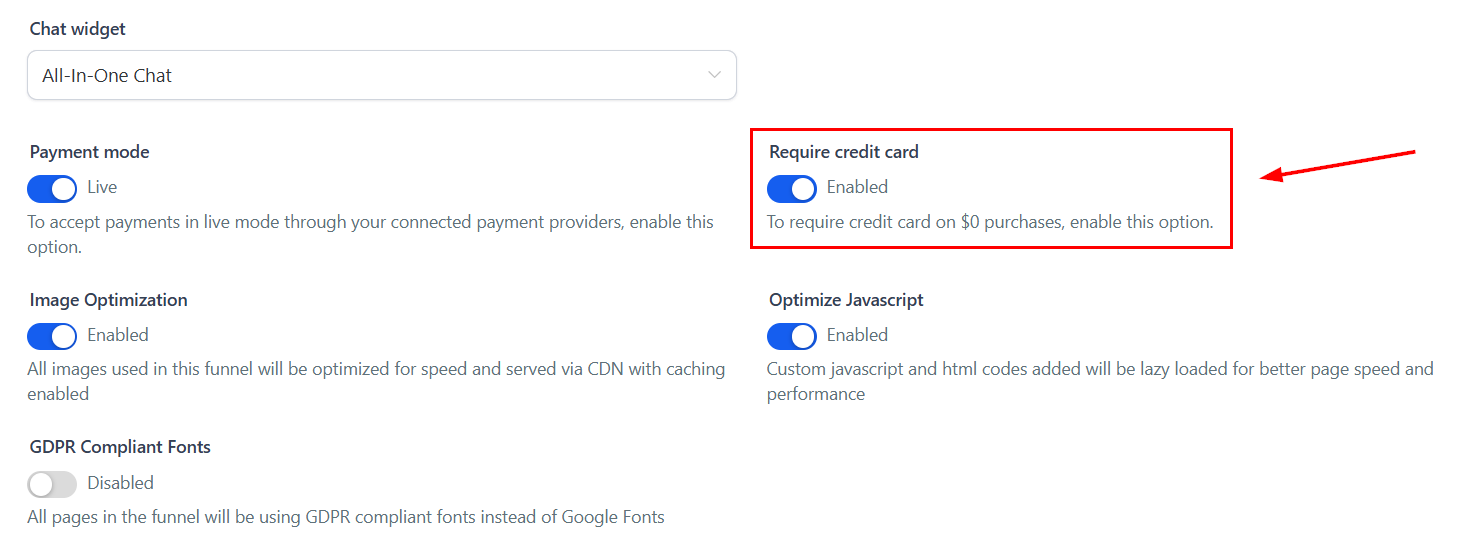
Automate Delivery via Workflow
Once someone claims your free product, you’ll want to deliver it automatically.
Go to Workflows, and create a new workflow.
Use a Trigger like “Order Form Submission” (specific to your free product funnel step).
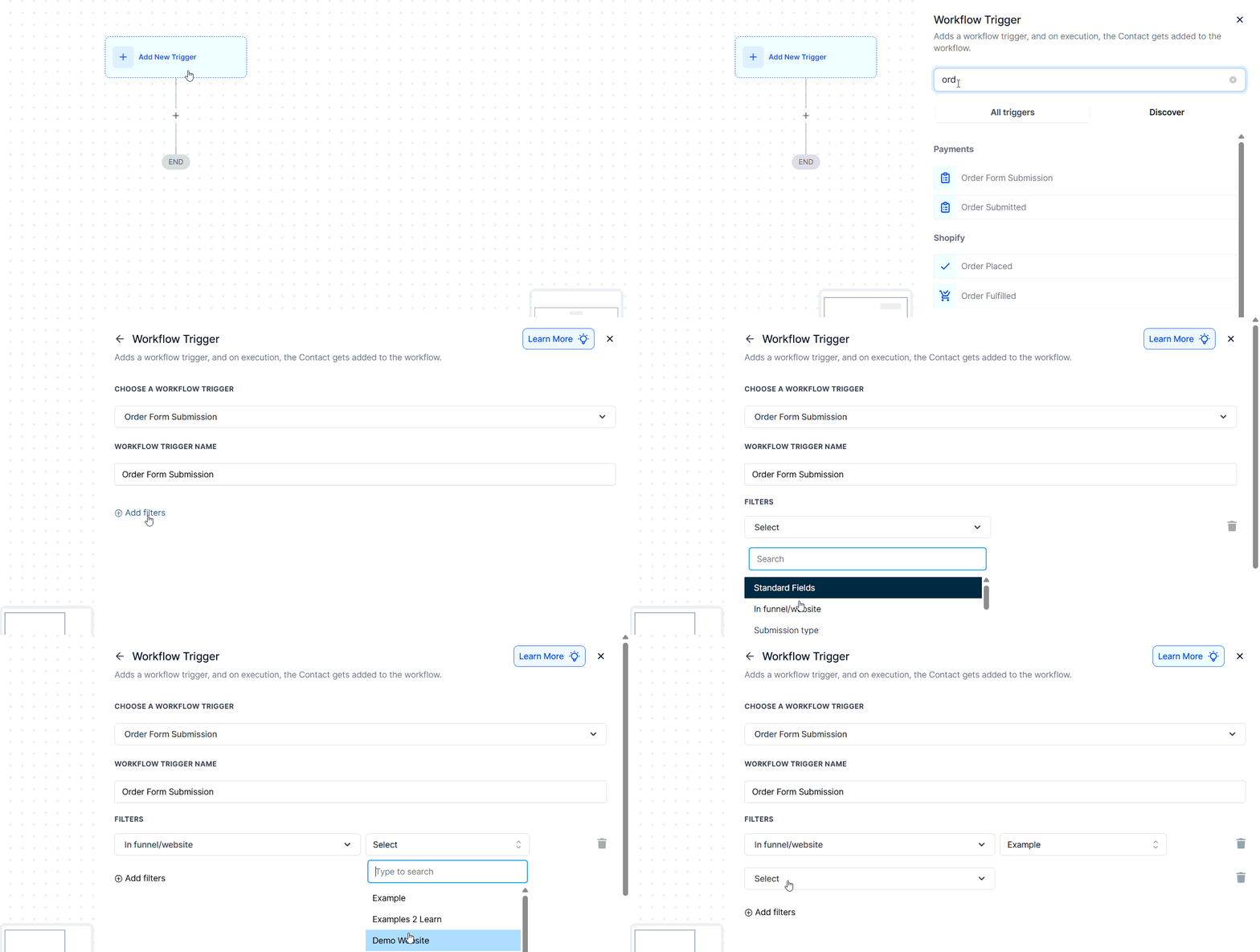
Add relevant actions such as:
- Send Email: Include the download link, access instructions, or login details.
- Add Tag: For segmentation (e.g., “Free Product – Ebook”).
- Create or Update Opportunity: If this is part of a larger lead nurturing sequence.
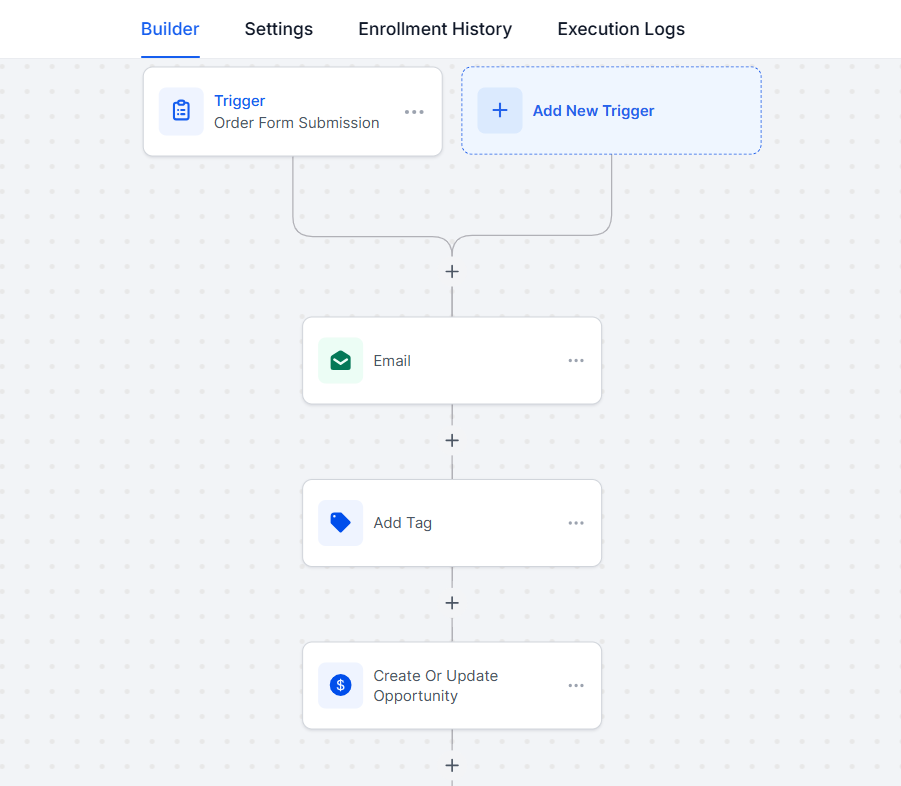
Once you are satisfied, save and activate the workflow.
Test the Full Flow
Before going live, submit the order form as a test user and confirm that the product can be “purchased” without a credit card, and that the follow-up email is delivered correctly. If added, check if any tags or pipeline updates are functioning as expected.
Creating a free product is a simple yet powerful strategy to attract leads and drive engagement. By leveraging the built-in product tools, order forms, and workflows, you can streamline the process and provide a seamless experience for your audience.
Not a Funnelbud customer yet?
Try our all-in-one CRM for sales and marketing — free for 7 days, no commitment.