Mastering Workflow Templates
Workflow Recipes are pre-designed templates that offer a starting point for creating workflows within the CRM. These templates are crafted to cover a wide range of business needs, from appointment booking to long-term customer nurture. The beauty of Workflow Recipes lies in their flexibility; while they provide a solid foundation, they can be fully customized to meet your specific requirements.
Select a Recipe
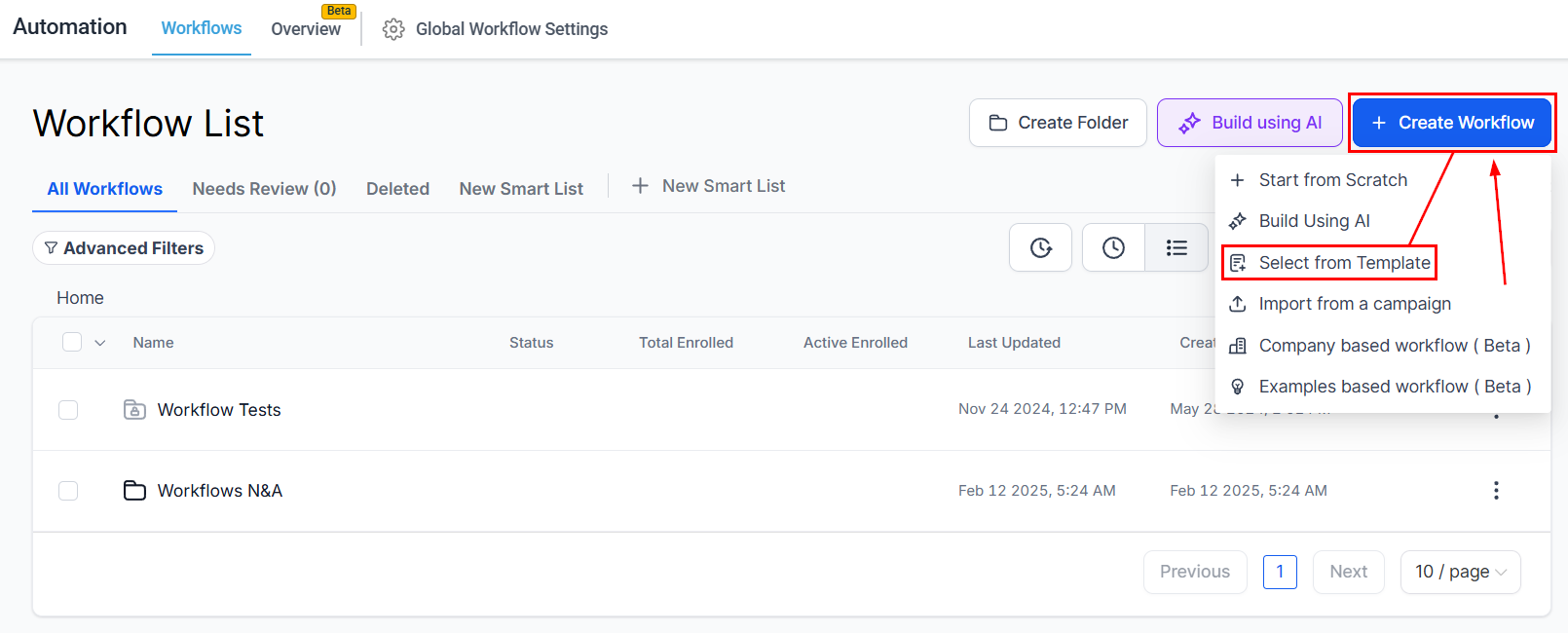
To start, navigate to the Workflows tab inside the Automation section, click “+ Create Workflow” then “Select from Template.”
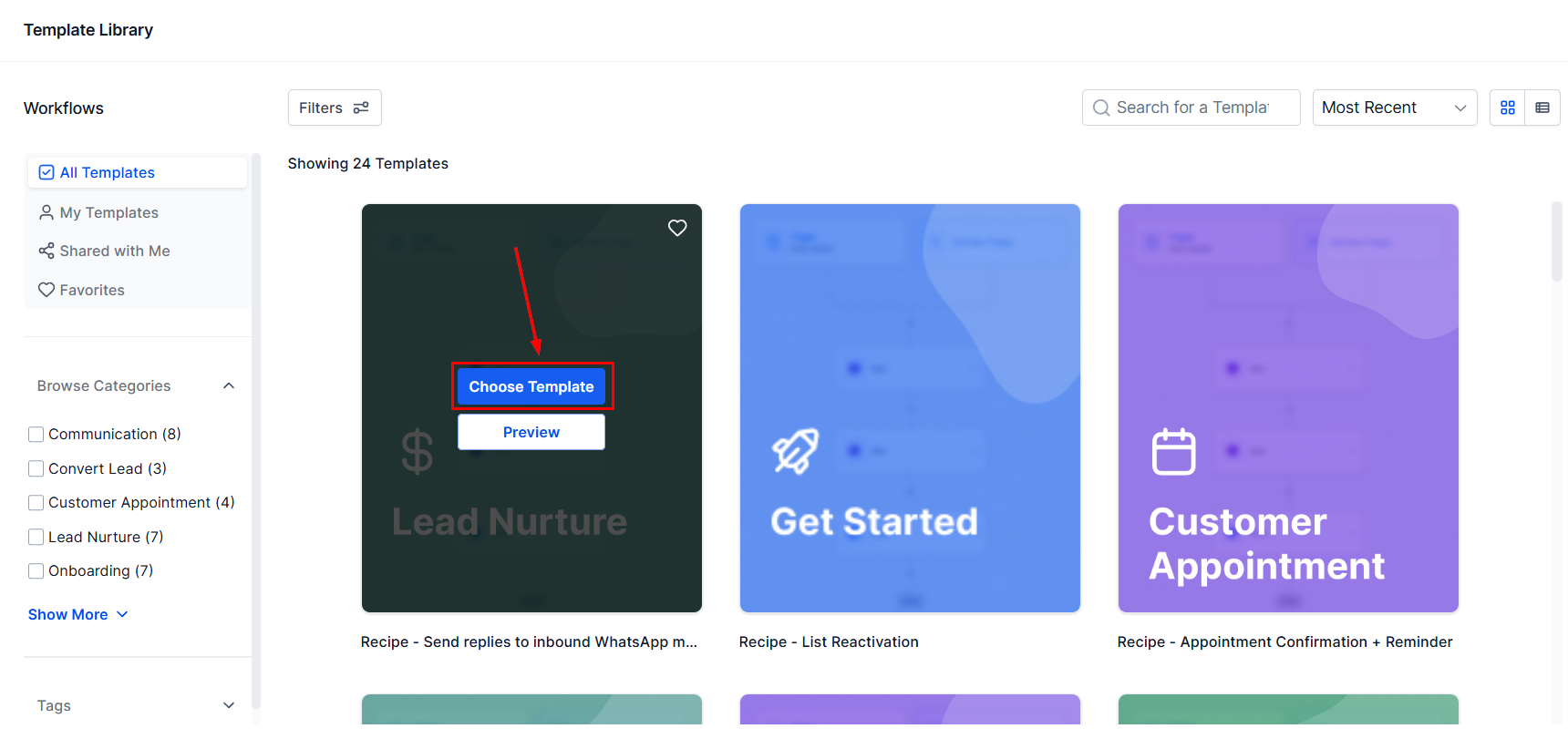
Browse the list of available templates and select one that matches your business needs. Clicking “Choose Template” will load it into the Workflow builder.
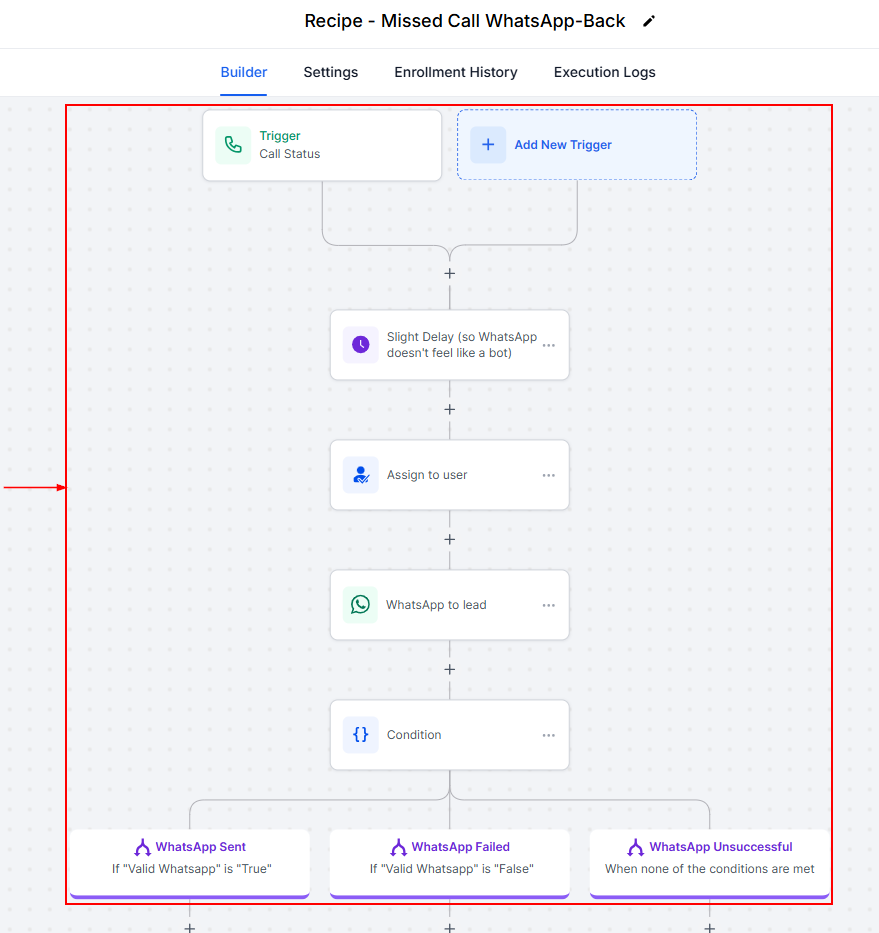
Customize
Modify the template by adding or removing steps, adjusting conditions, and tailoring messages to fit your brand voice and objectives.
Save and Publish
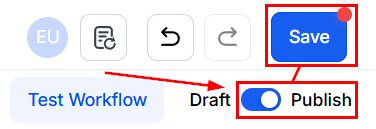
After customizing, click “Save.” To activate it, switch the Workflow from Draft to Published mode.
Some Workflow Recipes and Their Uses
Here are some commonly used Workflow Recipes and scenarios where they can be applied:
- Appointment Booking and Confirmation: Ideal for businesses that rely on appointments, this Recipe helps in sending booking links and confirmation messages automatically.
- Auto Missed Call Text-Back: Automatically responds to missed calls, ensuring leads are promptly engaged.
- Birthday Template: Sends personalized promotions or greetings on customers’ birthdays to enhance engagement.
- Email Drip Sequence: Perfect for nurturing leads over time with a series of automated emails.
- Fast Five: A comprehensive lead nurture workflow designed to engage new leads within the critical first five minutes.
- Send Review Request: Automatically requests reviews from customers post-purchase or service, aiding in reputation management.
Workflow Recipes are like having a helping hand to simplify your automation processes. They give you a head start with pre-built templates while letting you tweak and adjust everything to fit your unique needs. Whether you’re following up with leads, sending appointment confirmations, or engaging customers on their special days, these templates make it easier to get things done.
Troubleshooting and FAQs
Q: How do I edit a Workflow Recipe after it’s been created?
- A: Navigate to the Workflow builder, select the workflow, and make your desired changes. Remember to save and republish.
Q: Can I use multiple Recipes for the same campaign?
- A: Yes, you can combine elements from different Recipes to create a workflow that meets your unique needs.
Q: What if a Recipe doesn’t exactly fit my process?
- A: Recipes are fully customizable. You can add or remove steps, change conditions, and modify actions to better suit your workflow.
Not a Funnelbud customer yet?
Try our all-in-one CRM for sales and marketing — free for 7 days, no commitment.