How to Set Default Workflow Builder
As your agency grows, so does the complexity of your automations. Some teams prefer the familiarity of the Standard Builder, while others are ready to take advantage of the flexibility and power of the Advanced Builder. Agency users have a simple way to set a default workflow builder for sub-accounts and control who can switch between builders. In addition, you can decide which user roles are allowed to switch a workflow’s view between builders. This means fewer interruptions, clearer expectations, and a smoother building experience for everyone involved.
Why This Matters
Teams need flexibility, but agencies also need consistency and control. This feature strikes that balance by allowing you to:
- Set a clear default builder for your entire organization
- Gradually introduce the Advanced Builder
- Keep permissions centralized at the agency level
You can adopt advanced features at your own pace while ensuring the right people have the right level of access.
Who It’s For
- Agency Admins: You control the default builder and manage who can switch between builders.
- Sub-account Admins and Users: If permitted, they can work in the Advanced Builder without waiting on an agency admin to make changes.
How to Set It Up
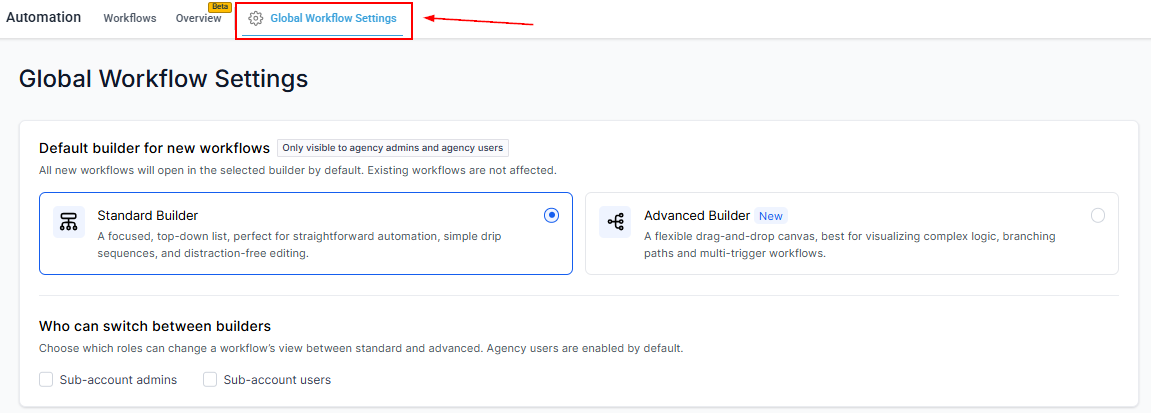
Go to Automation → Global Workflow Settings.
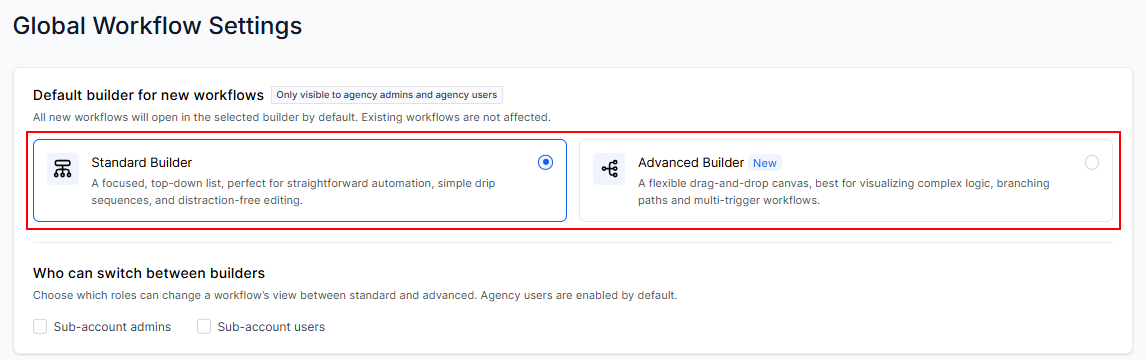
Choose your default builder: Standard or Advanced, then confirm.
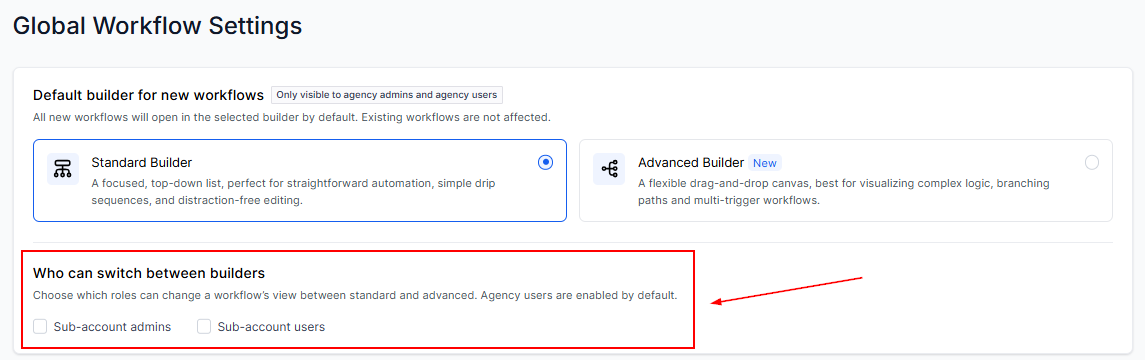
Select which user roles are allowed to switch between builders.
From this point on, all newly created workflows will open in your chosen default builder.
✍Important Notes
- The default builder applies only to new workflows. Existing workflows remain unchanged.
- Any individual workflow can still be switched to a different builder later.
- The last saved builder at the workflow level always takes priority. For example, if your default is set to Advanced, but a user switches a specific workflow to Standard, that workflow will continue opening in Standard until someone changes it again.
This allows agency users to have more control over how workflows are built, without slowing teams down. By setting a default builder and managing permissions, you create a cleaner, more scalable workflow-building process—one that evolves with your team as they grow into more advanced automation.