WhatsApp Coexistence
WhatsApp Coexistence is a dual-platform integration that securely links your existing WhatsApp Business App to a cloud-based CRM using Meta’s Cloud API. This setup allows you to:
- Respond to customers from either your mobile device or the CRM without losing chat history
- Launch bulk campaigns, automations, and analytics inside the CRM
- Maintain all native mobile features—Status, Groups, Calls, Labels, Catalog, and more
- Operate safely within WhatsApp policies, avoiding disruptions or ban risks
Key Benefits of WhatsApp Coexistence
- Seamless Integration: Connect quickly using a QR code scan.
- Dual-Platform Flexibility: Manage the same WhatsApp inbox from either your phone or the CRM.
- Full Chat & Contact Sync: Import up to six months of chats and all WhatsApp contacts.
Prerequisites & Limitations
Phone numbers using Nigerian & South African codes are not supported.
How to Link Your Facebook Page to WhatsApp Business App
To link your WhatsApp Business App to your Facebook Page, open the app and navigate to More Options on Android or Settings on iPhone.
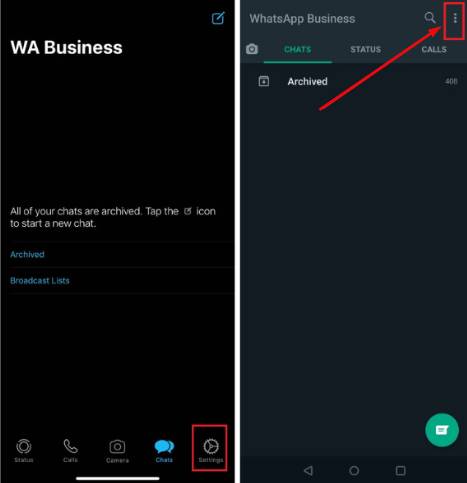
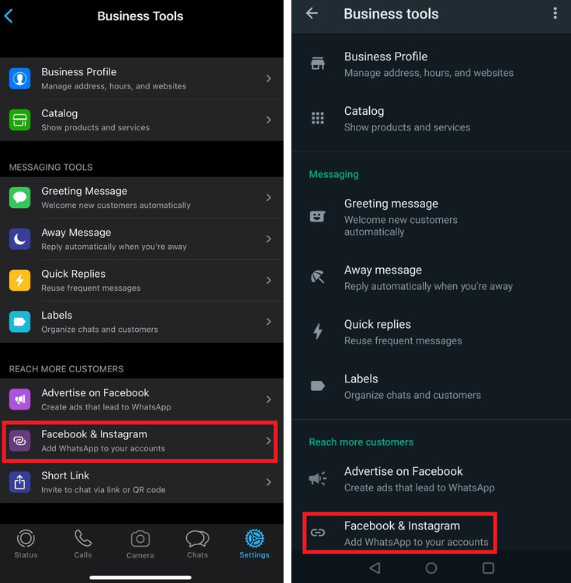
Go to Business Tools → Facebook & Instagram, then select Facebook and tap Continue.
Log in to your Facebook account, choose the Page you want to connect, and select Connect WhatsApp, or create a new Page if needed. Once the setup is complete, your Facebook Page will display a WhatsApp button, enabling customers to message you directly with a single click.
How to Set Up WhatsApp Coexistence
To connect your WhatsApp Business App, navigate to Settings in your CRM sub-account and select the WhatsApp tab. Click Connect WhatsApp Business App, then log in using your Facebook account to complete the integration.
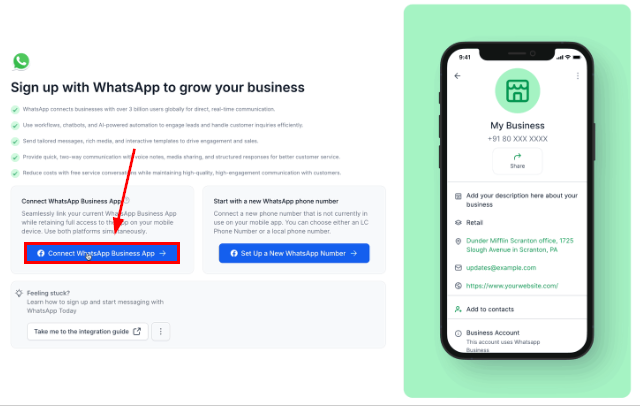
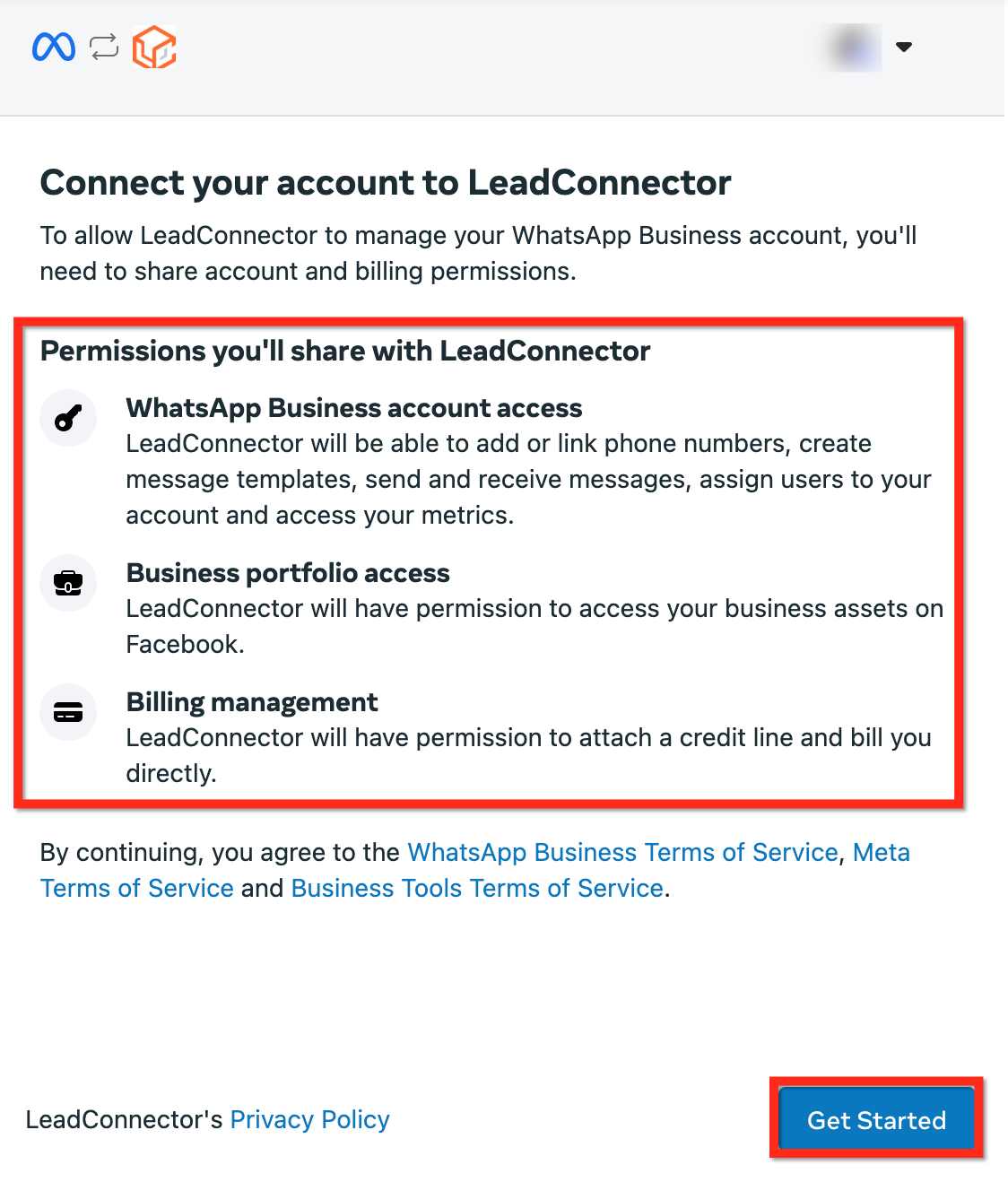
Then, review the requested permissions and click Get Started.
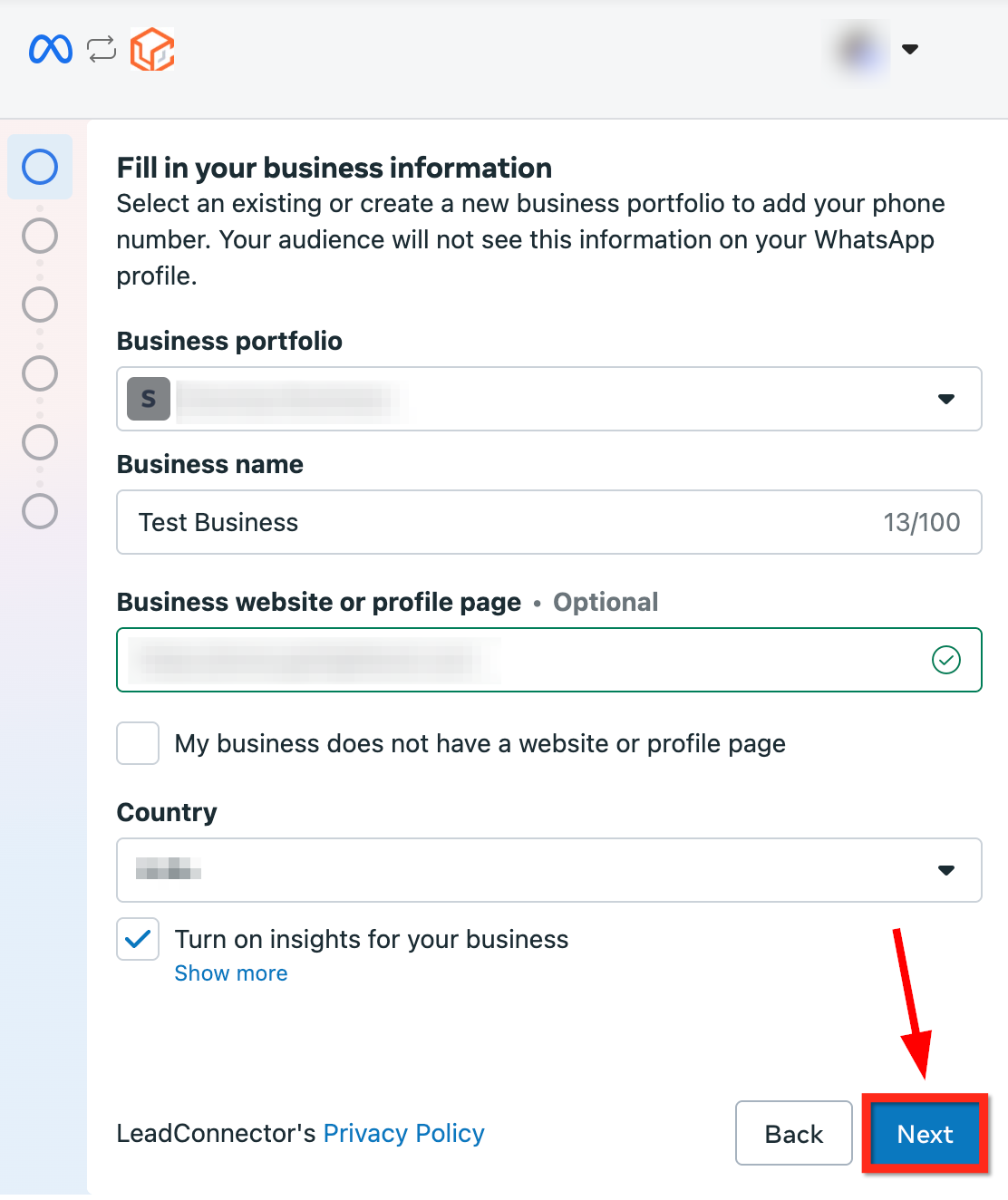
A new modal will appear, prompting you to select or create a Business Page or Portfolio, then enter your business name and an optional website. After that, choose your country and click Next to proceed.
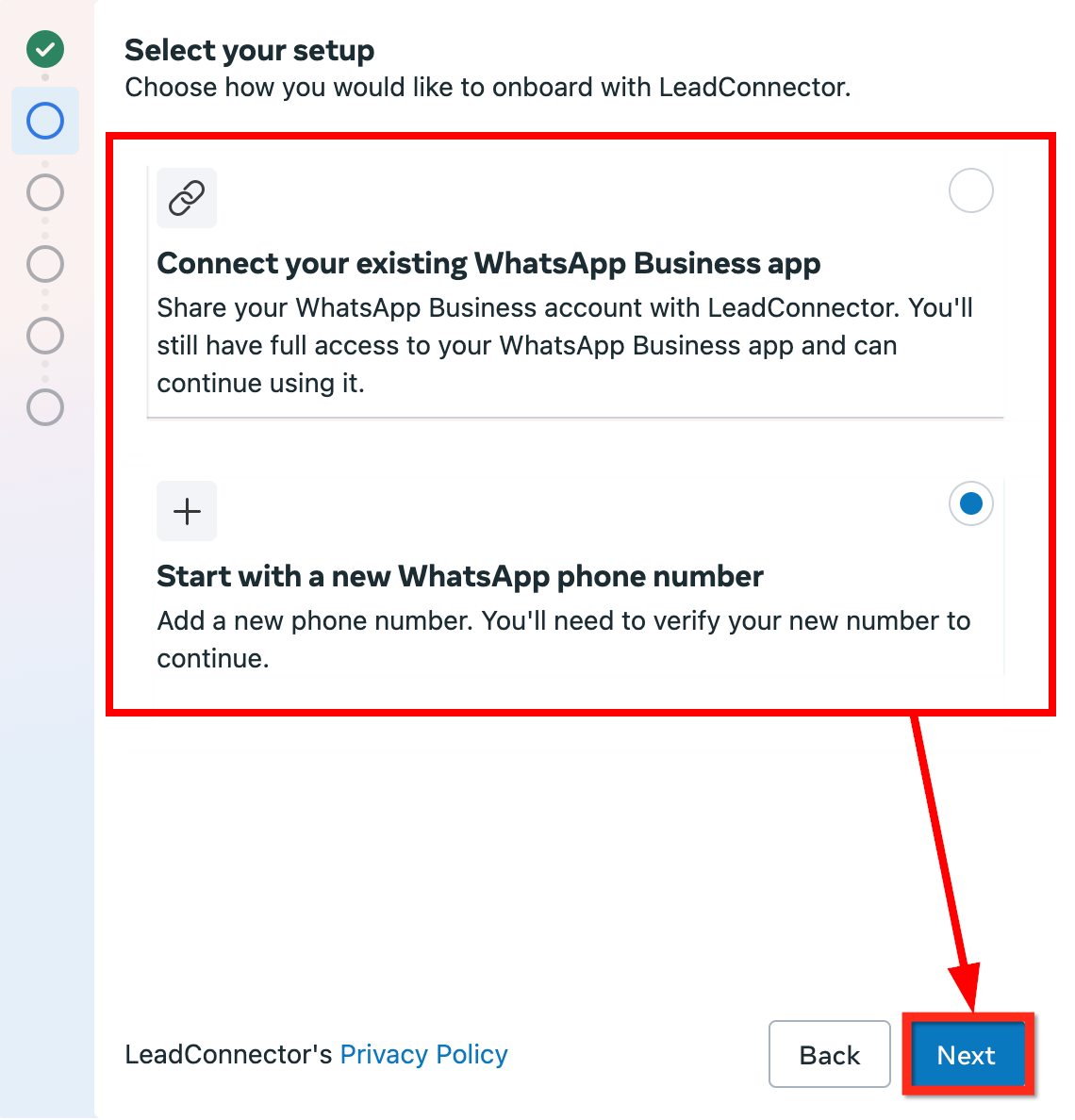
You can either connect your existing WhatsApp Business App or start with a new WhatsApp phone number. Simply enter your country code and WhatsApp Business phone number, and a QR code will be generated.
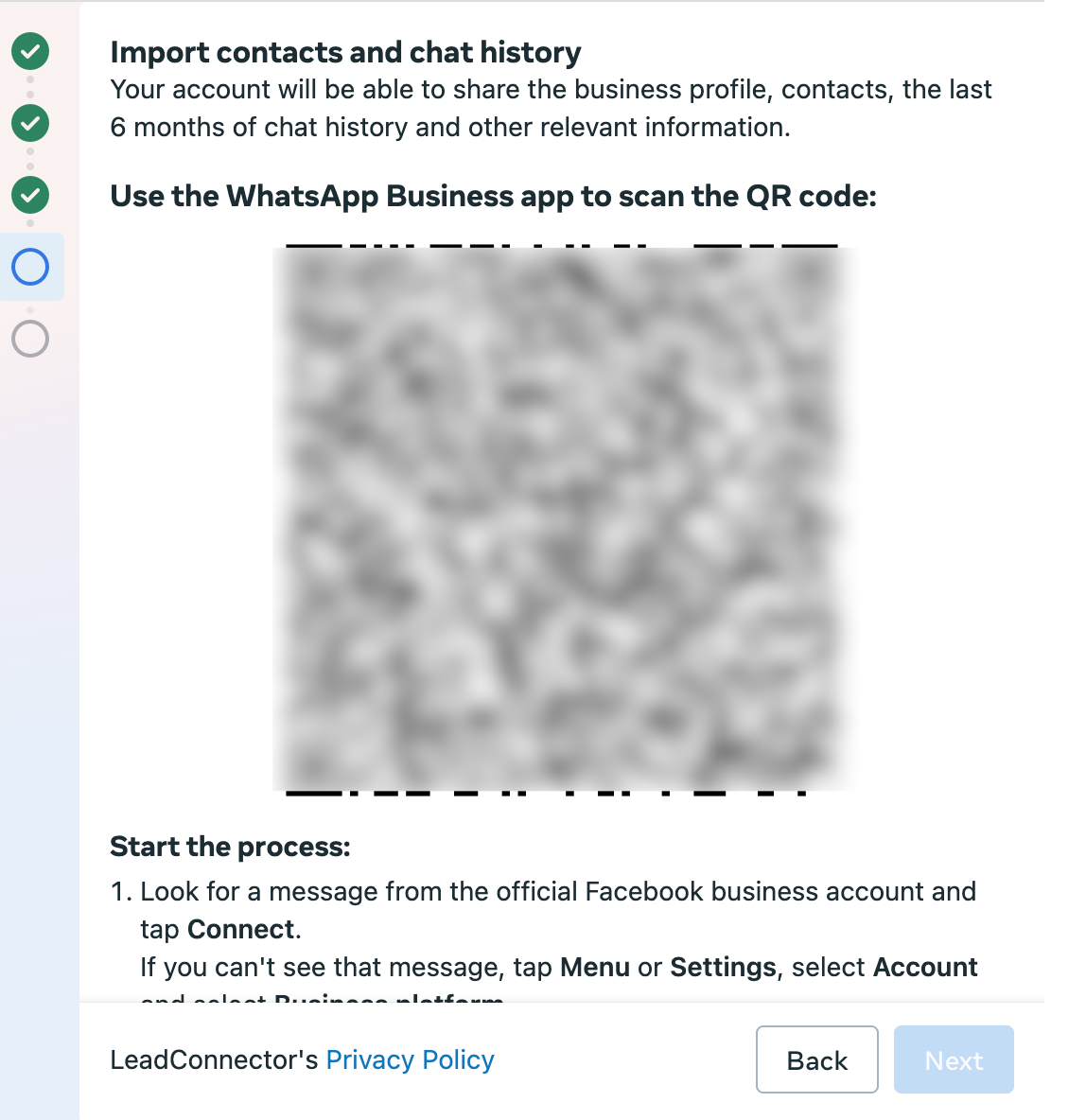
Import Contacts & Chat History
On your phone, open the WhatsApp Business App message from the official Meta account. Tap Scan the QR Code and scan the code displayed on your screen.
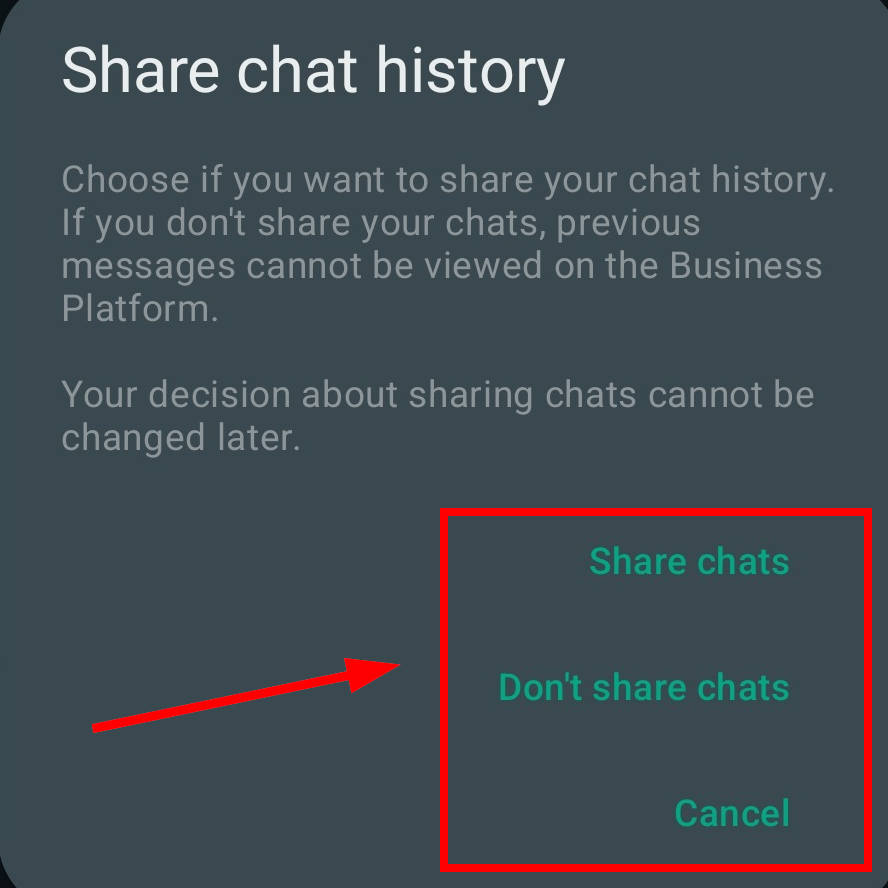
You can optionally import up to six months of chat history and all contacts.
How Contacts and Conversations Sync
Chat and contact syncing typically completes within 4–6 hours, though the exact duration can vary based on the total number of conversations and contacts being transferred.
After the sync is complete, your chats will appear under Conversations in your CRM, and your contacts will populate the Contacts section. To ensure a smooth and successful transfer, maintain a stable internet connection and keep the WhatsApp Business App open throughout the process.
Conversation Charging Structure
Message Source | Charges | Integrity Limits/Caps | Trust Tiering |
|---|---|---|---|
WhatsApp Business App | Free | Not counted | Not applicable |
Cloud API (CRM) | Charged per standard API pricing | Counted | Applicable |
Messages sent through the mobile app remain free. Cloud API messages follow Meta’s billing and enforcement rules.
WhatsApp Business App – Changes After Coexistence
Feature | Change After Onboarding | Supported via Cloud API? |
|---|---|---|
1:1 Chats | Message edit/revoke disabled | Yes |
Contacts | No change | Yes |
Group Chats | No change | No |
Hidden Number Chats | No change | No |
Disappearing Messages | Disabled | No |
View-Once Messages | Disabled | No |
Live Location | Disabled | No |
Broadcast Lists | Disabled (existing lists become read-only) | No |
Voice/Video Calls | No change | No |
Catalog, Orders, Status | No change | No |
Messaging Tools (automation, quick replies, labels, etc.) | No change | No |
Business Profile | No change | No |
Channels | No change | No |
By enabling dual-platform management, automated workflows, bulk messaging, analytics, and seamless contact syncing, this solution empowers organizations to scale communication while maintaining the familiar mobile experience their teams rely on.
✍Important Notes
- Only one phone number per workspace is supported under Coexistence
- WhatsApp Business App version 2.24.17 or newer is required
- If previously connected to LeadConnector, delete the old WABA, reinstall WhatsApp Business App, and re-register
- A Facebook Page must be linked to your WhatsApp Business App
- Template messages cannot be sent from the mobile app—only via the CRM
- WhatsApp profile settings must be managed from the WhatsApp Business App
Frequently Asked Questions
Q: Is there a limit to marketing messages?
- Limits follow standard Cloud API messaging policies. Messaging tiers can increase based on quality and volume.
Q: Will Meta Verified (blue badge) transfer?
- No. Badge status cannot currently transfer between the app and the Cloud API.
Q: Will my existing setup be affected?
- No. This feature works alongside your existing configurations.
Q: How do I disconnect later?
- On your phone, go to Settings → Business Tools → WhatsApp Business Platform → Disconnect LeadConnector.
Q: Will my account be at risk of being banned?
- No. This integration uses Meta-approved Cloud API methods and is fully compliant.
Not a Funnelbud customer yet?
Try our all-in-one CRM for sales and marketing — free for 7 days, no commitment.