How to Send an Internal Chat
Internal Chat is a valuable feature within the Conversations module that enables private communication between team members. It streamlines internal discussions, promotes real-time collaboration, and keeps conversations secure and confidential. Unlike contact-based conversations, internal chats are visible only to the selected participants, ensuring privacy within your team environment.
How to Start an Internal Chat
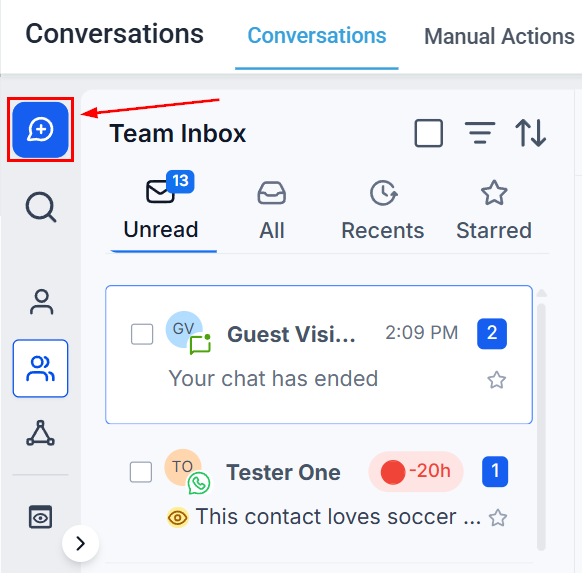
Open the Conversations module and click the bubbled plus icon.
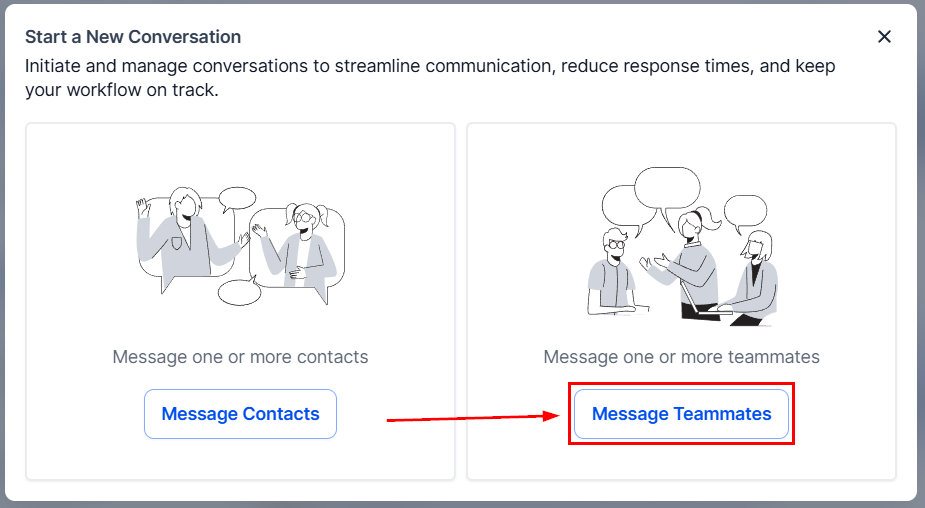
Next, select Message Teammates from the available options.
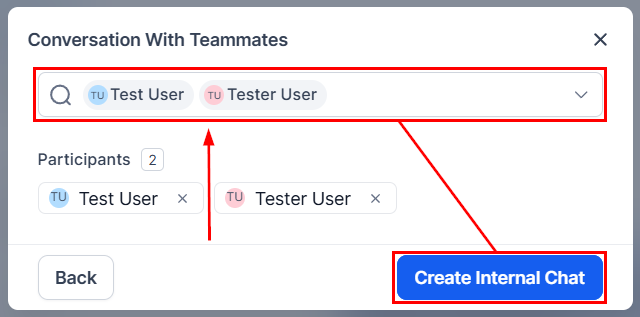
This will prompt you to choose the users you’d like to include. Once you have selected the relevant people, click Create Internal Chat to begin the conversation.
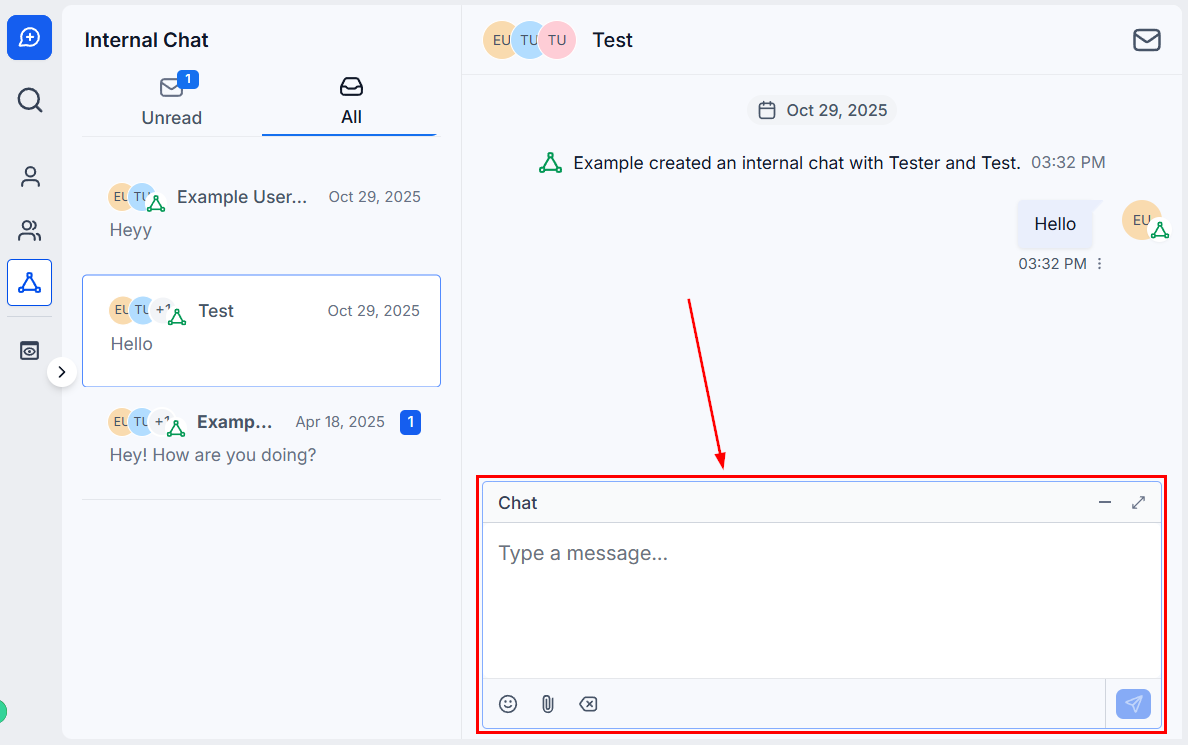
Internal chats support text, emojis, and file attachments, offering a flexible space for effective internal communication. If you wish to be included in the chat, enter your message, then press send.
Organizing Internal Chats
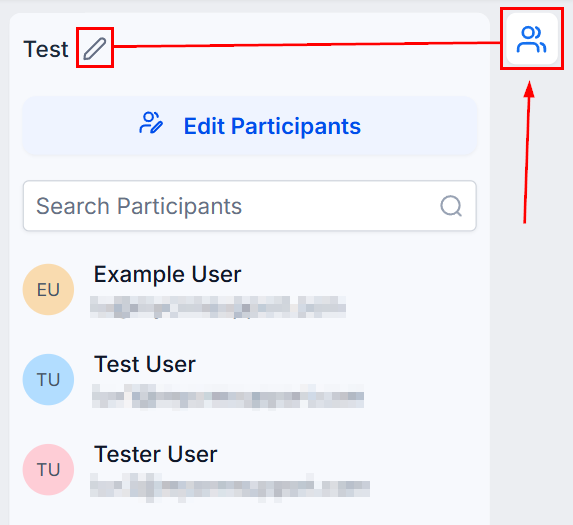
To keep your internal chats organized, click the participants icon to your left, then click the pencil icon to add a subject line.
Next, enter the desired subject line, and then click Save.
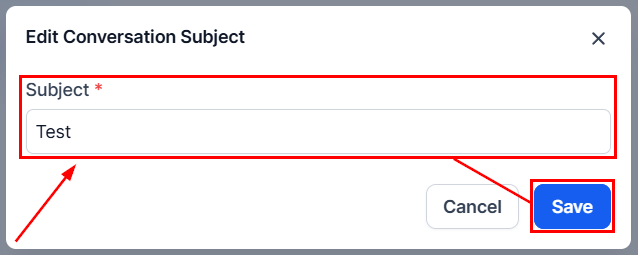
Once a subject is added, you can easily search for internal chats by subject, participant names, or the last message sent.
Adding Users to an Existing Internal Chat
Open the existing internal chat, click the participants icon to your left, then click
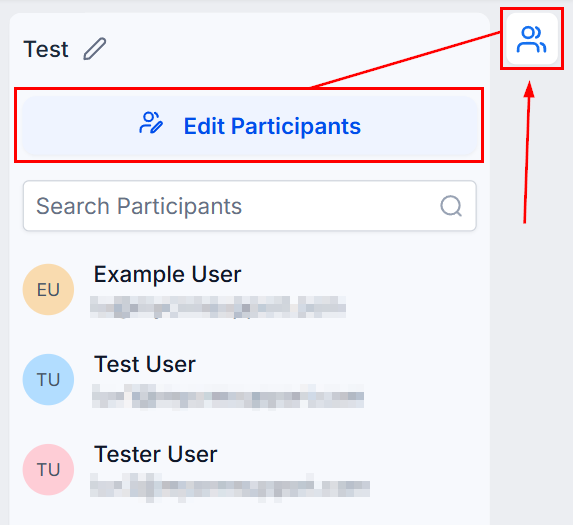
Select the team members you’d like to add and click Next.
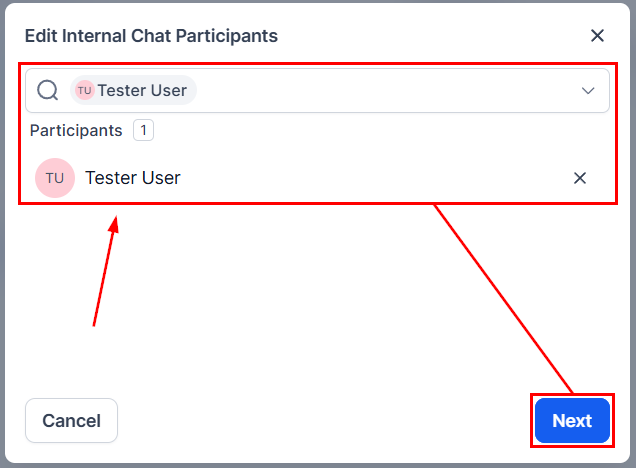
You will then be prompted to define the level of access the new participants should have to the existing chat history- either full access or no access at all. Once you’ve made your selection, click Confirm to finalize the addition. This ensures that participants receive the appropriate context for the conversation based on your preferences.
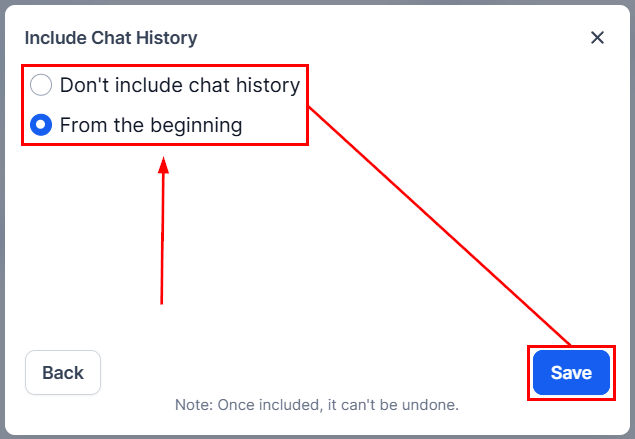
📌Note: Once added, users cannot be removed from the chat.
Managing Internal Chat Notifications
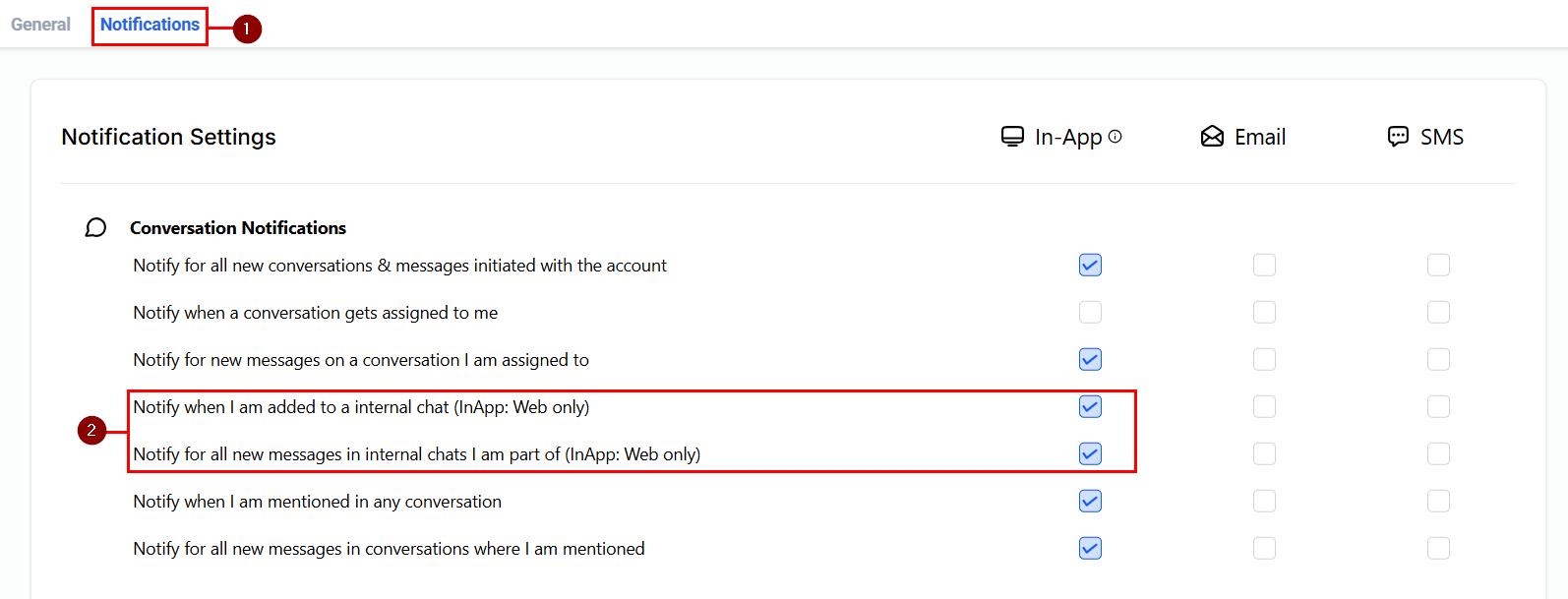
Stay updated on internal messages by customizing your notification preferences:
Navigate to Settings > My Profile > Notifications
Here, you can choose to receive:
- Notifications for every message in internal chats you’re part of.
- Notifications only when added to a new internal chat.
Internal Chat is designed to boost efficiency and clarity within your team’s communication. By leveraging its features, you can foster stronger collaboration and maintain focus across your internal workflows.
Not a Funnelbud customer yet?
Try our all-in-one CRM for sales and marketing — free for 7 days, no commitment.