Train Your Conversation AI Bot with Google Docs
Leveraging Google Docs for training your Conversation AI bot offers numerous benefits, including efficient training processes, real-time corrections, and expanded training options. This integration provides a streamlined approach to enhancing your bot’s conversational abilities, making it easier to ensure accurate and relevant interactions. Follow these steps to utilize Google Docs in your bot training and take advantage of its versatile capabilities.
Benefits
- Efficient Training: Google Docs provides a straightforward and effective platform for enhancing your bots’ conversational abilities, streamlining the training process.
- Real-time Corrections: This integration allows for the flexibility to make corrections and refine bot responses in real-time, ensuring interactions are accurate and contextually relevant.
- Expanded Training Options: With the addition of Google Docs, users now have an alternative to website URLs for comprehensive bot training, offering more versatility in training materials.
Setting The Knowledge Base
Check Document Permissions
Ensure the Google Docs document is set to public permissions to allow data fetching. Adjust permissions if necessary.
Creating The Knowledge Base
Navigate to the “Knowledge Base” section within the AI Agents tab and click “+ Create Knowledge Base.”

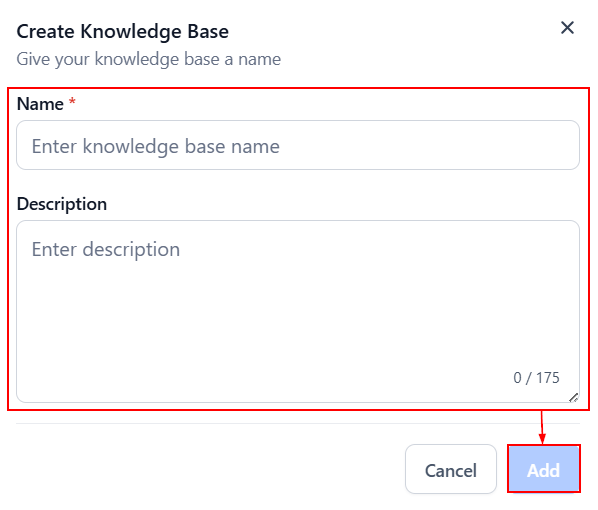
Enter a Name to easily identify the knowledge base. Optionally, you can add a Description as well, then click Add.
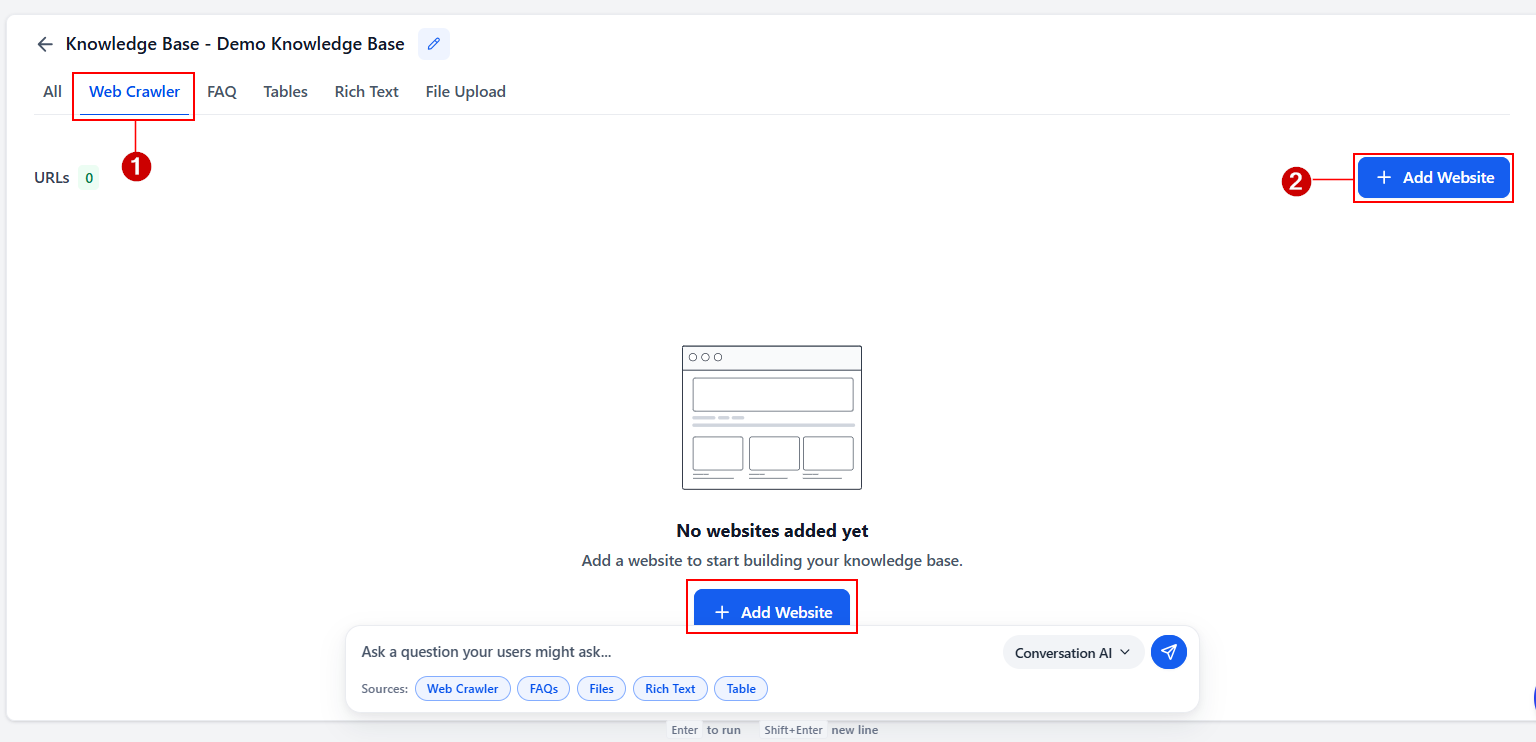
Click the Web Crawler source then the option to add a new website.
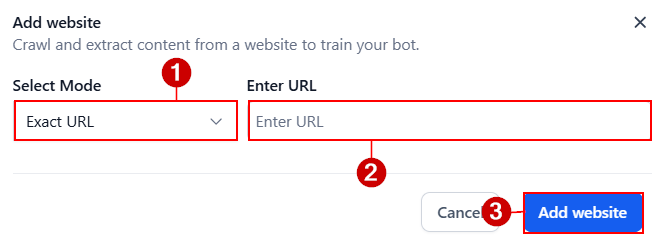
Select the Exact URL mode(1), enter the public URL of the Google Docs document you wish to use for training (2), then click Add Website (3).
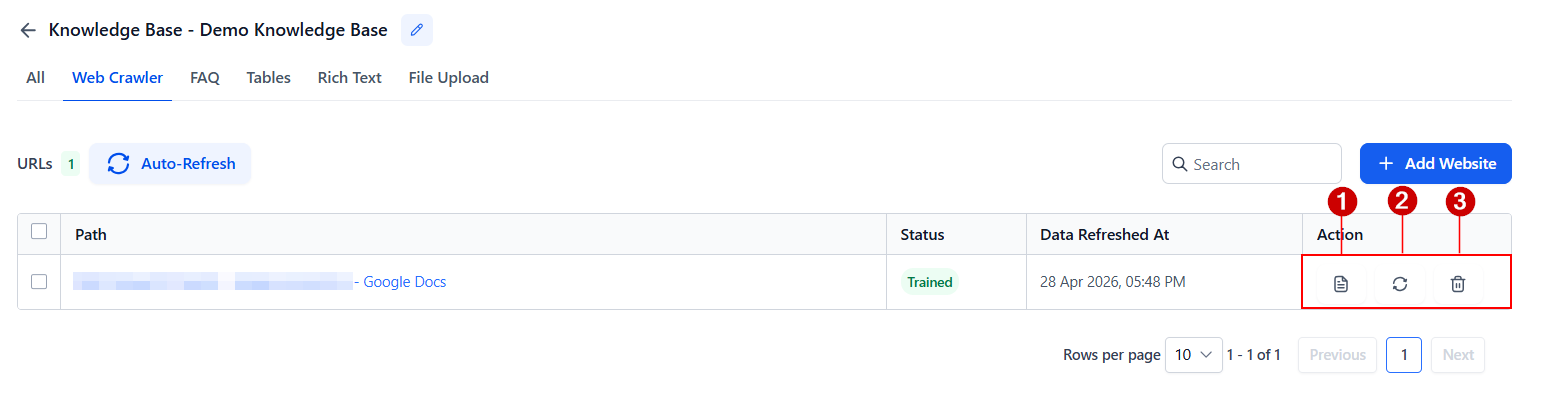
Once the knowledge base has been trained, you can view the data (1), refresh the link (2), or delete the URL (3).
Adding The Knowledge Base
To add the knowledge base to a bot, navigate to the Conversation AI tab and edit or create a bot.
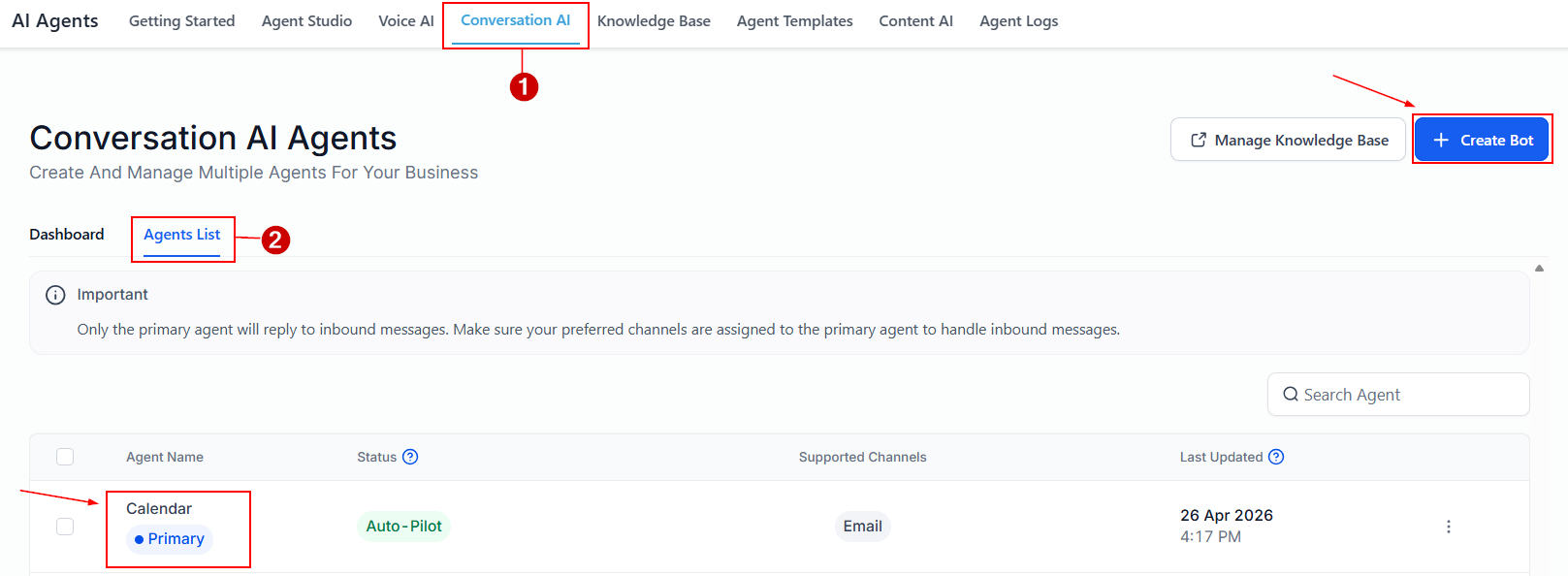
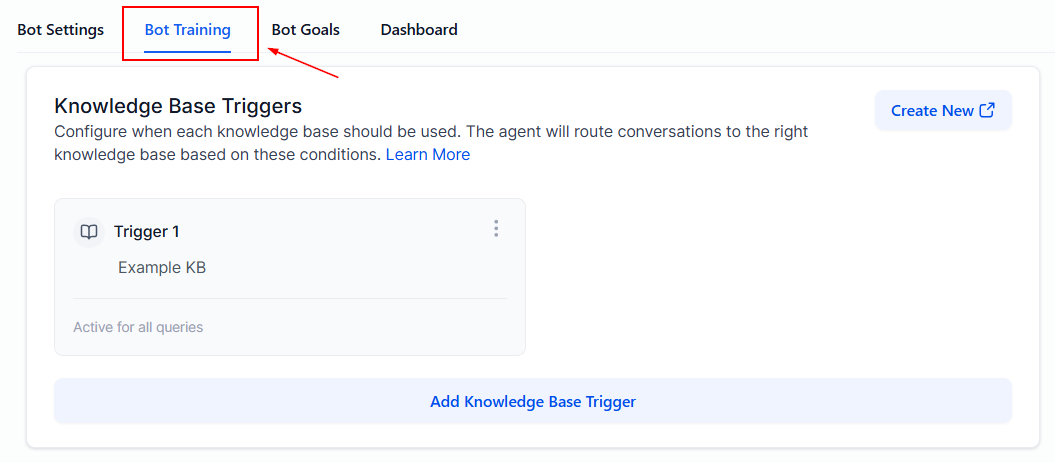
Navigate to the Bot Training Tab.
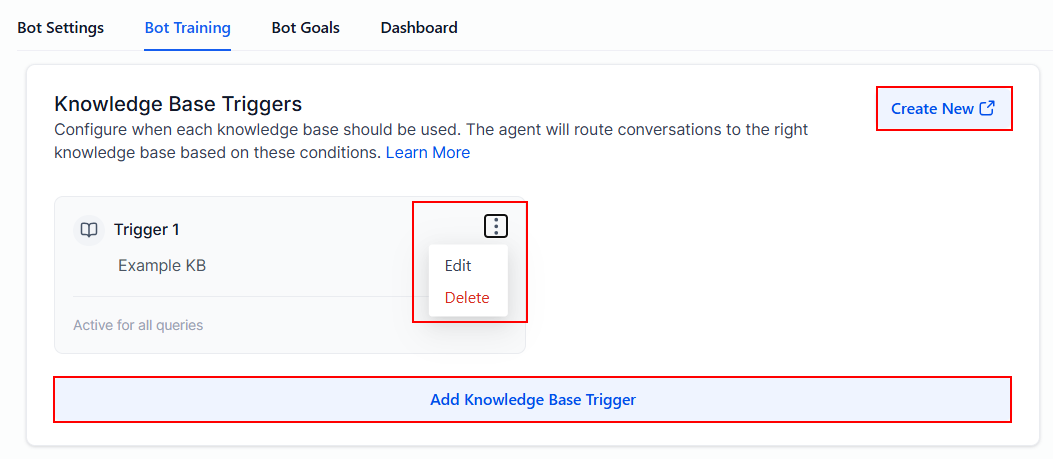
Here, you can add the knowledge base to a new or existing trigger by selecting it from the drop-down menu.
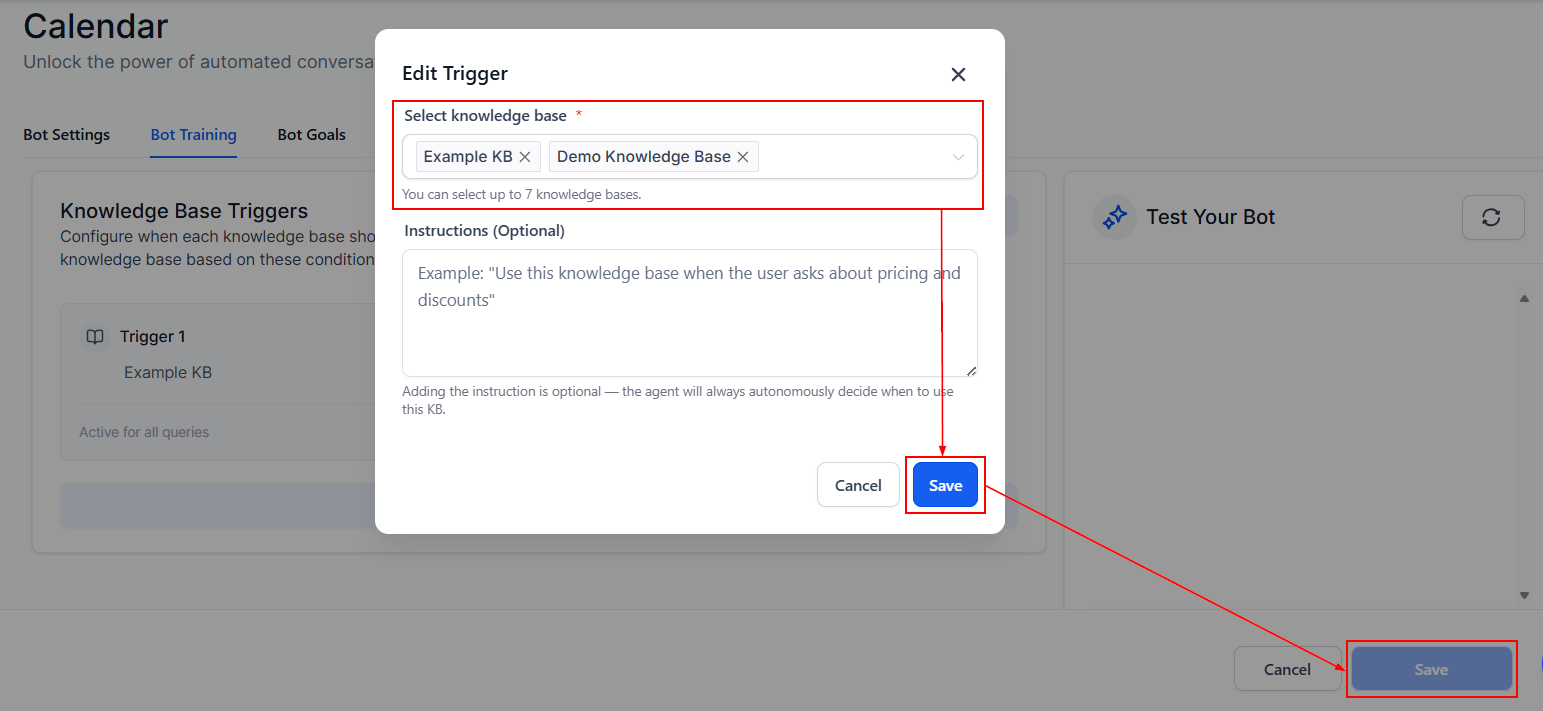
Click Save in the bottom right corner, and you’re done.
With the data fetched, you can now leverage Google Docs for training your conversational bot, enhancing its capabilities for handling FAQs, appointment scheduling, and more across various channels.
Not a Funnelbud customer yet?
Try our all-in-one CRM for sales and marketing — free for 7 days, no commitment.