Remove Contact Tag Action
Tags allow you to maintain your contacts in an organized manner, so it’s important to keep them updated and remove any tag that no longer applies to a customer. Doing so offers control over contact categorization and improves your targeting in marketing campaigns. You can delete tags associated with a contact upon executing the workflow with the Remove Contact Tag workflow action.
Removing Tags
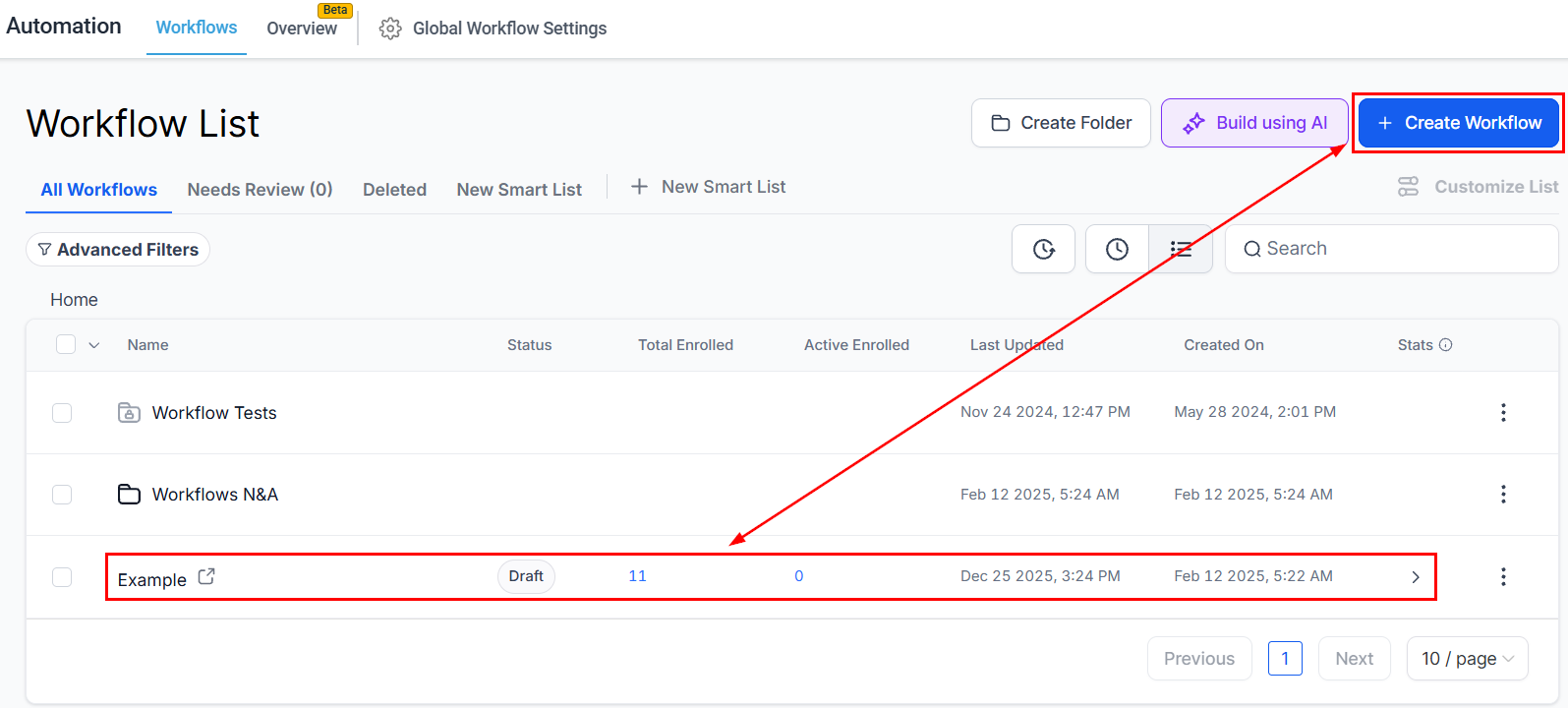
To use this action access the Workflow builder inside the Automation section. Create or edit an existing workflow.
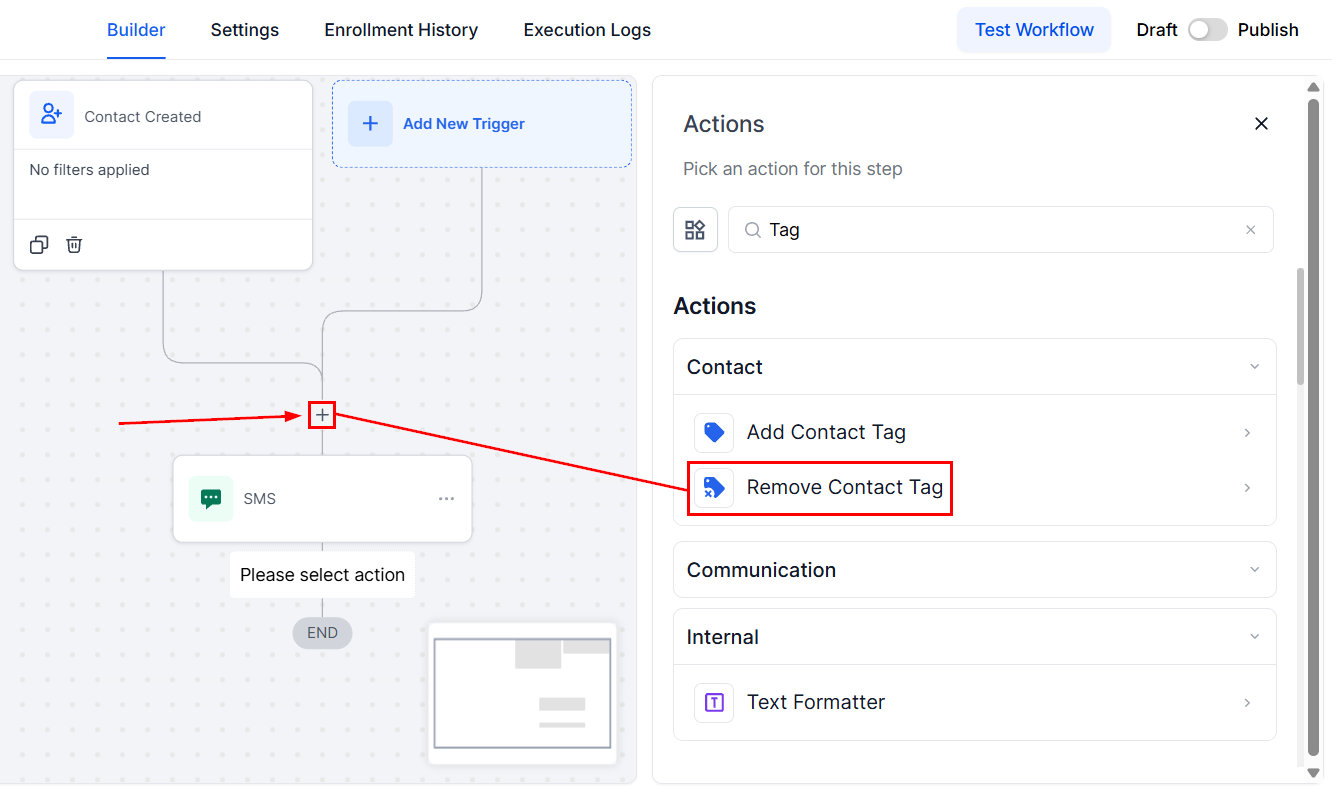
In the workflow builder click the “+” icon to add an action and select Remove Contact Tag from the list.
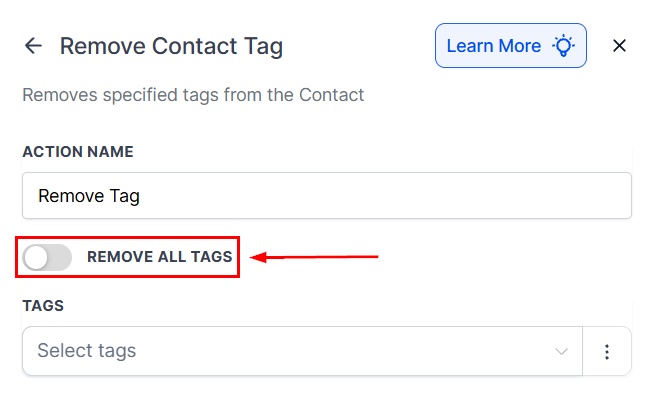
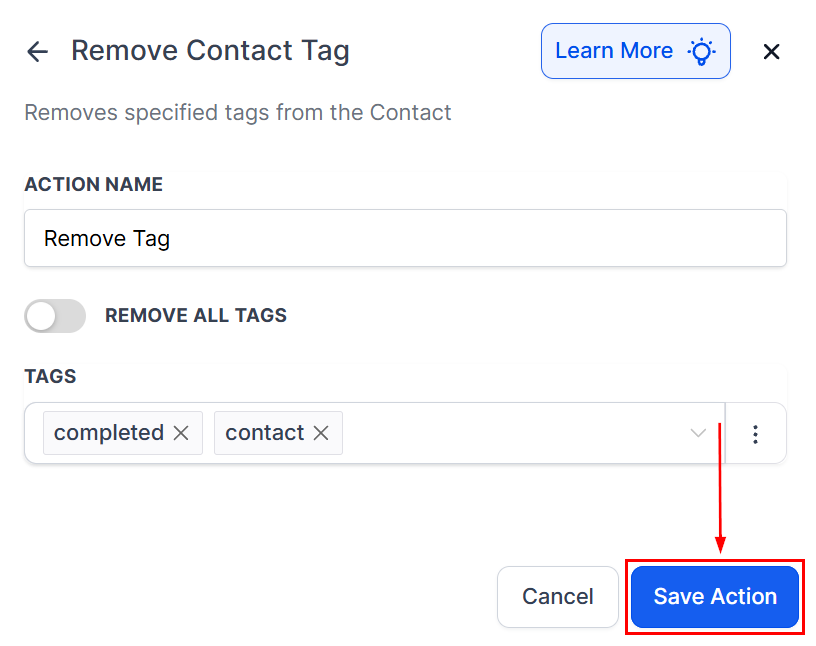
Toggle the Remove All tags option to reset the contact to no tags.
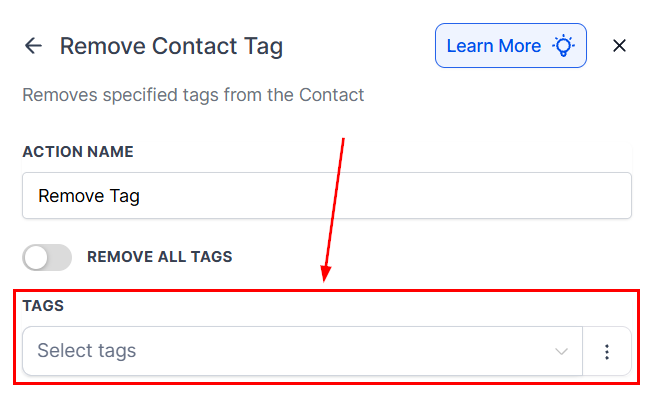
Alternatively, individually select the desired tag(s) to remove from the dropdown menu; in this step, you can include multiple tags for removal.
Click Save Action once you’ve selected the tags.
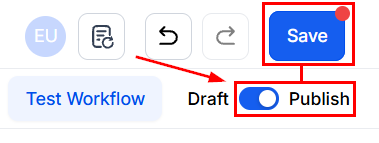
Then, Publish and Save to activate the workflow.
By removing outdated or irrelevant tags, you can maintain a clean, organized contact database. Making it easier to re-engage customers through other pipelines or with new offers. This action helps ensure your marketing efforts stay relevant, and your contact list remains well-maintained.
Not a Funnelbud customer yet?
Try our all-in-one CRM for sales and marketing — free for 7 days, no commitment.