Understanding and Configuring Call Routing
Whether it’s a larger team or simply keeping work separate from your personal life, Call Routing allows you to ensure calls land in the right spot every time. This will help you speed up waiting times, ensure your customers’ experience is the best, and ultimately reduce expenses by creating the most efficient path.
Assigning Numbers to Users
The first step in configuring call routing is to assign a number to a user within the CRM. This assignment is crucial as it dictates the primary route an incoming call will take.
How to Assign
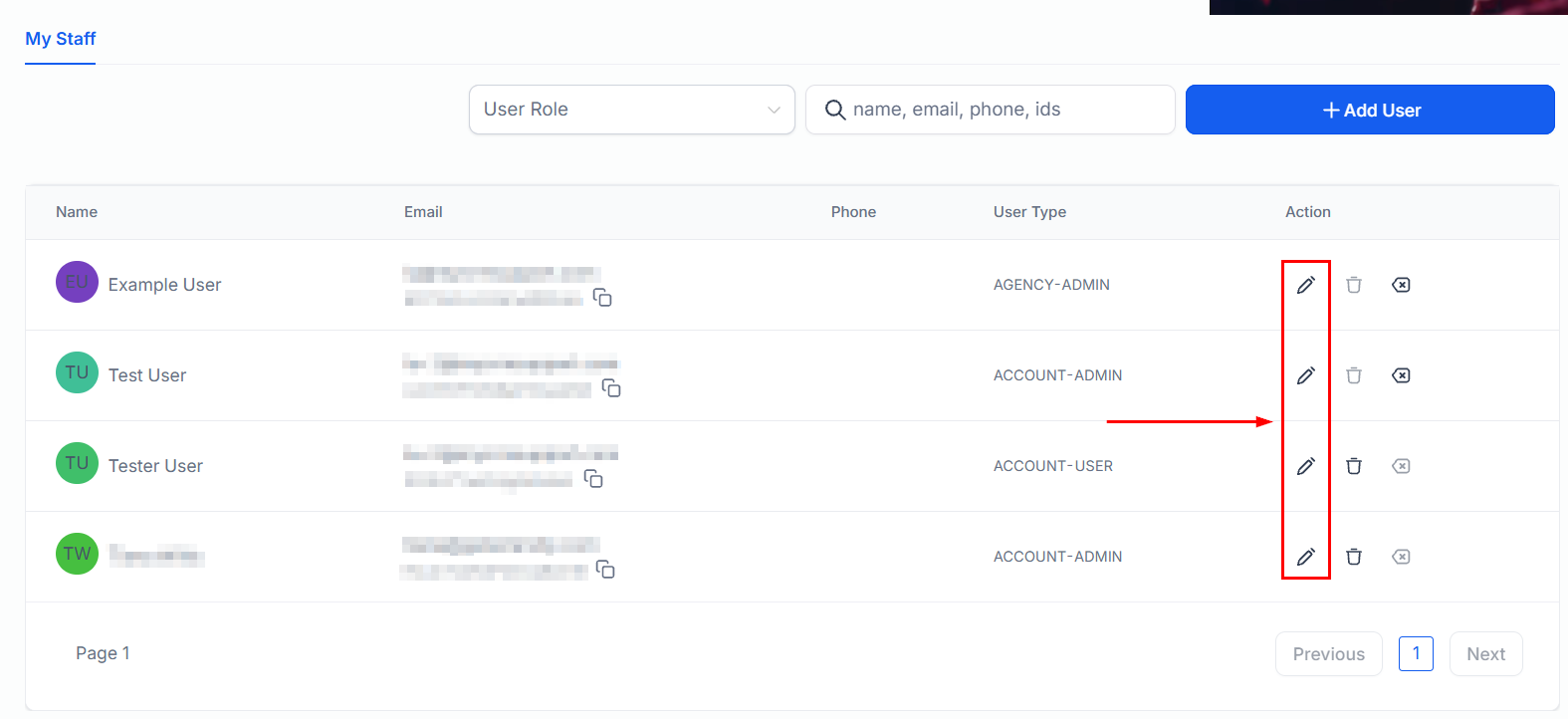
Navigate to the My Staff section of the CRM settings and select a user to whom you wish to assign a number.
In the user’s settings, locate the Call & Voicemail Settings and assign an available number to the user. Note that each number can only be assigned to one user, ensuring a one-to-one relationship.
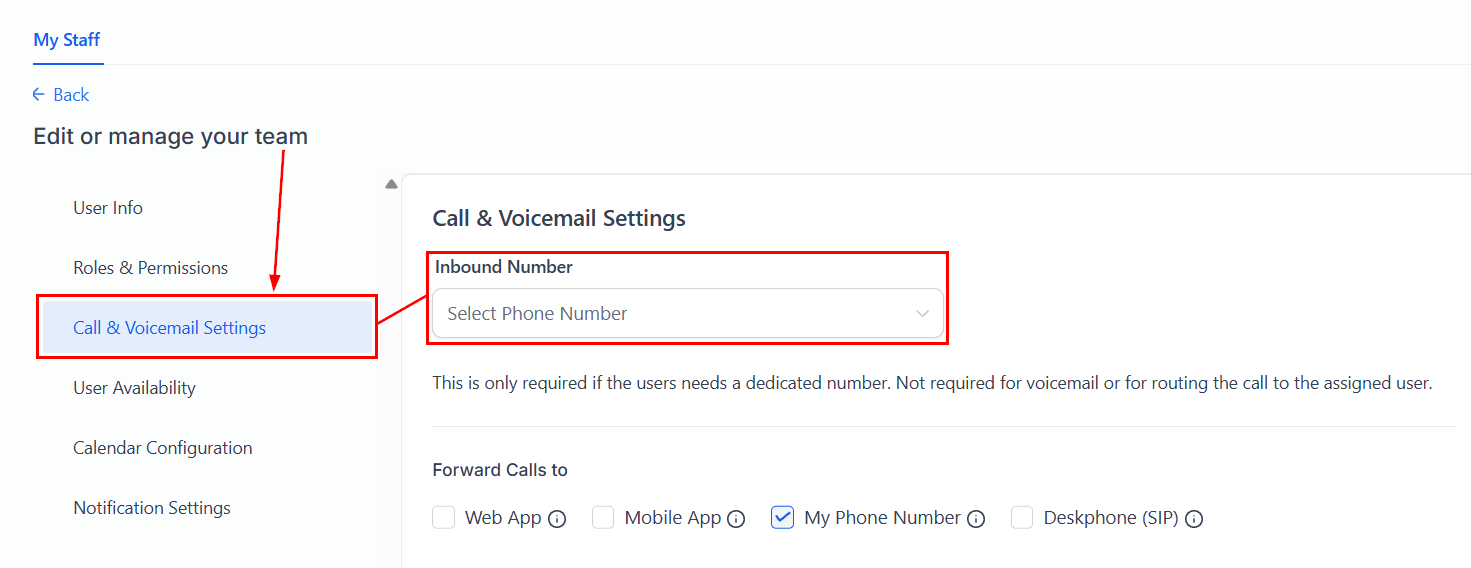
Assigning a number to a user is particularly useful for direct lines or personal numbers where you want all calls to reach a specific individual, bypassing any other routing rules.
Routing Based on User Assignment
If a number is not assigned to a user, the CRM checks if the incoming call’s contact is assigned to a user. If so, the call is routed to that user’s phone number.
- Ensure that contacts in the CRM are assigned to specific users based on your operational workflow.
- Verify that users have valid phone numbers in their user profiles to receive calls.
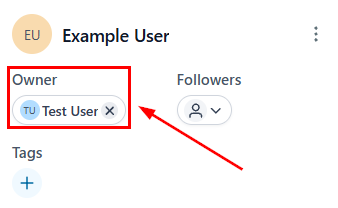
This setup is ideal for sales or support teams where leads or customers are managed by specific account representatives. It ensures that contacts can easily reach their designated point of contact.
Forwarding Numbers and Unassigned Calls
In cases where a number is not assigned to a user and the contact does not have a user assignment, the CRM routes the call to a predefined forwarding number.
How to Configure
Go to the Phone Numbers tab inside the Phone System section of your CRM’s settings, there click the three dots and select the Edit Configuration option.
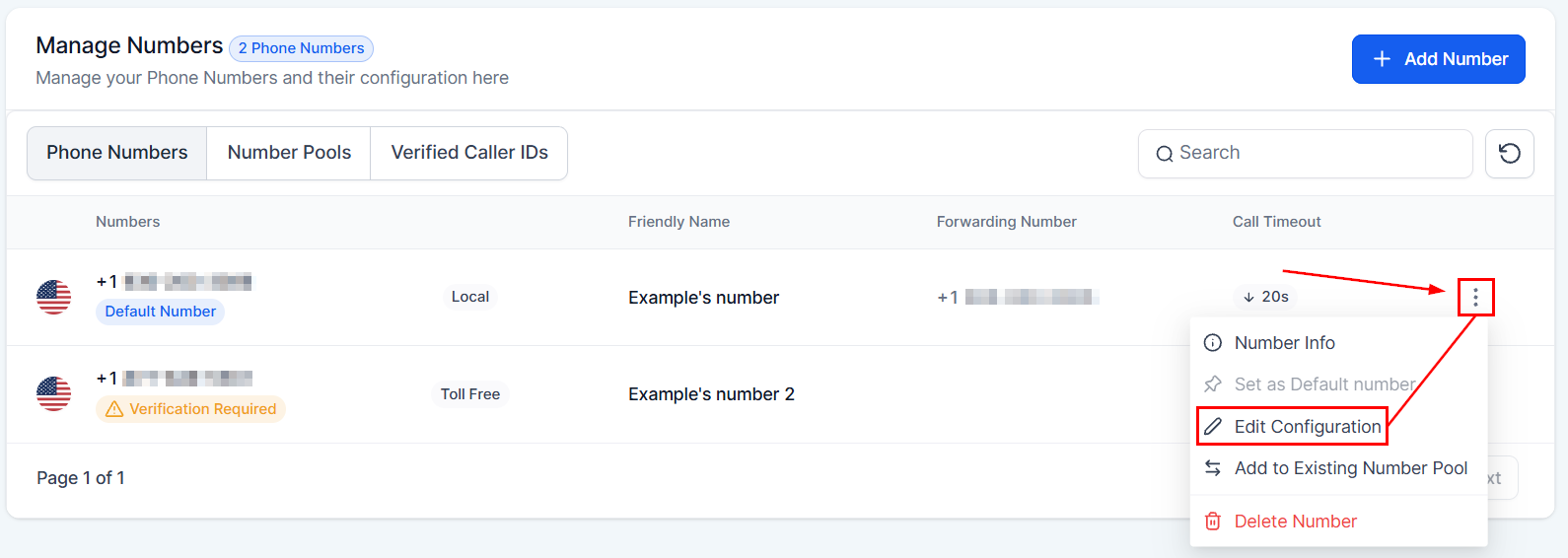
Set up or verify the forwarding number to which unassigned calls should be directed in the Call Forwarding tab.
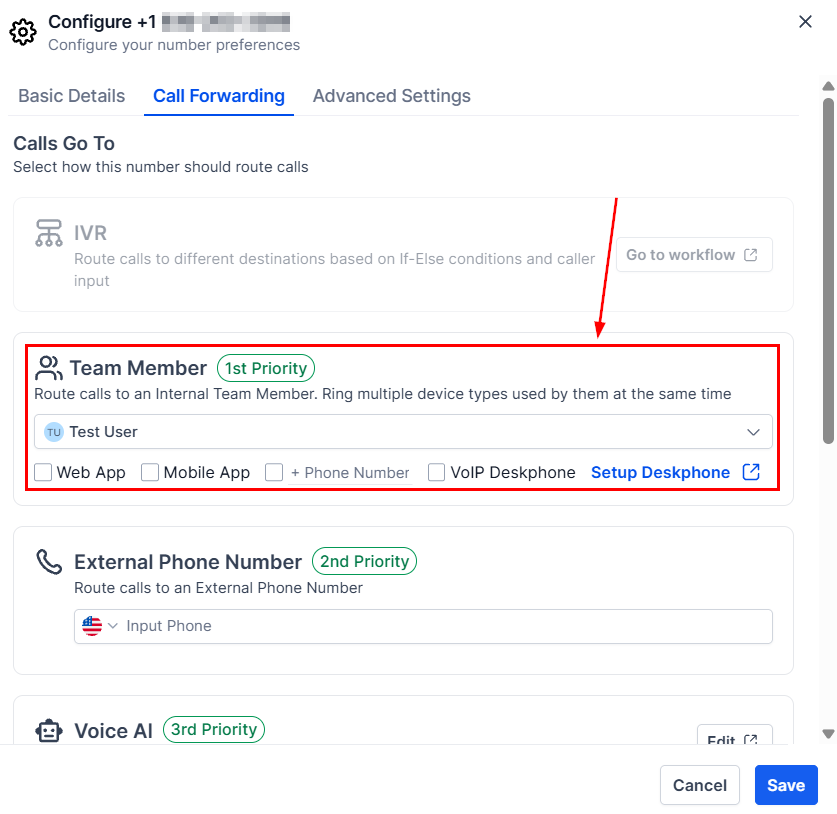
This configuration is useful for general inquiries or when a contact does not have a specific account representative. It ensures that no call goes unanswered, routing to a general reception or customer service line.
Troubleshooting Tips
- If calls are not routed as expected, check the number assignments under the user management section.
- Verify that contacts are correctly assigned to users and that users have valid phone numbers for receiving calls.
- Ensure that the forwarding number is correctly set up and operational.
Frequently Asked Questions (FAQs)
Q: Can a number be assigned to multiple users?
- A: No, each number can only be assigned to one user to maintain a clear routing path.
Q: What happens if a user does not have a phone number in their profile?
- A: Calls intended for that user will fail to connect. Ensure all users have valid phone numbers in their profiles.
Q: Can I change the forwarding number?
- A: Yes, you can update the forwarding number at any time to redirect where unassigned calls are routed.
Not a Funnelbud customer yet?
Try our all-in-one CRM for sales and marketing — free for 7 days, no commitment.