Notion Actions & Triggers in Workflows
Integrating Notion can significantly enhance productivity by automating and optimizing various workflows. Whether you are managing internal documentation, client portals, or dynamic project wikis, this integration helps you automate tasks and triggers, reducing manual efforts while providing greater visibility across your tools.
Key Benefits
With this integration, you can:
- Sync customer data into Notion databases automatically
- Create tasks, notes, or updates based on CRM events
- Build live, CRM-powered knowledge bases and content repositories
Triggers and Actions
Triggers (Notion → CRM)
These are events in Notion that trigger workflows within your CRM:
Trigger Name | Description |
|---|---|
New Database Item | Fires when a new item is added to a Notion database |
Updated Database Item | Fires when an existing item is modified |
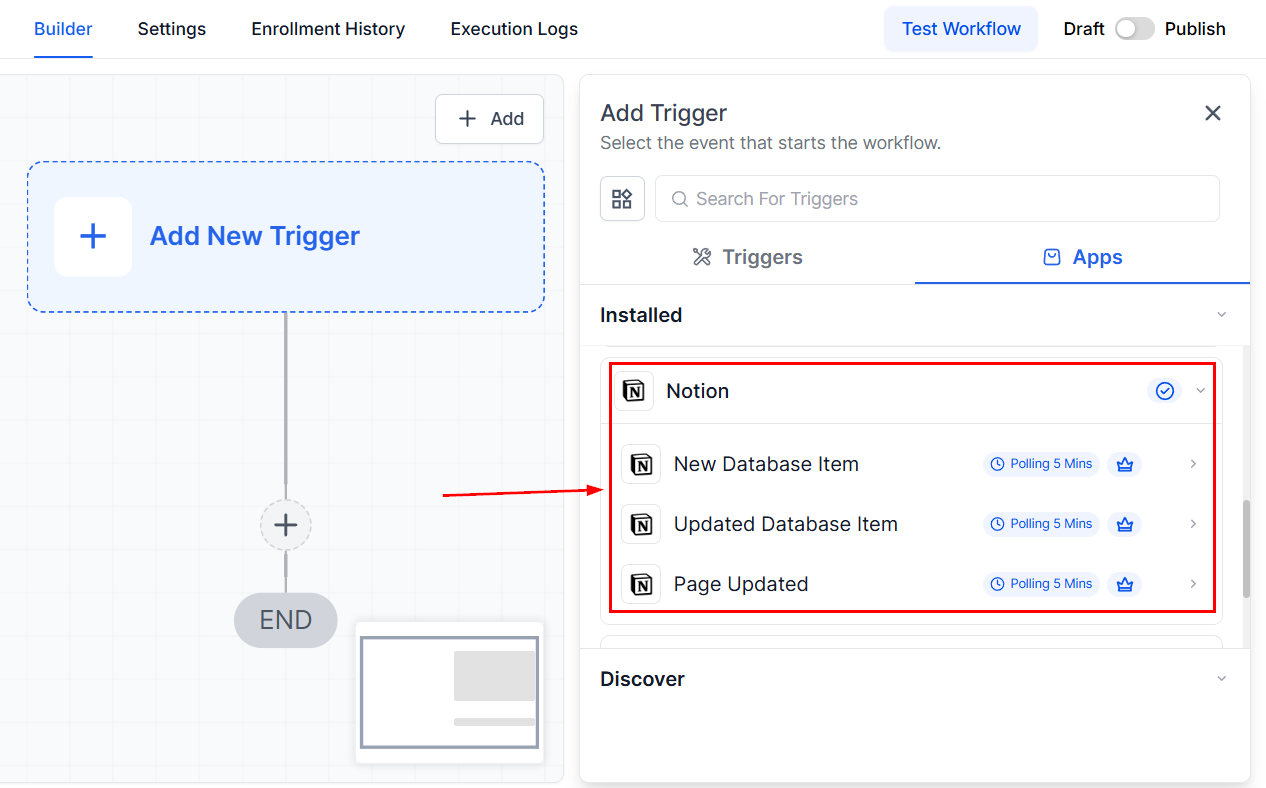
Updated Page | Fires when a Notion page is updated |
📌Note: Triggers from Notion are powered by polling. The platform checks for changes in Notion every 5 minutes. If any qualifying event occurs (such as a new database item or an updated page), it triggers the designated workflow.
Your CRM will retrieve metadata from Notion to enable dynamic field mapping in subsequent actions.
Actions (CRM → Notion)
These are actions the CRM can execute within Notion through automated workflows:
Action Name | Description |
|---|---|
Archive Database Item | Archives a selected database item in Notion |
Create Database Item | Adds a new item to a chosen database |
Add Content to Page | Appends content to an existing Notion page |
Update Database Item | Updates fields of an existing database item |
Retrieve a Page | Fetches a Notion page and its metadata |
Retrieve Block Children | Retrieves child blocks under a Notion block (e.g., text, to-do, toggle) |
Find Database Item | Locates a specific database item using filters |
Create Page | Creates a new Notion page |
Restore Database Item | Reactivates a previously archived item |
Getting Started with Notion Integration
Search in Workflows
Open your CRM workflow builder and search for any Notion actions or triggers you wish to add to your workflow.
Connect Your Notion Account
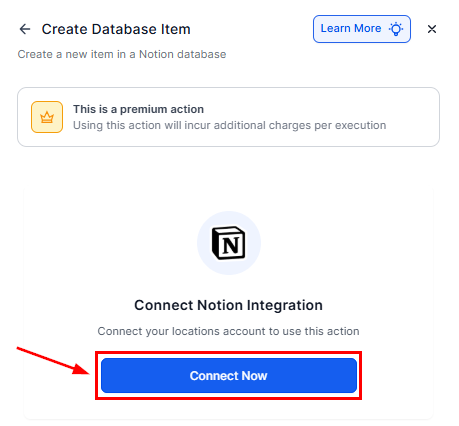
If your Notion account is already connected, you’ll be able to configure options immediately. If not, simply click Connect Now and complete the authorization process via OAuth.
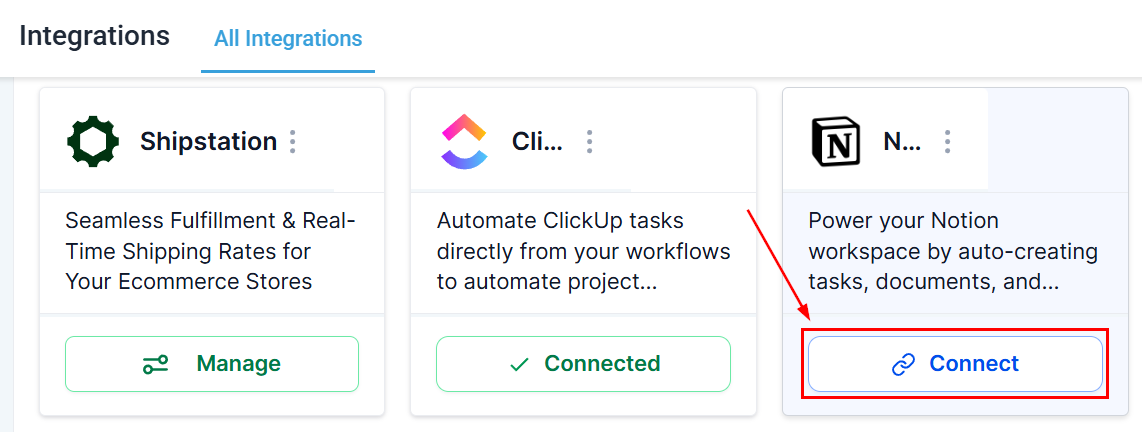
Alternatively, you can connect Notion from the Integration Settings section of your account.
Once connected, you can seamlessly create, update, and sync Notion pages or database items directly from your CRM workflows.
Common Use Cases
Use Case 1: Create Notion Docs from Form Submissions
Goal: Capture form submissions in Notion for project tracking or client onboarding.
Workflow Setup:
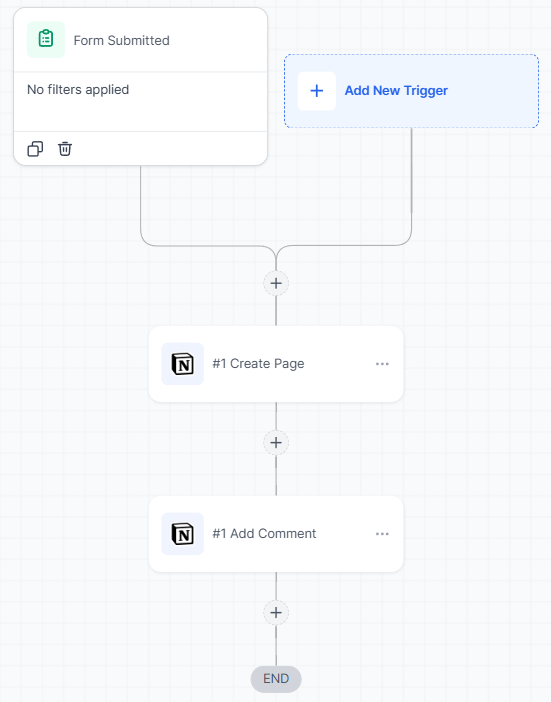
- Trigger: Form Submitted
- Filter: Form Name = “Onboarding Form”
- Actions: Create Database Item (Notion) and Add Comment (Notion)
Example: A client submits the onboarding form, then a new entry is created in the “Client Onboarding DB” in Notion. Next, a welcome message is added as a comment.
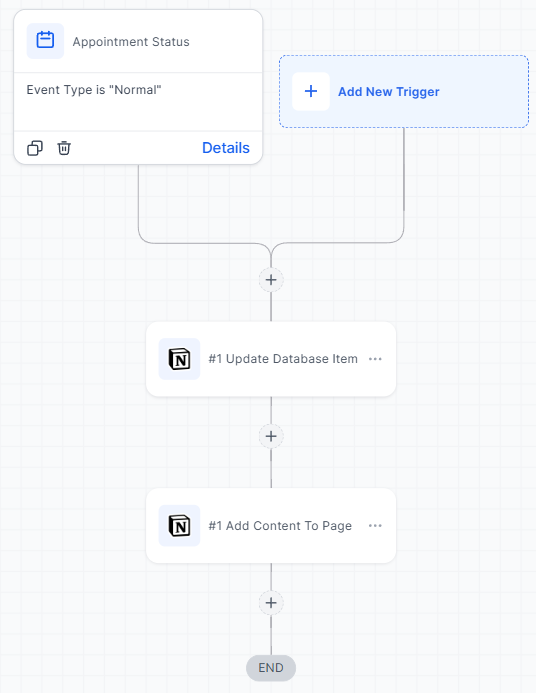
Use Case 2: Sync Appointment Outcomes to Notion Logs
Goal: Maintain a meeting log in Notion for better tracking.
Workflow Setup:
- Trigger: Appointment Status Changed
- Filter: Calendar = “Consultations”
- Actions: Update Database Item (Notion) and Add Content to Page (Notion)
Example: A lead misses their consultation, which will update the relevant database item and add follow-up notes to the page.
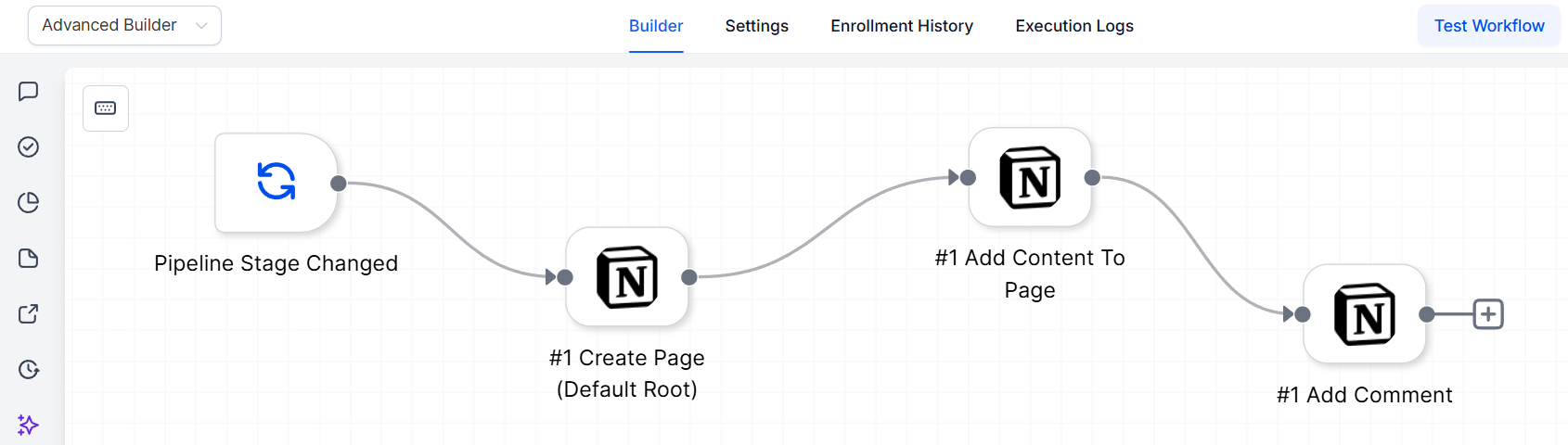
Use Case 3: Auto-Generate Proposal Pages
Goal: Automatically generate personalized proposal pages when a sales opportunity advances.
Workflow Setup:
- Trigger: Pipeline Stage Changed
- Filter: Status = “Won”
- Actions: Create Page (Notion), Add Content to Page, and Add Comment
Example: A Notion page titled “Proposal for {{contact.name}}” is created with summary content and team mentions after a deal progresses to the “Proposal” stage.
By integrating Notion with your CRM, you can automate and streamline essential workflows, saving time and enhancing team collaboration. Whether you’re organizing client data, building knowledge bases, or managing projects, this integration gives you the flexibility to customize and optimize how you work across both platforms.
Frequently Asked Questions
Q: Do I need a paid Notion plan to use this integration?
- A: No, the integration works with Notion’s free plans. However, some features (e.g., teamspaces or analytics) may require a paid subscription.
Q: Are there limits on the number of workflows with Notion?
- A: Workflow limits respect Notion’s API rate limits.
Not a Funnelbud customer yet?
Try our all-in-one CRM for sales and marketing — free for 7 days, no commitment.