Basecamp Actions & Triggers in Workflows
Effective project management requires seamless coordination between your internal workflows and the tools your team uses daily. The Basecamp integration bridges this gap by allowing you to automate tasks, synchronize project updates, and streamline communication across platforms. Whether you’re managing client deliverables, coordinating team activities, or organizing operational processes, this integration ensures that critical information flows effortlessly between your systems.
Why It Matters
With this integration, teams can:
- Automatically create to-dos, projects, and schedules in Basecamp based on workflow events.
- Keep project collaboration aligned with CRM updates and client activity.
- Reduce manual tasks and ensure timely communication across departments.
Triggers and Actions
Triggers (Basecamp → Workflows)
These Basecamp events can initiate automations:
Trigger Name | Description |
|---|---|
New To-do | Fires when a new to-do is created. |
New Comment Added | Fires when a comment is added to a to-do or message. |
New Document | Fires when a document is created. |
New Activity | Fires when new activity occurs in a Basecamp project. |
New Message Posted | Fires when a message is posted. |
New To-do List | Fires when a new to-do list is created. |
Actions (Workflows → Basecamp)
These actions can be executed inside Basecamp:
Action Name | Description |
|---|---|
Create To-Do List | Creates a new to-do list within a selected project. |
Create To-Do | Adds a task inside an existing to-do list. |
Create Message | Posts a message to a project message board. |
Create Campfire Message | Sends a real-time chat message in Campfire. |
Update To-Do | Updates a to-do’s details such as title, due date, assignee, or status. |
Add Person To Project | Adds a team member or client to a project. |
Create Document | Creates a document or note in a project. |
Find To-Do | Locates a to-do by name, ID, or filters. |
Find Project | Searches for a project by name or ID. |
Find To-Do List | Finds a to-do list within a project. |
Create Project | Creates a new project from a template or blank. |
Find Person | Searches for a person by name or email. |
Find Document | Finds an existing document or file. |
Getting Started
Search in Workflows
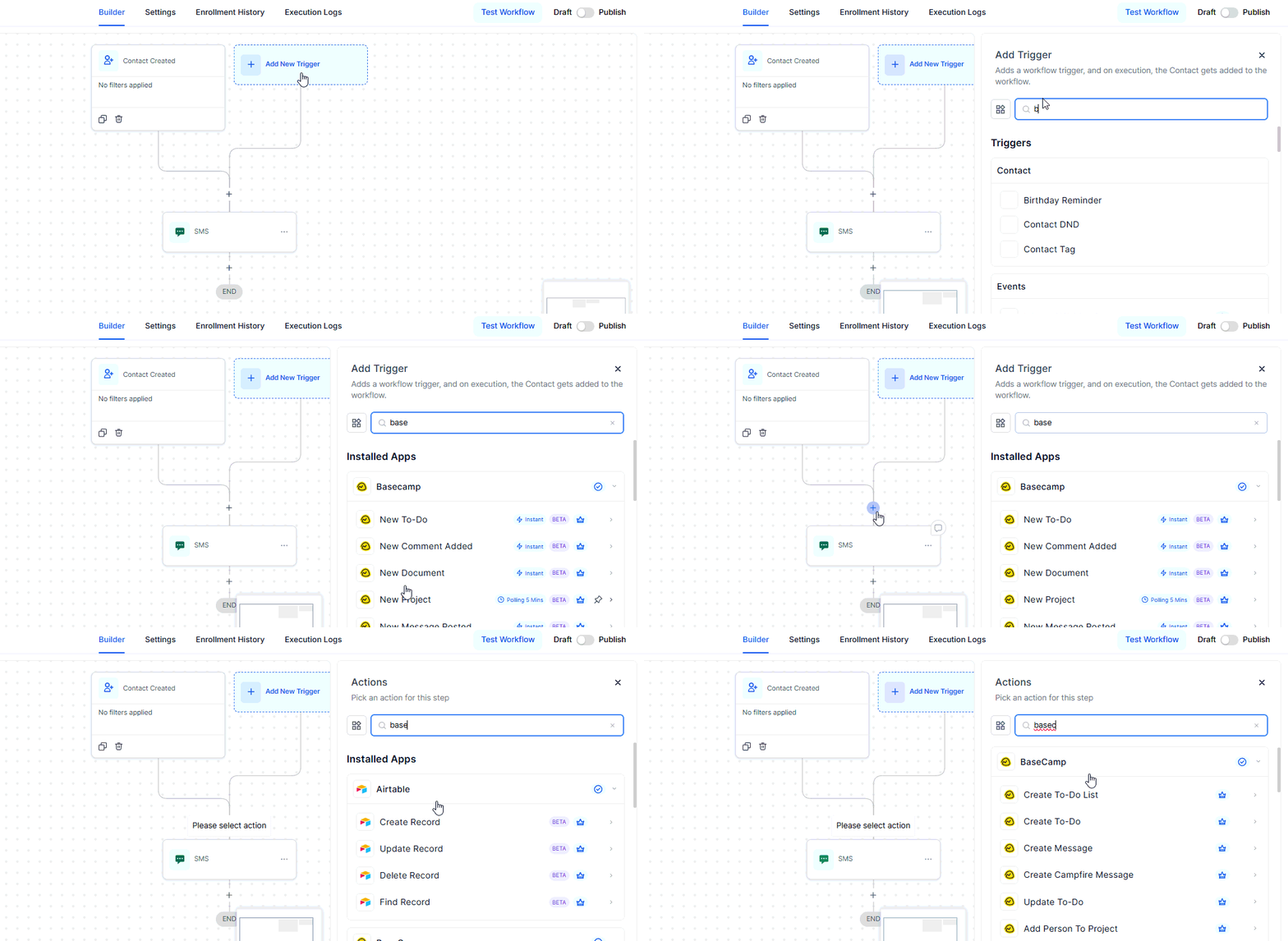
Open your workflow builder and search for any Basecamp triggers or actions you want to use.
Connect Your Account
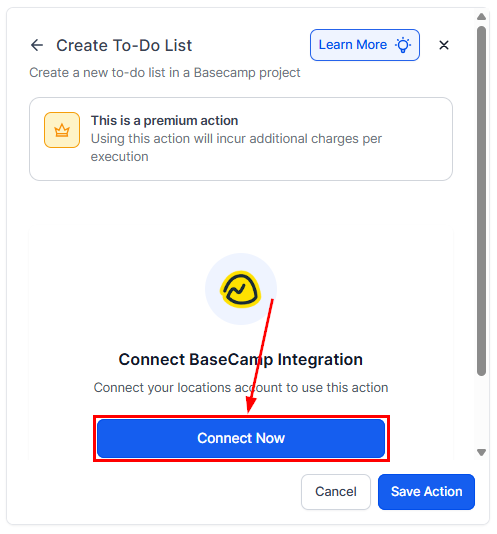
If your Basecamp account is already connected, configuration options will appear immediately.
If not, select Connect Now and complete the authorization steps.
Alternative Setup
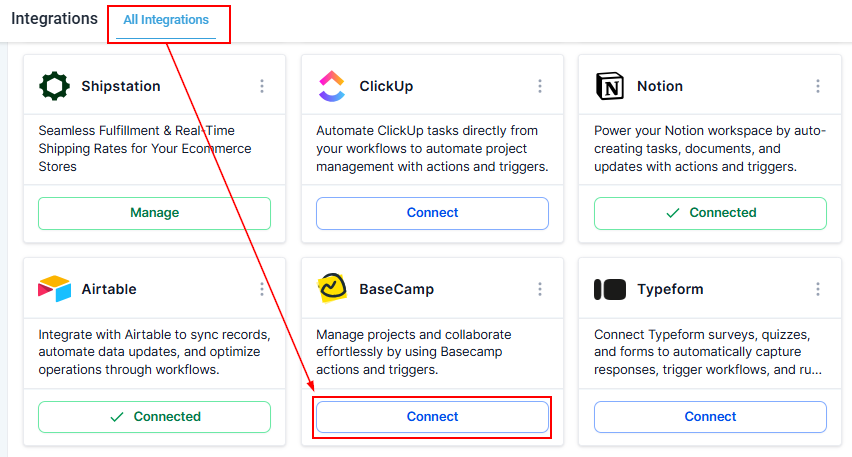
You can also connect through Settings → Integrations by selecting Basecamp and completing the authorization process.
Once connected, Basecamp actions and triggers can be added to any automation.
How Basecamp Triggers Work
Basecamp triggers are powered by webhooks provided by Basecamp’s API. When an event occurs—such as a new to-do or posted message—the workflow engine receives the webhook instantly and processes the corresponding automation.
Setup Steps
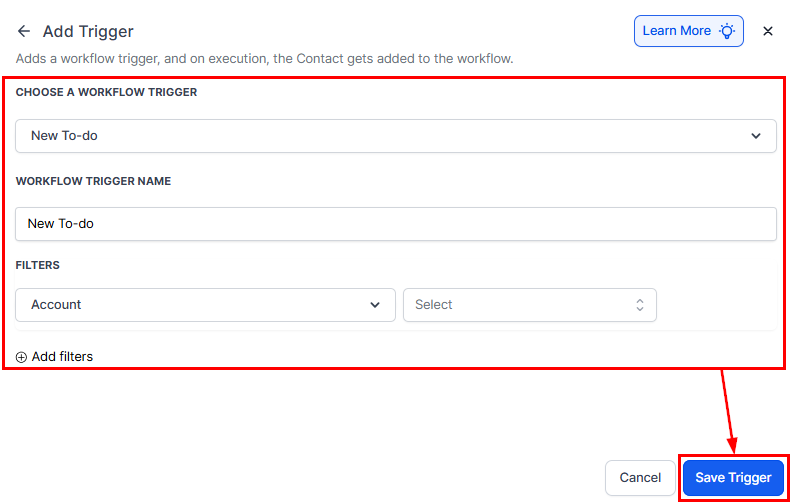
Select a trigger, then configure and save it. The system will automatically retrieve the relevant Basecamp metadata, allowing you to map fields accurately for the next steps in your workflow.
Common Use Cases
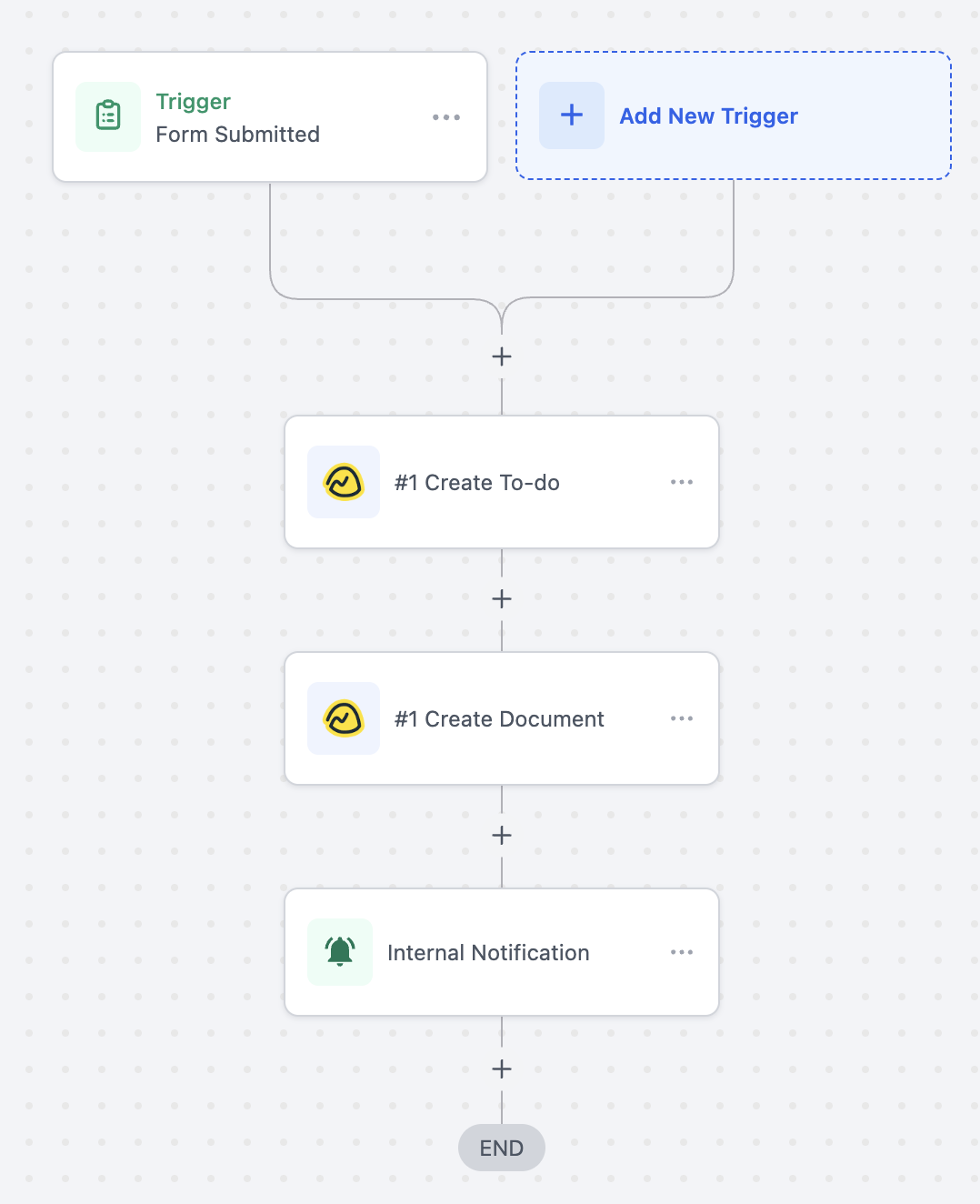
Use Case 1: Create To-dos and Documents from Form Submissions
Goal: Automatically create a Basecamp to-do and a supporting document when a client submits a form.
- Trigger: Form Submitted
- Filter: Form Name = “Project Intake Form”
- Actions: Create To-do, Create Document, Internal Notification
A new to-do is created in Basecamp when a client submits the intake form, followed by a detailed project document containing their form entries. The team then receives an internal notification to begin setup.
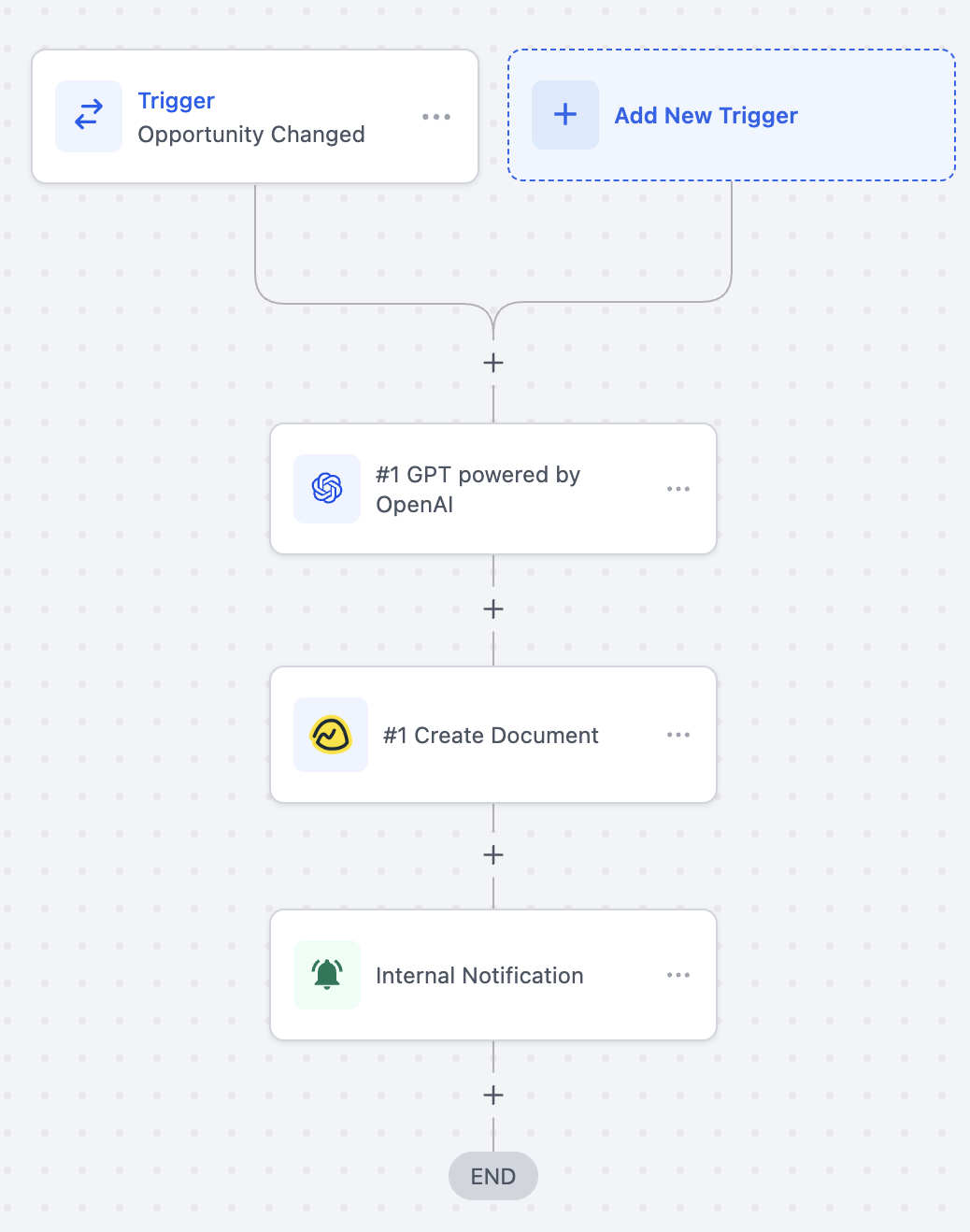
Use Case 2: Generate Basecamp Documents When an Opportunity Stage Changes
Goal: Automatically create a Basecamp document using AI-generated content when an opportunity stage updates.
- Trigger: Opportunity Stage Changed
- Filter: Stage = “Closed Won”
- Actions: GPT (OpenAI), Create Document, Internal Notification
When a deal is marked “Closed Won,” AI generates a project summary based on opportunity details. A “Project Kickoff Summary” document is then added to Basecamp, followed by a notification to the onboarding team.
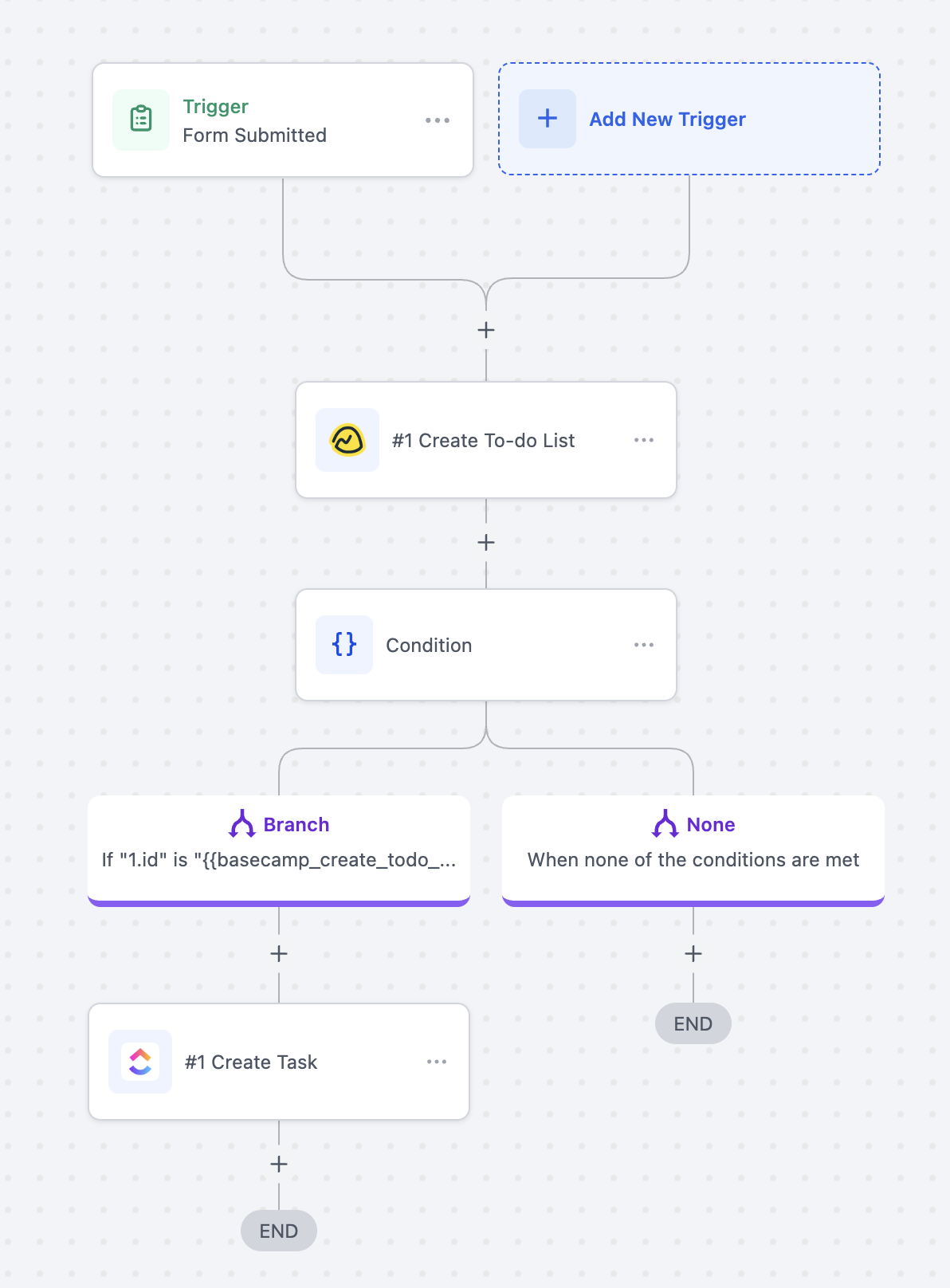
Use Case 3: Create To-do Lists and Tasks from Form Submissions
Goal: Automatically create a new to-do list and follow-up task when a form is submitted.
- Trigger: Form Submitted
- Actions: Create To-do List, Conditional Check, Create Task
A project request form submission triggers the creation of a new Basecamp to-do list. If creation is successful, a task is automatically added.
The Basecamp integration offers a powerful way to connect project execution with your existing workflows. By automating task creation, document generation, and communication across platforms, teams can operate with greater clarity, consistency, and efficiency. Whether you’re managing internal processes or delivering client projects, this integration ensures that nothing slips through the cracks and every project moves forward with confidence.
Frequently Asked Questions
Q: Are Basecamp triggers instant?
- Yes, triggers fire instantly through webhook-based events.
Q: Can data sync both ways?
- This integration supports one-way synchronization. For full bi-directional syncing, tools like Make or Zapier can be used.
Q: Is a paid Basecamp plan required?
- No, the integration works with both free and paid plans, though some advanced project features may require a subscription.
Q: Are actions and triggers billed?
- Yes. All Basecamp actions and triggers count toward standard workflow automation usage rates.
Not a Funnelbud customer yet?
Try our all-in-one CRM for sales and marketing — free for 7 days, no commitment.