How to Bulk Import Custom Objects
Managing large amounts of data can take a lot of time if you create records one at a time. Bulk importing Custom Object records makes the process much faster. By uploading a CSV file, you can create new records, update existing ones, or do both at the same time—all while keeping your data organized and free from duplicates.
How to Set Up a Custom Object Bulk Import
Preparing your CSV file and mapping fields correctly will help ensure a smooth import. Following these steps can help prevent duplicates and reduce errors.
Start the Import
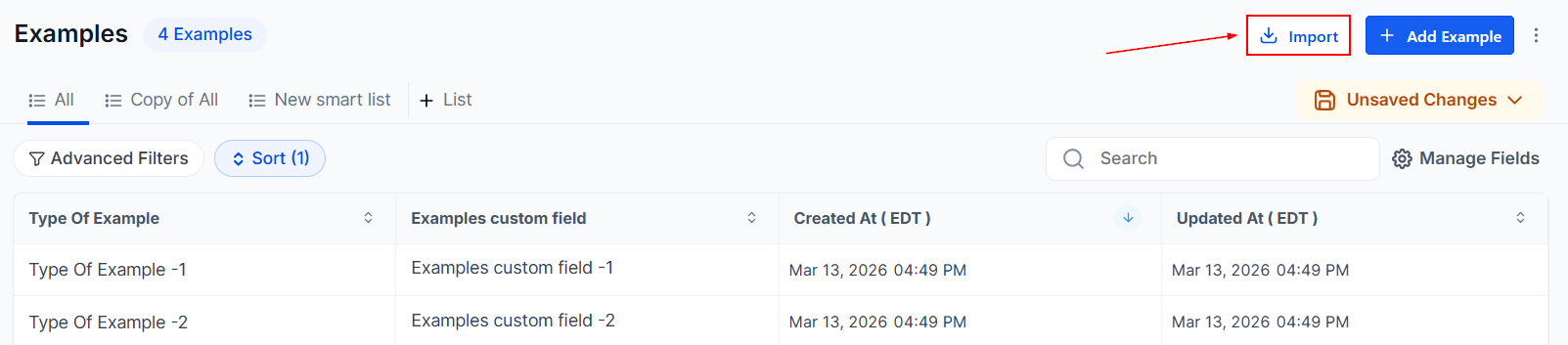
Open the Custom Objects tab in your account where you want to import records, then click Import in the top-right corner.
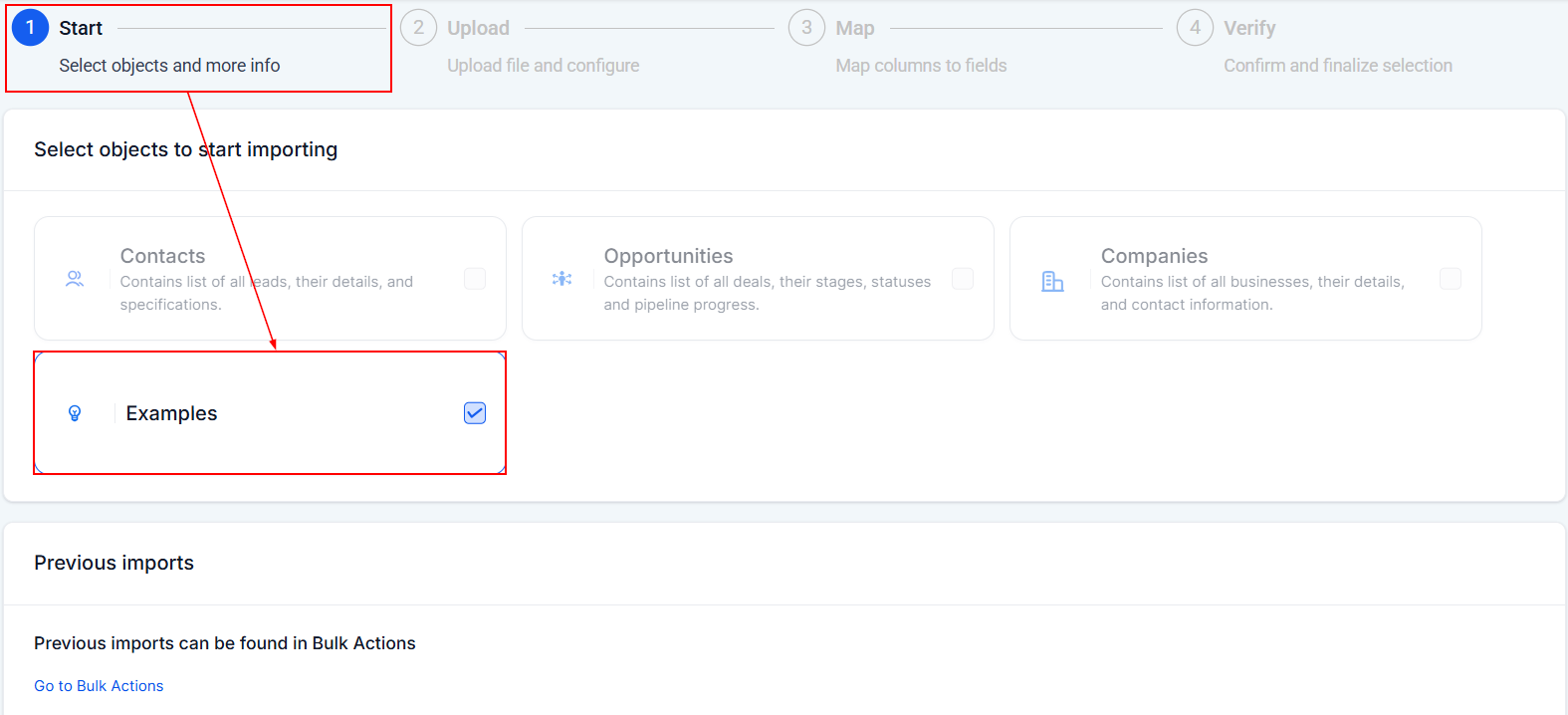
Start
Choose the objects you want to import.
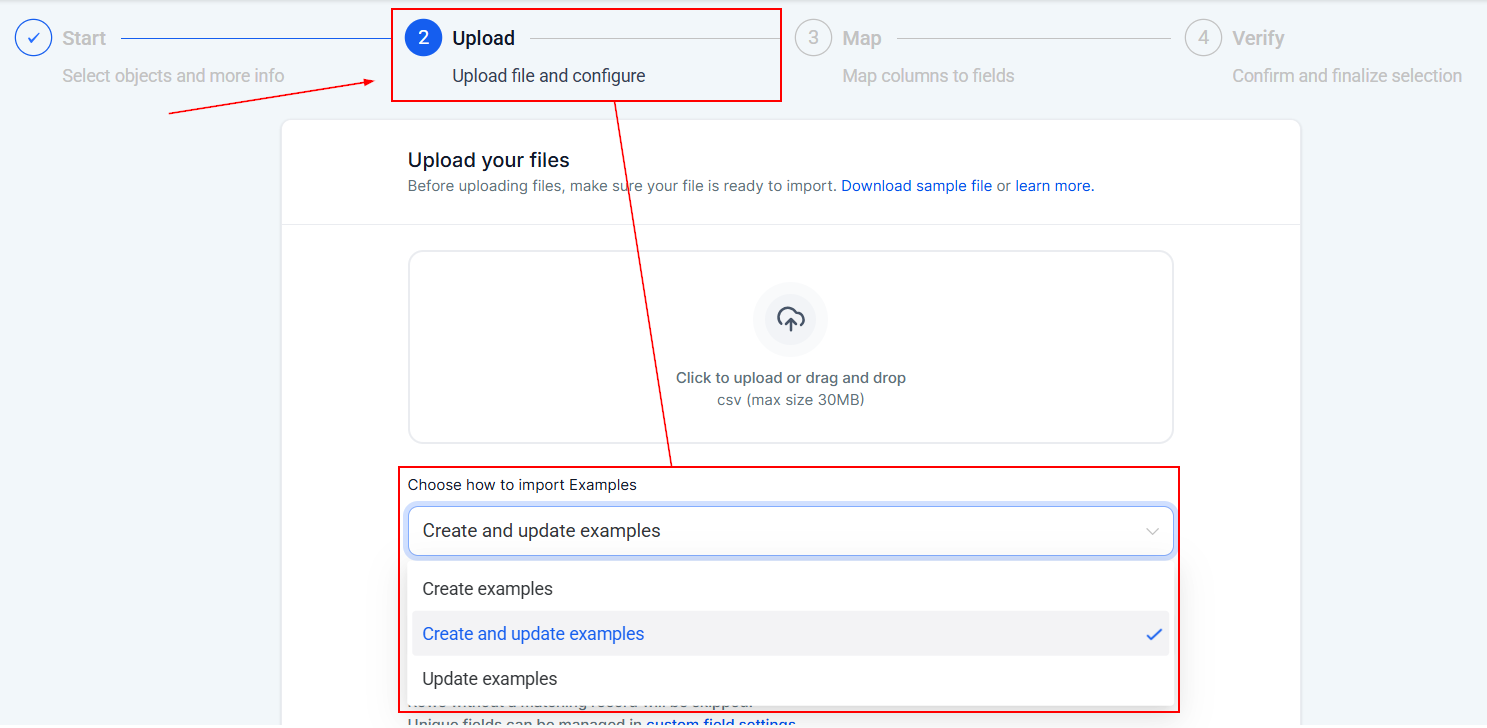
Upload
Select the import mode:
- Create – When you are importing entirely new records.
- Update – When you only want to modify existing records.
- Create + Update – When your CSV contains both new and existing records.
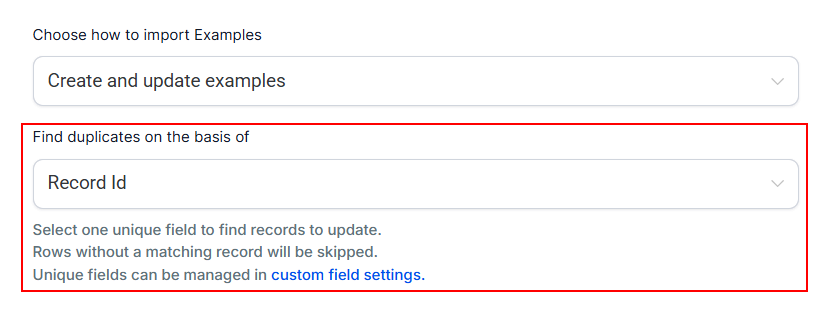
If multiple unique fields are mapped, you’ll be asked to choose which field should be used to detect duplicates.
Map
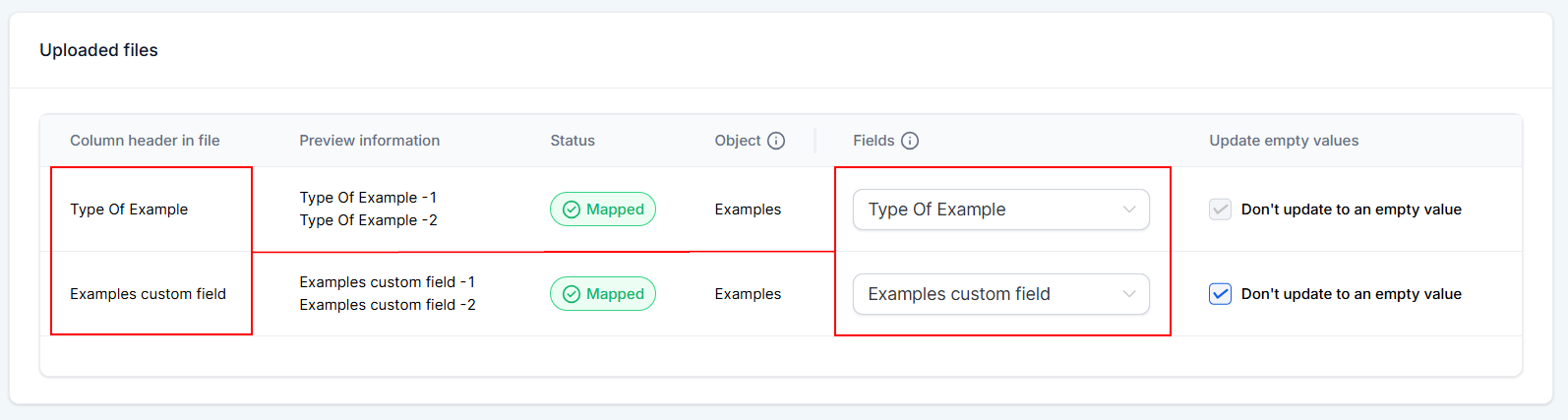
Match the columns in your CSV file to the correct fields.
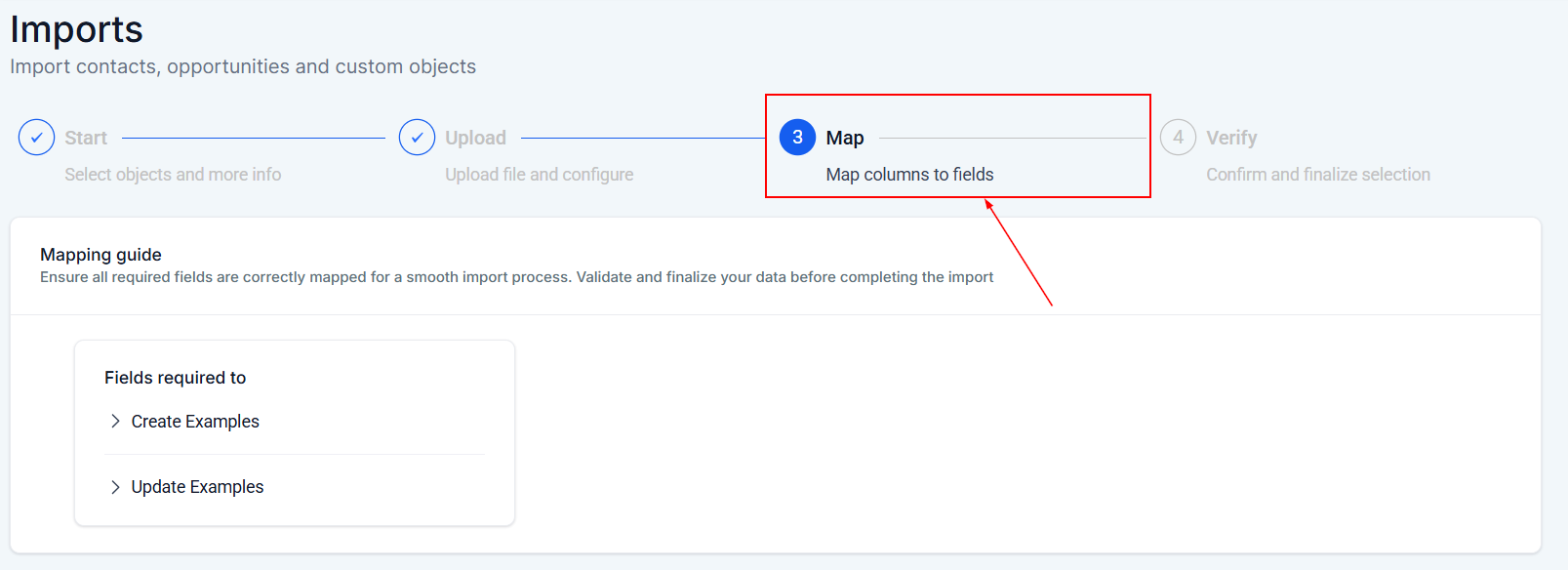
Recommended order:
- Map Primary or Required fields first
- Then map additional fields such as Owner or Followers if needed
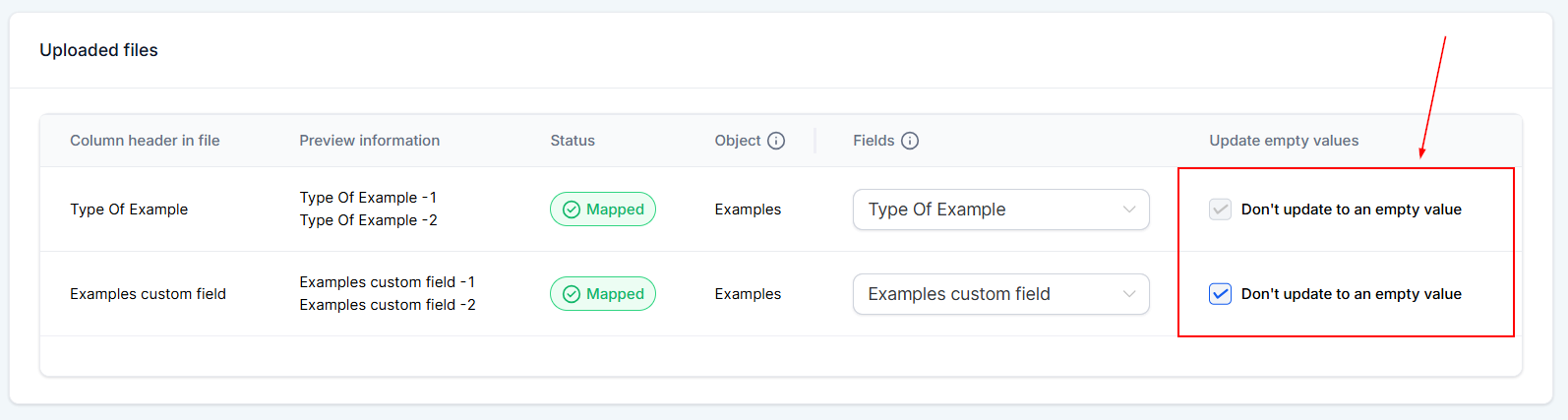
Optionally, enable “update empty values” if you want blank values in your CSV to overwrite existing values during updates.
📌Note: Primary or required fields cannot be overwritten with empty values.
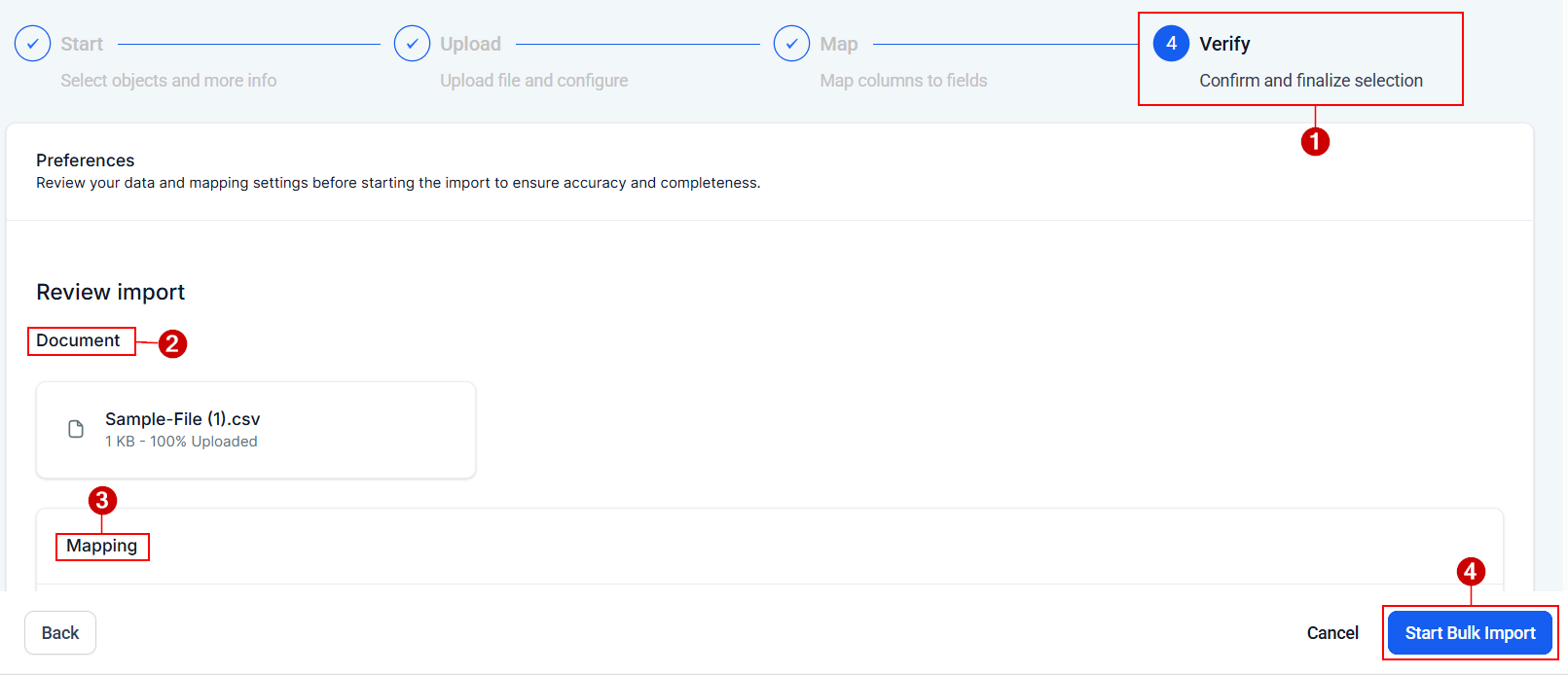
Verify
Take some time to review the details of your import such as the document name and field mapping, then click Start Import.
Managing Your Import
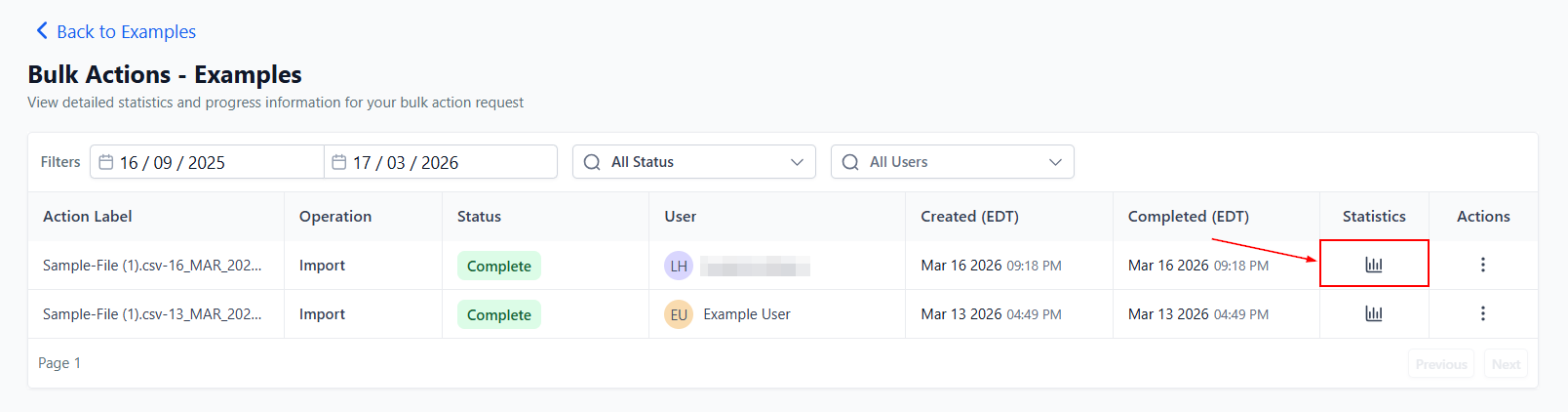
Once you have completed those steps, you can monitor and control your import from [Custom Object] > Actions menu > Bulk Actions.

From here you can:
- Pause an import
- Resume it later
- Cancel the import if needed
You can also open the import to see statistics and row-level results.
Bulk importing Custom Object records is one of the fastest ways to set up or update large datasets. By preparing a clean CSV file, mapping your fields correctly, and using dedupe controls, you can import data quickly while keeping your records accurate and organized.
Frequently Asked Questions
What does “strict conflict handling across unique fields” mean?
- If a row in your CSV would break the rules of a unique field (for example, trying to use a value that already exists on another record), the system will flag that row with an error or warning so you can fix it.
What happens if I cancel an import?
- Canceling stops the remaining rows from being processed. Any rows that were already completed may still remain applied.
Where can I see errors and how to fix them?
- Open the import details and check the Stats section. Errors and warnings will show row-level messages along with guidance on how to resolve them.
Can I import multiple Custom Objects in one CSV?
- No. Each CSV file can currently import records for only one Custom Object at a time. Multi-object imports may be added in the future.
Not a Funnelbud customer yet?
Try our all-in-one CRM for sales and marketing — free for 7 days, no commitment.