Setting Up Branded Domains
A branded domain is essentially a custom domain that represents your brand in your CRM communications and landing pages. It replaces the default domain provided by the CRM with one that is more recognizable and trusted by your audience. Setting up a branded domain can significantly enhance your brand’s professionalism and credibility.
📌 Please Note: Only subdomains are allowed to be used as branded domains.
Locate the Branded Domain Section
- Navigate to the ‘Settings’ section within your CRM.
- Within the ‘Business Profile’, scroll until you find the ‘Branded Domain’ option.
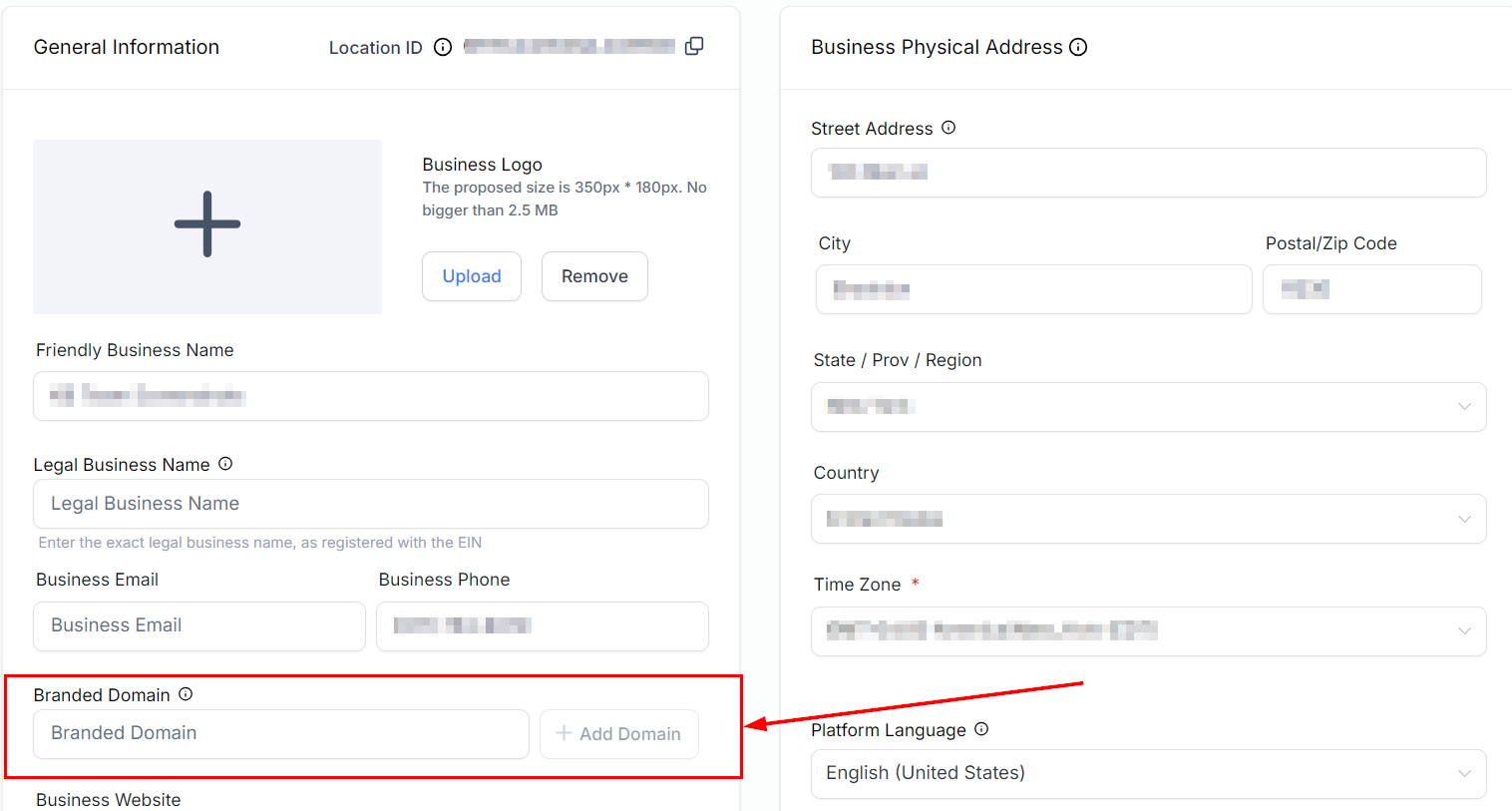
Configure DNS Settings
- Sign in to your domain registrar (e.g., Namecheap or any other hosting service you use).
- Go to your domain list, select ‘Manage Domains’, and then ‘Advanced DNS’.
- Add a new CNAME record with the following details:Host: Typically, this will be the prefix of your subdomain such as www.Value: Set this to brand.ludicrous.cloud.TTL: Adjust the Time To Live as necessary, though the default value is usually sufficient.
- After adding the CNAME record, save your changes.
Finalizing the Addition
To complete the process, navigate back to the Branded Domain section within your account and input your subdomain URL into the designated field. Once entered, click the Add Domain button to finalize the addition.
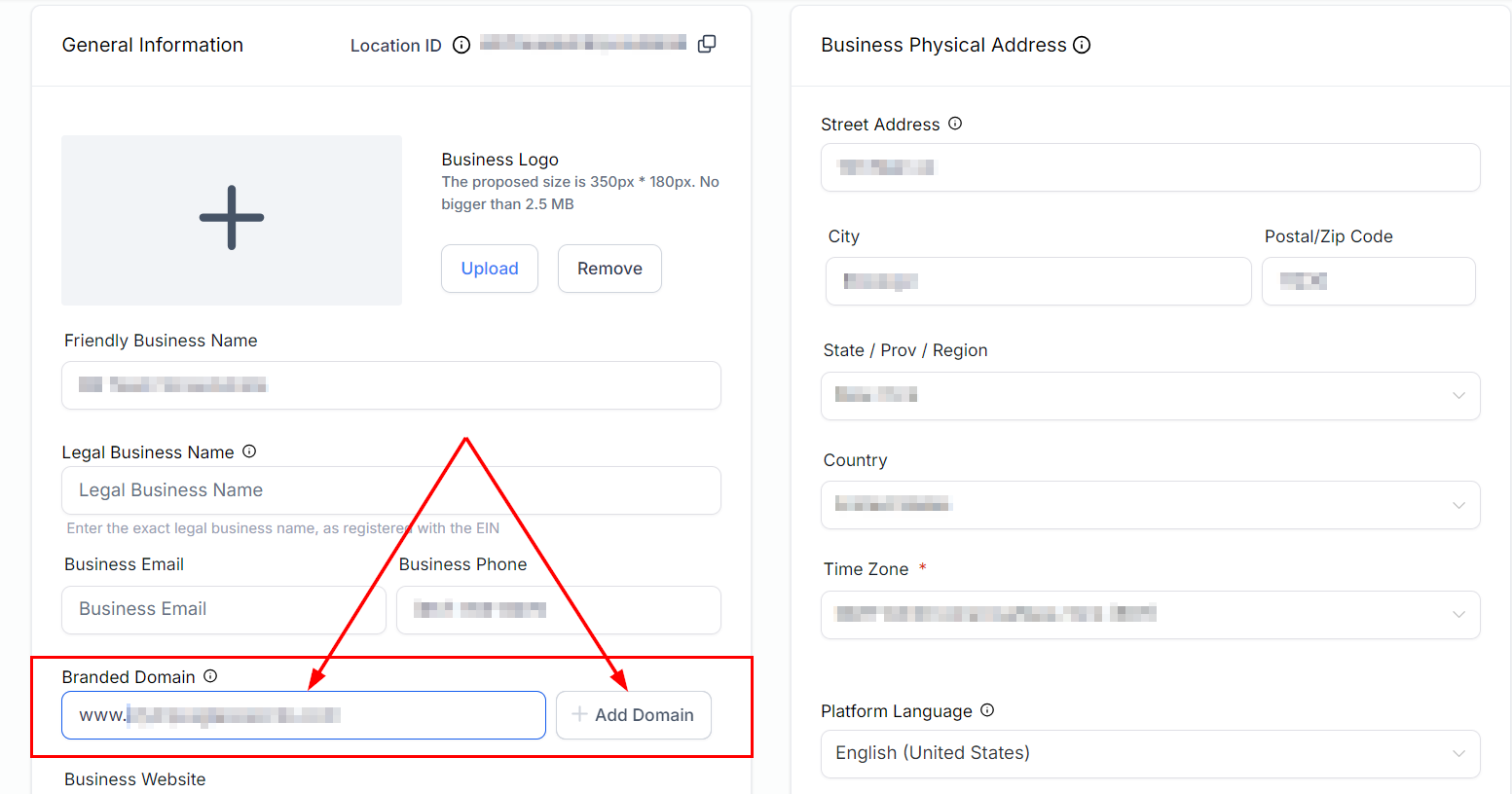
Following the outlined steps ensures seamless integration of your custom domain into your CRM platform, enhancing the overall effectiveness of your communications.
Practical Examples and Use Cases
- Professional Branding: A consultancy firm could use a branded domain like consulting.yourbrand.com for their communications, enhancing their professional image.
- Event Promotions: An event organizer might use events.yourbrand.com for event-related landing pages and emails, making the links more clickable and trustworthy.
Troubleshooting Tips
- Propagation Time: DNS changes can take up to 48 hours to propagate worldwide. If your branded domain isn’t working immediately, give it some time.
- Correct CNAME Record: Ensure the CNAME record is correctly pointing to brand.ludicrous.cloud. Double-check for any typos.
Frequently Asked Questions
Q: Can I use any subdomain as my branded domain?
- Yes, as long as you own the subdomain and it is not already in use, you can set it up as your branded domain.
Q: What if I don’t have a domain?
- You can purchase a domain from any reputable domain registrar, like GoDaddy, and then follow the steps outlined above.
Not a Funnelbud customer yet?
Try our all-in-one CRM for sales and marketing — free for 7 days, no commitment.