How to Pause or Cancel Email Campaigns
You can pause or cancel your scheduled email campaigns, including A/B tests, giving you full control over your campaigns. This feature allows you to make necessary changes or corrections before sending emails, ensuring flexibility and accuracy.
📌Note: This functionality is available for all scheduled email campaigns, batch schedules, and A/B tests that have been scheduled.
When to Use This Feature
- Pause a Campaign: If you need more time to review or make adjustments before your campaign is sent, pausing the campaign allows you to temporarily stop it.
- Cancel a Campaign: If you decide not to send a campaign, you can cancel it. This is useful for avoiding the distribution of campaigns with errors or outdated content. Canceling will stop all future sends, including batches or automated RSS emails.
How to Pause or Cancel a Scheduled Email Campaign
Navigate to Email Campaigns
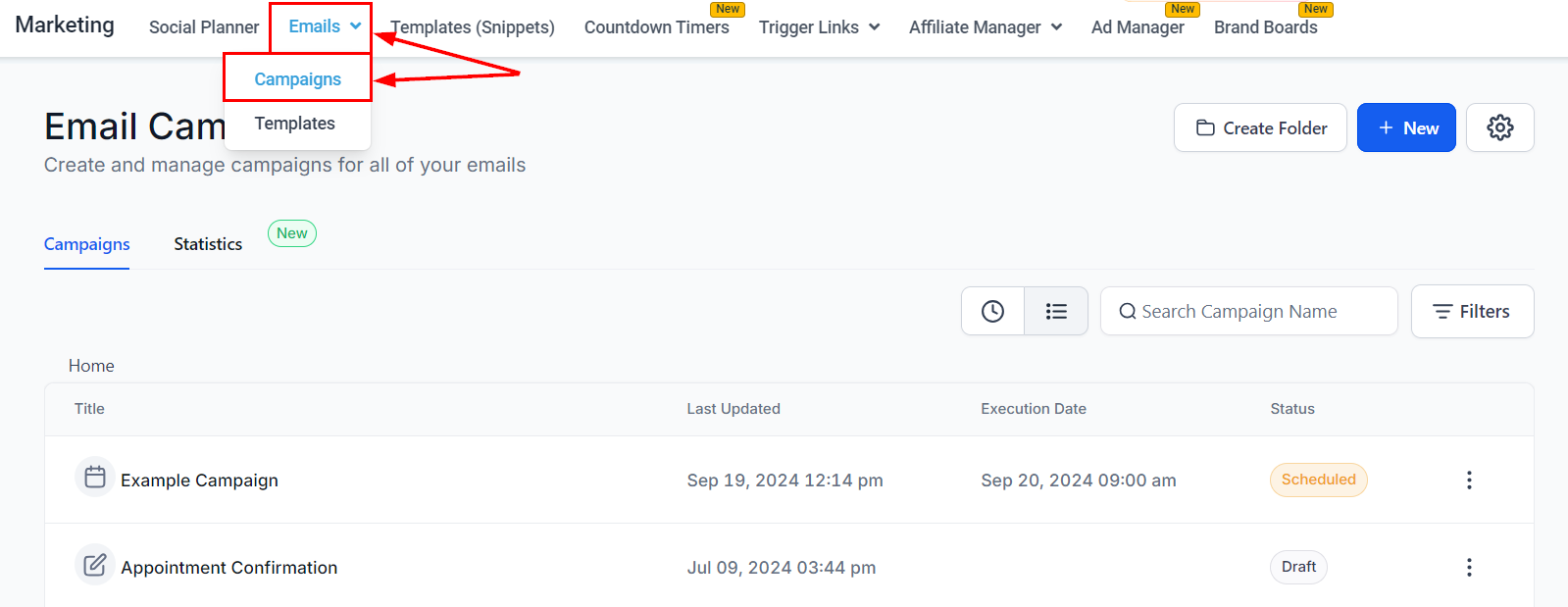
Go to Marketing > Emails > Campaigns using the platform’s navigation menu.
Open the Campaign Options
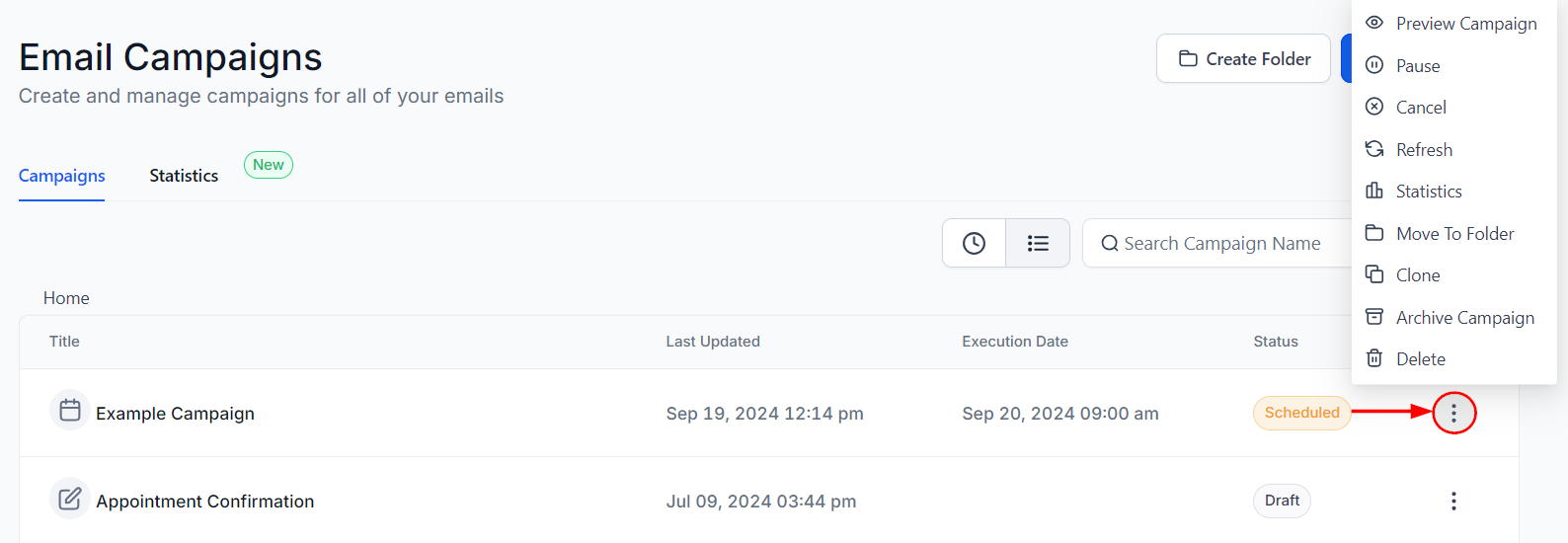
Find the campaign under the “Scheduled” status, then click on the three dots (menu icon) next to the scheduled campaign.
Choose the Action
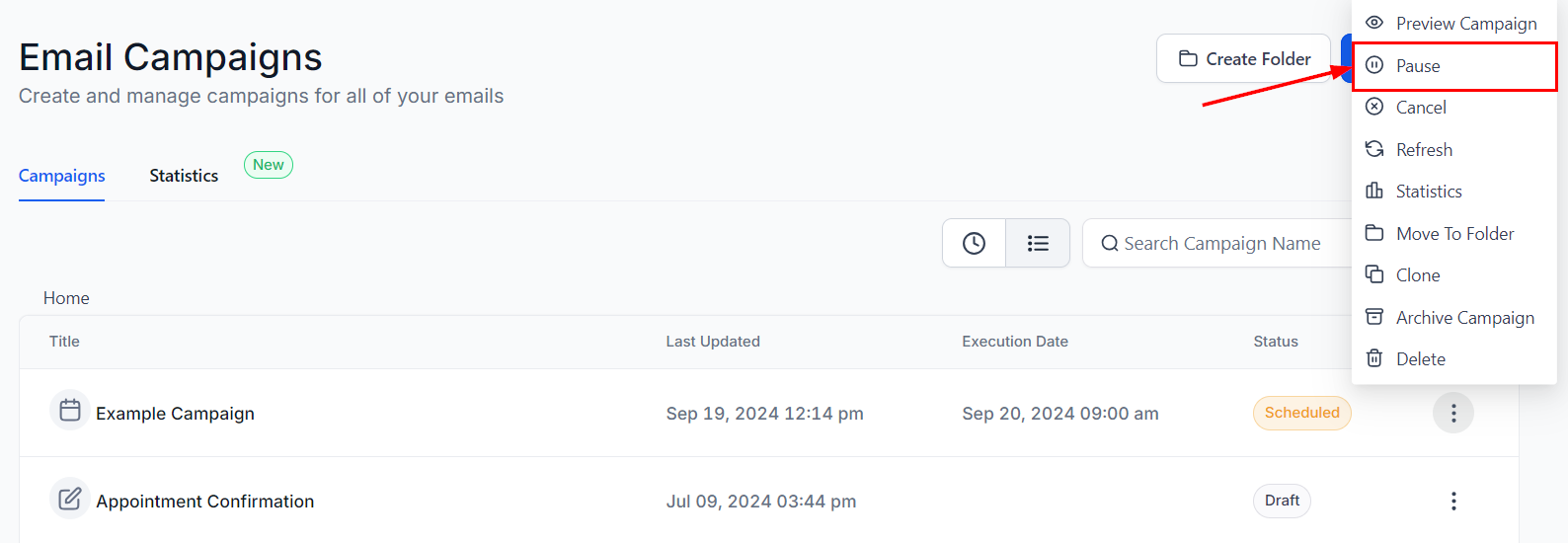
- Pause: Select this to temporarily stop the campaign.
-
- If resumed after the originally scheduled time, the email will be sent immediately.
- If resumed before the scheduled time, it will be sent as planned.
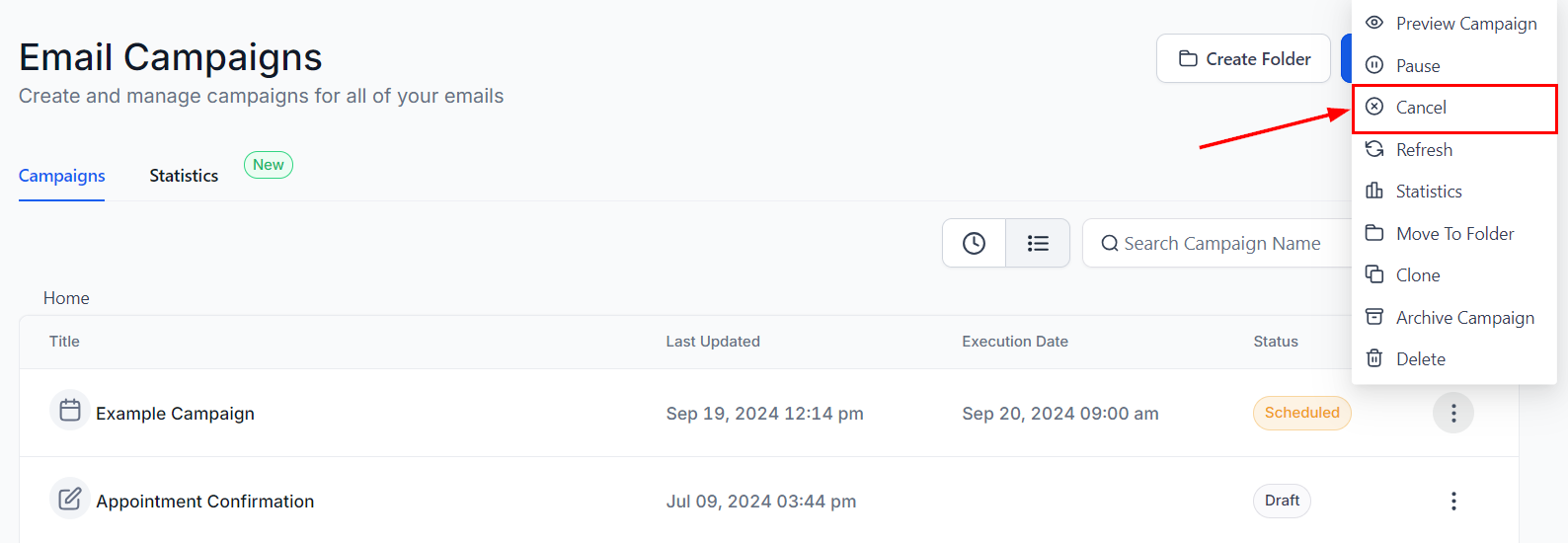
- Cancel: Select this to permanently stop the campaign, preventing any future sends, including RSS or batch emails.
By following these steps, you can effectively manage your email campaigns, ensuring that you have the time and flexibility to make any necessary changes before your campaign is sent out.
Not a Funnelbud customer yet?
Try our all-in-one CRM for sales and marketing — free for 7 days, no commitment.