Asana Actions & Triggers in Workflows
The Asana integration enables seamless automation between your workflows and Asana’s project management platform. By connecting operational processes directly to Asana, teams can automatically create tasks, manage projects, and synchronize updates in real time. This integration reduces manual effort, improves accuracy, and ensures cross-functional alignment between teams.
Key Benefits of the Asana Integration
- Real-time synchronization: Changes in Asana immediately trigger workflows, and workflow actions are reflected in Asana without delay.
- Reduced errors: Automated task creation and updates eliminate manual data entry and copy-paste mistakes.
- Lower operational costs: Replace third-party automation bridges with built-in workflow actions.
Triggers (Asana → Workflows)
These Asana events can initiate workflows:
Trigger Name | Description |
|---|---|
New Task | Fires immediately when a new task is created |
Task Deleted | Fires when a task is deleted in Asana. |
Task Updated | Fires immediately when an existing task is updated |
New Project | Fires when a new project is created |
New Comment Added To Task | Fires when a comment is added to a task |
Tag Added to Task (Coming soon) | Fires when a tag is added to a task |
Task Moved | Fires when a task is moved between sections |
New Attachment Added to Task | Fires when a new attachment is added |
New Subtask (Coming soon) | Fires when a new subtask is created |
Actions (Workflows → Asana)
These actions allow workflows to perform operations in Asana:
Action Name | Description |
|---|---|
Create Task | Creates a new task |
Update Task | Updates an existing task |
Find Task by ID | Searches for a task using its Asana Task ID |
Find Task | Searches for a task by name |
Create Section | Adds a new section to a project |
Find Comment(s) from Task | Retrieves comments associated with a task |
Add Task to Section of Project | Moves a task into a specific section |
Find All Tasks from Project | Retrieves all tasks within a project |
Find Task in Project | Searches for a task within a project |
Create Comment/Story | Adds a comment or story to a task |
Create Subtask | Creates a subtask under an existing task |
Create Project | Creates a new project |
Find Section | Find section ID of a project |
Find Project | Find project ID by name |
Getting Started with Asana
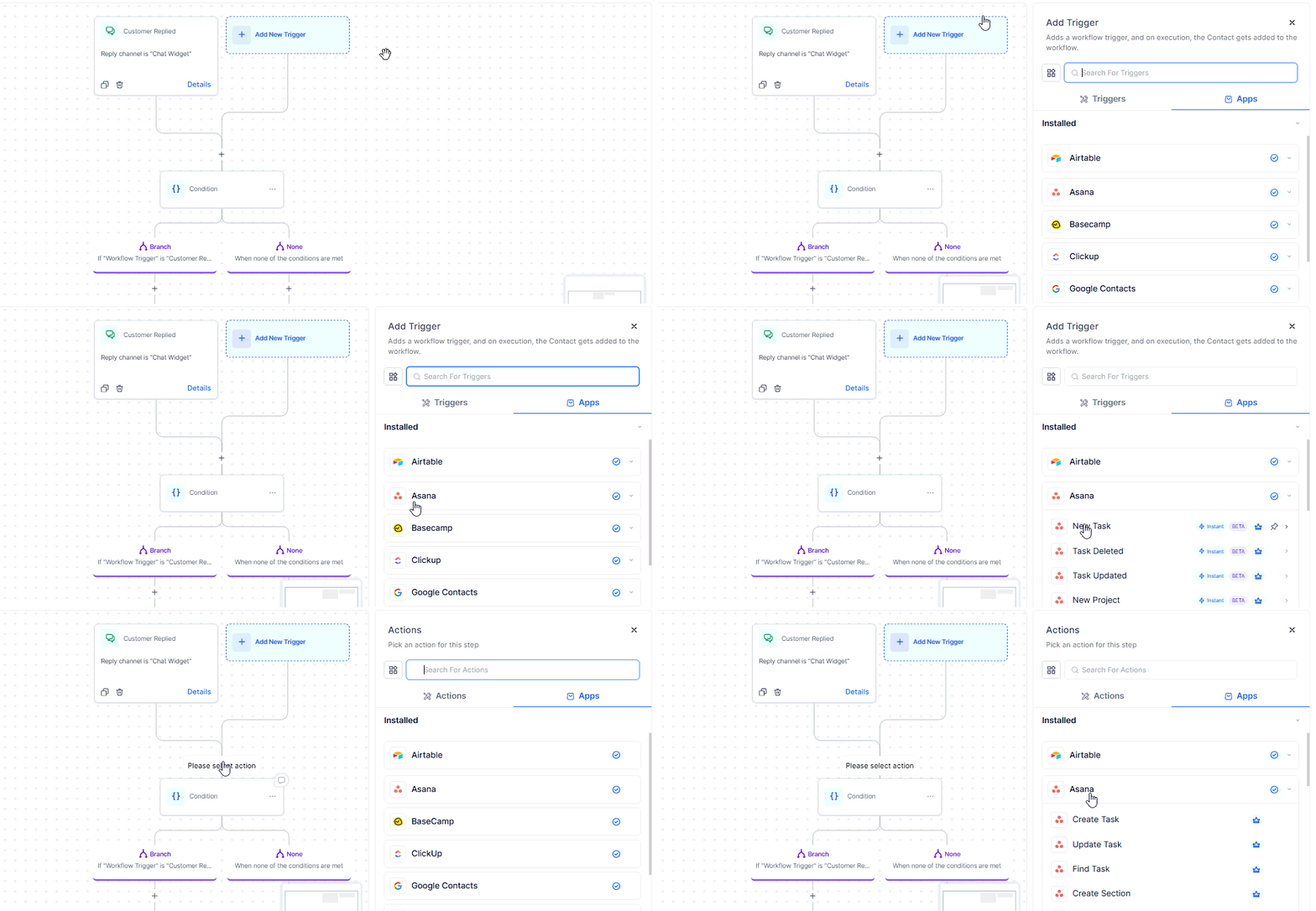
Search in the Workflow Builder
Locate Asana triggers or actions such as Create Task or Task Created.
Connect Your Asana Account
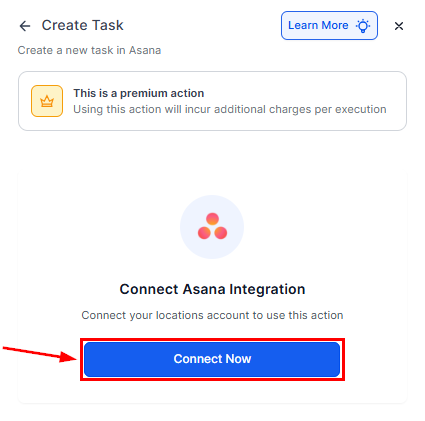
If your account is already connected, configuration options will appear automatically. Otherwise, select Connect Now and authenticate using your Asana credentials or OAuth.
How Asana Triggers Work
Asana triggers are instant and webhook-based. When an event, such as a task update or new project creation, occurs in Asana, the workflow is triggered immediately, with no polling or delay.
Setup steps:
- Select a trigger (e.g., Task Created or Task Updated).
- Name the trigger and run Test Trigger to retrieve sample data.
- Use dynamic fields (task name, assignee, due date, etc.) in subsequent workflow actions.
📌Note: When using the Task Updated trigger, apply the Fields Changed filter. Asana may emit multiple update events for a single task due to cascading changes. This filter ensures the automation runs only when the specific fields you care about are updated, preventing unnecessary executions.
Common Use Cases
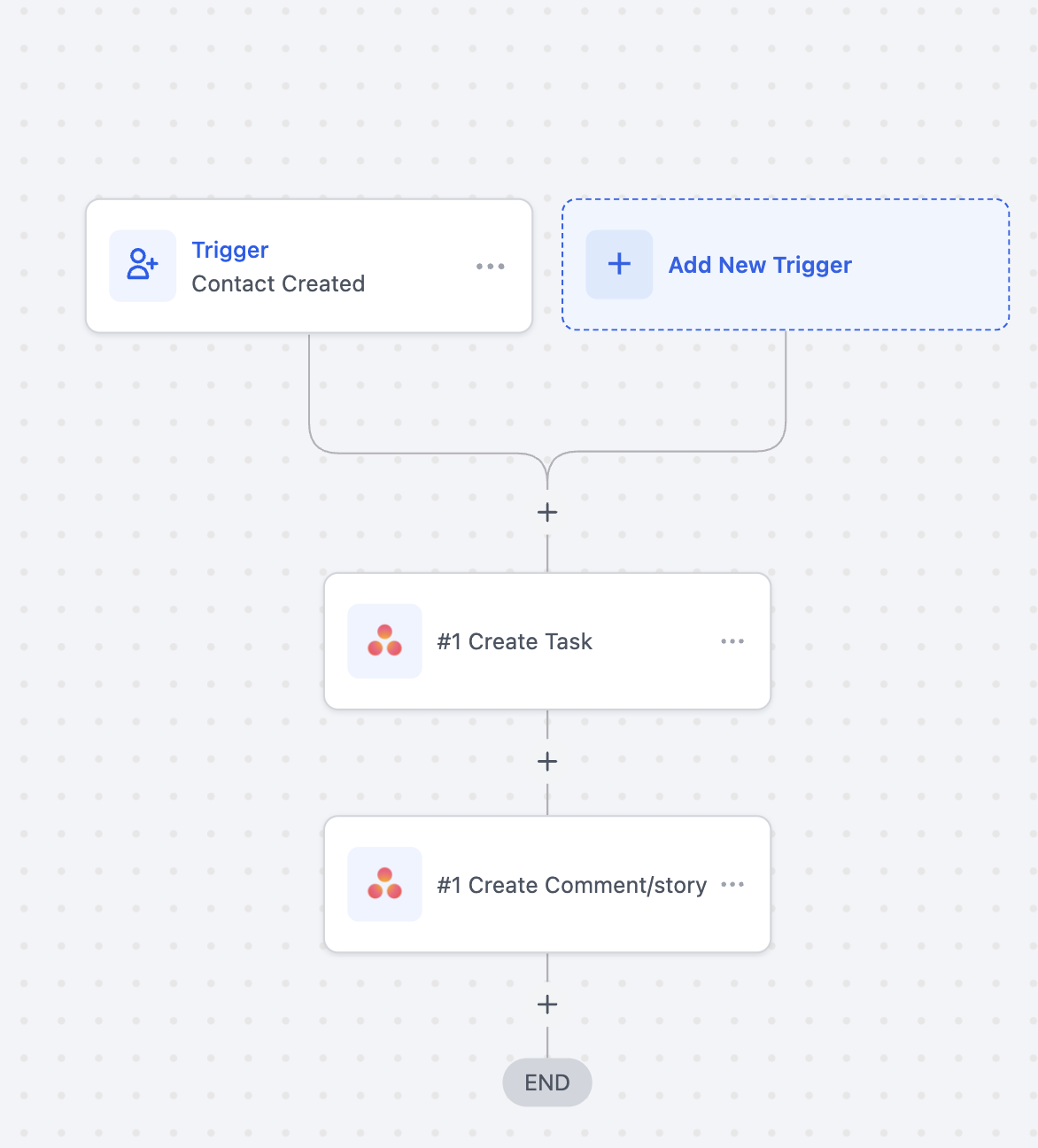
Use Case 1: Automate Task Management
Goal: Automatically create or update Asana tasks when new leads are generated.
Workflow Setup****:****
- Trigger: Contact Created
- Actions: Create Task > Title: New Lead: {{contact.name}}, Assign to the respective team, and Create a Comment.
Example: When a lead submits a form, a new Asana task is automatically created for your team to follow up.
Use Case 2: Sync Projects Across Tools
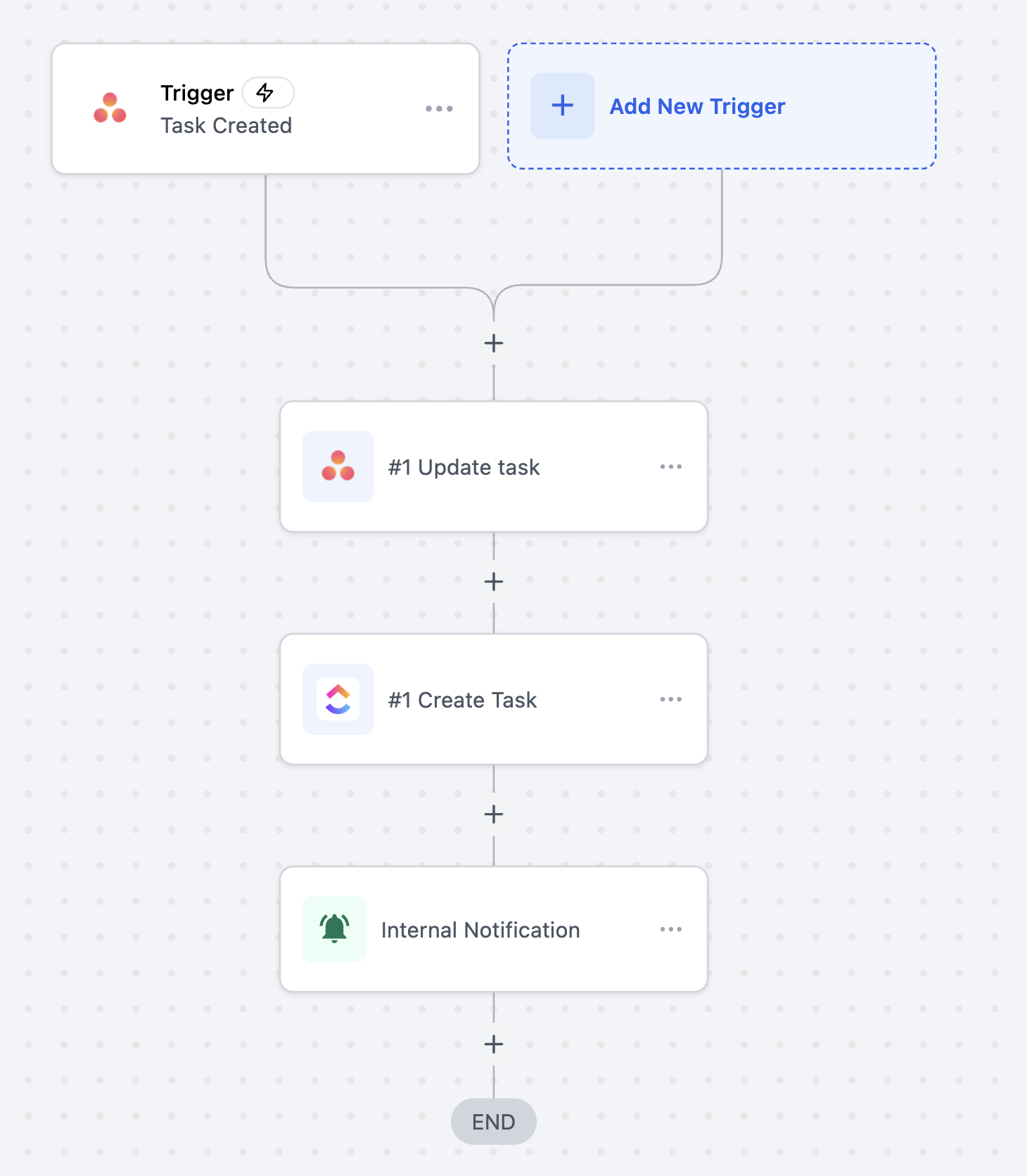
Goal: Keep Asana projects aligned with other platforms such as ClickUp or Airtable.
Workflow Setup****:****
- Trigger: Project Created (Asana)
- Actions: Create Project in another tool or update a corresponding record and send an internal notification to project managers
Example:
When a project is created in Asana, a corresponding project or record is automatically created in other systems, ensuring consistency across platforms.
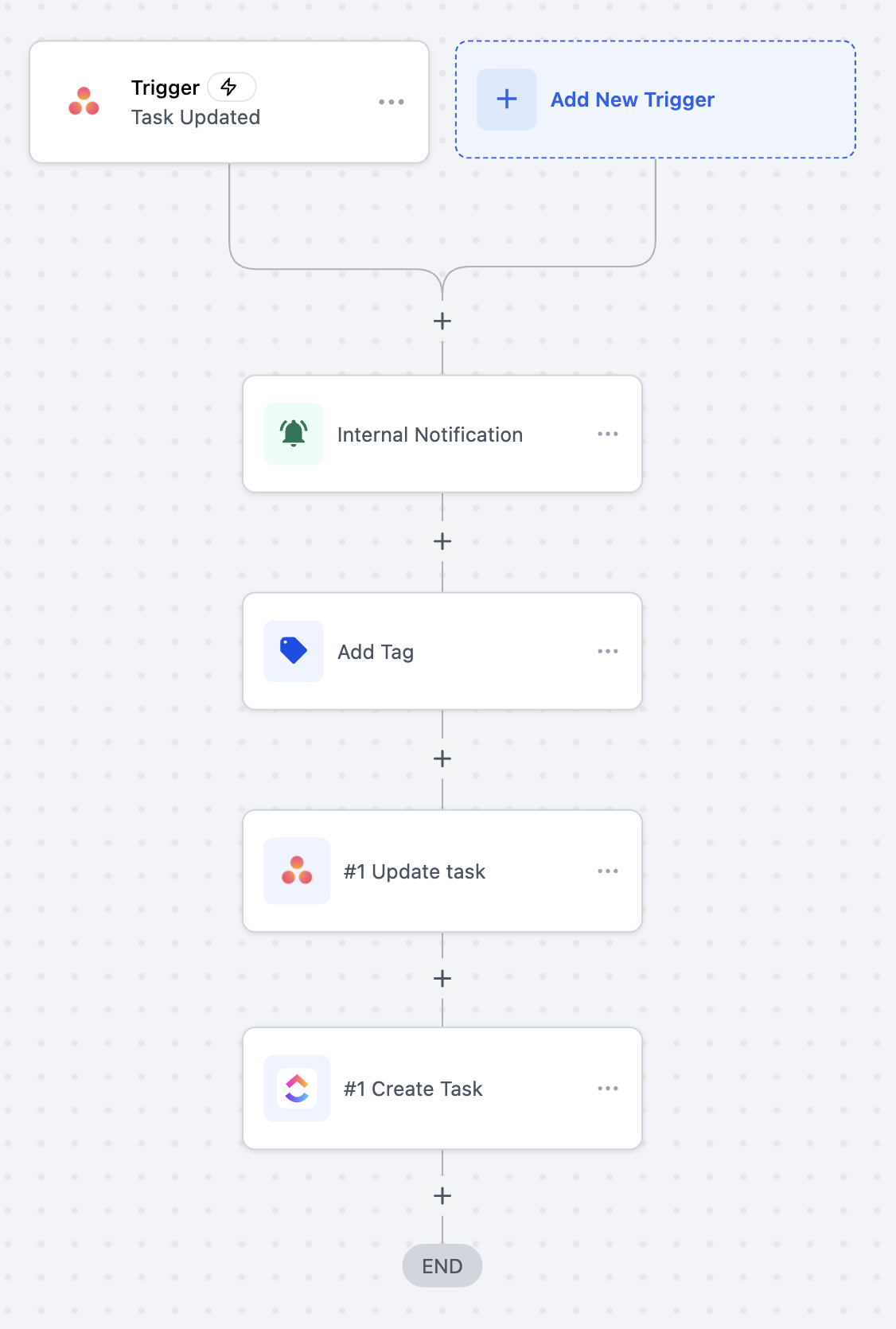
Use Case 3: Notify Teams on Task Updates
Goal: Keep internal teams informed of key task changes.
Workflow Setup****:****
- Trigger: Task Updated (Asana)
- Actions: Send internal notification via Slack or email, update contact tags, and update task status in another project management tool
Example:
When a task status changes to Ready for Review, the assigned reviewer is notified, and related systems are updated automatically.
The Asana integration streamlines project execution by connecting workflows directly to task and project activity. By automating routine updates, synchronizing tools in real time, and reducing manual effort, teams can operate more efficiently, stay aligned, and focus on delivering results rather than managing processes.
Frequently Asked Questions
Q: Are Asana triggers instant or delayed?
- All Asana triggers are instant and powered by webhooks—no polling is required.
Q: Can data sync both ways between Asana and workflows?
- The integration supports one-way execution per workflow, either triggered by Asana events or performing actions in Asana.
Q: Do I need a paid Asana plan?
- The integration works with both free and paid Asana plans. Certain advanced Asana features may require a paid subscription.
Q: Are Asana triggers and actions billed?
- Yes, Asana triggers and actions are premium automation features and are billed according to your plan’s automation usage.
Not a Funnelbud customer yet?
Try our all-in-one CRM for sales and marketing — free for 7 days, no commitment.