How to Restore Deleted Workflows
Restoring workflows is crucial for maintaining operational continuity and flexibility. This capability ensures that users can recover critical workflows that may have been accidentally deleted or removed, allowing them to swiftly resume their processes without having to recreate them from scratch. By preserving the integrity of historical data and workflow configurations, this feature minimizes disruptions and enhances overall efficiency in workflow management.
📌Note: The following information will be preserved upon restoration:
- Contact information in enrollment history and execution logs.
- Any contacts in wait steps will be removed.
- The workflow will retain its original triggers and actions with the same configuration.
- Contacts present in the workflow at the time of deletion will not be restored.
Permissions
This feature is available exclusively to account administrators.
How to Restore Deleted Workflows
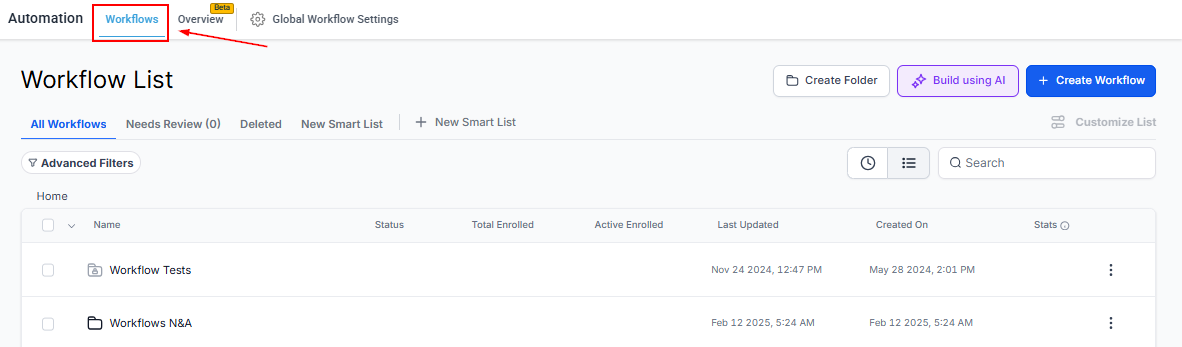
Navigate to the Workflow List Page from your Account Dashboard.
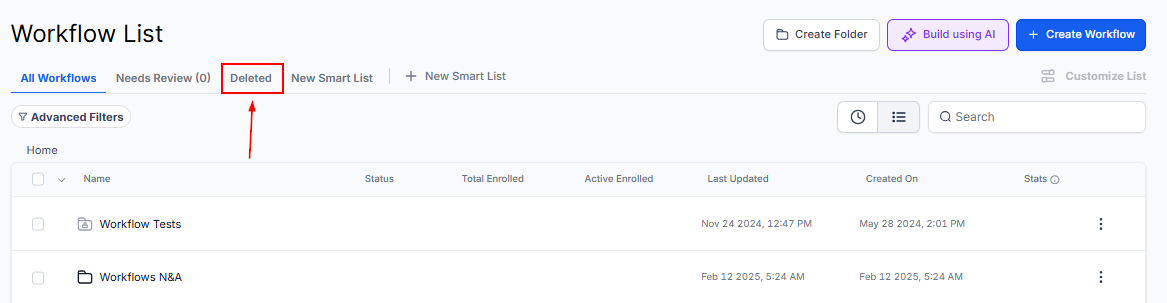
Access the Deleted Tab by selecting the “Deleted” button. Workflows deleted in the last 30 days will be listed in this area.
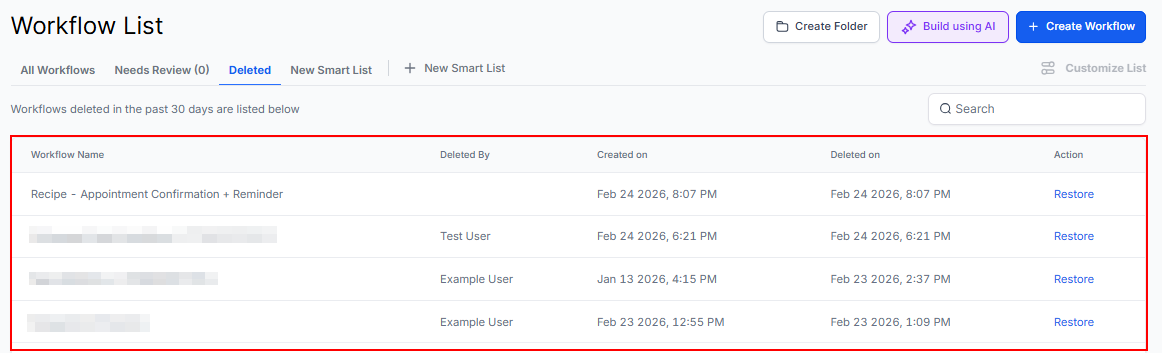
Review the list of deleted workflows to identify the one you wish to restore.
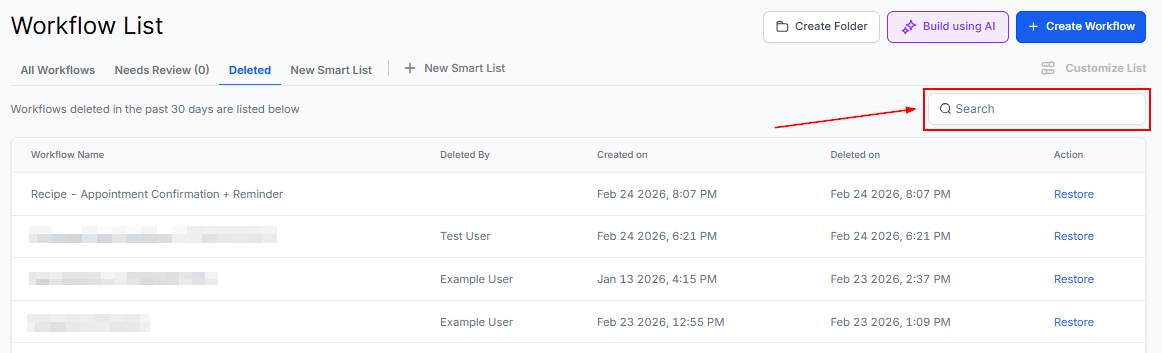
Alternatively, utilize the search bar to efficiently locate the specific workflow.
Once you have identified the workflow, click the “Restore” button corresponding to the workflow, then confirm the action.
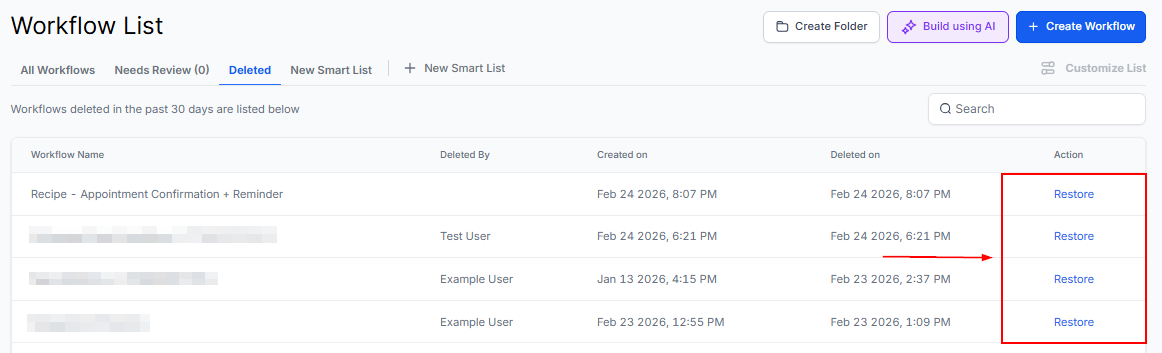
The restored workflow will appear in the “All Workflows” list and will retain the original triggers and actions of the deleted workflow. This ensures that the workflow’s configuration and operational parameters remain intact, allowing for a seamless continuation of the processes it was designed to execute.
Frequently Asked Questions
Q: How long will the deleted workflows be present in the “Deleted” tab?
- Deleted workflows will remain in the “Deleted” tab for 90 days before being automatically removed.
Q: Can I delete the workflow I just restored?
- No, restored workflows cannot be deleted for the next 48 hours.
Q: Will my workflow be in a published state after restoring?
- No, upon restoration, the workflow will be placed in the Draft stage.
Troubleshooting Tips
Issue: Restoring a workflow fails
- Verify that the workflow is listed in the “Deleted” tab and ensure that you have the necessary admin permissions. If the issue persists, try refreshing the page or contacting support.
Issue: Restored workflow does not appear in the Draft stage
- Check if the workflow is listed under the “Draft” category. If not, ensure that the restoration process was completed successfully.
Not a Funnelbud customer yet?
Try our all-in-one CRM for sales and marketing — free for 7 days, no commitment.