How to fix image issues in emails
Image does not show
1. Image is not showing in Outlook only:
Reason: Outlook automatically blocks image download in email messages. This prevents images from showing when the email is viewed in Outlook.
Fix: Please refer to this help article: https://support.microsoft.com/en-us/office/block-or-unblock-automatic-picture-downloads-in-email-messages-15e08854-6808-49b1-9a0a-50b81f2d617a
2. Image is not showing at all (in Gmail, Outlook, mobile)
Reason: Check if it’s in JPG/JPEG or PNG format. Other image formats like WEBP and SVG are not supported.
Fix: Please convert image to JPG or PNG format and re-upload them.
-----------
Image is out of proportion when the email is viewed on mobile
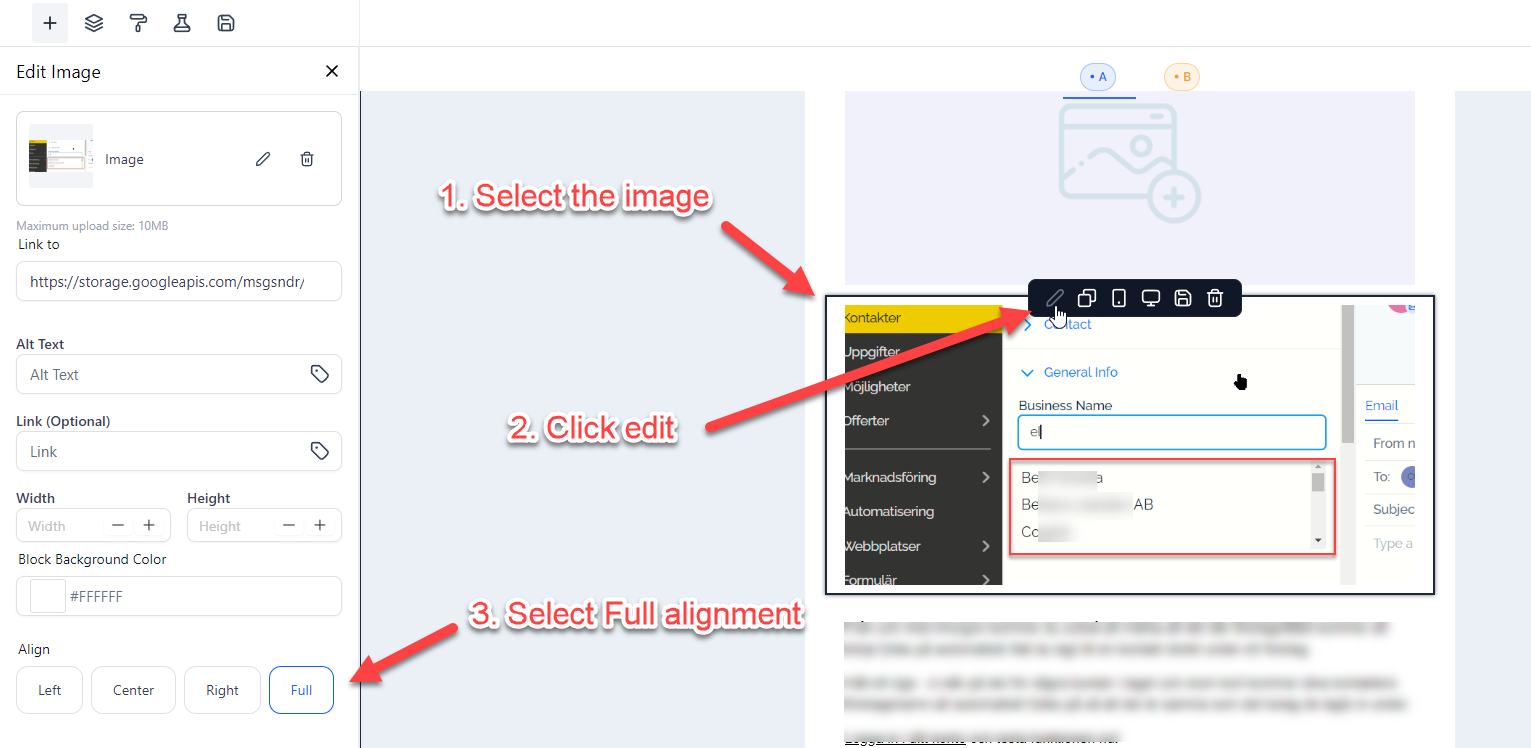
If the image appears distorted on mobile devices, whether squished or stretched, check if the Align setting for the image is set as Full.
Not a Funnelbud customer yet?
Try our all-in-one CRM for sales and marketing — free for 7 days, no commitment.