How to Update SEO for Blog Post
Search engine optimization, or SEO, is a vital aspect of digital marketing. It helps your blog posts and website become more visible to people using search engines like Google. In this guide, we’ll explore two simple ways to enhance the SEO details of your blog posts.
Using Publish Screen
After crafting your blog, click the Continue button in the top right-hand corner to publish it.

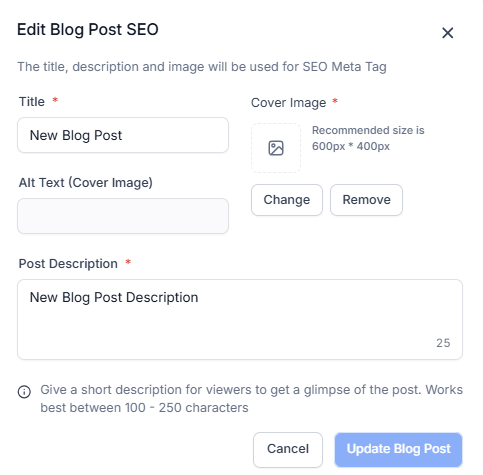
Review and enhance these SEO Meta Data elements:
- Title: Craft a catchy title that includes your main keyword.
- Images: Optimize images with clear file names and add alt text with keywords.
- Post Description: Write a brief and informative meta description with keywords to attract clicks.
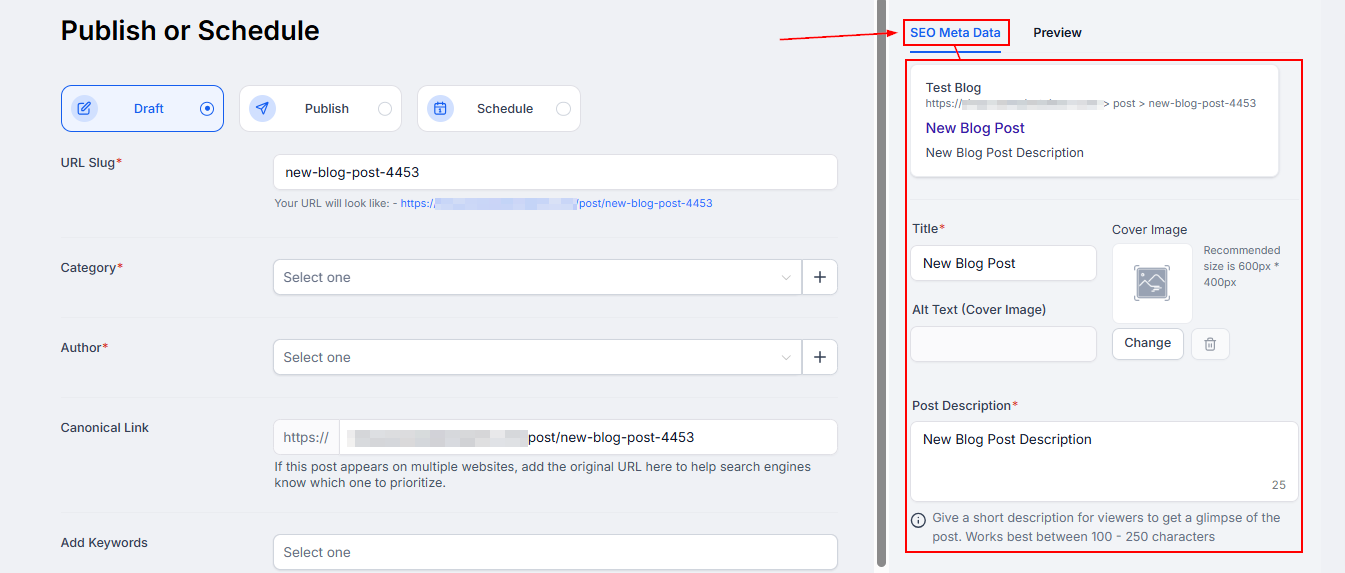
Switch to the Publish/ Schedule tab to update the general information as well, including:
- URL Slug: Keep the URL short and include relevant keywords.
- Author: Select the author from the dropdown to attribute the content to the appropriate user.
- Canonical Link: Ensure this link matches the URL slug and is SEO-friendly.
- Categories and Keywords: Assign suitable categories and keywords for better organization and discoverability.
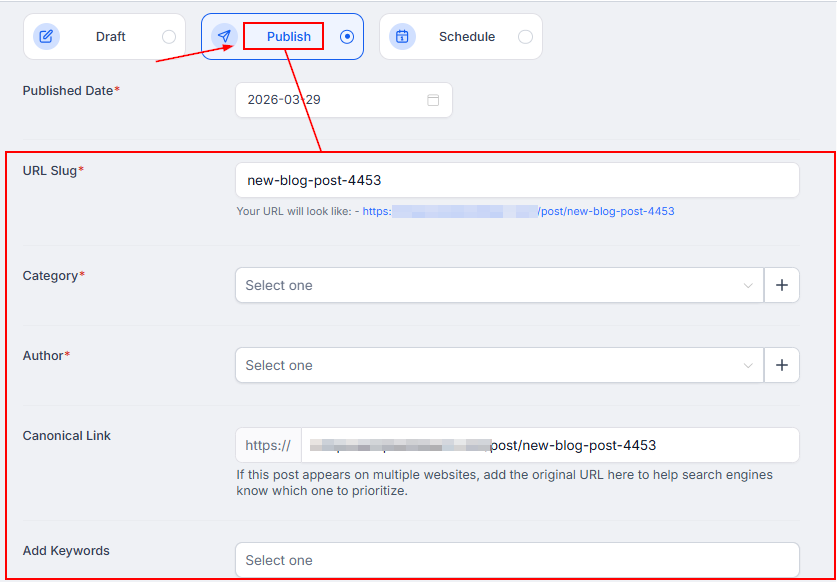
Once those are set, preview the post, then go live.
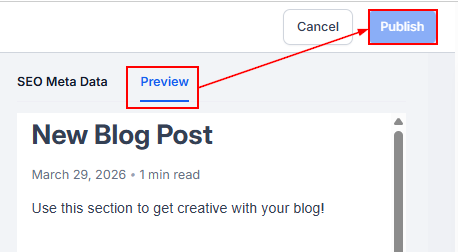
In the Blog List View
Click the three-dot icon next to the blog and select Change Blog Post SEO Details. This option allows you to revisit and make necessary changes to the title, meta description, URL slug, and other SEO elements for existing blog posts.
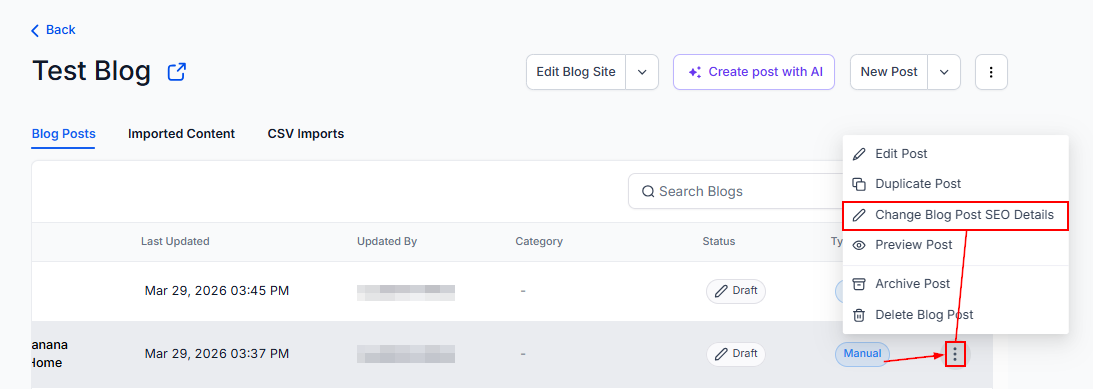
Save your changes to apply the updated SEO details, and remember to monitor your blog post’s performance using analytics tools and make adjustments as needed.
This is an ongoing process, so staying informed about best practices and algorithm changes is vital for improving your search engine rankings.
Not a Funnelbud customer yet?
Try our all-in-one CRM for sales and marketing — free for 7 days, no commitment.