Click to WhatsApp Ads Trigger
Click-to-WhatsApp Ads provide a seamless way for businesses to engage with high-intent leads directly from Meta platforms. By configuring this trigger, you can automate responses when users initiate conversations through these ads or Facebook Page CTA buttons. This guide walks you through setting up the trigger and understanding how Free Entry Point Conversations work to help you optimize engagement and minimize messaging costs.
📌Note: This workflow is triggered when a customer on Android or iOS sends you a message via:
- A Click-to-WhatsApp Ad
- A Facebook Page Call-to-Action (CTA) button
These interactions can open a Free Entry Point Conversation, provided you respond within 24 hours.
How It Works
Navigate to the relevant workflow builder, then add the Click to WhatsApp Ads trigger.
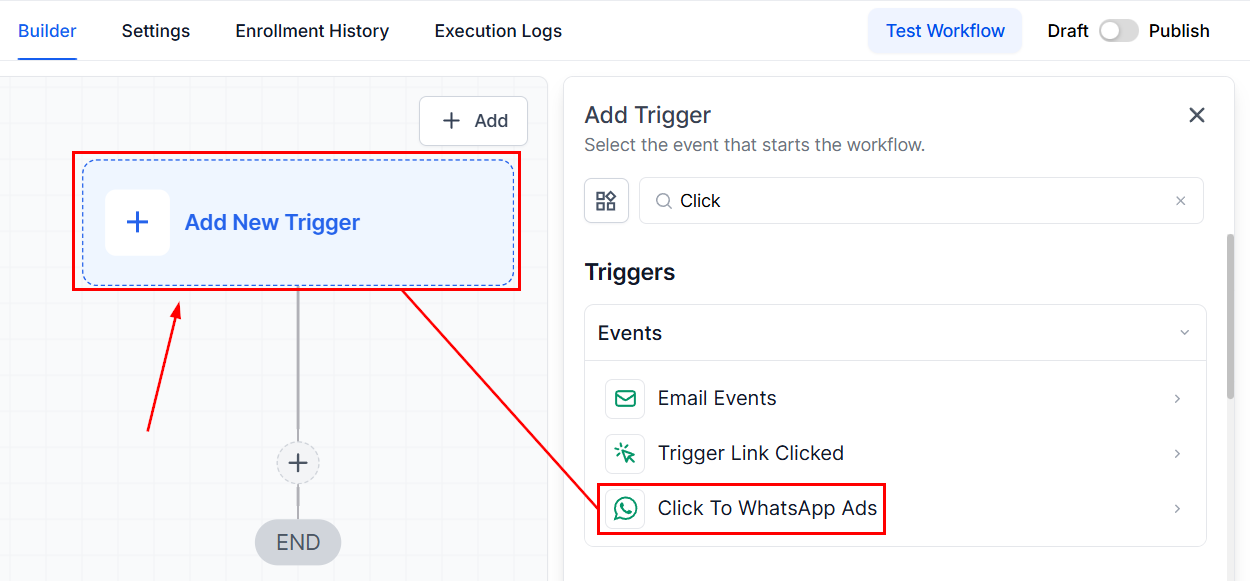
Once added, update the name of the trigger to communicate its purpose to all users.
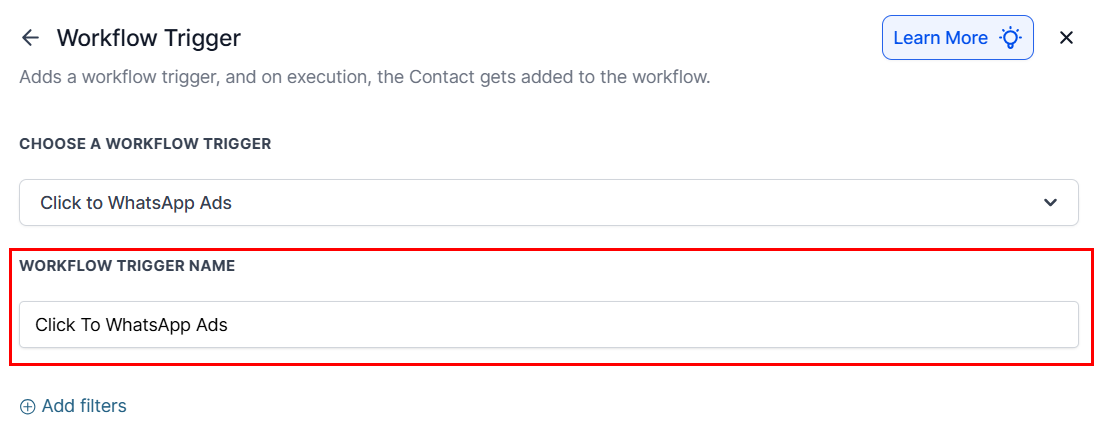
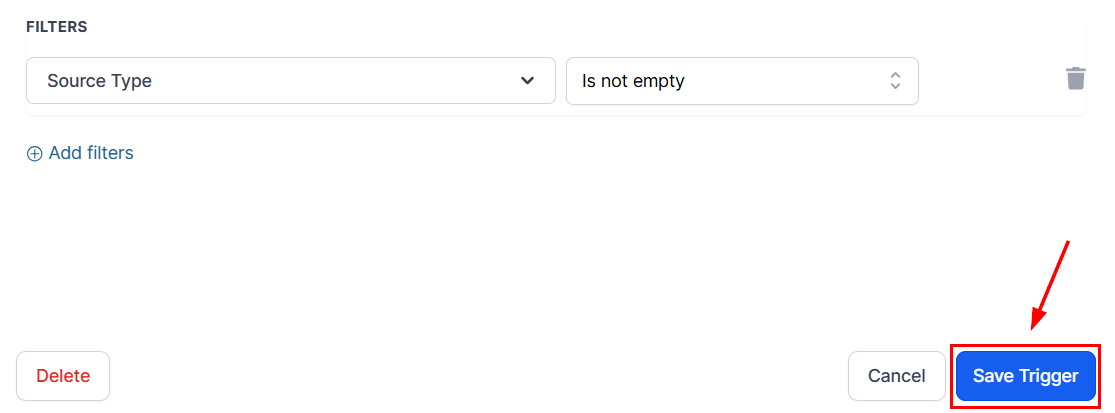
Then, apply relevant filters, such as Ad/Post ID, Ad/Post URL, and Headline or Source Type, as needed.
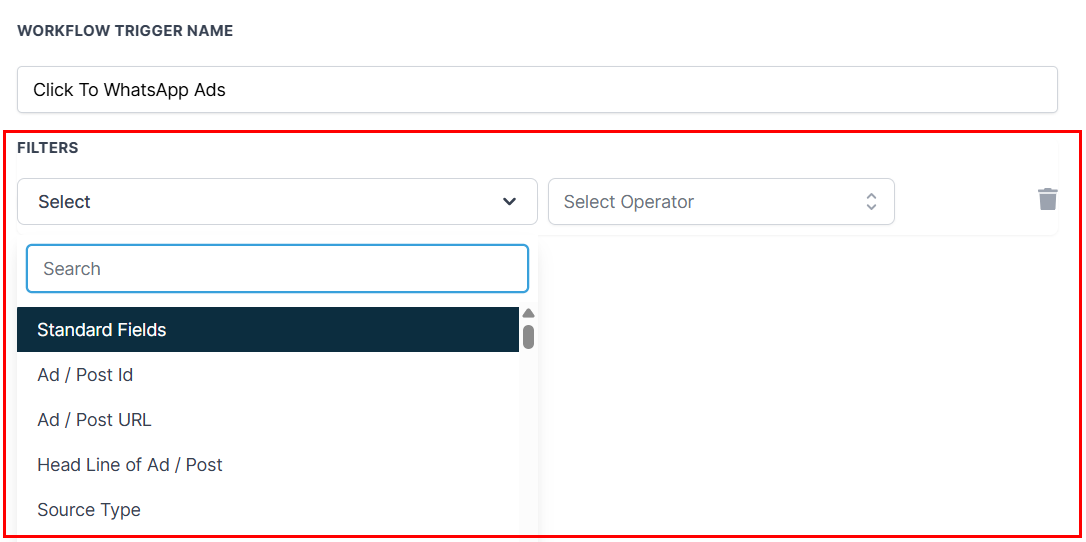
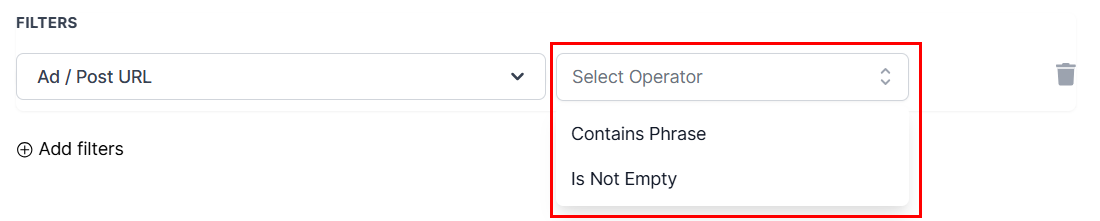
The Ad/Post ID, Ad/Post URL, and Headline options require you to choose between the “Contains Phrase” and “Is Not Empty” operators, while the Source Type operator prompts you to choose whether the source type field is empty or not, or determine whether the source is or isn’t the selected value.
Once you have finalized your configurations, save the trigger and define the desired workflow actions (e.g., send an automated message, assign the contact, add tags).
Understanding Free Entry Point Conversations
A Free Entry Point Conversation begins when a customer using an Android or iOS device messages you via a Click-to-WhatsApp Ad or Facebook CTA, and you respond within 24 hours.
Key Details:
- The conversation begins when your message is delivered and lasts for 72 hours.
- It allows unlimited free messaging (including template and non-template messages).
- It closes all other open conversations between you and the customer.
- No new conversations are opened until the 72-hour period ends.
📌Note: Non-template (free-form) messages can only be sent during the active 24-hour customer service window. If this window expires, only template messages are permitted—unless the customer re-initiates contact.
Example
The customer clicks your ad at 10:00 AM and sends a message. You respond with a template message at 10:00 PM (within 24 hours). The free entry point conversation starts at 10:00 PM and runs for 72 hours.
You can send:
- Template messages: Free during the entire 72 hours
- Non-template messages: Only until 10:00 AM the next day (when the 24-hour window closes)
Setting up the Click-to-WhatsApp Ads workflow trigger is a powerful way to engage leads instantly and cost-effectively. By understanding the mechanics of Free Entry Point Conversations and configuring filters wisely, you can ensure timely communication, reduce operational costs, and improve customer satisfaction. For best results, respond promptly to all ad-initiated conversations and leverage automation to deliver consistent, high-quality service.
Frequently Asked Questions
Q: What are Free Entry Point Conversations?
- They are 72-hour messaging sessions initiated when a user messages you via a Click-to-WhatsApp Ad or Facebook CTA, and you reply within 24 hours. These conversations incur no charges for messages sent, automatically close any open WhatsApp conversations, and allow free-form messaging only within the 24-hour response window
Q: Are there messaging fees?
- If you respond within 24 hours, the session is free for 72 hours. If you respond after 24 hours, a paid template message is required to re-initiate contact
Q: Can I send both template and non-template messages?
- Yes, with conditions:
-
- Within 24 hours of the customer’s message: Free-form and template messages allowed
- After 24 hours: Only template messages unless the customer sends another message to reopen the service window.
Not a Funnelbud customer yet?
Try our all-in-one CRM for sales and marketing — free for 7 days, no commitment.