How to Create Blog Post Outline With Content AI
Content AI is a writing assistant that employs advanced machine learning and natural language processing to help you generate blog outlines, article introductions, and specific sections effortlessly and at a much faster pace. This allows writers and content creators to allocate their time to refining and enhancing their work instead of spending countless hours on research and drafting.
To get started, go to Sites > Blogs. Choose the blog site you want to publish on.
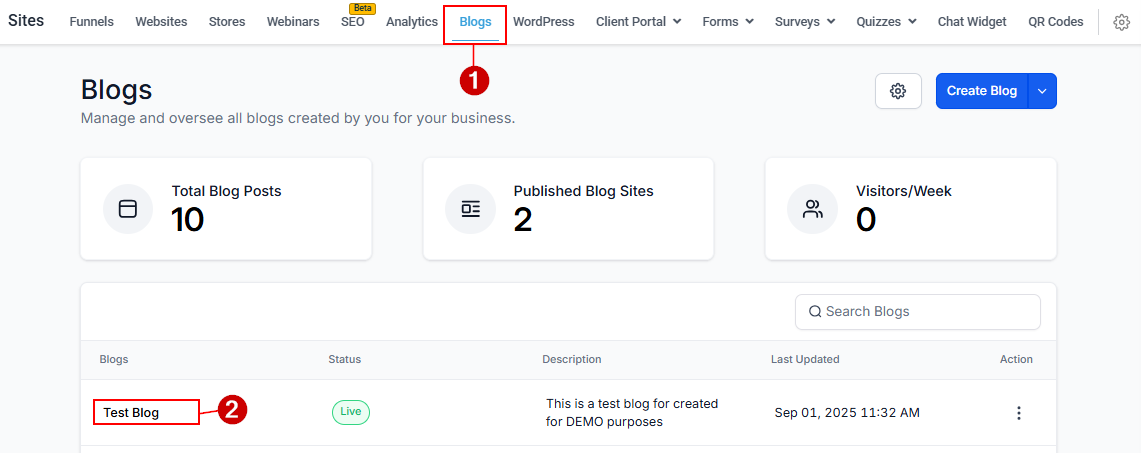
Then, click the New Post button to continue. In the dropdown, you can find the option to Import Blog posts from URL or CSV.
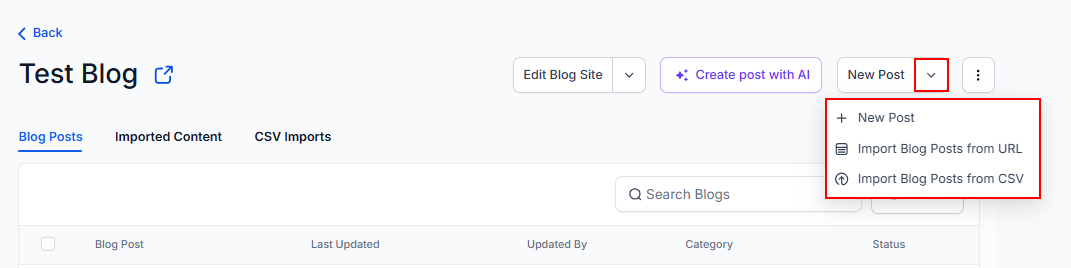
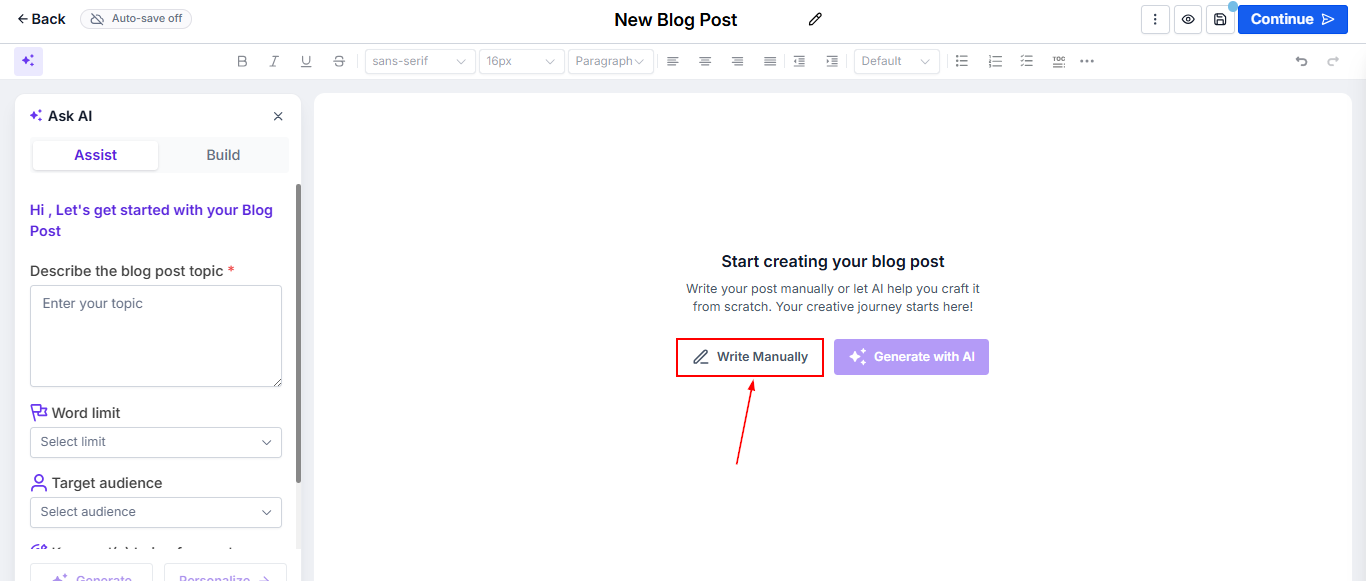
Click the option to write the blog manually or simply begin typing in the editor.
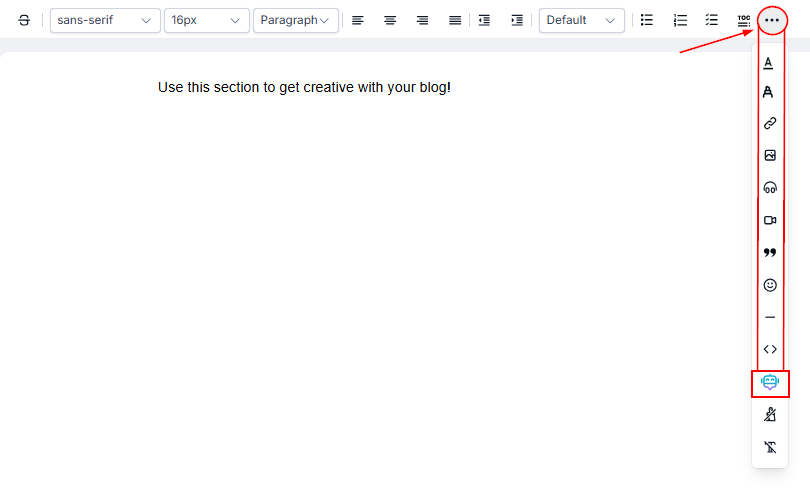
Within the blog post editor, click the three-dotted button (…) on the top right corner. There, you will see that Content AI is available. Click on the Robot Icon.
In the pop-up, fill out the requirements to allow the AI to generate the Content you need. Start by enabling the brand voice feature and choosing a preconfigured voice from the list.
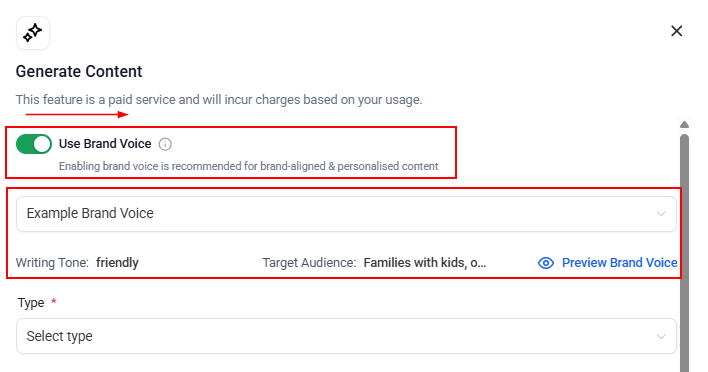
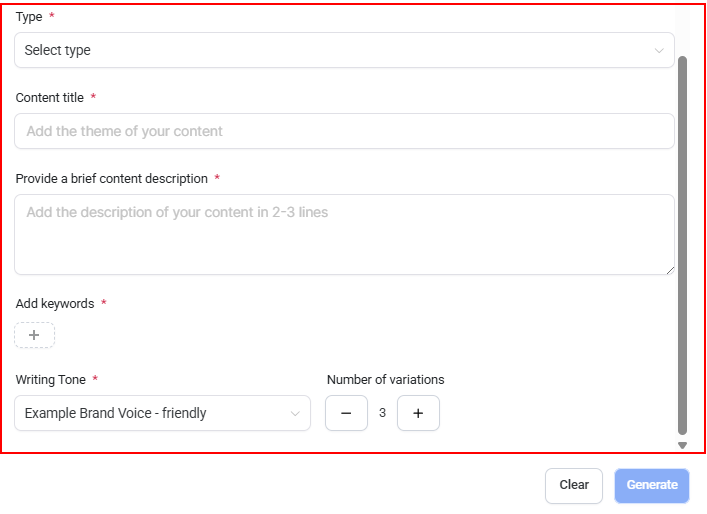
Then, fill out the remaining fields and click generate once complete.
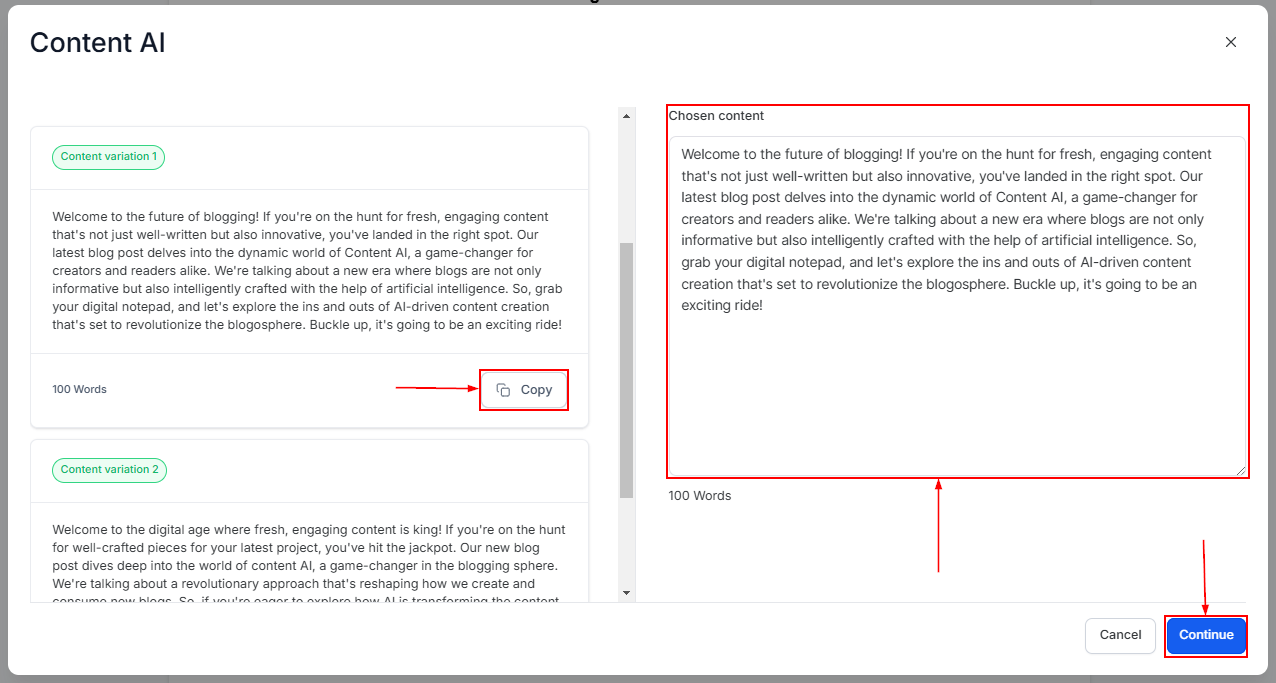
The number of Variations you chose will be generated. Click on Copy to choose the best-suited content, then click Continue.
Benefits of Using Content AI
The benefits of using Content AI include efficient content generation, allowing you to produce months’ worth of content in a fraction of the time; tailored content that aligns with your business’s specific needs and goals; and significant time savings that can be invested in other important endeavors.
Content AI makes creating high-quality, customized content faster and easier. Handling the heavy lifting of generating ideas and drafts allows writers and businesses to focus on polishing their message and connecting with their audience. With its growing features and flexibility, Content AI is a valuable resource for enhancing any content strategy.
Frequently Asked Questions
Q: How many tones can I generate for the Content?
- Content AI provides funny, casual, excited, professional, witty, sarcastic, feminine, masculine, bold, dramatic, grumpy, secretive, respectful, and persuasive.
Q: I want to check the old generated Content; where can I prevent it?
- To check the generated Content via Content AI, go to Automation > Content AI to learn more details and see the Content you have already generated—more details information in this article.
Not a Funnelbud customer yet?
Try our all-in-one CRM for sales and marketing — free for 7 days, no commitment.