Updating Twilio Credentials For A Sub-Account
Twillio is a commonly used phone provider, so you might need to reconnect or change a customer’s account from time to time. Follow these steps to do it!
How to Update Twilio Credentials for a Sub-Account
Navigate to the “Phone Integration” section within your agency settings and find the list of accounts.
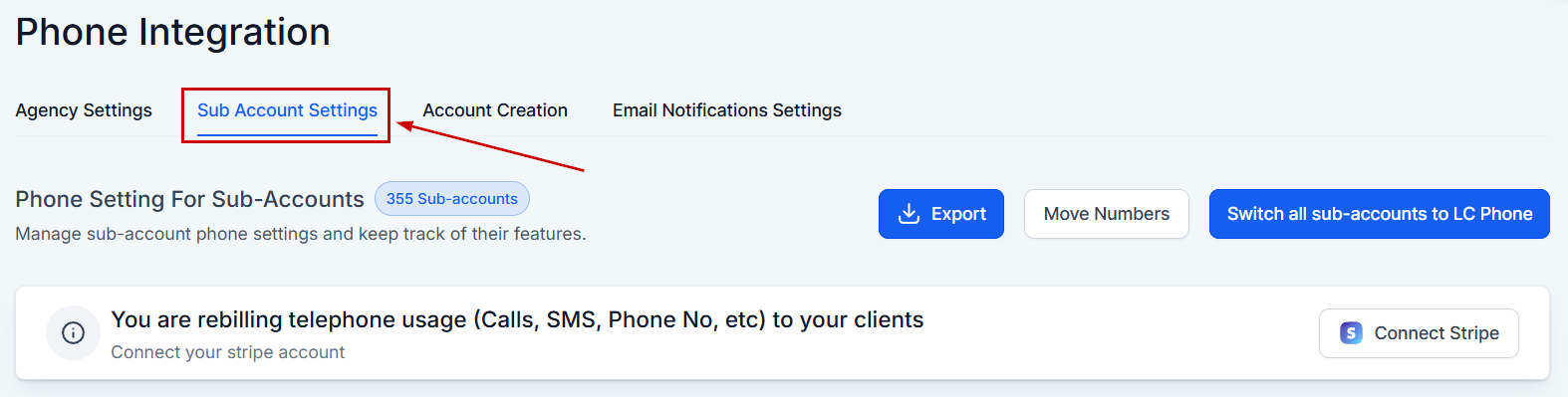
Click the three dots on the right-hand side of the client’s account you wish to update, then select the option to update credentials.

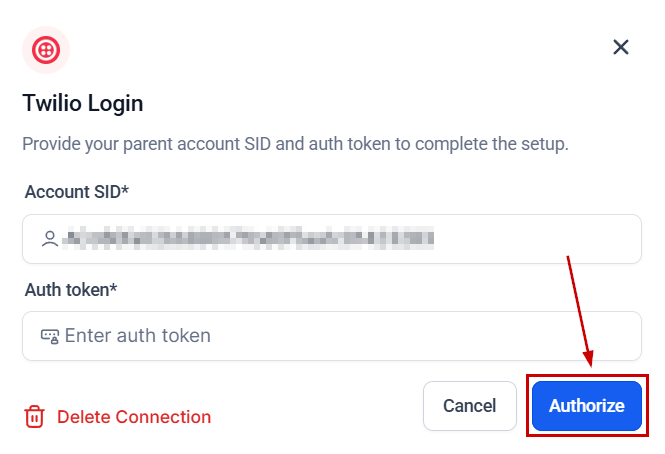
Enter the client’s Account SID and Auth Token provided by Twilio, then click “Authorize” to apply the changes.
Creating a Twilio Sub-Account
For clients who have signed up for a Twilio master account, it is recommended to create a sub-account for better management and security. Here’s how to create a Twilio sub-account:
Access Twilio Account:
- Log in to the Twilio platform.
- Click on the “Accounts” tab located at the top right corner.
Create Sub-Account:
- Select “Sub Accounts” from the menu.
- Click on “Create Account” located at the top right.
- Fill in the sub-account details such as location name and company name.
- Click “Create” to finalize the sub-account creation.
Retrieve Credentials:
- Once the sub-account is created, click on the account name to access it.
- Copy the Account SID and Auth Token to be used in the CRM.
Frequently Asked Questions
Q: What if my client already has a number in the master account?
- A: In cases where a number needs to be moved from a master account to a sub-account, contact Twilio support for assistance.
Q: How do I ensure the credentials are correctly updated?
- A: After updating the credentials in the CRM, perform a test by sending a message or making a call through the CRM to confirm the integration is working properly.