How to Collect Card Details in Documents & Contracts
Collecting payment information during the document signing process helps streamline transactions and reduces the need for additional follow-ups. The Card Details field within Documents & Contracts makes it possible to securely capture and store card information while a signer completes a document, allowing for smoother and more efficient payment workflows.
How to Use the Card Details Field
Start by heading to the Payment Integrations section to ensure a supported payment provider is connected and live or test mode is enabled.
📌Note: The Card Details field works with the following providers: Stripe, NMI, Square, Authorize.net, and Adyen. Support for additional providers such as Razorpay, PayPal, and custom integrations is planned.
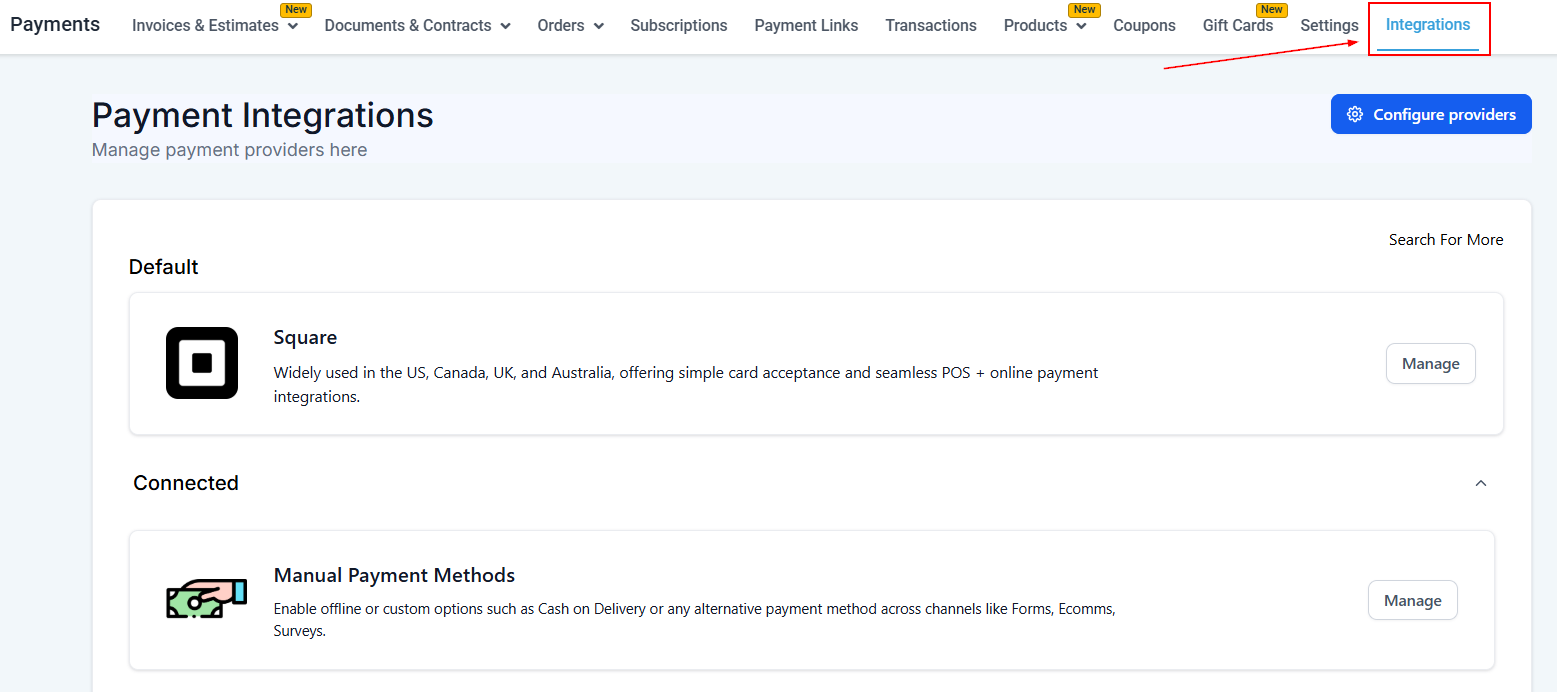
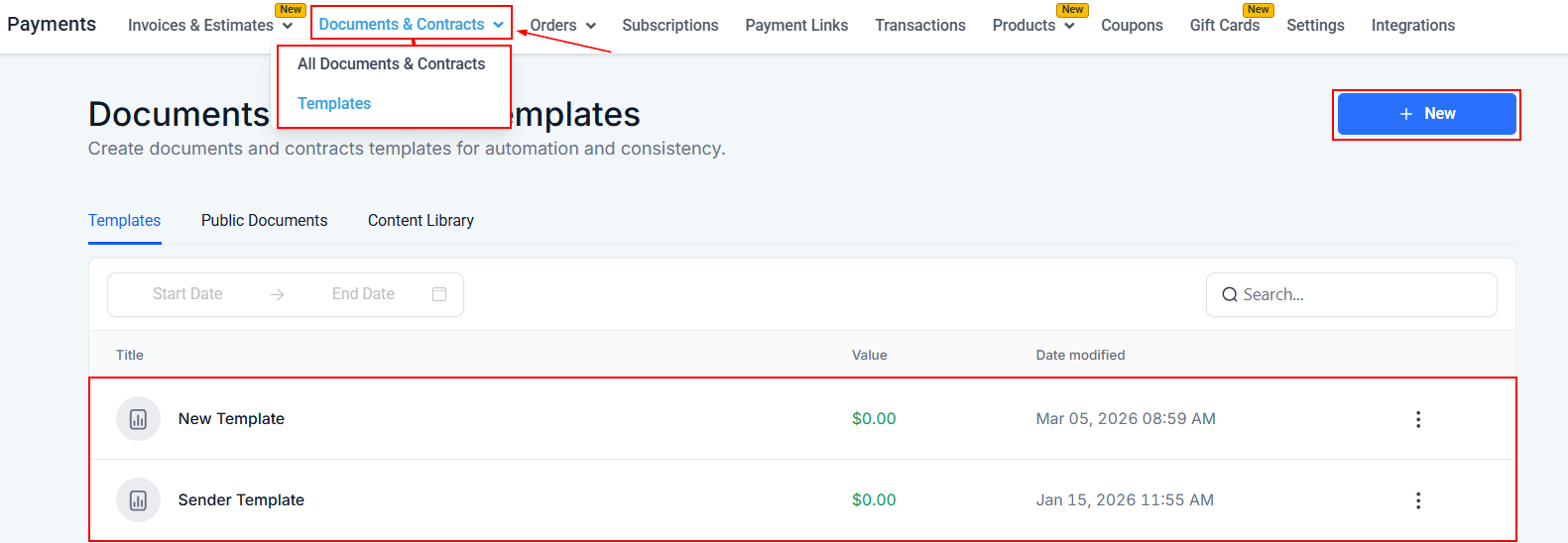
Once you have verified that a supported provider is connected, navigate to the Documents and Contracts section and create or open the document builder.
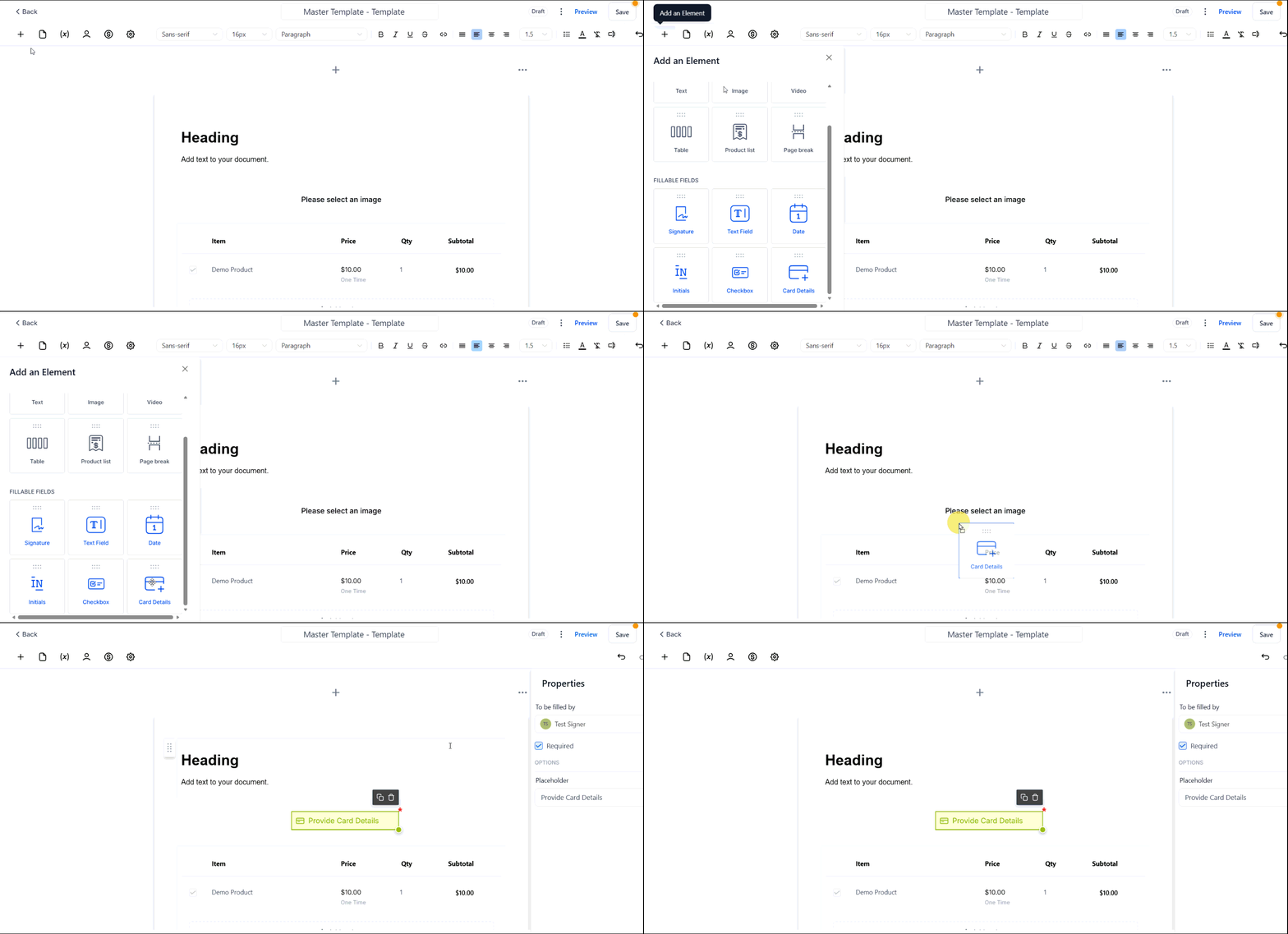
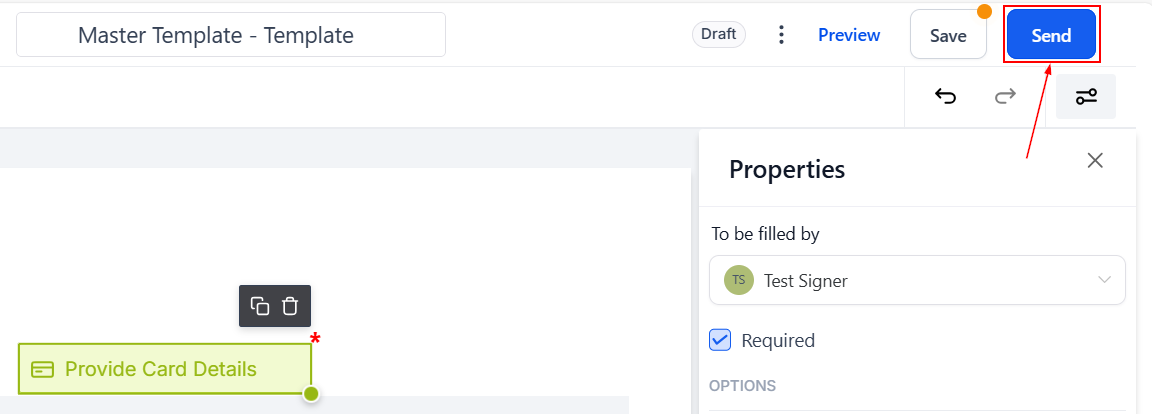
Click on “+ Add Element”, then drag and drop the Card Details field into your document.
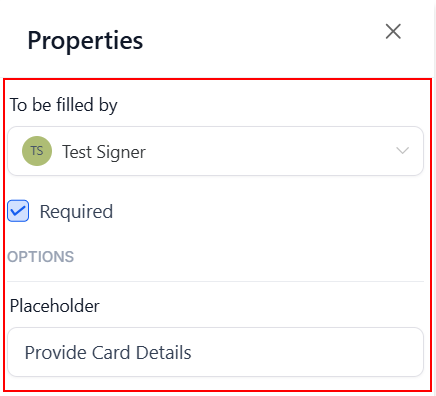
Assign the field to a signer and mark it as required or adjust the placeholder if necessary.
Send the document to the signer.
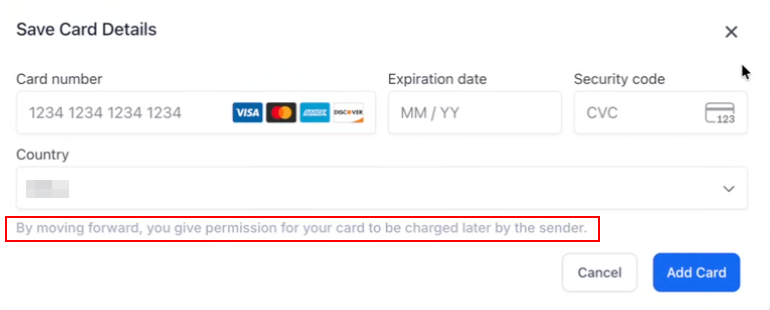
When the signer receives the document, they click “Start filling out” and enter their card details within the assigned field.
Key Considerations
- Card details are securely saved once the signer chooses to add their card
- Stored cards can be used for future payments without requiring re-entry
Integrating card collection directly into documents simplifies the payment experience for both businesses and customers. By enabling secure storage and future reuse of card details, this approach reduces friction, minimizes follow-ups, and supports more efficient payment workflows over time.
Not a Funnelbud customer yet?
Try our all-in-one CRM for sales and marketing — free for 7 days, no commitment.