Reply Management in Email Campaigns
Effective email campaign management is crucial for maintaining strong customer relationships and driving business growth. The reply management feature introduces enhanced reply management features for email campaigns, designed to streamline communication and improve the efficiency of marketing strategies. This article provides answers to frequently asked questions and offers troubleshooting tips to ensure a seamless experience.
Configuring Reply Management
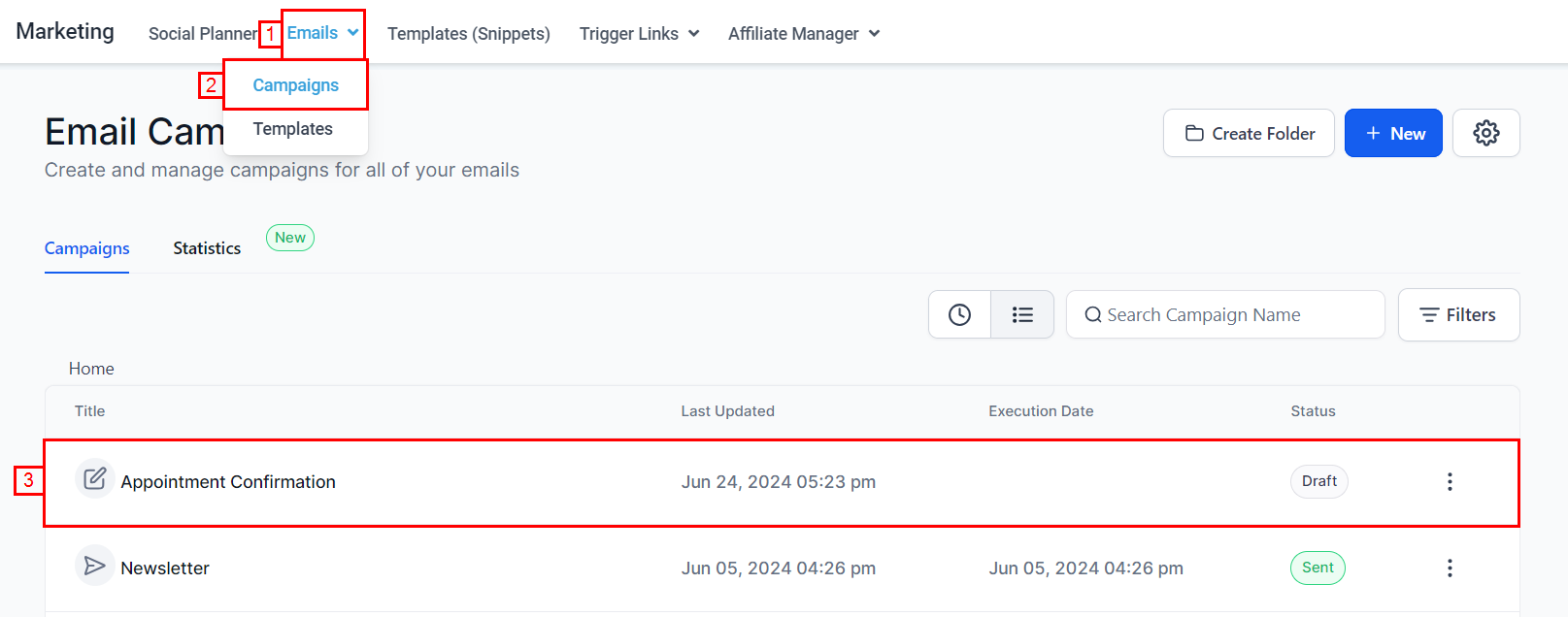
- To begin, navigate to an existing campaign or create a new campaign within the Marketing > Emails > Campaigns section.
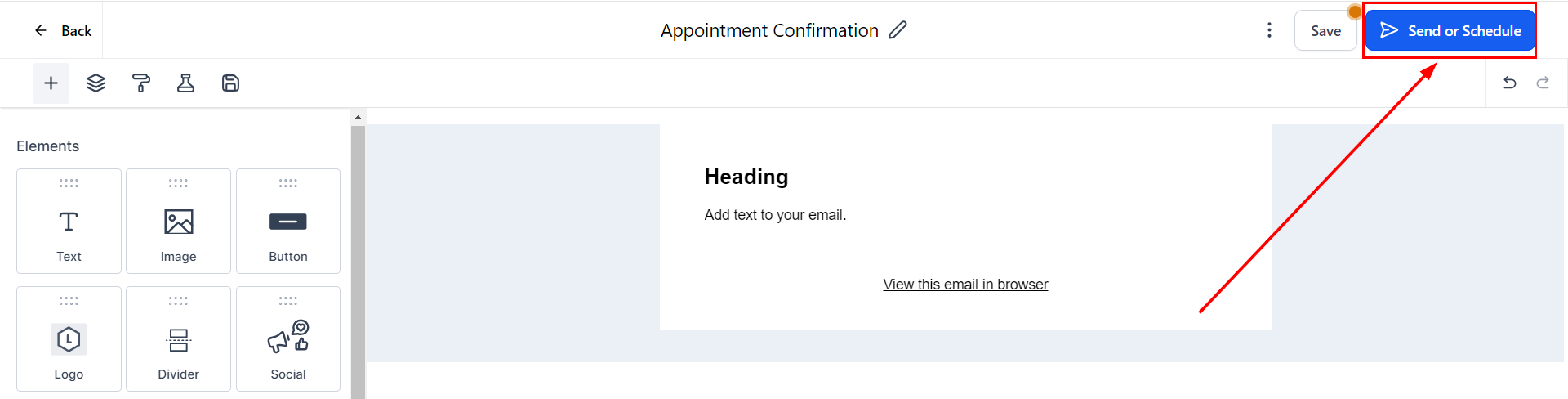
- Send or schedule your email after you are satisfied with the content and appearance.
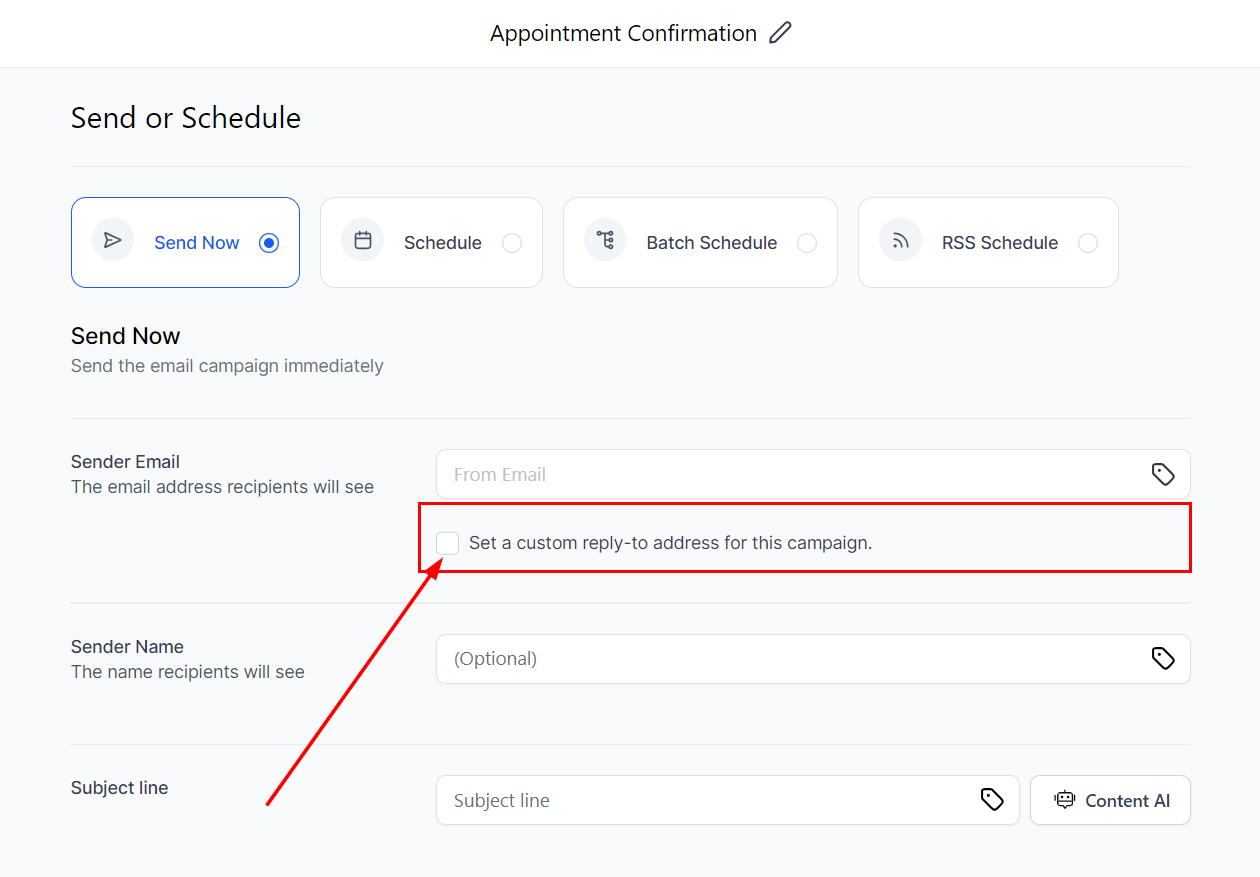
- If the sender email or global reply-to address is not appropriate, choose the option to “Set a custom reply-to address for this campaign.”
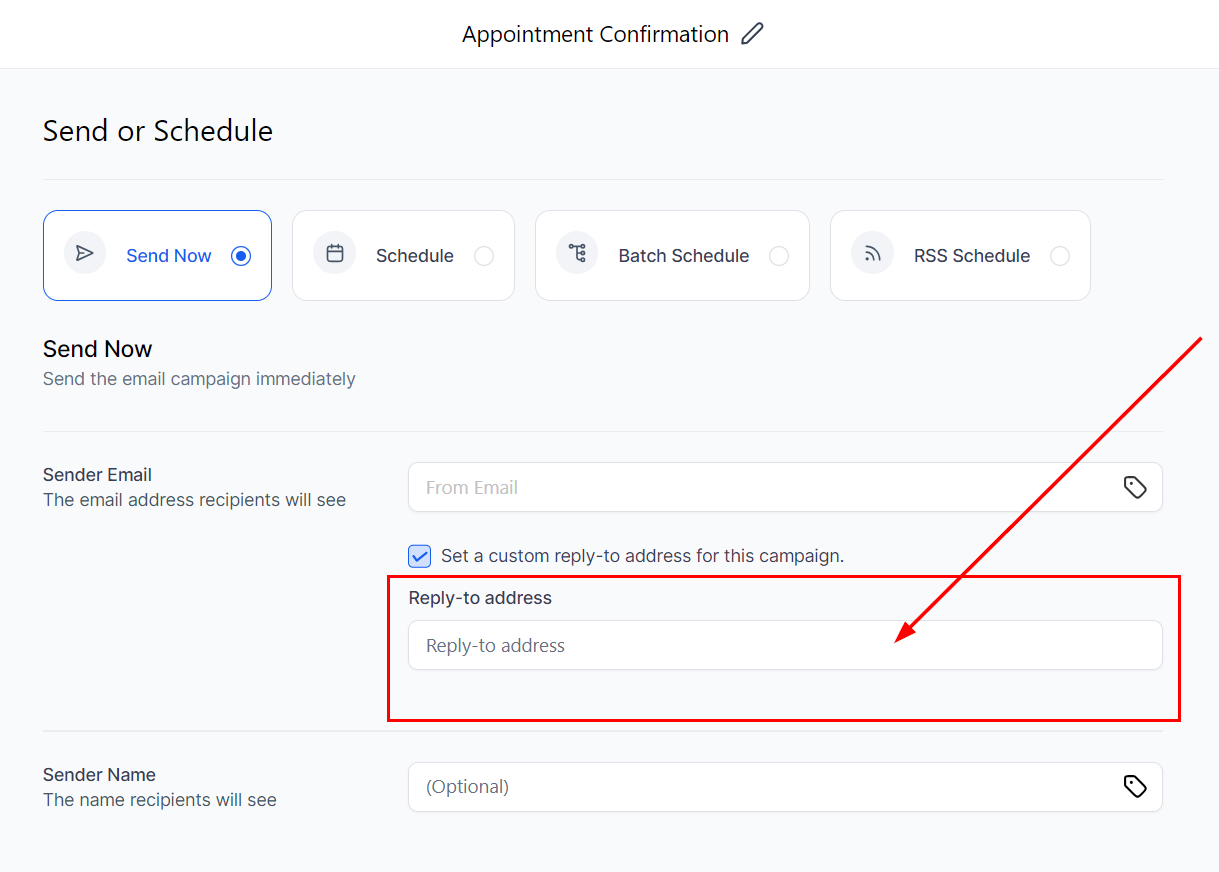
- Enter the preferred reply-to email address or use a custom value by clicking the tag icon.
Priority of Reply-To Addresses
1. Custom Reply-To Address: Set in the campaign’s Send or Schedule screen.
2. Location Settings Address: Specified in Location Settings > Email Service > Reply & Forwarding settings.
3. Default Address: The current default settings.
Frequently Asked Questions
Q: What is the purpose of the enhanced reply management feature?
- The enhanced reply management feature allows users to set custom reply-to addresses for individual email campaigns, improving flexibility and ensuring that replies are directed to the appropriate team or individual. This is particularly useful for managing replies based on specific campaign needs, such as marketing or support teams.
Q: How do I set a custom reply-to address for an email campaign?
- Navigate to the Email Marketing section.
- Choose your campaign and click “Send” or “Schedule.”
- If the default sender email or global reply-to address is not suitable, select “Set a custom reply-to address for this campaign.”
- Input the desired reply email address.
Q: What priority is given to the reply-to addresses?
- Priority 1: Custom reply-to address set in the campaign’s Send or Schedule screen.
- Priority 2: Reply address specified in Location Settings -> Email service -> Reply & Forwarding settings.
- Priority 3: Current defaults.
Troubleshooting Tips
Custom reply-to address is not being recognized. Ensure that you have correctly set the custom reply-to address during the campaign setup. Check the prioritization of reply-to addresses in your settings to make sure there are no conflicting configurations.
Not a Funnelbud customer yet?
Try our all-in-one CRM for sales and marketing — free for 7 days, no commitment.