How to Import Affiliate Manager Campaigns
Affiliate Manager Campaigns play a crucial role in the success of many businesses, and having them all in a unified platform is equally important. With the Import feature in the Affiliate campaigns tab, you can do just that for campaigns created in FirstPromoter. Continue reading to learn how.
Importing Affiliate Manager Campaigns
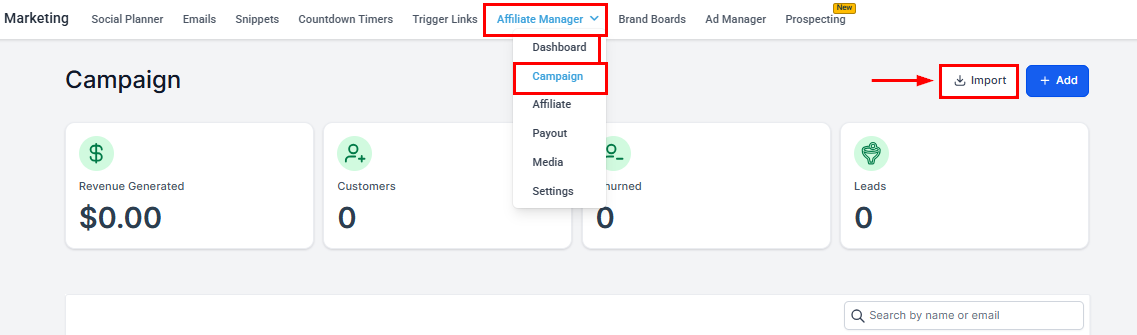
The first step is to open the Affiliate Campaigns section of your Marketing tab. From there, click the “Import” button to initiate the process.
Enter your FirstPromoter Account ID and API Key. If needed, instructions are provided below these fields to guide you through retrieving these credentials directly from your FirstPromoter dashboard.
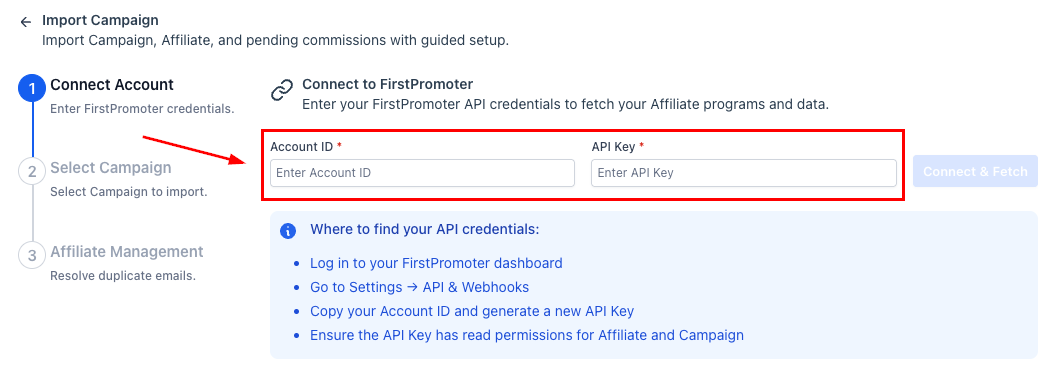
Once entered, click the connect and fetch button to load the next step.
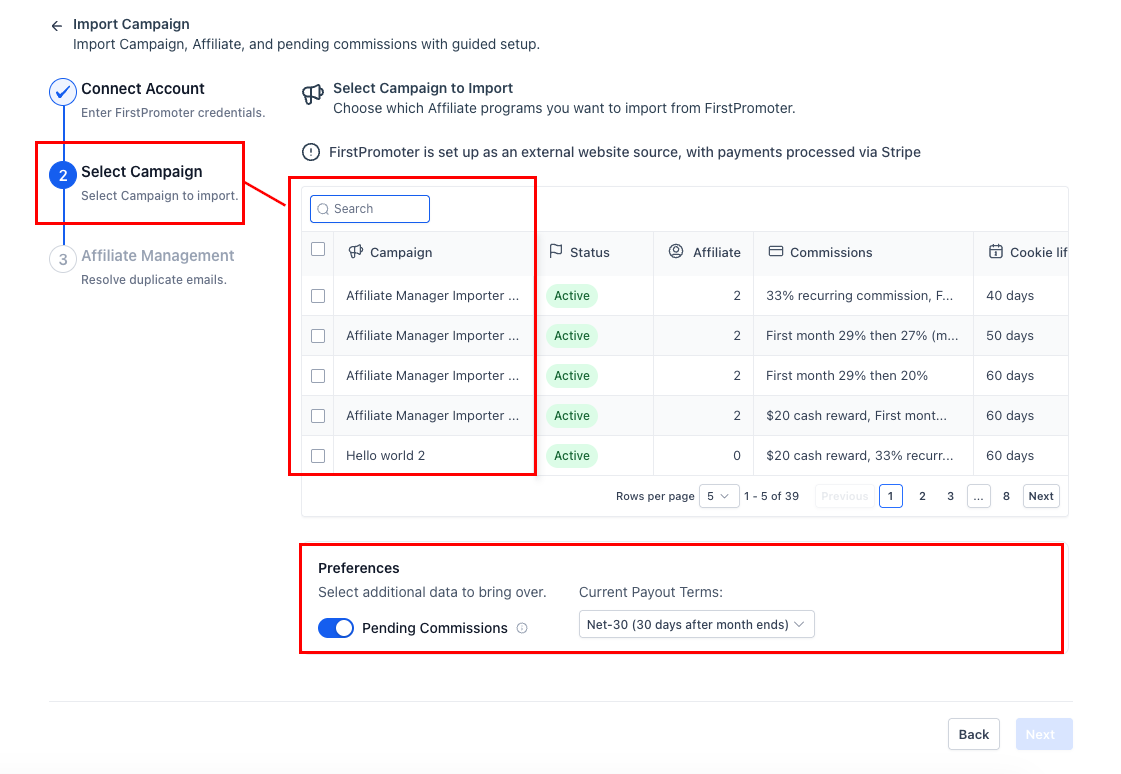
Select the affiliate programs you want to import using the checkboxes. You can review campaign details, including status, commission structure, number of affiliates, and cookie duration, before making a decision. You also have the option to include pending commissions during the import process and update the payout terms.
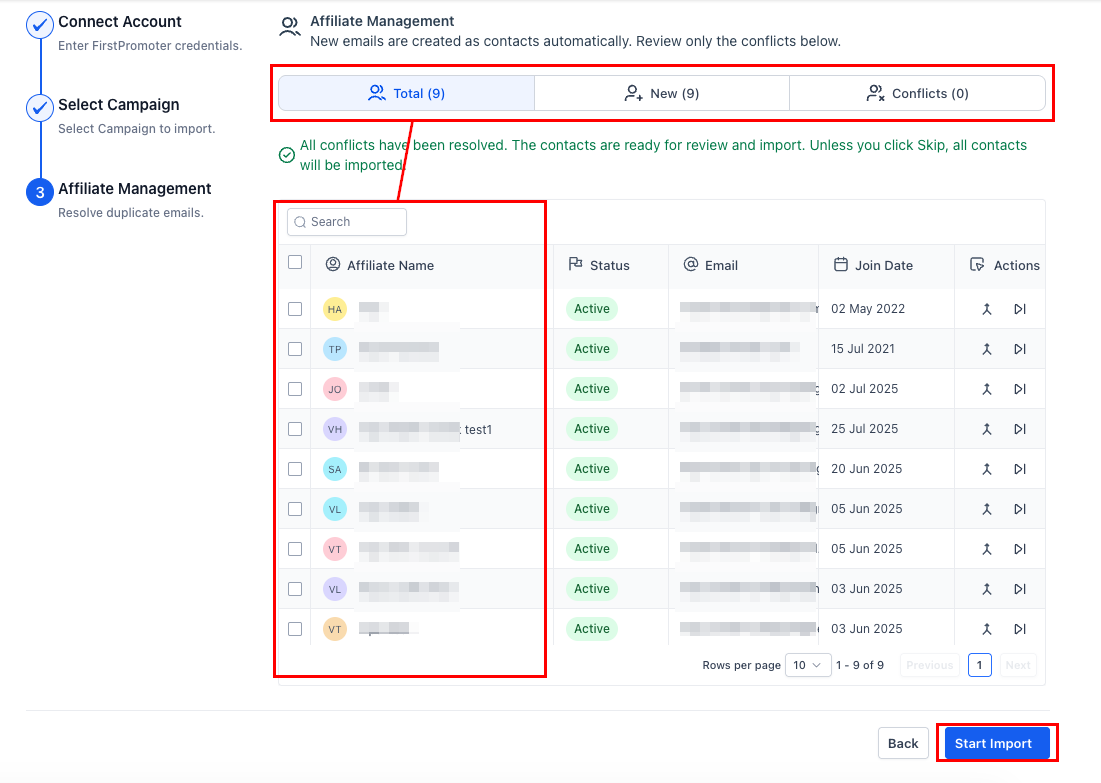
Finally, you can choose whether to merge, skip, or resolve contact conflicts using clear side-by-side comparisons. After resolving any discrepancies, all affiliates will be ready for the final import.
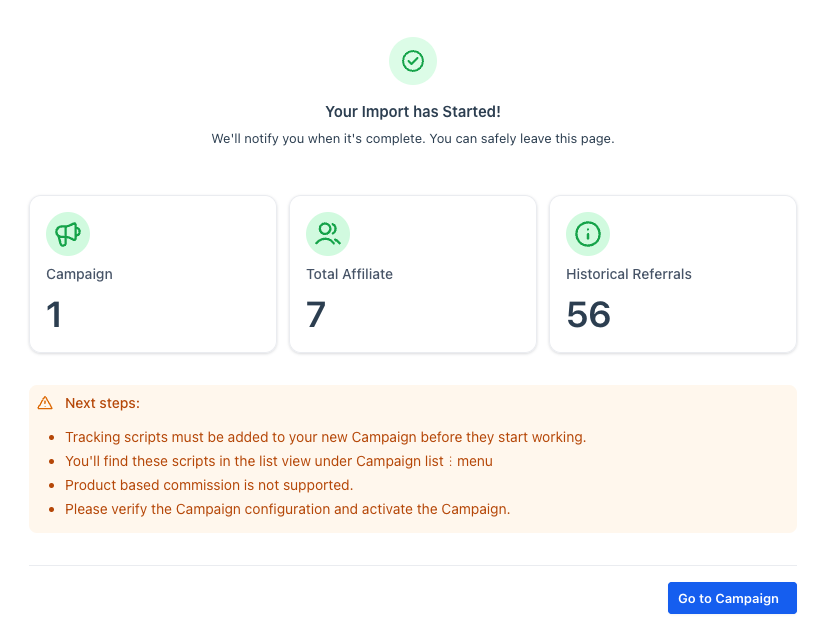
Once the import begins, a summary will be displayed, showing what has been queued and outlining the next steps to start tracking.
With those simple steps, you can view revenue generated, customers, churn, and leads from FirstPromoter directly in the Campaign dashboard.
Frequently Asked Questions
Q: What happens to commission statuses during import?
- Each commission retains its original status (e.g., Pending or Approved). Payout timing follows the Payout Terms you have set in Preferences.
Q: Can I include unpaid earnings?
- Yes. Enable Pending Commissions to import unpaid items so they appear in Affiliate Manager’s payout workflow.
Q: Are product-based commissions supported?
- Not during the import itself. After the import, configure product-based commission rules directly within Affiliate Manager.
Not a Funnelbud customer yet?
Try our all-in-one CRM for sales and marketing — free for 7 days, no commitment.